Understanding LCD Display Kiosks in Healthcare Facilities
Add.: 2F, Bldg 10, Changfeng Industrial Park, Dongkeng, Fenghuang, Guangming, Shenzhen, China 518132
Mobile/WHATSAPP: 86-138 25769658
Email: marketing@topadkiosk.com topadkiosk@gmail.com
Skype: pghenry1
Wechat: adkioskhenry
English Web.: https://www.topkioskdisplay.com/
http://www.ad-kiosk.com/
https://www.toplcddisplay.com/
http://www.multitouchdigitalsignage.com/
https://www.youtube.com/channel/UCYVYNJHxLVEcQD8fuUxXNTA/videos?view_as=subscriber
https://www.facebook.com/TOPADKIOSKSHENZHEN/?ref=bookmarks
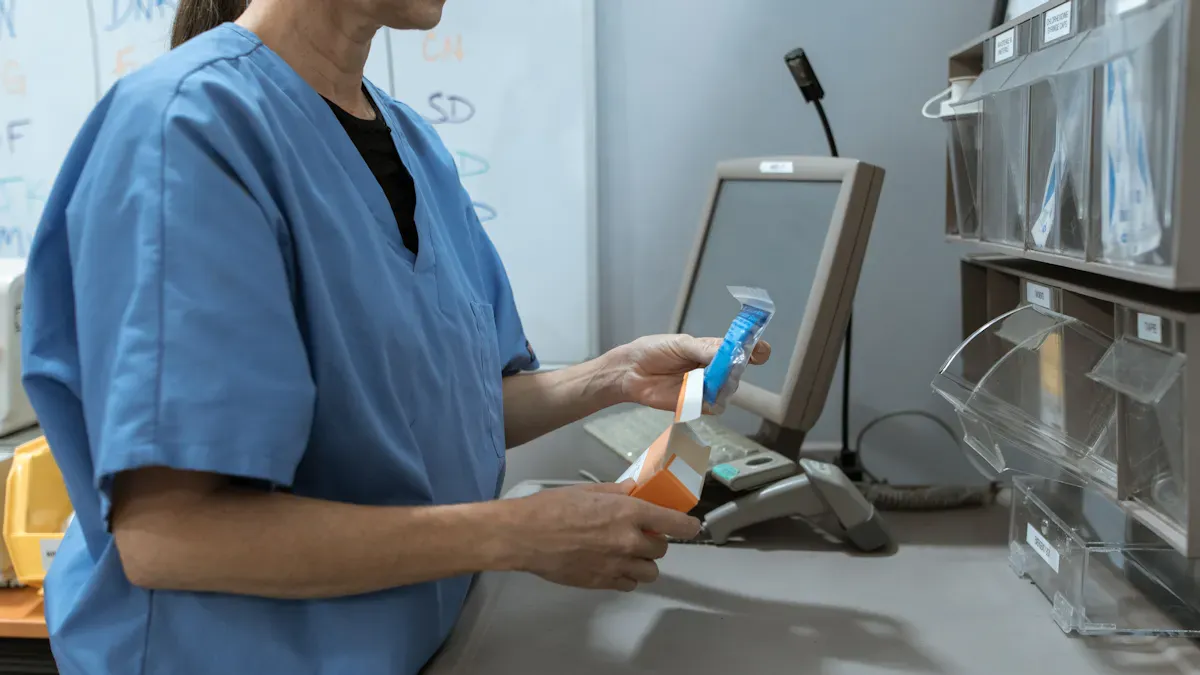
You can find lcd display kiosks designed for healthcare facilities in many hospital places. These tools help you check in for your visit. They help you find where you need to go. You can get important health news from them. You save time and do not get lost. Staff can spend more time helping patients. They do not have to do as much paperwork. In healthcare, lcd display kiosks designed for healthcare facilities help with telehealth. They keep your medical information private. They also help patients move through the hospital faster. With lcd display kiosks designed for healthcare facilities, you get these good things:
Fast check-ins and sign-ups for patients
Simple ways to find your way around
News about health and helpful tips
Help with lines and room changes
More time for staff to care for people
You can find out more at https://www.topkioskdisplay.com/.
As long as we have the blueprints, Shenzhen TopAdkiosk Display Technology Co., Ltd no worse than anyone else.
Key Takeaways
LCD display kiosks make patient check-ins much faster. The process can be up to 70% quicker. Wayfinding kiosks help patients find their way in hospitals. This makes it easier and less stressful. It also helps lower wait times. Health kiosks can check vital signs. They give correct data for better care. Self-service kiosks make paying bills simple. Patients can pay fast and safely. Kiosks help keep patient privacy safe. People can type in their own information.
LCD Display Kiosks Designed for Healthcare Facilities
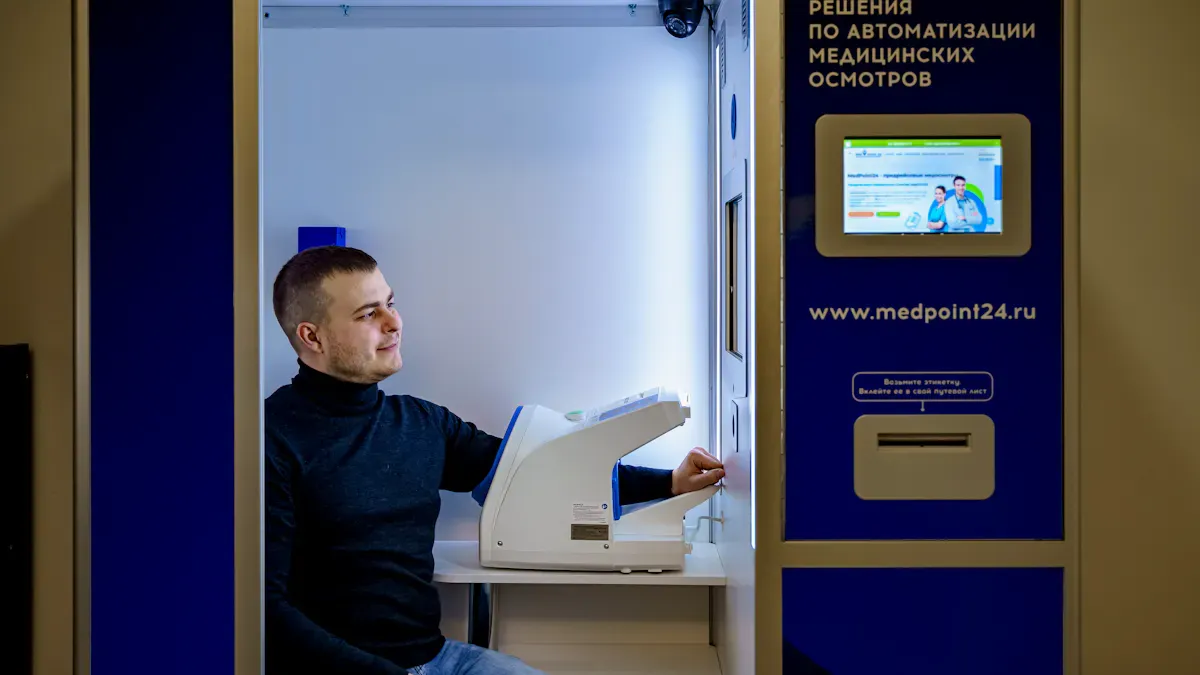
LCD display kiosks are now very important in healthcare places. You can see them in hospitals, clinics, and other medical buildings. These health kiosks help you get through your visit faster and with less worry. They also make work easier for staff. Here are the main types and jobs you will see in a hospital:
Patient Kiosk for Check-In and Registration
When you get to a hospital, you might use a patient kiosk to check in by yourself. This health kiosk lets you sign in fast, so you do not have to wait in long lines. You can put in your information, change your records, and look at your appointment details. Patient kiosks help you spend less time at the front desk. In fact, patient check-in kiosks can make registration about 70% faster. This means you get to your appointment sooner, and staff can help people who need more care.
Tip: Using a patient kiosk for self-check-in keeps your information private. You type in your own details, so your info stays safe.
Here is how patient kiosks make things better for you and staff:
Functionality | Benefit for Staff | Benefit for Patients |
|---|---|---|
Patient Registration | Less paperwork for staff | Fast and easy check-in |
Bill Payment | Fewer mistakes with bills | Simple ways to pay |
Information Update | Easier data entry for staff | Easy to change your info |
Symptom Input | Sends info right to doctors | Helps you talk to staff |
You will see that patient kiosks also make people happier with their visits. They make your visit feel new and focused on you. You get the right info, better privacy, and do not wait as long.
Wayfinding and Facility Information
Hospitals can be hard to find your way around. Wayfinding health kiosks help you know where to go. These lcd display kiosks show maps, directions, and other info about the building. You can look for departments, clinics, or even bathrooms. The screens and digital lists show you what to do step by step. Some places use mobile apps or even special technology to help you find your way.
Technology Type | Description |
|---|---|
Digital Directories | Touch screens in busy spots that show maps and services. |
Interactive Kiosks | Self-service kiosks in busy areas to help you find places and check appointments. |
Mobile Apps | Apps that use GPS to guide you in real time inside the building. |
Augmented Reality (AR) | Mixes digital maps with real places to help you find things. |
Wayfinding health kiosks do more than just give directions. They help you feel less worried and get to places on time. Staff do not have to give directions as much and can help with medical care. You feel better about moving around the hospital.
Benefit | Impact on Patients and Operations |
|---|---|
Clear Directions | Makes it easy for patients to find their way. |
Reduced Anxiety | Helps you feel less stressed about finding places. |
Streamlined Patient Flow | Keeps waiting areas less crowded and helps people arrive on time. |
Increased Staff Productivity | Staff can spend more time caring for patients. |
Enhanced Overall Satisfaction | Makes visits better by saving time and helping you not get lost. |
Health Kiosks for Monitoring and Diagnostics
Health kiosks in hospitals do more than just check you in. Many can check your health and help with diagnosis. You can use these health kiosks to check your blood pressure, heart rate, or blood sugar. Some health kiosks have thermometers, ECGs, and BMI calculators. These tools help you and your doctor keep track of your health.
Health Indicator | Function Description |
|---|---|
Blood Pressure | Checks your blood pressure. |
Blood Sugar | Measures your blood sugar. |
Heart Rate | Watches your heart rate. |
Body Temperature | Checks if you have a fever. |
Blood Oxygen Saturation | Checks how much oxygen is in your blood. |
Body Mass Index (BMI) | Figures out your BMI for weight. |
Body Fat Percentage | Checks how much fat you have for health. |
You can trust the results from these health kiosks. Telehealth kiosks use good hospital tools for correct readings. This means you get good data, just like from regular medical machines. Some health kiosks even let you talk to doctors far away. This makes it easier to get answers and follow-up care, especially when you need help fast.
Self-Service Kiosk for Payments and Feedback
Paying bills and giving feedback can take a lot of time. A self-service kiosk in a hospital lets you pay quickly. You can scan your bill, pay with a card, or put in your info to get a bill. This way, there are fewer mistakes and the hospital gets paid faster. Staff spend less time on bills and more time helping patients.
Self-service kiosks make paying fast and easy.
You can pay bills, copays, and other charges right there.
These health kiosks help hospitals get money faster.
You can also leave feedback to help the hospital get better.
Queue Management and People Counting
Waiting in line can make you feel stressed. Queue management health kiosks help you know your spot in line and how long you will wait. These lcd display kiosks show updates and keep waiting rooms in order. Hospitals use people-counting to watch crowd sizes and help with social distancing.
Queue management kiosks help you stay a safe distance from others.
You get updates on your wait time.
People-counting helps hospitals follow safety rules.
Hospitals using these health kiosks have shorter waits and happier patients.
Note: Digital signs with queue management can make wait times feel 35% shorter. Some emergency rooms have seen wait times drop by 57% after using these health kiosks.
Health kiosks in healthcare places make your visit easier and safer. Staff can focus on care, and you get the help you need fast. Health kiosks help you from check-in to diagnosis and payment.
Benefits of Health Kiosks in Healthcare
Efficiency and Reduced Wait Times
Health kiosks help you finish your visit faster. When you use a kiosk, you do not have to wait in long lines. You spend less time sitting in the waiting room. Many hospitals say kiosks can make check-in twice as fast. This means you see your doctor sooner. Staff can help more people each day. Most providers say patients are happier when they wait less. Hospitals also save money. Some save up to $740,000 every year on staff costs.
Benefit Category | Specific Improvement | Typical Impact |
|---|---|---|
Operational Efficiency | Automated routine check-in tasks | Staff can help with important care |
Financial Health | Fewer mistakes with data entry | Hospitals lose less money from billing errors |
Patient Experience | Shorter wait times (35-40% less) | People are happier and waiting rooms are less crowded |
Data Accuracy and Security
Health kiosks let you type in your own information. This helps stop mistakes, about 80% fewer errors. You can trust your data is right. This helps with bills and insurance. Kiosks keep your details private. You enter your info yourself, so not many people see it. This keeps your records safe and follows HIPAA rules.
Kiosks collect your data for each visit.
They help insurance work faster and stop denied claims.
You control your own medical information.
Accessibility and Patient Privacy
You can use health kiosks even if you need extra help. Many have privacy screens and clear your info after you finish. This keeps your visit private. The software deletes your data when you are done. You do not have to worry about others seeing your details. Kiosks also help people with disabilities use them alone.
Tip: Pick kiosks with privacy screens and easy steps for your next visit.
Operational Insights and Feedback
Health kiosks let managers see feedback right away. You can rate your visit or leave a comment after you finish. This helps hospitals get better and make waiting rooms nicer for everyone.
Feature | Description |
|---|---|
Real-time feedback | Gets your thoughts right after your visit |
Intuitive interfaces | Easy for all ages and skill levels |
Metrics captured | Tracks how happy people are and how many reply |
Direct reporting | Lets you share ideas or problems while your visit is fresh |
You help make medical care better when you use a kiosk to give feedback.
Medical-Grade vs. Consumer-Grade Kiosks
Durability and Hygiene
Medical-grade lcd display kiosks are much tougher than consumer-grade ones. They use special materials that do not get ruined by strong cleaners. You can wipe them down a lot, and the screens will not break. These kiosks have smooth surfaces, so germs cannot hide in cracks. Some even have coatings that stop germs from growing. Consumer-grade kiosks do not have these things. If you use strong cleaners on them, the screens might turn yellow or stop working. Regular electronics for consumers break faster in hospitals. Medical lcd display kiosks stay safe and strong after many cleanings.
Tip: Pick kiosks with germ-fighting surfaces and simple shapes. This helps stop infections from spreading.
Medical-grade kiosks can handle lots of cleaning.
Consumer-grade kiosks get damaged by hospital cleaners.
Medical monitors stop germs from building up and can be cleaned safely.
Compliance and Integration
Hospitals have to follow strict rules. Medical lcd display kiosks meet these rules and work with hospital computers. Here is how medical-grade kiosks are different:
Compliance Standard | Description |
|---|---|
HIPAA Compliance | Keeps patient data safe with codes and passwords. |
GDPR | Lets patients say yes or no to sharing their data. |
PCI DSS Compliance | Makes sure payments are safe. |
Accessibility Standards (ADA) | Works with screen readers and many languages. |
HL7 FHIR Interoperability | Connects well with electronic medical records. |
SOC2 Type II and ISO 27001 | Watches security and controls who gets in. |
Medical Device Regulations | Makes sure kiosks with tests are safe to use. |
Medical-grade kiosks connect well with medical pictures and records. Consumer-grade kiosks may not work with these systems or follow the rules.
Security Features
Hospitals need strong security. Medical-grade kiosks have tools to keep patient info safe. They use codes, time-outs, fingerprint locks, and logs that cannot be changed. Consumer-grade kiosks do not have these safety tools. Medical-grade kiosks follow HIPAA rules and protect privacy in hospitals.
Security Feature | Medical-Grade Kiosks | Consumer-Grade Kiosks |
|---|---|---|
End-to-End Encryption | Yes | No |
Auto-Timeouts | Yes | No |
Biometric Locks | Yes | No |
Tamper-Proof Audit Logs | Yes | No |
You can trust medical lcd display kiosks to keep your info safe. These kiosks are made for hospitals and protect your privacy.
Implementation Considerations for Self-Service Kiosks
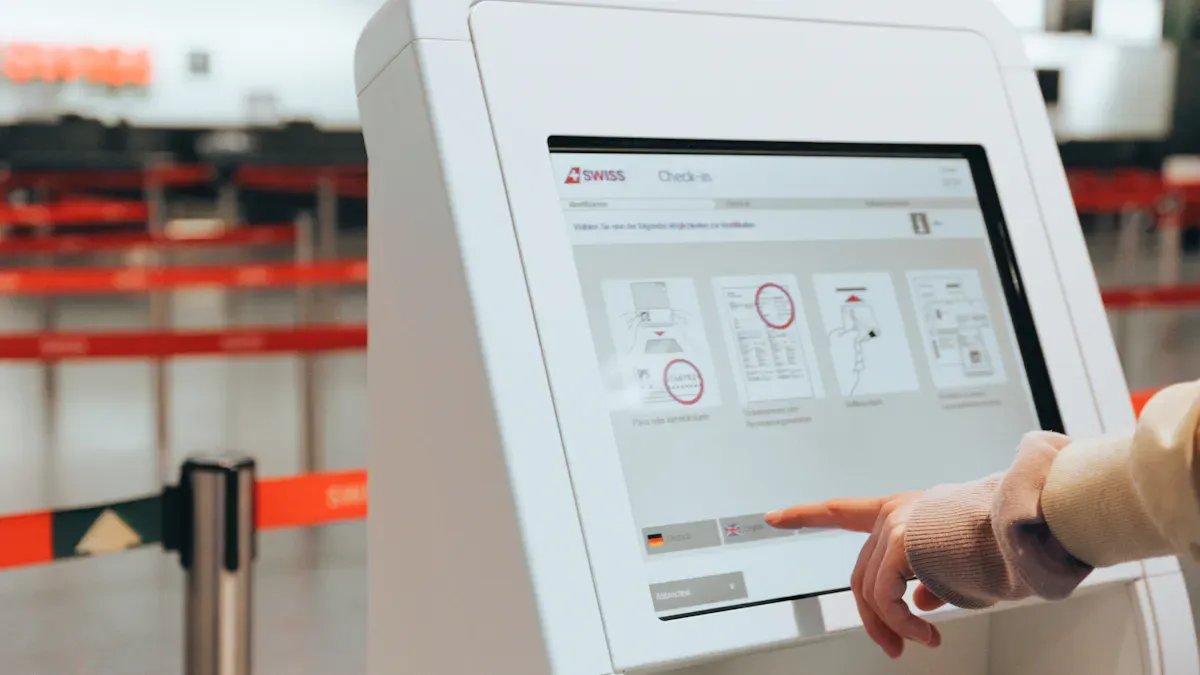
Accessibility and Usability
All patients should find kiosks easy to use. It is important that everyone can use them in hospitals. Kiosks must give privacy and be easy for all. Privacy screens help keep your information safe. The software deletes your data after you finish. Kiosks work for people who are blind or have low vision. They support screen readers and have audio jacks for sound. Kiosks follow ADA and ACA Section 1557 rules. The hardware is the right height for wheelchair users. Information is shown in ways that help people with disabilities.
Privacy screens keep patient information safe.
Software deletes patient data after each use.
Kiosks work with screen readers and audio jacks.
Hardware fits ADA height and reach rules.
Kiosks are easy for wheelchair users to reach.
Security and Compliance
You trust kiosks with your private information. Kiosks keep your data safe with strong encryption. You log in with a PIN or fingerprint. Screen guards stop others from seeing your info. Kiosks follow HIPAA rules to protect your records. They help sign up new service providers and manage forms. This keeps everything following medical rules. When kiosks follow these rules, you avoid legal trouble and keep trust.
Kiosks use encryption and safe logins.
Screen guards keep your information private.
Kiosks follow HIPAA and other safety laws.
Electronic forms and approvals meet medical rules.
Integration with Healthcare IT
You want your data to move fast and stay safe. Kiosks must connect to health records, schedules, and bills. This lets your data update right away. If a hospital has old systems, IT experts and kiosk makers work together. They make sure kiosks and hospital computers share data in real time.
Challenge | Solution |
|---|---|
Old systems and different databases slow down data flow. | IT experts and kiosk developers create custom solutions for real-time updates. |
Kiosks need updates and strong encryption to keep your data safe.
Staff Training and Maintenance
Staff need to know how to use kiosks. They help patients and fix small problems. Hospitals must keep kiosks clean and working. Regular checks and cleaning stop germs from spreading. Staff should know how to reset kiosks and answer questions. Good training and care keep kiosks safe and helpful for everyone.
Tip: Staff who are trained and clean kiosks often make them safer and better for all patients.
Future Trends in Healthcare Kiosks
Advanced Technologies
Soon, healthcare kiosks will use even newer technology. These kiosks will make your visit much easier. Many kiosks now use automation and computer vision. They also connect better with health records. These new features help you get care faster. You will see fewer mistakes when you use them. Check out the table below to see how these changes help you:
Feature | Benefit | Impact on Patient Care |
|---|---|---|
Automation | No manual data entry, faster service | |
Computer Vision | Captures your info with high accuracy | 0 transcription errors |
Integration with EHR | Shares data quickly and safely | 20% savings in clinician time |
Digital Front Door | Gives you a digital-first check-in experience | Better than old check-in methods |
You can use kiosks for telemonitoring and remote check-ins. These tools let you get care from home or other places. You can send your health data to your doctor using telemonitoring. This makes it easy to get help without going to the hospital.
Expanding Roles in Healthcare
Healthcare kiosks now do more than just check you in. You can use them for lots of things:
Automate check-in, wayfinding, self-ordering, and telemonitoring.
Make it easier to talk with your doctor and staff.
Use kiosks for remote vital sign checks, so staff can focus on care.
Try remote visits with doctors, even if you are far away.
Get your medicine faster with better prescription services.
You can use telemonitoring to track your health from far away. Kiosks help you stay in touch with your care team. You can use remote tools for telehealth and remote visits. This makes getting care easier for you.
Impact on Patient Care
Healthcare kiosks will change how you get care. Hospitals use kiosks to help with check-ins, billing, and lines. This lets staff spend more time helping patients. You will see more remote and telemonitoring options soon. The market for patient self-service kiosks is growing fast. Hospitals want more remote and contactless check-ins. This means you will wait less and get help faster.
Hospitals will use more kiosks for remote check-ins and telemonitoring.
Kiosks will help you pay bills, schedule visits, and get care from far away.
Remote and telemonitoring tools will make care safer and more personal.
Note: More people want remote and telemonitoring services. You will see more kiosks that help you get care from anywhere.
You see LCD display kiosks change how you move through a hospital. These tools help you as a patient check in, find your way, and share feedback. You get faster service and more privacy as a patient. Staff help each patient better because kiosks handle simple jobs. If you want to improve patient care, start planning for these kiosks. You will see each patient enjoy a safer and smarter visit in the future.
LCD Display Kiosks Designed for Healthcare Facilities
LCD self-service kiosks in healthcare facilities are becoming essential tools for improving operational efficiency and patient experience. Their core value lies in automating processes such as registration and payment, thereby reducing the administrative burden on medical staff.
💡 Key Value & Functions
These kiosks deliver significant efficiency gains for both patients and healthcare providers:
Core Value: Automate routine tasks, significantly reduce patient waiting times, lighten administrative workloads, and allow medical staff to focus more on patient care.
Main Functions:
Self‑Service: 24/7 registration, appointment scheduling, bill payment, and report printing.
Identification & Payment: Integrated ID/insurance card scanning, facial recognition, and multiple payment methods.
Health Management: Some kiosks can measure basic vital signs (blood pressure, temperature) and support telemedicine consultations.
Auxiliary Services: Indoor wayfinding, queue management, and health education content to improve convenience.
📋 Medical‑Grade Specifications
Due to the unique environment, healthcare kiosks must meet stricter design and safety standards than standard commercial devices:
Data & Privacy Security: Must comply with local regulations such as HIPAA (US) and GDPR (EU). Technical requirements include AES‑256 encryption, automatic logout, privacy screens, and PCI payment security certification.
Physical & Environmental Design:
Easy‑to‑clean antimicrobial coatings
Quiet, stable fanless cooling systems
ADA‑compliant accessibility design
Recommended core hardware certifications: ISO 13485 (medical quality management), CE, FCC, etc.
Display & Interaction:
Glove‑compatible capacitive touchscreen
Anti‑glare glass
High brightness (e.g., 300 cd/m²)
Common screen sizes: 19" to 32" LCD displays, ensuring clarity under various lighting conditions.
⚙️ Software & Hardware Integration Requirements
System Compatibility: Kiosks must seamlessly integrate with hospital HIS (Hospital Information Systems) or EHR (Electronic Health Records) to synchronise data.
Form Factors: Choose from floor‑standing, wall‑mounted, tabletop, or bedside infotainment terminals depending on space requirements.
🌏 Supplier Overview
The following suppliers range from all‑in‑one solution providers to highly customisable options:
Company | Features & Solutions | Certifications / Compliance |
|---|---|---|
KIOSK Information Systems | Highly modular Avant series; supports cash/card payments; ADA‑compliant design. | ADA |
Onyx Healthcare Inc. | Bedside infotainment terminals; screen sizes 10.1" to 18.5"; antimicrobial design. | Antimicrobial coating |
Avalue Healthcare | Ultra‑thin 32‑inch panel PC (APC‑32WR6) for check‑in and wayfinding; built‑in NFC, 8MP camera. | Google EDLA certified |
Hongzhou Smart | ODM healthcare kiosks; custom touchscreens from 19" to 46"; deep integration with international EHR and domestic HIS/HRP systems. | ISO9001, ISO13485, ISO14001, UL |
Sonka Medical | AI health assessment kiosks; measures blood pressure, heart rate, SpO2; data integrates directly into EMR systems. | ISO 9001, ISO 13485, CE, FDA‑compatible |
Meiding | OEM/ODM customisation to medical standards; antimicrobial coating, fanless design, etc. | Supports HIPAA, GDPR, ADA standards |
Armina (acs-hck-19) | 19‑inch basic kiosk; Intel processor; thermal printer and mobile casters. | BIS, FCC |
💰 Cost & Budget Considerations
Market Price: Global average selling price for a medical self‑service kiosk is approximately $3,200 USD. High‑end, fully‑featured models can reach $5,000 USD per unit (e.g., Shenzhen Philistone models).
Cost Breakdown:
Hardware (display, mainboard, printer, etc.): ~60–70%
Software & integration (system integration, custom development): ~20–30%
Maintenance & support: remaining balance
Total Cost of Ownership (TCO): Include ongoing expenses such as software subscriptions, maintenance contracts, hardware warranties, and cloud service fees.
📈 Market Trends
Strong Growth: The global healthcare kiosk market is expected to grow at a CAGR of 9.6% to 16.8%, reaching approximately $6.9 billion USD by around 2030.
Technology Convergence: Integration of AI and IoT is driving kiosks from single‑function devices toward comprehensive diagnostics, telemedicine, and personalised health management.
Future Directions: Expect more contactless interactions and decentralised deployment models, extending kiosks from hospitals to community settings and retail pharmacies.
💡 Procurement & Deployment Recommendations
Compliance is the priority – Confirm with suppliers that their products support necessary regulations (HIPAA, GDPR, ADA, etc.). Ultimate responsibility lies with the healthcare facility – internal verification is essential.
Match requirements with technology – Clearly define the use case (outpatient check‑in, emergency triage, etc.) and ensure hardware specifications (glove‑compatible touchscreen, encryption modules, etc.) meet operational needs.
Define integration responsibilities – Work with both the supplier and the hospital IT team to clarify roles for data integration. Additional middleware may be required – agree on costs and responsibilities upfront.
Evaluate ROI – Include all costs: hardware, software licences, integration services, and ongoing maintenance. A well‑functioning kiosk typically delivers a payback period of 12–18 months, primarily through labour savings and efficiency gains.
FAQ
What is an LCD display kiosk in a hospital?
You use an LCD display kiosk to check in, find your way, or pay bills in a hospital. These kiosks help you finish tasks quickly and keep your information safe.
How do LCD display kiosks protect my privacy?
You enter your own information on the kiosk. Privacy screens and software clear your data after you finish. This keeps your details safe from others.
Can I use a kiosk for telehealth services?
Yes, you can use some kiosks for telehealth. These kiosks let you talk to a doctor from another place or send health data for remote care.
Are LCD display kiosks easy for everyone to use?
Most kiosks have simple screens and clear steps. They work for people with disabilities. You can use audio help or screen readers if you need them.
What happens if I need help using a kiosk?
You can ask hospital staff for help. Staff know how to guide you or fix small problems with the kiosk.
See Also
Top LCD Display Kiosks for Retail Spaces in 2026
Selecting The Right LCD Display Kiosk Installation Service Nearby
LCD Display Kiosks With Touch Screen Features Available in 2026
Selecting Sturdy LCD Display Kiosks for Shopping Malls in 2026
Loved High-Resolution LCD Display Kiosks for Exhibitions Reviewed
