LCD Display Explained How It Works in 2026
Ahttps://www.youtube.com/shorts/MttKTt76ku0dd.: 2F, Bldg 10, Changfeng Industrial Park, Dongkeng, Fenghuang, Guangming, Shenzhen, China 518132
Mobile/WHATSAPP: 86-138 25769658
Email: marketing@topadkiosk.com topadkiosk@gmail.com
Skype: pghenry1
Wechat: adkioskhenry
English Web.: https://www.topkioskdisplay.com/
http://www.ad-kiosk.com/
https://www.toplcddisplay.com/
http://www.multitouchdigitalsignage.com/
https://www.youtube.com/channel/UCYVYNJHxLVEcQD8fuUxXNTA/videos?view_as=subscriber
https://www.facebook.com/TOPADKIOSKSHENZHEN/?ref=bookmarks
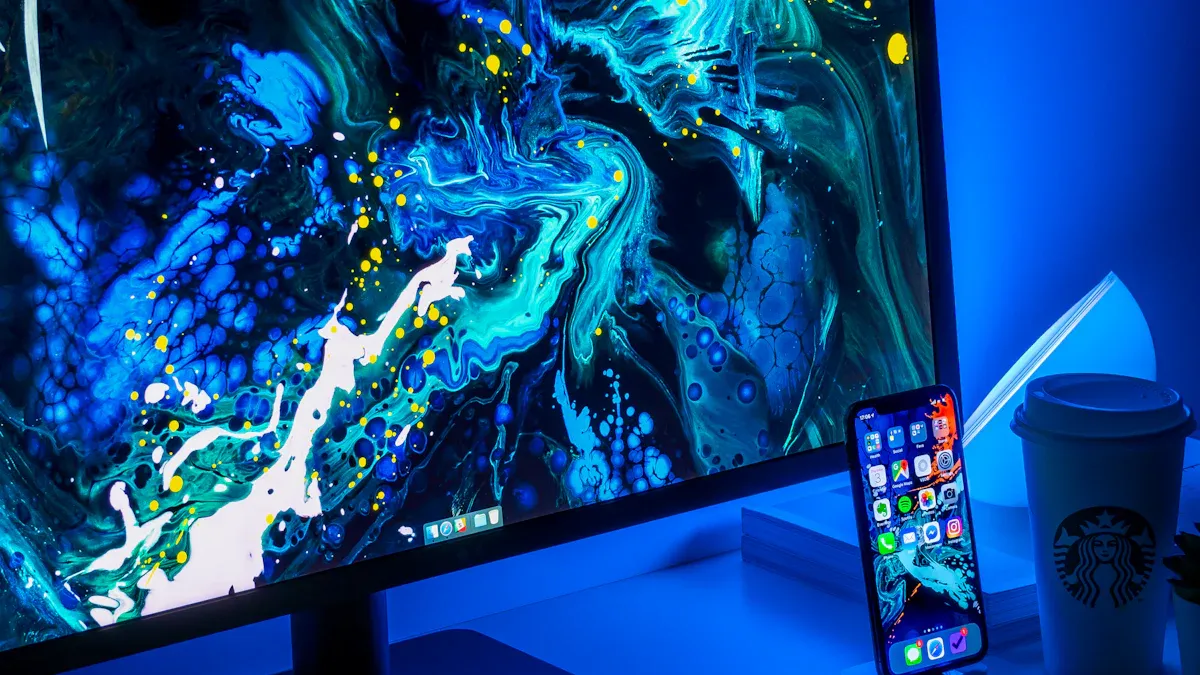
You can find LCD display technology in many electronic devices today. An lcd display works with liquid crystals, polarizers, and light to make pictures and words. People use lcd screens because they show clear pictures and bright colors. In 2026, LCDs make up almost half of the world’s market and are still liked for their good picture quality.
LCDs are used in TVs, smartphones, and kiosks like https://www.topkioskdisplay.com/.
Key Takeaways
LCD displays use liquid crystals and polarizers to make clear pictures and bright colors.
There are different types of LCDs, like TN, IPS, and VA. Each type has special benefits in speed, color accuracy, and how you see the screen from different angles.
LCDs do not use much energy. They are light and strong, so they are great for devices you can carry.
If you know how LCDs work, you can pick the best screen for what you need. This is helpful for gaming, watching movies, or just using it every day.
If you take care of your LCD screen, it will last longer and keep its picture looking good.
What Is an LCD Display?
Simple Definition
You see an lcd display every day. This screen uses a special material called liquid crystals. These crystals sit between two thin sheets called polarizers. When you turn on a device, light shines through the first polarizer. The liquid crystals twist and turn when electricity passes through them. This twisting changes how the light moves. The second polarizer controls how much light gets through. This process lets the lcd show words, colors, and shapes.
A liquid crystal display is a flat-panel screen. It does not use thick glass or heavy parts. You get a thin, light, and energy-saving display. The lcd can show clear pictures because it uses both liquid crystals and polarizers to control light. This makes it different from other screens.
Tip: The way the liquid crystals line up and the design of the backlight can change how bright the screen looks and how well you see colors from different angles.
Here is a table that shows how different types of lcd screens compare:
LCD Type | Brightness | Viewing Angles | Color Accuracy | Response Times |
|---|---|---|---|---|
TN | Moderate | Narrow | Limited | Fast |
VA | High | Limited | Higher | Slower |
IPS | High | Wide | Excellent | Moderate |
Everyday Uses
You use lcd screens in many devices at home, school, and work. These screens help you see information, watch videos, and play games. Here are some common places where you find lcd displays:
Smartphones
Televisions
Smart home devices
You also see lcd screens in computers, tablets, and even car dashboards. The lcd makes it easy for you to read, watch, and interact with technology every day.
When you look at an lcd, you see a clear image because the screen controls light in a smart way. The liquid crystals and polarizers work together to let the right amount of light through. This teamwork creates bright colors and sharp details.
LCD Display Structure and Components
Polarizers and Glass Layers
Every lcd has two polarizers. The front polarizer is closest to your eyes. It lets only some light waves pass. The rear polarizer is at the back. It blocks or lets light out. Glass layers sit between these polarizers. The glass gives the lcd its shape and keeps it strong. Inside the glass, there are tiny polymer grooves. These grooves help the liquid crystals line up. The grooves guide the crystals to twist the right way. This helps the lcd control light very well.
Note: The polymer grooves make the liquid crystals follow the same path as the polarizers. This teamwork helps the lcd show clear pictures.
Liquid Crystal Layer
The most important part of an lcd is the liquid crystal layer. There are millions of liquid crystals between the glass sheets. When you turn on your device, the lcd sends signals to the crystals. The crystals twist or untwist. This changes how light moves through them. The twisting lets the lcd block or let light through. This is how you see images on the screen.
Backlight and Color Filters
The lcd cannot make its own light. It needs a backlight to shine through all the layers. Most lcd screens use LED backlights. The backlight sits behind the rear polarizer and glass. It shines white light forward. The lcd uses color filters to split the light into red, green, and blue. Each pixel has three color filters. The backlight and color filters decide how bright and true the colors look. MiniLED backlights give better color and brightness than older ones.
Description | Impact on Color Accuracy | |
|---|---|---|
Edge-lit | LEDs on edges, light spreads with diffusers | Can cause uneven color and brightness |
Direct-lit | LEDs across the back, allows local dimming | Better color and brightness uniformity |
MiniLED | Many tiny LEDs, fine dimming control | Best color accuracy and brightness |
Pixel and Sub-pixel Structure
Every lcd screen shows pictures using pixels. Each pixel splits into three sub-pixels: red, green, and blue. The lcd controls each sub-pixel with liquid crystals and color filters. When you mix these sub-pixels, you get many colors. More pixels make the image look sharper and clearer. How the pixels are arranged and packed decides the resolution and quality of your liquid crystal display.
Aspect | Description |
|---|---|
Pixel Composition | Each pixel has red, green, and blue sub-pixels |
Resolution Definition | Number of pixel rows and columns (like 1920×1080) |
Impact on Clarity | More pixels mean sharper, clearer images |
How LCD Display Works
Light Modulation Process
You can understand the working principle of an lcd display by looking at how it controls light step by step. The process starts with the glass substrate. Manufacturers clean and polish the glass to prepare it for the next steps. They then add a thin film transistor layer. This layer helps control each pixel on the lcd. Next, they apply color filters. These filters keep each pixel’s color clear and prevent colors from mixing.
After that, the lcd gets coated with a special material called polyimide. This coating helps align the liquid crystals. The glass layers come together with tiny spacers between them. These spacers keep the distance even, so the liquid crystals work well. The manufacturer injects the liquid crystals into the gap between the glass layers. Polarizers go on both sides of the lcd. These polarizers control how light enters and exits the display.
The backlight sits behind all these layers. It shines white light through the lcd. The final step is testing the lcd to make sure it works. Each part of this process helps the lcd control light and create a clear image for you.
The working principle of an lcd depends on how well each layer works together. If one layer fails, the display cannot show a proper image.
Role of Electrical Signals
You control the lcd by sending electrical signals to it. These signals travel through electrodes and reach the liquid crystals. When there is no signal, the liquid crystals twist in a special way. This twist lets light pass through the polarizers. When you send a signal, the liquid crystals straighten out. This change blocks the light from passing through.
The working principle of the lcd relies on this twisting and untwisting. You can think of the liquid crystals as tiny gates. When you open the gate, light passes through. When you close the gate, light stops. This simple action lets the lcd show dark and bright areas on the screen. The electrical signals change very quickly, so the lcd can update the image many times each second.
Creating Colors and Images
You see bright and colorful images on an lcd because of the way it uses color filters and the backlight. Each pixel on the lcd splits into three subpixels. One subpixel has a red filter, one has a green filter, and one has a blue filter. The backlight shines white light through these subpixels. The liquid crystals control how much light passes through each color filter.
By mixing different amounts of red, green, and blue, the lcd can create millions of colors. This is how you see photos, videos, and games in full color. The working principle of the lcd makes sure each pixel changes fast enough to keep up with moving images. If the lcd has a high refresh rate, you see smooth motion. If the response time is slow, you might notice blur when objects move quickly.
High refresh rates help the lcd show smooth action in games and videos.
Fast response times keep the image clear, even when things move fast.
If the lcd has slow response times, you might see motion blur.
The lcd display uses all these parts—liquid crystals, color filters, polarizers, and the backlight—to give you a bright, sharp, and colorful image every time you turn on your device.
Types of LCD Displays
When you look at different lcd screens, you will notice that not all of them work the same way. The way the liquid crystals line up inside the display changes how you see color, brightness, and sharpness. You can choose from three main types: TN, IPS, and VA. Each type uses liquid crystals in a special way to control light and color.
TN (Twisted Nematic)
TN panels use liquid crystals that twist when you apply electricity. This design lets the lcd change fast, so you get quick response times. You often see TN displays in gaming monitors because they show fast-moving images with less blur. TN panels cost less and use less power than other types. However, you will notice that the color lcd on a TN panel does not look as rich. The viewing angles are narrow, so the colors can shift if you look from the side. The liquid crystals in TN panels do not line up evenly, which affects color accuracy.
Tip: If you want a display for fast action games, a TN lcd gives you speed, but you may lose some color quality.
IPS (In-Plane Switching)
IPS panels use liquid crystals that move side to side, not up and down. This structure helps the lcd show bright, accurate color from almost any angle. You will see the same color lcd quality even if you move around the screen. IPS displays work well for tasks where color matters, like photo editing or watching movies. The response time is good, but not as fast as TN. IPS panels use more power because the liquid crystals need more energy to move. Still, you get a clear image and true color.
Liquid Crystal Alignment | Color Reproduction | Viewing Angles | Response Time | Power Consumption | |
|---|---|---|---|---|---|
IPS | Horizontal | Excellent | Wide | ~1-5ms | Higher |
VA (Vertical Alignment)
VA panels use liquid crystals that stand up when the display is off and tilt when it is on. This setup gives you deep blacks and a high contrast ratio. The color lcd on a VA panel looks good, and you see more detail in dark scenes. VA displays work well for watching movies or using your lcd in a dim room. The viewing angles are better than TN but not as wide as IPS. The response time is slower, so you might see some blur in fast images. VA panels use liquid crystals to create a strong difference between light and dark, making the image pop.
VA panels give you deeper blacks and higher contrast than TN or IPS.
You get good color, but the image may shift if you look from the side.
Panel Type | Contrast Ratio Range |
|---|---|
VA | |
IPS | ~1,000:1 |
TN | ~1,000:1 |
When you pick an lcd, think about what matters most: speed, color, or contrast. The way the liquid crystals move inside each display type changes your viewing experience. A color lcd can look very different depending on the panel you choose.
LCD Display Pros and Cons
Advantages
There are many good things about using an lcd in your device. These screens use less power than older ones, so your battery lasts longer and you pay less for electricity. Lcds are thin and light, which makes your phone or laptop easy to carry. You see bright colors and clear pictures, especially with new IPS lcds. These screens last a long time, so you do not need to buy new ones often. Lcds are strong and can work in hot or cold places.
Here is a table that lists the main advantages:
Advantage | Description |
|---|---|
Energy Efficiency | Uses less power, helps batteries last longer, and lowers energy costs |
Slim Form Factor | Thin and light, perfect for portable devices |
Color Accuracy | Shows bright, true colors and clear images |
Durability | Handles different temperatures and daily use without breaking easily |
Longevity | Works for many years, reducing electronic waste |
Lcds use less energy than plasma screens. This means you can use your device longer before charging.
Limitations
There are some problems with lcd screens. TN lcds have small viewing angles, so colors can look faded if you look from the side. IPS panels are better, but some lcds still change color a little. Sometimes, dead pixels show up, but companies try to fix this by testing their screens. Lcds do not always show deep blacks as well as other screens. Some models have slower response times, which can make fast images look blurry.
Here is a table that shows viewing angle problems:
Panel Type | Viewing Angle | Color Accuracy | Usability Impact |
|---|---|---|---|
TN | Lower | Limited for group viewing | |
IPS | 178° | High | Great for sharing screens |
Lcds can last from 5.7 to 11.4 years, which is longer than old CRT screens. If you find a dead pixel, you can ask the company for help.
Tip: For the best color and viewing, pick an lcd with an IPS panel.
You see LCD displays in things like phones and TVs every day. These screens make pictures by moving light through layers. The layers have liquid crystals, polarizers, and color filters. Each part does something important:
Function | |
|---|---|
Backlight Unit (BLU) | Makes the screen bright and spreads light all over |
Polarizer | Decides which way the light goes |
LCD Panel | Uses liquid crystals to show pictures |
LCDs show clear and bright pictures. They also help make devices thin and light.
If you take care of your screen, it will last for many years.
In 2026, an LCD (Liquid Crystal Display) remains one of the most common and versatile display technologies. It's essentially a light valve that uses liquid crystals to precisely control how much light from a backlight passes through to create an image. It's a passive technology, meaning it requires an external light source, unlike an OLED which is self-emissive.
The two primary technological forces driving LCDs forward today are Mini-LED backlights and Quantum Dots, which together are pushing the technology to new levels of performance.
📺 The Basic Working Principle of an LCD
An LCD can be thought of as a "light valve" or a sandwich of several layers. Here's the step-by-step process of how an LCD generates an image:
The Backlight: The process starts at the back of the screen with a Backlight, typically made of LEDs (Light Emitting Diodes), which shines a constant, uniform white light towards the front of the display.
Polarization: The white light first passes through a polarizing filter. This filter forces the light waves to align in a single direction, like a picket fence letting through only the "vertical" waves.
The Liquid Crystal Layer: The polarized light then enters the Liquid Crystal layer, which is sandwiched between two transparent electrodes. Liquid crystals are remarkable molecules that can be "untwisted" by applying an electric voltage. The strength of the voltage controls exactly how much the liquid crystals rotate the light's polarization.
The Color Filter & Final Polarizer: After passing through the liquid crystals, the light reaches a color filter. This filter is made of millions of tiny red, green, and blue sub-pixels. Finally, the light reaches a second polarizing filter. This filter is crossed perpendicular to the first one. Light that was not rotated by the liquid crystals is blocked by this final filter, while light that was rotated correctly can pass through.
This entire process works in perfect synchronization. By controlling the voltage to every single sub-pixel on the screen, the display can precisely manage the brightness of red, green, and blue light. The combination of these millions of tiny, colored lights creates the full-color image you see on your screen.
🆚 How an LCD Creates an Image (vs. OLED)
To help visualize the process, the table below illustrates the key difference between how an LCD and an OLED produce an image.
Feature | LCD (Liquid Crystal Display) | OLED (Organic Light Emitting Diode) |
|---|---|---|
Light Source | Uses a separate Backlight (LEDs) | Each pixel is self-emissive |
Black Level | Good, but blacks appear dark gray because the backlight is always on. | Perfect black, as pixels turn completely off. |
Brightness | Exceptionally high, easily exceeding 1000 nits for excellent outdoor visibility. | Lower, typically 500-800 nits for consumer screens. |
Color Accuracy | Excellent, especially with technologies like Quantum Dots. | Very high, with a wider color gamut. |
Lifespan | Long, 50,000-100,000 hours, no burn-in. | Shorter, organic materials degrade, prone to burn-in. |
Cost | Lower, mature and widely manufactured. | Higher, more complex to produce. |
📊 2026 LCD Technologies: The Key Players
In 2026, the key technologies are no longer just IPS and VA, but also the advanced backlighting and color-enhancing techniques that push LCD performance.
Technology | How It Works | Key Benefits | 2026 Leader |
|---|---|---|---|
Mini-LED Backlight | Uses thousands of tiny LEDs for the backlight, creating hundreds or thousands of local dimming zones. | Superior contrast, better HDR, high brightness. | TCL, Samsung, Hisense |
Quantum Dots (QLED) | A layer of quantum dots converts blue LED light into pure red and green. | Wider color gamut, high brightness, excellent color accuracy. | Samsung, TCL |
RGB Mini-LED | A Mini-LED backlight using red, green, and blue LEDs, rather than white ones. | Extremely wide color gamut, vibrant colors, high brightness. | Hisense, Samsung |
Oxide 1Hz (VRR) LCD | Uses a new oxide material in the TFT to drop to 1Hz for static content and up to 120Hz for motion. | Up to 48% lower power consumption, longer battery life for laptops. | LG Display (mass-producing in 2026) |
The Rise of Super Quantum Dot (SQD) Mini-LED
At CES 2026, TCL introduced a significant new advancement: Super Quantum Dot (SQD) Mini-LED. This technology refines how light is filtered at the color level to reduce "color crosstalk" and maintain color accuracy. It's a flagship technology designed to rival the picture quality of high-end OLEDs, offering 100% BT2020 color gamut and extremely high brightness.
A New Era of Efficiency: Oxide 1Hz LCD
Another major milestone is LG Display's mass production of a 1Hz LCD panel, which is a major breakthrough for efficiency. This panel uses a new oxide material to automatically switch its refresh rate from as low as 1Hz for static content (like documents) to 120Hz for video or gaming. This can reduce power consumption by up to 48%, significantly extending battery life in devices like laptops.
💡 The Different LCD Panel Types
The three main types of LCD panels have different strengths and weaknesses, making them suitable for different applications.
Panel Type | How It Works | Pros | Cons | Best For |
|---|---|---|---|---|
TN | Crystals twist and untwist vertically | Very fast response times, low cost | Poor viewing angles, mediocre colors | Budget displays, eSports gaming |
IPS | Crystals are aligned horizontally to the glass | Superb viewing angles (178°), accurate colors | Slightly slower response, lower contrast | Professional design, photography, everyday use |
VA | Crystals are aligned vertically, perpendicular to the glass | Excellent contrast ratio, deep blacks | Narrower viewing angles than IPS | Home theater, high-contrast media |
🌍 The 2026 LCD Market Landscape
Despite the rise of OLED, LCD remains the undisputed king of the display market due to its cost-effectiveness and continuous innovation.
Massive Market: The global LCD market remains enormous. In 2025, the LCD module market was valued at $164.5 billion, and it is expected to grow to $170.6 billion in 2026. This shows the sheer scale of LCD's dominance.
Segment Shifts: The market is shifting. For smartphones, AMOLED is growing, taking share from LTPS LCD. However, the large-size TV market is the main battleground for innovation, where Mini-LED and Quantum Dot LCDs are challenging OLED at more competitive price points.
Production Changes: LCD manufacturing is increasingly concentrated in high-generation fabs (like 8.6-gen), which are more efficient at producing large panels. This is driving the trend toward larger screen sizes, with TV panel shipments expected to shift focus to bigger models.
💎 Summary
In 2026, LCD technology is more advanced than ever, thanks to the introduction of Mini-LED backlights, Quantum Dots, and new power-saving technologies like 1Hz Oxide LCDs. It remains a dominant, highly cost-effective technology, especially suited for applications requiring high brightness, long life, and large sizes.
The table below summarizes the key decision points for choosing an LCD in 2026.
Requirement | Best LCD Technology | Why |
|---|---|---|
High Brightness for Outdoor / Well-Lit Areas | Mini-LED Backlight | Can reach very high brightness (over 1000 nits). |
Excellent Contrast & Deep Blacks | VA Panel or Mini-LED Backlight | VA offers the best native contrast; Mini-LED adds local dimming for even better HDR. |
Accurate Color for Professional Work | IPS Panel + Quantum Dots (QLED) | IPS provides accurate colors and wide viewing angles; QD enhances color gamut. |
Long Battery Life for Laptops/Portable Devices | Oxide 1Hz (VRR) LCD | Drops to 1Hz for static content, saving massive amounts of power. |
Cost-Effective General Purpose | Standard LED LCD (IPS or VA) | Mature, reliable, and offers great value for money. |
Fastest Response for Gaming | TN Panel or High-End IPS/VA | TN is still the fastest, but modern IPS and VA have largely closed the gap. |
The information here is for general guidance. For the latest developments, it's best to consult the websites of leading LCD manufacturers like LG Display, Samsung Display, TCL CSOT, and BOE.
FAQ
What does LCD stand for?
LCD stands for "Liquid Crystal Display." You see this technology in many screens, like TVs, monitors, and phones.
How do you clean an LCD screen safely?
You should use a soft, dry microfiber cloth. Do not spray water or cleaner directly on the screen. Gently wipe in one direction.
Why do some LCD screens look brighter than others?
The backlight type and quality affect brightness. MiniLED backlights make screens brighter and colors more vivid. Edge-lit screens may look dimmer.
Can LCD screens get stuck or dead pixels?
Yes, you might see a tiny spot that stays one color. This is a dead or stuck pixel. Most screens have very few, and you can ask for a replacement if needed.
Are LCD screens safe for your eyes?
LCD screens are safe when you use them correctly. Take breaks, adjust brightness, and keep the screen at a comfortable distance to reduce eye strain.
See Also
Essential LCD Display Innovations to Watch for in 2026
Top Transparent OLED Display Models to Compare in 2025
Understanding LCD Display Screens and Their Functionality
