What is an LCD Display Driver and How Does It Work
Shenzhen TopAdkiosk Display Technology Co., Ltd.
Add.: 2F, Bldg 10, Changfeng Industrial Park, Dongkeng, Fenghuang, Guangming, Shenzhen, China 518132
Mobile/WHATSAPP: 86-138 25769658
Email: marketing@topadkiosk.com topadkiosk@gmail.com
Skype: pghenry1
Wechat: adkioskhenry
English Web.: https://www.topkioskdisplay.com/
http://www.ad-kiosk.com/
https://www.toplcddisplay.com/
http://www.multitouchdigitalsignage.com/
https://www.youtube.com/channel/UCYVYNJHxLVEcQD8fuUxXNTA/videos?view_as=subscriber
https://www.facebook.com/TOPADKIOSKSHENZHEN/?ref=bookmarks
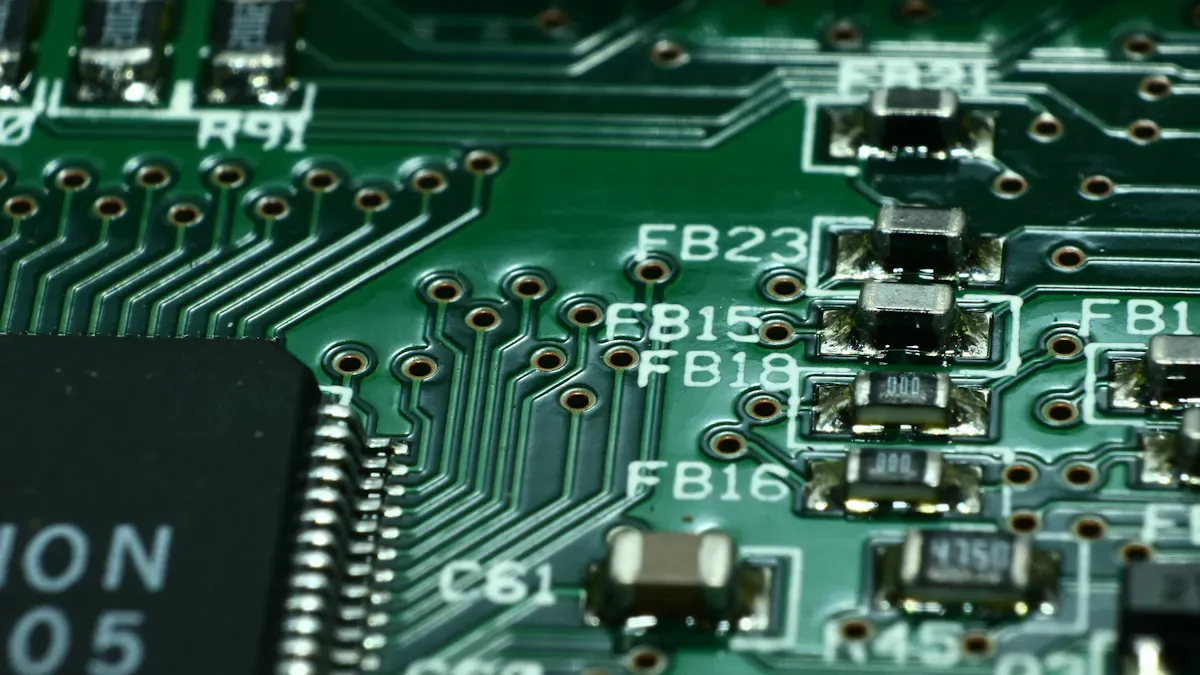
You use an LCD display driver to link your microcontroller to the lcd panel. This chip changes digital data from your device into signals for each pixel. If you know how an lcd display driver works, your design process gets easier. You also avoid problems with parts not working together.
Engineers use these drivers to make system design easier. They help save processing power. You spend less time making your device. The driver gives the right voltage to the screen.
Benefit | Explanation |
|---|---|
The driver handles hard screen tasks, so the main processor does not have to. This makes design easier. | |
Frees up processing power | The main processor can do important jobs. This makes the whole system work better. |
Ensures correct voltage | The driver gives the voltages needed for the LCD to work. |
Reduces development time | The driver puts hard tasks in one chip. This lowers mistakes and speeds up making the device. |
Avoids compatibility | The driver helps the display work well with your processor. |
Key Takeaways
An LCD display driver links your microcontroller to the LCD panel. It changes digital data into signals for every pixel.
Using an LCD driver makes system design easier. It lets your processor focus on other important jobs.
Picking the right LCD driver gives the correct voltage levels. This helps the display look better and saves time when making it.
There are different LCD drivers, like segment and dot matrix drivers. Each type works best for certain uses.
Integrated drivers can cost less and make designs simpler. External drivers give more control for displays that are more complex.
LCD Display Driver Basics
What is an LCD Driver IC
An lcd driver ic acts like the boss for your lcd panel. This chip links your microcontroller to the lcd screen. It takes digital image data and changes it into electrical signals. These signals tell the pixels what to do on the lcd panel. The driver controls voltage in the thin-film transistor (TFT) grid. It also works with touch and brightness controls. Some lcd driver ic chips let you pick custom resolutions and adaptive brightness. They help your display run with low delay and use power well.
Tip: To get clear images on your lcd panel, you need a driver that fits your microcontroller and screen.
You can look at lcd driver ic chips and compare them to other display drivers in this table:
Display Type | Driving Mechanism | Key Characteristics |
|---|---|---|
LCD | Voltage-driven | Changes how the screen looks when voltage is added; needs a backlight |
LED | Current-driven | Makes light when current goes in; voltage comes after |
OLED | Current-driven | Has a more complex pixel design with TFTs and storage parts; needs current to work |
Main Functions of LCD Drivers
You count on the lcd display driver to do many important jobs. Here are the main functions:
It turns data from your microcontroller into voltage signals. These signals control each pixel on the lcd panel.
It handles memory for keeping pixel data. This helps your lcd screen show images without problems.
It makes the voltage levels needed for the lcd to work.
It improves refresh rate and gamma curves. This makes your display look nice and saves power.
It checks your microcontroller's datasheet for interface protocols. This makes sure your lcd module works with your microcontroller.
It checks the clock speed and power of your microcontroller. This helps your lcd driver keep up with the data rates for the lcd screen.
It checks if your microcontroller has enough pins. This helps you use the right interface for your lcd panel.
You can see that the lcd driver makes your display system work well and stay reliable. It does hard jobs so you can focus on your main device features.
How LCD Display Drivers Work
Data Transfer and Storage
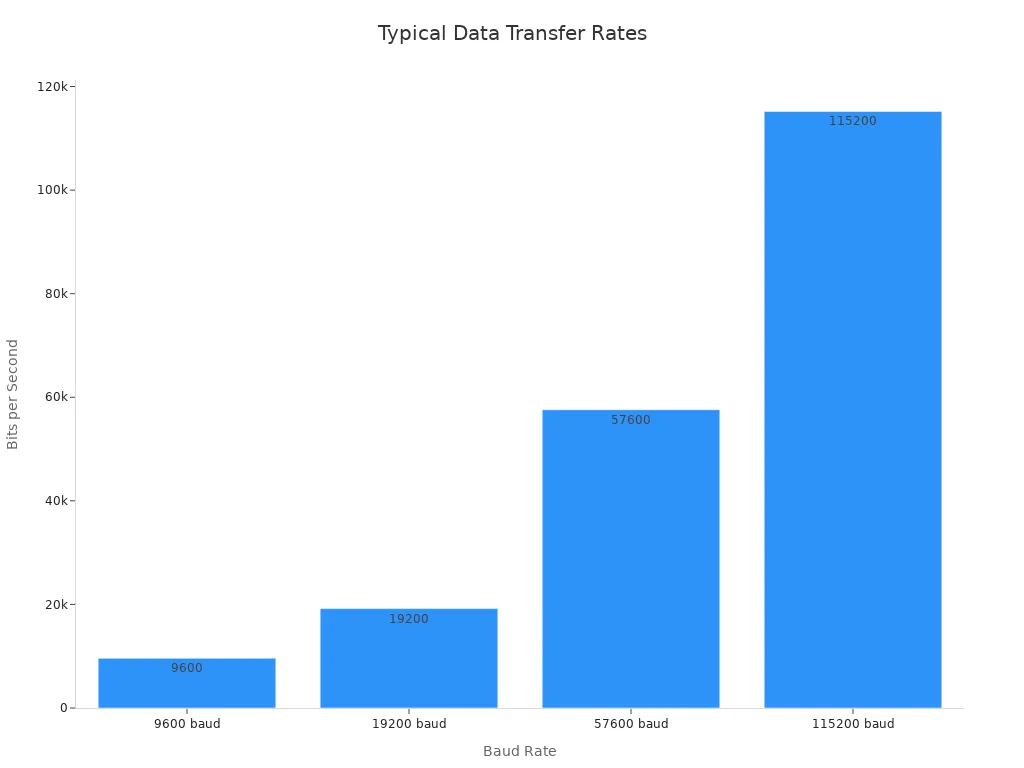
When you send data from your microcontroller, the lcd display driver gets digital signals. These signals have the picture you want to show on the lcd panel. The driver gets this data at different speeds. The speed depends on the interface you use. Here is a table that lists some common data transfer rates:
Standard Baud Rate | Typical Use | Notes |
|---|---|---|
9600 baud | Simple lcd or debug output | High compatibility |
19200 baud | Faster monochrome lcd refresh | Often supported |
57600 baud | Rapid data, short cables | Stable in good wiring |
115200 baud | Fast updates, testing, fast commands | Needs stable hardware |
Custom rates | Optimized, non-standard | May need tuning |
The lcd driver ic has RAM inside to keep the image data. This memory is called a frame buffer. It holds all the pixel details before they show up on the screen. Some drivers use 160 × 4-bit RAM for this job. Advanced systems use tricks like partial framebuffers and dynamic memory allocation. These tricks help save power and use less memory.
Signal Conversion and Pixel Control
After the image data is stored, the lcd display driver changes the digital signals. It makes them ready for the lcd panel. Here is how it works:
The driver gets digital signals from your microcontroller. These signals have image, timing, and color info.
The driver puts the data in order and keeps everything in sync.
The driver changes digital signals into analog or PWM signals.
The driver sends voltages to each pixel on the lcd panel. This step sets the color and brightness for every pixel.
The driver updates the display many times each second. This keeps the picture smooth and clear.
Some drivers fix changes in the lcd panel to keep colors right.
You can see the driver does more than just move data. It controls each pixel and keeps your display looking sharp.
Output Interfaces for LCD Drivers
You can hook up your lcd display driver to your microcontroller in different ways. Each way works best for a certain lcd or display system. Here are some common choices:
MCU Interface: Good for small screens under 5.0 inches and resolutions under 480x800.
SPI (Serial Peripheral Interface): Works well for low-resolution screens, like those in smart wearables.
TTL (Transistor Transistor Logic): Fast for small and medium displays, often used for video or animation.
MIPI-DSI: Used in mobile devices for high-speed data.
LVDS (Low Voltage Differential Signaling): Best for high resolution displays with low power use.
EDP (Embedded Display Port): Supports high resolution signals with fewer pins and faster speeds.
The right interface helps your lcd panel work its best. If you pick the correct driver and interface, your screen will show pictures fast and clear.
Importance of LCD Drivers in Display Systems
Impact on Display Quality
You want your screen to look good and clear. The lcd display driver helps make this happen. It controls how each pixel lights up on the lcd panel. A good driver lets your screen show more details and smoother movement. This means you get sharper pictures and faster updates. If the driver is slow, you might see blurry images or flickering.
High-resolution screens need fast drivers. If the driver is too slow, you may see blurry images or wrong colors. These problems can make your screen look worse.
Many companies, like LG Display, work to make lcd technology better. They want to give you better screens. More people want 4K and 8K screens, so better drivers are needed. You can see this in the table below:
Description | |
|---|---|
Enhanced Resolution | More pixels and better control make pictures look better. |
Higher Refresh Rates | Better drivers help the screen move smoothly and stop flicker. |
Energy Efficiency | Using less power helps your screen last longer and work better. |
Role in System Efficiency
You also care about battery life and power use. The lcd driver helps your device use less energy. It does this by changing voltage, speed, and how it saves data. If your driver matches your microcontroller, your screen can last longer on one charge.
LCD display drivers save power by changing things like voltage and capacitance.
Some designs, like the SIM3L1xx MCU, put the driver and microcontroller together. This can lower the lcd display’s power use by about 40%.
Using one chip for the driver means you need fewer parts. This makes your device smaller and lighter.
Product Type | Description | Contribution to Miniaturization |
|---|---|---|
Single-Chip Drivers | Small and efficient, good for tiny devices. | Makes devices smaller with fewer parts. |
Multi-Chip Drivers | Handles hard jobs for fancy screens. | Works for high-resolution displays. |
Integrated Drivers | Puts many jobs in one chip to make design easy. | Helps make electronics even smaller. |
Recycling old lcd panels and drivers is important. Many old screens become electronic waste. Recycling helps the planet and keeps things green.
When you pick the right lcd display driver, your screen looks better, your battery lasts longer, and your device is smaller. You also help the earth by making products that last and are easier to recycle.
Types of LCD Driver ICs
Segment vs. Dot Matrix Drivers
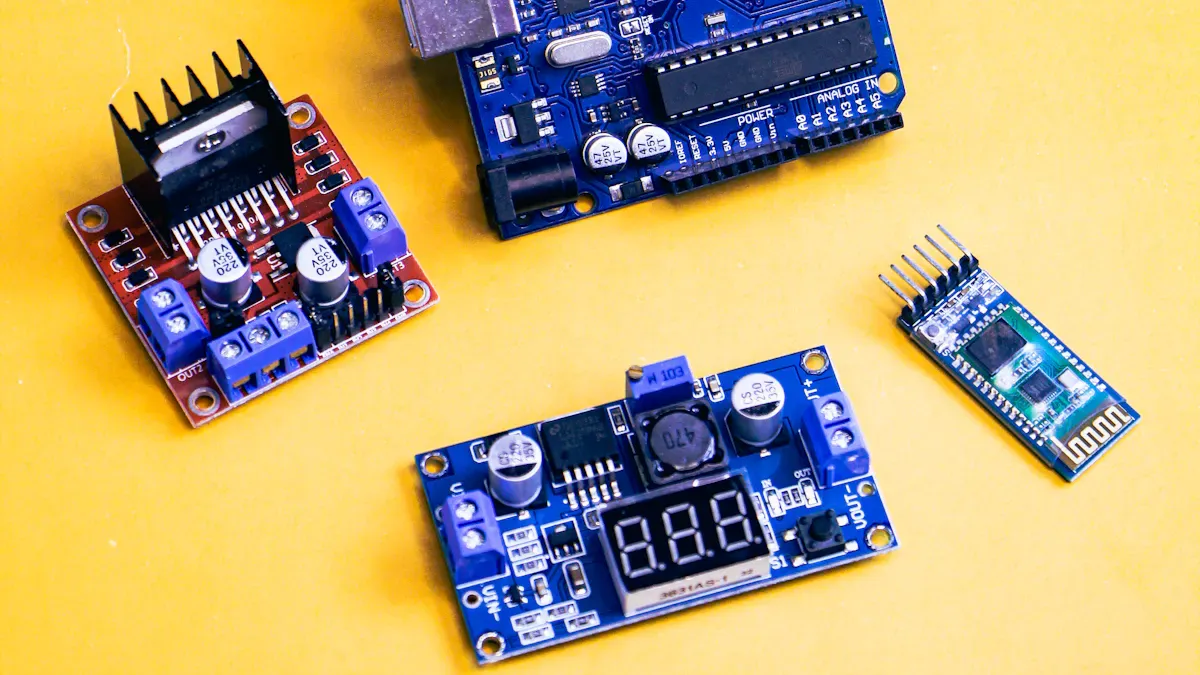
There are two main kinds of lcd driver ic chips. These are segment drivers and dot matrix drivers. Each one works best for certain screens and uses. Segment drivers control simple lcd panels. These panels show numbers or small icons. Dot matrix drivers work with more complex displays. These can show text, pictures, or even video.
Here is a table to help you compare them:
Feature | Segment LCDs | Dot Matrix LCDs |
|---|---|---|
Power Consumption | Low (microamps) | Higher (milliamps) |
Application | Fixed information (numbers, status icons) | Dynamic content (graphical interfaces, flexible text) |
Complexity of Driving | Simple driver IC required | More complex controller needed |
Segment lcd drivers use less power and cost less money. You can use them in clocks, calculators, or meters. Dot matrix lcd drivers use more power but can show moving text, images, or video. These are good for smartwatches or handheld games.
Tip: If you only need to show numbers or icons, use a segment lcd driver. If you want to show graphics or video, pick a dot matrix lcd driver.
Integrated and External LCD Drivers
You can pick integrated or external lcd drivers for your display. Integrated drivers are inside the main chip with your microcontroller. External drivers are separate chips that connect to your lcd panel.
Check out this table to see how they compare:
Feature | Integrated LCD Drivers | External LCD Drivers |
|---|---|---|
Design Complexity | Reduced due to fewer components and functions | Higher due to multiple separate components |
Cost | Lower, as fewer components lead to reduced costs | Higher, due to additional components and complexity |
Integrated lcd drivers make your design easier and cost less. You will see them in small devices like fitness bands. External lcd drivers give you more control. They work better for big or high-resolution screens.
Specialized LCD Drivers
Some lcd driver ic chips have special features for advanced needs. These special drivers help your lcd panel do more or work better.
LCD Driver IC | Unique Features |
|---|---|
Epson LCDC | Reduces CPU work, uses less power, draws images fast, has built-in memory (up to 1024KB), supports high resolutions with extra memory. |
General LCDC | Connects to host CPU, controls lcd panel, handles image data, may have built-in memory and image tools for changing images. |
You can use special lcd drivers for devices that need fast image updates or great video. These drivers help your screen show smooth graphics and save power at the same time.
Applications of LCD Display Drivers
Consumer Electronics
LCD display drivers are in many devices you use daily. Your phone, tablet, and TV need these drivers to show clear pictures and smooth videos. The lcd driver controls the screen so you can watch movies in high resolution or play games with fast updates. It manages each pixel to make sharp images and bright colors. LCD panels are also in smartwatches, cameras, and home appliances. These drivers help your devices use less power and last longer between charges.
Feature | Industrial LCD Displays | Consumer-Grade LCD Displays |
|---|---|---|
Durability | Built for tough places; resists shock, vibration, and temperature; often waterproof and dustproof. | Regular durability for home and office use. |
Readability | High brightness and contrast for seeing outside; sunlight readable. | Hard to see in sunlight; may look faded outdoors. |
Customization | Can be changed for special needs; options for touch screens and resolutions. | Standard setups with few ways to change. |
Component Quality | Uses strong parts for better performance and lasting longer. | Average parts, good for normal use. |
Note: Consumer lcd panels focus on color and clarity, but industrial panels must survive tough places.
Industrial and Automotive Displays
LCD display drivers help keep you safe and informed in factories and cars. In factories, these drivers run control panels and machine screens. They must handle dust, shaking, and hot or cold temperatures. In cars, lcd panels show speed, fuel, and maps. You see them in dashboards and camera systems. Advanced Driver Assistance Systems (ADAS) use lcd displays to give alerts and show pictures.
Good viewing angles let you see the screen from any seat.
Fast boot times mean the display starts quickly.
Custom user interfaces let car makers design special dashboards.
Adaptive brightness changes the screen based on light around you.
Anti-glare coatings help you read the display in bright sun.
Strong build keeps the lcd working in hot or cold weather.
You get clear pictures and quick updates, even when driving on bumpy roads.
Medical and Specialized Devices
LCD display drivers are trusted in medical devices to show important information. These drivers must work every time, without fail. Medical lcd panels need to be tough and work exactly right. They must resist changes in temperature, humidity, shaking, and shock. You find these drivers in patient monitors, diagnostic machines, and portable medical tools. The lcd must show each image clearly so doctors can make good choices.
Medical lcd drivers must meet strict rules like IEC 60601 for electrical safety.
Devices must also follow ISO 13485 for quality and FDA 510(k) for clinic use.
The lcd panel must not send out harmful signals to patients or other equipment.
Tip: Reliable lcd drivers help keep patients safe and support doctors in their work.
LCD display drivers are everywhere, from your living room to the hospital. They help you watch videos, read data, and use technology every day.
You now know that an lcd display driver links your microcontroller to the lcd. This helps your screen show pictures and words without problems. When you learn about these drivers, you can pick the right display for your project. You can also make smart choices so your images look clear. This helps people use your device more easily.
You can choose the best display for your project.
You can make better design choices for clear images.
You can improve how people see and use your device.
Advancement Type | Description |
|---|---|
Miniaturization | Smaller drivers can fit right on the glass. |
Integration | One chip can do many jobs at once. |
High-Resolution Support | New drivers help screens look sharper and brighter. |
New lcd display driver technology gives you better touchscreens. It also brings voice controls and clear displays to things you use every day.
An LCD display driver (sometimes called an LCD controller or driver IC) is an electronic circuit that converts the digital image data from a processor (e.g., GPU, microcontroller) into the precise analog voltage signals required to control the liquid crystals in an LCD panel. It acts as the translator between the digital world of a computer and the physical, analog world of the LCD.
Without a driver, the LCD panel would just be a blank sheet of glass. The driver is what makes the pixels change colour and brightness to form text, images, and video.
🔧 Where Is the LCD Driver Located?
In small displays (calculator, digital watch, simple character LCDs): The driver is often integrated directly onto the glass substrate of the LCD (chip‑on‑glass, COG) or mounted on the PCB as a single chip.
In larger panels (monitors, TVs, laptops): The driver is split into multiple ICs mounted on flexible printed circuits (FPCs) bonded to the edges of the glass – these are called gate drivers (row drivers) and source drivers (column drivers). A separate timing controller (TCON) manages them.
⚙️ How Does an LCD Display Driver Work?
The working principle can be broken down into several stages, from receiving digital data to applying voltage to the pixels.
1. Receive Digital Image Data
The driver receives pixel data (e.g., 8‑bit per colour channel for RGB) from the video source via interfaces like:
LVDS (Low‑Voltage Differential Signaling)
MIPI DSI (Mobile Industry Processor Interface – Display Serial Interface)
eDP (Embedded DisplayPort)
Parallel RGB (for smaller displays)
SPI / I2C (for simple character displays)
2. Generate Control Signals (Timing Controller)
The TCON (or a built‑in timing generator) creates:
Horizontal sync (HSYNC) – start of a new row
Vertical sync (VSYNC) – start of a new frame
Clock (DCLK) – pixel data clock
Data enable (DE) – valid pixel period
These signals synchronise the panel’s row and column drivers.
3. Drive the Gate (Row) Lines – Row by Row
The gate driver (also called scan driver) sequentially activates one horizontal row of thin‑film transistors (TFTs) at a time.
When a row is activated, all TFTs in that row turn “on”, connecting their corresponding pixel electrodes to the column (source) lines.
4. Drive the Source (Column) Lines – Apply Pixel Voltage
The source driver receives the digital pixel data for the current row.
It converts each digital value into an analog voltage using a Digital‑to‑Analog Converter (DAC). This voltage corresponds to the desired brightness of that sub‑pixel (0V = dark, higher voltage = brighter).
The source driver applies these voltages to all columns simultaneously while the row is active.
The TFT then charges the liquid crystal cell to that voltage and holds it (as a capacitor) until the next refresh.
5. Control the Liquid Crystals
The applied voltage across the liquid crystal cell twists the liquid crystal molecules.
The amount of twist determines how much backlight passes through the polarisers and colour filter.
By adjusting the voltage for each sub‑pixel (red, green, blue), the display creates a full‑colour image.
6. Refresh the Screen
The gate driver moves to the next row after a short time (typically microseconds).
After all rows are scanned (one complete frame), the process repeats at the refresh rate (e.g., 60Hz, 120Hz, 144Hz).
🔄 Important: AC Drive Requirement
Liquid crystals can be damaged by a constant DC voltage. The LCD driver therefore outputs alternating current (AC) waveforms, reversing the polarity of the voltage on every pixel each frame. This is called frame inversion, row inversion, or column inversion, depending on the driver design. The human eye does not perceive the rapid polarity reversal, but it preserves the life of the liquid crystal material.
Types of LCD Drivers
Type | Description | Typical Application |
|---|---|---|
Segment driver | Drives simple 7‑segment or custom‑shape displays. Each output controls one segment. | Digital clocks, multimeters, household appliances |
Character driver | Built‑in character generator (e.g., HD44780) – drives small alphanumeric LCDs. | 16×2 or 20×4 character displays |
Graphic (passive) driver | Drives monochrome dot‑matrix displays without TFTs. | Older PDAs, some industrial equipment |
TFT LCD driver | Active‑matrix driver with gate + source drivers + TCON. | Monitors, TVs, smartphones, tablets, automotive displays |
Simplified Block Diagram of a TFT LCD Driver System
text
Host Processor (GPU)
       │
       │ LVDS / MIPI / eDP / RGB
       ▼
  Timing Controller (TCON)
       │
       ├──────► Gate Driver (Row) → Row lines
       │
       └──────► Source Driver (Column) → Column lines
                                          │
                                          ▼
                                      LCD Panel
                                   (TFTs + Liquid Crystal)
Summary
Aspect | Explanation |
|---|---|
Definition | An LCD display driver is an electronic circuit that converts digital image data into analog voltages to control liquid crystals. |
Main functions | Receive pixel data, generate timing signals, drive row (gate) lines sequentially, and apply precise analog voltage to column (source) lines. |
Key components | Timing controller (TCON), gate driver, source driver, DACs. |
Critical requirement | AC drive (polarity inversion) to prevent liquid crystal damage. |
Common interfaces | LVDS, MIPI DSI, eDP, parallel RGB, SPI, I2C. |
In essence, the LCD display driver is the unsung hero behind every LCD screen – from the tiny character display on a coffee machine to the 4K monitor on your desk. Without it, the liquid crystals would never know how to twist, and you’d see nothing but a uniform grey or white rectangle.
FAQ
What does an LCD display driver do?
You use an LCD display driver to control how images and text appear on your screen. It takes signals from your device and tells each pixel what to show.
Why do you need a driver for an LCD?
You need a driver because your microcontroller cannot talk to the lcd directly. The driver changes digital data into signals that the lcd understands.
Can you use one LCD driver for all screens?
No, you cannot use one driver for every screen. Each lcd has different needs for size, resolution, and interface. You must match the driver to your display.
How do you connect an LCD driver to your device?
You connect the lcd driver using interfaces like SPI, I2C, or parallel lines. The best choice depends on your screen and how fast you need to send data.
What happens if the LCD driver fails?
If the lcd driver fails, your screen may go blank, flicker, or show wrong colors. You should check connections and replace the driver if needed.
See Also
Understanding LCD Display Screens And Their Functionality
Exploring OLED Displays And Their Operational Mechanism
A Comprehensive Guide To OLED Displays And Their Function
Insights Into Stretched LCD Screens And Their Working Principle
Discovering Transparent OLED Displays And Their Functionality
