Breakthroughs in LCD Displays You Need to Know in 2026
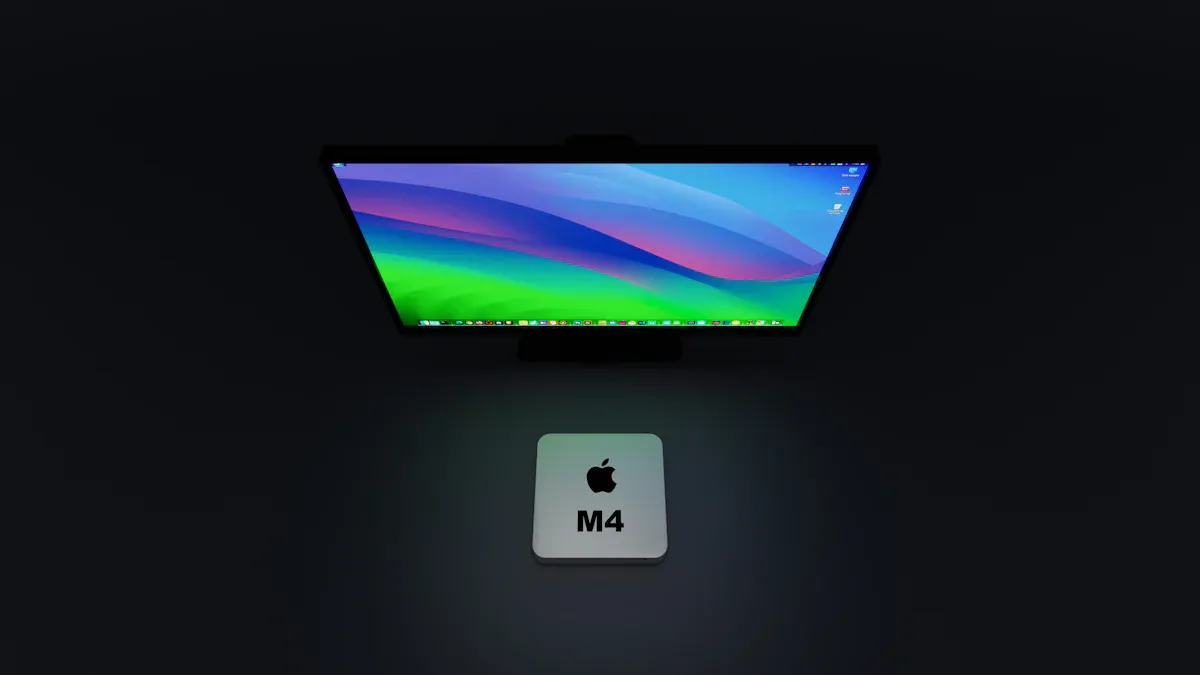
You will see big changes in lcd display technology in 2026. These new trends change how you use every display. Displays are now more interactive and use smart software. They also have better security. This gives you more control and helps you feel safe. The table below shows how these display trends help people and businesses:
Trend | Impact |
|---|---|
Nicer pictures, less work to fix, and easier teamwork. | |
Software-Driven Solutions | Easy to use with other tools and less confusion for companies. |
Security and Data Privacy | More trust because your data is better protected. |
Sustainability and Energy Efficiency | Saves money and helps the planet. |
When you buy your next display, look for these new features.
Key Takeaways
In 2026, you will see more interactive displays. They help people work together and make teamwork simple.
Pick mini-LED or micro-LED displays for clearer pictures. These displays are brighter and show darker blacks.
Quantum-dot technology makes colors look more real. It also makes pictures brighter and better for movies and games.
Choose energy-efficient displays to save money and protect nature. These displays use less energy and last a long time.
Privacy filters are important for keeping your information safe. They stop others from seeing your screen in public.
Mini-LED and Micro-LED Trends
Local Dimming and Brightness
Mini-led and micro-led are changing lcd displays a lot. Mini-led lets you control the backlight better. This gives you higher contrast and darker blacks. New mini-led screens have thousands of dimming zones. These zones help stop blooming. Dark scenes look more real because of this. Faster pixel transitions mean less motion blur. Smarter local dimming algorithms also help.
At CES 2026, brands showed new mini-led and micro-led products. Hisense made four-color mini-led TVs. These TVs show more colors. TCL’s X11L SQD-Mini LED TV has more dimming zones. It is thinner than older TVs. This model is brighter and shows more colors. Samsung and LG use Micro RGB technology. This uses tiny red, green, and blue LEDs. It controls color and brightness for each pixel. The display looks bright and clear in sunny rooms.
Tip: For great HDR, pick mini-led or micro-led displays. Look for high peak brightness and lots of dimming zones.
Panel Thinness and Flexibility
Mini-led and micro-led make displays thinner and more flexible. New mini-led panels are much thinner now. You can put them close to the wall. They fit in small spaces easily. Micro-led makes screens even more flexible. You may see curved or bendable screens soon.
Here is a quick look at some 2026 breakthroughs:
Product | Technology | Key Advantages |
|---|---|---|
Hisense Four-Color Mini LED | Mini-LED | Shows more colors, better brightness |
SQD-Mini LED | Wide color range, more dimming zones, thinner panel | |
Samsung/LG Micro RGB Display | Micro RGB | Controls color and brightness for each pixel |
These trends give you better picture quality. You get more flexible setups. Displays fit your space and needs better.
Quantum-Dot Enhancement in LCD Displays
Improved Color Accuracy
Quantum-dot films help lcd displays show better colors. You see more colors that look bright and clear. This is important for high-definition screens. Quantum dots are inside the display and make colors stronger. They use special materials with blue LED backlights. This mix makes colors look real and bright. You can see the difference when you watch movies or play games. Quantum-dot technology gives you very good color on lcd displays. You see bright colors even when the screen is very bright. This matters for hdr and high dynamic range shows.
You can measure how much better the colors are. Quantum-dot displays cover 110% of the DCI-P3 color space. They also make color volume over 30% better than old lcd panels. These changes help you enjoy a better picture.
Improvement Type | Measurement |
|---|---|
Color Space Coverage | 110% of the DCI-P3 color space |
Color Volume Improvement | Above 30% over traditional LCD standards |
Enhanced Brightness
Quantum-dot enhancement makes screens brighter. You get very bright pictures that stand out. QLED displays can reach up to 4,000 nits. Quantum dots make the color range up to 50% bigger. This means you see brighter and stronger colors. You notice this in sunny rooms or when watching hdr shows.
Quantum-dot displays help in many ways. They are used for color conversion in LEDs, micro-LED devices, and QD-LED displays. These uses give you bright light and lots of colors. QD-LED displays are better than oled panels for color and brightness. You get pure black and a wide color range.
Application Type | Benefits | Notes |
|---|---|---|
High illumination efficiency and color rendering | Used in QD-based light-emitting diodes (LEDs) for displays and lighting | |
Micro-LED Devices | Full-color capabilities and high efficiency | Integration of QDs enhances performance in micro-LED technology |
QD-LED Displays | Outperform traditional technologies in color performance and efficiency | QD-LED displays provide wide color gamut and pure black color |
Quantum-dot enhancement is a big trend in 2026. You get better pictures, brighter screens, and more real colors. These trends help you pick the best display for you.
AI and Adaptive Display Technology
Image Processing Advances
In 2026, ai makes lcd displays much better. The LG Micro RGB evo is a top display. It uses very small RGB LEDs. It also has a Dual AI Engine-based Alpha 11 AI Processor Gen 3. This processor uses Dual Super Upscaling. It makes pictures look sharper and more real. You see better images, even in scenes with lots of detail. The display shows all the colors in BT.2020, DCI-P3, and Adobe RGB. This means movies, games, and art look just like real life.
The ai helps with Micro Dimming Ultra. This uses over a thousand dimming zones. You see deep blacks and bright highlights at once. You do not lose details in dark or bright scenes. The display has new features like Voice ID and an AI Concierge. These tools make things easier and more personal. You can use your voice to control the display. The ai assistant helps you when you need it.
Main ai improvements in image processing:
Dual Super Upscaling for clear and sharp images
Micro Dimming Ultra for strong contrast
Full color coverage for true colors
Voice ID and AI Concierge for simple control
Personalized Viewing Modes
Ai gives you special viewing modes that fit you. These modes change the display for your needs. Studies show ai changes how you see content, move around, and get feedback. This helps you learn better and do more. For example, GuideAI changes what you see and how fast you go. You solve problems faster and remember things longer.
Study Title | Findings | Adaptation Mechanism |
|---|---|---|
AI-based adaptive personalized content presentation and exercises navigation | Better grades and learning | Changes content, navigation, and feedback |
GuideAI: A Real-time Personalized Learning Solution | People solve problems and remember more | Changes learning content and speed for each person |
Behaviour-adaptive AI assistant for blind users | Makes things easier and more useful | Changes to fit what the user does and likes |
You also get better sound and picture. The ai checks over 1.6 billion image settings and 40 million sound profiles. The AI Picture/Sound Wizard sets up your display for you. This technology works with byod, teamwork spaces, and hybrid work. You see how software and ai make displays smarter. These new ideas make your lcd display more helpful in every way.
Advanced RGB Backlight and Color
Wider Color Gamut
You now see more colors on LCD displays than ever before. Advanced RGB backlight technology uses a fourth Sky Blue-Cyan LED. This new design lets you view colors that reach up to 110% of the BT.2020 standard. You notice brighter images and more accurate shades. The expanded color spectrum brings out details that older screens could not show. You get a richer and more lifelike experience.
The RGB MiniLED evo technology adds a new LED color for better coverage.
You see more shades and smoother transitions between colors.
The display reveals details in both bright and dark scenes.
You can enjoy billions of colors on HDR displays. These screens can reach up to 10,000 nits of brightness. You get images that look real and full of contrast. The wider color gamut means you see what the creator intended. Rec. 2020 is now the top goal for color performance. It covers almost twice as many colors as sRGB. This makes a big difference for movies, games, and art.
Content Creation Benefits
If you create content, you need high quality and accurate colors. Advanced RGB backlight and color technology help you see your work as it should appear. You can trust the colors on your screen. This is important for photographers, designers, and video editors.
Feature | Description |
|---|---|
Color Accuracy | Displays a vast spectrum of colors, improving the quality of your projects |
Resolution | 1512 PPI true RGB resolution for sharp images |
Refresh Rate | 120Hz for smooth motion |
Contrast Ratio | 1,000,000:1 for deep blacks and bright whites |
Response Time | Microsecond-level speed, great for XR devices |
You benefit from remarkable color accuracy. Micro RGB panels capture a wide range of colors. This helps you make better choices in your creative work. You see every detail and shade, which improves the final quality of your content. You can rely on your display for both work and play.
Tip: Choose a display with a wide color gamut and high color accuracy for the best picture quality.
Interactive and Touch LCD Display Trends
Multi-Touch and Haptics
Interactive displays let you use many fingers at once. You and your friends can work together on one screen. You can move things, draw, or change stuff with simple moves. This makes teamwork easy and fun for everyone. No one has to wait for their turn. All people can join in at the same time.
In 2026, interactive displays use haptic feedback. When you touch the screen, you feel a small shake or tap. This lets you know your action worked. Haptics make the screen feel more real. You can press harder or softer for different results. Some screens sense your hand when it is close but not touching. This gives you more ways to control what you see.
You also get new features like gesture recognition and eye tracking. You can wave your hand or look at the screen to make things happen. These displays mix touch, voice, and gestures. This makes screens smart and easy to use.
Here are some new interactive products for 2026:
Product Description | Link |
|---|---|
55inch PCAP touch transparent OLED screen | |
Interactive transparent OLED 1X2 video wall | |
Touch screen all in one table | |
Ultra slim double sided digital signage | |
OLED CURVED VIDEO WALL, 55INCH PER UNIT |
Business and Education Uses
Interactive displays are now in schools and offices everywhere. These tools help you share ideas and work with others. In business, interactive displays help with hybrid meetings. You can write, draw, and move things on the screen. Your team can join from anywhere. Interactive displays are the main hub in meeting rooms. Companies upgrade old systems to use this new technology.
In schools, interactive displays replace old projectors. You get better pictures and fewer repairs. Interactive displays last longer and cost less over time. Teachers use these features to make lessons fun and easy. You can touch, draw, and move things on the screen. This way of learning helps you remember more.
By 2026, most schools and offices will use interactive displays instead of projectors. You get better results and save money. Interactive displays make learning and working simple, fast, and fun.
More people can work together with interactive displays.
Sharing content helps groups learn and work as a team.
Haptic feedback and gesture controls make displays more exciting.
Tip: Pick interactive displays for your classroom or office. They help teamwork and make lessons or meetings more lively.
Energy Efficiency and Eco Trends
Low Power Consumption
LCD displays in 2026 use much less energy. New models are smarter and save more power. Some displays use 30-50% less energy than before. The best screens can save up to 70% with still pictures. This means your electric bill goes down. Your devices also last longer on one charge.
You will see these changes in many places. Hospitals and smart homes use these displays to save money. These screens make technology easier for everyone. Electronic paper displays are special because they use very little power. They only need energy when the picture changes. Outside, they use just 0.8% of the power old screens used. Inside, they use about 3.3%. These numbers follow strict EU energy rules. You save money over time with these displays.
LCD displays now use much less power.
Electronic paper displays use almost no energy if the image does not change.
Smart homes and hospitals get big savings from these screens.
Tip: Pick energy-saving displays to spend less and help the planet.
Sustainable Manufacturing
You help the planet when you pick products made with care. Companies now use safer materials in their displays. They use tin-silver-copper alloys instead of lead-based solder. These choices protect you and the earth. Companies follow safety and environmental rules from around the world.
Sustainability means working together. Companies talk to suppliers and recyclers to choose better materials. They make displays that are easier to recycle. This teamwork cuts down on waste and pollution. You can see how this works in the table below:
Description | |
|---|---|
Use of eco-friendly materials | Safer alloys are used instead of lead-based solder. |
Compliance with regulations | Companies follow safety and environmental rules. |
Response to consumer demand | More people want advanced and eco-friendly displays. |
You help the earth every time you choose a green display. These choices protect the planet for the future.
Security Features in LCD Displays
Privacy Filters
You want to keep your information safe in public places. Privacy filters help with this problem. These filters block people from seeing your screen from the side. Only you can see what is on your display if you sit in front. This keeps your work, messages, and personal data safe.
In 2026, privacy filters use new technology. Some displays have electronic privacy modes built in. You can turn these modes on or off with a button. You do not need to add a plastic cover anymore. Some displays use smart sensors to watch for people nearby. If someone looks from the side, the screen will blur or get darker. This keeps your information private.
Note: Privacy filters are important for banks, hospitals, and offices. You can use them at home or in school too.
Here are some good things about privacy filters:
They stop others from seeing your screen.
They protect your personal and work data.
They are easy to turn on and off.
Secure Data Transmission
You want your information to stay safe when you send it to your display. Secure data transmission keeps your data private. In 2026, many displays use strong encryption. This means hackers cannot read your messages or files.
Some displays use fingerprint or face recognition to unlock. Only you can use the display. New wireless connections use secure channels. These channels stop others from stealing your data. You can share files, show presentations, or join meetings without worry.
Security Feature | How It Helps You |
|---|---|
Encryption | Keeps your data safe |
Biometric Authentication | Only you can unlock the display |
Secure Wireless | Stops hackers from listening |
You feel safe with these security features. You can use your display for work, school, or fun without being afraid.
Market and Manufacturing Trends
Global Production Shifts
You see big changes in where companies make your next tv. China now leads the world in making tv panels. Factories there produce millions of units each year. This growth comes from strong investments and high demand for new tv models. South Korea still plays a key role, especially for high-end tvs. Companies there use advanced technology to keep their edge. Taiwan also makes many tv parts and finished tvs, but its factories are smaller than those in China.
Many companies now look to new regions like India for future tv production. India offers lower costs and a growing market for tvs. This shift helps companies make tvs faster and cheaper. You get more choices and better prices. The table below shows how different regions shape the tv market:
Region | Key Insights |
|---|---|
China | Leads in tv panel production with millions of units each year. |
South Korea | Focuses on high-end tvs and keeps a strong technology advantage. |
Taiwan | Important for tv parts and finished tvs, but with less capacity. |
Large-format Displays | Sales of large tvs now exceed 15 million units each year. |
Market Size | The tv market was worth over $200 billion in 2023 and may reach $250 billion by 2028. |
Growth in Large LCD Displays
You notice more people want bigger tvs for home and business. The market for large tvs, especially those above 75 inches, grows fast. Experts expect this part of the market to grow by 8.2% each year until 2026. Schools and companies use large tvs for meetings and lessons. These big screens make it easier to share ideas and work together.
You also benefit from lower prices. As factories make more large tvs, the cost to build them drops. This means you can buy a bigger tv for less money. Businesses can upgrade their meeting rooms with large tvs without spending too much. Here are some reasons why large tvs are more popular:
More people want a premium tv experience at home.
Schools and offices use large tvs for better teamwork.
Lower costs make large tvs easier to buy.
You see how these trends in tv production and size shape your choices. Companies use new technology and new regions to bring you better and bigger tvs every year.
You have seen how lcd display breakthroughs shape your choices in 2026. You get brighter screens, smarter features, and better security. These display technology trends help you enjoy movies, games, and work. When you pick a new display, check for the latest technology and energy-saving options. Stay curious about new trends to make the best decision for your needs.
FAQ
What is the main difference between Mini-LED and Micro-LED displays?
Mini-LED uses small LEDs for backlighting. Micro-LED uses even smaller LEDs as pixels. You get better brightness and deeper blacks with Micro-LED. Mini-LED costs less and works well for most users.
How do quantum dots improve LCD displays?
Quantum dots boost color and brightness. You see more vivid and accurate colors. Movies and games look more lifelike. Quantum dots also help displays use less energy.
Why should you care about energy efficiency in LCD displays?
Energy-efficient displays save you money on electricity. They also help protect the environment. You can use your devices longer without charging as often.
Are interactive LCD displays good for classrooms?
Yes! Interactive displays make learning fun and easy. You can touch, draw, and move things on the screen. Teachers and students work together better.
How do privacy filters work on LCD displays?
Privacy filters block side views. Only you can see your screen clearly. This keeps your information safe in public places.
See Also
Key Trends in Transparent OLED Displays for 2025
Latest Developments in Digital Signage Tech for 2026
The Impact of Round LCD Displays on Signage in 2025
