What are the key features of modern touch screen kiosks
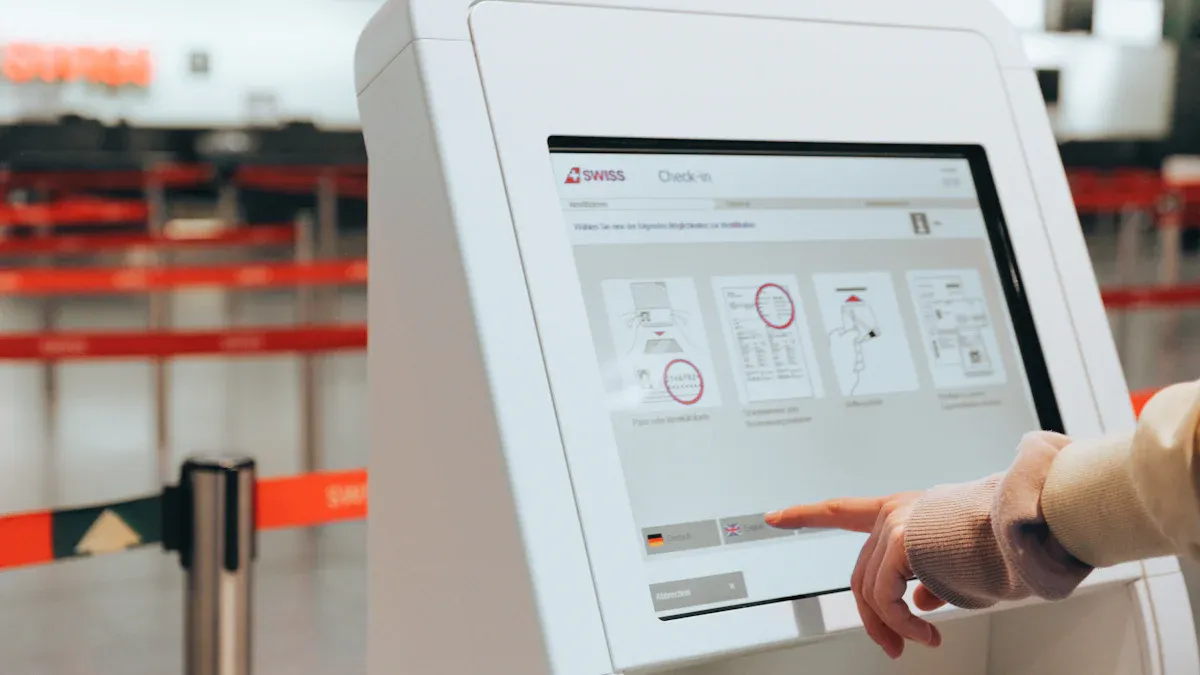
High-definition displays show clear pictures and words.
Intuitive interfaces help you find things fast.
Responsive touch controls make actions easy and quick.
Integrated payment systems let you pay fast and easy.
Cameras and scanners give you more ways to use the kiosk.
You get more control and ease with a touch screen kiosk. Studies say 66% of customers like kiosks more than talking to staff. More than half want things like product info and self-checkout. These features help you get faster service. They also help businesses serve you better, even when it is busy.
Key Takeaways
Modern touch screen kiosks have high-definition displays. These screens make information clear and easy to read. Intuitive interfaces help users move through menus easily. Responsive touch controls let people use the kiosk quickly. Integrated payment systems make paying fast and safe. Accessibility features help everyone use the kiosks. Multi-language support and voice navigation are included. Real-time feedback lets users share their thoughts. This helps businesses make their services better.
Essential Features of Touch Screen Kiosks
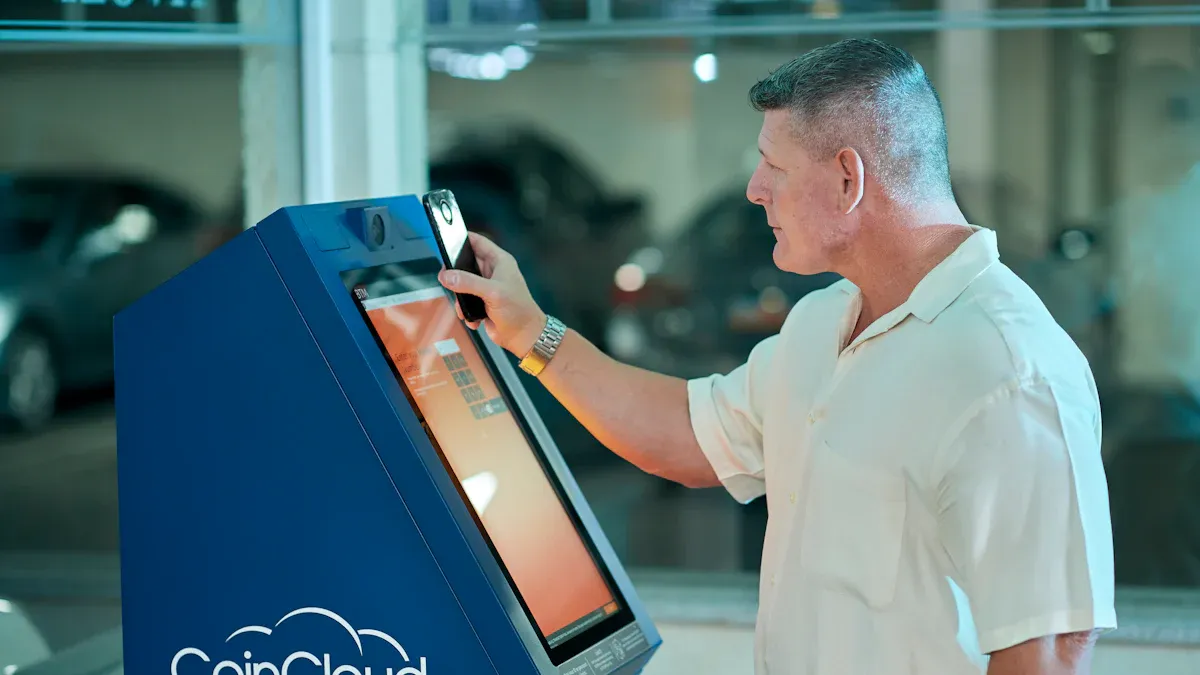
Modern touch screen kiosks have many helpful features. These features make using them easy and fast. You see these features in places like airports, restaurants, and malls. Companies like Topadkiosk build kiosks with these features. Their kiosks are simple to use and work well.
Intuitive User Interface
You notice the easy-to-use interface right away. Big screens show menus and choices clearly. Buttons are large and spaced out. Bright colors help you see everything, even if you have trouble seeing. You need fewer steps to finish your order or find info. This design helps you make fewer mistakes and feel more confident.
Tip: Digital signs and simple layouts can boost engagement by almost 47%. You spend less time figuring things out and more time getting what you need.
Design Element | Description |
|---|---|
Easy to touch, accessible for everyone. | |
Contrasting Colors | Helps you see options clearly, even with color blindness. |
High Contrast UI | Makes screens readable for users with vision impairments. |
Size and Spacing | Text and buttons are big and clear, so you do not need to zoom. |
Fewer Touches | You finish tasks with fewer steps, saving time. |
Topadkiosk uses simple graphics and easy navigation in their kiosks. These features guide you through every step.
Responsive Touch Technology
Responsive touch technology is very important in kiosks. When you touch the screen, it reacts right away. The system is fast, so you do not have to wait. This speed makes your experience better and keeps you from getting frustrated. Fast processors and smart software make sure everything happens quickly.
Feature | Contribution to Effectiveness |
|---|---|
Touch targets are sized and spaced for easy interaction. | |
Immediate Visual Feedback | You see quick responses to your touches, which keeps you engaged. |
Content Management Systems | Kiosks update information remotely, so you always get the latest details. |
Analytics and Usage Tracking | Businesses learn how you use the kiosk, so they can improve features and engagement. |
You get fewer mistakes because the process is the same every time. You always get the right service. Topadkiosk’s kiosks use fast processors and clear screens to give you these features.
Multi-Touch Gestures
Multi-touch gestures make kiosks even more interactive. You can zoom, swipe, or scroll with more than one finger. This makes moving around feel natural. You use gestures to open menus or look at maps. These features help people who have trouble moving or seeing. You also touch fewer surfaces, which keeps things cleaner in public places.
Benefit | Description |
|---|---|
Gesture controls help users with mobility or vision challenges. | |
Natural interaction | You use motion-based controls for spatial tasks, making the experience more interactive. |
Hygiene and public safety | Contactless gestures reduce touchpoints, keeping kiosks cleaner. |
Immersion | Gesture recognition matches your real-world motion to virtual actions. |
Efficiency | Gesture shortcuts let you finish tasks faster than traditional navigation. |
Some kiosks let you pinch to zoom or swipe to scroll. Topadkiosk adds multi-touch technology to their products for a better experience.
Note: Features like easy interfaces, fast touch technology, and multi-touch gestures make kiosks more fun and simple to use. You get faster service, better results, and more ways to control what you do.
Table: Essential Features and Their Impact
Feature | Description |
|---|---|
You browse menus and customize orders, reducing errors and increasing satisfaction. | |
Faster Service | Orders go directly into the system, so you wait less and get results faster. |
Upselling Opportunities | Kiosks suggest extra items, helping businesses grow revenue. |
Improved Order Accuracy | You get exactly what you want, with fewer mistakes. |
Convenient Payment Options | You pay right at the kiosk, making the process simple. |
Reduced Labor Costs | Businesses optimize staffing, so you get efficient service even during busy times. |
These features make touch screen kiosks useful for both customers and businesses. Companies like Topadkiosk offer products with all these features for the best experience.
Advanced Kiosk Software Capabilities
Personalization and Recommendations
Kiosk software makes your experience special each time. It uses smart technology like AI and machine learning. The software can know who you are and remember what you like. Facial recognition helps the kiosk see you and show your past choices. You get suggestions that fit your needs. In stores, kiosks suggest clothes based on what you bought before. At airports, you see travel updates and offers just for you. In healthcare, kiosks help you check in and suggest doctors. AI-powered kiosks use voice helpers and data tools to learn about you. This makes every visit more fun and personal.
AI kiosks look at your data to find patterns.
Voice helpers let you talk to the kiosk for a better experience.
Data tools help the software learn your likes.
Tip: Personalized suggestions make your visit quicker and more fun. You spend less time looking and more time getting what you need.
Real-Time Feedback Collection
Kiosk software lets you share your thoughts right away. You can use surveys or feedback forms on the screen. This helps businesses know what you think and fix problems fast. Real-time feedback gives companies true ideas about your experience. You feel important when your feedback is heard. Businesses can make their service better.
Method | Description |
|---|---|
Kiosk Mode | A focused setup that collects feedback without distractions. |
Kiosk Surveys | Digital forms on touchscreens placed in busy spots for instant feedback. |
Dedicated Kiosk Software | Special apps that turn tablets into feedback stations with security features. |
UEM-driven Kiosk Solutions | Tools that manage and monitor feedback kiosks for better performance and safety. |
Real-time feedback helps businesses fix issues fast.
It lets you help make services better.
Kiosks can collect feedback on many things, so they are useful in places like hospitals for patient check-ins.
Integration with Business Systems
Kiosk software connects with other business tools to make your experience smooth. When the software links with payment systems, inventory, or scheduling tools, you get faster service. For example, in healthcare, kiosks speed up patient check-ins by sending your info directly to the right department. In retail, the software updates stock levels and processes payments right away. This integration makes every step more interactive and efficient.
Benefit | Description |
|---|---|
Automates transactions and reduces mistakes for smoother operations. | |
Improved Customer Experience | Offers personalized marketing and a seamless, interactive journey. |
Streamlined Workflows | Cuts costs and boosts satisfaction with efficient processes. |
Note: When kiosk software works with other systems, you get better service and businesses run more smoothly.
Security and Accessibility Features
Data Protection and User Privacy
You want your information to stay safe when using a kiosk. Modern kiosks use strong security to protect your privacy. They follow rules like GDPR and CCPA. These rules make sure your personal details are handled carefully. You see clear privacy policies on the screen. This tells you how your data will be used. Kiosks use end-to-end encryption to keep payment info safe from hackers. Software updates fix security problems and keep kiosks safe. Session timeouts log you out if you leave. The system erases your session data so others cannot see it. Role-based access control lets only trusted staff see sensitive data. Remote monitoring helps find strange activity quickly.
Security Measure | Description |
|---|---|
Kiosks follow laws like GDPR and CCPA to protect your information. | |
End-to-end encryption | Your payment data stays safe during every transaction. |
Regular software updates | Updates fix security problems and keep kiosks safe. |
Session timeout and data purge mechanisms | Kiosks log you out and erase your data if you stop using them. |
Role-based access control | Only trusted staff can access sensitive information. |
Remote monitoring | Security teams watch for problems and act fast. |
Secure kiosks use many layers of protection. They have locked-down systems, safe apps, network security, and strong locks. You feel safe every time you use them.
Accessibility Options
Kiosks are made so everyone can use them easily. Multi-language support lets you pick your favorite language. ADA compliance means kiosks work for people with disabilities. Voice navigation and audio help users who cannot see well. Large, high-contrast text and simple screens help older adults and people with vision problems. Touch-free and gesture controls help people with mobility challenges. Visual and sound feedback tells you when you finish a step or make a mistake.
Multi-language support helps people who speak different languages.
ADA compliance makes kiosks easy for people with disabilities.
Voice navigation and audio help users with vision loss.
Large text and high contrast help those with low vision.
Touch-free controls help people with mobility challenges.
Visual and sound feedback make kiosks easier for everyone.
Description | |
|---|---|
Height & Reach Requirements | Screens and buttons are easy to reach for wheelchair users. |
Screen Readers & Audio | Audio instructions help users with vision loss. |
Tactile Controls & Braille | Raised buttons and Braille labels support users who cannot use touchscreens. |
Clear & Concise Language | Simple instructions and familiar icons make kiosks easy to use. |
24/7 Operation and Reliability
Kiosks are built to work all day and night. Weatherproof enclosures keep out rain, dust, and heat. Vandal-resistant designs stop damage from rough use. High-brightness displays let you see the screen in sunlight. Temperature controls keep kiosks running in hot or cold weather. Waterproof kiosks keep working in storms or freezing temperatures. You get service any time, even after hours.
Waterproof kiosks work in bad weather.
Vandal-resistant kiosks last longer in public places.
High-brightness screens are clear outside.
Temperature controls keep kiosks running all year.
You can trust kiosks to work day or night. Businesses rely on these features to keep you connected and safe.
Hardware Innovations in Modern Kiosks
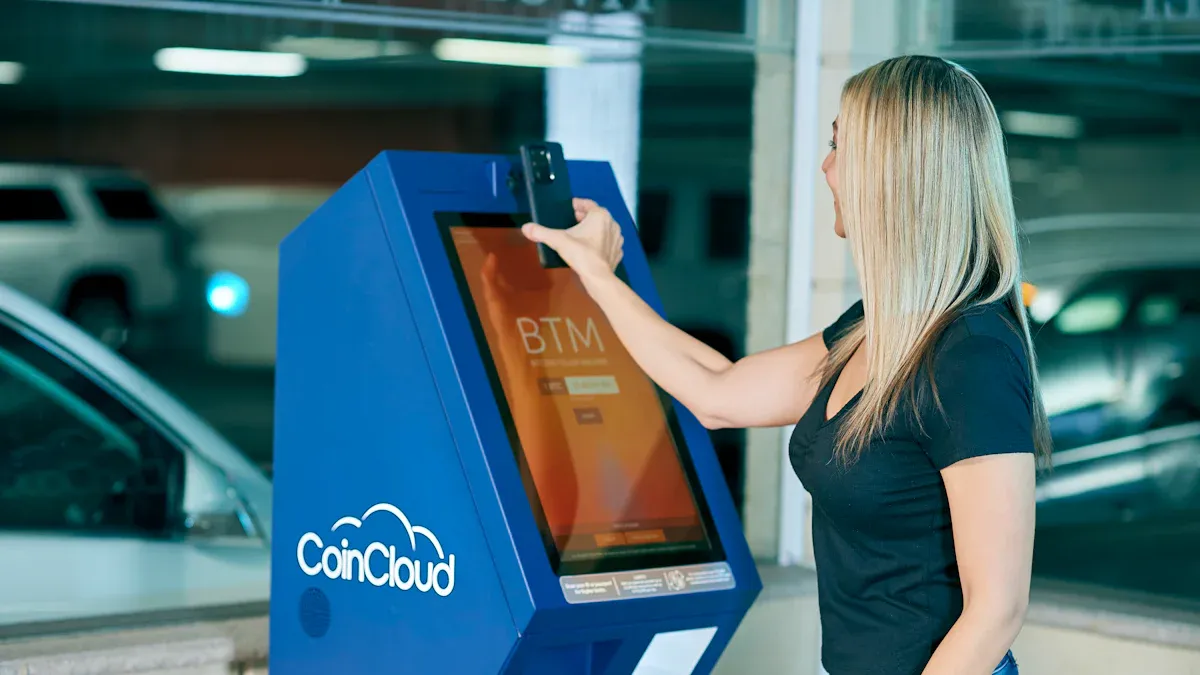
Cameras and Scanners
Many kiosks today have cameras and scanners. These tools help you finish tasks fast and safely. Cameras can check your face for security or scan QR codes to check in quickly. Some kiosks use smart AI cameras for fun things, like trying on clothes virtually in stores. Self-ordering kiosks have barcode scanners to help you buy things or get info fast. Ticketing kiosks use cameras to check who you are with facial recognition. Financial kiosks use cameras for biometric checks to stop fraud.
Kiosk Type | Camera Functionality | Key Features |
|---|---|---|
Self-service kiosks | Facial recognition, security checks | Ticketing, financial transactions |
Self-ordering kiosks | Barcode/QR code scanning, product ID | Vending, food and beverage outlets |
Interactive kiosks | Virtual try-ons, engaging displays | Smart AI cameras for interaction |
Tip: Cameras and scanners make kiosks safer and more fun. You get faster help and better safety.
Peripheral Support
Peripheral devices let kiosks do more things for you. Printers give you tickets or receipts after you finish. Speakers and video screens help people who cannot see or hear well. Card terminals let you pay without using cash. Barcode and QR code scanners make shopping or checking in faster. Touchscreens help you move through menus easily. Cameras help check who you are and add more safety.
Printers for tickets and receipts
Barcode and QR code scanners
Touchscreens for easy use
Cameras for checking identity
Card terminals for cashless payments
Speakers and video screens for accessibility
Kiosks with these devices do jobs by themselves and need less staff. You get better service and businesses save time and money.
Connectivity Options
Good connections keep kiosks working well. Ethernet gives fast and safe data transfer. Cellular routers work as backup if Ethernet stops, so kiosks stay online even far away. Wi-Fi lets you put kiosks in more places, but you need a strong signal for it to work well. Hybrid setups use both wired and wireless systems for extra safety. You see these choices in ticketing kiosks and permit stations where it is important to always be online.
Ethernet: Fast, safe, and reliable
Cellular: Backup, works in far places
Wi-Fi: Flexible, cheaper, needs strong signal
Note: Good connections make sure you always get help, even if the network changes. Businesses use these options to keep kiosks running all the time.
Applications and Benefits of Kiosks
Retail and Wayfinding
Kiosks are found in stores and malls. You can check out by yourself. You look up product details and browse catalogs. You return online orders in the store. This saves time and makes lines shorter. Touch screen kiosks help you find your way in big malls or airports. You get directions and store info on the screen. Special offers pop up for you to see. Kiosks use many languages and accessibility features. Everyone can use them easily.
Feature | Description |
|---|---|
Seamless Omnichannel Integration | Return online orders in-store and skip long waits. |
Personalized and Interactive Engagement | Enjoy shopping that matches your style and preferences. |
Multilingual and Accessibility Features | Use kiosks in your language and with accessibility support. |
Feedback and Support Integration | Share your thoughts and get help instantly. |
Reducing Human Error and Increasing Accuracy | Get accurate transactions, even during busy times. |
You get better customer engagement and more efficiency every visit.
Healthcare and Hospitality
Hospitals and hotels use kiosks to make things easier. You check in for appointments or hotel stays by yourself. Kiosks let you pay bills and manage appointments. You can order food in quick service restaurants. You control your visit and save time. Staff help with harder needs while kiosks do simple jobs. Many kiosks have voice commands and support many languages. You feel comfortable and included.
Kiosks make service faster in busy cafeterias and pharmacies.
You pay copays or manage bills with self-service software.
Kiosks help vendors check in, making places safer and organized.
You get services any time, so you do not wait for office hours.
Advantage | Statistic |
|---|---|
Convenience and Speed | Almost half of customers choose self-service for speed. |
Order Accuracy and Customization | Over 60% discover new options or customizations through kiosks. |
Improved Triage Efficiency | Emergency rooms with kiosks see waiting times drop by nearly 57%. |
Accessibility and Inclusivity | Modern kiosks support many languages and voice commands. |
You enjoy better experiences, more choices, and improved efficiency every visit.
Public Services
Kiosks help you use government and city services fast. You pay bills, process documents, or check appointments by yourself. These displays work all day and night. You do not wait in long lines. Kiosks are easy for everyone to use. They support physical and visual accessibility. You can pick your language for information.
Kiosks do routine jobs and lower costs for public offices.
You get updates and faster service in real time.
Self-check-in lowers staff workload and speeds up your visit.
High-contrast screens and screen readers help people with vision challenges.
You get better efficiency, improved experiences, and more control with public services.
Touch screen kiosks help you get things done fast. You can move around the screen easily. Paying is safe and simple. Businesses make more money and spend less.
Functionality | Benefit to You | Benefit to Businesses |
|---|---|---|
Making payments | Fast and easy transactions | |
Wayfinding | Simple directions | Customers move better |
Advertising | Cool promotions | More people see the brand |
You should pick kiosks with smart features. Look for AI, gesture controls, and strong security. These new ideas will change how you use technology later.
FAQ
What makes a touch screen kiosk easy to use?
You see big buttons, clear text, and simple menus. The screen responds fast to your touch. You finish tasks quickly and make fewer mistakes.
How do kiosks keep your information safe?
Kiosks use strong encryption and regular software updates. You see privacy policies on the screen. Your session ends automatically to protect your data.
Can everyone use a touch screen kiosk?
Yes. You find multi-language support, voice navigation, and high-contrast screens. Kiosks follow ADA rules so people with disabilities can use them.
What devices can connect to a kiosk?
You use printers, card readers, cameras, and barcode scanners. These devices help you print tickets, pay, scan codes, or check your identity.
Where do you see touch screen kiosks most often?
You find kiosks in stores, airports, hospitals, and government offices. They help you check in, pay bills, find directions, or get information.
See Also
Discover 10 Unexpected Applications of Touch Screen Kiosks in 2026
An In-Depth Analysis of Retail Digital Signage Options
The Functionality of Outdoor Digital Signage for Today's Companies
Selecting the Perfect LCD Digital Signage for Your 2026 Business
Emerging Trends in Outdoor Digital Signage Shaping Public Areas
