Top Features Every Outdoor Touch Screen Kiosk Should Have
Shenzhen TopAdkiosk Display Technology Co., Ltd.
Add.: 2F, Bldg 10, Changfeng Industrial Park, Dongkeng, Fenghuang, Guangming, Shenzhen, China 518132
Mobile/WHATSAPP: 86-138 25769658
Email: marketing@topadkiosk.com topadkiosk@gmail.com
Skype: pghenry1
Wechat: adkioskhenry
English Web.: https://www.topkioskdisplay.com/
http://www.ad-kiosk.com/
https://www.toplcddisplay.com/
http://www.multitouchdigitalsignage.com/
https://www.youtube.com/channel/UCYVYNJHxLVEcQD8fuUxXNTA/videos?view_as=subscriber
https://www.facebook.com/TOPADKIOSKSHENZHEN/?ref=bookmarks
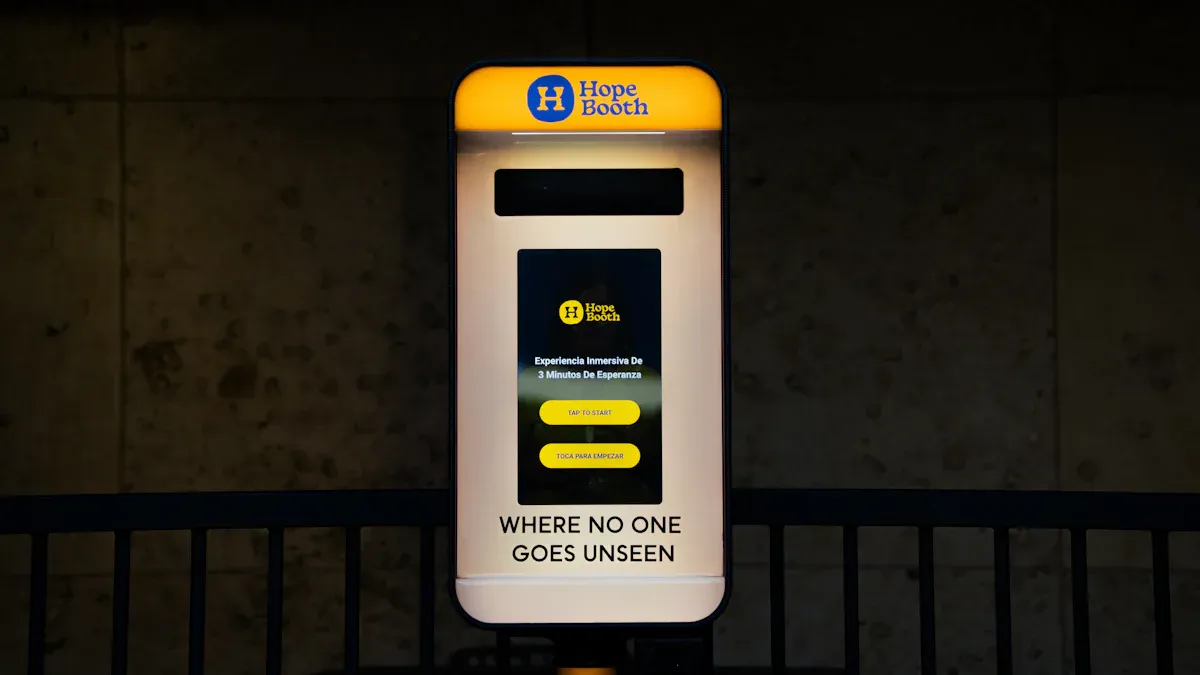
When you pick an outdoor touch screen kiosk, you should look for important features. These features help the kiosk last long and work well. Many outdoor kiosks have problems early. About 75% get weather damage in the first year if they are not tough. You should choose kiosks with strong enclosures, good security, bright screens, and flexible software.
Feature | Description |
|---|---|
Durability | Strong enclosures stop rust and handle bad weather. |
Security | Designs that cannot be tampered with and strong locks keep your kiosk safe. |
Visibility | Bright screens stop glare and help people read outside. |
Software Flexibility | Software that can change makes it easier for users and fits your needs. |
The next parts will explain each feature and why it helps your outdoor kiosk.
Key Takeaways
Pick outdoor kiosks with tough enclosures. This helps stop weather damage and makes them last longer.
Choose kiosks with very bright screens, at least 3,500 nits. This makes them easy to see in sunlight and helps users.
Use flexible software that is simple to update. It should also work well with other systems as needs change.
Make security important by using tamper-resistant designs and anti-vandal glass. This lowers repair costs and keeps your kiosk safe.
Follow accessibility rules so everyone can use the kiosk. This includes people with disabilities.
Key Features of an Outdoor Touch Screen Kiosk
Location and Accessibility
Think about where you put your outdoor kiosk. The right spot helps people find it easily. If you place a kiosk near a shopping center, more people will use it. Busy tourist areas are good places for kiosks. This makes the kiosk helpful for your business. People can get maps and directions right away. This helps them move around outside spaces. Tourists and walkers get quick information. Their experience gets better.
Tip: Put your outdoor kiosk where lots of people walk. This helps more people use your interactive solution.
Accessibility rules are important. You should follow ADA rules for height and reach. This lets wheelchair users touch the screen. Federal kiosks must meet Section 508 rules. Airports use ACAA standards. In Canada, check the Accessible Canada Act and Accessibility for Ontarians with Disabilities Act. In Europe, EN 301 549 may be needed. For software, WCAG 2.1 helps everyone use the kiosk. This includes people with disabilities.
Here are some design tips for accessibility:
Design Consideration | Findings |
|---|---|
Button Size | Make buttons bigger than 20 mm for easy touch. |
Button Spacing | Leave space between buttons for users with challenges. |
Approach Angle | Users should reach the screen from the front. |
Kiosk Height | Set the height so wheelchairs can reach. |
User Interface | Use simple words and clear layout. |
A study found that easy gestures and clear steps help people with vision problems finish tasks fast. You should ask people with different needs to help design your kiosk. Special accessibility features make the kiosk better for everyone.
Weather Protection
Outdoor kiosks deal with tough weather every day. You need features that protect your kiosk from rain, snow, sun, and dust. Weatherproofing keeps your touch screen kiosk working in all kinds of weather. Here is a table of weatherproofing features:
Weatherproofing Feature | Description |
|---|---|
Rain, humidity, and snow exposure | Keeps water and snow out of the kiosk. |
UV radiation and color fading | Stops sunlight from hurting the screen. |
Extreme temperature fluctuations | Makes sure the kiosk works in hot and cold. |
Wind-blown debris and dust | Blocks dirt that can harm the unit. |
Industrial-grade seals | Seals out water and dust for strong protection. |
Corrosion-resistant materials | Stops rust and helps the kiosk last longer. |
Thermal control systems | Keeps the kiosk at the right temperature. |
Check the IP rating for your outdoor touch screen kiosk. The lowest standard is IP65. It protects against water jets. For harder places, IP67 is better. It protects against short water dips.
IP Rating | Protection Level | Description |
|---|---|---|
IP65 | Moderate | Stops water jets. Good for most outdoor uses. |
IP67 | High | Stops water dips. Best for tough conditions. |
Regular care helps stop common problems. Look for water damage and cracks. Clean fans and air filters often. Change the screen’s protective film when it wears out. These steps keep your outdoor kiosk working well.
Security and Vandal Resistance
Security is very important for outdoor kiosks. You need strong features to stop theft and damage. Secure casings and anti-vandal glass protect the screen and inside parts. Tamper-resistant designs with strong locks make it hard to break in. Resistive technology hides important parts. This lowers the risk of damage. Tough materials add more safety.
Secure casings and anti-vandal glass protect your kiosk.
Tamper-resistant locks and strong enclosures stop thieves.
Tough construction means less damage from accidents or attacks.
Hiding parts inside the unit lowers the chance of harm.
These security features may cost more at first. But you save money later. You will fix your kiosk less often. There will be less downtime. This lowers your total cost and keeps your displays ready for users.
Note: Anti-vandalism steps protect your outdoor kiosk and lower maintenance costs over time.
Top Outdoor Touch Screen Kiosks for 2026
Here are some outdoor kiosks with these key features:
CityGuide Pro 2026: Has ADA-compliant design, IP67 weatherproofing, and anti-vandal glass.
TouristTouch X: Gives real-time maps, thermal control, and secure casings for busy places.
RetailConnect Outdoor: Uses corrosion-resistant materials, easy interface, and tamper-proof locks.
These products show the best features for outdoor touch screen kiosks. They help you give reliable, interactive experiences in any outdoor place.
Visibility and Display Performance
High Brightness Screens
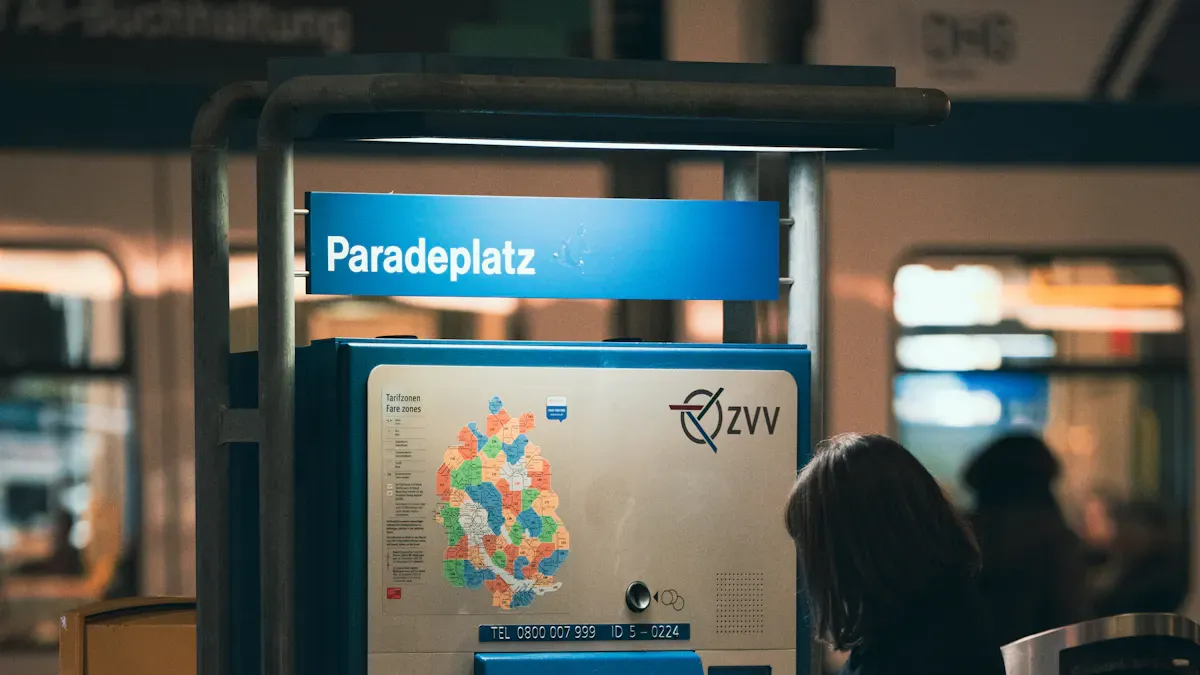
Outdoor kiosks need screens that are very bright. Sunlight makes normal screens hard to see. A good outdoor screen should have at least 3,500 nits. For places with lots of sun, 4,000 to 5,000 nits is better. The best screens for noon use 5,000 to 7,000 nits. These bright screens help people see the kiosk on sunny days. This makes it easy for everyone to use the kiosk outside.
Minimum brightness: 3,500 nits
Good for full sun: 4,000–5,000+ nits
Best for direct sunlight: 5,000–7,000 nits
High brightness screens work well with touch. This helps people use the kiosk easily. Even in tough weather, users can interact with no problems.
Anti-Glare and Readability
Glare makes it hard to use outdoor kiosks. You should pick features that stop glare and reflections. Anti-reflective coatings and optical bonding both help a lot. Optical bonding cuts down on inside reflections and keeps the screen clear. Anti-reflective coatings help too, but they can wear out faster.
Feature | Anti-Reflective Coatings | Optical Bonding |
|---|---|---|
Works a little | Cuts inside reflections for better reading | |
Durability | Wears out faster | Stays strong against scratches and dust |
Touch Sensitivity | Might not work as well | Keeps touch working smoothly |
Cost-Effectiveness | Costs more over time | Saves money because it lasts longer |
These features keep your kiosk easy to read. People can use the touch screen without getting upset. This helps everyone enjoy using the kiosk.
Adaptive Display Controls
Light outside changes during the day. Adaptive display controls help the screen change with the light. Sensors can make the screen brighter or dimmer by themselves. This keeps the screen easy to see all day and night. Using big text and high-contrast pictures helps too. Some kiosks let you pick different settings for each season. Testing often makes sure the touch screen works in all weather.
Optimization Approaches | Description |
|---|---|
Adaptive Brightness Control | Changes brightness with light sensors for better viewing. |
Content Design Guidelines | Uses big text and strong colors for outside. |
Seasonal Adjustments | Changes settings for different weather and sun angles. |
User Experience Testing | Checks touch works well in all conditions. |
These features make your outdoor kiosk work well every time. People always get a good experience when they use it.
Touch Screen Kiosk Durability

Impact and Scratch Resistance
Outdoor touch screen kiosks need to be tough. They must handle daily use and rough weather. Impact and scratch resistance are important features for these kiosks. Many people use kiosks every day. The materials should handle bumps, drops, and scratches. Strong materials keep the display looking new and working well.
Material | Properties | Applications |
|---|---|---|
Steel | Strong, resists wear and tear | Frames, supports |
Aluminum | Lightweight, resists corrosion | Enclosures, components |
Tempered Glass | Shatter-resistant, breaks into small pieces | Touchscreens |
Laminated Glass | High impact resistance, extra security | Touchscreens |
Plastic/Composite | Lightweight, customizable | Enclosures |
Powder Coatings | Scratch-resistant surface | Protective finishes |
Anti-glare Coatings | Improves use in bright outdoor conditions | Touchscreen surfaces |
Tempered glass and laminated glass protect the screen from damage. Resistive touchscreens absorb shocks and keep working if scratched. These materials help kiosks last longer and keep users happy.
Temperature and Humidity Tolerance
Outdoor weather changes quickly. Your kiosk must work in hot, cold, and humid days. Good kiosks use sealed enclosures and special parts. These block moisture and dust. This keeps the system running in rain, snow, or heat.
Sealed enclosures keep water and dust out.
Fans and heaters keep the temperature steady.
Humidity controls stop fogging and corrosion.
These durability features help your kiosk stay reliable all year.
Long-Lasting Components
Long-lasting parts make your kiosk a smart choice. You save money because you fix or replace parts less often. High-quality parts mean fewer repairs and less downtime. Users get a better experience. Pick durability features based on how many people will use the kiosk, where it will go, and how much security you need.
Tip: Durable kiosks lower your costs and boost efficiency for your interactive solutions.
Touch screen kiosk durability makes sure your outdoor kiosk keeps working. Even in busy or harsh places, you get better value and a smoother experience for everyone.
Software, Management, and Compatibility
Flexible Software Integration
Flexible software integration helps your outdoor touch screen kiosk do more. The right software lets you add new apps and connect to other systems. TelemetryTV is a good choice for outdoor kiosks. It has over 70 ready-to-use apps and integrations. You can control content, set schedules, and make displays interactive. TelemetryTV works with CI/CD pipelines like GitHub Actions. This makes it simple to add custom web apps and keep your kiosk updated. Flexible integration lets your system grow as your needs change.
Add new apps and features when your business grows.
Connect to payment, mapping, or loyalty systems.
Use interactive displays to get more users.
Remote Content Management
Remote content management lets you control kiosks from anywhere. You can update menus, alerts, or promotions right away. This keeps your information new and helpful. You can also check how kiosks work and fix problems without going there. This feature cuts wait times by up to 40% because orders go straight to the kitchen. Customers can look at options and choose when they are ready. This makes their visit better. Remote management saves you time and money while keeping kiosks working well.
Update content and features fast.
Watch and fix kiosks from far away.
Get users more interested and have less downtime.
Tip: Use remote management to keep your outdoor touch screen kiosk up to date and working well.
Hardware and Peripheral Support
Outdoor kiosks need strong hardware and support for many peripherals. These features turn a simple display into a powerful interactive system. You can add printers, scanners, card readers, and more to your touch screen kiosk installation. This lets users print tickets, scan barcodes, or pay securely. The table below shows common peripherals for outdoor kiosks:
Peripheral Type | Description |
|---|---|
Printers | Print receipts or tickets on demand |
Scanners | Read barcodes or QR codes |
Card Readers | Process payments securely |
Payment Processors | Handle various payment methods |
RFID / NFC Readers | Enable contactless interactions |
Peripherals like microphones, speakers, fingerprint readers, and cameras add more interactive features. These options help your outdoor kiosk serve many needs, from payments to identity checks. When you choose the right hardware, you improve engagement and make your interactive displays more useful. Always consider hardware support when you compare touch screen kiosk pricing.
Installation, Maintenance, and Cost
Easy Setup and Service
You want an outdoor kiosk that is simple to set up. Fast installation means you can use your system sooner. Easy designs let you plug in the kiosk without problems. In busy places, kiosks need strong materials and weatherproofing. These things help your kiosk work well, even with lots of users. If your kiosk is easy to fix, you can solve problems fast. This keeps your kiosk running and people using it.
Tip: Pick a kiosk with easy-to-open panels and clear guides. This helps your team fix or update it without special tools.
Cost Considerations
Think about the first price and the costs after you buy your kiosk. The price covers buying, setting up, and keeping it working. Touch screen kiosk prices change by size, features, and weatherproofing. Strong cases and smart features may cost more, but they save money later. Kiosks that are easy to set up and fix cost less for labor. You also pay less for repairs if you choose tough models. Many businesses say connecting with other systems saves money and gets more people to use the kiosk.
Cost Factor | What to Consider |
|---|---|
Initial Purchase | Unit price, shipping, and installation |
Ongoing Maintenance | Cleaning, repairs, and software updates |
Energy Use | Power needs for screens and interactive features |
Upgrades | Adding new hardware or software |
Maintenance Requirements
Outdoor kiosks need more care than indoor ones. You should clean the screens often so they work well. In busy spots, clean them every day. Check air filters and fans to keep dust and heat away from the screen. Always follow local rules for outdoor power. Good care means checking for cracks, updating software, and using remote checks. This helps you find problems early and keep your kiosk working.
Maintenance Task | Why It Matters |
|---|---|
Find problems before they get worse | |
Regular cleaning | Keep screens clear and touch working |
Hardware inspections | Spot damage from weather or heavy use |
Software updates | Add new features and fix security issues |
Remote monitoring | Get alerts for touch or display problems |
Note: A good care plan helps your outdoor kiosk last longer and gives users a better experience.
You need special features so your outdoor kiosk lasts and works well. Weatherproofing stops rain and snow from hurting your kiosk. High brightness displays make the screen easy to see outside. Tough materials keep your interactive system safe and simple to use. The table below shows how each feature helps your kiosk stay strong and easy to use:
Feature | Benefit |
|---|---|
Weatherproofing | Keeps your interactive kiosk safe in harsh weather |
High Brightness | Improves interactive display visibility outdoors |
Durable Materials | Reduces damage and boosts customer engagement |
Interactive kiosks with easy designs and strong parts help customers use them more. They also cost less to fix. Pick these features to make your outdoor interactive solution work well and stay reliable.
Top Outdoor Touch Screen Kiosks for Businesses in 2026
Choosing an outdoor touch screen kiosk for your business in 2026 is like selecting a frontline soldier – it must be extremely durable, highly reliable, and able to withstand sun, rain, and heavy use. It’s a tough decision.
Below is a clear comparison of leading outdoor touch screen kiosk models to help you find the right “ace” for your needs. Each model excels at addressing core pain points.
🥇 2026 Top Outdoor Touch Screen Kiosk Comparison
Brand / Model | Key Highlights | Brightness (nits) | IP Rating | Touch Technology | Temperature Range | Features & OS |
|---|---|---|---|---|---|---|
JLOO | All‑round performer, multiple models for different industries | 1500‑4000 | IP65 – IP67 | Capacitive (glove/wet‑hand support) | -30°C ~ 70°C | Windows/Android dual OS; suits government, scenic spots, commercial areas |
OBOO | Smart scenario expert, focuses on campus ecology and outdoor interaction | 1000 | IP65 | 10‑point capacitive touch | -30°C ~ 60°C | 4G/5G all‑net support; custom Android dual OS; ideal for industrial parks, smart parks |
Elo | International brand, “plug‑and‑play” modular integration | 1000 | IP65 / IP66 | Advanced TouchPro PCAP | Wide‑temperature design | Open frame, ultra‑narrow bezel – standardised solution for system integrators |
iiyama | High‑value outdoor model, professional display panel | 935 | IP65 | 10‑point PCAP (glove‑friendly) | -20°C ~ 60°C | Full sensors (ambient light, temperature, proximity); UV & fingerprint‑resistant coating; good for low‑maintenance projects |
Avalue OFM | Industrial‑grade reliability for extreme environments | 1000 (OFM‑3700) | IP65 (OFM‑3700) | 10‑point PCAP | 0°C ~ 60°C | IK10 vandal‑proof, EN50155 railway certified; fanless design; suited for transport, unattended harsh environments |
Gewu Chun | Specialises in infrared touch for specific needs | – | – | Infrared (IR) | – | Option for projects that require IR touch technology |
Techtrend | B2B custom touch module specialist | 1800 | IP65 | Capacitive (AG/AR anti‑glare) | – | 65‑inch large size; full touch solutions for large‑scale cultural tourism, smart retail |
COSMO | High weather resistance & custom high‑brightness | – | – | – | – | Customisation services (UV protection, special cover glass); suitable for demanding smart security, outdoor terminals |
Price reference: Prices vary greatly by model and customisation. As a market reference, a well‑known brand 10‑inch outdoor open‑frame touch display is about $1,100 USD; a 21.5‑inch industrial high‑brightness touch monitor is around £894.10 GBP (excl. VAT) .
💡 Outdoor Touch Screen Kiosk Selection Tips
Define your use case – Identify your core scenario: scenic spot information, outdoor smart retail, or industrial control. Match product type to the environment.
Focus on core protection ratings
Ingress Protection (IP): IP65 or higher is mandatory for outdoor use.
IP65: Dust‑tight, protected against low‑pressure water jets.
IP66 / IP67: Higher water protection – withstands powerful jets or brief immersion.
Impact rating (IK): IK08 or higher – resists accidental impacts and vandalism in public spaces.
Prioritise “sunlight readable” screens
Brightness is critical: Outdoor screens typically need 1500+ nits to combat strong sunlight. In extreme glare, 2500‑4000 nits may be required.
Choose anti‑glare screens: Technologies like AG (anti‑glare), AR (anti‑reflection), and AF (anti‑fingerprint) coatings significantly improve outdoor readability.
Handle extreme temperatures – Ensure the kiosk operates reliably in your local climate. Outdoor devices typically need a wide operating range of -20°C to +70°C.
Prioritise remote management and maintainability
Remote content updates, device status monitoring, and fault diagnosis are key advantages of smart kiosks.
Ensure the device supports flexible OS options – e.g., JLOO and OBOO offer Windows and Android dual‑OS switching for different software ecosystems.
Modular design greatly reduces repair time and lowers long‑term maintenance costs.
Check payment and communication modules
Payment integration: Beyond traditional card payments, confirm support for contactless mobile payments (NFC, QR codes) to support current trends.
Cellular connectivity: If no network port is available, ensure the kiosk supports 4G or 5G cellular modules for remote management.
💎 Summary & Trends
In regions with strong sunlight (like Singapore), choosing high‑brightness (at least 1500 nits) and IP65+ rated kiosks is essential.
Key decision criteria: Carefully verify IP rating, IK rating, and brightness (nits) – the three hard specifications.
Look ahead: Check whether the kiosk has provisions for contactless payment and 5G connectivity to ensure future scalability.
Market growth: The global self‑service kiosk market is expected to reach approximately $2.94 billion in 2026. Strong growth means rapid technology updates. To be certain, ask manufacturers for real‑world performance data in high‑temperature, high‑humidity environments, or request a physical demo.
I hope this selection guide helps. If you share your specific use case or budget, I can provide more targeted product recommendations.
FAQ
What makes an outdoor touch screen kiosk different from an indoor kiosk?
Outdoor kiosks are built to be stronger. They can handle rain, sun, and wind. The screen is bright enough to see outside. You can use all the features outdoors without problems.
How do interactive kiosks help customers?
Interactive kiosks help you get information quickly. You can pay for things or print tickets. You can also get directions when you need them. The screen reacts when you touch it. Using the kiosk is easy and smooth.
Can you update content on an interactive kiosk remotely?
Yes, you can change things like menus or maps from far away. Remote tools let you keep your kiosk up to date. This saves time and makes users happy.
What features improve interactive kiosk durability?
Kiosks use strong materials and sealed cases. The screens do not break easily. These things protect the kiosk from weather and lots of use. You do not have to fix them as often.
Are interactive kiosks easy to install and maintain?
Most kiosks are simple to set up. Clear instructions and easy panels help you fix them. Cleaning and checking them often keeps them working well.
See Also
Essential Characteristics of Contemporary Touch Screen Kiosks
Top Rated Outdoor LCD Kiosks for 2026 Unveiled
Leading Providers of Outdoor LCD Display Kiosks
