IPS LCD vs LED Monitor 2026 Guide to Tech Differences
Shenzhen TopAdkiosk Display Technology Co., Ltd.
Add.: 2F, Bldg 10, Changfeng Industrial Park, Dongkeng, Fenghuang, Guangming, Shenzhen, China 518132
Mobile/WHATSAPP: 86-138 25769658
Email: marketing@topadkiosk.com topadkiosk@gmail.com
Skype: pghenry1
Wechat: adkioskhenry
English Web.: https://www.topkioskdisplay.com/
http://www.ad-kiosk.com/
https://www.toplcddisplay.com/
http://www.multitouchdigitalsignage.com/
https://www.youtube.com/channel/UCYVYNJHxLVEcQD8fuUxXNTA/videos?view_as=subscriber
https://www.facebook.com/TOPADKIOSKSHENZHEN/?ref=bookmarks
You may think that IPS LCD and LED monitors are the same, but they are not. IPS LCD refers to the panel technology, while LED pertains to how the screen is illuminated. Many monitors utilize both technologies together. However, not every LED monitor features an IPS panel. Look at the table below to see how they differ:
Feature | IPS LCD Panel Technology | LED Backlighting |
|---|---|---|
Color Accuracy | Better colors | Not available |
Viewing Angles | Wider angles | Not available |
Brightness | Not available | Brighter |
Power Usage | Not available | Uses less power |
Understanding these differences between IPS LCD vs LED monitors helps you choose the right display. You can find one that meets your needs, performs well, and lasts longer.
Key Takeaways
IPS panels show colors very well and you can see the screen clearly from many angles. This makes them great for editing photos and making designs. - LED monitors are usually thinner and lighter. They use less energy and last a long time. They also show bright pictures. - Think about what you will use your monitor for. Use IPS if you do design work. Use fast IPS or TN if you play games. Use a basic LED for simple, everyday things. - Always look at both the panel type and the backlighting. This helps you pick the best monitor for what you need.
What Is IPS LCD?
IPS Panel Technology
When you shop for monitors, you see the term ips. It means in-plane switching. This is a kind of lcd panel technology. An ips display uses liquid crystals that move in a special way. When you turn on the monitor, the crystals change direction because of electricity. They stay lined up next to the glass layers inside the screen. This movement lets the ips display control how much light goes through each pixel. So, you get better color accuracy and wide viewing angles. The way the crystals move helps you see real colors and clear images from almost any direction. That is why ips display technology is great for people who want good color and image quality.
Tip: If you want a monitor that shows colors correctly, pick an ips display. You will see the difference right away.
Color and Viewing Angles
You want your monitor to look good from every angle. An ips display gives you this benefit. Here are some reasons why ips panels are special:
ips panels have high color accuracy and wide viewing angles.
You see bright colors and sharp details, even from the side.
ips displays score 4.6 out of 5 for color accuracy and viewing angles.
They cover a wide color range and keep colors the same across the screen.
You get almost no color change, even at extreme angles.
The table below shows how ips compares to other panel types:
Panel Type | Viewing Angle | Color Consistency | Visibility at Off-Angles |
|---|---|---|---|
IPS | Up to 178° | Excellent | Stays clear |
TN | Narrow | Poor | Colors fade |
VA | Decent | Moderate | Not as good as IPS |
With an ips display, you get wide viewing angles and top color accuracy. This makes ips the best choice for photo editing, graphic design, and watching movies with friends. You get a screen that keeps colors bright and images clear, no matter where you sit.
What Is an LED Monitor?
LED Backlighting Basics
You often see the word led monitor. This means the screen uses led backlighting. Older monitors used CCFL lamps. Now, led display technology uses small, bright leds. These leds are behind or around the screen edges. They shine light through the panel. This makes your led display look clear and bright.
Led backlighting gives your led display many good things. Your monitor is thinner and lighter. Most led displays are about 5 cm thick. You also get a wide color range, up to 105% NTSC. Led display technology gives high contrast. Black levels can be as low as 0.05 lumens. This means you see deep blacks and bright whites. Led displays last a long time, up to 100,000 hours. You save energy, so your laptop battery lasts longer. Led display technology also helps companies spend less money making screens.
Here is a table that lists the main features of led backlighting:
Feature | Description |
|---|---|
Slim Design | Typically around 5 cm thick |
Wide Color Gamut | Up to 105% NTSC |
High Contrast | Black light flux as low as 0.05 lumens, enabling contrast ratios up to 10,000:1 |
Long Lifespan | Up to 100,000 hours |
Energy Saving | Especially beneficial for portable devices like laptops |
Enhanced Image Quality | Reduces motion blur and delivers vivid, accurate colors |
Reduced Manufacturing Cost | Replaces traditional color filters, reducing costs |
Thinner and Lighter Displays | Edge-lit leds help reduce overall screen thickness |
Extended Battery Life | Increases battery efficiency by over 40% in laptops |
By 2026, led display technology gets even better. Quantum dots make colors look brighter and more real. Mini-leds help control brightness and dark spots. RGB mini led displays use red, green, and blue leds. This gives you the best color and brightness. These upgrades make your led display look more lifelike and fun to watch.
Tip: If you want a monitor that is thin, bright, and saves energy, pick an led display.
Panel Types in LED Monitors
It is important to know led monitors use different panel types. The panel sits in front of the led backlight. It controls how the picture looks. The three main panel types in led display monitors are IPS, TN, and VA. Each one gives you a different look and feel.
Here is a table to compare the panel types in led display monitors:
Panel Type | Primary Strength | Best Use Case | Refresh & Response | Viewing Angles | Color Accuracy |
|---|---|---|---|---|---|
IPS | Wide viewing angles, color accuracy | Creative work, media, casual gaming | Moderate to fast | Up to 178°, consistent | Excellent, very accurate |
TN | Fastest response times, low input lag | Competitive gaming | Very fast | Narrow, color shifts | Lower accuracy |
VA | High contrast, deep blacks | Entertainment, general use | Moderate | Decent | Good |
Led display monitors with IPS panels have the best color and wide viewing angles. TN panels make your led display very fast for games. VA panels give your led display deep blacks and high contrast. The led backlight works with each panel type. It helps make the screen brighter and improves contrast. Full-array led backlighting can dim some parts of the screen. This makes dark scenes look better.
Remember, led display means the monitor uses led backlighting. The panel type, like IPS, TN, or VA, decides how your led display shows color, speed, and viewing angles. This is the main difference between IPS LCD and led monitors. IPS LCD is about the panel. Led is about the backlight. Many led display monitors use IPS panels, but not all do.
Note: Always check both the panel type and the led backlighting when you choose a new led display. This helps you get the best screen for what you need.
IPS LCD vs LED Monitor: Technical Comparison
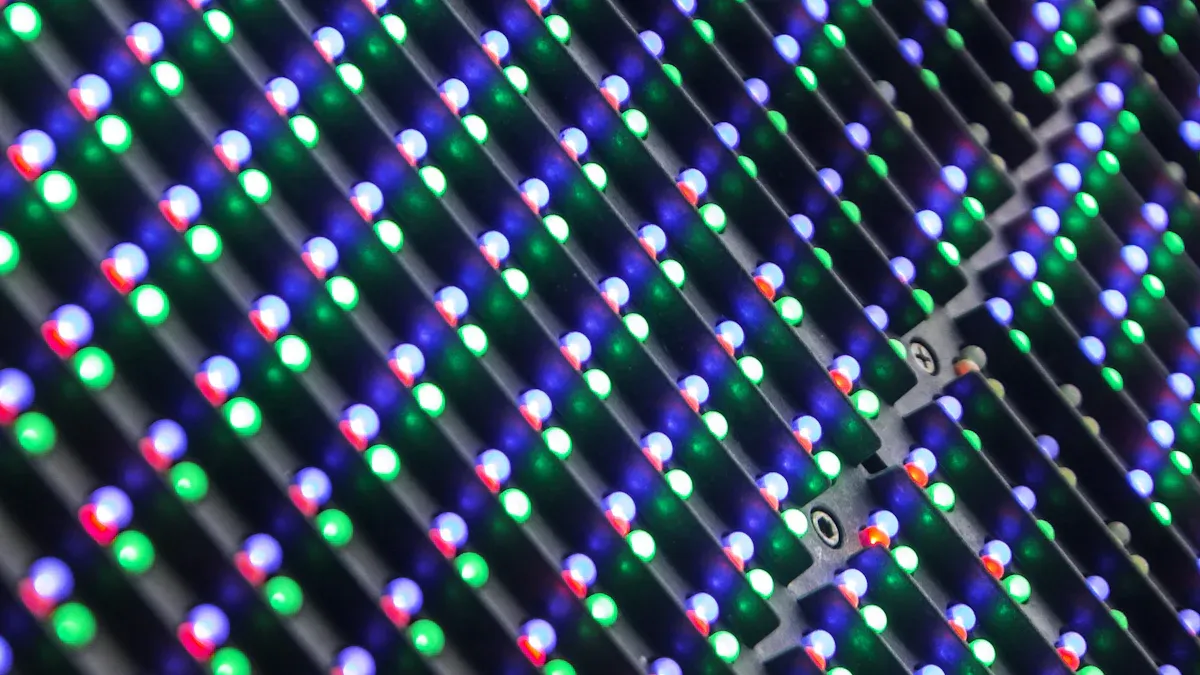
Panel and Backlight Differences
When you compare ips lcd vs led monitor, you need to look at how each screen works. The main difference comes from the panel and the backlight. An ips panel uses a special structure. The liquid crystals move in a horizontal electric field. This lets the screen control light very well. You get a display that shows bright visuals and keeps colors true. The backlight in an ips lcd passes through these crystals. The voltage changes the way the screen looks.
A led monitor uses led backlighting. You find two main types: edge-lit and full-array. Edge-lit leds sit along the sides of the screen. Full-array leds spread across the back. Both types make the screen thinner and brighter. Led backlighting gives you more control over brightness and contrast. Older screens used CCFL lights, but led is now the standard. You see better visuals and lower power use with led.
Here is a quick list to help you see the difference:
ips lcd uses a panel that controls color and viewing angles.
led monitor uses leds for the backlight, making the screen brighter and more energy efficient.
You can have an ips panel with led backlighting, but not all led monitors use ips panels.
Color, Brightness, and Contrast
Color accuracy is one of the biggest reasons people choose ips lcd vs led monitor. An ips panel gives you superior color accuracy. You see a wide color range and true-to-life shades. The screen keeps color quality high, even when you look from the side. You do not see fading or uneven color. This makes ips the best for color reproduction and color clarity. If you work with photos or design, you need this level of accuracy.
Led monitors with other panels, like TN or VA, do not always match the color accuracy of ips. Colors can look too strong or too weak. You may see changes in color when you move to the side of the screen. Edge-lit led screens sometimes show dim spots or bright patches. This affects color balance and overall visuals.
Brightness and contrast also matter. Ips panels give you great color and wide viewing angles, but they may not be as bright as some led screens. VA panels in led monitors offer higher contrast. You see deeper blacks and better visuals in dark rooms. Here is a table to compare:
Comparison Point | IPS Monitor | LED Monitor (TN/VA) |
|---|---|---|
Color Accuracy | Superior | Varies |
Brightness | Moderate | Often brighter |
Contrast | Good | VA: Excellent, TN: Fair |
You get superior color accuracy and consistent visuals with ips. Led monitors with VA panels give you higher contrast, which is good for movies and games. TN panels focus on speed, but color accuracy drops.
Speed, Power, and Lifespan
Speed is important if you play games or watch fast videos. Ips panels have improved a lot. You now see response times as low as 1-4ms. Fast ips screens can go below 1ms. TN panels in led monitors are even faster, with response times from 0.5-1ms. VA panels are a bit slower, from 3-8ms. Here is a table for quick reference:
Panel Type | Average Response Time |
|---|---|
IPS | 1-4ms (Fast IPS: <1ms) |
TN | 0.5-1ms |
VA | 3-8ms |
Power use and heat matter for long-term performance. Led backlighting uses less power than old CCFL lights. Your screen stays cooler and lasts longer. Ips lcd vs led monitor both offer good energy savings, but led screens often win in power efficiency.
Lifespan is another key point. Ips lcd monitors last about 60,000 to 100,000 hours. This means you can use your screen for 20 to 30 years. Led monitors have strong durability. They resist problems like image retention or burn-in. Better heat control in led screens helps them last even longer, especially if you use your display all day.
Tip: If you want the best color accuracy and visuals, choose an ips lcd. If you need speed or deep contrast, look at led monitors with TN or VA panels.
User Implications in 2026
Best Uses and Recommendations
When you pick a monitor in 2026, think about what you need. Gamers want fast screens with quick refresh rates. Fast ips panels are good for most gamers. TN panels are cheaper but have weaker colors. VA panels are nice for single-player games, especially in dark rooms. OLED displays look amazing for gaming, but they can get burn-in.
Monitor Technology | Recommended Use | Key Features |
|---|---|---|
Fast IPS | Most gamers | Excellent balance of refresh rate and response time |
TN | Extreme budget | High refresh rates, but limited overall performance |
VA | Single-player | Better immersion for dark scenes |
OLED | Premium gaming | Ultimate experience but with burn-in concerns |
If you edit photos or graphics, ips displays are the best. They show colors that are true and clear. You can see the screen well from the side. This helps when you work with other people. Colors stay the same, even if you move. That is why ips displays are great for editing and design.
For office work, ips displays make text easy to read. You do not see color or brightness changes. Led displays with basic panels are fine for simple jobs. But ips displays give you more comfort and clear pictures.
Tip: If you edit photos or graphics, choose ips. For gaming, try fast ips or OLED. For office work, ips displays help your eyes feel good.
Price and Value
You want a good deal for your money. In 2026, ips displays cost more than basic led displays. Led displays are cheaper, especially if you want a big screen. Here is a table to help you compare:
Monitor Type | Price Range Comparison |
|---|---|
IPS | Generally more expensive than basic LED alternatives |
LED | More accessible for budget-conscious consumers |
Ips displays have wide viewing angles and show colors well. They are great for editing and design. The downside is they cost more and may not have deep contrast like VA panels. Led displays are bright, come in many sizes, and have good prices. But their color can change, and they are not always as steady.
Think about what you will use your monitor for. If you need to edit photos or graphics, ips displays are worth it. If you want a monitor for games or everyday use, led displays with the right panel are a good choice.
You now know the main differences between ips and led monitors. Ips is a panel technology that gives you better color accuracy and wider viewing angles. Led is a backlight that makes screens brighter and more energy efficient. Many monitors use both ips and led together. If you want the best color for design, pick an ips monitor with led backlighting. For gaming, ips with fast response or led with a TN panel works well. Always check both the ips panel and led backlight before you buy. This helps you get the right display for your needs. If you want more details, look for guides on ips, led, and display technology.
IPS LCD vs LED Monitor: What Makes Them Different?
IPS and LED are often discussed together, but they describe different aspects of a monitor. Simply put: IPS is an LCD panel technology, while LED is a backlight technology for LCDs.
A helpful analogy: the LCD panel is like a window, and the backlight is the sunlight outside. IPS determines the structure and light‑transmitting properties of the window itself, while LED provides the light source (brightness) for the window. Together, they create the image you see.
🧐 Clarifying the Concepts: What Are IPS and LED?
IPS (In‑Plane Switching) – This is an LCD panel technology. It controls light by rotating liquid crystal molecules in‑plane, resulting in more accurate colours and wider viewing angles. IPS panels typically offer superior colour performance with minimal colour or brightness shift when viewed from the side, making them the preferred choice for designers, photographers, and other professionals.
LED (Light Emitting Diode) – This is a backlight technology, specifically using light‑emitting diodes as the light source. Virtually all monitors sold as “LED monitors” are actually “LED‑backlit LCD monitors”. Compared to older CCFL (cold cathode fluorescent lamp) backlights, LED backlighting allows monitors to be thinner, more energy‑efficient, and brighter.
For clarity, the table below compares IPS with the two other mainstream LCD panel types: TN and VA.
Feature | IPS | TN | VA |
|---|---|---|---|
Viewing angle | Excellent (up to 178°), minimal colour shift | Poor – colours fade quickly off‑centre | Good, but not as good as IPS |
Colour accuracy | Excellent – suitable for professional design | Poor – colours appear washed out | Medium – fine for everyday use |
Contrast & black level | Good, but black depth could be better | Poor – blacks look grey | Excellent – deep blacks, high contrast |
Response time | Modern Fast IPS can reach 1ms | Very fast – as low as 1ms or lower | Medium – 5–10ms, possible ghosting |
Main advantage | Best colour and viewing angles | Fastest speed, lowest cost | Best contrast – deepest blacks |
Main disadvantage | Higher cost, possible backlight glow | Poor colour and viewing angles | Slower response time |
Best for | Graphic design, photography, media, most gaming | Hardcore esports / competitive gaming | Movies, immersive single‑player games |
⚖️ Performance Showdown: IPS vs. LED
After clarifying the concepts, we can compare the modern mainstream (IPS panel + LED backlight) against a broader notion of “LED monitors” (which are usually VA or TN panels with LED backlight).
🎨 Colour Accuracy & Viewing Angle: IPS Wins Clearly
IPS panel – This is its core strength. IPS delivers highly accurate colours and wide viewing angles, ensuring consistent colour and brightness from different angles. Critical for professionals like designers and photographers.
LED backlight – LED backlight technology does not directly manage colour; its role is to provide uniform, bright illumination for the entire display system.
🔆 Brightness & Contrast: LED Backlight Is Key
LED backlight – Modern LED backlight technologies, especially full‑array local dimming (FALD), can independently control brightness in different zones, achieving higher contrast and deeper blacks. LED backlight also enables high peak brightness, which is beneficial for HDR content.
IPS panel – IPS has inherent contrast limitations, with native contrast typically around 1000:1. It does not produce blacks as deep as VA panels, and can exhibit “IPS glow” (light bleeding around the corners) in dark environments.
⚡ Response Time & Gaming Performance: The Gap Is Narrowing
Fast IPS – In the past, response speed was a weakness of IPS. However, with the maturity of Fast IPS technology, many IPS gaming monitors now achieve 1ms grey‑to‑grey response time – sufficient for the vast majority of gamers.
TN panel – Hardcore esports players seeking absolute fastest response may still choose TN, but TN sacrifices colour and viewing angles significantly.
💡 Power Consumption: LED Backlight Is More Efficient
LED backlight – LED backlighting is inherently more energy‑efficient than older CCFL backlights. Modern IPS monitors benefit from this as well.
💡 How to Choose: IPS vs. TN vs. VA
In reality, most modern IPS monitors use LED backlighting. Your real choice is between the three mainstream LCD panel types: IPS, VA, and TN. The following guide will help you decide quickly.
If you are a professional designer, photographer, or other visual professional – Choose IPS. Its excellent colour accuracy and wide viewing angles are essential for your work.
If you love watching movies and value high image quality – Choose VA. Its superior contrast delivers a more immersive viewing experience.
If you are a hardcore esports player with extreme demands on frame rate and response time – TN remains a value choice. However, if your budget allows, high‑end Fast IPS monitors can also balance speed and colour.
If you want a balanced experience for daily office work, web browsing, and gaming – IPS is the safer choice. Its colour, viewing angles, and increasingly fast response times cover most use cases well.
Finally, when buying, don't forget to look at other key specifications: colour gamut (e.g., sRGB, DCI‑P3), colour accuracy (ΔE value), refresh rate (Hz), and response time (ms) – they all directly affect your experience.
FAQ
What is the main difference between IPS LCD and LED monitors?
You see the main difference in how the screen works. IPS LCD describes the panel technology. LED refers to the backlight. Many monitors use both, but not all LED monitors have IPS panels.
Can an LED monitor have an IPS panel?
Yes, you can find LED monitors with IPS panels. The LED part lights up the screen. The IPS panel controls color and viewing angles. Always check both features before you buy.
Which is better for gaming: IPS LCD or LED?
If you want fast action and smooth play, choose a fast IPS panel or a TN panel with LED backlighting. IPS gives you better colors. TN panels give you faster response times.
Do IPS monitors last longer than LED monitors?
Both IPS and LED monitors last a long time. LED backlighting helps your monitor use less power and stay cool. Most monitors last 60,000 to 100,000 hours.
How do I choose the right monitor for my needs?
Think about what you do most. For design or editing, pick an IPS panel. For gaming, look for fast response times. For general use, LED monitors with any panel type work well.
See Also
A Comparison of LED, LCD, OLED, and QLED Technologies
Key Differences to Know About LED and LCD Video Walls
Distinguishing Between OLED Displays and LCD Displays
Top Transparent OLED Display Models to Watch in 2025
Essential Insights on Advantages and Disadvantages of LCD Screens
