Emerging Innovations in Interactive Screen Technology for 2026
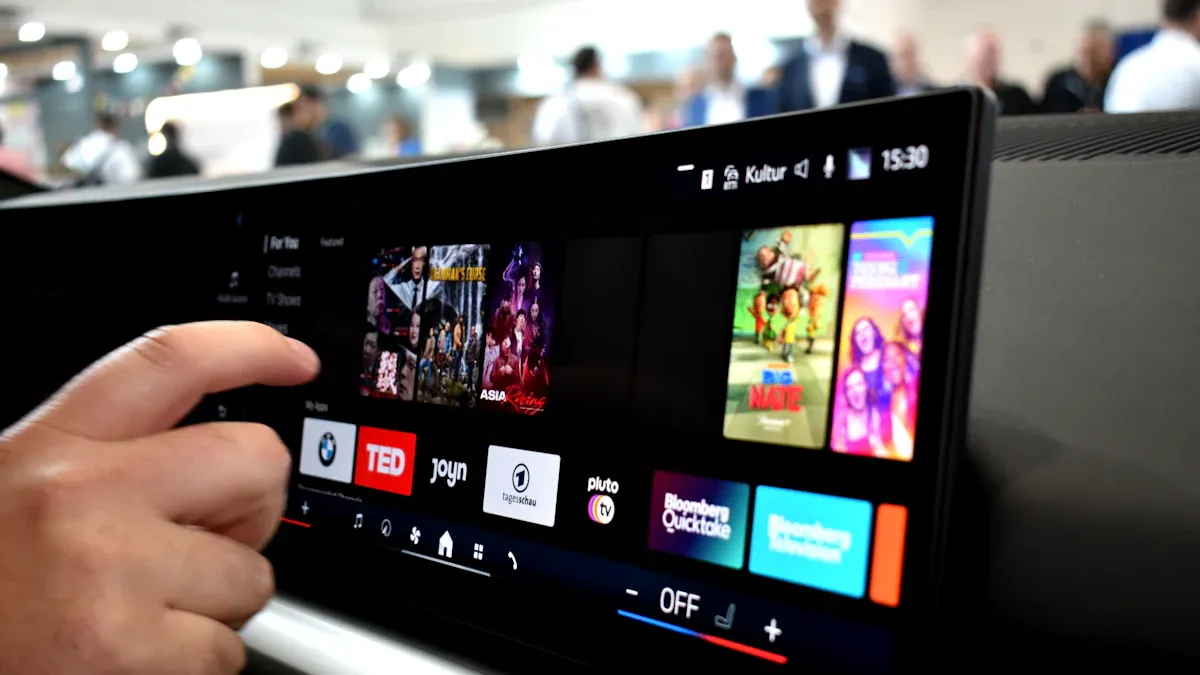
You see fast changes in interactive screen technology. These changes shape how we share visual information. The biggest trends for 2026 are touch-free interactivity and IoT sensor integration. Businesses get more customer involvement. They also give memorable experiences and personal information.
Trend | Impact |
|---|---|
Touch-free interactivity | Lets you use gestures or voice to interact. |
IoT sensor integration | Shows content based on what you do. |
You see the market growing with interactive screen solutions. The market may reach USD 52.14 billion in 2026. These new ideas help you make special promotions. They also help improve queue management systems. Think about how these trends can change your business.
Key Takeaways
Touch-free interactivity lets people use screens with gestures or voice. This makes things cleaner. It also makes screens easier for everyone to use.
AI-driven personalization changes content for each person. This helps people pay more attention. It also helps them remember brands better.
Cloud-based management makes updating screens easier. It saves time. It helps share information quickly.
Energy-efficient displays use less power. They make less waste. This helps digital signs be better for the environment.
Interactive screens in healthcare and retail help users. They give real-time information. They show fun and interesting content.
AI-Driven Interactive Screen Technology
Personalized User Experiences
Digital signage is changing. It uses AI to make things personal. The technology looks at how you act in real time. It figures out who is near the screen. You see content that fits your age or mood. The time of day also matters. Stores show family products when kids are there. Digital signage now changes for you. You do not have to change for it.
Evidence Type | Description |
|---|---|
Audience Analytics | AI systems study who is watching. They look at age, gender, and mood. This helps them pick content that fits you. |
Engagement Metrics | People pay more attention. They stay longer because the messages are made for them. |
Brand Recall | You remember brands better. The messages are targeted and fit the situation. |
AI-powered personalization helps you in many ways:
AI changes what you see based on who you are. The content feels right for you.
You see products or services that match your needs. This makes you want to interact more.
You remember brands because the messages feel special.
You spend more time looking at digital signage. You scan QR codes or answer calls to action. This helps businesses get more conversions. These trends show that making things personal works well for you and for companies.
Predictive Content in Digital Signage
Digital signage is also changing with predictive content. AI guesses what will work best for you. It uses smart strategies to keep screens interesting. Content changes in real time. It uses data and what you did before.
Metric | Description |
|---|---|
Prediction accuracy | AI checks how often its guesses are right. It compares what it predicts to what really happens. |
Engagement lift | AI picks content that gets more attention. It does better than people choosing by hand. |
Conversion impact | You take actions like buying, scanning, downloading, or signing up. |
Operational efficiency | AI saves time. It helps schedule and create content faster. |
Revenue per screen | Businesses earn more money from each screen. AI helps them make more. |
Override rate | People need to step in less often. AI gets better over time. |
Model confidence trend | The system learns and gets more sure of itself. |
Digital signage now shows content that fits your interests. Businesses see more people paying attention. They earn more money from each screen. You help by interacting with screens that feel right for you. AI makes screens smarter. You get a better experience every time you look.
Touch-Free Interactive Experiences
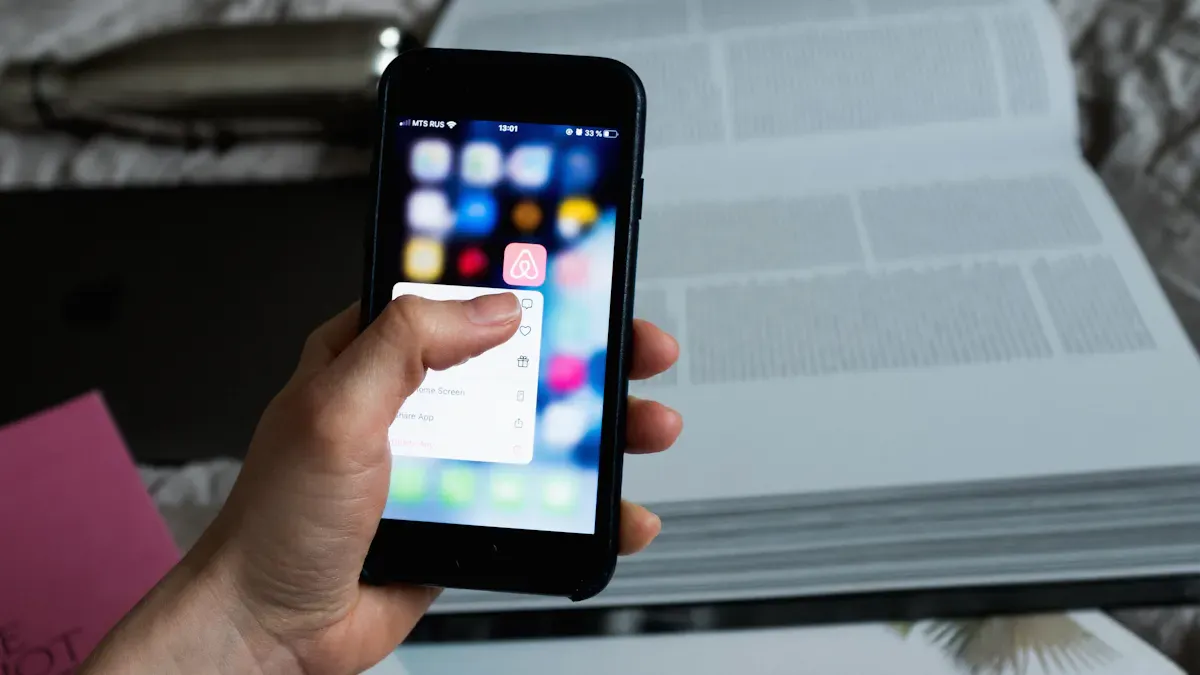
Touch-free technology is changing how you use screens. You can use digital displays without touching them. These changes are in stores, museums, and transport hubs. Touch-free screens make life easier and safer.
Gesture and Voice Control
Gesture and voice control are big trends now. You can wave your hand or talk to control a screen. This helps people with mobility or vision problems. You do not need to touch anything. This keeps things cleaner in busy places.
Gesture and voice controls help people with disabilities use screens.
These controls keep shared surfaces cleaner and safer.
You interact with digital systems faster and more easily.
App makers use these controls to make fun apps.
You see gesture and voice control in many places. You can ask a kiosk for directions. You can wave to scroll through museum displays. These trends make screens easier and more fun for everyone.
Description | Applications in Public Spaces | |
|---|---|---|
Screen Takeover | Use your phone to control public screens | Retail, museums |
Live AR | Use Augmented Reality in real-world places | Museums, exhibitions |
Voice Control | Use your voice with virtual assistants | Customer service kiosks |
Reactive Display | Motion sensors make screens respond | Public information displays |
Eye Tracking | Use your eyes to control screens | Interactive advertising |
QR Code Scanning | Scan codes to control screens | Restaurants, public transport |
NFC Payment | Pay without touching using your phone | Retail, transportation hubs |
Smart Sensors for User Presence
Smart sensors are a big trend in screens. These sensors know when you are close. The screen turns on or changes when you are near. This saves energy and makes screens respond faster.
Description | |
|---|---|
Motion Sensors | See if someone is there without tracking them |
Vision-based Localization | Cameras see where people are and what they do |
Radio Frequency-based | Find and place objects in a space |
Multi-sensor Networks | Use motion, CO2, and other sensors for better tracking |
Surveys and Observation | Get data from people directly |
Virtual Occupancy Sensors | Use computer activity or energy meters to sense presence |
Smart sensors help screens use less power. Screens only turn on when someone is close. You get a better experience because screens react to you. Businesses save money and help the planet. These trends show screens are getting smarter and more efficient.
Energy-Efficient and Sustainable Trends
Eco-Friendly Display Technology
Digital signage is changing to help the environment. Many companies use displays that need less energy. These screens use less power and save money. You help the planet by picking these screens. Some digital signage uses solar power or very low-energy tech. This makes your digital experience better for the earth.
Manufacturers use recycled materials to make digital signage. You help cut down on electronic waste by choosing these products. Many brands let you return old screens for recycling. You can give back used displays for safe disposal. These trends show you care about the planet.
Energy-efficient displays use less power and cost less.
Recycled materials in digital signage help reduce waste.
Solar-powered and low-energy displays support green choices.
Longer Product Lifecycles
Digital signage now lasts longer than before. New designs focus on making screens strong and easy to fix. You do not need to buy new screens often. This saves money and keeps waste out of landfills. Many digital signage products use parts that are easy to repair or upgrade.
Feature | Benefit |
|---|---|
Durability | You save money and make less waste with fewer replacements. |
Ease of maintenance | You fix or upgrade screens easily, so they last longer. |
Energy efficiency | You spend less money because screens use less power. |
Compact design | You use fewer materials and make less waste when building screens. |
Intelligent power-saving | You use less energy in offices with many screens. |
Reduced Consumables
Modern digital signage needs fewer extra parts. These trends help you save money and protect the earth. Digital displays use less packaging and fewer single-use items. You do not need to buy as many bulbs or batteries. This makes digital signage better for the planet and your wallet.
Tip: Pick digital signage with parts that last long and save energy. You will spend less and help the earth.
You can follow these trends to make your business greener. You also give customers a better experience with digital signage that lasts longer and uses less power.
Immersive Digital Signage Trends
Hyper-Interactive Content
Digital signage is becoming more interactive. You do more than just look at screens now. You can touch, talk, or move to control what you see. Businesses use these screens to make you part of the story. Some screens let you wave your hand to see products. You can answer quizzes or polls on the screen. These activities help you remember brands and have fun.
You can try 3D product demos and virtual try-ons. You do not need special glasses or devices for this.
Transparent LED displays and holographic projections mix digital and real worlds. You see product details floating in the air.
AI and machine learning learn what you like. The screen changes what it shows to match your interests.
Cool visual technology makes every visit different. You get content that feels made just for you.
Content Type | Description | Engagement Benefit |
|---|---|---|
Augmented Reality (AR) | You scan an ad to see 3D pictures or cool experiences. | You pay more attention and stay longer. |
Interactive Quizzes and Polls | Ads ask you questions to make your brand experience special. | You interact more and companies get better data. |
You see these new screens in malls, airports, and museums. Digital signage makes your time there more fun and easy to remember.
Augmented Reality Integration
Augmented reality is changing how digital signage works. You can scan a display and see 3D things or information pop up. Holographic displays show products in new ways. You can walk around a holographic car or try on clothes with a digital mirror. These cool experiences help you learn and choose faster.
Evidence Type | Description |
|---|---|
User Feedback | People said they liked using the AR system and had a good time. |
Statistical Analysis | Tests showed AR helped people get better at using the screens. |
Usability Score | The ARLE got a high score for being easy to use. |
The newest digital signage uses AR to teach and entertain you. You can see how electronics work or look at 3D maps. Holographic signs make information simple to understand. You get more out of each visit because the screen reacts to you. These trends show digital signage is not just for sharing facts. It creates fun and interactive worlds for you.
Cloud-Based Management Technology
Cloud-based management technology is changing how you control screens. You can manage many screens from one place now. This makes your job easier. It helps you keep up with new trends in digital signage.
Seamless Content Updates
Cloud-based digital signage lets you update content fast. You do not need to go to each screen. You use cloud software to send new content everywhere at once. This saves time and keeps your screens fresh. You can change promotions, alerts, or schedules in seconds. Cloud integration means you always show the right message.
Cloud digital signage software does routine updates for you.
You can set content changes for different times or places.
Real-time updates help you react quickly to new events.
Central dashboards let you see all your screens at once.
Cloud software also helps you fix problems fast. You can check screens from far away to see if they need help. This cuts downtime and keeps your screens working.
Cross-Device Connectivity
Cloud digital signage software connects many devices together. You can link screens, tablets, and kiosks with one system. This helps you share content across all your screens. You can control everything from your phone or computer.
Cloud integration lets you share content in real time.
You can use AI to change screens based on user data.
Cloud signage software helps you track how screens perform.
You can fix issues early with predictive maintenance.
Cloud signage software works well in many places. Hospitals use cloud integration to manage check-in kiosks. Stores use cloud signage to update sales fast. Offices use cloud software to share meeting schedules. This technology saves time, reduces mistakes, and keeps screens up to date.
Tip: Pick cloud digital signage software with strong integration features. You will get better control and faster updates for all your screens.
Sector-Specific Interactive Screen Solutions
Healthcare Applications
Interactive screen technology is changing healthcare. Hospitals and clinics use screens to help patients find their way. These screens show directions and updates right away. You can see education content made just for you. This helps you understand your treatment better. Staff use screens for training and teamwork. Digital signage in healthcare makes service better and helps patients feel less worried.
Benefit | Description |
|---|---|
You learn about your health with interactive screens. This helps you follow your treatment plan. | |
Improved Communication | Screens give updates to patients and staff in real time. You stay informed and avoid confusion. |
Streamlined Operations | Self-service kiosks do tasks for you. You wait less and staff make fewer mistakes. |
Reduced Patient Anxiety | Fun content on screens distracts you and makes your visit better. |
Staff Training and Collaboration | Interactive screens help staff learn and work together. This improves care and teamwork. |
Healthcare places use screens to make your visit better. You see trends that focus on real-time information and patient engagement.
Corporate Meeting Rooms
Corporate meeting rooms use new ways to work. Interactive screens let teams share ideas fast. You can work on documents together at the same time. Digital signage in boardrooms helps you see data and make decisions quickly. Remote workers join meetings with video walls and software. You see information from many places on one screen.
You work with your team using interactive screens.
You share information right away and avoid delays.
You work on charts and documents together, making meetings faster.
You include remote workers with video calls.
You see hard data in easy visuals.
Digital signage in offices helps you work better and stay engaged. You use screens to connect, share, and decide.
Smart Public Signage
Smart public signage is in cities and public spaces. These screens use real-time visuals and touchless controls. You wave your hand or talk to get information. Signage changes to match your actions and shows content for you. Digital signage trends turn watching into active participation.
Voice and gesture controls make screens easy to use.
Moving visuals make you want to join and learn.
Personalized content makes your visit special.
Touchless controls help everyone use screens.
Real-time updates keep information fresh and useful.
Smart public signage uses real-time tech to help people and share information. You see screens everywhere, helping you find your way and stay informed.
Sector Overview Table
Sector | Solution Type | Tailored Application |
|---|---|---|
Education | Interactive Flat Panels | You learn in hybrid classrooms with lessons shown in real time. |
Retail | Self-Service Interactive Kiosks | You check out without touching, making shopping better. |
Corporate | Interactive Video Walls | You work together in boardrooms with real-time data sharing. |
Government | Outdoor Interactive Displays | You use screens for directions and city services in smart cities. |
Healthcare | You find your way in hospitals with real-time screens. |
Tip: Pick signage solutions with real-time updates and interactive features. You will get more engagement and make your work easier.
You notice new trends in interactive screen technology. AI and hyper-personalization make displays smarter. Enterprise software helps connect screens to other systems. You can solve problems with hands-on training. Watching how people use screens helps you improve them. Working with providers keeps you up to date. You can find resources about AR, VR, and touchscreen software. Learn how haptic feedback and gesture controls make screens better.
Trend | Description |
|---|---|
AI Integration | Automation and real-time optimization for displays. |
Hyper-Personalization | Messaging changes based on location and behavior. |
Enterprise Software Integration | Connects screens with CRM, POS, and IoT systems. |
Shows how interactive displays change how we talk.
Talks about AR and VR in interactive experiences.
Tells how AI makes content personal.
Tip: Keep learning and update your plan to use the newest interactive screen ideas.
FAQ
What is the main benefit of touch-free interactive screens?
Touch-free screens help you stay safe and clean. You can use gestures or your voice to control them. This makes public places cleaner and easier for everyone.
How do AI-powered screens personalize content for you?
AI watches what you do and what you like. It shows you things that match your interests or needs. You see ads, information, or offers that fit you best.
Can interactive screens help save energy?
Yes! Many new screens use smart sensors. These sensors turn screens on only when you are close. This saves power and lowers costs for businesses.
Where can you find cloud-managed interactive screens?
You see cloud-managed screens in stores, hospitals, and offices. You get updates and new content right away. Staff can control many screens from one place.
Are interactive screens useful for people with disabilities?
Absolutely. Voice and gesture controls help everyone use screens. People with mobility or vision challenges find these features helpful and easy to use.
See Also
Top 7 Digital Signage Player Innovations To Watch In 2026
Current Conversations About Digital Signage Trends For 2026
Popular Digital Signage Solutions Gaining Attention In 2026
Discover 10 Unexpected Applications For Touch Screen Kiosks In 2026
Emerging Transparent OLED Developments Influencing 2025 Display Technology
