How to Find and Use Your E-Bike LCD Display Manual
Shenzhen TopAdkiosk Display Technology Co., Ltd.
Add.: 2F, Bldg 10, Changfeng Industrial Park, Dongkeng, Fenghuang, Guangming, Shenzhen, China 518132
Mobile/WHATSAPP: 86-138 25769658
Email: marketing@topadkiosk.com topadkiosk@gmail.com
Skype: pghenry1
Wechat: adkioskhenry
English Web.: https://www.topkioskdisplay.com/
http://www.ad-kiosk.com/
https://www.toplcddisplay.com/
http://www.multitouchdigitalsignage.com/
https://www.youtube.com/channel/UCYVYNJHxLVEcQD8fuUxXNTA/videos?view_as=subscriber
https://www.facebook.com/TOPADKIOSKSHENZHEN/?ref=bookmarks
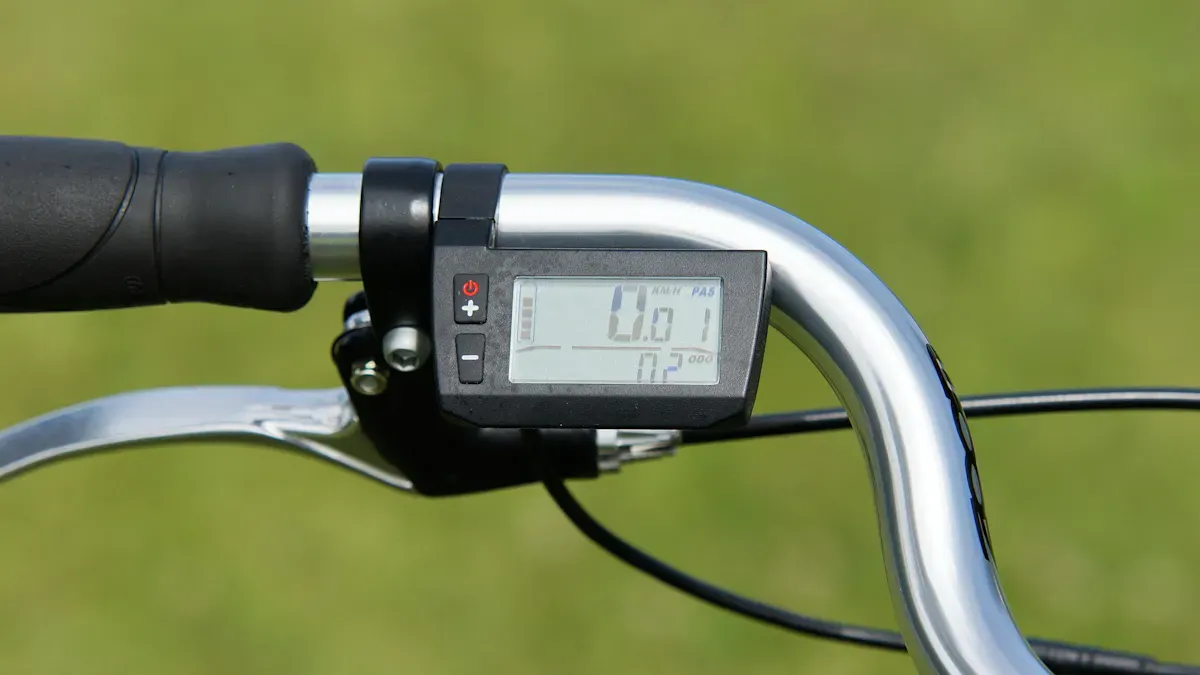
You can often find your e-bike lcd display manual on the maker’s website, like https://www.topkioskdisplay.com/. You can also check your box or search for your display’s model number. Many companies have PDF manuals you can download and YouTube videos to help. Always use the right manual to stay safe when you ride. Here are some safety tips you might see: turn off your e-bike before you check anything, take out the battery so you do not get shocked, and learn about the display before you ride. These steps make finding and using your manual easy.
Key Takeaways
Find out which e-bike LCD display you have by looking for a model number on the display or in the box.
Go to the manufacturer's website and look for your display's manual. Use the model number to get the right PDF file.
Watch online videos on websites like YouTube to learn how to use your e-bike display the right way.
Keep your manual close by so you can fix common problems like a blank screen or wrong numbers.
If you cannot find your manual, ask customer support for help. They can give you the right papers and answer your questions.
Identify Your Display Model
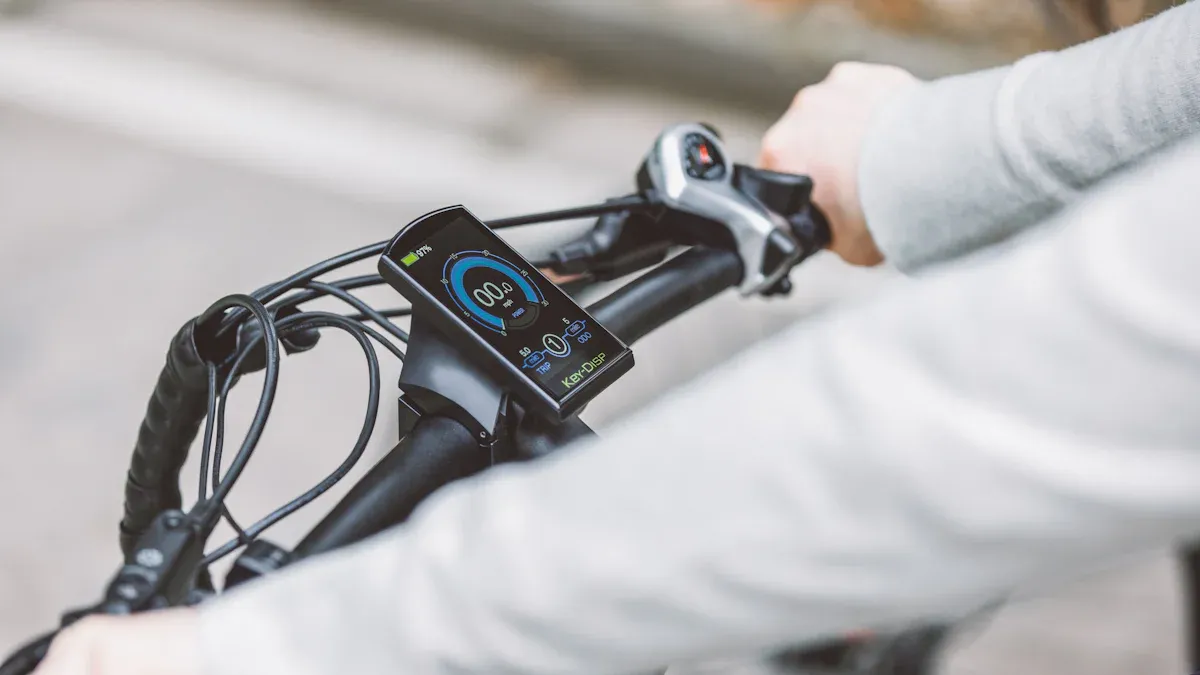
Before you can find the right manual, you need to know exactly which LCD display you have. Here’s how you can figure that out:
Locate Model Number
The model number is like your display’s name tag. You usually find it printed right on the display or on the back. Sometimes, it’s on a sticker or engraved into the plastic.
Look for a label with numbers and letters, like “KD51C” or “SW900.”
If you see a barcode, check near it for the model number.
Use a flashlight if the print is small or hard to see.
Tip: Take a photo of the model number with your phone. This makes it easy to zoom in and read later.
Check Packaging and Documents
Don’t toss out your e-bike box or paperwork just yet! The packaging and included documents often have the info you need.
Check the user manual or quick start guide that came with your e-bike.
Look at the warranty card or any stickers on the box.
Sometimes, the invoice or receipt lists the display model.
If you can’t find the model number on the display, these papers can save the day.
Use Photos for Online Search
Can’t find a model number? No problem! You can use your phone’s camera to help.
Take a clear photo of your LCD display from the front and back.
Go to Google Images or another search engine.
Upload your photo and look for matches.
This trick helps you compare your display with pictures online. You might spot your exact model or find one that looks just like it.
Note: If you’re still stuck, you can share your photo in e-bike forums or groups. Other riders love to help!
Now that you know how to identify your display, you’re ready to track down the perfect manual.
Find Your E-Bike LCD Display Manual
Search Manufacturer Website
Start your search on the manufacturer’s website. Most brands have a support or downloads section. You can type your display’s model number into the search bar. Look for a tab called “Manuals,” “Support,” or “Downloads.” You will often find the e-bike lcd display manual listed by model.
Go to the official website of your e-bike or display brand.
Click on “Support” or “Customer Service.”
Enter your model number in the search box.
Download the manual that matches your display.
Tip: Bookmark the manual page for quick access later.
Download PDF Manuals
Many companies offer PDF versions of their manuals. These files are easy to save on your phone or computer. You can open them anytime, even without the internet. When you find the e-bike lcd display manual, look for a download button or a PDF icon.
Click the PDF link to open the manual.
Save the file to your device.
Use a PDF reader app to view it.
If you have trouble, try searching “e-bike lcd display manual PDF” plus your model number on Google. This trick can help you find the right file fast.
Use Online Tutorials
Sometimes, reading a manual feels tough. Videos can make things easier. YouTube has many tutorials for e-bike displays. Type your display’s model number and “LCD manual” into the search bar. Watch a few videos to see how others use the same display.
Look for step-by-step guides.
Pause and rewind if you need to see something again.
Check the comments for extra tips from other riders.
Note: Videos can show you how to use buttons, change settings, or fix common problems.
Contact Customer Support
If you still cannot find your e-bike lcd display manual, do not worry. Customer support teams can help. You can call, email, or use live chat on the brand’s website. Tell them your display model and ask for the manual. They might send you a PDF or a printed copy.
Find the “Contact Us” page on the website.
Give your display’s model number and a short message.
Save any files or links they send you.
Alert: Always use the official support channels to avoid scams.
Now you know how to find your e-bike lcd display manual. You have many options, so choose the one that works best for you.
LCD Display Functions and Parameters
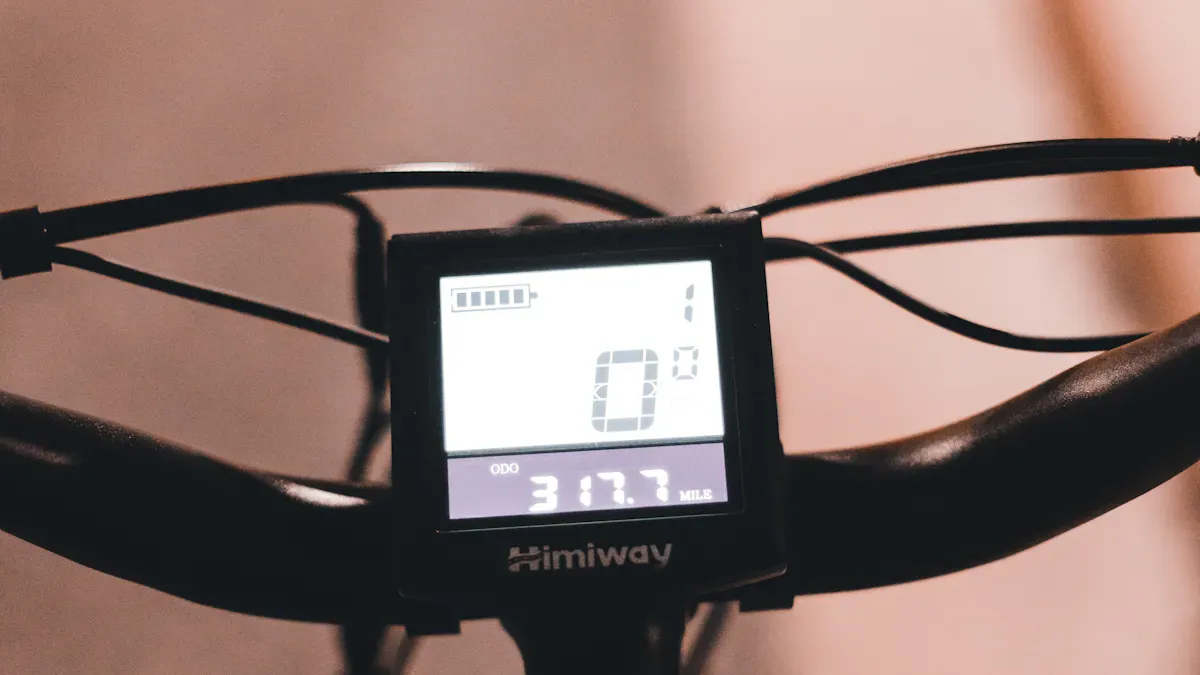
Readouts and Icons
Your e-bike LCD screen shows a lot of information. You might see numbers, bars, or small pictures called icons. These help you understand what your bike is doing. Here’s a quick look at common lcd display functions:
Function | Description |
|---|---|
Walk Mode, Cruise Control, Pedal Assist Level Indicator | Shows your current riding mode and pedal assist level. |
Odometer, Trip A, Voltage, Current, Trip Timer (TM) | Tracks distance, battery voltage, and ride time. |
Battery level indicator | Lets you know how much battery you have left. |
Speedometer (MPH or KM/H) | Tells you how fast you are going. |
Light On/Off Indicator | Shows if your lights are on or off. |
Mile and kilometer indicators | Displays distance in miles or kilometers. |
You can check your manual for a chart of all the icons and what they mean. Each model might look a little different.
Basic Functions (Power, Assist, Lights)
You control your e-bike with a few simple buttons. Here’s how you use the main features:
Hold the power button to turn your display on or off.
Press the plus (+) button to raise your pedal assist level. This gives you more help from the motor.
Press the minus (-) button to lower your pedal assist level. This gives you less help.
Hold the plus (+) button for three seconds to turn your lights on or off.
Tap the power button to switch between odometer, trip, voltage, and timer screens.
Tip: If you want to see your max or average speed, hold the plus (+) and power buttons together.
Adjust LCD Display Parameters
You can set lcd display options to match your riding style. Most manuals show you how to enter the settings menu. Here’s a simple way to adjust lcd display parameters:
Turn on your display by holding the M button for a few seconds.
Hold the up and down arrows together to open the settings panel.
Use the buttons to change things like:
P01: Screen brightness
P02: Miles or kilometers
P03: Battery voltage
P05: Number of pedal assist levels
P06: Wheel size
P08: Speed limit
Note: Always check your manual before you set lcd display options. Each model can have different steps.
Troubleshooting and Reset
Sometimes, your display might not work right. You can fix many problems with a few easy steps:
Check your battery and make sure it is charged.
Look at the display for error codes or warning lights.
Inspect the cables and connectors for loose parts.
Try a soft reset by turning the display off and on.
If that does not work, do a hard reset by following your manual’s steps.
Update your display’s software if your manual suggests it.
Ask a bike shop for help if you still have trouble.
Users say that soft and hard resets often fix common problems. Always use the reset method for your brand.
Keeping your manual handy helps you solve issues fast and keeps your rides smooth.
You now know how to spot your display model, find the right manual, and use it to get the most from your e-bike. Many riders check their manual to adjust settings or fix error codes. Here are some common display issues you might face:
Common Issues | Description |
|---|---|
Blank Screens | The display shows nothing, so you cannot track your ride. |
Flickering | The screen turns on and off, which can be confusing. |
Incorrect Readings | The display gives wrong data, which could affect your safety. |
Unresponsive Buttons | You cannot change settings or modes. |
Connection Problems | The display does not connect well to your e-bike. |
Keep your manual close for quick help. If you get stuck, try these options:
Online guides help you fix most problems yourself.
Customer support can solve tough or warranty issues.
Stay safe and enjoy every ride!
✅ Step 1: The Most Important First Step – Identify Your Display Model
Before searching, find the exact model number of your LCD display. It's usually printed on the back of the unit or mentioned in your e-bike's user manual. The most common model numbers include SW900, KT-LCD3, KT-LCD8H, C965, DPC18, KD218, King-Meter J-LCD, S-LCD5, and VLCD5, among many others.
🔍 Step 2: Five Proven Search Channels
Once you have the model number, use these five channels to locate the manual.
1. 📁 Start with Dedicated Manual Websites
Manualslib and Manualzz are specialized libraries for user manuals of all kinds, including e-bike displays. These sites often host OEM manuals that are no longer available on brand websites. Use the model number (e.g., "KT-LCD3") as the search term, and you can often download a free PDF. For example, Manualslib has manuals for models like SW900, KT-LCD3, K5304-LCD, YL81FA-H, and DPC18, among many others.
2. 🌐 Search the Manufacturer's Official Website
Many display manufacturers (like King-Meter, Bafang, or Kunteng) offer direct PDF downloads on their product pages. If the search results lead you to a manufacturer's product page, check for a "Downloads" or "Support" section. For example, Bafang provides manuals for their DPC18 display on their official site. Also, some e-bike brands (like Biktrix or Voltbike) have dedicated support centers with display manual libraries.
3. 🛒 Check the E‑commerce Product Page
If you bought your e-bike or conversion kit from an online marketplace (like Amazon or AliExpress), the seller often provides a manual link in the product description. Look for a "Product Information" or "Technical Details" section. For example, some SW900 display listings explicitly mention including a "detailed user manual". Also, retailers like Greenbikekit.com and Electrobikezone.ch provide manuals and programming guides for the displays they sell.
4. 💬 Leverage E‑Bike Community Forums
Forums like ElectricBikeReview.com, Pedelecs.co.uk, and E-BikesForum.com are invaluable resources. Many experienced users have shared manual links, troubleshooting videos, and programming tips for common displays. For example, users have shared PDF manuals for the KT-LCD8H on the E-BikesForum and posted about operating the SW900 display on ElectricBikeReview. A forum search with your model number often leads directly to a manual.
5. 🔧 Search General File Hosting Sites
Don't overlook general-purpose file hosting and document-sharing sites like Scribd or DocDroid. While they require a bit more filtering, they can be a source for less common manuals. For example, a search for "Dillenger KD218 manual" can lead to a manual hosted on a site like Manuals.plus. Using the filetype:PDF operator (e.g., "SW900 manual filetype:PDF") can also help.
🛠️ Step 3: Getting Direct Help from the Original Manufacturer
If online searches fail, contact the original manufacturer of your e-bike or the display directly.
Find the Manufacturer: The most efficient way is to search for the display's model number online. This will often lead you to the original manufacturer's product page, where you can find contact information.
Contact E‑Bike Brand: If your e-bike has a brand name (e.g., Lectric, Rad Power, Addmotor), check their official website for a "Support" or "Contact Us" page.
⚠️ Step 4: Use the Manual to Diagnose Issues
Once you've found the manual, you can use it to resolve common display issues.
Common Display Issue | What the Manual Can Help You Do |
|---|---|
Display won't turn on | Verify the correct power-on sequence (e.g., "Long press the [MODE] key" or "press and hold the power button"). |
Error code is showing | Interpret the error code to identify the specific problem, such as a throttle or motor issue. |
Incorrect speed or distance | Access the hidden settings menu (P-settings) to set the correct wheel diameter and speed limit. |
Need to adjust battery or voltage settings | Locate the correct parameter (e.g., "P5" on some displays) to match your battery's voltage and low-voltage cutoff. |
Want to change the units (MPH/Km/h) | Find the specific setting in the menu to switch between miles and kilometers. |
⚠️ Important: To avoid making your bike inoperable, only change the settings you fully understand. The display's parameters directly control the motor and controller's behavior.
💎 Step 5: Summary & Troubleshooting Flowchart
The most direct path to a manual is knowing your display's model number. From there, the best sources are dedicated manual websites like Manualslib, the manufacturer's official site, or the product page where you bought the display. If those fail, the e-bike community forums are an excellent resource for finding shared manuals and troubleshooting guides.
Hope this helps you get your display working perfectly. If you're still having trouble finding a specific manual, feel free to share the model number printed on the back of the display, and I'll try to locate it for you.please contact Shenzhen TopAdkiosk Display Technology Co.
FAQ
How do I know if I have the right manual for my LCD display?
You can check the model number on your display and match it with the manual’s cover or title. If the numbers match, you have the correct manual.
Can I use my phone to read the manual?
Yes! You can download the PDF manual and open it on your phone. This lets you check instructions anywhere, even when you ride.
What should I do if my display shows an error code?
Look up the error code in your manual. You will find a list of codes and what they mean. Try the suggested fix or ask customer support for help.
Where can I find video tutorials for my LCD display?
You can search YouTube using your display’s model number. Many riders and brands post step-by-step videos. Check the comments for extra tips.
Is it safe to adjust settings without the manual?
No, you should always use the manual. Changing settings without guidance can cause problems. The manual keeps you safe and helps your bike work right.
See Also
A Comprehensive Guide to Installing Digital Display Signage
Finding the Ideal LCD Kiosk Installation Service in Your Area
Selecting the Perfect LCD Digital Signage for 2026 Business Needs
Leading LCD Display Screen Brands for Your Upcoming Project
Detailed Steps for Choosing and Installing Outdoor Digital Signage
