How to Create a Personalized Video Greeting Card for Any Occasion
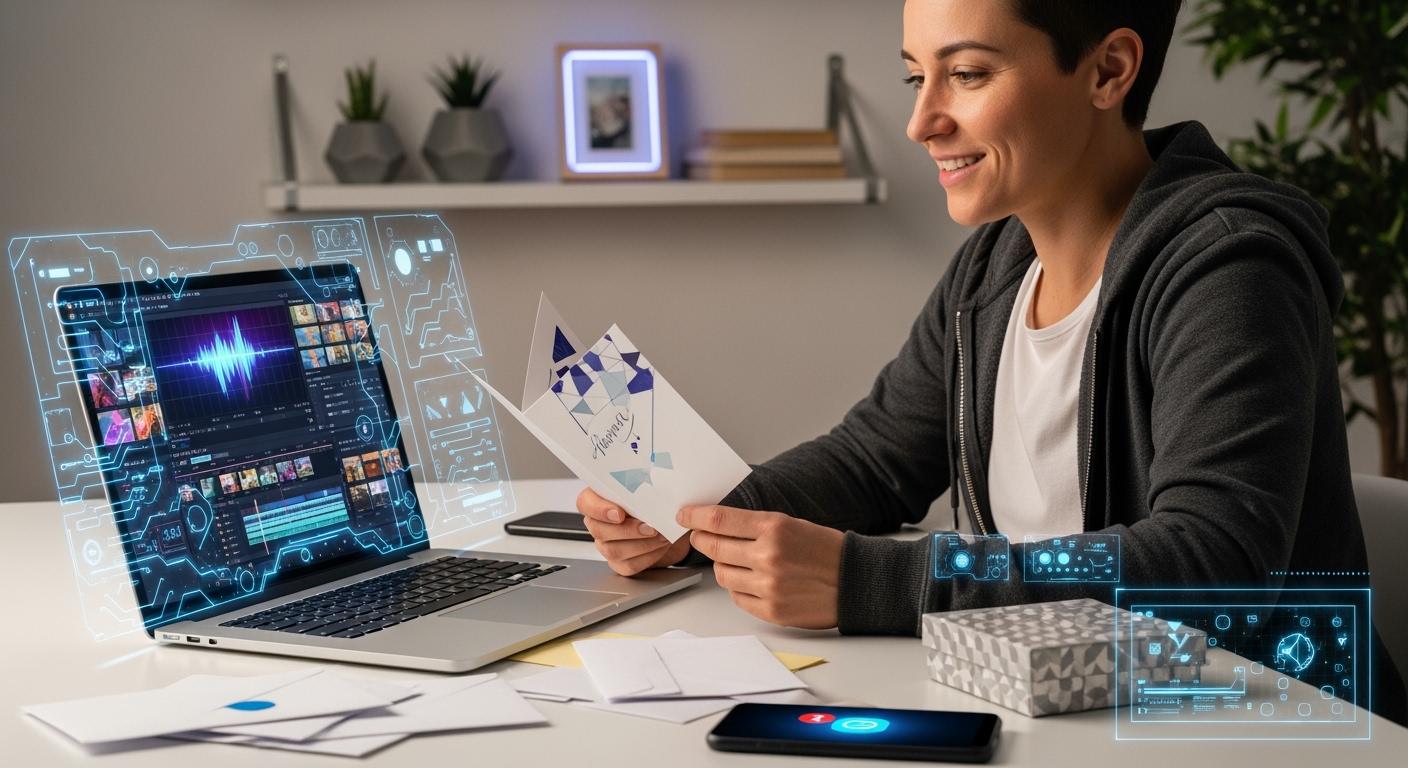
You can make a personalized video greeting card for any event, even if you have never edited videos before. Making a video greeting card is easy and fun. You can choose a template or start from nothing. Upload your photos or video clips. Add your video message. Put in some music. Watch your video to see how it looks. Share it with your friends or family. Many people like video greetings because they show real feelings and memories.
Digital cards arrive right away, but video greetings are more special and full of feelings.
Personalized video books keep memories safe in a special way.
When you personalize your card, you make every event feel important.Shenzhen TopAdkiosk Display Technology Co., Ltd.
Add.: 2F, Bldg 10, Changfeng Industrial Park, Dongkeng, Fenghuang, Guangming, Shenzhen, China 518132
Mobile/WHATSAPP: 86-138 25769658
Email: marketing@topadkiosk.com topadkiosk@gmail.com
Skype: pghenry1
Wechat: adkioskhenry
English Web.: http://www.topadkiosk.com/
https://www.topkioskdisplay.com/
http://www.ad-kiosk.com/
https://www.toplcddisplay.com/
http://www.multitouchdigitalsignage.com/
https://www.youtube.com/channel/UCYVYNJHxLVEcQD8fuUxXNTA/videos?view_as=subscriber
Key Takeaways
Pick a template or make your own to begin your video greeting card. Templates help you finish faster. Custom designs let you show your style.
Pick an easy-to-use platform like Animoto or Smilebox. Most platforms have drag-and-drop tools. This makes it simple for anyone to make a card.
Add special touches by uploading your favorite photos and clips. Give clear steps to people who help. This helps everyone share good content.
Add text and music to make your card better. Pick messages and songs that match the event. This helps people remember your card.
Watch and edit your card before you share it. Look for mistakes and fix small things. This makes your card look nice and finished.
Getting Started
Choosing a Template
You can begin your video greeting card by picking a template for your occasion. Templates are easy to use. You see designs for birthdays, weddings, holidays, and other events. You can change the photos and messages to your own. If you want something different, you can make your card from scratch. This lets you build every part yourself. Some people like templates because they are fast. Others like making their own style. Both ways are good.
Tip: Look at many video greeting cards before you choose. You might find a style that fits you or your event.
Selecting Tools and Platforms
There are many platforms you can use. Each one has different features and ways to customize your card. Here is a quick look at some popular choices:
Platform | Customization Options |
|---|---|
Renderforest | Styles, colors, transitions, personal visuals, voiceovers, animations. |
Smilebox | Templates, photos, text, music, unique animations. |
Adobe Express | Templates, editing tools, images, text, effects. |
Animoto | Templates, uploads, colors, fonts, text, music, preview, export. |
Animoto helps you make a video greeting card easily. You pick a template, upload your pictures and clips, change colors and fonts, add text, choose music, preview, and share. Renderforest gives you more options like voiceovers and animations. Smilebox and Adobe Express let you add your own photos, music, and effects.
Note: You do not need special skills to use these platforms. Most have drag-and-drop tools and simple menus.
You can try different platforms to see which one you like best. Some are free. Others cost money for extra features. Pick the one that helps your card look perfect.
Personalizing Your Video Greeting Card
Uploading Photos and Clips
You can make your video greeting card stand out by adding your favorite photos and video clips. Start by thinking about the occasion. Is it a birthday, a wedding, or maybe a graduation? Pick the best moments that match the event. You might want to invite friends or family to send their own pictures or short videos. Set a timeline for when you want everyone to send their files. This helps you stay organized and makes sure you get everything on time.
Most platforms let you upload files in these formats:
MP3, WAV, FLAC for audio
If you want your personalized video to look great, send clear instructions to anyone helping you. Remind them to use good lighting and clear sound. You can also give tips about what kind of photos or clips work best. Choose images that show happy faces, fun moments, or special memories. Add personal touches by picking colors and fonts that fit the person or event.
Adding Text, Captions, and Music
Now, you can make your card even more personalized. Add names, ages, or a special message for the person you care about. Start with a caption. Go to the text section and look at the different font styles. Pick one you like and type your message. You can move the text around and change the size or color. Try adding a quote or a funny line that fits the occasion.
Music makes video greetings more fun and emotional. You can add a song from your computer or use the music library in the platform. Choose a tune that matches the mood. For example, pick a happy song for a birthday or a soft melody for an anniversary. You can also add voice-over to say something special in your own words. This makes your personalized video greeting card feel even more unique.
Here’s a simple way to add text and music:
Add captions by choosing a heading style and typing your words.
Pick a song or sound effect and drag it onto your video.
Record your own voice if you want to add voice-over.
Tip: Use short, clear messages. Make sure your text is easy to read and your music is not too loud.
Customizing Themes and Effects
Themes and effects help your card look amazing. Pick a theme that matches the event, like balloons for birthdays or hearts for anniversaries. You can change the background, add stickers, or use fun transitions between clips. Try different colors and fonts to make your card feel more personalized.
Animated greetings and smooth transitions make your video greetings more exciting. They help tell a story and keep people interested. Look at this table to see how animated greetings compare to static cards:
Feature | Animated Greetings | Static Ecards |
|---|---|---|
Animation | Full cinematic animation | Static images |
Personalization | Custom music and voice recordings | Limited personalization |
Engagement | More engaging and emotional | Less engaging |
Storytelling | Enhanced storytelling | Basic message delivery |
Device Compatibility | Works on any device | May need special apps |
You can add transitions like fades or slides to move from one clip to another. Try using animated stickers or effects to make your card pop. Don’t forget to add your own style. Choose colors, images, and fonts that fit the person or the occasion.
Note: The more you customize, the more your card will stand out. Have fun and try new things!
Editing and Sharing
Previewing and Editing
You want your video greeting card to look polished before you send it. Preview your card and check every detail. Watch your video message from start to finish. Look for spelling mistakes, blurry photos, or awkward transitions. Try different editing features to make your card stand out. Many platforms offer cool tools like AI face-swap for fun avatars, auto subtitles, and color grading for a warm glow. You can even remove backgrounds or add stock music and photos. Here’s a quick look at some common editing features:
Editing Feature | Description |
|---|---|
AI face-swap/avatar integration | Creates personalized videos with face greetings, adding a playful touch. |
Advanced AI editing tools | Auto subtitles, color grading, background removal for a professional look. |
Stock media and music | Access to royalty-free music, photos, and videos for more creativity. |
Take your time to adjust colors, add effects, and make sure your video greetings feel special. If you want, ask a friend to watch your card and give feedback.
Exporting Your Card
When you finish editing, you need to export your video greeting card. Choose the right file format and resolution for where you plan to share it. Most platforms let you export as MP4, MOV, or M4V. Pick a resolution that looks good but keeps the file size manageable. Here’s a table to help you decide:
Platform | Resolutions (Min - Max) | Max File Size | Video Length | |
|---|---|---|---|---|
MP4 | 360x450 - 1920x1080 | 200MB | 3 sec - 30 min | |
MP4, MOV, M4V | 1:1, 2:3, 4:5, 9:16 | 2GB | 4 sec - 15 min | |
Snapchat | MP4, MOV | 1080x1920 | 1GB | 3 sec - 180 sec |
Save and share your card in a format that works for your audience. If you want to send your card by email, keep the file size small. For social media, use the recommended resolution.
Sharing with Others
Now you’re ready to share your video greetings. You can send your card by email, post it on social media, or use messaging apps. Platforms like Animoto, Smilebox, and Renderforest make sharing easy. You can download your card as a video or GIF. Add a personal note if you want. Always check privacy settings before you share. Designs are private by default, but avoid using “anyone with the link” if your card has personal information.
Tip: Personalize your sharing method. Send your card directly to someone for a more heartfelt touch.
You can create video greetings for birthdays, holidays, or any occasion. Sharing your video message makes every event more memorable.
Creative Ideas for Any Occasion
Birthday Card Inspiration
You can make a birthday video card that feels special. Try using bright templates, fun photos, and a cool song. Many people like cards with famous songs or a celebrity message. Here are some ideas you can try:
Idea Description | Link |
|---|---|
Celebration (Famous Song) Video Ecard (Personalize) | |
Kevin Bacon Birthday SmashUp (Personalize) | |
Meghan Trainor All About that Cake Birthday Smashup | |
Best Day of My Life Birthday Smashup | |
'It's Your Thing' Birthday SmashUp (Personalize) | |
Custom Song Just Desserts | |
Celebrity Birthday SmashUps™ |
You can add a group message or a silly video. Try picking a theme that matches the birthday person’s favorite color or hobby.
Wedding and Anniversary Ideas
You can make wedding or anniversary video cards feel extra nice. Here are some ways to do that:
Use photos and videos from your wedding or fun times together.
Add a sweet message to show your love.
Pick music that is special to both of you.
You can ask friends and family to send short clips. Group videos make your card feel like a big hug from everyone.
Holiday and Seasonal Greetings
Holiday video cards help people feel close. You can use group video cards for Christmas, New Year, Halloween, or Easter. Everyone can add their own message. Here are some popular themes:
Holiday Themes | Examples |
|---|---|
Seasonal Greetings | Christmas, New Year, Halloween, Easter, and more. |
Multiple people add messages for a big surprise. |
Try adding moving snow, pumpkins, or fireworks to match the season.
Unique and Everyday Occasions
You can make a video card for any moment, big or small. Maybe you want to say “thank you,” “get well soon,” or “congrats” on a graduation card. Here are some things you can use:
Element | Description |
|---|---|
Pick a style that fits the event. | |
Music | Choose a song that matches the feeling. |
Personal Messages | Write a note that comes from your heart. |
Fun themes and messages help you connect with others. When you make your card personal, it becomes more special. Try new ideas and see what makes your friends and family happy.
Tip: Try different types of video greeting cards. Your ideas can turn a simple message into a great memory.
You can make a video greeting card in a few steps. Choose your favorite photos. Add a message to your card. Share your card right away. Making your own card is fun. It shows you care about someone. People like these cards because they can watch them again. Video cards help people feel close to each other. Look at this table to see how video cards and traditional cards are different:
Aspect | Video Greeting Cards | Traditional Cards |
|---|---|---|
Time to Create | Under a minute | Takes longer |
Delivery | Instant | Needs mailing |
Creativity | Photos, videos, music | Limited to text/images |
Try making a video card today. You will make every event more special. You also help the planet by using less paper.
FAQ
How long does it take to make a video greeting card?
You can finish a simple video card in less than 10 minutes. If you add lots of photos, music, or effects, you might need a bit more time. Try to plan your ideas first!
Can I use my phone to create a video greeting card?
Yes! Most platforms work on your phone or tablet. You can upload photos, record messages, and share your card right from your device. 📱
What if I want to add friends’ messages to my card?
Ask your friends to send short video clips or photos. You can upload them all into one card. This makes your greeting feel extra special and personal.
Is it free to make a personalized video greeting card?
Many tools offer free versions. You can create and share basic cards without paying. Some features, like premium music or longer videos, may cost extra.
See Also
Transforming Dull Advertisements With 3D LED Hologram Fans
The Distinctive Features of Transparent Hologram Boxes in 2026
Explore 10 Innovative Digital Menu Board Designs for 2026
Seven Strategies to Enhance Customer Interaction Using Digital Signage
Discovering the Ideal Outdoor Digital Signage Options for You
