How to Create an Ice Cream Digital Menu Board for Your Shop
Shenzhen TopAdkiosk Display Technology Co., Ltd.
Add.: 2F, Bldg 10, Changfeng Industrial Park, Dongkeng, Fenghuang, Guangming, Shenzhen, China 518132
Mobile/WHATSAPP: 86-138 25769658
Email: marketing@topadkiosk.com topadkiosk@gmail.com
Skype: pghenry1
Wechat: adkioskhenry
English Web.: https://www.topkioskdisplay.com/
http://www.ad-kiosk.com/
https://www.toplcddisplay.com/
http://www.multitouchdigitalsignage.com/
https://www.youtube.com/channel/UCYVYNJHxLVEcQD8fuUxXNTA/videos?view_as=subscriber
https://www.facebook.com/TOPADKIOSKSHENZHEN/?ref=bookmarks
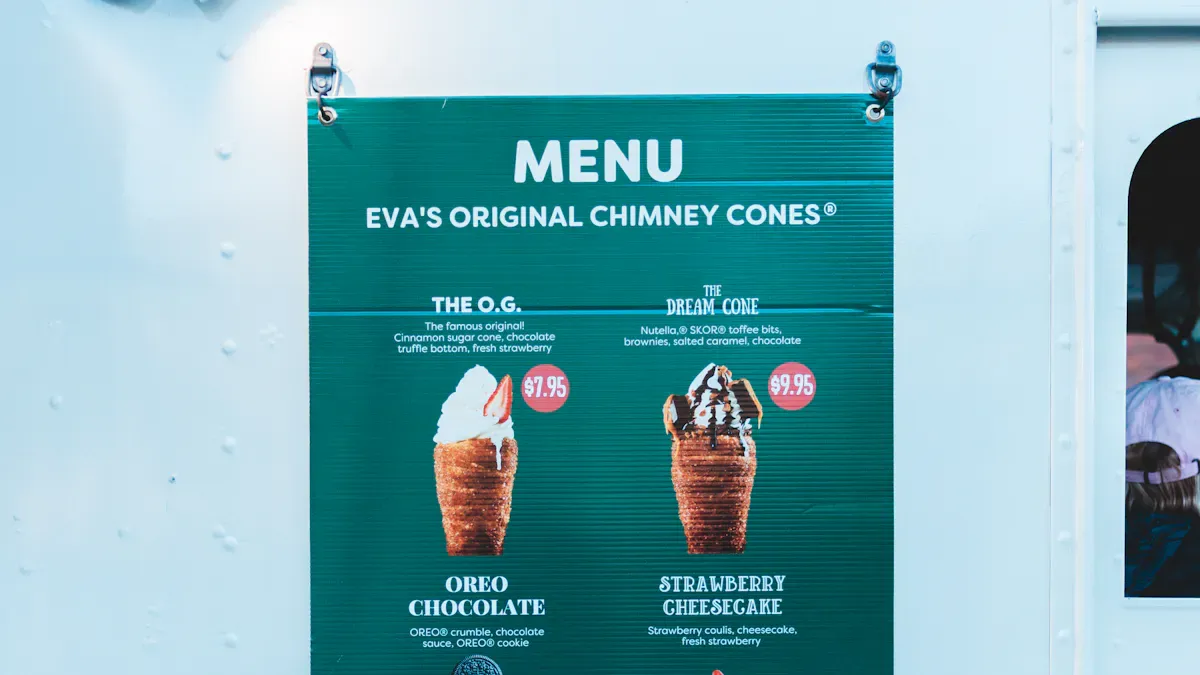
You can create an ice cream digital menu board order for your shop in just a few easy steps using tools like Canva. Many shops are now adopting digital menu boards. WAND Corp. has recently seen a 40% growth in their digital menu board business. Soon, over 150,000 restaurants will be utilizing them as well. A digital ice cream parlor menu board allows you to update your offerings as often as you like. You can make changes effortlessly, ensuring your menu always looks fresh.
Here’s a quick look at why a digital menu board is exceptional:
Benefit | Description |
|---|---|
Order Accuracy | Customers select items themselves, resulting in fewer mistakes. |
Real-time Updates | You can modify your menu instantly, preventing customers from ordering items you don’t have. |
Visual Appeal | Bright screens enhance your menu's appearance, enticing customers to buy more. |
Increased Sales | You can highlight specials and encourage customers to purchase more ice cream. |
Cost Savings | Eliminate the need for printed menus and reduce paper waste. |
Efficiency | Ordering becomes quicker, improving overall operations. |
You can adjust your menu for the season, showcase new flavors, or align with your brand in just a few clicks. Going digital is environmentally friendly and cost-effective. If you’re looking for a menu that stands out and simplifies the ordering process, visit https://www.topkioskdisplay.com/ for more ideas.
Key Takeaways
Digital menu boards let you change items fast. This helps you keep your menu new and up-to-date.
Bright pictures and moving images can catch people’s attention. They also make ordering more fun for customers.
Interactive features let customers pick what they want. This lowers mistakes and makes service faster.
Changing your menu often keeps customers interested. It also makes them want to come back again.
Linking your menu board with POS systems keeps prices correct. It also helps you track your stock easily.
Why Use a Digital Menu Board in Your Ice Cream Shop
Business Benefits
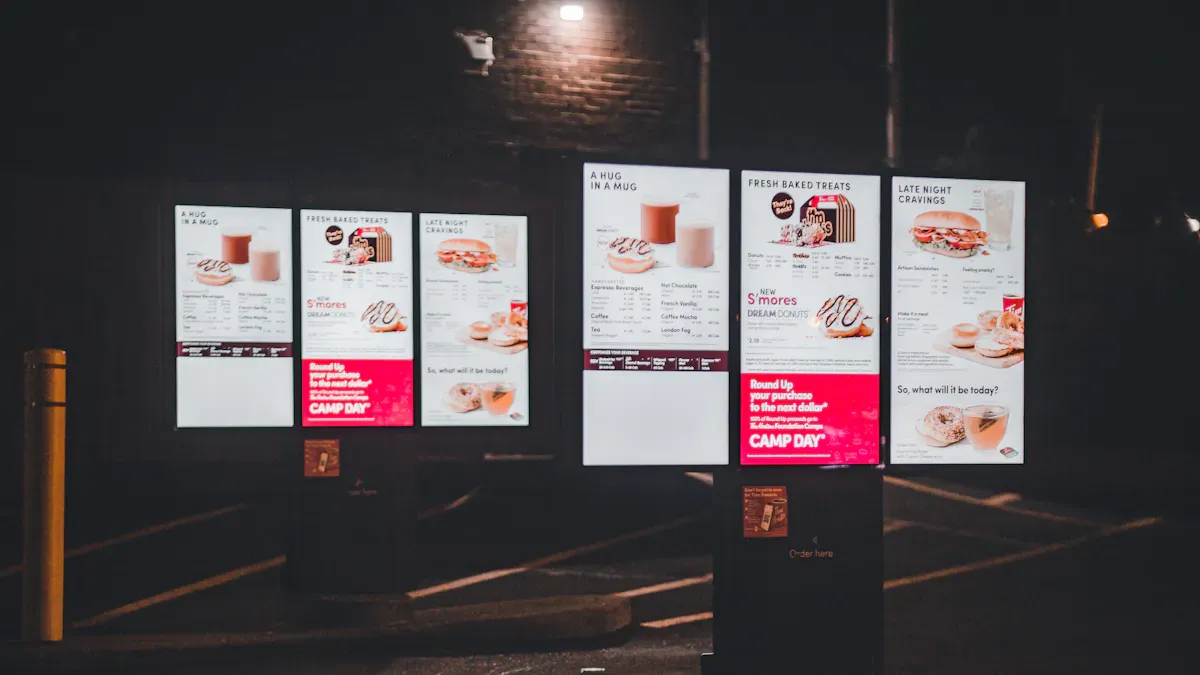
Owning an ice cream shop means you must keep things new. A digital menu board lets you change your menu anytime. You can add flavors, remove items, or change prices fast. You do not need to print menus each time you update. This saves money and helps the planet.
Here’s a quick look at the main business benefits:
Benefit | Description |
|---|---|
Eco-Friendly Option | Cuts down on paper waste and lowers your shop’s carbon footprint. |
Remote Management | Change your menu from anywhere, even if you have more than one shop. |
Enhance Customer Experience | Makes it simple for customers to find what they want and feel good about their choice. |
Stay Competitive | Shows your shop uses new technology, which brings in more people. |
Sharing 24/7 Advertisements | Share your specials and deals all day, every day. |
Eliminate Inefficiencies and Errors | Updates happen automatically and your staff can focus on serving ice cream, not fixing menu mistakes. |
You can use your digital menu board to show your best deals and highlight what makes your shop unique.
Customer Experience
A digital menu board changes how customers see and use your menu. People like bright screens and moving pictures. These displays grab attention and make your shop feel cool and modern. You can show your Flavor of the Week or new deals with fun animations.
Let’s compare digital and traditional menu boards:
Feature/Benefit | Digital Menu Boards | Traditional Menu Boards |
|---|---|---|
Update Speed | Change flavors and deals right away | Needs manual updates |
Customer Engagement | Uses moving content and animations | Only pictures and words |
Perceived Wait Time Reduction | Makes wait times feel shorter by up to 35% | Does not change how long people feel they wait |
Marketing Flexibility | Targeted promotions for different times | Only shows the same menu |
With a digital menu board, ordering is easier. Customers see all their choices, customize orders, and spot new deals quickly. This cuts down mistakes and helps everyone get their ice cream faster. Many people say they visit a shop because the menu looks fun. Using digital displays gives customers a better experience and makes them want to come back.
Choosing Hardware for Your Digital Menu Board
Display Options
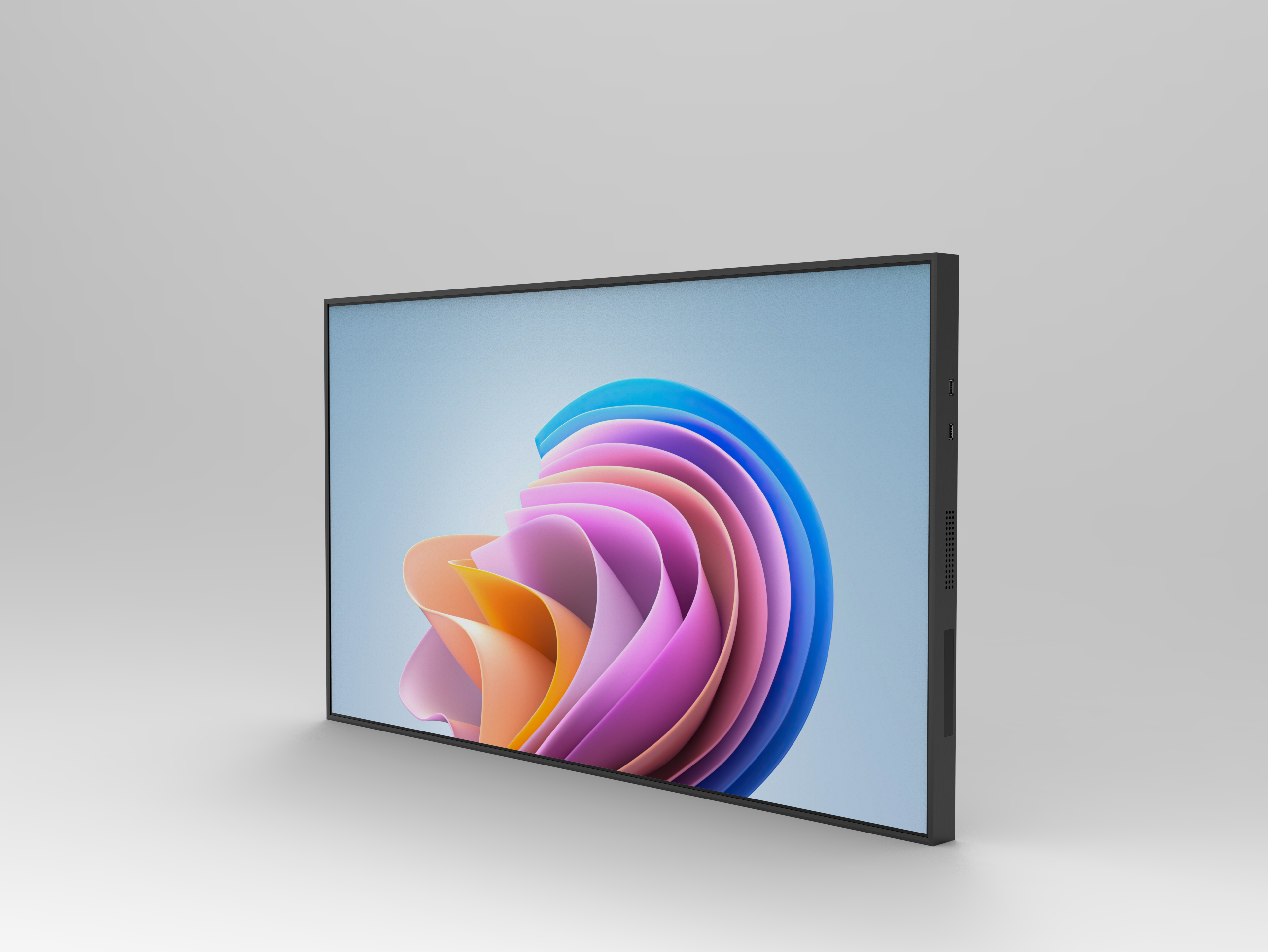
You have several choices when picking the right screen for your shop. Each type fits different needs and budgets. Here are the most common displays you might see in small food businesses:
Single Screen Digital Menu Boards: One screen shows your full menu. You can use simple text or add photos and videos.
Multiple Screen Displays: Use more than one screen to split up your menu. Show ice cream flavors on one, drinks on another, and specials on a third.
Interactive Digital Menu Boards: These screens let customers touch and order right from the display. They can pick flavors, toppings, and even pay.
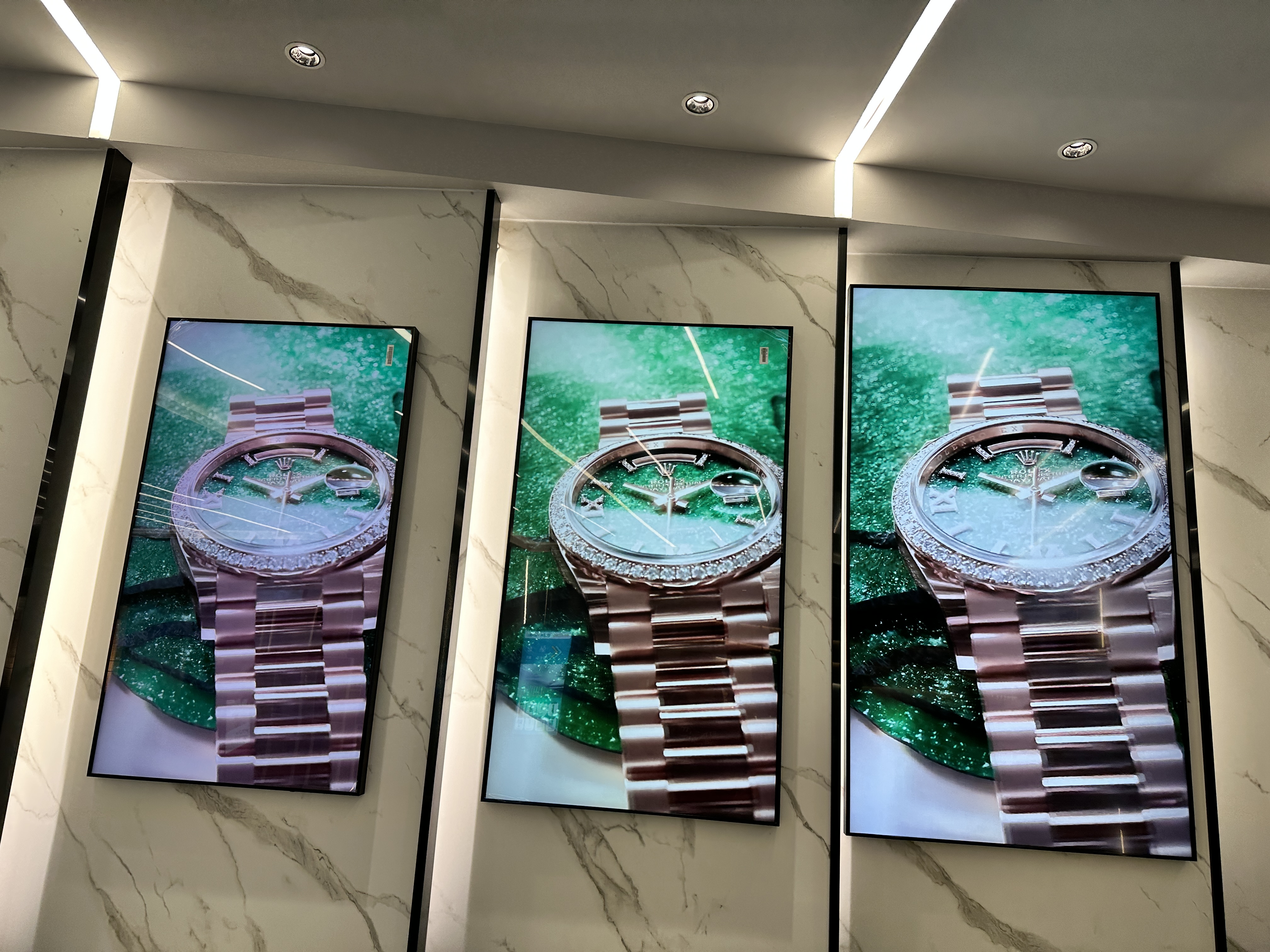
Video Walls: A group of screens forms a big wall. This works best if you have a large space or lots of customers.
Tip: Start with a single screen if you want something simple. You can always add more later as your shop grows.
Placement Tips
Where you put your digital menu board matters a lot. You want everyone to see it easily and enjoy looking at it. Check out these best practices:
Best Practice | Description |
|---|---|
Make sure people can read the menu from far away. Use big fonts and space out the text. | |
Use High-Quality Visuals | Bright, clear images and videos make your menu pop. |
Organize Menu Logically | Group similar items together. This helps customers find what they want fast. |
Highlight Key Items | Use bold colors or bigger text for specials and best-sellers. |
Incorporate Branding Elements | Show your shop’s colors, logo, and style. |
Keep Content Updated | Change your menu often to match new flavors or deals. |
Leverage Data and Feedback | Listen to what customers say and use sales data to improve your menu. |
Budget Considerations
You do not need to spend a fortune to get started. The price depends on the size and features you want.
Most digital menu boards cost between $300 and $2,000.
Bigger screens, higher brightness, and better resolution will cost more.
Touchscreens and video walls are more expensive but offer extra features.
Think about how much you want to spend now and what you might need in the future.
Note: Start with what fits your budget. You can upgrade as your shop becomes more popular.
Selecting Software and Templates
Easy Platforms Like Canva
You need a tool that is easy to use. Canva is great because you can move pictures, words, and shapes around. You do not have to be a designer. Other simple tools are Adobe Express, Visme, and PosterMyWall. These tools give you templates to start with. You can change them to fit your shop. You can add your own photos or use ones they give you. Most tools let you see your changes right away.
Tip: Try the free version first. This helps you see what you like best.
Template Selection
Choosing the right template matters a lot. Your menu should look nice and be easy to read. Templates help shops save money and still look good. They are not always made just for you, but they work well. Pick a template that matches your shop’s style. Simple designs help people find things fast. Do not put too much on the menu. Keep it clean so people can see the main items.
Feature | Explanation |
|---|---|
Customization | Templates can look plain if you do not make them fit your shop. |
Readability | Simple designs help people read the menu fast and avoid too much stuff. |
Dynamic Content | Fun content can get people interested and make their visit better. |
Customization Features
Customization makes your menu board special. You can add your logo, shop colors, and cool fonts. You can show holiday themes and new flavors with moving displays. It is easy to update your menu for special days. This keeps your shop looking new and fun. You can show deals or limited-time offers with just a click. Customization helps you change your menu fast and keeps your shop looking cool.
Moving displays show holiday themes and new flavors.
You can use your shop’s colors, fonts, and logo to stand out.
Quick updates for deals help your shop stay up-to-date.
If you want your digital menu board to be awesome, focus on making it your own and keep your templates simple and fun.
Designing Your Ice Cream Digital Menu Board Order
Organizing Menu Items
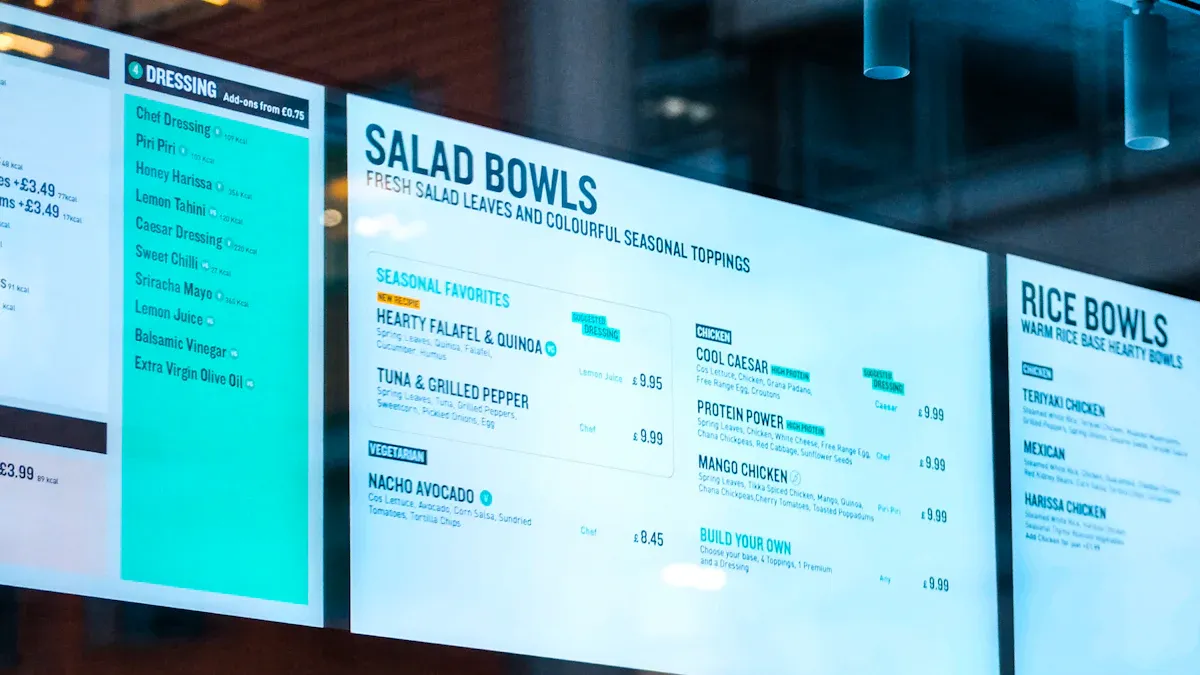
You want your ice cream digital menu board order to be simple and fun. When you sort menu items, customers find what they want faster. Start by putting menu items into easy-to-see groups. For example, have one group for scoops, another for sundaes, and a third for take-home pints. This makes your menu easy to read.
Here’s a table with smart ways to organize menu items for your digital menu board:
Strategy | Description |
|---|---|
Clear Categorization | Put menu items into sections like cones, cups, pints, and shakes. |
Logical Grouping | Keep similar menu items together, like all unique flavors and toppings in one spot. |
Visual Hierarchy | Use bigger fonts or bright colors for section titles. |
Ample White Space | Leave space between menu items so the menu does not look crowded. |
Highlighting Specials and Promotions | Make specials stand out with bold text or color. |
Customizing for Screen Dimensions | Adjust your design for your screen size so everything fits and looks good. |
Incorporating Interactive Features | Add QR codes or touch options for ingredient lists and calorie information. |
Regular Updates | Change menu items often to keep your menu fresh and exciting. |
You can use small pictures or icons next to menu items. This helps people know what each item is right away. If you sell take-home pints, put them in their own group. This makes it easy for customers to see them and add them to their order. Always keep your menu neat and clear.
Visual Appeal
A great ice cream digital menu board order should grab attention. You want your menu to look bright and friendly. Use clear photos of your best flavors. Show your pints and sundaes with colorful pictures. People like to see tasty food before they buy it.
Here’s a table with design principles that make your menu board pop:
Design Principle | Description |
|---|---|
Simplicity | Keep your design clean. Show only the most popular menu items and specials. |
Readable Typography | Use big, bold fonts. Make sure people can read your menu from across the shop. |
High-Quality Visuals | Add sharp photos and videos of your ice cream, pints, and shakes. |
Color Psychology | Use colors that match your brand. Try red for urgency or green for freshness. |
Dynamic Content | Add animations or moving images to show off new flavors or specials. |
Strategic Layout | Put your best-selling menu items where people look first. |
Brand Consistency | Use your logo and shop colors in your design. |
Do not put too many menu items on your board. Leave space so each item stands out. If you have special flavors or toppings, use bright colors or fun icons to show them. A simple design helps customers choose faster and makes your menu look nice.
Highlighting Specials
You want your specials and limited-time offers to stand out. Use your ice cream digital menu board order to show the flavor of the day or new pints. Make a special spot on your menu for these items. Use bright colors, big letters, or short videos to get attention.
Check out these features that help you highlight specials:
Feature | Description |
|---|---|
Dynamic Advertising | Show daily specials, signature flavors, and take-home ice cream pints in a rotating section. |
Upselling | Use bright headings and mouthwatering images to encourage customers to try new menu items. |
Automatic Updates | Change your specials every day without printing new menus. |
High-Definition Displays | Show off your best treats with clear, colorful photos. |
Instant Updates | Mark flavors as sold out or add new ones right away. |
You can also use your digital menu board to suggest combos, like a scoop with a take-home pint. This helps you sell more and gives customers new ideas. Make sure your specials section is always up to date. Customers like seeing what’s new, and they will come back to try new flavors.
When you focus on sorting menu items, using good design, and showing off specials, your ice cream shop menu becomes a great tool. You make ordering easy, help sales go up, and keep your shop looking new every day.
Customizing for Your Ice Cream Shop Brand
Logo and Colors
Your logo and colors set the mood for your ice cream shop. When you add these elements to your digital menu board, you help customers remember your brand. Pick colors that match your shop’s style. Use your main colors for backgrounds and highlights. Add your logo at the top or in a corner so people see it right away. This makes your menu look professional and fun.
Here’s a quick table to help you focus on the best branding features:
Use of primary and secondary brand colors |
Consistent typography that matches your branding |
Design elements that reflect your brand’s personality |
Fonts and Layouts
The right font and layout make your menu easy to read. You want customers to find their favorite treats fast. Try these tips to improve your digital menu board:
Choose a font size that is big enough to read from across the shop.
Use enough space between lines so words do not look crowded.
Add extra space between letters in headings for better clarity.
Make sure your text stands out against the background with good contrast.
Keep each line of text short so it is easy to follow.
Use bold or heavy fonts for section titles to guide the eye.
A clean layout helps customers focus on your best items. Place your most popular flavors at the top. Group similar items together. This keeps your menu neat and helps people decide quickly.
Unique Offerings
You can make your ice cream shop stand out by showing off what makes you special. Use your digital menu board to highlight unique features and fun extras. Here are some ideas:
Set up a self-serve toppings bar with lots of choices.
Offer a sample station where people can try new flavors.
Show off your menu with bright, tidy photos that make everything look delicious.
When you add these touches, your menu becomes more than just a list. It turns into an experience. Customers will remember your shop and want to come back for more.
Interactive and Engaging Menu Boards
Interactive Features
An interactive menu board does more than show flavors. It lets customers control their own experience. You can add ways for people to filter the menu. They can look for gluten-free or dairy-free choices. This helps everyone feel welcome and find what they want fast.
With an interactive menu board, customers can place their own orders. This means fewer mistakes and faster service. People like tapping the screen to pick flavors and toppings. You can link your menu board to a loyalty program. Customers can check points and see special deals on the screen. This makes them want to come back again.
You can update your menu board right away. If a flavor runs out, you can hide it with one click. You can also show warnings when something is almost gone. It is easy to switch from lunch to dessert menus. You can show special deals or limited-time offers when you want.
Here are some popular features:
Feature | Description |
|---|---|
Inventory databases | Hide items that are gone or show when something is almost out. |
Scheduling | Change menus for different times of the day. |
Promotions and LTOs | Show special deals and limited-time offers right away. |
Customer Engagement
An interactive menu board grabs attention and keeps people interested. Bright screens and moving pictures make your shop feel fun. When people use the menu board, they look at the menu longer. This can make them want to try new things.
You can use the menu board to suggest combos or new toppings. Shops with interactive menu boards sell more and have happier customers. People order faster, so wait times go down. Sales can go up by 12% with digital displays.
Tip: Use your menu board to show best sellers and new flavors. Customers will see them and want to try.
An interactive menu board makes your shop special. People remember the fun and want to come back. You get more orders, fewer mistakes, and a shop that feels new and exciting.
Integrating with POS and Payment Systems
Integration Benefits
Connecting your digital menu board to your POS and payment systems helps your shop work better. You can change prices and menu items right away. Customers always see the correct information when they order. This stops mistakes and keeps your inventory updated.
Here are some main benefits:
Benefit | Description |
|---|---|
POS systems make taking orders faster and more accurate. | |
Payment Processing | Integration lets payments happen quickly, so customers wait less. |
Customer Insights | POS systems show what customers like, helping you market and manage inventory. |
You get automatic updates for prices and inventory. This means fewer manual errors. You lower risks and update sold-out items right away. Customers are happier because they only see items you have. You can change menu items from any device, making your shop more flexible.
Real-Time POS Integration: Link your system to your Point-of-Sale (POS) for automatic price and inventory updates. This removes manual mistakes and lowers risks.
Setup Steps
Setting up your digital menu board with your POS system is easy. Here’s what you do:
Decide your goals. Think about what you want your menu board to do.
Pick hardware. Choose screens that fit your shop.
Find software. Select software that works with your POS system.
Make fun content. Design your menu board to look good and be easy to read.
Install and test. Check everything before you start using it.
Watch and improve. See how your menu board works and make changes if needed.
First, log in to your content management system. Pick the screen you want to update. Add important details for your shop. Arrange your layout so it looks neat. Put in pictures and deals to get attention. Preview your menu board and fix any mistakes. Test everything to make sure it works. Launch your menu board and see your shop run better.
Tip: Always test your menu board before you start using it. This helps you find mistakes and keeps customers happy.
Testing and Optimizing Your Digital Menu Board
Usability Checks
You want your digital menu board to be simple for everyone. Usability testing shows how well your menu works for staff and customers. You can check how fast people finish tasks and how happy they are. Watch customers use the board and see what they like. Ask them what is easy and what is confusing. Make a test report to find design problems and ways to fix them.
Here’s a table with important usability checks:
Usability Check | Description |
|---|---|
Provide a Status | Let users know what is happening and their progress. |
Memory-Free Interaction | Users should not have to remember things. |
Consistency is Key | Use the same design and actions everywhere on the board. |
Effortless Assistance | Give help that is easy to find and use. |
Giving Users Control | Let users make choices and control their experience. |
Less is More | Keep the menu simple and clear. |
Mistake-Friendly Approach | Help users fix mistakes quickly. |
User-Centered Communication | Use words and pictures that connect with customers. |
Accessibility
You want everyone to use your menu, even people with disabilities. Put your screen between 15 and 48 inches from the floor. Leave at least 30" × 48" of clear space in front for wheelchairs. Do not let wall displays stick out more than 4 inches. Use high-contrast text so it is easy to read. Make touch targets big—at least 44 × 44 pixels. Use simple gestures like taps and swipes. Add audio output for text-to-speech and allow voice commands. Make sure your menu works with keyboards or remote controls. Train your staff to help customers and offer other ways to order.
Feedback and Troubleshooting
You can improve your menu board by listening to customers. Try QR codes for quick surveys. Get feedback during sampling events. Look at comments from social media contests and sponsorships. Here’s a table with ways to gather feedback:
Method | Description |
|---|---|
Zigpoll Surveys | Use QR codes to get feedback on preferences and experiences. |
Real-time Feedback | Ask customers for opinions during sampling events. |
Social Media Insights | Check feedback from contests and sponsorships to spot trends. |
If you find problems, fix them quickly. Keep testing your menu board and ask for feedback often. This helps you make a menu that everyone enjoys.
Updating and Maintaining Your Menu Board
Quick Updates
You want your menu to always look new and fun. Digital menu boards let you change your menu fast. If you run out of a flavor, you can take it off right away. If you want to add a sundae or a deal, you just click a few buttons. Your menu changes in seconds. This stops customers from getting confused. It also helps your shop work better.
Look at how often you should update your menu to stay ahead:
Frequency of Updates | Importance |
|---|---|
Remain competitive and meet customer expectations |
When you update your menu a lot, customers know you care about them. You also make sure your menu matches what you have in the shop. Fast updates help you show off your best-sellers. You can also take away items that people do not buy much.
Tip: Make a reminder to check your menu every season. This keeps your shop looking fresh and exciting.
Seasonal Changes
Each season brings new flavors and ideas. You can use your digital menu board to fit the season’s mood. If you plan ahead, these changes are easy. Here are some good ways to handle seasonal menu changes:
Plan your menu updates early so they happen on their own.
Use cool pictures, videos, and moving images to get attention.
Try digital signs to bring in people walking by. Many customers come in because they see a fun menu screen.
When you plan your seasonal menu changes, you save time and keep your deals ready. Customers like seeing new summer flavors or winter treats. Your menu gives them a reason to come back again and again.
Actionable Tips for Ice Cream Shop Success
Common Mistakes
Running an ice cream shop with a digital menu can feel exciting, but some mistakes can slow you down. Many shop owners forget to update their menu often. This makes customers see old flavors or sold-out items. Some menus look too crowded, so people get confused when ordering. Others use small fonts or dull colors, which makes the menu hard to read. If you ignore customer feedback, you might miss out on what people really want.
Here are a few mistakes to avoid:
Leaving outdated items on your menu
Using too many words or pictures
Making the menu hard to read from a distance
Not showing your best deals or specials
Maximizing Impact
You want your digital menu to help your ice cream shop stand out. Place your menu where everyone can see it as soon as they walk in. Use bright, clear photos of your best treats. Show your most popular items at the top. Change your menu to match the time of day or season. For example, show cold drinks on hot days and warm treats in winter. Highlight your best deals with bold colors or fun animations. Make ordering easy by grouping items and using simple words.
Tip: Test your menu with friends or family. Ask if they can find their favorite flavor fast.
Keeping Menus Fresh
Keeping your menu fresh keeps customers coming back. Try these ideas to make your menu exciting for repeat visitors:
Start a loyalty program with simple rewards. People love earning free scoops or discounts.
Collect feedback with quick surveys or on social media. Ask what flavors or deals they want to see.
Update your menu with new flavors or limited-time offers every season.
Show off customer favorites and new items in a special section.
Rotate deals so there is always something new to try.
A fresh menu makes your ice cream shop feel lively. Customers will look forward to seeing what’s new each time they visit. When you listen to their feedback and reward their loyalty, you build a strong connection and boost your sales.
A digital menu board can help your ice cream shop do better. You can change flavors quickly and keep your menu looking new. Here are ways digital boards help your shop grow:
Benefit | How It Helps Your Shop |
|---|---|
Sales | Suggest more treats and help people buy more |
Promotion | Show deals easily; 30% of people notice them |
Improved Experience | Make lines shorter and ordering more fun |
Faster Service | Help people pick what they want faster |
Smarter Marketing | Send messages based on what customers like |
Be creative and pay attention to what your customers say. Use new pictures and keep your menu fun. If you need help, check out these resources:
Nento Restaurant Digital Menu Board for bright screens and quick updates
Solutions consultants who can help you pick the best digital menu board
A digital menu board can make every visit fun and help your shop get bigger. 🚀
1. Boost Visual Appeal & Stimulate Cravings
High‑quality visuals – Vibrant, large‑format images of sundaes, cones, and milkshakes trigger impulse buys. Unlike static boards, digital screens can show melting chocolate or swirling soft serve to grab attention.
Video & motion – Short looping videos of toppings being added or ice cream being scooped make the menu come alive, encouraging customers to try new items.
⚡ 2. Speed Up Ordering & Reduce Lines
Dynamic highlight of bestsellers – During peak hours, the board can automatically feature top‑selling or fastest‑to‑make items, guiding customers to quick decisions.
Clear, readable layout – Digital boards can be designed with bold category headings (e.g., "Cones", "Shakes", "Sundaes") and high contrast, so customers find what they want instantly, reducing time spent staring at the menu.
Real‑time availability – If a flavor runs out, you can immediately mark it as "sold out" on the board, preventing order cancellations and frustration.
📈 3. Increase Average Order Value
Strategic upselling – Show a "Make it a double scoop for only $1 more" or "Add hot fudge +$0.75" right next to the base item. Digital boards can also display combo deals (e.g., "Ice cream + topping + drink").
Time‑based prompts – At lunchtime, promote affogatos or ice cream floats; in the evening, highlight family‑size pints or take‑home tubs.
Cross‑selling – Rotate small messages like "Try our homemade waffle cones" or "Upgrade to premium chocolate sprinkles".
🔄 4. Simplify Menu Updates & Promotions
Instant changes – No reprinting costs or waiting. New seasonal flavors, limited‑time offers, or price adjustments appear on all screens instantly.
Daypart scheduling – Automatically switch from breakfast smoothie bowls to afternoon milkshakes to late‑night ice cream sandwiches without manual intervention.
Test and optimize – Easily A/B test different layouts or promotional messages to see what drives more sales.
🛠️ 5. Reduce Order Errors & Staff Confusion
Clear pricing and modifiers – Digital boards can show all add‑ons and their prices, so customers order accurately, reducing "wait, how much was that?" moments.
Integration with POS – Some systems can sync the menu board with the point‑of‑sale, so when a staff member taps a combo on the register, the board highlights it – or vice versa, reducing miscommunication.
🌟 6. Enhance Customer Experience
Entertainment while waiting – Rotating fun facts, trivia about ice cream origins, or countdown timers for the next fresh batch keep customers engaged and reduce perceived wait time.
Consistent brand image – Animated logos, seasonal themes (snowflakes in winter, beach scenes in summer), and professional design build trust and make the shop feel modern.
🍧 Real‑World Impact (Example)
An ice cream shop that switched from static posters to digital menu boards reported:
15‑20% increase in average ticket size (due to upselling images).
30% faster ordering during rush hour (customers spent less time deciphering the menu).
Near‑zero “sold‑out” cancellations (real‑time updates).
💡 Quick Summary Table
Challenge | Digital Menu Board Solution |
|---|---|
Customers take too long to decide | Highlight bestsellers & use clear categories |
Low add‑on sales | Show dynamic upsell prompts next to items |
Frequent price/flavor changes | Update instantly from a central dashboard |
Orders are wrong (modifiers) | Display all options and prices clearly |
Long perceived wait time | Entertain with trivia or behind‑the‑scenes videos |
By leveraging digital menu boards, an ice cream shop transforms ordering from a static transaction into an engaging, efficient, and profitable experience.
FAQ
How do I update my digital menu board?
You just log in to your menu software. Pick the item you want to change. Click save. Your menu updates right away. You do not need to print anything.
Can I use my own photos and logo?
Yes! You can upload your own pictures and logo. This helps your menu match your shop’s style. Most platforms make this easy.
What if I run out of a flavor?
You can remove that flavor with a few clicks. Your menu will show only what you have. This keeps customers happy and avoids confusion.
Do I need special skills to design a menu board?
No design skills needed. Tools like Canva give you templates. You drag and drop items. You can make a great menu even if you are new to design.
Will a digital menu board work with my old POS system?
Many digital menu boards connect with popular POS systems. Check with your provider. They can help you set up everything so it works together.
See Also
7 Strategies to Enhance Customer Interaction Using Digital Signage
10 Innovative Digital Menu Designs to Explore in 2026
A Guide to Setting Up Your Digital Display Signage
Uncover the Key Advantages of Digital Signage in Dining
Ways Digital Signage Optimizes Restaurant Management in 2026
