How to Choose the Right Event Kiosk Rental for Your Needs
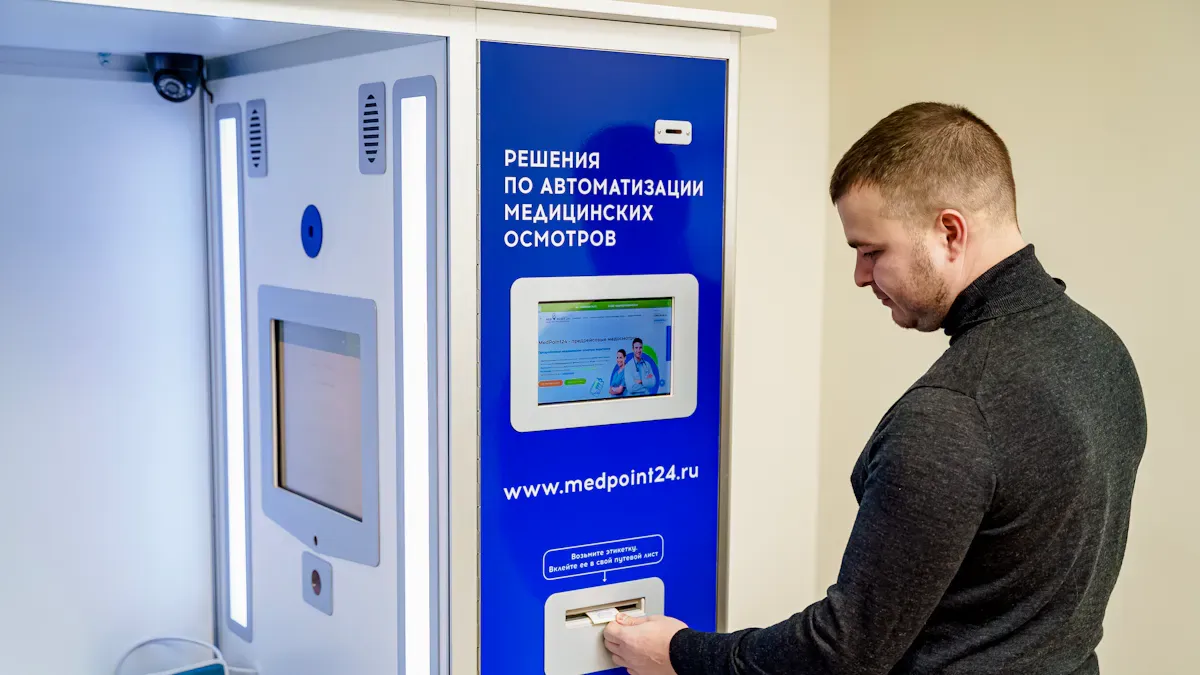
Imagine you go to a trade show. You walk up to a kiosk and check in fast. You do not stand in long lines. You get your badge right away. This easy process happens because the kiosk fits your event needs. Picking the best kiosk rental options for event kiosks can change how you run your event. It also changes how your guests feel. Many planners have problems like budgeting and knowing rental rules. They also need to follow legal rules. You must think about what your event needs. Maybe you want a cool trade show booth. Maybe you want check-in to be easy. The table below shows how kiosk features help your event:
Feature | Impact on Event Logistics and Attendee Experience |
|---|---|
Streamlined check-in process | Cuts wait times and makes things faster for guests. |
Self-service kiosks | Lets guests check in by themselves, making them happier. |
Badge printing capabilities | Prints badges when needed, making them look professional. |
QR code scanning | Checks guests quickly, so there are fewer delays. |
Session attendance tracking | Keeps track of who joins, helping manage the event better. |
Use this simple guide to pick the best kiosk for your event. For more ideas, visit http://www.topadkiosk.com/.
Key Takeaways
Make sure you know your event goals. When you know your goals, you can pick the right kiosk features.
Think about how your venue is set up. Put kiosks where lots of people walk by. This helps more people see and use them.
Find kiosks that let people check in by themselves. Real-time updates are also helpful. These things make lines shorter and guests happier.
Look at the rental rules and support you get. Good support can help you save time and feel less stressed at your event.
Learn a lot about kiosk providers before you choose. Read reviews to make sure you pick a company that is reliable and gives good service.
Define Event Needs and Goals
Event Objectives and Interactions
First, think about what you want your kiosk to do. Do you want check-in to be faster? Do you want to collect information from guests? Do you want people to have more fun at your event? Each goal means you need different features. If you want people to remember your event, use a kiosk with your logo and colors. This helps make a good first impression. If you want to save money, renting a kiosk is cheaper than buying one. Many planners want to make registration simple. Touch screen kiosks let people sign up, see event info, and answer surveys. This makes the event more fun and easy to remember.
Objective | Description |
|---|---|
Enhancing attendee engagement | Full branding of the kiosk can make a big difference on an attendee's first impression at an event. |
Cost-effective solutions | Using kiosk rentals saves money compared to buying equipment. |
Streamlining registration | Touch screen kiosks make events more interactive and memorable. |
You should also decide what you want to get from the event. Maybe you want a certain number of leads. Maybe you want to share special content. These choices help you pick the best kiosk for your event.
Event Registration Kiosk Requirements
Make a list of the features you need for your kiosk. Some popular features are easy self check-in, printing badges at the event, and letting people sign up when they arrive. Many kiosks now have contactless check-in for safety. You can also keep track of who goes to each session and ask health questions when people check in. These features help guests spend less time waiting. They also make the event better for everyone. Keeping track of attendance helps you plan your event well.
Feature | Description |
|---|---|
Easy Self Check-In | Unassisted, intuitive self check in by scanning QR code on mobile or badge. |
On-Site Badge Printing | Instant badge printing through a connected printer at the kiosk. |
New Registration Options | Ability for walk-in attendees to register on-site quickly. |
Session Check-In | Accurate tracking of session attendance for presentations or workshops. |
Health and Safety Check-In | Includes health screening questions or confirmations at check-in. |
Customization and Branding | Kiosks can be customized to reflect the event's branding. |
Branding and Customization
Your brand is important at every event. A branded kiosk can show your logo, colors, and message. This helps people remember your event and makes it look nice. You can choose full branding for a big effect. You can pick partial branding if you want to save money. Even kiosks with no branding can still look good and make people feel welcome.
Branding Type | Description |
|---|---|
Branded Pedestal | Eye-catching branding with logos, color themes, and imagery to display messages. |
Full Branding | Enhances first impressions and creates a professional atmosphere, significantly affecting perception. |
Partial Branding | Cost-effective way to present a brand at events, still making a positive impact on attendees. |
No Branding | Even without branding, kiosks can attract attendees and create an inviting atmosphere. |
Tip: Think about how your brand will look on the kiosk. Good branding can make your event stand out and be remembered.
Assess Venue and Audience
Event Space and Layout
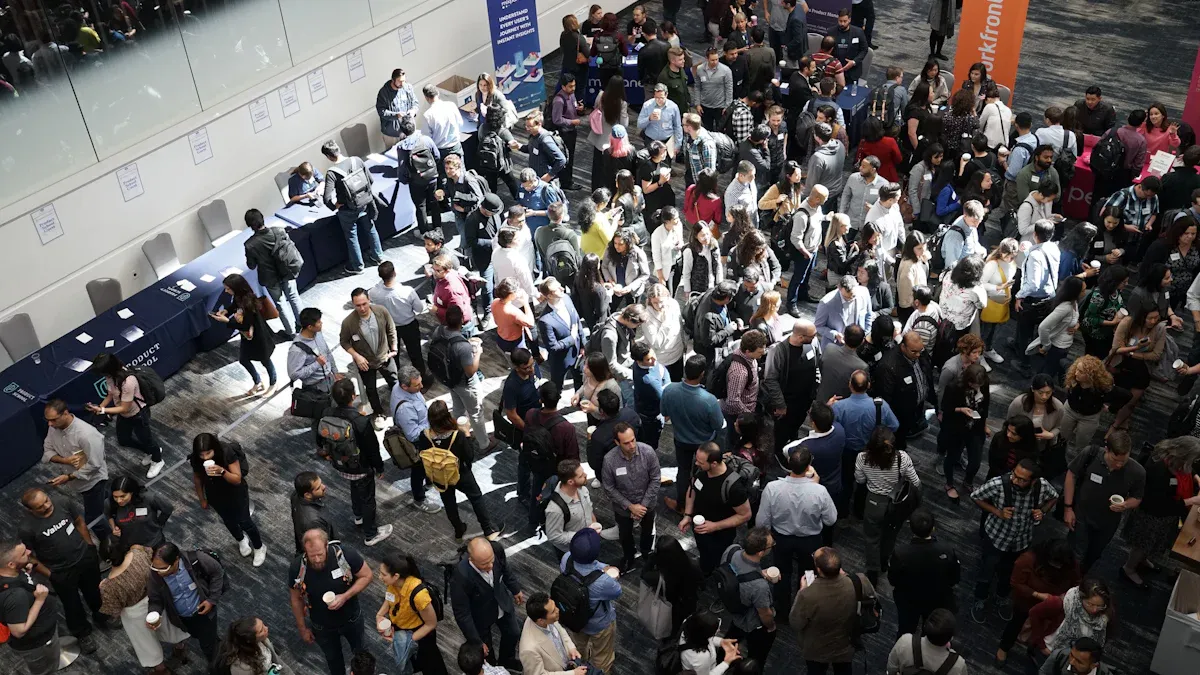
You need to look at your event space before you set up any kiosk. The size of your venue will affect how many kiosks you can use and where you can put them. A large space lets you spread out kiosks, while a small room may need careful planning. You should check if the venue can fit your expected audience and allow people to move easily. Flexible layouts help you adjust for different needs. Make sure you have enough space for extra activities or exhibitors. The table below shows what to consider when you plan your event layout:
Factor | Description |
|---|---|
Capacity Requirements | Make sure the venue fits your audience and allows comfortable movement. |
Flexible Layout Options | Choose a venue that lets you change the setup for your event. |
Flow and Accessibility | Make it easy for people to move between areas. |
Additional Space Needs | Plan for extra space for exhibitors or activities without blocking the event. |
Kiosk Location and Visibility
You want your kiosks in places where people will see and use them. Choose the right location by looking for high-traffic spots like entrances or registration desks. This will increase visibility and make it easy for your audience to find the kiosks. Good placement helps manage crowd flow and keeps lines short. You can use signs above the kiosks to show where they are. Greeters can also help guests feel comfortable using the kiosks. Removing old-style counters can make kiosks the main service point. The table below lists ways to increase visibility:
Strategy | Description |
|---|---|
Strategic Placement | Put kiosks in busy areas to get more use. |
Use of Greeters | Greeters help guests use kiosks and answer questions. |
Effective Signage | Use signs to show kiosk location and guide your audience. |
Removal of Traditional Counters | Take away old counters to make kiosks stand out as the main service point. |
Place kiosks in high-traffic areas to boost interaction rates.
Good location helps you manage audience flow and avoid congestion.
Tip: Always choose the right location to make sure your kiosks get noticed and used.
Audience Flow and Accessibility
You need to think about how your target audience will move through the event. Study when most people arrive and where they go first. Look for times when crowds get big, like at check-in. Measure how long it takes for each person to use a kiosk. Check if all kiosks get used or if some stay empty. Watch for problems that slow down check-in. The table below shows what to track:
Metric | Description |
|---|---|
Arrival curve shape | Shows when most people arrive. |
Peak congestion windows | Finds busy times at check-in. |
Average processing time | Measures how long each check-in takes. |
Station utilization | Checks if all kiosks are being used. |
Exception frequency | Counts how often problems happen at check-in. |
You should make sure everyone can reach the kiosks, including people with disabilities. Good planning helps your event run smoothly and keeps your audience happy.
Compare Rental Options for Event Kiosks
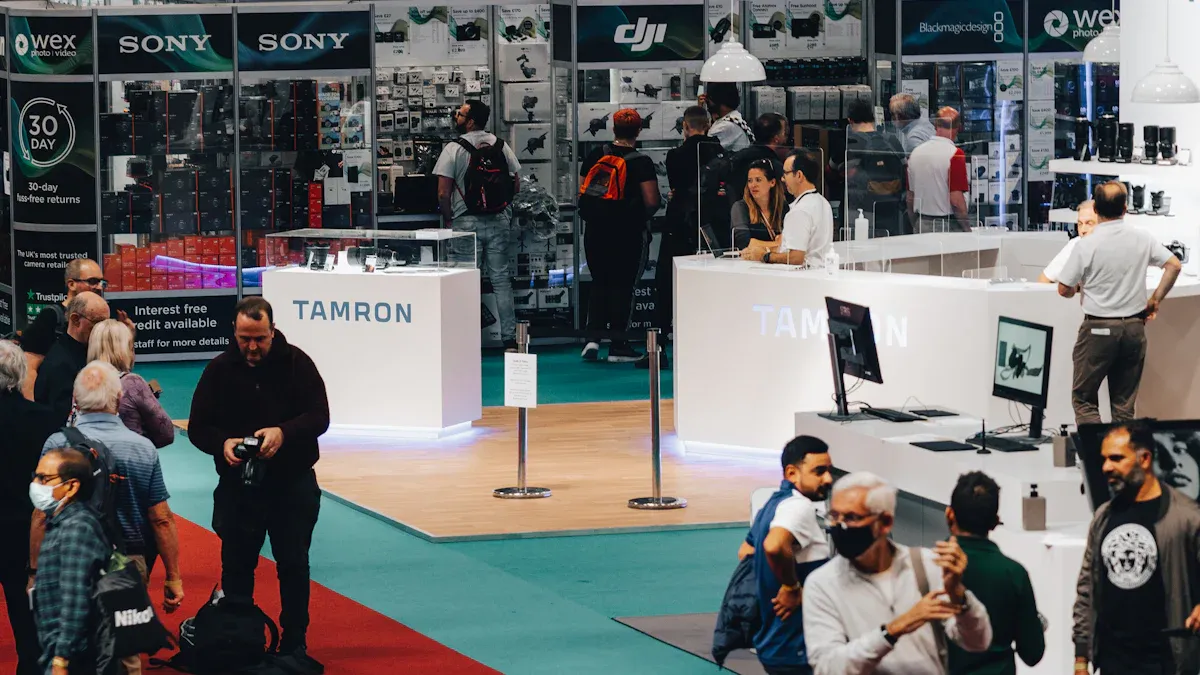
When you plan an event, you need to look at different kiosk rentals. You want to find the one that works best for you. Think about the type and size of kiosk you need. Each rental kiosk has its own features, hardware, and software. Make sure you choose a kiosk that matches your event goals.
Kiosk for Rent Types (Pedestal, Tabletop)
There are a few types of kiosks you can rent. The most common are pedestal and tabletop kiosks. Pedestal kiosks are tall and easy to see. They are good for big spaces like lobbies or main doors. Tabletop kiosks are smaller and sit on tables or counters. These work well in small rooms or at check-in desks.
Kiosk Type | Best For | Pros | Cons |
|---|---|---|---|
Pedestal | Large events, main entrances | High visibility, easy to spot | Needs more floor space |
Tabletop | Small events, limited space | Compact, fits on tables or counters | Less visible in big venues |
Pick the kiosk type that fits your space and crowd. If you expect lots of people, pedestal kiosks help guests find check-in fast. For small groups, tabletop kiosks save space and still let people check in by themselves.
Self-Check-In Kiosk Features
A self-check-in kiosk helps your event go smoothly. Look for features that let guests check in fast and avoid long lines. Some kiosks have QR code scanning, badge printing, and real-time updates. These features help you manage lines and keep guests happy.
Here is a table that shows popular self-check-in kiosk platforms and their features:
Kiosk Platform | Key Features | Pros | Cons |
|---|---|---|---|
Nemo-Q | Customizable workflows, QR code scanning, identity recognition | Flexible for many events | Needs staff training for advanced use |
Qmagic | Real-time updates, payment handling, identity workflows | Removes bottlenecks, strong hardware | Some features need special hardware |
Qtip | Remote queue joining, real-time updates | Simple for small events | Not for large events |
Qmatic | Customer segmentation, QR/barcode scanning | Reduces staff work, improves flow | Complex for small events |
Meridian | Custom solutions, full in-house design | High customization | Higher upfront cost |
Leyline | Minimalist design, real-time journey tracking | Easy to use | Needs frequent updates |
Pick a kiosk with features that fit your event. QR code scanning makes check-in faster. Real-time updates show how many people have arrived. Badge printing helps your event look professional. When you compare kiosks, check if they can handle your crowd size.
Tip: Pick a kiosk that has self-check-in and real-time updates. This keeps lines short and guests happy.
Technology and Integration
Modern kiosks use new technology to make events better. Many kiosks have touchscreens, voice commands, and AI. These features help guests check in quickly and get help if needed. Some kiosks connect to the cloud, so you can manage them from anywhere. This makes it easy to update info or fix problems.
Check if the kiosk works with your event management software. Good integration saves time and helps you track data. Here is a table that shows how kiosks connect with event software:
Feature/Benefit | Description |
|---|---|
Save Time | |
Personalize Communications | Connects with CRMs for custom messages and updates. |
Data-Driven Decisions | Gives real-time analytics for better planning. |
Mobile Compatibility | Lets you and guests use mobile apps for check-in and updates. |
End-To-End Management | Handles everything from ticket sales to reports. |
Ease of Customization | Lets you change event pages and registration forms easily. |
24/7 Customer Support | Offers help any time you need it. |
Depth of Features | Includes ticketing, check-in, event apps, and analytics. |
Data Security | Keeps guest data safe during check-in and payments. |
Look at hardware and software bundles when you compare kiosks. Some bundles come with label printers, iPads, or computers. Make sure the kiosk works with your devices. Here is a table to help you compare:
Bundle Type | Hardware Included | Software Compatibility |
|---|---|---|
Essential Bundle | 1 Brother QL-820 NWB Bluetooth label printer, 1 MacBook or Windows computer | Works with Mac and Windows |
Premier Bundle | 2 iPad Gen 9, 2 Zebra ZD621 Series label printers | iOS compatible |
Elite Bundle | 4 iPad Gen 9, 4 Zebra ZD621 Series label printers | iOS compatible |
Technology changes all the time. Today’s kiosks can use AI to answer questions and help guests. They can give real-time data and connect to the cloud for updates. This helps you manage your event better and fix problems fast.
Note: Always check if the kiosk can connect with your event software and devices. This helps you get the most from your kiosk rental.
When you compare kiosk rentals, look at the type, features, and technology. Pick a kiosk that fits your event, helps your guests, and works with your software. This will help your event run well and leave a good impression.
Budget and Rental Terms
Cost Considerations
You should decide your budget before renting a kiosk. Think about how much money you can spend. Prices are different for each kiosk type and location. Some kiosks cost more because they use new technology or are in busy spots. The table below shows what kiosks usually cost each month:
Kiosk Type | Average Monthly Cost | Factors Impacting Price |
|---|---|---|
Mall Kiosk | $1,500 – $8,000 | Location, Size, Lease Terms |
Airport Kiosk | Premium Pricing | Traffic, Concession Agreements |
Pop-Up Kiosk | Lower, Varies | Flexibility, Seasonal Demand |
Outdoor Kiosk | Variable Costs | Permit Fees, Location Regulations |
Many things change the price you pay. How long you rent, booth features, event size, and location all matter. Kiosks with electricity, internet, or custom branding cost extra. Renting during busy times can make prices go up. The table below shows important factors:
Factor | Description |
|---|---|
Rental Duration | Longer rentals cost more but less each month |
Booth Features | Fancy tech and branding make prices higher |
Event Type and Size | Big events may need more kiosks |
Location | Cities usually cost more |
Additional Services | Custom props or backdrops add to the price |
Peak Seasons | Busy times raise prices |
If you want to save money, ask about deals or off-peak prices. Always compare rental terms to get the best deal for your event.
Contract and Support Services
Read the contract carefully before you sign it. Rental agreements have details about equipment, fees, help, and insurance. The table below shows common contract terms:
Term/Condition | Description |
|---|---|
Purpose | Operator gives kiosks and services |
Exclusive License | You let them use space for kiosk services |
Equipment Provided | Kiosks come with safe storage |
Rental Fees; Revenue Share | Fees and maybe sharing money made |
Customer Support | Help with bills and technical problems |
Equipment Maintenance | Operator cleans and fixes kiosks |
Equipment Replacement | Broken or lost items get replaced |
Renewal | Contract may renew by itself |
Termination | Rules for ending the contract |
Liability and Insurance | Covers damage and public safety |
Support services help your event run smoothly. Many companies deliver, set up, and help during your event. Some offer special solutions for your needs. The table below lists common support services:
Support Service | Description |
|---|---|
Delivery and Setup | Kiosks arrive and get ready before your event starts |
On-Site Support | Technicians help during the event |
Custom Solutions | Software and branding made just for you |
Flexible Rental Terms | Short or long rentals are possible |
Tip: Always check what help comes with your rental. Good support can save you time and worry during your event.
Research Kiosk Providers
Reputation and Experience
Check each kiosk provider’s reputation and experience before you pick one. Read reviews and testimonials from other clients. These tell you if the company does a good job. You can see if they keep their promises. Look for case studies that show real problems and how they were solved. For example, NAIOP needed new hardware after using Boomset software. The provider gave them the right advice and good hardware. This helped the event run without problems and made clients happy. Coleture Group wanted good printers and badges for a big event. The provider gave them great equipment and support. This made the event smooth and easy.
Client | Challenge | Solution | Results |
|---|---|---|---|
NAIOP | Needed a convenient hardware solution after relying on Boomset software. | Provided tailored recommendations and seamless hardware solutions. | Ensured uninterrupted operations and client satisfaction through a smooth transition. |
Coleture Group | Sought reliable printer and badge rental solutions for a large conference. | Delivered high-quality printers and badges, exceeding expectations. | Achieved a smooth and efficient event experience through exceptional customer support and equipment. |
Find providers with top technology and great service. A good sales team helps you pick the right equipment. On-site technicians and a support team help you during the rental. These things make your event easier to run. They also help you collect leads.
Tip: Always read reviews and case studies. This shows how providers fix problems and help their clients.
Setup and Technical Support
Setup and technical support are very important for your event. Pick a provider with onsite technicians and 24/7 support. This makes sure your kiosks work well. Guests will have a good experience. Onsite help can fix badge printing and check-in problems. You will not have to worry about delays.
Attendees can find event info fast, like schedules or maps.
Self-check-in kiosks let people check in without touching anything. This keeps your event safe.
Kiosks can show special welcomes to guests. This makes them feel important.
Choose providers who give quick help during your event. This lets you focus on your goals, like getting leads and making guests happy. Good technical support means you can fix problems fast. Your event will keep running smoothly.
Note: Pick a provider with strong support and setup help. This makes your event better and keeps your guests happy.
You can choose the right kiosk rental by following a clear process. Start by listing your needs and goals. Compare different kiosk options for features and support. Talk with trusted providers to get advice that fits your event. The right kiosk helps you create a smooth check-in and a great experience for your guests.
Selecting the perfect event kiosk rental doesn’t have to be complicated—what matters most is aligning the kiosk with your event’s unique needs, audience, and goals. Whether you’re hosting a small corporate meeting, a large trade show, a festival, or a conference, this guide simplifies the decision-making process to help you rent a kiosk that adds value, streamlines operations, and enhances the attendee experience.
1. Start with Your Core Goal
Before browsing rental options, clearly define what you want the kiosk to accomplish—this is the foundation of your choice. Common event kiosk goals include:
Streamlining attendee check-in and badge printing (reducing long lines)
Capturing leads or conducting post-event surveys
Showcasing interactive product demos or brand experiences
Providing wayfinding, event schedules, or session information
Processing on-site ticketing or payments (e.g., concessions, merchandise)
Offering charging stations for attendees’ devices (with branding opportunities)
Every goal requires specific features—for example, check-in needs a scanner and printer, while product demos need a large, high-quality touchscreen.
2. Match Kiosk Type to Your Event Size & Venue
Not all kiosks work for every event. Use this breakdown to narrow down your options based on your venue space, attendance, and use case:
Tablet Kiosks (10–15”)
Best for: Small events (50–200 attendees), pop-ups, or areas with limited space (e.g., booths, small meeting rooms)
Ideal for: Quick check-in, lead capture, short surveys, or guest sign-ups
Pros: Affordable, portable, easy to brand with custom stands; lightweight for quick setup
Cons: Small screen limits complex interactions (not ideal for product demos or detailed wayfinding)
Floor-Standing Touch Kiosks (21–55”)
Best for: High-traffic events (200+ attendees), trade shows, conferences, or main event spaces
Ideal for: Registration, interactive wayfinding, product demos, digital directories, or branded displays
Pros: Highly visible, supports multi-touch functionality, professional appearance; easy to customize with branding
Cons: Requires more space; slightly higher rental cost than tablet kiosks
All-in-One Check-In Kiosks
Best for: Large conferences, expos, or events where fast attendee onboarding is critical
Includes: Built-in touchscreen, QR/ID scanner, badge printer, and pre-configured check-in software
Pros: Eliminates manual check-in, reduces lines, integrates seamlessly with event management tools
Cons: Specialized (not versatile for other uses); higher rental cost due to integrated peripherals
Wall-Mounted Kiosks (21.5–43”)
Best for: Venues with limited floor space (e.g., narrow hallways, small lobbies, booths)
Ideal for: Displaying event schedules, wayfinding maps, promotions, or announcements
Pros: Space-saving, out of the way of foot traffic; durable and secure
Cons: Fixed location (not portable); requires venue approval for mounting
Charging Kiosks
Best for: Festivals, all-day conferences, student events, or any event where attendees need to charge devices
Bonus: Offers sponsorship branding opportunities (custom panels, screen ads)
Pros: Enhances attendee satisfaction; low-maintenance; can be combined with basic wayfinding or promotions
Cons: Limited to charging and simple displays (not for complex tasks like check-in or demos)
Outdoor/Semi-Outdoor Kiosks
Best for: Outdoor festivals, open-air expos, or covered outdoor venues
Key Features: Weather-resistant enclosure (IP54+), high-brightness touchscreen (1000+ nits) to combat sun glare, durable hardware
Pros: Built to withstand elements; visible in outdoor settings
Cons: Higher rental cost due to specialized weatherproofing
3. Key Features to Prioritize
Once you’ve narrowed down the kiosk type, focus on these features to ensure it meets your event’s needs:
Touchscreen Technology: Capacitive touch (smooth, smartphone-like experience—best for indoor events) or infrared touch (works with gloves, durable—ideal for outdoor/high-traffic events).
Connectivity: Ensure the kiosk supports your venue’s network (wired Ethernet is most reliable; 4G/5G hotspots are ideal for venues with poor Wi-Fi or outdoor setups).
Peripherals: Rent additional accessories based on your goal—scanners (QR/ID), thermal printers (badges/receipts), NFC readers (contactless payments), or payment terminals (for transactions).
Branding: Look for customizable options like vinyl wraps, branded screen interfaces, or logo displays to align the kiosk with your event’s brand.
Support & Maintenance: Prioritize rentals that include delivery, setup, teardown, and on-site tech support—critical for avoiding downtime during your event.
4. Choose the Right Rental Package
Rental providers typically offer three package tiers—select the one that fits your budget and event complexity:
Basic Package
What’s included: Hardware only (kiosk + basic stand), self-pickup/drop-off, standard OS (no custom software).
Best for: Small, short events (1–2 days) with a small team to handle setup and troubleshooting.
Standard Package (Most Popular)
What’s included: Delivery, professional setup, pre-configured software (e.g., check-in, surveys), basic branding, on-site tech support during event hours, teardown, and removal.
Best for: Most corporate events, trade shows, and conferences—balances value and convenience.
Premium Package
What’s included: Full customization (branded wraps, custom software integration), dedicated on-site technician, 24/7 monitoring, priority support, and advanced security features.
Best for: Large, high-profile events (e.g., industry expos, major conferences) where downtime is not an option.
5. Budget-Saving Tips
Book weekly rentals instead of daily: Most providers offer 20–30% discounts for weekly or longer rentals.
Rent multiple units: Bulk orders (3+ kiosks) often come with reduced per-unit rates.
Opt for standard packages: Basic packages save money but require more in-house effort; standard packages offer the best balance of cost and convenience.
Avoid unnecessary add-ons: Only rent peripherals or customizations you truly need (e.g., skip a printer if you don’t need badge printing).
Final Checklist to Confirm Your Choice
The kiosk aligns with your core event goal (check-in, lead capture, etc.).
It fits your venue space (size, indoor/outdoor, mounting options).
It supports the necessary peripherals and connectivity.
The rental package fits your budget and includes required support.
Branding options align with your event’s visual identity.
By focusing on your goals, event size, and key features, you’ll select a kiosk rental that works seamlessly for your event—saving time, reducing stress, and enhancing the attendee experience.
Henry Fang
General Manager
Shenzhen TopAdkiosk Display Technology Co., Ltd.
Add.: 2F, Bldg 10, Changfeng Industrial Park, Dongkeng, Fenghuang, Guangming, Shenzhen, China 518132
Mobile/WHATSAPP: 86-138 25769658
Email: marketing@topadkiosk.com topadkiosk@gmail.com
Skype: pghenry1
Wechat: adkioskhenry
English Web.: http://www.topadkiosk.com/
FAQ
What is an event kiosk rental?
You rent an event kiosk for a short time. The kiosk helps with check-in, registration, or information at your event. You do not need to buy the equipment.
How many kiosks do I need for my event?
You should match the number of kiosks to your guest count. For small events, one or two kiosks work well. For large events, use more to avoid long lines.
Can I customize the kiosk with my event branding?
Yes! Most providers let you add your logo, colors, and messages. This helps your event stand out and look professional.
What support do I get during my event?
Most rental companies offer setup, on-site help, and technical support. You can ask for extra help if you need it. Good support keeps your event running smoothly.
Are event kiosks easy for guests to use?
Yes, event kiosks use touchscreens and simple menus.
Guests follow clear steps for check-in or registration.
Most people finish in less than a minute.
See Also
Selecting Top LCD Kiosk Installation Services In Your Area
Six Essential Tips For Selecting Interactive Kiosks
Selecting Long-Lasting LCD Kiosks For Malls In 2026
Top High-Resolution LCD Kiosks For Exhibitions You Will Enjoy
Selecting The Ideal Outdoor Digital Signage For Your Business
