How to Choose the Right Elevator Signage Display for Your Building
Shenzhen TopAdkiosk Display Technology Co., Ltd.
Add.: 2F, Bldg 10, Changfeng Industrial Park, Dongkeng, Fenghuang, Guangming, Shenzhen, China 518132
Mobile/WHATSAPP: 86-138 25769658
Email: marketing@topadkiosk.com topadkiosk@gmail.com
Skype: pghenry1
Wechat: adkioskhenry
English Web.: http://www.topadkiosk.com/
https://www.topkioskdisplay.com/
http://www.ad-kiosk.com/
https://www.toplcddisplay.com/
http://www.multitouchdigitalsignage.com/
https://www.youtube.com/channel/UCYVYNJHxLVEcQD8fuUxXNTA/videos?view_as=subscriber
https://www.facebook.com/TOPADKIOSKSHENZHEN/?ref=bookmarks
You need the right elevator signage display for clear communication and safety. Digital signage helps keep elevator users informed. It lets you share updates and follow compliance rules. When you choose an elevator signage display, check the display type. Make sure it meets compliance. Look for content flexibility and easy integration. Check if it is durable and keeps users engaged. Good elevator signage makes safety better and tenants happier. For reliable options, go to https://www.topkioskdisplay.com/.
Key Takeaways
Pick digital signage for more choices and fast updates. It lets you share news and alerts right away. This keeps people up to date.
Make sure you follow safety rules like the ADA. This helps everyone get important information. People with disabilities can use it easily.
Choose the best display size and features. High-definition screens with anti-glare are easier to see. They make the user experience better.
Put signage at eye level so it is easy to read. Good placement helps everyone see the information. People in wheelchairs can see it too.
Update content often to keep people interested. New information makes the signage work better. It also keeps people paying attention.
Types and Functions of Elevator Signage Displays
Digital vs. Static Options
You can pick digital or static signage for your elevator. Digital signs are more flexible and interesting than static ones. The table below shows how they are different:
Feature | Digital Signage | Static Signage |
|---|---|---|
Real-time Updates | Can be updated remotely and instantly | Fixed content, requires physical changes |
Targeted Messaging | Tailors content based on audience and context | General messaging without customization |
Interactivity | Offers interactive elements for engagement | Non-interactive, limited viewer engagement |
Metrics and Analytics | Tracks performance and audience engagement | No data collection or tracking |
Content Flexibility | Displays videos, data, and dynamic content | Shows only static content |
Cost and Time | Cost-effective updates after installation | Updates are time-consuming and costly |
Scheduling | Allows precise targeting and scheduling | Lacks adaptability |
Space and Flexibility | Fits various display sizes and formats | Limited by physical size and design |
Digital signs let you show news, videos, and updates right away. You can change what is on the screen fast. You can also talk to different groups at different times. Static signage does not change until you put up a new one.
Core Purposes and Use Cases
Elevator digital signage has many uses in a building. You can use it to:
Show emergency steps and safety alerts
Advertise local shops and services
Tell people about repairs or construction
Play music videos or short clips for fun
Digital signs help everyone know what is happening. They make sharing news quicker and easier than static signs.
Orientation and Visibility
It is best to put elevator digital signage in portrait mode. This fits most elevator walls and is easy to see. Put the sign 4 to 6 inches above the floor. This way, people sitting or standing can read it. Signs at this height help people who have trouble moving or seeing. Good signs make visitors less worried and help them find their way.
Tip: Make sure your elevator digital signage is bright enough and in a spot where everyone can see it.
Key Factors for Elevator Signage Display Selection
Compliance and Safety
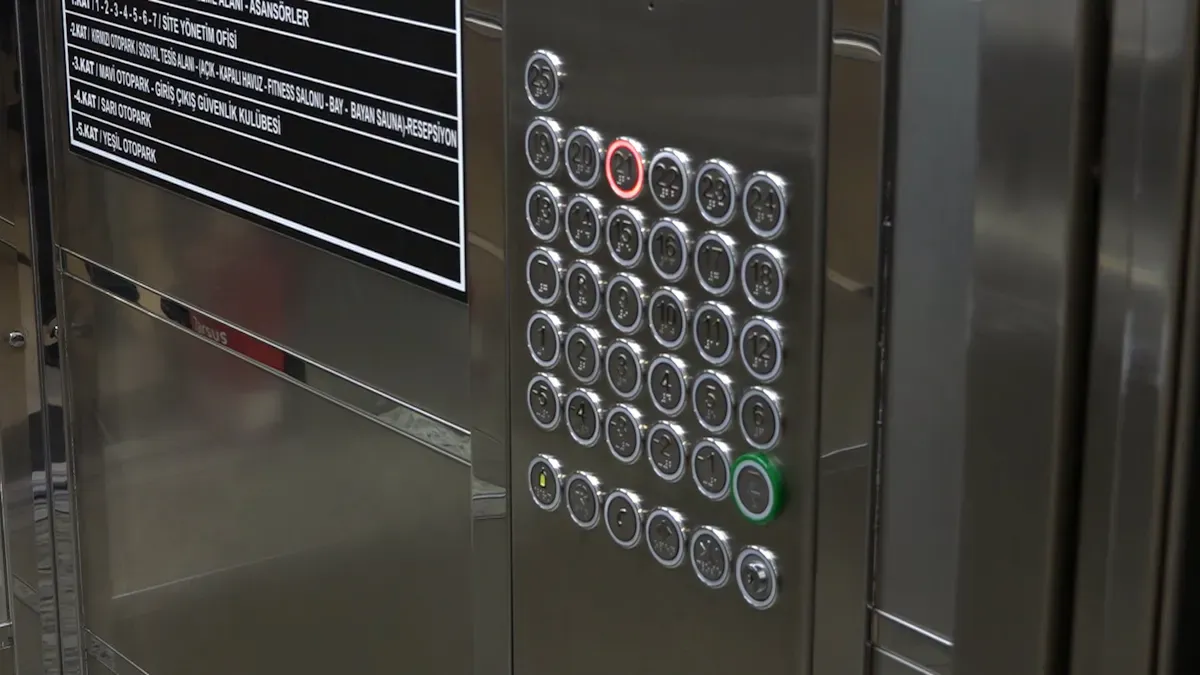
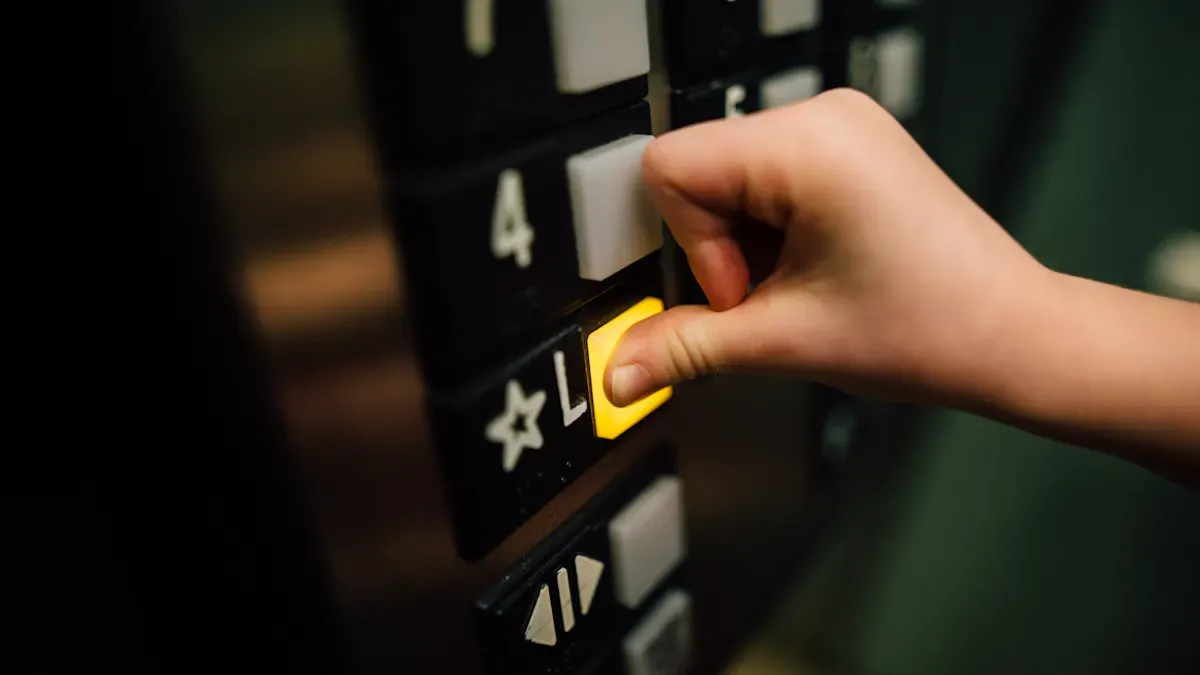
You have to follow important rules when picking elevator signage. These rules help keep people safe and make sure your building follows the law. The Americans with Disabilities Act (ADA) has rules for elevator digital signage. Your signage should help people with disabilities. Signs need to be easy to read and reach. Braille and raised letters help people who cannot see well. Verbal announcements and sounds let everyone know what is happening in the elevator.
Regulatory Standard | Requirement |
|---|---|
Americans with Disabilities Act (ADA) | Elevators required in multistory buildings with three or more stories or over 3,000 square feet per floor. |
Call Button Specifications | Must be raised or flush with the faceplate, at least .75 inches in diameter, and 42 inches from the floor. |
Elevator Door Requirements | Must remain open for at least three seconds and be at least 36 inches wide. |
Car Dimensions | Minimum of 51 inches long by 68 inches wide to allow wheelchair turning space. |
Braille Signage | Must be located below or next to raised characters or symbols. |
Verbal Announcements | Must provide automatic verbal announcements of stops and non-verbal audible signals. |
ASME A17.1 Code | Requires two-way emergency communication in elevator cars activated by a push button. |
Safety certifications are important for elevator digital signage. They show you care about safety and follow the rules. These certifications help stop accidents. They also make sure you show emergency instructions and weight limits clearly. When you use certified signage, you show your building cares about safety and works well.
Note: Always check your local codes before putting in new signage. This step helps you avoid fines and keeps everyone safe.
Display Size and Technical Features
You need to choose the right size and features for your elevator digital signage. High-definition displays make messages clear and easy to read. A narrow bezel gives you more screen space and looks modern. High brightness, at least 500 nits, makes the display easy to see in any light. Anti-glare screens help people see the display, even if the elevator is bright. Vibration resistance keeps your signage working, even when the elevator moves.
Feature | Description |
|---|---|
High-definition displays | Ensure crystal-clear visibility and vibrant color reproduction for effective communication. |
Smart content management | Enables remote updates and scheduling of content through cloud-based platforms. |
Anti-glare properties | Provides optimal visibility for all passengers regardless of their position within the elevator. |
Motion detection sensors | Allows for targeted content delivery and performance monitoring based on passenger activity. |
Vibration resistance | Hardware designed to withstand the unique environmental conditions of elevator operations. |
Network connectivity | Supports real-time updates, emergency broadcasts, and integration with building management systems. |
Versatile content formats | Capable of displaying high-definition videos, dynamic graphics, RSS feeds, and interactive elements. |
You should also look for an IP rating to protect your digital signage from dust and water. Smart content management lets you update messages quickly. This is important for emergencies. Network connectivity lets you update the display in real time and connect it to other building systems.
Requirement | Minimum Level |
|---|---|
Illumination for externally illuminated signs | 5 ft-candles (54 lux) at the illuminated surface |
Contrast ratio | Not less than 0.5 |
Illumination at platform, controls, threshold, and landing sill | 5 feet candles minimum |
Tip: Pick elevator digital signage with high brightness and anti-glare screens for the best results.
Integration with Building Systems
You can make your elevator digital signage better by connecting it to your building systems. This lets you send emergency alerts right to the display. You can also update content fast. When you connect signage to alarm systems, you make the building safer. Offline playback support keeps your messages showing, even if the internet stops working.
Best Practice | Description |
|---|---|
Connect signage to emergency alarm systems for automated safety overrides, enhancing safety infrastructure. | |
Safety Considerations | Ensure screens do not obstruct buttons or emergency instructions and are securely mounted. |
Offline Playback Support | Media players should function without a constant internet connection to avoid display errors. |
Regulatory Compliance | Adhere to local building codes regarding modifications and ensure content accessibility. |
Performance Measurement | Use QR codes to track engagement and leverage analytics to monitor content effectiveness. |
You should always make sure your signage does not block elevator buttons or emergency instructions. Secure mounting keeps the display safe and steady. You can use analytics to see how people use your signage. This information helps you make your messages better and keep users interested.
Installation Location
Where you put your elevator digital signage is very important. The right spot makes sure everyone can see and use the display. Put the signage at eye level for most people. This helps people standing or sitting in wheelchairs. Good placement also helps people read emergency instructions quickly.
People do not talk much in elevators. This quiet space helps them pay attention to the display.
The screen can distract passengers and make wait times feel shorter.
Targeted ads on the display can change what people buy if they use the elevator a lot.
Real-time updates on elevator status help users make smart choices.
Custom content keeps everyone informed and interested during their ride.
Accessibility features, like clear fonts and audio, help all users get the information they need.
Tip: Use an easy-to-understand interface and different languages to help more people and reduce confusion.
Elevator digital signage is important because it keeps everyone informed, safe, and interested. It helps you follow the law, makes communication better, and makes your building look modern. When you pick the right signage, you make a better experience for everyone who uses the elevator.
Content Strategy & User Engagement
Content Types and Scheduling
Elevator digital signage can show many kinds of content. This helps people know what is happening in the building. The table below lists the best content types for elevator displays:
Content Type | Purpose |
|---|---|
Infotainment | Shares news, local events, and fun facts to entertain and inform tenants. |
Office Operating Hours | Gives practical building information about business hours and access times. |
Promotional Ads | Highlights nearby services and offers, supporting local businesses. |
Digital Directories | Helps people find their way with tenant lists and interactive maps. |
Emergency Displays | Shows key information and safety steps during emergencies. |
Digital signage in elevators helps you share news and events fast. You can also give directions and tips for finding places. If you change the content often, people will pay more attention. In offices, update the screens at least once a week. In buildings with shift work, change the content two or three times a day. Make sure each message is on the screen long enough to read, but not too long so people do not get bored.
Color Choices and Branding
Pick colors that make the elevator feel calm. Cool colors like blue and light green help people relax. Nature colors, like soft greens and warm browns, make the space feel nice. Colors such as Nostalgic Green, Secluded Green, and Restful Green remind people of nature. These colors help people feel better and less stressed in the elevator.
Elevator digital signage can also show your building’s brand. Use the same logos and colors to help people remember your building. Elevator wraps can turn plain walls into cool branded spaces. Big companies like Coca-Cola and Nike use bright graphics to make people remember them. IKEA uses fun wraps to get people interested and bring them into the store. You can use digital signage to show off your brand and make your building special.
Tip: Match your colors and pictures with your building’s brand for a nice look.
Real-Time Information and Updates
Digital signage in elevators lets you share news right away. This helps people get important information fast. You can show announcements and events while people wait in the elevator. This makes them happier. Real-time updates also help keep people safe during emergencies. The Emergency SOS Elevator Display turns on in emergencies and gives clear steps. It connects to the main building system and sends alerts to helpers. Some displays let people make voice or video calls from the elevator. The system can show updates about what is happening and how long rescue will take. This helps people feel less worried.
Digital signage makes things easier by giving helpful and fun information. It helps everyone know what is going on in the building. Real-time updates save time and money because you do not need to print new signs or send messages one by one.
Note: Use elevator digital signage to share important news, building updates, tenant stories, and real-time alerts for the best results.
Benefits and ROI
Communication Efficiency
Elevator digital signage helps you share messages fast. People see these messages while riding the elevator. This helps them remember what they see. The table below shows how digital signage helps communication:
Improvement Type | Description |
|---|---|
Message Recall | Higher message recall due to effective communication during dwell time. |
Tenant Satisfaction | Improved tenant communication and satisfaction through timely updates. |
Communication Efficiency | Smoother communications for tenants and visitors, enhancing overall experience. |
You can update information on the screen right away. You can send alerts, news, or safety tips when needed. This keeps your building safer and everyone connected.
Tenant and Visitor Experience
Elevator signage makes the building better for everyone. You can give updates and directions to help people find their way. Here are some ways digital signage helps people feel happy:
You give tenants and visitors important information on time.
You make the building look modern and fun.
You help people with updates and directions, making the building better.
You show tenants you care about them and their community.
Using digital signage shows you care about people’s needs. This can make tenants happier and want to stay longer.
Value and Cost Savings
Elevator digital signage helps you save money. Digital displays cost less than old-style ads. You can change what is on the screen without printing new signs. This saves money over time. Here are some ways you save:
Digital displays cost less than TV ads or billboards.
You can change content from far away, so no printing is needed.
You save time and cut waste with easy updates.
Elevator digital signage is a smart way to share news, keep people safe, and save money. You make your building work better and look modern while spending less.
Selection and Installation Steps
Assessing Needs and Goals
First, you need to know what your building needs. Think about the technical parts, how you will manage content, and how to install the system. You also need to plan for keeping the signage working well. The table below helps you organize these things:
Consideration Type | Description |
|---|---|
Technical Specifications | Check hardware and software needs for the signage system. |
Content Management Requirements | Decide how you will create, manage, and update content. |
Installation Constraints | Identify the skills needed for installation and integration with existing systems. |
Ongoing Operational Needs | Plan for maintenance and support to keep the signage running smoothly. |
Use this table to make sure you do not miss anything before picking a display.
Vendor Comparison
When you look at different vendors, check a few important things. The table below shows what you should think about:
Criteria | Description |
|---|---|
Display Type | Choose LED, LCD, or OLED based on lighting and style. |
Brightness | Pick at least 300–500 nits for indoor elevators. |
Viewing Angle | Select displays with wide angles for easy reading. |
Communication Protocol | Make sure the signage works with your elevator controller. |
Power Supply | Check voltage needs and availability at the installation site. |
Mounting Style | Decide between flush-mount or surface-mount for looks and maintenance. |
Ingress Protection (IP) Rating | Choose IP54 or higher for damp or dusty areas. |
Operating Temperature Range | Look for extended ranges for tough environments. |
Language Support | Use multi-language displays for international tenants. |
Emergency Messaging Capability | Ensure the signage can switch to alert mode during emergencies. |
This information helps you pick the right vendor for your building.
Installation Best Practices
Follow these steps to put up elevator signage the right way:
Put signs at eye level near the doors and inside the elevator so people can see them.
Check the signs often to make sure they are easy to read and correct.
Teach staff how to help visitors use the signage.
Tip: Good sign placement and regular checks keep your signage working well and following the rules.
Ongoing Support
You need good support to keep your signage working all the time. Many systems let you manage content and schedules from the cloud. You can control displays from far away and see how they are working. Property managers can change messages and ads from one main place. Strong parts and self-check features help stop problems before they start. Local experts can help with design, setup, and repairs.
Note: Tough signage and remote control save time and cut down on repair costs.
Elevator digital signage helps people talk and stay safe in your building. If you follow these steps, your building will be modern and work better.
You should follow the right steps when picking elevator signage. Digital displays help you give news and keep people safe. The table below shows what is most important:
Consideration | Description |
|---|---|
Placement | Put screens where people wait so they see them easily. |
Screen Sizing | Choose smaller screens so users do not feel crowded. |
Brightness Control | Use less brightness to make the space calm. |
ADA Compliance | Make sure everyone, even those with disabilities, can use the signage. |
Begin by thinking about what your building needs or ask an expert for help. This will help you make the best choice.
Why Digital Signage Is Important for Elevators
Elevators are unique enclosed spaces where people spend short periods of time, have relatively focused attention, and often cannot use their phones (due to poor signals). This makes elevators a highly valuable environment for digital signage. Below are the core reasons why digital signage in elevators is so important.
🎯 1. High‑Value "Captive Attention" Media
Distraction‑free environment – Inside an elevator, passengers usually have nothing to do, so their eyes naturally gravitate toward a screen. This attention is both "active" and "exclusive", making message delivery far more efficient than in many other environments.
Short but high‑frequency exposure – Each ride lasts about 30–60 seconds, but people ride multiple times a day, resulting in high cumulative frequency. This "short‑burst, high‑frequency" pattern is ideal for communicating simple, impactful brand messages or promotions.
📢 2. Real‑Time Information & Safety Communication
Emergency notifications – In case of fire, elevator malfunction, or building emergency, digital signage can instantly switch to evacuation instructions, reassurance messages, or operational guidance – far more flexible than static signs.
Health & hygiene reminders – Dynamically display today’s sanitisation record, mask‑wearing reminders, social distancing requests, and other public health information, enhancing occupants’ sense of safety.
Floor & facility wayfinding – In hotels, office towers, and hospitals, screens can show the current floor, company/department directories, meeting/event schedules, or clinic appointment information.
🏢 3. Enhances Building Professionalism & User Experience
Modern & tech‑forward image – Dynamic screens look far more premium than traditional poster frames, aligning with the brand positioning of office buildings, luxury apartments, and high‑end hotels.
Reduces waiting anxiety – Playing relaxing music videos, weather forecasts, news briefs, or fun facts can ease passengers’ impatience while waiting for or riding in the elevator.
Improves internal communication – Property management can push power outage notices, holiday greetings, waste sorting guidelines, etc., to all tenants without posting paper notices on every floor.
💰 4. Generates Advertising Revenue & Commercial Value
Building media monetisation – Office and residential elevator screens are prime locations for companies like Focus Media. Property owners can generate ongoing income by leasing screen time.
Precision contextual marketing – For office buildings, promote office supplies, group meal ordering, gyms, training courses; for residential elevators, advertise fresh grocery delivery, housekeeping services, home renovation, education, and local merchants.
Interaction & conversion – With QR codes, passengers can scan while waiting for the elevator to get coupons or join events, turning attention into actual sales.
🛠️ 5. Operational Efficiency & Content Management Advantages
Remote real‑time updates – No need to manually replace posters. All elevator screens in a building can be managed centrally via a cloud platform, showing different content by time of day or by floor/wing.
Data & optimisation – Track play counts and time slots; combine with foot traffic sensors or cameras (with privacy protection) to analyse content engagement, guiding ad pricing and creative design.
Eco‑friendly & energy‑saving – Reduce paper waste from printed posters. LED/LCD power consumption is controllable, and with motion sensors, screens can go into standby when no one is present and light up when people enter – saving even more energy.
🧾 Typical Application Scenarios at a Glance
Scenario | Example Content | Core Value |
|---|---|---|
Office building | Tenant directory, job postings, cafeteria menu, ride‑sharing / taxi booking | Enhances workplace convenience |
Hotel | Breakfast hours, event schedules, local travel recommendations, hotel services | Improves guest experience |
Hospital | Floor/ward directory, doctor schedules, health tips, queue status | Reduces patient anxiety |
Residential | Property notices, community events, concierge services, local merchant offers | Builds a community information hub |
Shopping mall / mixed‑use | Floor‑by‑floor brand guide, daily promotions, membership events, parking locator | Guides foot traffic, drives sales |
💎 Summary
The importance of elevator digital signage stems from its unique media value (captive attention, high frequency) and practical functions (real‑time information, safety guidance, image enhancement). For building managers, it is a low‑investment, high‑return tool that simultaneously improves service levels, generates non‑rent revenue, and modernises building operations. For advertisers, it is the last few metres of a golden touchpoint to reach high‑value offline audiences.
FAQ
What makes digital signage better than static signs in elevators?
Digital signage lets you change information fast. You can show news, alerts, and ads without printing. This saves you time and money. Digital screens catch people’s eyes and make elevators look new.
How do I make sure my elevator signage meets ADA rules?
Always follow ADA rules. Use easy-to-read fonts, Braille, and sound features. Put signs where everyone can reach them. Make sure your signage helps people with disabilities.
Why is digital signage important for elevators?
Digital signage helps keep people safe and informed. You can share emergency alerts, building news, and directions. Real-time updates help everyone know what is going on. Digital screens help people talk and make your building look nice.
What content works best for elevator displays?
Building news
Emergency steps
Tenant highlights
Ads and deals
Change the content often to keep people interested. Use short messages and clear pictures.
How do I choose the right display size for my elevator?
Measure your elevator wall space first. Pick a screen that fits and does not block anything. Choose a size that is easy to read from anywhere inside.
See Also
Selecting Ideal Outdoor Digital Signage Solutions for Your Company
Finding the Perfect LED or LCD Displays for Malls
The Benefits of Outdoor Digital Signage for Business Visibility
Selecting Optimal Outdoor Signage Solutions for 2025 Success
