How LCD Display Screens Operate and What Makes Them Unique
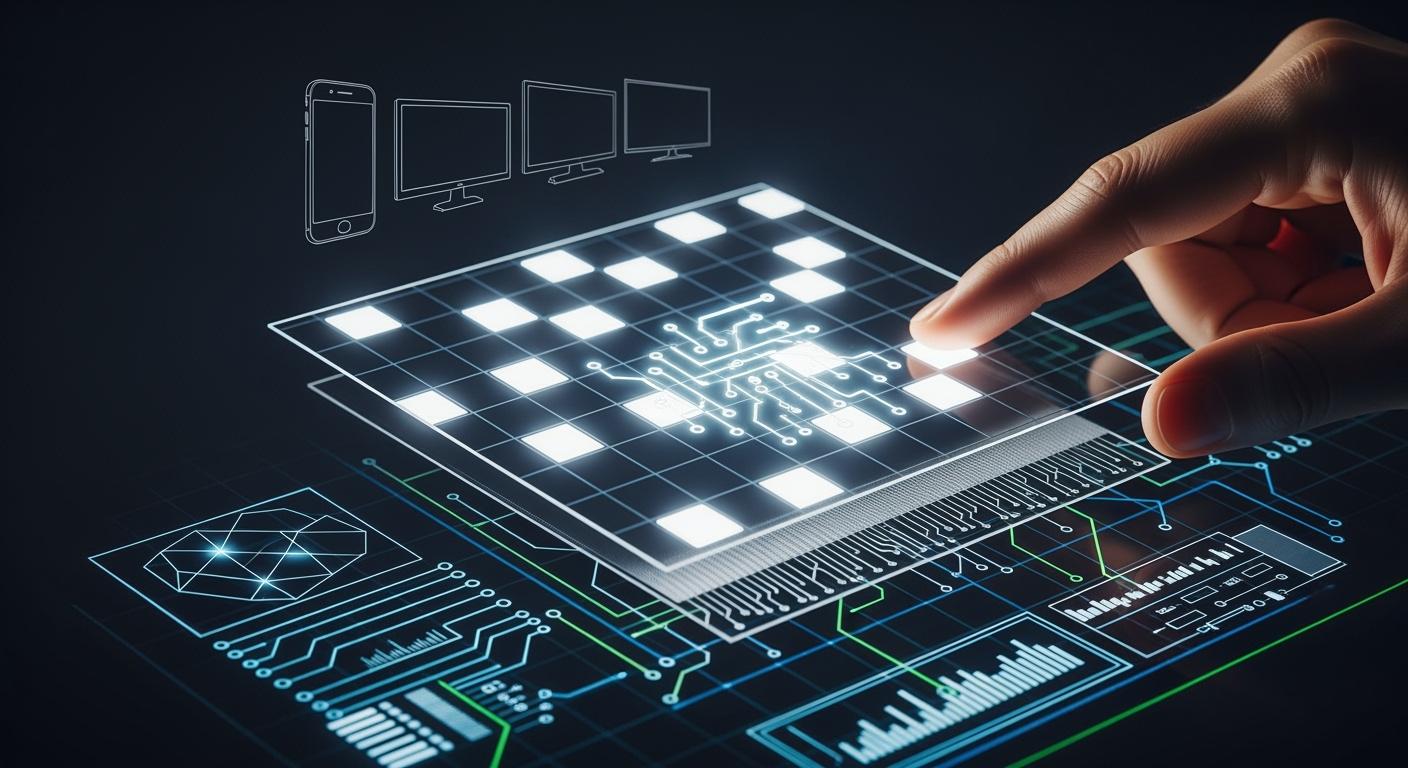
An lcd display screen uses liquid crystals to control light. It shows images by changing how light goes through each pixel. You see clear pictures because the screen adjusts the light. LCD screens are different from other types. They use a backlight, so they are bright and easy to see. You can look at the table below to compare display technologies:
Shenzhen TopAdkiosk Display Technology Co., Ltd.
Add.: 2F, Bldg 10, Changfeng Industrial Park, Dongkeng, Fenghuang, Guangming, Shenzhen, China 518132
Mobile/WHATSAPP: 86-138 25769658
Email: marketing@topadkiosk.com topadkiosk@gmail.com
Skype: pghenry1
Wechat: adkioskhenry
English Web.: http://www.topadkiosk.com/
https://www.topkioskdisplay.com/
http://www.ad-kiosk.com/
https://www.toplcddisplay.com/
http://www.multitouchdigitalsignage.com/
https://www.youtube.com/channel/UCYVYNJHxLVEcQD8fuUxXNTA/videos?view_as=subscriber
https://www.facebook.com/TOPADKIOSKSHENZHEN/?ref=bookmarks
Display Technology | Market Share (%) |
|---|---|
LCD | 55.2 |
OLED | 34.6 |
LCD screens give good color and last a long time. This makes them a top choice for many devices.
Key Takeaways
LCD screens have liquid crystals and a backlight. These help make pictures bright and clear. Each pixel on an LCD screen can be controlled by itself. This lets the screen show sharp and bright colors. LCD screens save energy. They use less power than old screens like CRT. If you clean your LCD screen gently, it will last longer. You should also keep it away from very hot or cold places. LCD screens are in many things. You can see them in phones and outdoor signs. This makes them useful for many daily tasks.
LCD Display Screen Basics
What Is an LCD Display Screen?
You use an lcd display screen almost every day. This screen is flat and uses liquid crystals and polarizers to change light. The screen does not make its own light. It needs a backlight or reflector to show pictures. You see color or black-and-white images because the liquid crystal layer changes how light moves through each pixel. This is why the lcd display is popular for things like smartphones, TVs, and monitors.
Tip: The lcd screen is special because it uses liquid crystals to control light. This gives you bright colors and clear pictures.
Main Components of LCD Screens
An lcd screen has many parts that work together to make images. Each part has a job in the display process. The table below lists the main parts and what they do:
Component | Function |
|---|---|
Glass Substrate | Made of TFT Array Glass and Color Filter Glass. It helps show images and colors. |
Liquid Crystal | Changes shape with electricity to control light and make images. |
Polarizer | Controls which way light goes, making light and dark spots. |
Backlight Unit | Gives the light because the lcd screen cannot make light by itself. |
Touch Glass | Lets you touch the screen to use it, but does not help make images. |
Cover Glass | The top layer is strong glass and may have special coatings. |
Most lcd screens have glass substrate, liquid crystal layer, polarizers, backlight unit, touch glass, and cover glass. The liquid crystal layer sits between two polarized glass panels. The backlight shines through these layers so you can see images.
How LCD Screens Create Images
You see images on an lcd screen because the liquid crystal layer changes light. The screen has three polarized glass panels. When you add electric current, the liquid crystals move. This movement changes how light goes through the screen. Liquid crystals are important for making pixels.
Here is how pixels are made:
Liquid crystals sit between two clear electrodes.
When you add electric current, the liquid crystals move.
This movement changes how light passes through the liquid crystal layer.
By changing the voltage, the screen lets in more or less light to make images.
The screen controls each pixel by itself. You see bright or dark spots because the liquid crystal layer turns the light. If there is no electric field, light goes through the first polarizer, turns 90 degrees, and passes the second polarizer. If you add voltage, the liquid crystals stand up straight and block the light, making a dark spot. This is how an lcd screen makes different colors. The screen mixes red, green, and blue light at each pixel to show many colors.
Some lcd screens use better backlights and panel technology. These new features make the picture sharper and use less energy. You get better contrast and more colors with high dynamic range.
Note: You can pick from different lcd screens like Full HD, Quad HD, and 4K Ultra HD. Each one has special features for picture quality and performance.
You see clear images because the lcd screen controls light at each pixel. The screen uses the liquid crystal layer, polarizers, and electric current to make bright displays. You use lcd screens every day because they last long and work well for many things.
Liquid Crystal Display Technology
Liquid Crystals and Polarizers
You see clear images on an lcd screen because of liquid crystals and polarizers. Liquid crystals are not just liquids or solids. They are both at the same time. Their molecules line up in a neat way. This helps them control light. When you add electricity, the liquid crystal layer changes shape. This lets the screen change how bright or colorful it is.
Here is a table that shows why liquid crystals work well for screens:
Property Type | Description |
|---|---|
State of Matter | Liquid crystals are a special state, acting like liquids and solids. |
Molecular Arrangement | Their molecules line up in order, which helps with light. |
Mechanical Properties | They flow like liquids but can also be thick and bend. |
Optical Properties | They change how light moves and react to electricity, which is important for screens. |
Polarizers are very important for lcd screens. They use special light to help show pictures. Without polarizers, the lcd cannot show any images. Each pixel needs different brightness to make a full picture.
LCD screens need polarized light to work. If there is no polarizer, the screen cannot show images. So, the polarizer is a key part of the lcd.
Pixel Control and Color Mixing
You get sharp images because the lcd screen controls each pixel. Thin-film transistors sit behind every pixel. These transistors let the screen send voltage to each pixel. The active-matrix setup helps the screen pick pixels fast. Row and column lines help choose and turn on pixels when the screen refreshes. This makes the screen work better and faster.
Component | Function |
|---|---|
Thin-Film Transistors (TFTs) | Give each pixel its own control, so voltage is exact. |
Active-Matrix Structure | Lets the screen pick each pixel, making images better and faster. |
Row and Column Lines | Help pick and turn on pixels during refresh, making the screen work well. |
You might wonder how an lcd screen makes colors. The screen uses a color filter process. Each pixel has three subpixels: red, green, and blue. The screen mixes these colors to make many other colors. The color filters are made on glass using a special method. This keeps the colors bright and steady. The screen also avoids problems and stays strong for a long time.
Resolution and Image Quality
Resolution tells you how many pixels are on the lcd screen. More pixels mean sharper and clearer images. Each pixel has three subpixels that help with color and detail. Using the lcd at its best resolution gives you the clearest picture. If you change the resolution, the image can look blurry, especially for words and pictures.
The resolution of an lcd is the number of pixels across and down (like 1024×768).
Each pixel has three subpixels (red, green, blue) that help make the picture look good.
Using the lcd at its best resolution is important for clear and sharp images.
You see clear and bright images because the lcd screen controls the liquid crystal layer, polarizers, and pixels. Different lcd screens have different resolutions and features. You can pick from Full HD, Quad HD, or 4K Ultra HD screens. The screen uses pixels and color mixing to make bright pictures. Liquid crystals and pixel control make lcd screens a great choice for many devices. You use lcd screens every day in phones, TVs, and monitors.
LCD Screen Features and Comparisons
LCD vs CRT and OLED
There are big differences between LCD, CRT, and OLED screens. Each one shows images in its own way. CRT screens use a cathode ray tube to make pictures. LCD screens use liquid crystals between glass layers and need a backlight to work. OLED screens use special organic materials that light up with electricity. This makes OLED screens very thin and bendy.
Technology | |
|---|---|
CRT | Uses a cathode ray tube to show images on the screen. |
LCD | Has liquid crystals between two glass layers and uses a backlight for light. |
OLED | Made of organic materials that glow when electricity is added, so they are thinner and can bend. |
You can see differences in how long these screens last and how good the picture looks. CRT screens can last 15 to 30 years but get dimmer and can have problems from magnets. OLED screens last 8 to 15 years and can get ghost images if used too long. LCD screens show okay colors and have smaller viewing angles. OLED screens show great colors and you can see them from almost any angle. CRT screens also show good colors and have wide viewing angles.
Display Type | Durability (Lifespan) | Image Quality Issues | Burn-in Characteristics |
|---|---|---|---|
CRT | Lasts 15 to 30 years | Gets dimmer over time, can be hurt by magnets | Can get permanent marks if the same image stays too long |
OLED | Lasts 8 to 15 years | Colors can change because blue parts wear out faster | Some pixels wear out unevenly, causing ghost images after a while |
Unique Advantages of LCD
LCD screens have some special good points. They use less power than CRT screens. LCD screens are lighter and thinner, so you can carry them easily and put them in small devices. They keep using little energy even after a long time, which saves power and helps the planet.
LCD screens save energy and use less power than old screens.
LCD screens are light and thin, which is good for portable devices.
LCD screens keep energy use low, which is good for saving power and the environment.
You can find many kinds of lcd screens in phones, laptops, and TVs. There are different types, so you can pick the one you like best.
Common Disadvantages of LCD Screens
LCD screens also have some problems. They cannot make deep blacks or dark grays, so the contrast is not as good. Sometimes the colors and shades of gray are not right, so the picture does not look perfect. You might see bad pixels or spots where the screen is not bright everywhere. LCD screens can be slow to change pictures, so fast action can look blurry. They need a backlight, so brightness and contrast are not as strong.
Hard to show black and dark gray, so contrast is lower.
Problems with color and gray shades, so pictures are not always perfect.
Bad pixels and spots with uneven brightness can happen.
Slow to change pictures, so fast things can look blurry.
The screen has a set resolution, so changing it can make pictures look worse.
You cannot see the screen well from all angles, and colors can change.
LCD screens can break easily. If you press hard or drop them, they can crack. Very hot or cold weather can damage the screen or make it crack by itself. Water can get inside and cause rust or more damage.
Tip: Be gentle with your lcd display screen. Do not press hard or let it get too hot, cold, or wet.
You see lcd screens in lots of devices. Each kind has its own features, but all lcd screens need to be handled carefully so they do not break.
LCD Screen Applications

Everyday Uses of LCD Screens
You see lcd screens in many places every day. You use them in smartphones, TVs, and computer monitors. These screens also show up in cars, buses, and trains. Many public places use lcd screens for digital signs and information boards. You can find lcd screens in hospitals, factories, and even in vending machines.
Here is a table that shows where you might see lcd screens:
Application Type | Context of Use |
|---|---|
Digital Signage | Advertising in buildings, shops, hotels, and outdoor areas |
Interactive Kiosks | Access control, temperature checks, and information stations |
Transportation Displays | Information boards in stations, airports, taxis, and buses |
The automotive industry uses lcd screens for dashboards and entertainment systems. Industrial companies use lcd screens for control panels and machine interfaces. Hospitals use lcd screens for medical monitors. These examples show how lcd screens help you in many parts of life.
Durability and Maintenance
You want your lcd screen to last a long time. Most lcd screens work for 30,000 to 60,000 hours. If you use your screen for about 8 hours each day, it can last 10 to 20 years. You can keep your lcd screen working well by following some simple steps:
Unplug the power cord before you clean the screen.
Use a soft, clean cloth to wipe the lcd screen gently.
Do not spray cleaner directly on the screen.
Keep the lcd away from rain and sunlight.
Make sure air can flow around the screen so it does not get too hot.
Use stable power and do not share outlets with big machines.
Place the lcd screen in a dry, cool spot.
Tip: You can make your lcd screen last longer if you keep it clean and protect it from heat, water, and dust.
Outdoor Performance and Energy Efficiency
You can use lcd screens outside because they are built to handle bright light and weather changes. Outdoor lcd screens have high brightness, so you can see them even in sunlight. They use special glass and coatings to cut down on glare and reflections. Some lcd screens have sensors that change the brightness when the light outside changes. This helps you see the screen clearly at any time.
Outdoor lcd screens are strong. They can resist water, dust, and hot or cold weather. These screens use tough materials and smart systems to keep working in hard conditions. You can trust lcd screens for outdoor signs, bus stops, and public places.
LCD screens also use less energy than old display technology like CRT. Here is a table that shows how much power different types of lcd screens use:
Display Type | Energy Consumption (Watts) |
|---|---|
CRT | 60-150+ |
LCD | 20-40 |
You save energy when you use lcd screens. This helps you lower your electricity bill and protect the environment. You can choose from different types of lcd screens for indoor or outdoor use. Each type gives you clear images and good performance.
You see lcd screens everywhere because they are useful, strong, and save energy. You can pick the right lcd screen for your needs, whether you want a small screen for your phone or a big one for outdoor signs.
You get many benefits when you choose an lcd screen. You see sharp images and bright colors because each pixel works with advanced technology. You save energy since lcd screens use less power and last longer. You find many types of lcd screens, so you can pick what fits your needs. You enjoy a slim, light design that works well for portable devices. You also see less eye strain and smooth refresh rates. These features make lcd screens a smart choice for work, school, and fun.
FAQ
What makes an lcd screen different from other displays?
You see an lcd screen as a flat panel display. It uses liquid crystals and a backlight to show images. This setup gives you bright colors and clear pictures. You get a thinner and lighter screen compared to older types.
How do you clean your lcd screen safely?
You use a soft, dry cloth to wipe the lcd screen gently. Avoid spraying cleaner directly on the screen. Unplug the device before cleaning. This method keeps your screen clear and prevents damage.
Why does your lcd screen sometimes look blurry?
You notice blurry images when the screen does not use its best resolution. If you change the resolution, the pixels may not line up well. Always use the recommended settings for sharp pictures.
Can you use an lcd screen outdoors?
You can use an lcd screen outside. Outdoor screens have high brightness and special coatings. These features help you see the display clearly in sunlight. The screen resists weather and stays strong.
What does refresh rate mean for your lcd screen?
Refresh rate tells you how many times the screen updates each second. A higher refresh rate gives you smoother motion. You see less blur in fast-moving images. This feature improves your viewing experience.
See Also
Exploring LCD Display Screens: Functionality and Operation Explained
Essential Insights on the Pros and Cons of LCD Displays
Weighing the Benefits and Drawbacks of LCD Screens
Comparing LED and LCD Video Walls: Key Differences Explained
