How LCD Display Screens Function and Why They Matter
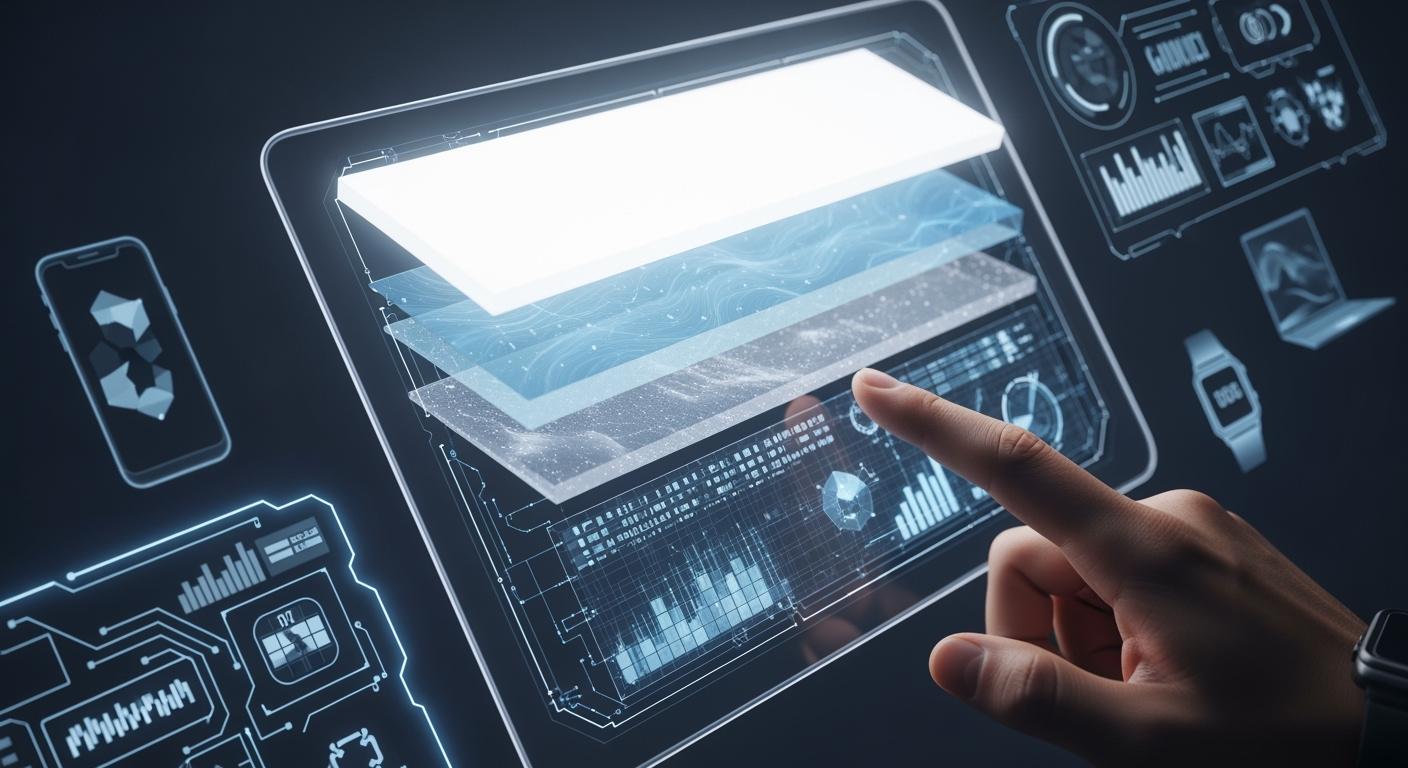
You see an lcd display screen every day, whether you check your smartphone or watch TV. This display technology works by shining light from a backlight through a layer of liquid crystals. When an electric current passes through, these crystals twist and control the light. Color filters split each pixel into red, green, and blue, forming the images you view. Lcd screens use this process to bring sharp, colorful pictures to life in your favorite devices.
Shenzhen TopAdkiosk Display Technology Co., Ltd.
Add.: 2F, Bldg 10, Changfeng Industrial Park, Dongkeng, Fenghuang, Guangming, Shenzhen, China 518132
Mobile/WHATSAPP: 86-138 25769658
Email: marketing@topadkiosk.com topadkiosk@gmail.com
Skype: pghenry1
Wechat: adkioskhenry
English Web.: http://www.topadkiosk.com/
https://www.topkioskdisplay.com/
http://www.ad-kiosk.com/
https://www.toplcddisplay.com/
http://www.multitouchdigitalsignage.com/
https://www.youtube.com/channel/UCYVYNJHxLVEcQD8fuUxXNTA/videos?view_as=subscriber
https://www.facebook.com/TOPADKIOSKSHENZHEN/?ref=bookmarks
Key Takeaways
LCD screens use liquid crystals and backlights to make bright pictures. Knowing this helps you understand how your devices work.
LCD screens are good because they use less energy. They need less power than older screens. This can help you save money on your electric bill.
Taking care of your LCD screen helps it last longer. Cleaning it and changing settings can keep your screen working well.
There are different kinds of LCD screens for different uses. Pick the one that fits what you need, like gaming, work, or just watching videos.
LCD screens have some problems you should know about. Things like bad sunlight visibility and dead pixels can make it hard to see the screen.
What Is an LCD Display Screen?
LCD Display Screen Definition
You use an lcd display screen almost every day, and you might not think about how it works. An lcd, or liquid crystal display, is a device that uses electricity to control light. It uses special liquid crystals and polarizing filters to show pictures. This technology works like a "light valve." It does not make its own light. Instead, it controls light from something else, usually a backlight, to make images you can see. The most common lcd screen today is called Thin-Film Transistor Liquid Crystal Display, or TFT-LCD. This kind of screen shows sharp pictures and changes quickly. You find different lcd screens in many devices, and each one is made for a special reason. Some lcd screens are made for high resolution. Others are made to save energy or give better viewing angles.
Tip: When you look at your phone or TV, you probably use a TFT-LCD. This gives you clear and bright pictures.
Common Uses of LCD Screens
You see lcd screens in many places every day. These screens are in things you use at home, at school, and in public. Here are some of the most common uses:
Televisions
Smart home devices
Lcd screens are also used in bigger places. The table below shows how different lcd screens are used for different things:
Application Type | Description |
|---|---|
Digital Signage | Used for ads in places like buildings, shops, hotels, and airports. |
Self-Service Kiosks | Touchscreen machines that let people shop or get info by themselves. |
Interactive Displays | Includes touch screens and kiosks for fun and learning in many places. |
You can see that lcd screens are important in both personal devices and public technology. Different lcd screens help with different jobs, from small gadgets to big displays.
Liquid Crystal Display Structure
Main Components of LCD
You use lcd screens all the time, but you might not know what parts are inside. Every lcd display screen has many layers and pieces that help make pictures look clear. You can see these parts in the table below:
Component | Description |
|---|---|
Backlight Unit (BLU) | Provides the light source necessary for the display, usually with LEDs. |
Polarizers | Filters that control the light direction, so only correctly oriented light reaches your eyes. |
Glass Substrates | Give structural support and hold the electrodes that control the liquid crystal layer. |
Active-Matrix Array (TFT) | Controls each pixel independently for sharp images. |
Color Filters | Split light into red, green, and blue for color display. |
Liquid Crystal Layer | Changes the direction of light to form images. |
All lcd screens have these main parts. The backlight shines light through the liquid crystal layer. Polarizers help by letting only some light pass. Glass substrates keep everything in place. Thin film transistors (TFTs) let each pixel turn on or off. Color filters show how lcd screens make different colors. The liquid crystal layer is the most important part.
Note: All the main parts of an lcd screen work together. This is how you see pictures on your phone, TV, or computer.
Role of Liquid Crystals and Polarized Panels
Liquid crystals are very important in every lcd. The liquid crystal layer sits between two glass pieces. Transparent electrodes send voltage to the liquid crystal layer. When you turn on your lcd screen, the electrodes tell the liquid crystal molecules what to do. These molecules twist or untwist when they get voltage. This twisting changes how light moves through the polarized panels.
In a twisted nematic device, the molecules make a spiral shape. This spiral turns the light, so the screen looks gray. If you add enough voltage, the molecules untwist. The light does not turn, so the pixel looks black. Liquid crystals and polarized panels help your lcd screen show both bright and dark spots. The liquid crystal layer controls the light for each pixel, so you see clear pictures.
Role of Transparent Electrodes | Description |
|---|---|
Apply Voltage | Controls the liquid crystal layer for each pixel, making images sharp and clear. |
You can see how the main parts of an lcd screen, like the liquid crystal layer and polarized panels, help answer how lcd screens make colors and pixels.
RGB Color Filters and Pixels
You might wonder how lcd screens make so many colors. Each pixel on an lcd screen has three tiny parts: red, green, and blue. Color filters cover these small parts. The liquid crystal layer controls how much light goes through each filter. Thin film transistors (TFTs) control the voltage for every pixel. When you change the voltage, the liquid crystal layer moves. This lets more or less light through each color filter.
Pixels form when the lcd screen mixes the light from the red, green, and blue parts. By changing how bright each part is, the lcd can make millions of colors. The main parts of an lcd screen, like the liquid crystal layer and color filters, make this happen. You see smooth pictures because the lcd controls every pixel on the screen.
Tip: If you look closely at your lcd screen, you can see tiny pixels. Each pixel uses the liquid crystal layer and color filters to show bright and colorful pictures.
Now you know how pixels form in lcd screens. The liquid crystal display uses its main parts to control light and color. The liquid crystal layer, polarized panels, and color filters help your lcd screen show clear images. The liquid crystal layer is the key to how pixels form and how lcd screens make different colors.
How LCD Screens Work
Light Modulation Process
You might wonder, how does an lcd work to show you bright and colorful images? The answer starts with the way lcd screens control light. When you turn on your lcd screen, the backlight in an lcd sends out unpolarized light. This light first passes through a polarizing filter, which only lets light waves in one direction go through.
Inside the lcd, you find liquid crystal molecules arranged in a twisted shape. When no electric current flows, these molecules twist the light by 90 degrees. This twist lets the light pass through the second polarizer, so the pixel looks bright. When you touch your device or watch a video, the display sends a signal to the thin film transistors. These tiny switches apply voltage to the pixel. The electric current makes the liquid crystals line up straight. Now, the light cannot twist, so the second polarizer blocks it. The pixel turns dark.
You can see how the lcd uses electric signals to control each pixel. By changing the voltage, the lcd can make the pixel look bright, dark, or any shade in between. This process lets your lcd screen show clear images and smooth color changes.
Tip: The twisting and untwisting of liquid crystals is what makes lcd screens so good at showing both light and dark areas in photos and videos.
Image Formation in LCDs
The journey from the backlight in an lcd to the image you see happens in several steps. Each layer in the lcd display screen has a special job. Here is how the process works:
The light guide plate spreads the backlight evenly across the whole lcd screen.
Diffuser films smooth out any bright or dark spots, so the light looks even.
The lower polarizer filters the light, making sure it moves in one direction.
The light enters the liquid crystal layer. Here, the orientation of the liquid crystals, controlled by the display’s thin film transistors, decides how much the light will twist.
The light passes through color filters. These filters split the light into red, green, and blue parts for each pixel.
The upper polarizer lets the modulated light through, creating the final image.
You see the image on your lcd screen.
Each pixel in the lcd has three sub-pixels—one red, one green, and one blue. By adjusting the voltage for each sub-pixel, the lcd can mix these colors to create millions of shades. The display uses this method to show everything from simple text to detailed photos.
You control the image on your lcd screen every time you tap, swipe, or watch a video. The display responds instantly by changing the voltage at each pixel. This fast response is why lcd screens work well for games, movies, and everyday tasks.
Note: The layers in an lcd display screen work together to turn simple white light into the colorful images you enjoy.
If you look closely at your lcd, you will see how each pixel lights up or turns off. The lcd uses electric signals, polarizers, and color filters to create sharp and bright pictures. This process explains how lcd screens turn light into images you can see and use every day.
LCD Advantages and Disadvantages
Benefits of LCD Technology
You benefit from lcd screens in many ways. These screens use less power than older display technology, which helps you save energy and money. Most lcd screens use only about 30 watts, while older CRT screens use up to 120 watts. This means you can cut your electric bill by 40% to 85% when you switch to lcd. You also get bright images that last a long time. Many lcd screens keep their brightness for 25,000 to 50,000 hours. Older screens lose half their brightness after just 10,000 hours.
Here is a table that shows how lcd screens compare to CRT screens:
Feature | LCD | CRT |
|---|---|---|
Average Power Usage | 30 watts | 120 watts |
Electric Bill Savings | 40-85% reduction | N/A |
Brightness Longevity | 25,000 to 50,000 hours | Loses 50% after 10,000 hours |
You can find different types of lcd screens in many devices. Some types of lcd screens give you sharper images, while others last longer or use even less energy. You can choose the best lcd display screen for your needs because there are so many options.
Tip: If you want a display that saves energy and gives you clear images, lcd screens are a smart choice.
Limitations of LCD Screens
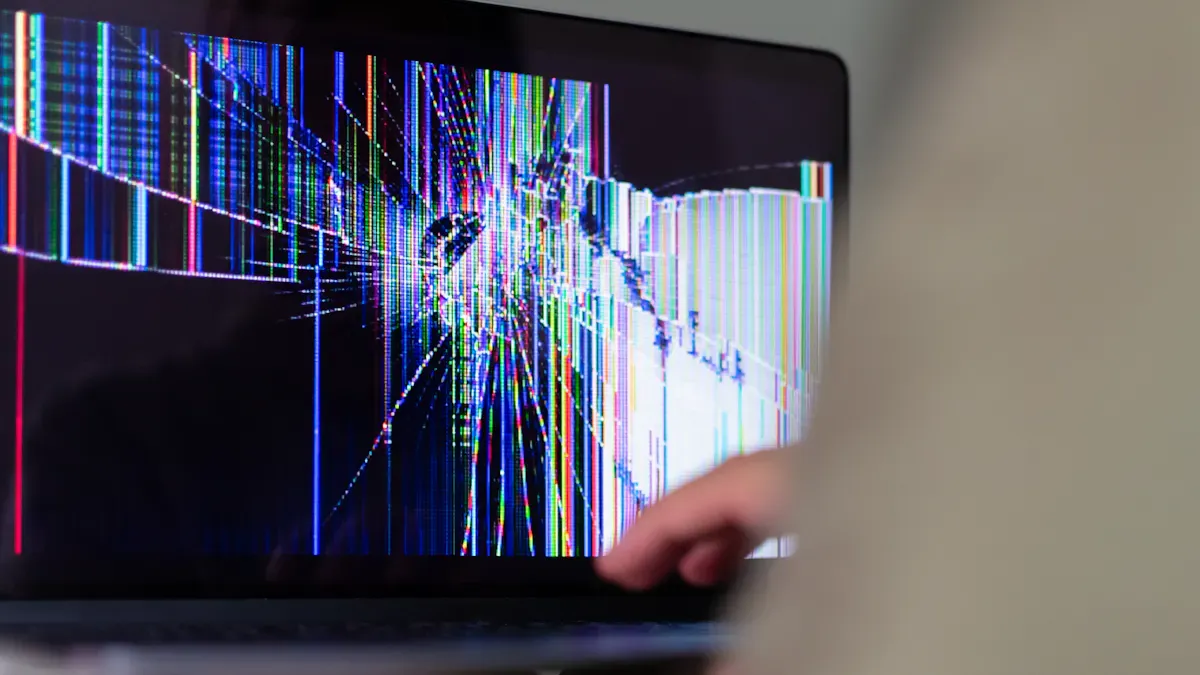
You should also know about the limits of lcd screens. These screens can be hard to read in bright sunlight. You might see flickering, which can distract you or make it hard to read the display. Sometimes, a pixel can get stuck or stop working, which affects the picture. Extreme temperatures can slow down the screen or even cause damage. Lcd screens can break if you drop them or hit them. Over time, the display may show colors or images that are not accurate because of calibration drift.
Here is a table that lists some common problems with lcd screens:
Limitation | Description |
|---|---|
Poor visibility in bright sunlight | |
Screen flickering | Can distract or cause errors |
Dead or stuck pixels | Some pixels may not work right |
Temperature extremes | Cold slows response, heat can cause damage |
Vulnerability to physical damage | Can crack or fail if dropped |
Calibration drift | May show wrong colors or data over time |
You can find different types of lcd screens that try to fix some of these problems. Some types of lcd screens work better outdoors, while others resist damage. You should pick the right lcd for your environment and needs.
LCD vs. Other Display Technologies
LCD vs. LED and OLED
You see many screens every day, but they work differently. LCD screens use liquid crystals and a backlight to show pictures. LED screens use light-emitting diodes, so they look brighter. OLED screens use organic materials that glow when powered. Each pixel in an OLED screen lights up by itself.
You can compare these screens by how well they perform and how much they cost. The table below shows how lcd screens, LED, and OLED are different:
Technology | Brightness (nits) | Contrast Ratio | Color Accuracy | Cost Implication |
|---|---|---|---|---|
LCD | 500 - 700 | Lower | Moderate | Lower upfront cost |
LED | 1,200 - 2,400 | Higher | High | Moderate to high cost |
OLED | Superior | Highest | Very high | Higher upfront cost |
LCD screens give you average brightness and color. LED screens are brighter and show clearer images. OLED screens have the best contrast and color, but they cost more. Some lcd screens are made to improve color and viewing angles. OLED screens still have the best quality.
Note: LCD screens are good if you want to save money. OLED screens are best for high-quality visuals.
Application Suitability
You pick a display based on where you use it. LCD screens work well in TVs, monitors, and smartphones. These screens are used in products that need sharp images and good color. LED screens are great for billboards, stadiums, and big events. They are bright and can be very large. OLED screens are used in high-end phones and TVs. They give excellent contrast and respond quickly.
Here is a simple guide to help you choose:
LCD screens: Good for everyday electronics that need clear pictures and low cost.
LED screens: Best for outdoor displays and big places where brightness is important.
OLED screens: Great for devices that need the best visuals and fast changes.
You also find different lcd screens like TN, IPS, and VA panels. TN panels are fast, so gamers like them. IPS panels show better colors and wide viewing angles. Designers use them for their work. VA panels have strong contrast, which is good for watching movies.
Display Technology | Suitable Applications | Characteristics |
|---|---|---|
LCD | Televisions, monitors, smartphones | Affordable, average image quality, decent color accuracy |
LED | Billboards, stadiums, large events | Very bright, big sizes, clear pictures |
OLED | High-end smartphones, televisions | Great contrast, wide viewing angles, quick response |
LCD screens give you many choices. You can pick the type that fits your needs. Choose based on what you want, your budget, and the features you care about most.
Practical LCD Screen Tips
Durability and Lifespan
You can help your lcd screen last longer by following some simple steps. Here are the best ways to extend the life of your display:
Keep your lcd screen in a place with normal temperature and low humidity.
Lower the brightness and contrast settings to reduce strain on the backlight.
Use sleep mode when you are not using the screen.
Handle your lcd screen with care. Avoid sharp objects and use a screen protector.
Avoid leaving static images on the screen for a long time.
Update your device’s software when updates are available.
Use high-quality cables and power supplies.
Watch for early signs of problems, like flickering or dead pixels.
Choose types of lcd screens from reliable brands.
The average lifespan for an lcd screen in consumer electronics is between 50,000 and 60,000 hours. LED screens can last even longer, up to 100,000 hours.
Display Type | Average Lifespan |
|---|---|
LCD Display | 50,000–60,000 hours |
LED Screen | 80,000–100,000 hours |
Cleaning and Maintenance
You should clean your lcd screen the right way to avoid damage. Try these tips:
Use a soft microfiber cloth to wipe the screen.
Do not use paper towels or tissues. These can scratch the surface.
Never spray liquid directly onto the lcd screen. Spray onto the cloth first.
Tip: Regular cleaning keeps your display clear and helps prevent dust from causing problems.
Energy Efficiency
You can save energy by choosing the right types of lcd screens and using them wisely. The table below shows how lcd screens compare to other display technologies:
Display Technology | Power Consumption | Notes |
|---|---|---|
LCD | Higher than LED | Non-emissive technology, varies by type |
LED | Lower than LCD | More energy-efficient due to backlighting |
OLED | Varies by size | Larger sizes may use more power than LCD |
Electronic Paper | Lowest | Needs ambient light, best for reading devices |
You can lower your energy use by reducing screen brightness and turning off your lcd screen when not in use. Recycling your old lcd screens also helps the environment.
"Traditional recycling is the most environmentally friendly way to dispose of lcd screens. It reduces global warming and acidification compared to other methods."
You use an lcd screen every day because it shows clear pictures. It helps save energy and works for many things. This display is thin, has sharp images, and refreshes quickly. You can see the main benefits in the table below:
Key Features | Description |
|---|---|
Slim Design | Easy to move and set up |
Energy Efficient | |
High Resolution | Sharp images for work and play |
Lcd screens keep getting better with new things like mini-LED and quantum dots. When you pick a display, think about what you need, the size, and the features you want most.
FAQ
What makes an LCD screen different from older displays?
You see sharper images and brighter colors on an lcd screen. Older displays use bulky tubes and need more power. LCD screens use thin layers and less energy, making them lighter and easier to carry.
Can you fix a dead pixel on your LCD screen?
You can try gently massaging the area with a soft cloth. Sometimes, software tools help. If the pixel stays dead, you may need professional repair or replacement.
How do you clean your LCD screen safely?
Use a microfiber cloth. Spray water or screen cleaner onto the cloth, not directly on the screen. Wipe gently. Avoid paper towels and harsh chemicals.
Why does your LCD screen look dim in sunlight?
Sunlight can overpower the backlight in your lcd screen. You see less contrast and color. Move to a shaded area or increase brightness for better visibility.
How long does an LCD screen usually last?
Most lcd screens last between 50,000 and 60,000 hours. You can extend the lifespan by lowering brightness, keeping the screen clean, and avoiding extreme temperatures.
See Also
Understanding LCD Display Screens And Their Functionality
Key Insights Into The Pros And Cons Of LCD Screens
Pros And Cons Of Using LCD Display Screens
