How double sided lcd display digital signage kiosks work
You see a double sided lcd display digital signage kiosk in busy malls or airports. This device features two LCD screens, allowing you to show the same message or different content on each side. Each screen can be controlled independently. Businesses utilize these kiosks to reach a larger audience and share important news. If you are curious about how does double sided lcd display digital signage work, you will discover the answer in the way the screens, content, and technology collaborate seamlessly.
Key Takeaways
Double sided LCD display kiosks help businesses reach more people. They show messages on both sides. These kiosks are flexible. You can show different things on each side. You can also show the same message on both sides at the same time. Remote management lets you update and change content easily. You can do this from anywhere. This makes things more convenient. The kiosks are made with strong materials. They have weather protection. This helps them work well in many places. Interactive features get users involved. This makes visits more fun and helpful. It can also help customers interact more.
What is a double sided lcd display kiosk
Device Overview
A double sided lcd display kiosk helps you share information in busy places. You can find these kiosks in malls, airports, and stores. Each kiosk has two LCD screens, one on each side. This setup lets people see messages from both directions. You can pick from different screen sizes like 43, 55, 65, or 75 inches. The screens are very bright, up to 3,000 nits, so you can see them even in sunlight. People can see the screens from almost any angle, up to 178 degrees.
Here is a quick look at the main features:
Component | Details |
|---|---|
Screen Size | 43″/55″/65″/75″ |
Brightness | 3,000 nits (typical) |
Contrast Ratio | 1,000:1 |
Viewing Angle | 178° × 178° |
Operating Temperature | 0°C ~ 45°C |
Operating Humidity | 10% ~ 80% |
Processor | T972 Quad-core (1.9GHz) |
RAM | 2G |
Memory | 16G EMMC |
Power Supply | AC 100 – 240 V~ (+/- 10 %), 50/60 Hz |
Certifications | CE / ROHS / IP65 |
This device works well in many places. It has a strong processor and enough memory for videos, pictures, and interactive things.
Single vs Double Sided Displays
You may ask how a double sided lcd display is different from a single-sided one. The biggest difference is how many people can see it and from where. A double sided lcd display lets more people see your message. This helps you reach more people and makes your message stronger. You can put different things on each side or show the same thing on both.
Here is a comparison to help you see the differences:
Feature | Double-Sided LCD Display Kiosk | Single-Sided Display Kiosk |
|---|---|---|
Visibility | Seen from multiple angles, increasing reach | Limited to one viewing angle |
Brightness | Ultra-high brightness for outdoor use | Standard brightness, less effective outdoors |
Content Versatility | Different content for inside and outside | Limited to one type of content |
Space Efficiency | Sleek design fits window areas | Takes up more space |
Interaction | Engages passersby and customers inside | Only engages customers in front |
Tip: If you want to use your advertising space better, a double sided lcd display kiosk gives you more ways to show your message than a single-sided display.
Core components and technology
Dual LCD Panels
The main part of a double sided lcd display digital signage kiosk is its two LCD panels. Each panel uses IPS technology. This makes colors bright and images clear from every angle. The screens are available in sizes like 43 or 55 inches. They are very thin, only 1.98 cm thick. You can show the same thing on both sides or different messages at once. These panels are made for use all day and night. Your information stays visible all the time. Many businesses hang these displays from the ceiling or stand them up vertically. This helps people see them easily in busy places like malls or airports.
Specification | Details |
|---|---|
Screen Size | 43" / 55" |
Native Resolution | 3,840 × 2,160 (UHD) |
Brightness | 300 nits (Typ.) |
Viewing Angle (H × V) | 178° × 178° |
Operation Hours (per day) | 24 / 7 |
Note: You can hang these displays in windows or stand them on the floor. Pick what works best for your space and needs.
Media Player and Controller
The media player and controller are like the brain of the double sided lcd display. This small computer keeps your content and plays it. It works with text, pictures, audio, and video. You can show the same message on both screens or different ads on each side. You can manage your content from far away. This means you can update your screens from anywhere. You can also set times for your content to change. This helps you reach your audience better.
Feature | Description |
|---|---|
Synchronous Display | Show the same content on both sides |
Different Content | Show unique content on each side |
Remote Management | Update and control content from a distance |
Supported Formats | Text, picture, audio, video |
Marketing Flexibility | Switch ads for precise targeting |
Enclosure and Connectivity
The enclosure keeps your double sided lcd display safe from harm. Most kiosks use tempered glass and mild steel to stay strong. You can bolt the kiosk to the ground so it does not move. The system connects to the internet with WiFi, LAN, or 4G. You can also use USB drives to add content. Some models let you control the display with a remote or through a server. These features make the kiosk easy to use and reliable in busy places.
Feature | Details |
|---|---|
Material | Tempered glass, mild steel |
Connectivity | WiFi, LAN, USB, 4G option |
Security | Bolted to ground |
Remote Control | Yes |
ou can hang the display from the ceiling or stand it up on the floor. Both ways help you reach more people and make your messages easy to see.
Content management and display
Independent and Synchronized Content
Each side of a double sided lcd display can be controlled alone. You can put the same message on both screens or show something different on each side. For example, you might welcome people coming in and show a sale to people leaving. If you want, both sides can play the same video or announcement. This lets you talk to different groups at once. You get to pick what is best for your store or area.
Content Types and Playback
You can show many things on your double sided lcd display. These kiosks let you use lots of content types. This keeps your messages new and interesting. Here are some things you can show:
Videos and pictures
Text messages and moving subtitles
Audio clips or music
Live info like time and weather
You can use split-screen to show more than one thing at a time. For example, you can play a video and show news or weather too. The system lets you set times for your content to play. You can plan your ads and news ahead of time.
Feature | Description |
|---|---|
Versatile Content Management | You can manage, update, and schedule content. You can also change layouts and show moving content. |
Scheduling Content | You can pick what shows at certain times or on certain days. |
This control helps you send the right message to the right people at the right time.
Remote Management
You do not have to be near your kiosk to update it. You can control your double sided lcd display from anywhere with remote tools. These tools let you check if your kiosks are working, set alerts, and run reports. You can also change your content fast and easy.
Feature | Description |
|---|---|
Health Monitoring | You can check if kiosks are working from far away. |
Custom Alerts | You can set alerts for special things you want to know. |
Diagnostic Reports | You can run reports from anywhere. |
There are many ways to update your content. Some systems use software for scheduling. Others give you full help with content or support. You can connect your kiosk to the internet with LAN, Wi-Fi, or 4G. Cloud-based systems make updates quick and simple, often with just a few clicks.
Method | Description |
|---|---|
Content Scheduling Software | Lets you update messages and media by yourself. |
Full Content Services Packages | Gives you help from a team to make, check, and send content. |
Managed Services Group | Gives you help with updates and support for your kiosk. |
Connectivity Option | Description |
|---|---|
LAN | Lets you update using a local network. |
Wi-Fi | Lets you update over wireless internet. |
4G | Lets you update from almost anywhere. |
Feature | Benefit |
|---|---|
Cloud-Based CMS | Makes updates easy and fast, saving time and work. |
You can even change ads from anywhere with cloud updates. This makes it simple to keep your double sided lcd display up to date, no matter where you are.
Operation and durability
Power and Cooling
You want your double sided lcd display to work all day without problems. These kiosks use built-in power supplies that handle different voltages. You can see the typical power needs in the table below:
Display Size | Max Power Consumption (W) | Power Supply | Power Type |
|---|---|---|---|
43" | 165 | AC 100 – 240 V~ (+/- 10 %), 50/60 Hz | Built-In Power |
55" | 170 | AC 100 – 240 V~ (+/- 10 %), 50/60 Hz | Built-In Power |
Smart Sleep | < 0.5 | N/A | N/A |
Off Mode | < 0.5 | N/A | N/A |
You do not need to worry about overheating. Each kiosk uses a super cooling system with fans and sensors. This system keeps the screens at the right temperature, even if it gets very hot or cold outside. The kiosk can work between -20℃ and 50℃. It also adjusts brightness to save energy and keep the display clear. Some models have heaters inside to keep working in cold weather. You get reliable performance in all seasons.
Tip: Automatic temperature and humidity control helps your kiosk run smoothly, even in tough environments.
Protection and Longevity
You want your investment to last for years. Each double sided lcd display comes with strong protection features:
Lamination glass shields the screens from dust, rain, and wind.
A 99.8% UV filter blocks harmful sunlight and stops fading.
Enhanced weather protection keeps the kiosk safe in extreme temperatures.
IK10 impact resistance means the display can handle strong bumps or hits.
Shatter retention holds glass pieces together if the screen breaks.
The inner layer protects important parts inside, even if the outside gets damaged.
You can trust these kiosks to last a long time. The LED backlight works for up to 100,000 hours, following the L70 standard. Most kiosks keep running for about 10 years with over 99% uptime. You get a display that stays bright and clear for many years.
Note: These features help your kiosk stay safe, reliable, and ready to share your message every day.
User interaction and business benefits
Touch and Interactive Features
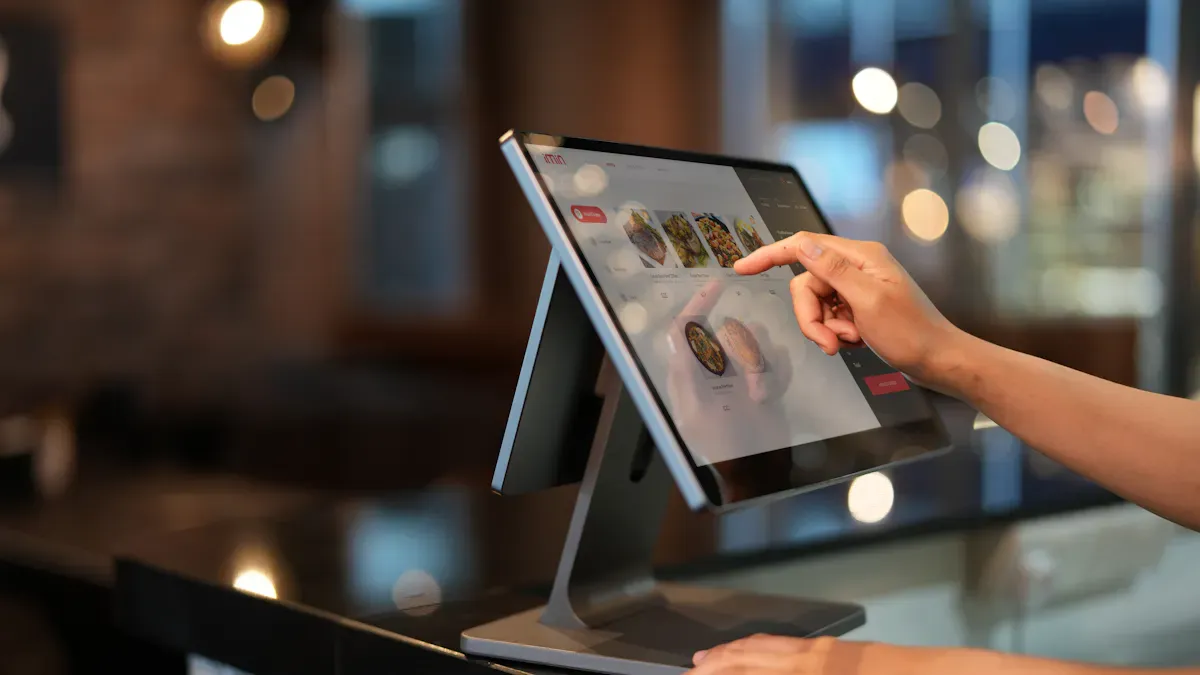
You can do more than just look at a double sided lcd display. Many kiosks have big touch screens on both sides. These screens let you use the display right away. You can pick products, watch videos, or get info with a tap. Some kiosks let you buy things online or print tickets. Others use biometric scanning for safe access. More than one person can use the kiosk at the same time. People on both sides do not have to wait. The design is very thin, so it saves space. The bright screens make it easy to see in any place.
Interactive features help you connect with what you see. You might touch a product on the screen to learn more. Some kiosks show QR codes for special deals. Others give you tips based on what you pick. These choices make your visit more fun and helpful.
Interactive digital signage lets you use the content. This makes your visit more fun and easy to remember.
Applications and Advantages
You can find double sided lcd display kiosks in busy places. Stores, malls, airports, and hotels use them to reach people from both sides. This way, your message gets seen by more people. You can show different things on each side. For example, you can welcome people coming in and show sales to people leaving.
Here are some ways people use these kiosks:
Show ads for new items or sales
Share news or give directions
Let people buy tickets or check in by themselves
Give fun things to watch or news to read
These kiosks help businesses in many ways. They get more people to look and join in. You can change what is on the screen fast, so news is always fresh. Stores see more people stop and look, more sign-ups for rewards, and even save energy.
Feature | Benefit |
|---|---|
Double-sided display | Gets attention from both sides |
Interactive content | Lets customers use cool features |
Independent operation | Shows different things on each side for a better experience |
Evidence Type | Metric/Result |
|---|---|
Retail Success Case | |
Stop-and-Stare Benchmark | 45% more people stop and look |
Energy Efficiency Proof | 3,500 kWh saved each year per unit |
You can see how these kiosks help your business stand out. They help you reach more people every day.
Now you know how a double sided lcd display digital signage kiosk works. Here are some top reasons to use this technology:
People can see your messages from both sides.
You save space because two screens are in one kiosk.
You can pick what shows on each side for better ads.
You can change messages from far away, which is easy.
The kiosk is strong and works all day, every day.
If you want your business to get noticed in busy places, this digital signage is a great choice.
FAQ
How do you control what shows on each side of the kiosk?
You use a media player or content management system. This lets you pick the same or different content for each screen. You can update messages from your computer or phone.
Can you update the kiosk content remotely?
Yes, you can. Most kiosks connect to the internet with Wi-Fi, LAN, or 4G. You log in to a cloud-based system and change the content from anywhere.
What types of content can you display?
You can show videos, images, text, live news, weather, or even interactive menus. Some kiosks let you split the screen to show more than one thing at once.
Are double sided kiosks good for outdoor use?
Many double sided kiosks work well outdoors. They have bright screens, weather protection, and strong glass. You can use them in sunlight, rain, or busy public spaces.
Do these kiosks support touch and interactive features?
Yes! Many models have touch screens. You can tap, swipe, or use on-screen menus. Some kiosks let you buy tickets, check in, or get more information with just a touch.
See Also
Top LCD Kiosks For Retail Spaces In 2026
LCD Kiosks With Touch Screen Features Available In 2026
Best Places To Purchase Sturdy LCD Kiosks For Malls
