Enterprise Digital Signage Software That Stands Out
Shenzhen TopAdkiosk Display Technology Co., Ltd.
Add.: 2F, Bldg 10, Changfeng Industrial Park, Dongkeng, Fenghuang, Guangming, Shenzhen, China 518132
Mobile/WHATSAPP: 86-138 25769658
Email: marketing@topadkiosk.com topadkiosk@gmail.com
Skype: pghenry1
Wechat: adkioskhenry
English Web.: http://www.topadkiosk.com/
https://www.topkioskdisplay.com/
http://www.ad-kiosk.com/
https://www.toplcddisplay.com/
http://www.multitouchdigitalsignage.com/
https://www.youtube.com/channel/UCYVYNJHxLVEcQD8fuUxXNTA/videos?view_as=subscriber
https://www.facebook.com/TOPADKIOSKSHENZHEN/?ref=bookmarks
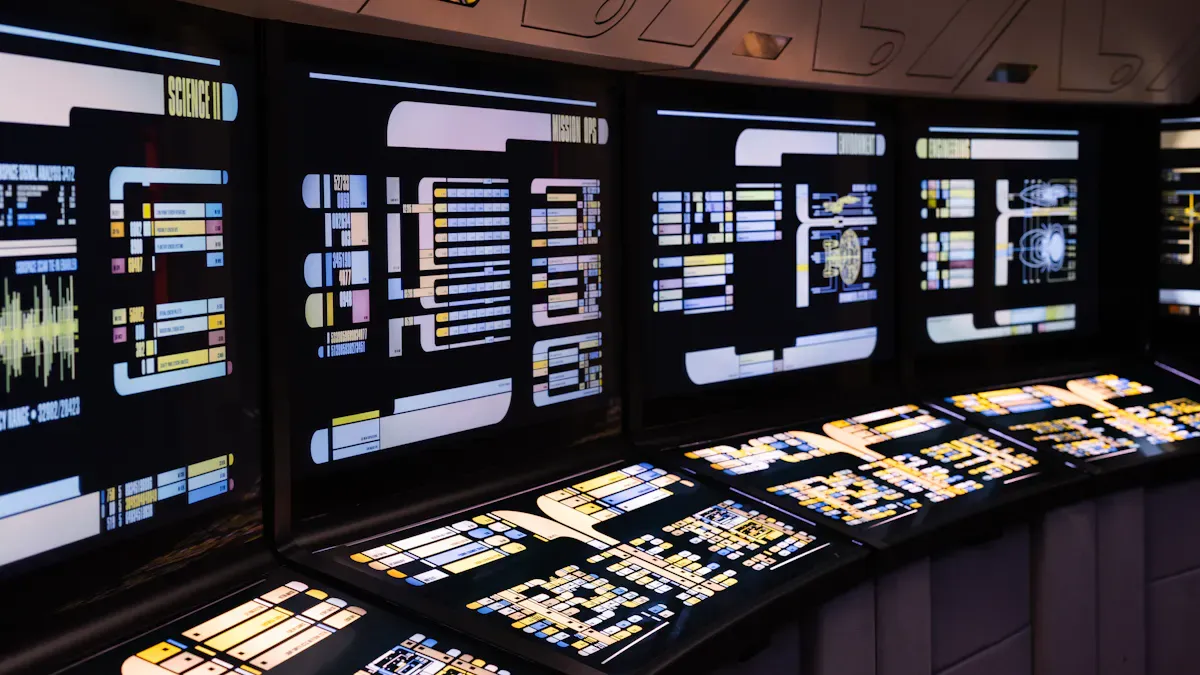
You see top-rated digital signage software like ScreenCloud, Rise Vision, Yodeck, Bizplay, Appspace, TelemetryTV, NoviSign, Viewneo, and OnSign TV leading the market. These digital signage platforms help you grow your network. They let you manage content easily. You also get strong support. When you pick the right enterprise digital signage solution, you make communication better. You also help your branding. Many companies use digital displays to share content. They improve employee feedback. They save money by not printing things. You also make workflows easier. You help everyone understand your mission by sharing content fast and clearly.
Key Takeaways
Pick the best digital signage software to help your business talk to people and show your brand. Digital signage can get people’s attention up to 400% more than old signs. This makes it a strong tool for marketing. Find software that lets you manage content easily and update it right away. This helps your audience stay up to date. Think about how the software can grow and work with other tools as your business gets bigger. Make sure there is good support and training so your team can use the digital signage tools well.
What Is Enterprise Digital Signage?

Definition and Core Functions
Enterprise digital signage lets you share content in many places. This system helps you keep your brand message the same everywhere. You can control and update content from one spot. The table below explains what it does and its main jobs:
Definition of Enterprise Digital Signage | Core Functions |
|---|---|
Gives you control, helps you grow, and keeps your brand message the same in all locations | Helps with talking to staff, makes meetings easier, and helps work go faster |
Digital signage software lets you show pictures, ads, branding, or important data. You can change what is on the screen from far away. You can also make it special for different groups. Most digital signage platforms have these main parts:
Commercial-grade displays
Media players
Content management systems
You can plan when content shows up. You can change it right away if you need to. This makes sure the right people see the right message. Content management helps you sort, save, and share content easily. You do not need to be a tech expert to use these tools.
Why It Matters for Businesses
You want your business to be noticed. Enterprise digital signage helps you do this. Digital signage software gets more people to look at your screens than regular signs. You can get up to 400% more attention from people. Content on screens helps customers have a better experience. Studies say 83% of people remember digital information better.
You also save money. You do not have to print new posters or flyers every time you want to change something. Real-time updates help you share news, thank workers, and keep everyone up to date. The table below shows the main business benefits:
Benefit | Evidence |
|---|---|
More Engagement | Digital signage gets 400% more views than regular signs. |
Better Customer Experience | 83% of people remember digital information, so customers are happier. |
Saves Money | You spend less money than with old marketing ways. |
Better Internal Communication | You can share news and thank workers right away. |
You can use digital signage software to help people talk, make work easier, and support your brand. When you use content management tools, your message is clear and everyone who needs it will see it.
Top-Rated Digital Signage Software for Enterprises
ScreenCloud
ScreenCloud is a strong digital signage software for big companies. You can connect over 60 apps and data sources. These include Google Slides, YouTube, and Twitter. The Canvas tool lets you make content without other software. You can stream content from web pages and other media. The platform uses a GraphQL API. This lets you build custom features and integrations.
Feature | Description |
|---|---|
Over 60 Integrations | Works with Google Slides, YouTube, Twitter, and more. |
GraphQL API | Lets you make custom features and integrations. |
Built-in Design Tool | Make content in one place with Canvas. |
Content Streaming | Stream web content and other media formats. |
ScreenCloud is best for big companies, offices, and retail chains. You can use it in stores, hotels, schools, and hospitals. This software helps you manage content in many places. It keeps your brand message strong.
Rise Vision
Rise Vision is known for its size and support. You can use it in any company, big or small. It combines digital signage, screen sharing, and emergency alerts. You get over 600 templates to make content fast. The support team helps you fix problems quickly.
Feature | Rise Vision | Other Platforms |
|---|---|---|
Scalability | Works for all sizes, with flexible hardware. | Depends on the provider |
Integrations | Combines signage, screen sharing, and alerts in one. | Often needs more than one solution |
User Support | Support quality changes |
You can use Rise Vision in schools, offices, and public places. It helps you share updates and keep everyone informed.
Yodeck
Yodeck makes digital signage simple for everyone. You can use the drag-and-drop editor to make layouts. The platform lets you make content fast, even without tech skills. Each Yodeck player is ready to use. You can set up new screens quickly. Yodeck is easy to use and manage. It is a top choice for fast setup.
Feature | Description |
|---|---|
Drag-and-Drop Editor | Make and change layouts easily. |
Rapid Content Creation | Make content fast, no tech skills needed. |
Preloaded Yodeck Player | Ready to use right away. |
Leader in Usability | Easy to use and manage content. |
Yodeck works well in stores, schools, and offices. You can use it to get people interested and manage content on many screens.
Bizplay
Bizplay helps you manage content on many screens at once. You do not need to be a tech expert to use it. Anyone can update content fast, no matter how many screens you have. Bizplay supports ads, news, and interactive features. This makes it good for big companies with many locations.
Update content fast, even with a big network.
Use different content types for lively communication.
You can use Bizplay in offices, stores, and public places. It helps you keep your message fresh and your audience interested.
Appspace
Appspace gives you a full digital signage software for big companies. You can connect it with Microsoft Teams, Office 365, Slack, and Cisco Webex. This makes communication smooth. Appspace also helps with room booking and employee apps. It works best for big companies that need many features. You may need someone to manage it because it is complex.
Connects with top workplace tools for easy communication.
Offers solutions for room booking and employee engagement.
Made for big companies with advanced needs.
Appspace fits companies that want a cloud-based solution with many options. You can use it to manage content, meetings, and employee information.
TelemetryTV
TelemetryTV gives you strong content management and scheduling tools. You can make content with a built-in visual editor. The platform lets you set schedules and expiration dates for your content. You can control ad campaigns on many screens and track how well they work.
Strengths of TelemetryTV | Description |
|---|---|
Content Creation | Make fun content with many formats and tools. |
Scheduling Flexibility | Set schedules and manage content expiration. |
Centralized Management | Control campaigns and track performance live. |
TelemetryTV works well for companies that need to manage lots of content and want to measure engagement. You can use it in stores, schools, and offices.
NoviSign
NoviSign focuses on security and stability. The platform has SOC 2 Type II certification, so your content stays safe. It offers strong security and keeps your screens running without crashes or blackouts.
Feature | Description |
|---|---|
SOC 2 Type II Certification | Keeps your digital signage platform safe and stable. |
Enterprise-level Security | Stops black screens and system crashes. |
You can use NoviSign in hospitals, banks, and other places that need strong security. It helps you deliver content safely and reliably.
Viewneo
Viewneo gives you tools for easy content management and user experience. You can make content in one place and send it to all your locations. The platform lets you set up sub-accounts for each store. This way, you can run local marketing campaigns. You can also change the software to match your brand. Viewneo offers premium support by email and phone.
Feature | Description |
|---|---|
Centralized Management | Make content once and share it everywhere. |
Sub Account Creation | Give each store its own account for local campaigns. |
White Label Solution | Change the software for your brand. |
Premium Support | Get help by email or phone. |
Viewneo works well for franchises and businesses with many locations. You can keep your brand message clear and support your teams.
OnSign TV
OnSign TV offers affordable digital signage software with many features. You can use the built-in content editor and free templates to make content. The platform works with Google Drive and royalty-free media. You can add unlimited users without extra cost. OnSign TV supports many media players and operating systems.
Feature | Description |
|---|---|
Pricing | Plans start at $19.99 per month per player, with discounts for more screens. |
Support | Tutorials and ticket system for help. |
Content Development | Built-in editor, free templates, and Google Drive support. |
Compatibility | Works with many media players and systems. |
Team Functionality | Add unlimited users at no extra cost. |
OnSign TV fits businesses that want flexible content delivery and easy team management. You can use it in stores, schools, and offices.
Tip: When you pick digital signage software, look for features that fit your needs. Think about content management, integration, security, and support. The right tools help you get more customers and keep your message clear.
Key Features of Digital Signage Software

Scalability and Network Management
You want software that grows with your business. Scalability lets you add more screens as you need. Centralized management means you control all displays from one spot. You can manage screens in many places without extra hardware. This saves money and makes things flexible. Hardware independence lets you use different devices. You can change as your needs change. Centralized control helps you update content from far away. It keeps your network working well.
Feature | Description |
|---|---|
Scalability | Grow your system as your business gets bigger. |
Centralized Management | Manage all screens from one place. |
Hardware Independence | Use many devices for easy scaling. |
Content Management and Scheduling
A good content management system helps you make and plan content. You can update screens often to keep them interesting. Cloud-based tools let you set schedules and control many screens from one dashboard. This saves time and keeps your message the same everywhere. You do not have to go to each place to make changes. Content tools also let you use multi-zone layouts. You can show different things on different parts of the screen.
Make and plan content easily.
Set updates to happen by themselves.
Use multi-zone layouts for fun content.
Integration Capabilities
You want your digital signage to work with other systems. Integration lets you connect with hardware, cloud services, and APIs. This helps you send content smoothly and update it fast. You can show live data from many places at the right time. API integration lets you change content and show dynamic things.
Connect with hardware like Samsung, LG, and BrightSign.
Use APIs to share data easily.
Show live data to get people interested.
Security and Compliance
Security keeps your content and data safe. Good software uses strong encryption and updates often. Many follow rules like ISO 27001 for security and ISO 9001 for quality. These rules help protect important information and keep things running well. Security is very important for places like hospitals and banks.
Encryption keeps your content safe.
Updates protect your system.
Following ISO rules keeps everything secure.
User Experience and Support
A good user experience makes managing digital signage simple. Interactive features let people touch screens and watch videos. Centralized management helps you update screens fast. Analytics show what content people like best. Providers give remote help, account managers, and quick support. This keeps your screens working and your team happy.
Feature | Benefit |
|---|---|
Interactivity | Gets people interested and helps them remember |
Analytics | Shows which content works best |
Fast Support | Fixes problems quickly |
Tip: Pick enterprise digital signage software with strong content tools, easy integration, and good support. This helps you show the right content and keep people interested.
Comparing Enterprise Digital Signage Solutions
Best for Large Organizations
Big companies need digital signage software that works for many screens. AIScreen, Scala, TelemetryTV, and ScreenCloud are top choices. AIScreen uses strong security and smart scheduling with AI. Scala lets you use advanced scripts and custom tools. TelemetryTV helps you manage everything from one place and keeps data safe. ScreenCloud lets you share content fast and works with many devices. These platforms help you show the same message everywhere. You can see what each one does best in the table below:
Solution | Core Strengths | Ideal User Profile |
|---|---|---|
AIScreen | Robust API, SOC2 security, AI scheduling | Global retail, finance, manufacturing |
Scala | Advanced scripting, custom engineering | Advertising, transportation, government |
TelemetryTV | High security, centralized management | Healthcare, finance, corporate campuses |
ScreenCloud | Intuitive UX, hardware flexibility, rapid deployment | Retail, franchises, hospitality |
Best for Multi-location Management
It is hard to manage content in many places at once. Bizplay, BrightSign, Xibo Signage, and Yodeck make this job easier. Bizplay has a main dashboard and works in many languages. BrightSign lets you control screens from far away and add more as you grow. Xibo Signage lets you pick where to host and works with many players. Yodeck has an easy editor and support all day and night. These tools help you keep your message the same everywhere and get people interested.
Platform | Key Features | Industries Supported |
|---|---|---|
Bizplay | Cloud-based, central dashboard, scalable | Corporate, logistics, healthcare |
BrightSign | Remote management, secure OS, scalable | Retail, transportation, museums |
Xibo Signage | Open-source CMS, flexible hosting | All sizes and industries |
Yodeck | Intuitive editor, affordable, scalable | Manufacturing, retail, education |
Best for Customization
You want your screens to look like your brand and fit your needs. Top platforms let you make custom layouts, use live data, and create content with AI. Custom layouts use drag-and-drop tools for special screens. Data-triggered content changes by itself and shows live info. AI-powered templates help you make content fast and keep it looking the same. Integration lets you connect with other systems you already use. These features give you more choices and help you change things quickly.
Feature | Description | Impact on Flexibility |
|---|---|---|
Custom Layout Designs | Drag-and-drop widgets for unique screens | Tailored displays for your brand |
Data-Triggered Content | Real-time updates and live visualizations | Automatic content changes |
AI-Powered Templates | Quick deployment and consistent branding | Rapid adjustments across displays |
Integration Capabilities | APIs and developer tools for system connection | Adaptation to business workflows |
Tip: Customization helps you get more people interested. You can use live data to keep your content new and useful.
Best for Ease of Use
You want software that is easy to set up and use. Yodeck, Bizplay, and NoviSign are made for simple use and fast content making. Yodeck has a drag-and-drop editor and ready-to-use players. Bizplay lets anyone update screens fast, even with lots of screens. NoviSign lets you design without code and add interactive parts. These platforms help you show content without needing tech skills and keep everything working well.
Note: Easy software saves time and means less training. You can spend more time on content and less on fixing problems.
How to Choose Enterprise Digital Signage Software
Assessing Business Needs
First, figure out what you want your screens to do. Set goals for your digital signage software. Do you want more people to pay attention? Maybe you want to share news or make your brand stronger. Make a list of the content you will show. This could be videos, live data, or announcements. Think about who will see your screens and what they like. Walk around your locations and find busy spots for your displays. Decide who will make and manage your content. Choose staff and plan how you will handle content.
Tip: Write your goals and content ideas before you look at software.
Evaluating Scalability
Pick software that can grow as your business gets bigger. Good digital signage lets you add screens without slowing down. Look for tools that let you control all screens from one place. Make sure the system lets you set roles and watch screens from far away. Cloud-based solutions help you add screens and manage content in many places.
Aspect | Description |
|---|---|
Centralized content management | |
Role-based permissions | Give teams the right access for content and settings. |
Remote monitoring | Check network health and fix problems fast. |
Scalable architecture | Add screens without needing new hardware. |
Integration with Existing Systems
Choose software that works with your current IT setup. Check if it supports your devices and operating systems. Look for APIs or apps that make connections easy. Central control helps you manage user roles and publishing rights. Remote management lets you update content and check screens from anywhere. When your software fits with your other tools, communication is smooth and people pay more attention.
Support and Training
Good support and training are important. Top vendors give custom training, ongoing help, and expert advice before you start. This support helps your team feel ready and makes fewer mistakes. Training made for your needs helps everyone use the software better.
Description | Impact on User Adoption | |
|---|---|---|
Personalized Training | Custom sessions for your team. | Builds confidence and skills. |
Ongoing Support | Help after setup. | Fewer errors and faster fixes. |
Pre-Implementation Guidance | Advice before rollout. | Sets up for success. |
Budget Considerations
Plan your budget so you know what to expect. Think about costs for licenses, hardware, and maintenance. Cloud-based software usually costs $10 to $30 per screen each month. Hardware can cost a lot, including displays and installation. Remember to add costs for managing content, electricity, and upgrades. Some projects work best with fixed prices, while others need flexible contracts.
Note: Always check for hidden costs like bandwidth or extra support. These can add up over time.
You have many strong enterprise digital signage options. Each platform helps you manage content in a way that fits your needs. You can boost your brand by sharing content that matches your goals. Make sure you choose software that supports your content strategy. Try a demo or start a trial to see how the content tools work for you. Ask vendors questions about content support and training. Good content makes your message clear and helps your team succeed.
Tip: Test content features before you decide. The right content tools make a big difference.
🤔 What Defines an Enterprise-Grade Solution?
A truly enterprise-grade solution is defined by several non-negotiable features:
Enterprise-Grade Security: Core security measures should include end-to-end encryption for data transmission and storage, advanced access controls like Single Sign-On (SSO), role-based permissions, and audit logs for compliance. The operating system should also support secure boot and run on a read-only file system to prevent malware. Additionally, vendors should provide proof of compliance with standards like SOC2, ISO 27001, or industry-specific regulations (e.g., HIPAA for healthcare, GDPR for data privacy).
True Scalability: The platform must support large-scale deployments via cloud-native architecture and multi-tenant capabilities, allowing IT teams to manage thousands of screens from a single dashboard. It should also be hardware-agnostic, offering flexibility to add devices as needed without being locked into proprietary systems.
Deep Integration Ecosystem: The best solutions integrate seamlessly with your existing IT environment, including Identity Providers (Okta, Active Directory) for SSO, core workplace apps like Microsoft Teams, Slack, Power BI, and IoT platforms for real-time data display.
Reliability & Support: Enterprise projects require clear SLAs that guarantee uptime and response times, 24/7 expert support, and proactive monitoring. A provider's financial stability and established market presence are also critical for a long-term partnership.
📊 2026 Enterprise Digital Signage Leaders
To help you compare, here's a detailed breakdown of the top contenders for 2026.
Platform | Primary Focus | Key Enterprise Features |
|---|---|---|
Scala | Secure, scalable content management | Security: Credential encryption, access controls, SOC2 Type 2 certification |
Appspace | Workplace experience platform | Security: SSO with IDPs, permission sets, audit logs |
Amino | Unified signage & video platform | Security: Operates on secure, isolated networks, zero-touch deployment |
Mvix | Secure government & enterprise | Security: Power BI GCC High integration for government |
CrownTV | Full-service + hardware | Security: Cloud CMS with access controls |
ScreenCloud | Multi-location corporate | Security: Integrates with major IDPs, enterprise-grade infrastructure |
Beyond the software, hardware choices are crucial. Leading options include Samsung's cloud-based VXT platform for managing its own commercial displays, Philips' powerful and intelligent Signage 5000 Series, and BrightSign's dedicated media players renowned for reliability.
🧐 How to Evaluate and Choose Your Provider
Assess Your Needs: Map your requirements against the table above. If your priority is a comprehensive workplace management hub, Appspace is a strong contender. If security and compliance are paramount, especially for government, evaluate providers like Scala or Mvix. If you require a hardware-agnostic, full-service provider, platforms like CrownTV or ScreenCloud are good starting points.
Request a Proof of Concept (POC): To verify security, integration, and remote management claims, run a pilot with 5-10 screens over 4-6 weeks to test real-world performance.
Scrutinize the Security & Support Documentation: Request details on the provider's security compliance and support SLAs, specifically reviewing uptime guarantees and evidence of audits.
Calculate Total Cost of Ownership (TCO): Go beyond per-screen software fees (8−8−20/month) to include hardware, installation (150−150−300/screen), and potential professional services.
🔮 2026 Trends to Watch
AI Integration: Leveraging AI for automated content generation, personalization, and operational efficiency is a major trend in 2026.
Microsoft MDEP Impact: Microsoft's Device Ecosystem Platform (MDEP) brings enterprise-grade security and manageability to signage endpoints, which is expected to have a significant impact.
Market Consolidation: The landscape is maturing through mergers and acquisitions, so choosing a stable, well-capitalized partner is more important than ever.
Ultimately, the "best" solution is the one that aligns most closely with your organization's specific operational and security needs.
To help me narrow down the recommendations further, could you share a few more details about your project? For instance, what's your industry, approximately how many screens do you plan to deploy, and which key business systems (e.g., Microsoft Teams, Power BI, SAP) do you need the solution to integrate with?
FAQ
What is digital signage software?
Digital signage software lets you show things on screens. You can manage pictures, videos, and messages. You can change what is on the screens from one spot. You do not have to go to each place.
How do you update content on multiple screens?
You sign in to a dashboard. Pick the screens you want to change. Upload new things or set new times. The software sends updates to all screens together.
Is digital signage software secure?
Yes, most enterprise software uses strong security. You get things like encryption and user controls. These help keep your data safe and protect your screens.
Can you use your own hardware?
Many platforms let you use your own screens and media players. You look at the software’s list to check if your devices work. You can save money by using what you already have.
What support do you get with enterprise digital signage?
You can get help by email, phone, or live chat. Many companies give training and guides. Some give you an account manager for quick help.
See Also
An In-Depth Look At In-Store Digital Signage Options
How Outdoor Digital Signage Can Elevate Your Business Presence
Popular Digital Signage Solutions Gaining Attention In 2026
