How Popular Electric Bike LCD Displays Stack Up
Shenzhen TopAdkiosk Display Technology Co., Ltd.
Add.: 2F, Bldg 10, Changfeng Industrial Park, Dongkeng, Fenghuang, Guangming, Shenzhen, China 518132
Mobile/WHATSAPP: 86-138 25769658
Email: marketing@topadkiosk.com topadkiosk@gmail.com
Skype: pghenry1
Wechat: adkioskhenry
English Web.: http://www.topadkiosk.com/
https://www.topkioskdisplay.com/
http://www.ad-kiosk.com/
https://www.toplcddisplay.com/
http://www.multitouchdigitalsignage.com/
https://www.youtube.com/channel/UCYVYNJHxLVEcQD8fuUxXNTA/videos?view_as=subscriber
https://www.facebook.com/TOPADKIOSKSHENZHEN/?ref=bookmarks
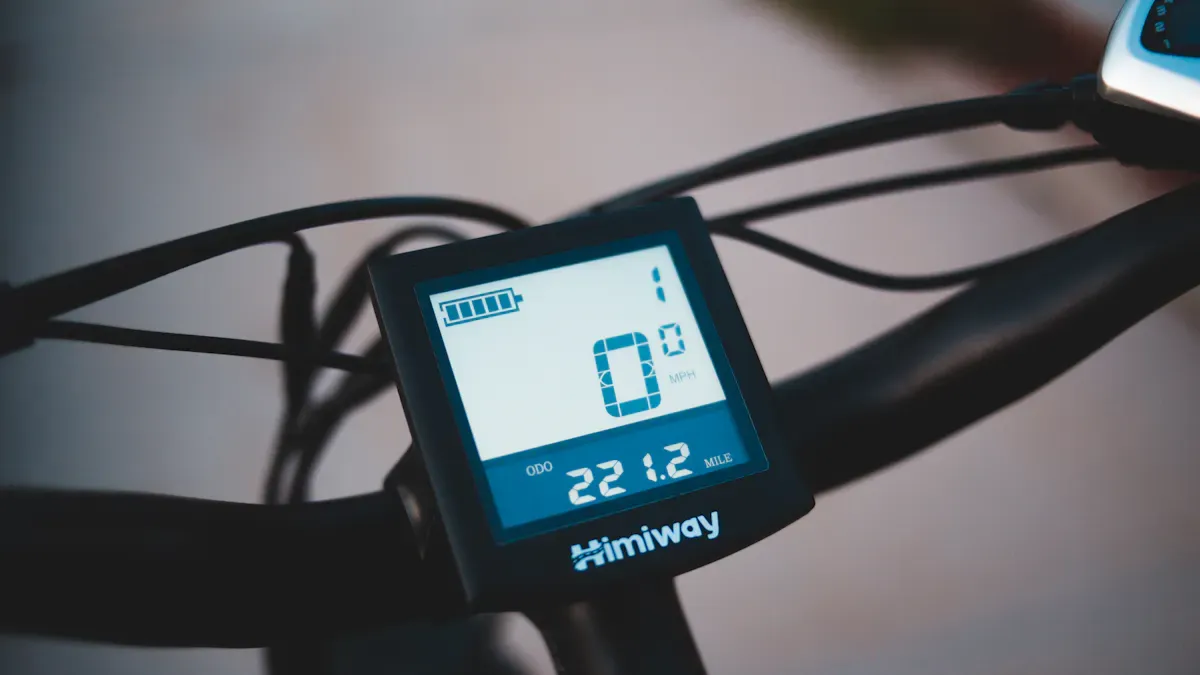
You see many electric bike lcd display options in 2026, each with features that help you ride smarter. Some displays show only speed and battery level. Others give you advanced data and connect with your phone. Compact and foldable e-bike models push brands to make clear, simple screens. These new displays let you check your trip distance and battery at a glance. If you want more details, you can explore top models at https://www.topkioskdisplay.com/.
Key Takeaways
Pick the best display for how you ride. Simple displays are good for people who ride for fun. Fancy displays are better for people who like technology.
Make sure the screen is easy to read and big enough. A clear screen lets you see important info in any light.
Check if the display can connect to your phone. This lets you use GPS, track fitness, and do more things.
The display should be strong and handle bad weather. A tough screen will last longer and work in many places.
The display must fit your bike’s brand and system. It needs to match so it works right and shows the right info.
Types Of Electric Bike LCD Displays
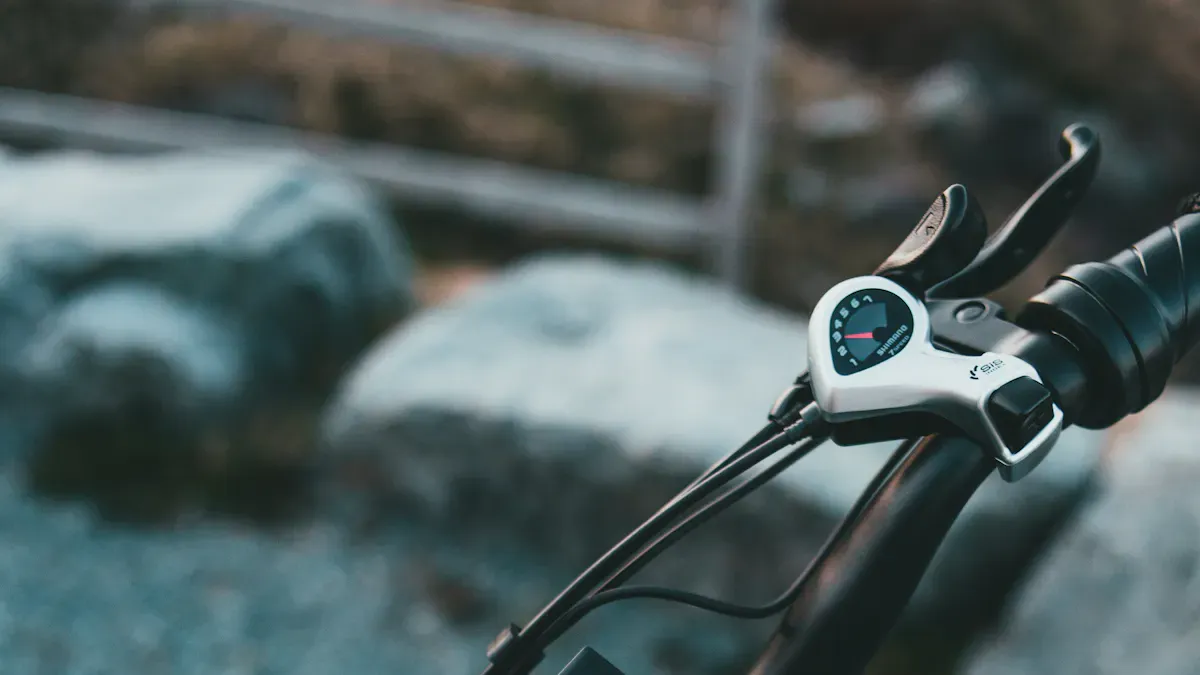
You can find many kinds of e-bike displays in 2026. Each kind works best for certain riders and bikes. The table below lists the main types and their features:
Type of Display | Features | Ideal For |
|---|---|---|
Minimalist LED Indicators | Simple light bars show battery and assist mode. | Riders who like a neat cockpit. |
Standard LCD Screens | Black and white screen shows speed, battery, trip, odometer. | Commuters and casual riders. |
Advanced Color Displays | Bigger color LCD gives lots of data, GPS, Bluetooth. | Riders who want extra features. |
Smartphone-Based Systems | Phone acts as display with maps, music, fitness tracking. | Tech-savvy riders. |
Basic LED And LCD Displays
Many small e-bikes use basic LED indicators. These displays use lights to show battery and assist mode. Standard LCD screens give more info like speed, trip, and odometer. These displays are good for people who ride every day or just for fun. You can see them clearly in most light.
Tip: Basic displays use less power and fit small handlebars. They are great for foldable or light e-bikes.
Pros:
Simple controls
Easy to see
Works in any weather
Cons:
Shows less info
No smart options
Color And Smart LCD Displays
Advanced color displays are bright and easy to read. You get more ride info, GPS, and sometimes Bluetooth for apps. These displays are for riders who want more details and control. E-cargo bike users pick these to track routes and loads.
Pros:
Lots of info and features
Easy to see
Connects to apps
Cons:
Uses more battery
Might be big for small bikes
Touchscreen And Integrated Displays
Touchscreen and built-in displays fit into the e-bike frame. You change settings by tapping or swiping. Some let you use your smartphone as the main display. These displays look cool and save space on the handlebars. City riders and tech lovers like the smooth design.
Pros:
Stylish look
Custom controls
Saves space
Cons:
Harder to use with gloves
May cost more
Pick the right electric bike displays by thinking about how you ride and your bike. Each display type has special benefits for different e-bike riders.
Key Features Of Electric Bike LCD Displays
Readability And Screen Size
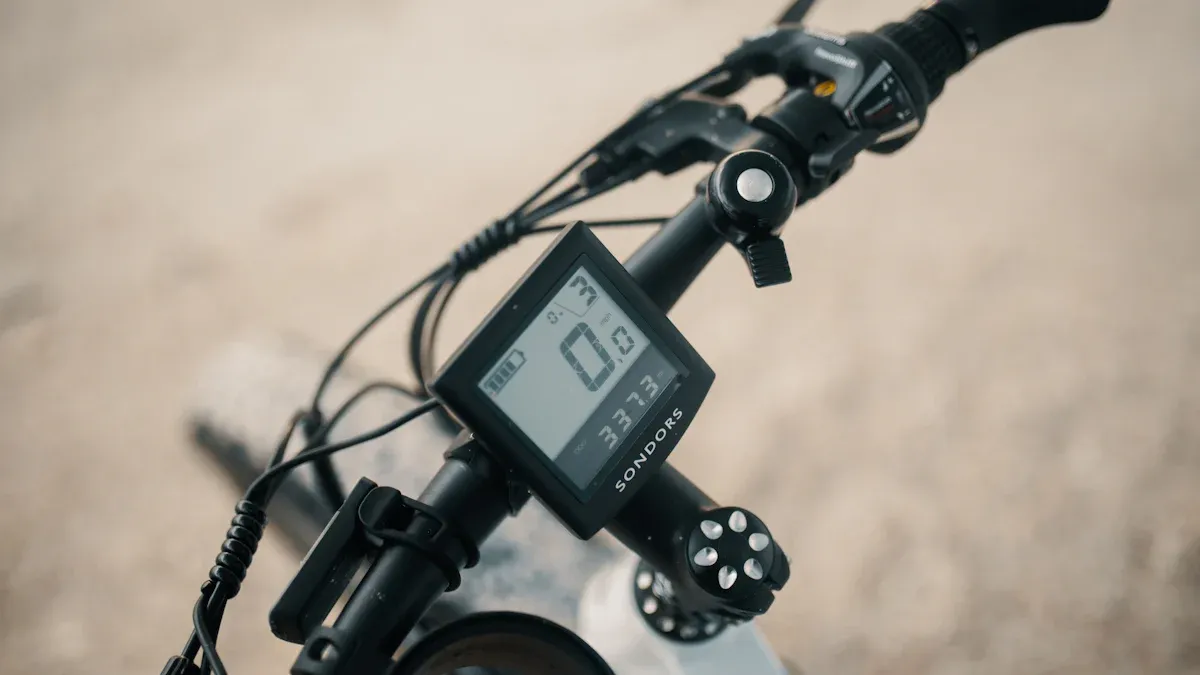
You need to see your e-bike display clearly, no matter where you ride. Readability matters most when you ride in bright sunlight or at night. Many lcd screens now use high resolution and strong contrast. Backlighting and anti-glare coatings help you read your display in any weather. If you ride a compact or foldable e-bike, you want a smaller display that still shows all the important info. Larger screens work well for cargo bikes or city commuters who need to check more data at once.
Tip: Choose a display size that fits your handlebars and matches your riding style. A big screen gives you more data, but a small one saves space and weight.
Connectivity And App Integration
Modern electric bike lcd display models connect to your phone and other devices. This makes your ride smarter and safer. You can use Bluetooth or ANT+ to pair your display with apps, sensors, or even your bike shop. Many displays now offer:
Feature | Description |
|---|---|
Use your phone as the main control unit or mirror your display. | |
Built-in Anti-Theft and GPS | Track your bike live, get alerts if it moves, and lock the motor remotely. |
Advanced Onboard Diagnostics | Get easy-to-read error messages and send data to your mechanic wirelessly. |
Smart Safety Features | Connect with sensors for automatic lights and warnings from smart cars. |
You can also upload your rides, update firmware, and pair with heart-rate or cadence sensors. These features help you track your fitness, stay safe, and keep your e-bike running smoothly.
Durability And Weather Resistance
You want your e-bike display to last through rain, dust, and bumps. Most displays in 2026 are built for outdoor use. They resist water and dirt, so you can ride in any weather. Strong screens and tough cases protect your display from vibration and drops. Backlighting and anti-glare coatings keep your screen easy to read, even when the sun is bright or the sky is cloudy.
Withstands rain and dust
Handles vibration from rough roads
Stays readable in all lighting
If you ride every day or use your e-bike for deliveries, durability becomes even more important.
User Interface And Controls
A good e-bike display gives you easy controls. You can change settings or check data without stopping. Many displays use large, tactile buttons that you can press while wearing gloves. Some models have touchscreens, but buttons work better in cold or wet weather. Simple menus and clear icons help you find what you need fast.
Menus that are easy to navigate
Controls that work with gloves
You stay focused on the road when your display is simple to use.
Real-Time Ride Data
Your electric bike lcd display shows you real-time data as you ride. This helps you make smart choices and enjoy your trip. The type of data you see can change based on your needs:
Rider Type | Benefit Description |
|---|---|
Commuters | See trip distance and battery level to plan your route and avoid running out of power. |
Adventure Riders | Watch your power use with watt meters to save energy on tough trails. |
Fitness Enthusiasts | Track your speed and distance to set goals and measure your progress. |
You get the most out of your e-bike when you use this data. It helps you ride farther, save battery, and reach your goals.
Compatibility And Upgrading
Brand-Specific Systems
You have to use a display that matches your bike’s motor brand. Popular systems like Bosch, Shimano, and Yamaha do not work together. Each brand has its own connectors, wires, and software. If you mix brands, the display will not show any information. Always look at your bike’s manual or ask your dealer before you buy a new display.
Note: You can upgrade your display if you stay with the same brand. But you need to check if it works with your bike’s model and year.
Communication Protocols (CAN, UART)
E-bikes use different ways to send data between the display and controller. The two main types are CAN Bus and UART. If your display and controller use different types, they cannot talk to each other. You must match the protocol when you change or upgrade your display.
Compatibility Issue | Description |
|---|---|
Brand-Specific Systems | Displays must match the bike's motor brand; mixing brands like Bosch, Yamaha, or Shimano is not possible. |
Communication Protocols | E-bikes use UART or CAN Bus protocols; mismatched protocols prevent communication between display and controller. |
Connectors and Wiring | Different brands use various connector types; pin configurations must match to ensure proper connection. |
Voltage Compatibility | Displays must match the bike's voltage; using a display rated for a lower voltage can cause damage. |
Firmware and Software | Firmware compatibility is crucial; third-party displays may not work if data formats differ. |
Within-Brand Upgrades | Upgrading displays within the same brand is often possible, but compatibility checks are necessary. |
Universal Vs. Proprietary Displays
You can pick universal or proprietary displays. Universal displays work with many controllers and battery systems. They are flexible and good for people who build their own bikes. Proprietary displays are made for certain brands or models. They might have special features, but you cannot use them on other bikes.
Type | Compatibility | User Experience |
|---|---|---|
Universal | Works with various controllers and battery systems | Flexible for DIY builders, allows mixing parts |
Proprietary | Tailored for specific brands/models | May offer unique features but less upgrade flexibility |
Upgrade And Replacement Tips
When you want to upgrade or replace your e-bike display, follow these steps:
Turn off your bike and disconnect the battery.
Take off the old display by unscrewing and unplugging the wires.
Put on the new display by matching the wires and screwing it in place.
Tip: Keep all screws in a small box. Take pictures of how things look before you start. Clean your display every week and check the cables for damage. Update the software every few months for best results.
If your screen is blank, check the battery and wires. If the screen flickers, make the wires tighter. If you see wrong numbers, reset the display settings. These steps help your e-bike work well and keep your display working with your bike.
Electric Bike LCD Display Brand Comparison
Bosch
Bosch displays are known for being strong and well-made. The screens are easy to read, even when the sun is bright. Bosch gives you advanced software and high screen quality. You can use many third-party apps with these displays. Bosch displays cost more than most other brands, but they work very well.
Feature | Bosch Weaknesses | |
|---|---|---|
Durability | High | Higher cost |
User-friendliness | Easy to use | Limited customization |
Build Quality | Excellent | |
Software Support | Advanced | |
Display Resolution | High | |
Third-party Integration | Wide compatibility |
Tip: If you ride a cargo e-bike or go to work every day, Bosch Kiox 300 and Intuvia 100 displays help you find your way and use smart features. You can count on these models for long trips and busy city rides.
Shimano
Shimano displays are made to work smoothly and are simple to use. You see your speed, cadence, and battery clearly. The E-Tube app lets you change settings from your phone. Shimano displays cost less than Bosch, but they are still built well. You might not get as many advanced features or as much third-party support.
Brand | Display Model | Features | Usability |
|---|---|---|---|
Shimano | SC-E6100, E7000 | Speed, cadence, power, battery, E-Tube app integration | Easy to use, works well with Shimano motors |
Bosch | Kiox 300, Intuvia 100 | Navigation, smartphone app, clear speed | User-friendly, strong navigation |
Shimano displays are good for city e-bikes and small bikes. The SC-E6100 fits on small handlebars and gives you all the info you need for daily rides.
Bafang
Bafang displays are flexible and a good deal. You can use them on many e-bike brands and custom bikes. Bafang has simple LCD screens and also colorful advanced displays. You can check your speed, battery, and power. Some models let you connect your phone for more features. Bafang displays cost less than Bosch or Shimano, but the menus may not look as nice.
Bafang is a good choice for DIY e-bikes or if you want to upgrade an old bike.
The DP C18 color display is great for commuters who want a bright screen and Bluetooth.
Bafang displays work well for cargo and folding bikes because they fit many types.
Specialized
Specialized makes displays that fit into the bike frame. This gives your bike a clean look and easy controls. The screens show speed, battery, and assist level. Some models connect to the Specialized Mission Control app. You can track your rides and change settings from your phone. Specialized displays work best with Specialized e-bikes. You usually cannot use them on other brands.
The TCD (Turbo Connect Display) is a good pick for city riders who want a simple and stylish screen.
You get weather resistance and a bright screen for city rides.
There are fewer ways to change settings compared to Bosch or Bafang.
Other Popular Brands
Many other brands make good electric bike lcd display options. Every year, these displays get better and more reliable.
Fiido displays now work with mobile apps and are easy to use.
HOVSCO displays let you track how you ride and connect to your phone.
Riders say they have no problems after riding over 1,500 miles, which means these displays last.
Newer models have better connections and clearer screens than older ones.
Note: If you want a display that works well for a budget e-bike, these brands give you good value and simple features.
You can find the best display for your e-bike by looking at these brands. Think about how you ride, what bike you have, and what features you want.
Choosing The Right Display
Matching Display To Bike Type
You should match your e-bike display to your bike type for the best results. Each bike model needs a different display style. The table below shows how popular bikes use different displays:
Bike Model | Power | Range | Display Features |
|---|---|---|---|
Mihogo Air750 Max | 750W | 121 miles | High-resolution display for performance cycling |
MIHOGO ONE Utility | 750W | 167 miles | Utility-focused display for cargo applications |
MIHOGO RX 2.4 | 500W | 40 miles | Compact display optimized for commuter convenience |
Mihogo Mini | 350W | 62 miles | Simplified display for urban mobility |
If you ride a cargo bike, you need a display that shows more data and handles heavy use. For city or commuter bikes, a compact screen works best. Urban riders often choose simple displays that save space.
Considering Rider Needs
You should think about what you want from your e-bike display. Here are some tips for choosing the right features:
Pick a large, clear screen if you want easy reading in sunlight.
Choose a simple interface if you do not like complex menus.
Look for backlighting if you ride at night.
Make sure you can see battery level at all times.
Check for speed and distance tracking if you like to measure your rides.
Find displays that show assist levels for easy switching.
Select waterproof models if you ride in the rain.
Try advanced screens if you want to customize data or connect to apps.
You get the most out of your rides when your display matches your needs.
Installation And Setup
You can install a new e-bike display by following these steps:
Factor | Considerations |
|---|---|
Compatibility | Match the display to your bike’s voltage and connectors. |
Features | Decide if you want basic data or extras like Bluetooth. |
Readability | Pick a screen that works in sun and at night. |
Durability | Choose waterproof and shock-resistant displays for all-weather use. |
Expandability | Think about future upgrades like GPS or app links. |
Budget | Balance price with features and quality. |
Turn off your e-bike before starting.
Remove the old display with the right tool.
Unplug the wires and remember their colors.
Attach the new display to your handlebars.
Connect the wires until they click.
Tighten screws and adjust the angle.
Turn on your bike and check the screen.
Cost And Value
You should compare costs before you buy a new display. The table below shows how prices and maintenance add up over three years:
Cost Factor | Qlife | Budget Brands | Premium Brands |
|---|---|---|---|
Purchase price | $450 | $500 | $2,200 |
Battery replacement | $250 | $350 | $500 |
Maintenance | $200 | $450 | $150 |
Accessories | $100 | $250 | $50 |
Total (3 years) | $1,000 | $1,550 | $2,900 |
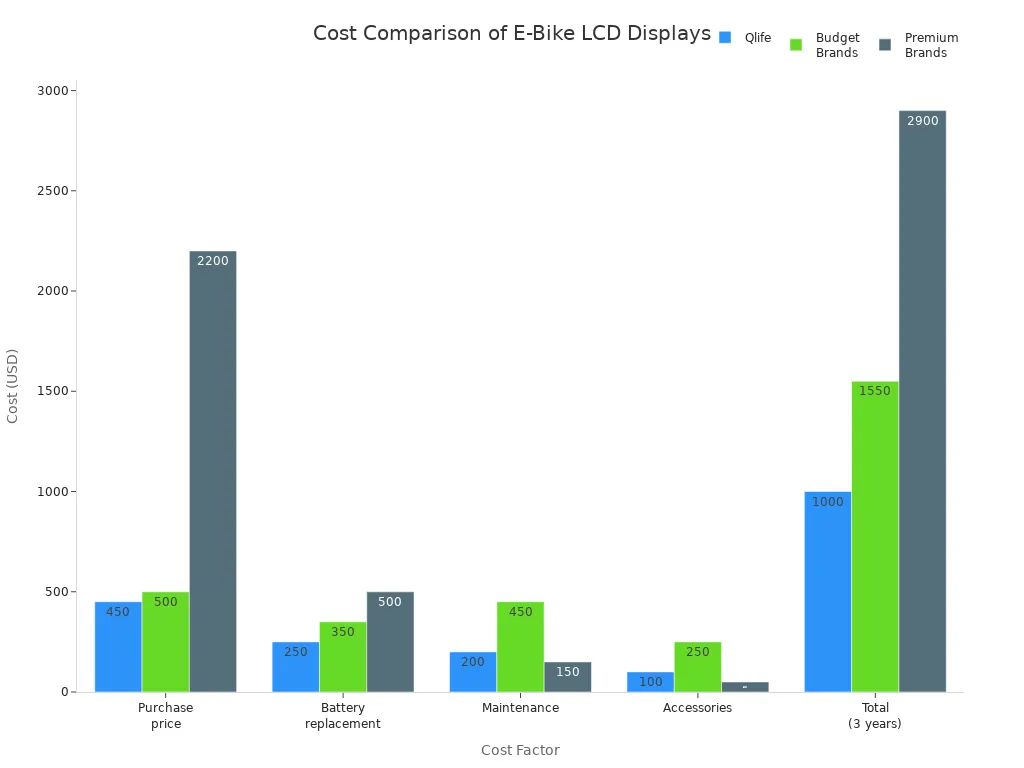
You get more features with premium displays, but budget models can still work well for daily rides. Always check what you need and what you can spend.
Tip: Choose a display that fits your bike, your riding style, and your budget. This helps you enjoy every ride and keeps your e-bike running smoothly.
You can pick the best electric bike lcd display by thinking about what you need. Commuters and city riders like small screens that are easy to read. People who use cargo bikes want bigger, color displays with smart features. The table below shows the main differences:
Feature | Description |
|---|---|
Basic riding info | Speed, battery, assist mode |
Extra metrics | Trip, range, power, cadence |
Connectivity | Bluetooth, GPS, app integration |
Durability | Water and shock resistance |
In 2026, smart features and clear screens are very important.
Easy controls help you stay safe while riding.
Small bikes work best with bright, small displays.
These tips will help you feel sure when you upgrade your e-bike display.
How to Choose the Right SPI LCD Display for Your Electronics Project
When choosing an SPI LCD, you are making a trade‑off: relatively slower speed in exchange for minimal pin count and simple circuit design. Different projects have different requirements for screen size, refresh rate, power consumption, etc., but fortunately the path to selecting an SPI LCD is very clear.
🤔 Why Choose SPI?
The biggest advantage of the SPI interface is its low wiring count – usually only 6‑7 wires are needed to drive a colour screen, unlike parallel interfaces that require a dozen or more wires, keeping your project tidy and less error‑prone. Although SPI screen refresh is relatively slower, for embedded projects that need to display text and simple UIs, its performance is perfectly adequate.
It has several irreplaceable advantages in the embedded world:
Almost universal compatibility – Virtually any MCU supports it, from the smallest 8051 to high‑end STM32.
Saves precious I/O pins – It frees up pins for other core peripherals like sensors and SD cards.
Loved by mainstream libraries – The driver ecosystem is extremely rich. Libraries like
TFT_eSPIandAdafruit GFXget your screen running quickly.
🏆 The “Big Three” SPI LCD Driver Chips
Choosing a screen essentially means choosing its underlying driver chip. In 2026, the market is dominated by three major players.
Driver IC | Typical Resolution | Typical Size | Performance & Features | Ideal Use Cases |
|---|---|---|---|---|
ILI9341 | 320×240 (QVGA) | 2.4″ – 3.2″ | Stable, mature, all‑rounder. Most powerful, flexible interface (SPI/parallel), good colour, most mature community libraries. | Industrial HMI, complex data monitoring, touch‑enabled projects. |
ST7789 | 240×240 / 280 / 320 | 1.3″ – 2.0″+ | Compact, modern, fast. Optimised for square screens, often faster refresh than ILI9341, great for modern UIs. | Round smart watches, square small appliances, portable game consoles. |
ST7735 | 128×160 | 1.44″ – 1.8″ | Entry‑level, small, low power. Most economical, low resolution, power‑efficient, simplest SPI driver code. | Basic card devices, minimalist information terminals, low‑cost projects. |
⚡ Performance & Power Comparison
Performance (highest to lowest): ILI9341 > ST7789 > ST7735. ILI9341 with parallel interface excels at high‑speed refresh; ST7789 optimises refresh rate within SPI bandwidth.
Power consumption (lowest to highest): ST7735 > ST7789 > ILI9341. ST7735 is the first choice for battery‑powered projects.
👑 The “All‑Rounder”: TFT_eSPI Library
In the Arduino ecosystem, the TFT_eSPI library is the “standard answer” for driving SPI LCDs. Its strengths:
Very wide compatibility – Covers everything from ATmega328P to STM32, ESP8266/ESP32, RP2040, and many others.
Configure once, use forever – The core is the
User_Setup.hconfiguration file. You comment/uncomment to specify the driver chip and pin assignments.cpp
// Example in User_Setup.h
#define ILI9341_DRIVER          // Specify your driver chip
#define TFT_CS   Pin    // Chip select
#define TFT_DC   Pin    // Data/Command
#define TFT_RST  Pin    // Reset
#define TFT_MOSI Pin    // Master Out Slave In
#define TFT_MISO Pin    // Master In Slave Out (optional)
#define TFT_SCLK Pin    // Clock
Built‑in acceleration – Supports DMA (Direct Memory Access), refreshing the screen with very low CPU overhead. Also integrates JPEG/PNG decoding and touchscreen support.
🎯 Systematic 5‑Step Selection Process
Following these five steps will help you avoid many unnecessary detours.
Step 1: Calculate Data Bandwidth
For example, displaying a 240×320 16‑bit colour (RGB565) image on an ILI9341:Total pixels (240×320) × 16 bits / 8 = ~150KB of data. If you need 30 fps, that is ~4.5 MB/s bandwidth. SPI clock can typically go up to 40 MHz, which is theoretically sufficient, but for video playback consider parallel or RGB interfaces with LCD controllers.
Step 2: Check MCU Capabilities
SPI clock speed – The MCU’s SPI clock limit directly affects the refresh ceiling. High‑performance MCUs can reach 80 MHz; 40 MHz already gives a very smooth experience.
Framebuffer – Quick memory estimation:
No buffer – Minimal RAM, but flickering, non‑smooth drawing.
Full framebuffer – For ILI9341 (320×240×2 = ~150KB). Many low‑end MCUs have only 2KB RAM – not enough. You need 8‑bit or 32‑bit ARM cores, ESP8266 (82KB), ESP32 (520KB), etc.
CPU usage – Refreshing high‑resolution screens consumes many CPU cycles, making it hard to handle other tasks. For frequent refreshes or heavy interrupts, prefer SPI peripherals with DMA to offload the CPU.
Step 3: Match Physical Requirements
Resolution – Higher is not always better. Excessively high resolution increases memory and CPU load with little benefit on small screens. A 1.44″ screen at 128×128 is already sharp.
Brightness – Indoor: 300–500 nits. Semi‑outdoor/ bright ambient: choose 500+ nits (e.g., RCStars 1500‑nit high‑brightness version).
Touchscreen – Resistive: durable, cheap, works with gloves – good for industrial/control. Capacitive: multi‑touch, smooth – good for consumer electronics.
Step 4: Check Environment
Industrial environments – Must choose industrial wide‑temperature models (operating range
-30°C to +85°C) with higher reliability.Battery‑powered – Prioritise low‑power modules like
ST7735and use SPI deep sleep modes.
Step 5: Consider Community Resources
Buy screens that come with complete Wiki tutorials and full open‑source documentation – this will save significant development time.
⚠️ 3 Common Beginner Mistakes & Troubleshooting
Mistake #1: “Using the module as‑is without checking voltage” ⚠️ This is the biggest trap. Many modules include 3.3V LDO regulation and level shifting. If you bypass them and directly use the raw board, your 5V signal will go straight to the core chip! Always read the module schematic or ensure your MCU works at 3.3V logic.
1️⃣ White screen / No display – This is a high‑frequency issue.
Flat‑cable connection – Re‑seat the flat cable, especially the gold fingers at the connector.
Backlight – Check whether the backlight control pin is properly driven.
SPI clock – Reduce the SPI frequency; some modules cannot handle very high speeds.
2️⃣ Colours are wrong (e.g., inverted)
Incorrect LCD initialisation code. Check: SPI mode (usually
SPI_MODE0), colour format (RGB/BGR swap), bit order (MSB first), and whether you accidentally sent 16‑bit data in 8‑bit mode.
3️⃣ Screen flickering
Usually CPU overload. Try: increase SPI frequency, use DMA for refresh, or enable double buffering in the driver configuration.
FAQ
What should you do if your e-bike display stops working?
First, check the battery and all cables. Make sure everything connects tightly. If the screen stays blank, try resetting the display. If problems continue, contact your bike shop for help.
Can you upgrade your e-bike display to a smart model?
Yes, you can upgrade if your bike supports it. Check your bike’s brand and communication protocol. Always match the new display to your bike’s system for best results.
How do you keep your e-bike display safe from rain?
Most displays are water-resistant. Wipe the screen dry after riding in the rain. Use a soft cloth. Store your bike indoors when possible. This keeps your display working longer.
Do all displays work with every e-bike?
No, displays must match your bike’s brand and system. Universal displays fit many bikes, but some brands use special connectors. Always check compatibility before buying a new display.
Why does screen size matter for compact or foldable bikes?
Small bikes have less handlebar space. A compact display fits better and keeps your cockpit neat. You still see important data without crowding your handlebars.
See Also
Comparing Pricing Strategies of Leading LCD Display Kiosk Brands
Top Rated LCD Kiosks for Retail Spaces in 2026
Highly Recommended Outdoor LCD Kiosks for 2026
Leading Manufacturers of LCD Display Kiosks for 2026
Loved High-Resolution LCD Display Kiosks for Exhibitions Reviewed
