What the Digital Signage Community Is Discussing Right Now
Add.: 2F, Bldg 10, Changfeng Industrial Park, Dongkeng, Fenghuang, Guangming, Shenzhen, China 518132
Mobile/WHATSAPP: 86-138 25769658
Email: marketing@topadkiosk.com topadkiosk@gmail.com
Skype: pghenry1
Wechat: adkioskhenry
English Web.: https://www.topkioskdisplay.com/
http://www.ad-kiosk.com/
https://www.toplcddisplay.com/
http://www.multitouchdigitalsignage.com/
https://www.youtube.com/channel/UCYVYNJHxLVEcQD8fuUxXNTA/videos?view_as=subscriber
https://www.facebook.com/TOPADKIOSKSHENZHEN/?ref=bookmarks
In 2026, you see people discussing digital signage more than ever. Businesses are constantly following new trends and predictions that impact how customers shop. The pace of signage innovation is rapid. Can you keep up with it? Here are some key facts:
Over 60% of digital signage systems utilize AI for personalization.
Retail accounts for 25% of all installations, and touchscreen kiosks are transforming how people interact.
The LED sign market is projected to reach $2.8 billion in 2026.
You can shape your journey by staying informed about trends in 2026. To learn more, visit https://www.topkioskdisplay.com/ and be part of the digital signage infrastructure revolution.
Key Takeaways
AI personalization makes digital signage better by showing content people like. This helps customers pay more attention.
Touchless technology uses gestures and voice to control screens. It keeps people safe and clean in public places.
Cloud-based management makes it easy to control digital signage. Updates happen fast and scaling is simple.
Energy-efficient designs save money and help the environment. This makes digital signage last longer.
Data-driven insights help businesses change content for their audience. This leads to better marketing and more interaction.
AI and Predictive Analytics in Digital Signage
Real-Time Personalization
In 2026, digital signage changes a lot. AI-powered signs show content made just for each person. Artificial intelligence looks at who is watching and what they do right away. This helps you see messages that fit your likes and needs. For example, a cinema billboard can change to show movies for your age group or favorite genres. Retail stores use machine learning to change sign content fast, so you get offers that matter.
Some big changes in real-time personalization for 2026 are:
Content changes quickly to match viewers.
Machine learning and new displays help people interact more.
Real-time data creates super personalized experiences.
McDonald's uses AI menu boards in many stores. These boards suggest items you may want and help raise the average order size. Mall kiosks use computer vision to see who is looking at the screen. This method helped Innovative Foto sell 24% more at vending machines.
Predictive Content Adjustment
Predictive content adjustment helps you see signs that seem to know what you want. AI and machine learning look at lots of data from different places. They find patterns in what people like and what is popular. This makes content feel more special and important.
Predictive content adjustment makes digital signage campaigns better by:
AI guesses what content viewers will like based on past actions.
Dynamic content optimization lets signs change in real time for better personalization.
Behavioral targeting uses data from interactions to make content fit each person.
Scheduling tools pick the best times to show messages for more engagement.
The table below explains how AI and predictive analytics work in digital signage in 2026:
Aspect | Description |
|---|---|
Responsive Content | AI changes signs from fixed playlists to content that fits audience patterns. |
Localization | It makes local ads and translates notices based on where you are. |
Scheduling | AI picks schedules using time and audience patterns for best results. |
Governance | Template locks and role-based approvals keep changes safe and easy to track. |
Data Dependency | AI works best with good data; bad data makes wrong displays. |
These 2026 trends help businesses use digital signage to connect with people in smarter ways.
Vision and Sensor-Based Engagement
Measuring Audience Interaction
In 2026, there are new ways to see how people use digital signage. Computer vision technology helps collect data about who looks at a screen and for how long. Motion sensors, cameras, and beacons work together to track real engagement. These tools show what gets attention and what does not.
Here are some ways to measure audience interaction:
Method Description | Metrics Measured |
|---|---|
Topview camera measurement | Probability of viewing, head movement, head orientation |
Depth sensor usage | Head position, head orientation |
Tracking by detection algorithm | User path, attention at advertising spots |
Camera-enhanced digital signage | Dwell time, in-view time, attention time, age, gender |
Face tracking and analysis | Audience size, distance, emotional reactions, dwell times |
You can use this information to see which messages work best. For example, you might see that younger people look longer at fun ads. This helps you change your content for better results.
Data-Driven Content Tuning
In 2026, data-driven content tuning helps you with digital signage. AI-driven analytics let the system learn from what each viewer does. The sign can change its message based on who is close or how they react. This makes displays smarter and more interesting.
Content changes right away when the system sees a new audience.
Computer vision and automation help spot the environment and show personal messages.
In a store, the display might show kids’ clothes when a family walks by.
Sensors and other devices make the experience more interactive.
You save time because content updates by itself. You also get good data about what works and what does not. These trends help you make better digital signage campaigns and keep people interested.
Interactive and Touchless Experiences
Gesture and Voice Controls
In 2026, interactive and touchless experiences are changing a lot. Gesture control lets you wave your hand to move things on the screen. You do not have to touch anything. This makes digital signage safer and cleaner in places like hospitals and stores. Museums use gesture control so you can explore exhibits by waving your hand. Stores let you look at products without touching the screen. These touchless displays help keep you healthy and make things more fun.
Voice controls are also important for digital signage. You can talk to the screen, and it will listen and answer. Voice User Interfaces use speech recognition to know what you want. This hands-free way is good for busy or health-focused places. Some systems use cloud voice tools that learn what you say over time. Others use built-in voice tools that work without the internet. Both ways make interactive signs easier and more personal.
Tip: Touchless technology helps keep you safe and makes digital signage easier for everyone to use.
Advancement Type | Description |
|---|---|
Sensor-Driven Interactivity | Uses sensors for smooth experiences, like 'Lift-and-Learn' and reacting to what is around. |
Gesture Control | Lets you use your hands without touching, which is cleaner and easier. |
Context-Aware Messaging | Changes messages based on things like weather or how many people are there. |
AR and Immersive Displays
AR and immersive displays are a big trend in 2026. These new experiences let you explore digital signage in cool ways. In stores, AR fitting rooms let you try on clothes without changing. Museums use AR tours to make history exciting. Schools use VR lessons to make learning more fun and hands-on.
Projection mapping and AR overlays add extra layers to what you see. You can see how furniture looks in your home before you buy it. You can also watch a product demo in 3D. These interactive displays keep you interested and make digital signage more helpful. As you go to different places, touchless and immersive signs help you connect with content in new ways.
Cloud and IP-Based Distribution
Centralized Management
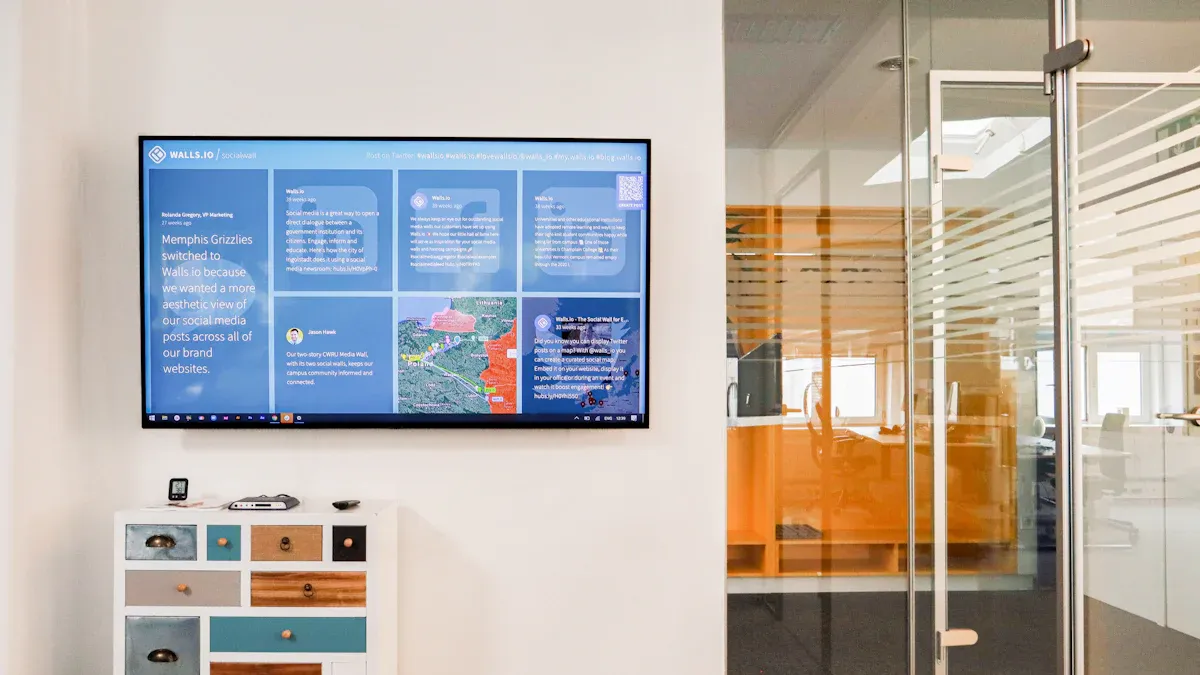
In 2026, it is easier to manage digital signage networks. Cloud-based systems let you control many screens from one place. You do not need servers at every site or a big IT team. With a cloud dashboard, you can change what shows on all screens at the same time. This saves you time and keeps your messages new.
Here is a table that lists the main benefits of centralized management:
Advantage | Description |
|---|---|
Remote Management | You can control lots of screens from one dashboard. |
Instant Content Updates | You can change content on all screens right away. |
Easier Scaling | You can add more screens as your business gets bigger. |
Centralized Security | Strong security tools keep your content and data safe. |
Reduced On-site Maintenance | You do not need as much IT help at each location. |
Cloud and IP-based distribution also make adding new screens simple. You can send updates from anywhere you are. Automatic updates and fixing problems from far away save money. These trends help your digital signage network work well in 2026.
Security and Privacy
Security and privacy are very important for digital signage now. You must keep content and user data safe from hackers. In 2026, there are better security tools, like sending content in code and safe endpoints. You also have to follow rules like FERPA, HIPAA, and GDPR. These laws protect people’s private information.
To keep your network safe, you should:
Use network segmentation to keep signage apart from other systems.
Update software and firmware often to fix problems.
Use mounts and locked boxes that cannot be opened easily.
Collect less data and explain why you need any data.
Use VPNs, IP whitelisting, and certificates for remote access.
You build trust by keeping personal data safe and being honest about what you do. When you follow these steps, your digital signage network stays safe and works well. You also make sure your messages reach the right people without danger.
Sustainable Modular Design Trends
Energy Efficiency
By 2026, energy efficiency is very important for digital signage. Companies use eco-friendly materials like recycled aluminum and biodegradable parts. Hardware uses less power, so you save money and help the planet. SMD LED technology is leading the way. These signs use less energy than older lights and last longer. You spend less on replacements and your energy bills go down.
Here are some ways to make your signage use less energy:
Pick displays that need less power.
Use smart scheduling to turn signs off when not needed.
Manage your network from far away to avoid extra trips.
Tip: Smart scheduling and remote management help you save energy. Your signs only run when they are needed.
The table below shows how energy-saving choices help you:
Feature | Benefit |
|---|---|
SMD LED displays | Lower energy use, longer life |
Smart scheduling | Less wasted runtime |
Remote management | Fewer on-site visits |
E-Waste and Recycling
You also need to think about what happens when your digital signage stops working. In 2026, more companies offer e-waste recycling for big electronics, including digital signage displays. These services make sure old signs are taken apart safely. They recover useful materials and keep harmful waste out of landfills.
You can help the environment by:
Using modular designs so you only replace broken parts.
Working with recycling programs that handle old displays.
Picking companies that fix or reuse hardware.
Many businesses now have e-waste management plans. These plans help you follow the rules and lower your carbon footprint. You can also find easy ways to recycle or fix unused technology. By making smart choices, you help build a greener future for digital signage.
Convergence and Integration in Digital Signage
Unified Media Networks
In 2026, digital signage changes a lot. Companies link screens, sensors, and devices together. This makes one big network for all displays. You can control everything from one spot. Sharing content and updating messages is fast and easy. You can also collect data quickly. The table below shows important technologies that help this happen:
Technology Type | Impact on Digital Signage |
|---|---|
Cameras | Video analytics help show content to different groups. |
Motion Sensors | Signs start when someone comes close, making them interactive. |
RFID Tags | Extra product details show up when items are picked up. |
Connectivity (Cellular/Wi-Fi) | Screens can go anywhere, even without wires, making things simple. |
Beacon/Bluetooth | Signs send personal messages to phones for each person. |
These tools make signage smarter and more flexible. You can reach your audience in new ways.
Cross-Platform Experiences
In 2026, you want signs to work with other platforms. You can connect signs with websites, apps, and social media. This gives customers the same message everywhere. Your brand looks the same in stores and online.
Digital signage can be part of your omnichannel plan. It works with apps and online shops.
Signs connect with business tools like CRM, POS, and IoT. Content matches what is happening right now.
Your audience gets a smooth experience wherever they see your message.
Note: Cross-platform integration makes digital signage stronger and more useful. Your business grows by reaching people in more places.
These trends help you build a strong digital signage strategy in 2026. You can connect, update, and engage your audience better than ever.
Industry-Specific Digital Signage Trends to Watch in 2026
Retail and Attractions
In 2026, there are new trends for digital signage in stores and attractions. These trends help you make your customers’ visits better. The table below lists the biggest changes:
Trend | Description |
|---|---|
OLED and MicroLED Technologies | Screens look brighter and clearer, even in sunlight. |
Immersive Experiences with AR and VR | You can use AR and VR to try on clothes or see products in 3D. |
Cloud-Based Management | You can control all your signs from one place and update them fast. |
Data-Driven Analytics | You use data to show the best message and see what works. |
Omnichannel Integration | You connect signs with apps and websites for a smooth experience everywhere. |
These trends make your signs more fun and helpful. You can get people’s attention and keep them interested. You also find out what your audience likes, so you can make your messages better.
Tip: Try using immersive technology to make your store or attraction special in 2026.
Transportation and Healthcare
In 2026, transportation and healthcare have their own trends and challenges for digital signage. Here are some important things to know:
You might need to spend a lot to put up many signs in airports or hospitals.
It can be hard to manage different content on lots of screens.
AI and IoT help you send personal messages and make your system work better.
Computer vision lets you watch crowds and keep people safe.
Passengers get updates on their phones with mobile connectivity.
Videowalls and IoT make your system smart and save money.
Dashboards help you watch crowds and keep everyone safe.
In healthcare, digital signage helps you share news and directions fast.
These new ideas help you keep people safe and make their experience better. You also make sure everyone gets the right information when they need it. These trends help you build a strong digital signage network for 2026.
What the Community Is Discussing Digital Signage Challenges
Adoption Barriers
In 2026, lots of people talk about problems with using digital signage. These problems can make it harder to start using new technology. Here are some main reasons why:
People worry about privacy and keeping data safe. This is a big problem in places like schools and hospitals.
It costs a lot to set up and make content for digital signs. You need to buy hardware, software, and pay for new content. Small businesses may not have enough money for this.
Some people do not know how to use advanced signage. Learning takes time and money.
It can be tough to connect new signs with old systems. This can make your network not work as well.
Tip: You can make things easier by picking simple systems, working with good partners, and planning your budget.
Future Outlook
The future of digital signage will change fast. Experts think smart systems will take the place of old signs. These new signs use real-time data to show the best message for each person. If you do not use AI-driven signs, your business might fall behind.
Here is what you might see:
More signs will use AI, edge computing, and data to pick content.
Screens will show live updates, not just ads.
Interactive signs can make people stay longer and buy more. Studies say people may look at signs 30% longer, and buying can go up by 12-15%.
You will see more businesses talk about digital signage as they try to keep up. You can join in by learning about new tools and thinking about how to use them.
Note: The community thinks talking about digital signage problems helps everyone find better answers for the future.
In 2026, digital signage is changing a lot. The future brings new ways to talk to people. Here are some trends you should know about:
AI makes content special for each person.
Media networks want people to really pay attention and enjoy the signs.
Security and making things easy to use are very important now.
Mixed reality and IoT make signs more fun and let you interact with them.
Companies pick energy-saving options to help the planet.
Keep asking questions and learning new things. You can help decide what happens next in digital signage.
What Is Digital Signage?
Digital signage refers to the use of digital displays (LCD, LED, projection, etc.) to broadcast content such as videos, images, menus, announcements, or interactive applications. Unlike static signs, digital signage can be updated remotely and scheduled, allowing real‑time, targeted messaging.
✅ Key Benefits of Digital Signage
Benefit | Description |
|---|---|
Dynamic content | Change messages instantly – promotions, weather, news, emergency alerts. |
Remote management | Control hundreds of screens from a single cloud dashboard. |
Audience engagement | Interactive touchscreens, QR codes, social media feeds, gamification. |
Cost savings | Eliminate printing and distribution costs for paper posters/flyers. |
Data‑driven personalisation | Integrate with sensors, cameras, or POS to show relevant content by time, weather, or customer profile. |
Scheduled campaigns | Run different content at different times of day (e.g., breakfast menu in the morning, dinner menu at night). |
🏢 Common Applications by Industry
Industry | Use Cases |
|---|---|
Retail | Promotional displays, digital menu boards, wayfinding, self‑service kiosks, virtual try‑on. |
Corporate | Employee communication, meeting room booking, lobby welcome screens, safety announcements. |
Healthcare | Patient check‑in kiosks, wayfinding to departments, health tips, queue management. |
Education | Campus digital signage, event announcements, cafeteria menus, emergency alerts. |
Hospitality | Hotel lobby info, event schedules, restaurant menus, self check‑in/out. |
Transportation | Departure/arrival boards, wayfinding in airports/train stations, public information, advertising. |
Restaurants & QSR | Drive‑thru menu boards, self‑order kiosks, digital menu boards, loyalty promotions. |
🛠️ Core Components of a Digital Signage System
Display Hardware – LCD, LED, ePaper, or projection. Outdoor requires high brightness (≥2500 nits) and weatherproofing (IP65+).
Media Player – Built‑in (SoC) or external (Android/Windows/Linux box, Raspberry Pi, etc.).
Content Management System (CMS) – Cloud‑based or on‑premises software to create, schedule, and publish content.
Network Connectivity – Ethernet, Wi‑Fi, 4G/5G to connect screens to the CMS.
Content – Images, videos, HTML5, live feeds, social media, widgets (weather, time, news).
🔄 Digital Signage vs. Kiosks – What’s the Difference?
Aspect | Digital Signage | Interactive Kiosk |
|---|---|---|
Primary purpose | One‑way information broadcast | Two‑way self‑service transaction or data entry |
User input | None (or minimal touch) | Touchscreen, keyboard, scanner, payment terminal |
Typical content | Ads, menus, announcements, videos | Check‑in, ordering, wayfinding, ticketing, payment |
Hardware | Display + player | Display + touch + peripherals (printer, scanner, card reader) |
Software | CMS for content scheduling | CMS + application logic (ordering, check‑in, etc.) |
Many modern systems blur the line – a digital signage screen can become a kiosk when you add touch and interactive software.
🚀 Key Trends in Digital Signage (2025–2026)
AI‑powered personalisation – Cameras and sensors analyse viewer demographics (age, gender, attention) to tailor content in real time.
Programmatic DOOH (Digital Out‑of‑Home) – Buying ad space on public digital screens via automated, real‑time bidding, just like online ads.
Cloud‑native CMS – No on‑premise servers; fully scalable, with free trials and pay‑as‑you‑go pricing.
Interactive and touchless – QR codes, voice control, and gesture recognition are gaining traction for hygiene and convenience.
Sustainability – Low‑power ePaper displays for static content, energy‑efficient LED backlights, and recyclable enclosures.
Edge computing – Content rendering and AI processing happen on the display itself, reducing latency and bandwidth needs.
💰 Cost Structure (Typical)
Component | Cost Range (USD) | Notes |
|---|---|---|
Consumer‑grade TV | $200 – $800 | Not for 24/7 use; may void warranty in commercial settings. |
Commercial LCD display | $800 – $3,000 | Rated for 16/7 or 24/7 operation; brighter panel. |
Outdoor high‑brightness display | $3,000 – $15,000+ | 2,500+ nits, IP65, IK rating, thermal management. |
Media player (external) | $100 – $500 | Raspberry Pi, Android box, Intel NUC, etc. |
CMS subscription (per screen/month) | $10 – $50 | Cloud‑based; some offer free tiers for 1–10 screens. |
Installation & mounting | $200 – $1,000+ | Depends on complexity (wall, ceiling, outdoor pole). |
📋 How to Start a Digital Signage Project – 5 Steps
Define objectives – What do you want to achieve? Brand awareness? Sales uplift? Operational efficiency?
Choose locations – Indoor or outdoor? High traffic? Power and network availability?
Select hardware – Screen size, brightness, durability, built‑in player or external.
Pick a CMS – Test free trials (Look, Yodeck, OptiSigns, PosterBooking, etc.) for ease of use.
Plan content – Who will create content? How often will it be updated? Use templates to start fast.
🧠 Common Mistakes to Avoid
Using consumer TVs for 24/7 operation – They overheat and fail quickly. Use commercial or industrial displays.
Ignoring brightness – Indoor screens (250 nits) are invisible outdoors. Outdoor needs 2,500+ nits.
Overcomplicating content – Keep messages clear, short, and visually engaging. Avoid clutter.
Forgetting maintenance – Clean screens, check cables, update software regularly.
Skipping a pilot – Test with 1–2 screens before rolling out hundreds.
🌟 Recommended Providers (Global)
Type | Providers |
|---|---|
Consumer / entry‑level displays | Samsung, LG, Philips, TCL (commercial lines also available) |
Commercial indoor displays | Samsung (BE/DB series), LG (UL series), NEC, ViewSonic |
Outdoor / high‑brightness | Peerless‑AV, DynaScan, RisingStar, Litemax, TouchWo |
Cloud CMS (popular) | Look, OptiSigns, Yodeck, ScreenCloud, TelemetryTV, PosterBooking (free up to 10 screens) |
Enterprise CMS + kiosk software | SiteKiosk, KioWare, Scala, Poppulo |
China manufacturers (OEM/ODM) | HDFocus, Qtenboard, Aiyos, TouchWo, EKAA Technology |
💬 Summary
Digital signage is a powerful, scalable communication tool that has moved far beyond simple video loops. With cloud management, AI personalisation, and interactive capabilities, it can transform customer experiences and internal communications alike.
FAQ
What is digital signage?
Digital signage means using screens to show news or ads. You see these screens in places like stores, airports, and schools. Businesses use them to share updates and get people’s attention.
How does AI improve digital signage in 2026?
AI helps signs show things you care about. You see messages based on what you like and do. Stores use AI to change deals fast and make shopping better for you.
Are touchless displays safe to use?
Touchless displays use sensors and voice commands. You do not have to touch the screen at all. This keeps you safe and stops germs from spreading in crowded places.
Why do businesses care about energy-efficient signage?
Energy-efficient signs use less electricity and last longer. You save money and help the planet. Companies pick these signs to spend less and make less waste.
How can you keep digital signage secure?
You can use strong passwords and update software often. Only let certain people use the system. Security tools keep your data safe and stop hackers from getting in.
See Also
Exploring Digital Signage Trends That Will Define 2026
Understanding Digital Signage: Its Importance and Relevance
The Evolution and Impact of Digital Signage
