Understanding Digital Signage and Its Meaning
Shenzhen TopAdkiosk Display Technology Co., Ltd.
Add.: 2F, Bldg 10, Changfeng Industrial Park, Dongkeng, Fenghuang, Guangming, Shenzhen, China 518132
Mobile/WHATSAPP: 86-138 25769658
Email: marketing@topadkiosk.com topadkiosk@gmail.com
Skype: pghenry1
Wechat: adkioskhenry
English Web.: https://www.topkioskdisplay.com/
http://www.ad-kiosk.com/
https://www.toplcddisplay.com/
http://www.multitouchdigitalsignage.com/
https://www.youtube.com/channel/UCYVYNJHxLVEcQD8fuUxXNTA/videos?view_as=subscriber
https://www.facebook.com/TOPADKIOSKSHENZHEN/?ref=bookmarks
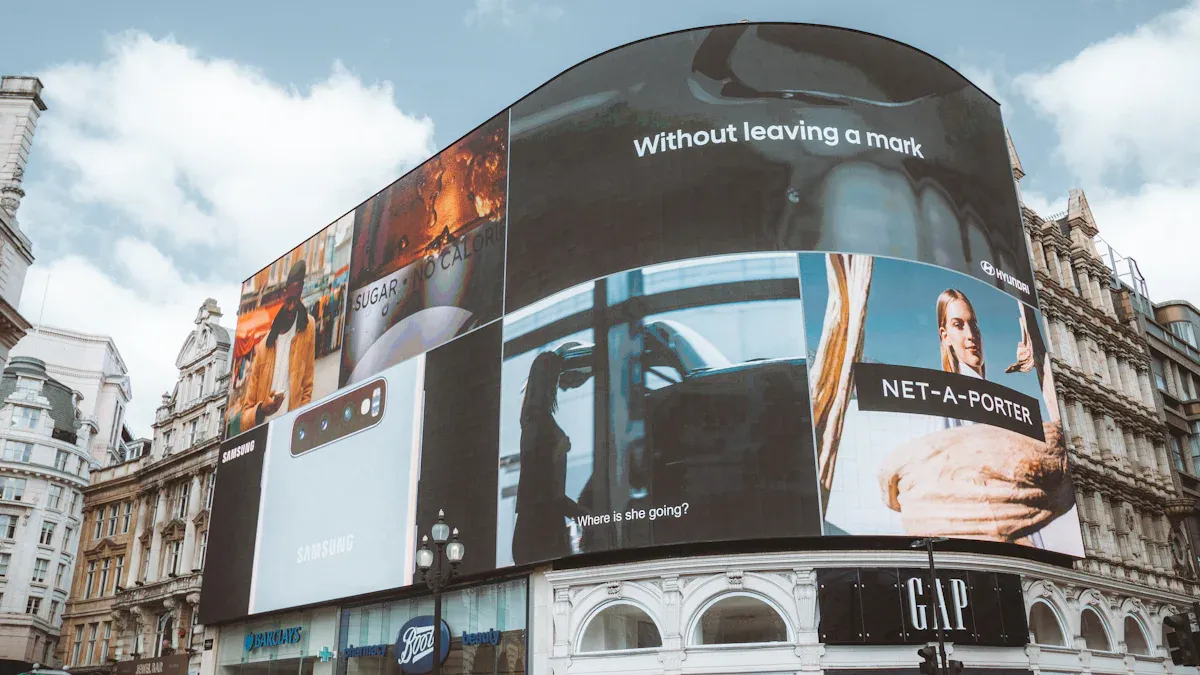
Digital signage uses digital screens to show information or ads. You see digital signage in stores, schools, and hospitals. It is also in places like airports and train stations. This technology helps share information fast. It grabs people’s attention easily. Digital signage—what is it? It lets you send messages in a visual way. It is efficient and easy to use. Today, digital signage is growing quickly. The global market was $31.5 billion in 2025. It will reach $69.9 billion by 2034. Many industries use digital signage. It makes sharing information simple and effective.
Industry | Applications |
|---|---|
Retail | Advertising, promotions, information sharing |
Healthcare | Information sharing, patient engagement |
Education | Presentations, information sharing |
Hospitality | Customer engagement, advertising |
Transportation | Wayfinding, real-time information delivery |
Corporate | Better teamwork, visual communication |
Entertainment | Advertising, control rooms, smart city projects |
Key Takeaways
Digital signage shows information on electronic screens in many places like stores and airports. It shares messages fast and in a clear way. You can change digital signage content right away. This makes it more flexible and cheaper than old signs. There are different kinds of displays, like LCD and LED. Each type is good for certain needs. Pick the best one for your place and message. Digital signage helps people pay more attention by using pictures and touch features. This helps people understand better and can help sales go up. A central management system lets you control many screens at once. It helps you update them on time and keep messages the same everywhere.
Digital Signage Was Ist Das: Meaning
Definition of Digital Signage
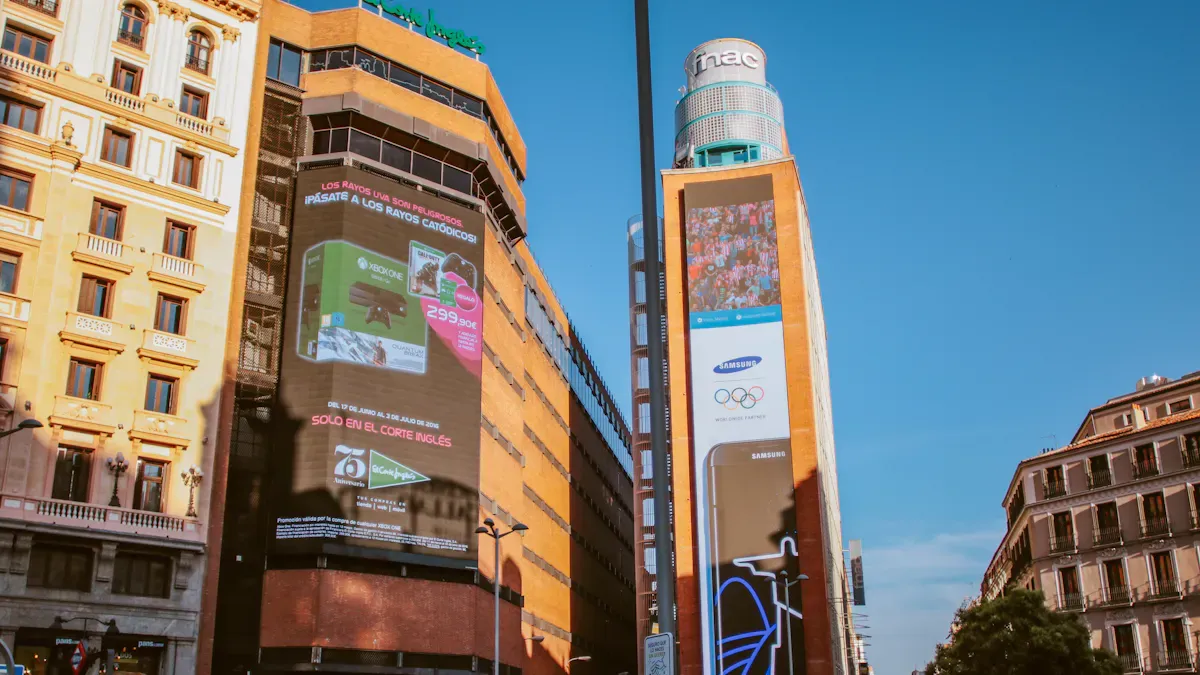
If you ask, "digital signage was ist das," you want to know what it means and why it is important. Digital signage uses electronic screens to show pictures, videos, web pages, or text. These screens are often in public places. They help share information, advertise products, guide people, and tell stories about brands. Digital signage lets you reach people with content that stands out. You can update the content quickly.
You can use digital signage in stores, airports, offices, and schools. The screens show news, ads, directions, or event schedules. You control what shows up on the screens. You can change the content anytime you want. This makes digital signage more flexible than regular signs.
Digital signage—what is it? It is a way to talk to people using digital screens. You can show content that grabs attention and sends your message fast.
Digital signage is different from static signs because you can update it right away. You do not need to print new posters or signs. You can use animations, videos, and interactive features to make your content more fun. Digital signage also saves money over time. You do not have to pay for printing or installing new signs every time you want to change your message.
Here are some main differences between digital signage and regular signs:
Digital signage uses electronic screens for moving content, while regular signs stay the same until you replace them.
You can update digital signage right away, but regular signs take time and money to change.
Digital signage can use motion, animation, and touchscreens to get people interested, while regular signs cannot.
Digital signage costs more at first, but it saves money later because you can update content from far away.
When you use digital signage, you can share content that is always new and important. You can also interact with people through touchscreens or other features. This makes digital signage a strong tool for sharing information and getting people involved.
Types of Digital Displays
You have many choices for screens used in digital signage. Each type of display has its own strengths and best uses. If you ask, "digital signage was ist das," you should also learn about the main types of digital displays.
Type of Display | Description | Best For |
|---|---|---|
LCD (Liquid Crystal Display) | Good price and clear images, but not good for bright sunlight. | Indoor signs like menu boards and directories. |
LED (Light Emitting Diode) | Brighter and lasts longer, great for outdoor displays and busy areas. | Outdoor signs and big video walls. |
Indoor Displays | Focus on pixel quality and design, used in many indoor places. | Hotel lobbies, conference rooms, malls. |
Outdoor Displays | Built to handle weather, with high brightness and anti-glare. | Outdoor places needing high visibility. |
Interactive Displays | Touchscreen displays that let people interact. | Kiosks in malls, airports, and hotels. |
Video Walls | Made of many screens for big visuals or lots of content. | Command centers, corporate lobbies, venues. |
LCD screens are good for most indoor digital signage needs. They give clear images and cost less than other choices. LED displays work well outside because they are bright and easy to see, even in sunlight. If you want to make a big impact, you can use video walls made of several screens. These let you show large content or many pieces of content at once.
Interactive displays let people touch the screen and pick what they want to see. You often find these in kiosks at malls, airports, or hotels. Outdoor displays are made to handle weather and sunlight, so your content stays clear and easy to see.
Some digital signage systems use projectors or OLED screens. Projectors help you show content on big surfaces, like walls or stages. OLED screens have great color and contrast, but they cost more. Each display type helps you show content in the best way for your space and audience.
Tip: When picking a display for digital signage, think about where you will use it and what kind of content you want to show. The right display helps your content stand out and reach more people.
Digital signage—what is it? It is a smart way to share content using the best display for your needs. You can choose from many types of screens to make sure your content looks great and gets noticed.
Digital Signage Components
Hardware Overview
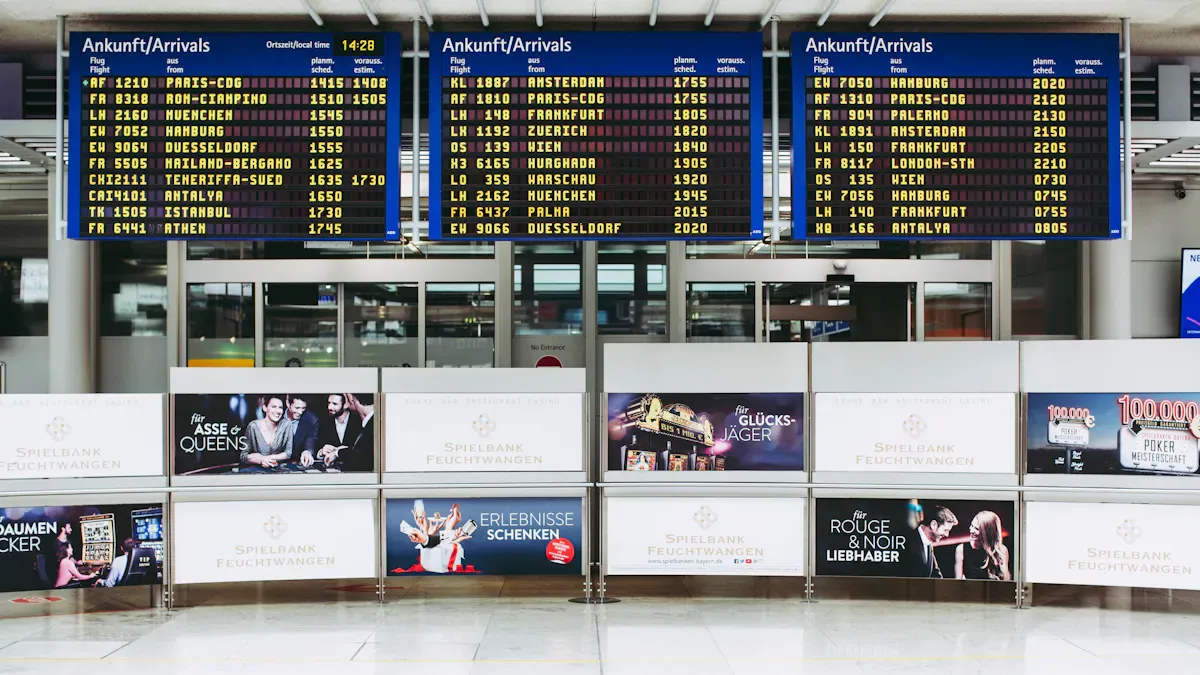
You need the right hardware to make digital signage work well. The main parts are digital signage displays, media players, and mounting equipment. Each part is important for how digital signage works for you.
Advantages | Limitations | |
|---|---|---|
LED Displays | High-quality images, energy efficiency, durable | More expensive, especially at higher resolutions |
LCD Displays | HD quality, more affordable | Best for indoor, may not perform well in sunlight |
Projection Screens | Versatile, ideal for large displays | Lower brightness, affected by ambient light |
Media players send content to your digital signage displays. PC-based players are powerful but cost more and need more care. Embedded players use less energy and space but may not show complex content well. Streaming players are simple to use but need a good internet connection. Mounting hardware, like wall mounts or floor stands, keeps your displays safe and in the right place.
Tip: The hardware you choose changes how well your digital signage network works and how reliable it is.
Software and Content Tools
Software lets you control what shows on your digital signage network. You can use platforms like OptiSigns or Yodeck to manage content, set schedules, and check how things are working. These tools make it easy to change your digital signage and let you update content from anywhere.
OptiSigns is popular because it is easy to set up, costs less, and has good support.
Yodeck helps you create, schedule, and manage content for many screens at the same time.
Content creation tools help you make messages that look good. You get templates, design tools, and ways to add real-time data. This makes your displays more interesting and keeps your information new.
Benefit | |
|---|---|
Design Tools | Create visually appealing content |
Scheduling | Ensure timely updates to displays |
Real-time Data Integration | Enhance engagement with current information |
Performance Metrics Analysis | Improve campaign effectiveness through insights |
Central Management Systems
A central management system (CMS) helps you control your digital signage network. You can manage many screens in different places without being there. The CMS lets you set schedules, send urgent updates, and make sure the right message is on the right screen.
Central control helps keep your digital signage network the same everywhere.
You can set content for different times and places.
Real-time updates let you react quickly to new events.
Dynamic displays can change based on outside data, so your messages fit better.
A good CMS also helps you grow your network. You can add new screens easily and keep your system safe with special access and encryption. This makes your digital signage network secure and ready to grow as you need it.
How Digital Signage Works
Content Creation and Scheduling
When you use digital signage, you start by making content. You must know who will see your screens. Set clear goals for your message. Plan what you want to say so it fits your needs. Pick tools that help you make digital signage content. Use simple design rules so your information is easy to read. Choose the best types of dynamic content like videos, images, or updates. Always think about where your screens are and what your viewers need. After you finish making content, you set a schedule for your messages. Good scheduling helps you reach people at the right time. Try different times and reuse dynamic content to see when your audience pays the most attention.
Tip: If you schedule your digital signage content for busy hours, more people will see it and your information will work better.
Displaying Information
Digital signage uses different technologies to show moving information. You often see LCD, LED, or OLED screens. Projectors help show content on big surfaces. Interactive displays let people touch the screen and get more details. Media players and system-on-chip devices send dynamic content to the screens. You need digital signage software and a network connection to manage real-time updates. The table below shows some key technologies:
Technology Type | Description |
|---|---|
Display Devices | LCD, LED, OLED screens for clear, moving visuals. |
Projectors | Show moving content on big surfaces. |
Interactive Displays | Let users touch and see moving information directly. |
Playback Devices | Store and send moving content to screens. |
Media Players/SoC | Process and connect moving content to displays. |
Real-time information comes from APIs, social media, or point-of-sale systems. A content management platform helps you automate real-time updates. Interactive displays let users get moving information fast, making your digital signage solution stronger.
Use Cases in Business
You can use digital signage in many business places. In healthcare, digital signage gives real-time updates and helps people find their way. For employee communications, you share moving information to keep everyone informed. Operations teams use digital signage to show real-time numbers and safety tips. Hospitality businesses use interactive displays for guest information and directions. Meeting rooms use digital signage for booking and schedules. Video walls show moving content, like welcome messages or company news.
Businesses check how well digital signage works by tracking engagement, sales, and productivity. Many companies see better communication and happier employees. Real-time updates and interactive features make digital signage a strong communication tool. You can deliver interesting content and keep your information new with every update.
Benefits of Digital Signage Information
Enhanced Communication
Digital signage helps you share information with people fast. You can send updates right away, so everyone stays informed. This technology lets you make messages more interesting than regular signs. You can use clear pictures, videos, and sound to help people remember what you say. Studies show that good pictures help people remember things 42% better. If you keep your designs simple and use less text, people understand and remember more. Digital signage also lets you show different messages to different groups. This makes your communication work better.
Feature | Digital Signage | Traditional Signage |
|---|---|---|
Content Update | Instant updates from anywhere | Requires physical replacement |
Engagement | Interactive and personalized content | Static and less engaging |
Real-time Messaging | Yes | No |
Visual Appeal | High-resolution visuals and audio | Limited to printed materials |
Adaptability | Highly adaptable to audience needs | Fixed messages |
Engagement and Advertising
Digital signage helps you get people interested in your message. You can use moving images, bright colors, and touch features to catch attention. This can help more people know your brand and get involved, almost 48% more. You can bring in 23% more people and increase sales by up to 25%. When you put digital signage in busy places, more people see your ads and learn about new things. In hospitals, touch screens let patients check appointments and learn health tips, making their visit better. Digital signage works better for ads than print signs.
Factor | Traditional Signage | Digital Signage |
|---|---|---|
Update Speed | Hours to days | Seconds |
Message Recall | ~40% | 83% |
Engagement | Static | Motion and color capture 400% more views |
Reach | Limited | Reaches 70% of Americans weekly |
Digital signage lets you share information in a fun and easy way. This helps you reach more people and make their experience better.
Industry Applications
Many businesses use digital signage for different reasons. Restaurants show menus and entertain guests with it. Clothing stores use it to show new styles and product info. Schools use digital signage for news and event times. In lobbies, you can show appointment times and teach visitors. Hotels use digital signage to give info about services and make their brand stronger. Event centers use it to guide people and share event news. Hospitals use digital signage to give info to patients and workers. Train stations and airports use it for updates and directions.
Industry | |
|---|---|
Restaurants | Make dining better, show menus, let customers interact, and give entertainment. |
Clothing Stores | Show new styles, give product info, and help with events. |
Education | Share news, event times, and help people find their way. |
Lobbies | Show appointment times, teach clients, and make things easier. |
Hotels | Make guests happier, give info about services, and build the brand. |
Event Centers | Make events better, give info, and help people find their way. |
You can use digital signage in hospitals, schools, and travel centers. This technology helps you make messages more interesting and keeps communication easy everywhere.
Digital signage is a strong tool for sharing information fast and clearly. You can use it in places like stores, offices, and schools. It helps you keep people up to date with important news. This makes talking to others much easier. Many businesses use digital signage to give information and help customers have a better time. If you want your message to stand out, digital signage can help your group or business talk better.
You can see that digital signage was ist das helps by making information easy to find and fun to look at.
Sector | Benefits |
|---|---|
Corporate | Better communication inside the company and more staff interest |
Retail | Shopping is better and there are fun, interactive ads |
Education | Easy updates and a way to show off good work |
What is Digital Signage? – Was ist das?
Digital signage refers to the use of digital displays (LCD, LED, projection) to show dynamic content such as videos, images, text, live data feeds, and interactive applications. Unlike static posters or printed signs, digital signage content can be updated remotely, scheduled by time of day, and tailored to specific audiences or locations.
Digital Signage bezeichnet die Nutzung digitaler Displays (LCD, LED, Projektion) zur Anzeige dynamischer Inhalte wie Videos, Bilder, Texte, Live‑Datenfeeds und interaktiver Anwendungen. Im Gegensatz zu statischen Plakaten oder gedruckten Schildern können die Inhalte von Digital Signage remote aktualisiert, zeitgesteuert und auf bestimmte Zielgruppen oder Standorte zugeschnitten werden.
How does it work? – Wie funktioniert es?
A digital signage system consists of three core components:
Content Management System (CMS) – A software platform (cloud‑based or on‑premise) where users create, schedule, and manage content.
Media Player – A small computer that receives content from the CMS and outputs the video signal to the screen.
Display – The physical screen (e.g., LCD, LED, e‑paper) that shows the content to viewers.
The CMS sends content to the media player over the internet or local network. The player then decodes and displays it on the screen according to the predefined schedule.
Ein Digital‑Signage‑System besteht aus drei Kernkomponenten:
Content‑Management‑System (CMS) – Eine Softwareplattform (Cloud‑basiert oder lokal), mit der Benutzer Inhalte erstellen, planen und verwalten.
Media Player – Ein kleiner Computer, der die Inhalte vom CMS empfängt und das Videosignal an den Bildschirm ausgibt.
Display – Der physische Bildschirm (z. B. LCD, LED, E‑Paper), der die Inhalte den Betrachtern zeigt.
Das CMS sendet die Inhalte über das Internet oder ein lokales Netzwerk an den Media Player. Der Player dekodiert sie und gibt sie gemäß dem vordefinierten Zeitplan auf dem Bildschirm aus.
Where is it used? – Wo wird es eingesetzt?
Digital signage is used in many environments, including:
Retail: Digital menu boards, promotional displays, wayfinding
Corporate: Internal communication, KPI dashboards, meeting room signs
Healthcare: Patient wayfinding, queue management, health education
Transportation: Flight information displays (FIDS), bus/train schedules
Education: Campus announcements, event promotions, digital honor rolls
Hospitality: Lobby welcome screens, event schedules, digital concierge
Digital Signage wird in vielen Umgebungen eingesetzt, unter anderem:
Einzelhandel: Digitale Menükarten, Werbeanzeigen, Wegweiser
Unternehmen: Interne Kommunikation, KPI‑Dashboards, Besprechungsraumschilder
Gesundheitswesen: Patientenwegweiser, Warteschlangenmanagement, Gesundheitsaufklärung
Transport: Fluginformationsanzeigen (FIDS), Bus-/Zugfahrpläne
Bildung: Campusankündigungen, Eventwerbung, digitale Ehrenwände
Gastgewerbe: Lobby‑Begrüßungsbildschirme, Veranstaltungspläne, digitaler Concierge
Why is it important? – Warum ist es wichtig?
Digital signage offers several key benefits over traditional static signs:
Real‑time updates – Change content instantly from anywhere.
Cost savings – No printing or reprinting costs.
Higher engagement – Motion, video, and interactivity capture attention.
Scheduling – Show different content at different times of day (dayparting).
Measurable – Some systems provide analytics on views and interactions.
Digital Signage bietet mehrere entscheidende Vorteile gegenüber herkömmlichen statischen Schildern:
Echtzeitaktualisierungen – Inhalte jederzeit und von überall ändern.
Kosteneinsparungen – Keine Druck‑ oder Neudruckkosten.
Höhere Aufmerksamkeit – Bewegung, Video und Interaktivität fesseln die Aufmerksamkeit.
Zeitplanung – Unterschiedliche Inhalte zu verschiedenen Tageszeiten anzeigen.
Messbarkeit – Einige Systeme liefern Analysen zu Aufrufen und Interaktionen.
Example – Beispiel
A fast‑food restaurant uses digital signage to:
Display breakfast menu from 6 AM to 10:30 AM
Automatically switch to lunch menu at 10:30 AM
Show “limited time offer” countdowns
Upsell combos during checkout
All updates are done remotely from a single web dashboard.
Ein Schnellrestaurant nutzt Digital Signage, um:
Das Frühstücksmenü von 6:00 bis 10:30 Uhr anzuzeigen
Um 10:30 Uhr automatisch auf das Mittagsmenü umzuschalten
Countdowns für zeitlich begrenzte Angebote anzuzeigen
Während des Bezahlvorgangs Kombi‑Angebote zu bewerben
Alle Aktualisierungen werden zentral über ein Web‑Dashboard durchgeführt.
Summary – Zusammenfassung
English | Deutsch |
|---|---|
Digital signage is dynamic, remote‑manageable content on digital displays. | Digital Signage sind dynamische, remote verwaltbare Inhalte auf digitalen Displays. |
It uses a CMS, media player, and display. | Es nutzt ein CMS, einen Media Player und ein Display. |
Applications range from retail to healthcare to transportation. | Die Anwendungsbereiche reichen vom Einzelhandel über das Gesundheitswesen bis zum Transport. |
Benefits include real‑time updates, cost savings, and higher engagement. | Vorteile sind Echtzeitaktualisierungen, Kosteneinsparungen und höhere Aufmerksamkeit. |
In short: Digital signage is the modern, digital evolution of the traditional notice board or poster – smarter, faster, and more engaging.
Kurz gesagt: Digital Signage ist die moderne, digitale Weiterentwicklung des traditionellen Aushangs oder Plakats – intelligenter, schneller und ansprechender.
FAQ
What does "digital signage was ist das" mean?
When you ask, "digital signage was ist das," you want to know what digital signage is. Digital signage uses screens to show things like ads, directions, or news. You can find it in places like stores, schools, and airports.
How do you update content on digital signage?
You use special software to change what is on the screens. You can update the messages from your computer at any time. This helps you share new information quickly and easily.
Where can you use digital signage?
Digital signage works in many different places. You see it in stores, hospitals, schools, hotels, and airports. You pick the best spot to reach the people you want.
What types of screens work for digital signage?
You can choose LCD, LED, OLED, or projectors for your screens. Each type is good for different places. LED screens are great outside. LCD screens are better for inside. Interactive screens let people touch and learn more.
Why should you choose digital signage over traditional signs?
Digital signage lets you change messages fast and easily. You can use videos, pictures, and sound to get attention. This works better than regular signs. You also save money because you do not need to print new signs.
See Also
Understanding Digital Signage And Its Importance In Today’s World
Exploring The World Of Digital Signage Solutions
Step-By-Step Guide To Setting Up Digital Signage
The Role Of Outdoor Digital Signage In Business Success
In-Store Digital Signage Solutions: A Detailed Comparison Guide
