Should You Rent or Buy Digital Signage in 2026
Shenzhen TopAdkiosk Display Technology Co., Ltd.
Add.: 2F, Bldg 10, Changfeng Industrial Park, Dongkeng, Fenghuang, Guangming, Shenzhen, China 518132
Mobile/WHATSAPP: 86-138 25769658
Email: marketing@topadkiosk.com topadkiosk@gmail.com
Skype: pghenry1
Wechat: adkioskhenry
English Web.: http://www.topadkiosk.com/
https://www.topkioskdisplay.com/
https://www.toplcddisplay.com/
http://www.multitouchdigitalsignage.com/
https://www.youtube.com/channel/UCYVYNJHxLVEcQD8fuUxXNTA/videos?view_as=subscriber
https://www.facebook.com/TOPADKIOSKSHENZHEN/?ref=bookmarks
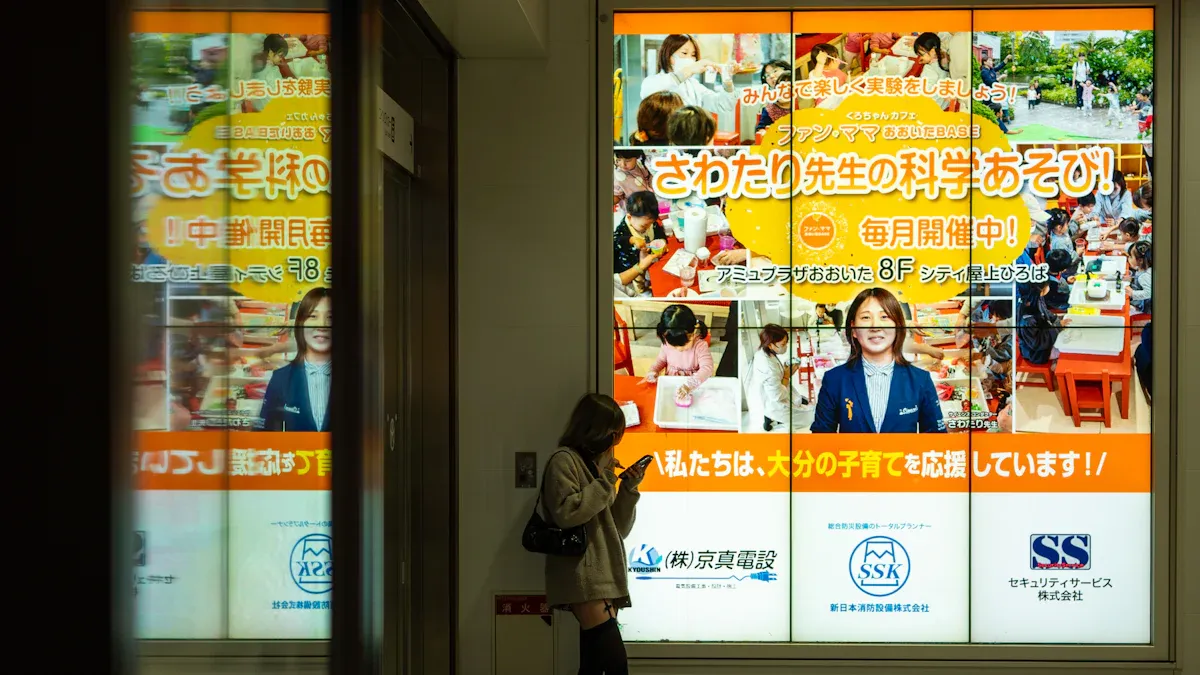
If you want a fast answer, renting or buying digital signage both work in 2026. Your best choice depends on what you need. Hotels and schools use digital signage the most. More than 60% of hotels use digital signage. About 87% of schools use digital signage now. Look at these main things to help you decide:
Factor | Impact on Your Choice |
|---|---|
Cost | Renting and flexible leases make digital signage cheaper. |
Flexibility | Shared ownership and rent-to-own are good for moving or short-term needs. |
Technology Trends | Energy-saving and smart designs help you save money and stay current. |
You can check out digital signage rental choices from trusted providers like https://www.topkioskdisplay.com/.
Key Takeaways
Think about how often you will use it. Renting works well if you only need it for a short time. Buying is better if you want to use it for a long time.
Look at all the costs, not just the first price. You should include maintenance, software, and updates when you rent or buy.
Digital signage helps people pay attention and buy more. Many companies get their money back in less than two years.
Renting lets you stay flexible. You can try new technology without keeping it forever.
Owning gives you more control. Buying digital signage lets you change content and handle upgrades when you want.
Quick Answer: Is Digital Signage Worth It?
You might wonder, is digital signage worth it in 2026? The answer is yes for most businesses. Digital signage grabs attention, boosts sales, and makes your messages stand out. You can update content fast, reach more people, and even track how well your screens work. Many companies see a return on their investment in less than two years. Restaurants, for example, often see sales jump by 8% to 37% after adding digital menu boards. If you want to improve customer experience and keep up with modern trends, digital signage is worth it.
Main Recommendation for 2026
If you want the best value, think about how often you will use your screens and what you need them to do. Digital signage is worth it if you want to engage customers, share updates quickly, and save on printing costs. Most businesses find that the cost pays off fast. In fact, 88.5% of businesses get their money back in under two years. You also get better engagement, with 74% of customers saying digital signage influences their choices. Here’s a quick look at the main benefits and drawbacks:
Benefits | Drawbacks |
|---|---|
Reach a wide audience fast | High upfront cost for buying |
Update content instantly | Ongoing cost for maintenance and updates |
Boost engagement and sales | Technical issues can cause downtime |
Track what works with real data | Poor content can hurt your brand |
Manage many screens from one place | More screens mean more complexity |
Tip: If you want to lower your cost, look for cloud-based systems. These let you manage content from anywhere and often come with support.
When Renting Makes Sense
Renting digital signage makes sense if you need screens for a short time or want to avoid a big upfront cost. This is perfect for events, festivals, or pop-up shops. Renting helps you stay flexible. You can try new technology without a long-term commitment. You also get support and setup included, so you don’t have to worry about technical problems. Renting is cost-effective for fewer than 40 events a year. You pay only for what you use, which keeps your cost low. If your needs change, you can switch to a different setup next time.
Renting works well for:
Mid-sized events and festivals
Short-term promotions or product launches
Businesses that want to test digital signage before buying
Companies with changing locations or needs
You can rent digital signage for events by contacting a provider, choosing your screen size and features, and scheduling delivery and setup. This way, you get the latest technology without the full cost of ownership.
When Buying Is Better
Buying digital signage is better if you plan to use it often or need it for a long time. If you have more than 40 events a year or want screens in your store, office, or school, buying saves you money over time. You pay a higher upfront cost, but you avoid rental fees. You also get full control over your screens and content. Modern displays last longer and need less maintenance, which lowers your long-term cost. You can also use smarter hardware and software to create better experiences for your customers.
Reasons to buy:
You want to promote self-service and reduce paper use.
You need to improve communication with staff or customers.
You want to create a strong brand image with high-quality visuals.
You plan to use digital signage as part of your business strategy.
Buying is digital signage worth it if you want to invest in your brand and customer experience. You get more value as your screens work for you every day. Over time, the cost per use drops, making it a smart choice for frequent or long-term needs.
Digital Signage Rental: Pros and Cons
Cost Breakdown and Payment Models
You might wonder how much digital signage rental costs in 2026. Renting a 55" digital signage display costs about $300 to $500 each day. This price often includes delivery and setup. Sometimes, it even covers content management. If you need digital signage rental for less than 40 events a year, renting is usually cheaper than buying. You do not have to pay a big setup fee at the start. You only pay for what you use. Many companies let you pay by the day, week, or month. Subscription models are common now. These help you spread out your payments. You do not need to pay a lot of money upfront. You also get the newest digital signage display technology. You do not have to worry about upgrades.
Flexibility and Upgrades
Digital signage rental gives you lots of choices. You can pick the size and type of digital signage display you want for each event. If your needs change, you can pick a different model next time. Cloud-based software lets you control your screens from anywhere. You can update your content right away. This helps you keep up with new trends or last-minute changes. Subscription models make it easy to add or remove screens. You only pay for what you need. Renting also means you do not pay for repairs or maintenance. You always get the latest technology, so your digital signage display looks new.
Support and Maintenance
When you rent digital signage, you get support included. The provider sets up your screens and helps if there are problems. They also take down the screens when you are done. If something breaks, you do not pay extra. Most companies offer help all day and night. Your digital signage display keeps working. You do not need to hire more workers or learn new technology. This saves you time and money. Renting is a good idea if you want to focus on your event or business, not on fixing tech issues.
Tip: To rent digital signage for events, call a provider, choose your digital signage display size, and set a delivery date. The provider does the rest, so you can focus on your event.
Buying Digital Signage Display: Pros and Cons
Upfront vs Long-Term Costs
When you buy digital signage, you pay a bigger cost at the start. In 2026, a basic setup usually costs between $2,000 and $4,000. This includes the screen, player, and basic installation. You also need to think about the real costs that come after you purchase. These include:
Software renewals
Remote support
Repairs
Content updates
Power usage
You pay these costs every month or year. For software, you might spend $8 to $95 each month. If you use your screens a lot—like for more than 40 events a year or every day in your store—buying becomes more affordable than renting. Over time, the real costs per use go down, and you save money compared to renting.
Ownership and Control
When you purchase digital signage, you own the equipment. You get to choose how you use it and what you show. You can change your content anytime. You do not need to ask anyone for permission. You also control when and how you upgrade your system. This gives you freedom to match your brand and business needs. If you want to build a custom experience for your customers, owning your screens helps you do that.
Technology and Obsolescence
Technology changes fast. In 2026, about 68% of digital signage purchases face problems with new tech coming out. If you have a big setup, you might see 42% of your screens run into issues when you try to connect old and new devices. The value of your displays drops by 75% in just three years. This means you might need to spend more to replace them sooner than you think. Before you buy, think about how often you want to upgrade and if you can handle these changes.
Note: Buying works best if you use your screens often and want full control. Make sure you plan for upgrades and the real costs that come with ownership.
Digital Signage Pros and Cons: Side-by-Side Comparison
When you look at digital signage pros and cons, it helps to break things down into simple parts. Here’s how renting and buying stack up for cost, flexibility, maintenance, and technology.
Cost
You want to know if renting or buying saves you money. Let’s look at the numbers:
Renting a 55" interactive kiosk costs about $300 to $500 per day.
Buying the same digital signage display costs between $2,500 and $3,000.
If you rent for more than six to ten days, buying becomes the better deal.
Renting gives you lower upfront costs. You only pay when you need the screens. Buying costs more at first, but you save money if you use your screens often. One of the main advantages of buying is that you avoid repeat rental fees. A disadvantage is the big payment at the start.
Flexibility
Flexibility is a big part of digital signage pros and cons. Renting gives you the freedom to pick different screens for each event or project. You can change your setup as your needs change. This is one of the top advantages of renting. You do not have to stick with one type of display. Buying gives you less flexibility. You own the screens, so you use the same ones every time. That can be a disadvantage if you want to try new things.
Maintenance
Maintenance is another key part of digital signage pros and cons. When you rent, the provider handles repairs and support. You do not need to worry about fixing things. This is a big advantage for busy teams. If something breaks, you get help fast. When you buy, you must handle repairs and updates. This can be a disadvantage if you do not have tech support.
Tip: Renting can save you time and stress because you get help with setup and breakdown.
Technology
Technology changes fast. Here are some digital signage pros and cons about staying up to date:
Renting lets you use the latest technology every time.
You can switch to new models as they come out.
Buying means you might miss out on new features unless you upgrade.
One of the main advantages of renting is always having the newest screens. A disadvantage of buying is that your screens can get old quickly. You may need to spend more to keep up.
Factor | Renting: Advantages & Disadvantages | Buying: Advantages & Disadvantages |
|---|---|---|
Cost | Low upfront, pay per use; can add up over time | High upfront, cheaper long-term if used often |
Flexibility | Change screens often; easy to scale | Less flexible, stuck with what you buy |
Maintenance | Provider handles it; less hassle | You handle it; can be costly |
Technology | Always up to date; easy to upgrade | Can get outdated; upgrades cost extra |
When you compare digital signage pros and cons, think about how often you need screens, how much control you want, and how fast you want to upgrade. Each option has its own advantages and disadvantages. Pick what fits your business best.
Which Is Right for Your Business?
Small Businesses and Startups
You want your money to work hard for you. If you run a small business or startup, renting digital signage lets you try new things without spending a lot. You get new screens and help from experts. This means your team does not worry much. Renting is good if your messages change often or you want to test ways to get customers interested. If you use digital signage less than 40 times each year, renting keeps your costs low. You also have more choices. The best ways to use digital signage are for deals, menus, or fast updates.
Large Enterprises
Big companies need digital signage in many places or for lots of events. You should check how often you use your screens. If you have fewer than four events each year, renting is better. If you use digital signage 34 times or more each year, buying is smarter. You get more control and can change your content to get more attention. Money matters, so look at your budget before you choose. Owning your screens lets you make them just how you want. You also save money over time. For big teams, digital signage helps with messages that change often and keeps everyone informed.
Events and Short-Term Use
Digital signage is great for events and rentals. You want your event to be special and get people excited. Renting gives you the newest screens and more choices. Here is a simple guide for event planners:
Call a provider and tell them about your event.
Pick the screen size and features you need.
Plan your content to get people interested.
Set up delivery and installation.
Use these tips to do well:
Best Practice | Description |
|---|---|
Design for the Correct Viewing Distance | Make sure your message is easy to read from where people stand. |
Simplify Content | Use short, clear messages. The 3×5 rule helps people remember your info. |
Consider Adding Movement | Add simple animations to grab attention and boost engagement. |
Digital Signage Layout & Hierarchy | Put the most important info first so people see it right away. |
Renting is good for messages that change often and short-term needs.
Long-Term Installations
If you want to use digital signage every day, buying is a better choice. You get full control and pay less over time. This works best for stores, schools, or offices that need to keep people engaged. You can update your screens whenever you want. The best ways to use digital signage here are for directories, schedules, and branding. Market trends show strong growth, especially in North America and Asia Pacific:
Region | CAGR (2026–2030) | Notes | |
|---|---|---|---|
Global | 33.20 | 8.1% | Digital promotion demand is rising |
North America | ~9.8 | Steady growth | Tech integration leads the market |
Asia Pacific | 6.67 | 11.6% | Low-cost displays drive fast adoption |
You can feel sure that your digital signage will help you reach your goals for many years.
You have learned about the good and bad sides of digital signage. Renting lets you change things easily and helps your brand for short times. Buying is better if you want to use screens for a long time and have full control. Think about what you want and how much you will use the screens. To get the most out of digital signage, try these steps:
Think about all the costs, not just the price of the hardware.
Look at software fees and try to use a free CMS so you do not pay more.
See how each choice helps your brand and gives you the best results.
Tip: Talk to vendors for help and find out more about how digital signage can help your business.
How to Rent Digital Signage for Events
Renting digital signage is an excellent way to enhance event atmosphere and deliver information without making a large capital investment. This is a systematic process from planning to execution. Understanding the key steps at each stage ensures a smooth event.
🎯 Step 1: Plan Ahead – Define Your Core Needs
Before contacting suppliers, clarify these basic questions. This is key to efficient communication and avoiding budget overruns.
Determine event type and purpose – Product launch, corporate annual meeting, wedding, or exhibition? This directly affects screen size, appearance, and mounting method.
Estimate audience size and venue – Approximate number of attendees and venue dimensions (length, width, height) – critical for choosing screen size.
Plan your content – What will you show? Videos, PowerPoint presentations, real‑time social media feeds, or live streaming? Knowing your content type helps select the most suitable equipment.
📊 Step 2: Understand Your Budget & Pricing Models
The final cost of digital signage rental is influenced by many factors. Knowing them in advance helps you budget effectively.
Base rental fee – Usually billed by day, week, or specific periods (e.g., weekday/weekend). For a small event, a base daily rental might be a few hundred dollars.
Hidden costs – Beyond the base rental, be aware of additional charges. Below is a typical cost breakdown for a 3‑day trade show example:
Cost Item | Description | Typical Range |
|---|---|---|
Display rental | Core equipment rental | $550 – $750/day |
Floor stand rental | For prominent or specific placement | $75 – $150 |
Shipping & drayage | Round‑trip transport and in‑venue freight handling | $250 – $700+ |
Installation & dismantling labour | Professional on‑site setup and teardown | $200 – $1,000+ |
Venue surcharge | Additional fees at large convention centres (e.g., in North America) | Varies – can double costs |
Accessory fee | Standalone media player, etc. | $100 – $300 |
Electrical fee | Charged by the venue | $150 – $350 |
Insurance surcharge | Short‑term liability insurance | $50 – $100 |
Actual total cost varies by location, supplier, and additional services. High‑end large‑scale events can far exceed these ranges – up to tens of thousands of dollars, sometimes over $250,000.
❓ Step 3: Frequently Asked Questions
Q1: Should I choose an LED or LCD display?
LED – Suitable for outdoor and large venues (e.g., music festivals). High brightness, weather‑resistant, can be built into giant screens, but more expensive.
LCD – Suitable for smaller indoor conferences, product displays, or registration counters. Good colour and sharpness, more affordable.
Q2: What are pixel pitch (Pitch) and brightness (Nits)?
Pixel pitch – The distance between two LED pixel centres (in mm). Smaller numbers mean higher resolution and finer image quality – best for close viewing. Larger numbers are for long‑distance viewing.
Brightness (Nits) – Unit of screen brightness. Outdoor or brightly lit environments require higher brightness (typically 2,500+ nits). Indoor use requires much lower brightness.
✅ Step 4: Select a Supplier – Clarify Contract & Support
Choosing a reliable supplier is the first step to a successful rental. Compare multiple options – don’t focus only on price.
Look for turnkey solutions – Prioritise suppliers who offer one‑stop service (delivery, installation, on‑site technical support, content upload, and post‑event dismantling). This saves significant effort.
Request site visits and case studies – Ask for examples of similar past events and client testimonials. Visit their warehouse if possible to inspect equipment condition.
Ask about installation details – Understand their shipping, setup, and teardown process – timing, number of staff required – to avoid last‑minute chaos.
Confirm technical support and backup – For large projects, ensure 24/7 dedicated on‑site technicians are available. Also ask about backup equipment in case of failure.
Prepare and test content in advance – Before the event, prepare all content in the required format (e.g., MP4, 1920×1080) and test it to avoid stretching or distortion issues.
💎 Summary
The keys to successfully renting digital signage are planning ahead, understanding your budget, and choosing a reliable supplier. With clear communication and careful preparation, it can become the most eye‑catching visual focus of your event.
If you are willing to share your specific event type, approximate budget, and location, I may be able to offer more targeted recommendations.
please contact Shenzhen TopAdkiosk Display Technology Co.
FAQ
How do you rent digital signage for events?
You start by calling a provider. You pick your screen size and features. The provider delivers and sets up your screens. You can use dynamic content and instant updates to keep your messaging fresh. Renting works well for indoor commercial applications and short-term needs.
What is the roi of digital signage?
You see roi when your screens boost sales and engagement. Digital signage roi often shows up in less than two years. You can track how your messaging works and adjust fast. Many businesses see better results with interactive digital signage and dynamic content.
How does digital signage improve messaging?
You can share messaging that grabs attention. You update screens with new info or deals. Your messaging stays clear and easy to read. You reach more people with instant updates. This helps you get your message out fast and keeps your audience interested.
Is buying or renting better for roi?
You get better roi if you use your screens often. Buying saves money over time. Renting helps you test what works. You can change your messaging and see what brings the best roi. Both options let you measure results and improve your messaging.
Can I use digital signage for indoor commercial applications?
Yes, you can use digital signage for indoor commercial applications like stores, schools, and offices. You can show schedules, menus, or branding. Your messaging stays up to date. You can make changes anytime. This helps you keep your audience informed and engaged.
See Also
Innovations in Digital Signage Technology Coming in 2026
Comparing Digital Signage and LED Signs for Businesses in 2026
Key Benefits of Digital Signage for Business Growth in 2026
Best Digital Signage Solutions for Retailers in 2026
Most Popular Digital Signage Players Gaining Attention in 2026
