A Complete Beginner’s Guide to Installing Digital Signage
Shenzhen TopAdkiosk Display Technology Co., Ltd.
Add.: 2F, Bldg 10, Changfeng Industrial Park, Dongkeng, Fenghuang, Guangming, Shenzhen, China 518132
Mobile/WHATSAPP: 86-138 25769658
Email: marketing@topadkiosk.com topadkiosk@gmail.com
Skype: pghenry1
Wechat: adkioskhenry
English Web.: https://www.topkioskdisplay.com/
http://www.ad-kiosk.com/
https://www.toplcddisplay.com/
http://www.multitouchdigitalsignage.com/
https://www.youtube.com/channel/UCYVYNJHxLVEcQD8fuUxXNTA/videos?view_as=subscriber
https://www.facebook.com/TOPADKIOSKSHENZHEN/?ref=bookmarks

You do not need special tech skills to perform a digital signage installation. The steps are easy, even if you are new to screens or software. Many groups in 2026 use digital signage to save money and share messages better. Here are some benefits:
Benefit | Description |
|---|---|
No printing costs, less work, and faster updates | |
Improved brand perception | Customers think your brand is good |
Enhanced customer experience | People feel more interested and happy |
Better employee communication | Staff get news and feel connected |
This digital signage installation guide will give you useful tips. It will help you skip common mistakes. It will show you each step. If you want things to go well, follow this guide.
Key Takeaways
Installing digital signage is simple and you do not need special tech skills. Just follow easy steps to set up your screens.
Make clear goals for your digital signage project. This will help you pick the best content and check if it works well.
Pick hardware and software that match what you need and what you can spend. Think about things like power and how your screens connect to the internet.
Plan your content with care. Use short messages and strong pictures. Put screens where people can see them easily.
Update your content often and watch your digital signage. This keeps people interested and makes sure your messages are new.
What Is Digital Signage

Basic Concepts
You might wonder what digital signage is. In 2026, digital signage uses electronic screens to show changing content. These screens can show videos, pictures, words, and things you can touch. You can update digital signage right away and control it from anywhere. This is why it works well in schools, stores, and offices.
Let’s look at the main parts of a digital signage system:
Digital Display: This is the screen, like a TV, LCD, or LED, where your message shows up.
Media Player: This device sends your content to the screen.
Digital Signage Software: You use this to set up, change, and plan what appears.
Passive and Interactive Tablets: These are strong tablets that show content or let people touch the screen.
Rich Media Content: This is your digital message, like videos, pictures, or words.
Mounting Hardware: You need this to keep your screen safe and steady.
Network and Connectivity: This lets you update your system from far away.
Content Management System (CMS): This helps you control and plan your content.
Device Management System: You use this to check and manage all your devices.
You can find digital signage almost everywhere now. It is used for ads, sharing news, and helping people in hospitals or airports.
Key Benefits
Digital signage has many good points. You can catch people’s eyes with moving content and get customers more interested. In healthcare, digital signage helps patients remember important things. In banks, digital signage helps people remember information much better than old ways.
Here’s a quick look at why digital signage is special:
Benefit | How It Helps You |
|---|---|
Instant Updates | Change your ads or messages very fast |
Remote Management | Control screens from any place |
Engaging Content | Use videos and pictures to keep people watching |
Better Customer Engagement | Make customers feel close and informed |
Flexible Placement | Put screens where they help your audience most |
If you want to start, this digital signage tutorial will help you step by step. You will learn how to make ads that stand out and how to use a tutorial to make installing easy. Digital signage is a smart choice for anyone who wants to share changing content and reach more people.
Tip: Try using interactive displays for ads. People like to touch and explore, so your messages will stick in their minds.
Digital Signage Installation Steps
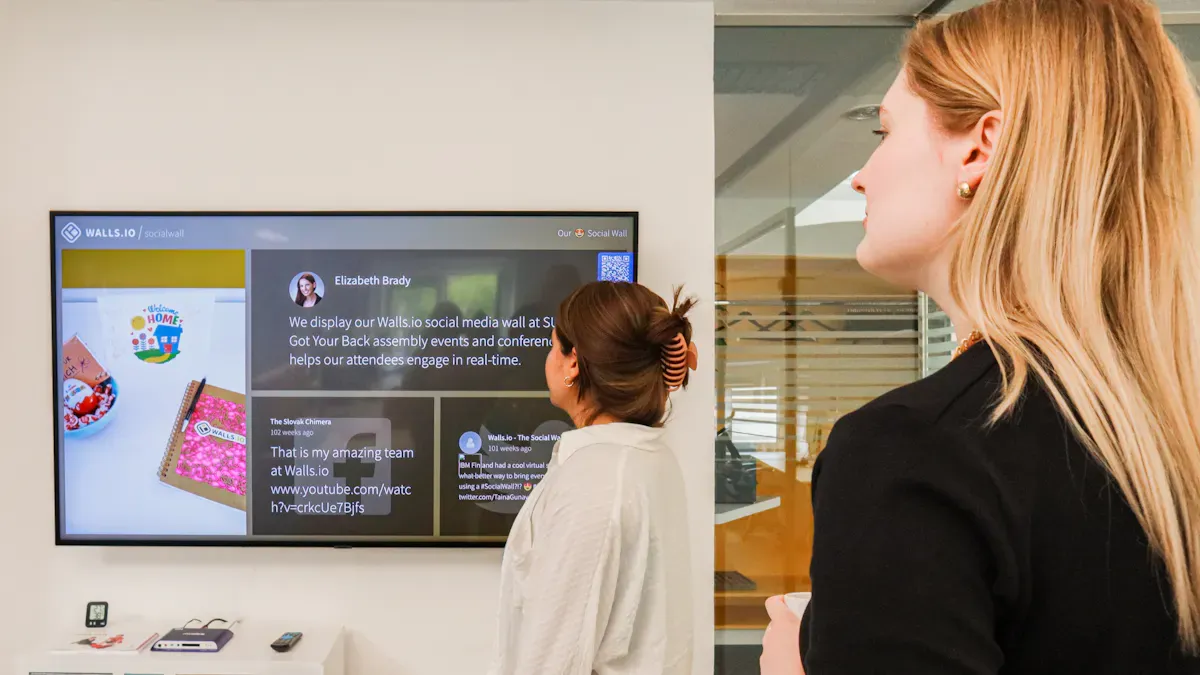
Ready to get started with your first digital signage installation? You can follow these steps to make the installation process smooth and stress-free. This digital signage tutorial breaks down each part so you can handle everything, even if you have never done a signage installation process before.
Define Goals
You need to know what you want your digital signage to do. Setting clear goals helps you make smart choices about your content strategy and hardware. Without a plan, you might waste time or money.
Goal Type | Example Goal |
|---|---|
Sales goal | Increase retail sales by 15% during promotion periods by showing offers and discounts on screens. |
Internal communication goal | Cut internal communication delays by 30% with digital boards for company news and reminders. |
Customer experience goal | Increase dwell time in-store by 20% by showing product highlights, tips, or event countdowns. |
Set objectives and goals for your project.
Decide how you will measure success, like sales lift or engagement rate.
Tip: Write down your goals and keep them visible during the installation process. This keeps your project on track.
Choose Hardware & Software
You want hardware and software that fit your needs and budget. In 2026, you can find many options for beginners. Think about where you will put your screens and how you will control them.
Criteria | Description |
|---|---|
Electrical access | Make sure you have enough power outlets for your screens and media players. |
Network connectivity | Check for strong internet access, especially for cloud-based solutions. |
Mounting options | Look at your wall or stand to see if it can hold your display safely. |
Understanding power needs | Know how much power your screens use to avoid problems. |
Vendor evaluation | Pick software that is easy to use, has good support, and can grow with your needs. |
For solo users or small teams, pick simple, cloud-based tools with templates.
For small businesses, look for affordable and easy-to-manage systems.
For bigger projects, focus on security and support.
Plan Content & Placement
You need a content strategy before you start the actual installation. Think about what you want to show and where your audience will see it. Good planning makes your installation faster and more effective.
Keep messages short and clear. Use big fonts.
Match your content to how long people will look at the screen.
Use strong action words and images instead of lots of text.
Add a call-to-action to every message.
Place screens where people can see them easily, like at eye level or in busy spots.
Make sure your content is easy to read from a distance.
To make your content strategy work, design for clarity. Use high-contrast colors and simple layouts. Update your content often to keep people interested.
Site Prep & Compliance
Before the actual installation, check your site for any problems. You want to avoid surprises on installation day. Look at the space, power, and network connections.
Legal Consideration | Description |
|---|---|
Permitting and Codes | Check if you need a permit for digital signage in your area. |
Local Restrictions | Learn about size and brightness rules for outdoor screens. |
ADA Compliance | Make sure your signage is easy to use for everyone, including people with disabilities. |
Community Engagement | Talk to your neighbors or local groups if needed. |
Make sure your displays have audio for people with visual impairments.
Use ADA-approved fonts and colors for better readability.
Check for weather, dust, or sunlight if you plan outdoor screens.
An environmental check helps you pick the right hardware. Look at sunlight, temperature, and dust. Use weatherproof screens if you need them.
Mount Display Securely
Mounting your display is a key part of the signage installation process. You want your screens to stay safe and steady.
Standardize your equipment and document all installation procedures.
Use trained installers if you can, or follow the instructions closely.
Do a site survey before you start.
Pick mounts that let you adjust the screen after you hang it.
Make sure the wall or stand is strong enough.
Safety First: Always turn off power before mounting. Use the right tools and ask for help if the screen is heavy.
Connect Media Player
Your media player sends content to your screen. In 2026, you can choose from dedicated hardware players or software apps.
Type of Media Player | Description |
|---|---|
Dedicated Hardware Players | Plug-and-play devices that connect with HDMI. They work well for 24/7 use and are easy to manage. |
Software Players (Apps) | Run on smart TVs or tablets. These are cheaper and good for small projects. |
Dedicated players give you stable playback and easy remote control.
Software apps are good for simple setups.
Plug your media player into the screen and connect it to the internet. Make sure all cables are secure.
Set Up Software & CMS
Now you need to set up your digital signage software and content management system (CMS). This step lets you control what shows on your screens.
Define your goals and content strategy.
Choose the right hardware and connect it to your network.
Pick a CMS that is easy to use and lets you schedule content.
Secure your media players, especially if they are in public places.
Set up your network, using Wi-Fi or cables as needed.
Test your CMS to make sure you can upload and schedule content.
A good CMS makes deploying digital signage simple. You can control screens from anywhere and update content fast.
Test & Verify
Before you finish the installation process, test everything. You want your digital signage to work right from the start.
Step | Description |
|---|---|
1 | Test content scheduling to make sure messages show at the right time. |
2 | Check interactive features, like touch screens or sensors. |
3 | Write down how fast content loads and how good it looks. |
Look for any problems with sound, picture, or network.
Fix any issues before you launch.
Launch & Monitor
You are ready to go live! Launch your digital signage and start tracking how it works.
Track key metrics like playback counts, dwell time, and engagement.
Rotate your content often to keep it fresh.
Use analytics to see what works and improve your content strategy.
Check your screens every day to make sure they work.
Review software logs and network status each week.
Clean your hardware and check mounts every month.
Update firmware and do deep checks every few months.
Note: Measuring success helps you see if your signage installation process meets your goals. Use surveys, analytics, and sales data to learn what works best.
With proper planning and these steps, you can handle the installation process yourself. This guide makes deploying digital signage easy, even for beginners. If you follow each step, your actual installation will go faster and smoother.
Complete Guide: Best Practices
You want your digital signage setup to work well and last. This guide gives you easy tips and tools to help you pick the best digital signage package for your needs. Let’s look at each step together.
Tools Checklist
You need the right tools to set up your screens safely. Here is what you should get ready:
Use strong power tools like hammer drills and impact drivers.
Get measuring tools like laser levels and digital angle finders.
Use electronic stud finders and load testers to check walls.
Have cable trays and tags to keep cables neat.
Use network testers like cable certifiers and bandwidth testers.
Wear safety gear, like fall arrest systems and eye protection.
These tools help you make your screens look good and stay safe. They also help people enjoy your screens more.
Safety & Compliance
You must follow safety rules and local laws when you install digital signage. This keeps everyone safe and helps you avoid fines. Look at this table to see what you need to remember:
Compliance Requirement | Details |
|---|---|
Obtain proper permits | Check local zoning rules and pay any needed fees. |
Building code compliance | Follow the 2025 International Building Code for safe mounting. |
ADA conformity | Use text heights between 1.25" and 2" and high contrast for easy reading. |
Register with authorities | Needed for outdoor or public-facing displays. |
Non-compliance penalties | ADA fines can reach $75,000 per incident under new Title III rules. |
Digital signage can help keep people safe by showing safety alerts and reminders. You can show special instructions for each area, like videos about wearing safety gear or warnings about dangers. This helps people pay attention and keeps your workplace safe.
Standardize & Document
You should always write down your steps and use the same setup each time. Here’s why:
Label all cables and put equipment where you can reach it. This makes fixing things easier.
Keep a style guide for your content. This helps your messages stay clear, even if your team gets bigger.
Write down your steps and what you do. This helps you do the same thing next time and share tips with others.
Good records make it easier to improve your setup. You can see what works and change things to get better results.
If your project feels too hard, or you want the best digital signage package, you can hire a trained technician. Get help for video walls, outdoor screens, or if you need things done fast. Experts know how to do tough jobs and make sure you follow all the rules.
Tip: Using the same setup and always improving helps you make your screens fun and safe every time you update your digital signage.
Troubleshooting Digital Signage Systems
Sometimes, you might have problems after installing digital signage. Don’t panic. Most issues are simple to fix if you know what to check. Here are ways to solve common problems.
Display Issues
Screens can freeze or show mistakes. Sometimes, nothing shows up at all. Look at this table for easy fixes:
Display Issue | Resolution Steps |
|---|---|
Frozen Screens | Check for updates often and restart devices to fix glitches. |
Playback Errors | Make sure your files work with the system and are not broken. |
Connectivity Problems | Test your network speed, check device settings, and watch for IP or firewall problems. |
If your screen freezes, restart it quickly. For playback errors, check your video or picture files. Make sure they work with your system. If you see a blank screen, check cables and power.
Tip: Always update your software. Updates fix bugs and add new features.
Connectivity Problems
Digital signage needs a strong network to work well. If your content does not show, try these steps:
Check if your player has internet and look at network settings.
Test the connection by pinging known addresses.
Make sure the player is online in your CMS and check its status.
Confirm the sync schedule is correct for updates.
Check that storage devices are connected and can be read.
Review the publish status of content in the CMS.
Restart the player app if needed.
Make sure the firewall is not blocking CMS traffic and ports are open.
Re-authenticate the player if keys or credentials are expired.
Set the player’s time zone right to avoid scheduling problems.
Clear the player cache to remove old content.
Review CMS logs for sync status and errors.
Start with the CMS dashboard to check player status before looking deeper.
Most network problems can be fixed with these steps. In 2026, many digital signage systems use cloud tools, so a good connection is important.
Content Management
Keeping your digital signage updated is important. Here’s how you can manage content easily:
Change menus and employee spotlights each week.
Add new products and company news every month.
Match your content to holidays and events each season.
Use high-quality designs.
Test screens and check analytics often.
Automate updates with your CMS.
Stick to your schedule to keep your audience interested.
You can keep your digital signage looking good with these habits. Regular updates help your digital signage stand out and work better for everyone.
You can install digital signage without worry. First, set clear goals for your project. Choose hardware that works well and software that is simple to use. Make a plan for your content and keep it easy to understand. Digital signage helps you share messages and get people interested in new ways. As you learn more, try using interactive features and different platforms. Keep learning by reading guides, watching webinars, and checking out new trends. You can also share what you learn or ask questions below. Now is the time to start your digital signage journey!
Want to learn more? Sharing your story helps others get better too.
How to Install Digital Signage Yourself in 2026
In 2026, thanks to smarter TVs and a wealth of free software, installing digital signage yourself has never been easier. A basic single‑screen system can even cost nothing if you repurpose an unused TV.
Step 1: Plan Ahead
Before buying any hardware or downloading software, take time to answer a few core questions. This ensures the solution you choose truly fits your needs.
Content source – What will you display (static images, videos, live web pages, social media feeds)? How often will content change?
Installation environment – Will the screen be indoors or outdoor / window‑facing? Outdoor requires high brightness (at least 1500 nits) and IP65+ ingress protection.
Required features – Do you need scheduled on/off, remote management, multi‑user collaboration, or integration with other business systems (e.g., POS)?
Step 2: Choose Your Hardware Path
Hardware options in 2026 are very flexible. Based on your budget and needs, pick from the table below.
Path | Description & Core Components | Why Choose This |
|---|---|---|
Zero‑cost start | Use a spare computer or smart TV (Samsung Tizen / LG webOS) you already own. No new hardware needed. | Start testing with zero extra investment. |
Budget‑friendly | Connect an inexpensive media player to an existing TV. Core components: Amazon Fire TV Stick, Google Chromecast, or Raspberry Pi. | Offers 4K output, performs far better than low‑end Android TVs – best balance of cost and performance. |
Commercial‑grade | For projects that demand high reliability, choose commercial smart TVs (integrated SoC) or professional media players (e.g., BrightSign). | Ensures 24/7 stable operation and offers better technical support. |
Step 3: Choose and Install Signage Software
Software is the “brain” of digital signage – it manages content and screens. Based on your hardware, follow the relevant method.
Method 1: Smart TV + Built‑in App (Samsung / LG)
One of the simplest and most direct methods in 2026. Install a signage app from the TV’s app store.
Applicable hardware: Samsung (Tizen OS), LG (webOS) smart TVs.
Steps:
Go to the TV’s app store and download a digital signage app (e.g., Yodeck).
Register an account and pair the TV with the app – then start pushing content.
Method 2: Budget Player + App (Fire TV Stick, etc.)
If your TV itself does not support installing apps, this method gives good performance at low cost.
Applicable hardware: Amazon Fire TV Stick, Raspberry Pi, etc.
Steps:
Install a digital signage app on the player (search for free apps like AbleSign in the Amazon store).
On your computer or phone, access the app’s web dashboard, pair the device, and start managing content.
Method 3: Web Browser (No Dedicated Hardware Needed)
For short‑term use or quick testing, no software installation is required.
Method: Most CMS platforms provide a unique URL. Open it full‑screen on any device (smart TV browser, computer, tablet) and the signage plays automatically.
Method 4: USB Media Playback (Simplest Info Board)
The most cost‑effective method, but content updates require manual file replacement.
Applicable hardware: Any TV with a USB port.
Method: Put images and videos on a USB drive (formatted as FAT32), plug it into the TV, and select “USB mode” to play.
🌼 Best Free Software Options (2026)
AbleSign – Built around Fire TV Stick, unlimited free use, highly rated by small businesses.
Trillboards – New all‑in‑one free platform offering cloud CMS + mobile device management + free premium content (e.g., from YouTube Premium).
Step 4: Hardware Installation & Cabling
Once software is set, proceed with physical installation.
Installation Aspect | Guidelines & Tips |
|---|---|
Site survey | Check wall condition, electrical circuits, network availability, and environmental conditions (light, temperature). Verify Wi‑Fi signal strength. Test placement to avoid glare from sunlight or ceiling lights. |
Screen mounting | Choose fixed, tilt, or adjustable mounts based on environment. Ensure the TV’s VESA pattern matches the mount. Determine centre height: 60‑66 inches for standing viewers, 48‑54 inches for seated. |
Cable management | Ensure power outlets are within 6 feet (about 1.8 metres) of the TV. Estimate power draw; avoid overloading a single circuit when multiple displays share it. Conceal power and HDMI cables neatly. |
Step 5: Content Creation & Management
After hardware and software are ready, create engaging content.
Content creation tools – Canva offers many signage templates; Animaker.ai focuses on AI‑driven animations and videos; WordPress with plugins can produce dynamic layouts.
Playback & scheduling – Use the cloud‑based CMS to centrally schedule and play content across all screens.
Basic tips – Start with a single playlist, use templates for consistency, keep content simple, and follow the “3‑second rule” (information should be readable within 3 seconds).
Step 6: Maintenance & Optimisation
Digital signage requires ongoing care to keep it running smoothly.
Performance monitoring & remote maintenance – Use platforms with remote monitoring (e.g., Trillboards) to check device status, online/offline state, and perform OTA firmware updates.
Content pitfalls to avoid – Don’t play the same content all year (visual fatigue); don’t overcrowd screens; always test before publishing; and refresh content regularly.
Cleaning – Always power off before cleaning. Use a soft, lint‑free cloth and specialised screen cleaner. Periodically check hardware connections and clean dust from devices.
💡 Summary
I hope this detailed guide helps you easily build your own digital signage system in 2026 – whether you are on a tight budget or ready for a professional deployment.
FAQ
How much does digital signage cost in 2026?
You can start with a small screen and media player for about $200. Cloud-based software often has a monthly fee. Prices drop every year, so you get more features for less money now.
Do I need special skills to install digital signage?
No, you don’t. Most systems in 2026 use plug-and-play hardware and simple apps. You just follow step-by-step guides. If you can set up a smart TV, you can do this.
Can I update my screens from my phone?
Yes! Many digital signage platforms in 2026 have mobile apps. You can upload new content, check your screens, and even schedule messages right from your phone.
What if my screen stops working?
First, check the power and cables. Restart the device. If it still doesn’t work, use your software’s help section or contact support. Most problems have quick fixes.
See Also
Simple Steps to Install and Configure Digital Signage Software
Guide to Installing and Setting Up Digital Display Signage
Step-by-Step Instructions for Setting Up Local Digital Signage
Comprehensive Guide to Choosing and Installing Outdoor Digital Signage
