A Complete Comparison of Digital Signage in Education
Shenzhen TopAdkiosk Display Technology Co., Ltd.
Add.: 2F, Bldg 10, Changfeng Industrial Park, Dongkeng, Fenghuang, Guangming, Shenzhen, China 518132
Mobile/WHATSAPP: 86-138 25769658
Email: marketing@topadkiosk.com topadkiosk@gmail.com
Skype: pghenry1
Wechat: adkioskhenry
English Web.: https://www.topkioskdisplay.com/
http://www.ad-kiosk.com/
https://www.toplcddisplay.com/
http://www.multitouchdigitalsignage.com/
https://www.youtube.com/channel/UCYVYNJHxLVEcQD8fuUxXNTA/videos?view_as=subscriber
https://www.facebook.com/TOPADKIOSKSHENZHEN/?ref=bookmarks

You want the best digital signage in education for your school. This area is growing fast. The digital signage market in education was USD 1.2 Billion in 2024, and experts think it will reach USD 3.4 Billion by 2033.
Digital signage in education helps keep people safe by sending alerts quickly. It also helps students and staff feel more connected, making your school a better place. The table below shows how it helps your campus:
Benefit | How It Helps |
|---|---|
Communication Efficiency | Sends clear messages to everyone on campus |
Student Engagement | Shows fun content that gets students interested |
Cost Savings | Uses less paper and saves money |
Digital signage in education makes your school safer. It helps build a good school environment and prepares your school for the future.
Key Takeaways
Digital signage helps schools share messages fast and clearly. It makes schools safer and gets students more involved. Cloud-based digital signage is easy to use and flexible. You can update it from anywhere. It also saves money over time. Picking the best digital signage means looking at your school's needs and budget. You should also check which features help with safety and getting students involved. Digital signage can help everyone feel like part of a team. It does this by showing achievements and sharing news with students and staff. Good planning and support are very important for success. Staff should help, goals should be clear, and content should be updated often.
Digital Signage in Education Overview
What Is Digital Signage?
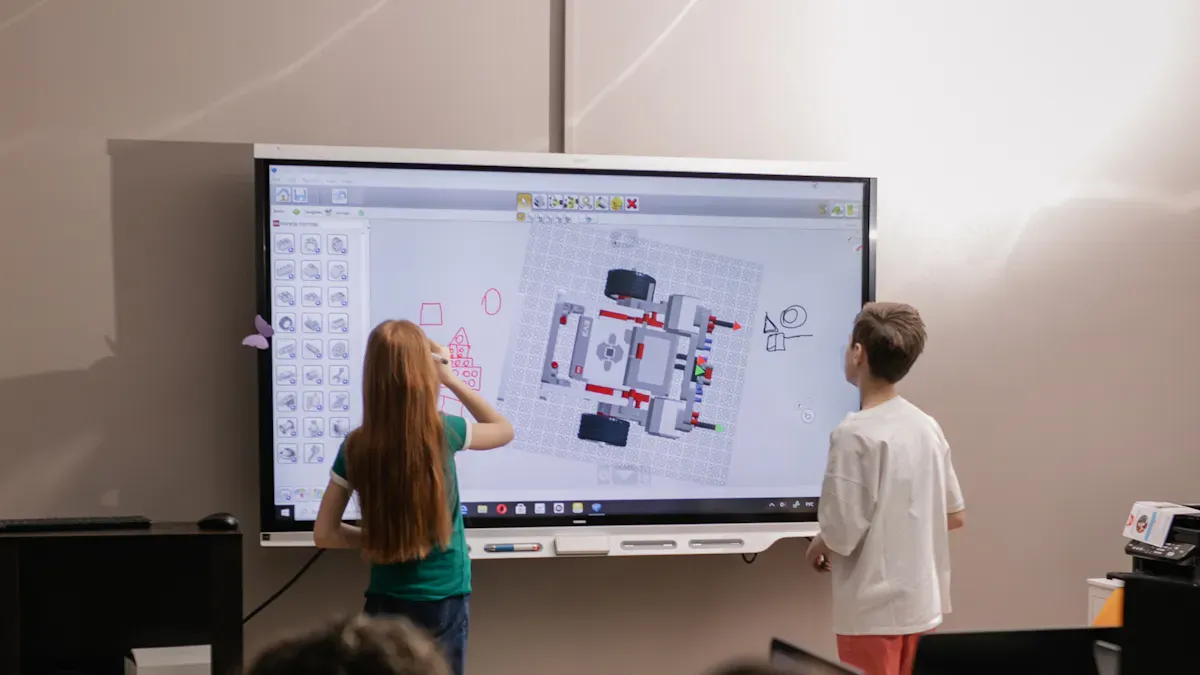
You see digital signage at school almost every day. These are screens that show important things in places like hallways and classrooms. Schools use LCD or LED screens to share news, daily updates, and safety alerts. These screens help everyone get the same information fast. You can find them in K-12 schools and colleges.
Digital signage helps you know what is happening. The screens show bright and interesting content. This makes it easier for you to notice and remember things. Schools use digital signage to make learning spaces feel modern. This technology helps people feel like they belong by sharing news, celebrating wins, and telling about events.
Tip: Digital signage can help your school look neat and well-planned. It helps everyone feel like they are part of the school.
Now, more schools use cloud-based digital signage. Some systems use AI to show special content for different people. Touch screens and interactive displays are getting more popular. New screens like OLED and 4K make pictures look brighter and sharper.
School Use Cases
There are many ways to use digital signage at school. Here are some common ways:
Use Case | Description |
|---|---|
Safety Alerts | Share safety news fast and clearly. |
Wellness Initiatives | Tell students and staff about health and wellness programs. |
Event Promotion | Show school events and activities to get more people involved. |
Wayfinding | Help students and visitors find their way around school. |
District-wide Messaging | Make sure all schools get the same important messages. |
You also see digital signage for daily news, schedules, and digital bulletin boards. Schools use these screens to celebrate students and staff, which helps build a good school spirit and gets students more interested. Digital signage helps people stay connected by sharing news, celebrating good things, and keeping everyone up to date.
Digital signage in education helps you learn in a new way. It makes information easy to see and understand. This technology brings your school together and helps everyone do well.
Types of Digital Signage Solutions

Cloud-Based
Cloud-based digital signage solutions are easy to use. You can control your school’s screens from anywhere with internet. This lets you change messages fast, even if you are not at school. You do not have to put software on every device. The system updates by itself, so it stays safe and new. Staff can use any device to update the screens. This makes sharing news quick and simple. These systems are good for schools with many buildings or a big campus.
Tip: Cloud-based systems let you send alerts or event news to all screens at the same time.
On-Premises
On-premises systems use your school’s own servers. You own the license and control your data and content. These systems might save money later, but cost more at first. You may need IT staff to set up and run the system. It can take longer to update things, especially if you have lots of screens.
Advantages | Disadvantages |
|---|---|
License Ownership | |
Complete Control | Needs technical expertise |
Customization & Integrations | Hard to update many screens |
Enhanced Security | Costly to scale |
All-in-One Bundles
All-in-one bundles make things easy for your school. You get screens, software, and help in one package. These bundles help you set up signs fast. You can use them for maps, event news, and safety alerts. You can change messages from far away. You also save money because you do not need to print new signs.
Benefit | Description |
|---|---|
Simplifies Campus Navigation | Shows maps and directions for students and visitors |
Promotes Events | Shares news and event updates in real time |
Reduces Admin Workload | |
Enhances Student Experience | Gives important info across campus |
Customizable and Scalable | Grows with your school’s needs |
Open-Source
Open-source platforms let you make your digital signs special. You do not pay for licenses, so your school saves money. You can make cool displays for art, menus, or news. These systems help students learn about digital tools and design. You should check if your hardware works with the software. Sometimes, you need extra tech help to set things up.
Open-source signs help students get involved with creative content.
They help people find their way and share emergency news.
You can match lessons with current events and teach digital skills.
Note: Open-source solutions are flexible, but you may need more tech help.
Pros and Cons of Solution Types
Cloud-Based
Cloud-based digital signage is easy to use. You can manage content on many screens. The platform works well most of the time. This helps keep safety messages showing. You can send updates from anywhere. This lets you share emergency alerts quickly. Over time, you save money compared to paper signs. You might pay more at first for hardware and setup. Some people think mobile device management is hard to use. There are limits in analytics and access controls.
Pros | Cons |
|---|---|
Simple interface for content management | |
Works on multiple screens and flexible hardware | Mobile device management can be less intuitive |
Reliable platform with good uptime | Some limitations in access controls |
Digital signs use bright visuals to get attention.
You can save money over time.
You may need some tech skills to update signs.
On-Premises
On-premises solutions give you more control. You can change the system for your school’s needs. You manage your own safety messages. This helps keep student privacy safe. You set your own security rules. You can meet legal needs without outside help. These systems cost more at first. You need IT staff to run them.
Benefit | Description |
|---|---|
Control and Customization | You control apps and data. You can change things for your needs. |
Security and Data Governance | You set your own safety and data rules. |
Compliance and Regulatory Requirements | You make sure your school follows all laws and rules. |
Education | You manage content and keep student data private. |
All-in-One
All-in-one bundles help you set up signs fast. You get screens, software, and support in one package. These systems make sending safety messages easy. You can use quizzes and polls to get students involved. You save time and money because you do not print signs. Interactive maps help students and visitors find their way. This makes campus safer.
Advantage | Description |
|---|---|
Improved Communication | You send messages to everyone right away. |
Enhanced Student Engagement | Quizzes and polls make learning fun. |
Cost and Time Efficiency | You save money and update signs quickly. |
Emergency Alerts and Safety | You share important safety news during emergencies. |
Wayfinding and Navigation | Maps help people find safe paths around school. |
Open-Source
Open-source digital signage lets you build your own system. You do not pay for licenses, so you save money. You can change everything, like scheduling content and how the system works. This helps match your school’s safety needs. You may need more tech help to set up and keep things working.
Feature | Open Source | Proprietary |
|---|---|---|
Licensing Fees | Eliminated | Required |
Customizability | High levels of customization | Limited customization options |
Open-source platforms do not have licensing fees.
You can change the system for safety and school events.
These systems are good if you want to control costs and features.
Comparing Leading Digital Signage Solutions
Top Platforms for Schools
When you pick digital signage for your school, you want it to fit your needs. Many schools use a few top platforms. These platforms help you share news, keep students safe, and build community.
Here are some popular digital signage platforms in schools in 2024:
Yodeck: New York University uses it for live data and easy updates.
Rise Vision: It is popular because it has flexible templates and good support.
Wallboard: People like it for interactive screens and smart features.
Raydiant: It is easy to set up and has strong reporting tools.
Sklera: It helps with room management and real-time checks.
These platforms make communication better and help students get involved. You can use them to share news, celebrate wins, and connect your school.
Feature Comparison Table
You want to know what each platform can do. The table below shows the main features of the top digital signage solutions for schools:
Platform | Core Features |
|---|---|
Wallboard | Easy content creation, interactive displays, live data integration, scalable & reliable, smart automation, accessibility |
Yodeck | Drag-and-drop editor, free widgets, remote management, webcasting, security features |
Raydiant | Plug-and-play setup, app integration, advanced reporting, custom content creation, scheduling and publishing |
Sklera | Room manager, integrated data sources, multiple deployment options, content scheduler, real-time monitoring |
Rise Vision | Flexible integrations, custom recommendations, large template library, content management, customer support |
Each platform has something special. Wallboard and Yodeck are good for making and managing content. Raydiant and Sklera help with scheduling and quick updates. Rise Vision is great for support and lots of templates.
When you look at prices, you want something that fits your budget. Here is a quick look at how some platforms charge:
Platform | Pricing Model |
|---|---|
Rise Vision | $10.50-$11.50 per display per month |
Yodeck | Free for one screen, $8 per screen/month for more |
OptiSigns | $10 per screen per month (Standard plan) |
ScreenCloud | Custom pricing based on display quantity and features |
Yodeck lets you use one screen for free, which is good for small schools. Rise Vision and OptiSigns have simple monthly prices. You can pick what works best for your school.
Use Case Rankings
You want a platform that matches your school’s goals. Schools use digital signage for news, emergency alerts, and building community. Some platforms are better for certain things.
The table below shows which platforms are best for different needs:
Focus Area | Recommended Platforms | Key Features |
|---|---|---|
Information and Communication | Rise Vision, Yodeck, OptiSigns | Daily announcements, event calendars, emergency alerts, multi-location management |
Recognition and Engagement | Rocket Alumni Solutions | Student achievement recognition, interactive school history, community connection |
Hybrid Implementations | Various platforms | Combination of announcement and recognition systems for comprehensive communication |
Rise Vision and Yodeck are good for news and alerts in many places. Rocket Alumni Solutions is best for recognizing students and building community. You can use more than one platform to get the best results.
When you compare digital signage for schools, look at these things:
Criteria | Description |
|---|---|
Functionality match | Does it do what your school needs? |
Ease of use | Is it easy for staff to use? |
Total cost of ownership | How much will it cost over five years? |
Integration with existing systems | Will it work with your current technology? |
Vendor stability and support | Does the company give good help and stay reliable? |
Reference checks | Do other schools like it? |
Implementation and support | Is it fast and easy to set up? |
Contract terms | Are the agreement and exit rules clear? |
Tip: Ask other schools what they think about a platform. Their advice can help you choose the right one.
Digital signage in education gives you tools to share news, build community, and keep your school safe. When you pick the right platform, you help students feel connected and informed every day.
Key Factors for School Decision-Making
Budget and ROI
You need to know how much your digital signage will cost over time. Start by looking at the price for screens, software, and setup. Do not forget to add costs for updates and repairs. You should plan for at least five years. This helps you see the real value and avoid surprises. Make sure your budget covers both the start and the future. When you save money on paper signs and printing, you can use those funds for other school needs. Always check if the system helps you reach your goals, like better safety or more student engagement.
Tip: Budget for ongoing operations to keep your digital signage working well.
Implementation and Support
A good plan makes your project easier. You should set clear steps and goals for each phase. Here is a simple table to help you understand the process:
Phase | Description |
|---|---|
Planning | Talk with staff, plan content, and set your budget. |
Design | Choose how your screens will look and what they will show. |
Engagement | Keep your content fresh and get feedback from students and staff. |
You need support from your vendor. Make sure they help you set up and answer questions fast. Good support keeps your screens running and your messages clear, especially during safety events.
Vendor Reliability
Pick a vendor you can trust. Check if other schools like yours use their system. Ask for references and see if the company gives quick help when you need it. Reliable vendors help you keep your digital signage working, even in emergencies. You want a partner who cares about your school’s safety and success.
Check references from similar educational institutions.
Make sure the vendor has a good record for fast support.
Integration
Your digital signage should work with your school’s other systems. This makes your screens more useful and keeps everyone safe. For example, you can connect your screens to learning tools, room schedules, and emergency alert systems. Here is how integration helps:
System Type | Benefit for Schools |
|---|---|
Show class news and lesson updates on screens | |
Facility Management | Display real-time room availability for flexible space use |
Emergency Alert Systems | Send instant safety messages to everyone in the building |
When your systems work together, you can share safety alerts and important news faster. This keeps your school community safe and informed.
Choosing the Right Digital Signage Solution
Assessing School Needs
You should start by understanding what your school wants to achieve with digital signage. Think about who will see the screens and what messages you want to share. Here is a simple way to assess your needs:
Find the best places for screens. Look for spots where students and staff wait or walk by often.
Choose the right hardware. Make sure the screens are big enough and easy to see.
Plan the content. Decide what you want to show, like news, safety alerts, or event updates.
Set up and monitor the displays. Check that everything works well.
Review and improve your system. Ask for feedback and make changes as needed.
Tip: Walk around your school and notice where people gather. These are great spots for digital signs.
Matching Features to Use Cases
You want your digital signage to fit your school’s needs. Use the table below to see which features match common school use cases:
Use Case | Helpful Features |
|---|---|
Safety Alerts | Instant messaging, emergency override |
Event Promotion | Scheduling, templates, remote updates |
Wayfinding | Interactive maps, touch screens |
Student Recognition | Photo slideshows, announcement widgets |
Daily News | RSS feeds, live data integration |
Pick features that help you reach your goals. For example, if you want to keep students safe, choose a system with fast alerts.
Implementation Steps
You can follow these steps to set up your digital signage:
Check the best locations and plan your budget.
Research and test different solutions.
Prepare your school’s network and install the screens.
Create content and train staff to use the system.
Start with a small launch, gather feedback, and then go public.
Keep your content fresh and review how well the system works.
Note: Good planning and teamwork make your digital signage project a success.
You know digital signage helps your school with safety and communication. It also makes students more involved. Each system has special features. You need to pick what fits your safety needs. Use tools to compare systems. Check how many people use them and if staff are happy. This shows how well safety works.
Next steps for you:
Set clear goals for safety.
Look at your school’s needs and technology.
Make a plan for safety and your budget.
Ask for demos and talk to vendors.
Pick a system that puts safety first. It should help your school do well.
Why Digital Signage Is Beneficial in Education
Digital signage is transforming the way schools communicate and teach worldwide. It is no longer just a notice board in the hallway – it has become a smart hub connecting administration, teaching, safety, and campus culture.
Below are the core benefits of digital signage in education, along with practical implementation advice.
🎯 1. Improving Campus Communication Efficiency
Traditional schools rely on fragmented channels such as public address systems, paper notices, and emails – information is easily missed or delayed. Digital signage enables unified, real‑time, visual information distribution.
Instant school‑wide notifications – Principals or administrators can publish alerts (e.g., school closures, event changes, exam schedules) with one click, displayed simultaneously on all screens – eliminating verbal miscommunication.
Dynamic schedules & timetables – Show daily class schedules, teacher assignments, and lab/music room occupancy in hallways and outside classrooms – students no longer need to run to the administration office.
Cafeteria menus & nutrition info – Display daily dishes, prices, allergens, and calories in dining areas, accompanied by appealing food images – reducing “what should I eat?” hesitation.
Value: Reduces information fragmentation, improves administrative efficiency, and gives students and parents greater peace of mind.
🏫 2. Strengthening Campus Safety & Emergency Response
School safety is a societal priority. Digital signage plays a critical role during emergencies.
One‑click emergency broadcast – Integrated with fire and security systems, all screens automatically switch to red alert pages showing evacuation routes, assembly points, and shelter instructions – preventing chaos.
Health & hygiene reminders – During flu season or outbreaks, loop animations on proper handwashing, mask‑wearing, and social distancing – reinforcing student awareness.
Visitor & drop‑off guidance – At the main gate or lobby, screens display visitor registration procedures, parent pick‑up routes, and temporary parking areas – reducing congestion and safety risks.
Value: Shortens emergency response time, increases safety awareness, and lowers management risk.
🧑🏫 3. Enriching Teaching & Campus Culture
Digital signage is not only an administrative tool – it is an extension of teaching and a carrier of school culture.
Student work showcase – Scroll outstanding artwork, photography, coding projects, and competition results in the main hallway – boosting students’ sense of pride and achievement.
Interactive knowledge quizzes – Post fun daily challenges (e.g., “Math challenge of the day”) on touchscreens in corridors. Students can tap answers, and the system records accuracy and awards digital badges – sparking interest.
Campus TV extension – Loop recorded morning announcements, student interviews, and club activities so those who missed the live broadcast can still watch.
Immersive language learning – Outside language classrooms, display “Word of the day” with pronunciation and example sentences – creating a subtle language environment.
Value: Ignites student creativity, strengthens school brand, and increases parent satisfaction.
📈 4. Optimising Operations & Resource Management
School logistics and administration also benefit from digital signage by reducing costs and improving efficiency.
Meeting room & facility booking – Outside each meeting room, a screen shows current status, booking party, and remaining time. Staff and students can scan a QR code to make a last‑minute reservation – avoiding conflicts.
Real‑time school bus tracking – In the dismissal area, a large screen displays arrival times, license plates, and driver contact information for each bus route – making pick‑up smoother for parents.
Library occupancy rate – At the library entrance, show the number of available study seats, borrowing rankings, and new book recommendations – guiding students to use resources efficiently.
Energy‑saving prompts – Next to light switches, screens display “Today’s energy use target” and “Remember to turn off lights” with dynamic data – cultivating environmental awareness.
Value: Reduces labour costs, improves resource utilisation, and promotes a green campus.
🧩 5. Practical Implementation Advice
If a school plans to introduce digital signage, here are recommended steps:
Set priorities – Address the most urgent pain points first (e.g., slow notifications, weak emergency communication), then expand to teaching and culture.
Choose user‑friendly software – Select a cloud‑based CMS with drag‑and‑drop editing and multi‑user roles (admin / teacher / student club) – lowering the barrier for teachers.
Deploy hardware according to location:
Hallways / lobby: 43–55″ commercial displays (rated for 24/7 operation)
Outside classrooms: 21.5–27″ small screens or e‑paper (low power)
Outdoor / playground: high‑brightness (>1500 nits) weatherproof screens
Keep content fresh – Assign a staff member or a rotating student team to update content weekly – avoid “zombie screens” (unchanged for long periods).
Pilot before scaling – Test in one building for 3 months, gather feedback, then roll out campus‑wide.
💎 Summary
Digital signage is transforming schools from “information islands” into transparent, safe, interactive, and efficient learning communities. Its value goes far beyond a digital poster – it is a comprehensive upgrade across administration, teaching, culture, and operations. For principals, it is a low‑investment, high‑return, highly visible smart campus project.
If you would like help estimating budget, recommending specific brands, or designing a pilot for your school, feel free to share your school size and pain points – I can provide more tailored advice.
FAQ
What is digital signage in education?
Digital signage means using screens to share news and alerts. Schools put these screens in hallways, classrooms, and offices. They help everyone get important updates fast.
How do you update content on digital signage?
You can change what is on the screens from any device online. Most systems have an easy editor you can use. You pick what to show and when it should appear. The new content shows up on screens in just a few seconds.
Is digital signage expensive for schools?
The price depends on which system you choose. Cloud-based options usually cost less at first. You save money because you do not need as many paper signs. Many systems let you pay each month. You can start with a few screens and add more later.
Can digital signage help with school safety?
Yes! You can send emergency alerts to every screen right away. This helps everyone know what to do during drills or real emergencies. Fast updates help keep students and staff safe.
See Also
An In-Depth Look at Retail Digital Signage Options
Understanding The Importance Of Digital Signage Today
Defining Digital Signage And Its Significance In Business
