7 Expert Tips for Effective Interactive Digital Signage Solutions
Shenzhen TopAdkiosk Display Technology Co., Ltd.
Add.: 2F, Bldg 10, Changfeng Industrial Park, Dongkeng, Fenghuang, Guangming, Shenzhen, China 518132
Mobile/WHATSAPP: 86-138 25769658
Email: marketing@topadkiosk.com topadkiosk@gmail.com
Skype: pghenry1
Wechat: adkioskhenry
English Web.: https://www.topkioskdisplay.com/
http://www.ad-kiosk.com/
https://www.toplcddisplay.com/
http://www.multitouchdigitalsignage.com/
https://www.youtube.com/channel/UCYVYNJHxLVEcQD8fuUxXNTA/videos?view_as=subscriber
https://www.facebook.com/TOPADKIOSKSHENZHEN/?ref=bookmarks
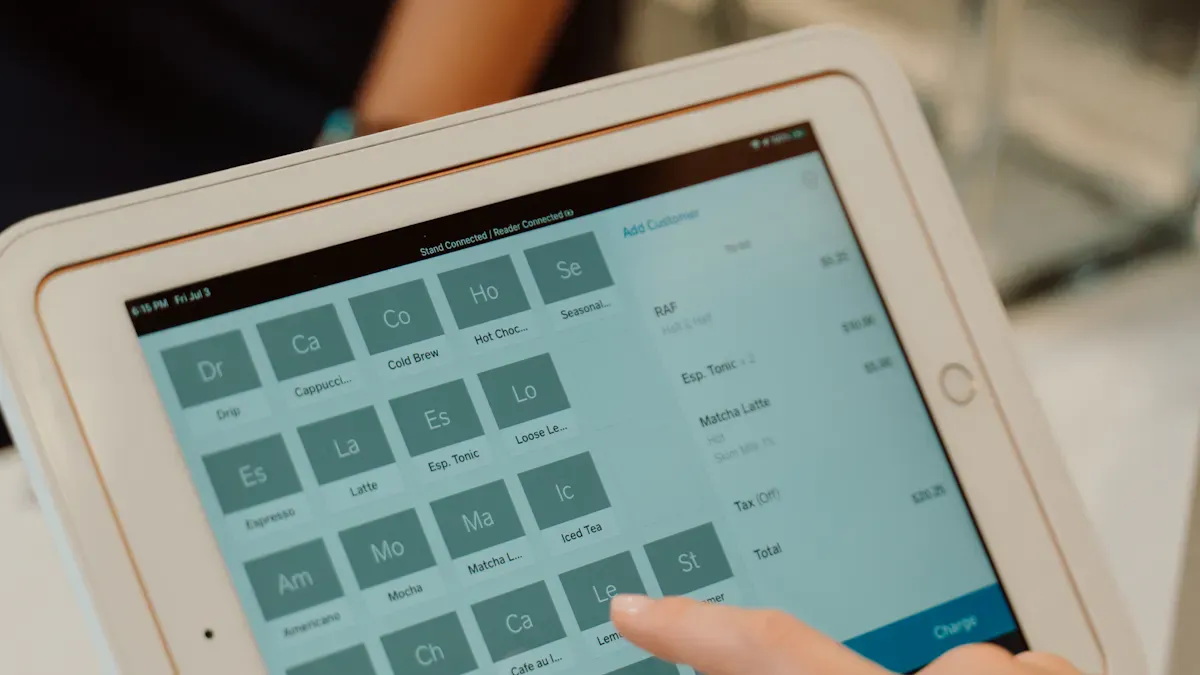
You want your customers to look for information, not just watch. When you use digital signage examples that stand out, you give customers quick updates and special messages. Interactive displays let customers give feedback, which helps you make their experience better. Responsive design keeps people interested and makes each visit feel special. With digital signage that changes information for weather or time, you make a smart and easy way to talk to your customers.
Key Takeaways
Use simple touch and gesture controls. This makes digital signage easy and fun for all people.
Add clear prompts to help users. These prompts show what to do next.
Change content often to keep displays new and interesting. This makes people want to come back.
Pick fonts that are easy to read. Use white space well to help people read and enjoy the display.
Put digital signage where many people walk. This helps more people see and use it.
User Interactivity in Digital Signage
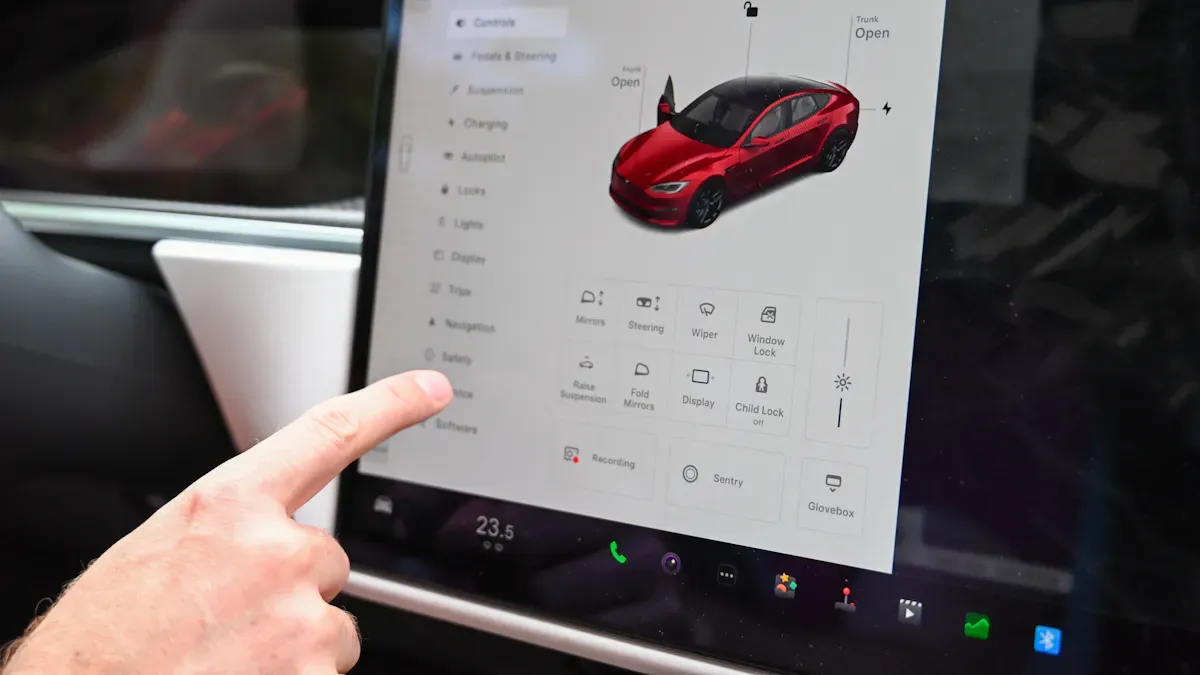
Intuitive Touch and Gesture Controls
You want interactive digital signage to be simple and easy. When you add touchscreens, people can tap or swipe to see information. This makes it more personal and fun for everyone. Advanced touchscreens let people use gestures like swiping and tapping. People of all ages can use it without getting confused. You do not have to explain how it works. The easy navigation helps everyone feel sure when using it.
Touchscreen digital signage lets you use content right away.
You can go through menus and choices with easy gestures.
Fast touch controls make it smooth and fun.
Interactive digital signage turns watchers into people who join in. This helps customers get more involved and remember your brand. You can even let people pick their favorite deals or try out interactive apps.
Clear Prompts for Engagement
Clear prompts help people know what to do next. Simple messages like “Touch the screen to start” or “Swipe for more options” invite people to join in. You should put these messages where everyone can see them. Use bright colors or moving pictures to get attention.
Tip: Think about what the user wants to do. Guide them with clear and simple prompts.
Here are some best ways to make good prompts:
Put calls to action in places people notice.
Use words that make people want to act.
Add pictures, arrows, or icons to show important messages.
Change content for the place and time to make it fit better.
Use data to see what works and make your prompts better.
Interactive digital signage gets up to 400% more viewers than regular signs. When you design for people to join in, you keep them interested and make your signs stand out.
Challenge | Expert Tip |
|---|---|
Content overload | Change content by time or audience to keep things fresh and fun. |
Technical setup and maintenance | Make sure the network works, cables are neat, and check often to stop problems. |
Content management complexity | Use templates and good CMS training to make content easy to handle and plan. |
Privacy and compliance | Always follow local rules and company standards to stay out of trouble. |
Relevant Content Strategy
Targeted Messaging
You want your digital signage to talk to your audience. When you make messages for certain groups, you get their attention. They feel noticed and important. If you know who is watching, you can show deals or news they care about. You can use real-time data to change displays for age, gender, or time of day. This keeps your signage new and useful.
High engagement means your message works. People stay longer when they see something they like.
Confirmed views show your audience is paying attention.
Looking at what content does best helps you focus on what gets results.
Real-time demographic analysis helps you target your messaging better.
You can see success by watching how people use your signage. Maybe they stop to read, scan a QR code, or ask about a deal. For restaurants, you can track changes in orders for featured specials. Window displays can bring more people inside. You can count views and see how many people click links or watch videos. If someone presses a button or gives info, your signage is working. Conversion rates show how many viewers take action, which is important for promotions.
Tip: Use targeted messaging so every viewer feels the display is made for them.
Consistent Content Updates
You keep your displays interesting by updating content often. New content makes people come back to see what’s new. In busy places like stores or airports, daily updates keep viewers excited. For offices, weekly or biweekly updates work well. You can set up automatic updates with a cloud CMS, so you never miss a refresh.
Daily updates keep busy areas lively.
Weekly or biweekly updates are good for offices.
Automated updates save time and make things easy.
A/B testing helps you find the best update schedule.
When you update your signage often, you get more engagement and retention. People return because they expect something new. Dynamic content makes shopping more fun and keeps customers coming back. Interactive features, like product explorers or inventory checkers, get even more engagement.
Note: Regular content updates make your digital signage stand out and keep your audience coming back for more.
Visual Clarity and Readability
Concise Text and Clear Visuals
You want your message to stand out right away. People form first impressions of what they see in just 50 milliseconds. That means you have almost no time to grab attention. Use short, punchy phrases—five words or fewer work best. Big, bold fonts and high-contrast colors make your text easy to read from a distance. Sans-serif fonts look clean and clear on screens.
Use large fonts and bright colors for key points.
Replace long sentences with icons or simple visuals.
Stick to one main idea per screen.
Pair bold visuals with concise copy to prompt action. For example, a simple “Buy Now” next to a bright product image works better than a long description. People remember what they see much longer than what they read. Red colors can even spark appetite or quick decisions. Test your signage from different spots to make sure everyone can read it.
Tip: Repeat your most important messages and use strong calls to action like “Limited-Time Offer” or “Turn Left for Deals.”
Effective Use of White Space
White space is your friend. It gives your content room to breathe and helps people focus on what matters. When you leave space between text, images, and buttons, your display feels less crowded and more professional. This makes it easier for users to find what they need without feeling overwhelmed.
White space creates a buffer between elements and prevents clutter.
Margins and padding make everything easier to read.
Good spacing helps people spot important info fast.
Studies show that well-organized screens help people process information faster. Adequate spacing can boost reading comprehension by up to 20%. When you use white space wisely, you lower mental fatigue and keep people engaged with your display. Clean layouts show you care about your brand and your audience.
Note: A balanced layout with clear visuals and enough white space keeps your digital signage fresh, inviting, and easy to use.
Hardware Reliability
Durable Displays
You want your digital signage to work for a long time. Picking the right display is important. Some screens last longer and can handle more use. If you choose a strong display, you will have fewer problems. Your signs will keep working well.
Here’s a quick chart that shows how long some displays last:
Display Technology | Average Lifespan (hours) |
|---|---|
LED | |
LCD | 50,000 |
LED displays are great for busy places like airports or stores. They stay bright and last longer than others. LCD screens are good too, but they might not last as long. When you buy tough displays, you get better results and less trouble.
A big defense company used BrightSign media players for their signs. They went from 100 to over 500 screens without problems. BrightSign players are made for digital signage. They give you steady and safe performance. This is important if you want your signs to work for years.
You may think about how much it costs. Here’s an easy chart:
Display Type | Initial Investment | Maintenance Costs | Long-term Returns |
|---|---|---|---|
Durable Displays | Higher | Varies | |
Standard Displays | Lower | Minimal | May not provide same engagement |
Tip: Spending more on strong displays is worth it. You will fix them less and get more people to notice your signs.
Maintenance Planning
You need a plan to keep your signs working. Regular checks and updates help stop problems before they start. Good care keeps your screens bright and your messages clear.
Here are smart ways to keep your system working well:
Strategy | Description |
|---|---|
Preventive Maintenance Schedules | Check and inspect your signs often. |
Troubleshooting Protocols | Have clear steps to fix problems fast. |
Network Monitoring | Watch for connection issues all the time. |
Software Updates | Keep your system safe and current. |
Hardware Maintenance | Clean and fix screens to help them last. |
Performance Optimization | Make sure your content looks and works right. |
Burn-in Testing | Test new screens before using them for real. |
You can set reminders to check your signs or use software to watch your network. Fast fixes and updates mean your signs work more. Your customers always see working and fresh displays. When you plan ahead, your digital signage stays interesting and reliable.
Optimized User Experience
Streamlined Navigation
You want your digital signage to feel easy and natural. When people walk up to a screen, they should know what to do next. Simple menus and clear choices help everyone find what they need fast. If you use big, easy-to-read buttons and clear labels, you cut down on confusion. People like when they can spot important pages right away.
Use simple menus with only a few options.
Place the most-used features at the top or center.
Add icons that people recognize, like a house for "Home" or a magnifying glass for "Search."
Make sure your screens work well on all devices.
If you add features like haptic feedback, users feel a small vibration when they touch the screen. This makes the in-store experience more fun and memorable. You can also use voice commands with natural language processing. This helps everyone, even those who may not want to touch the screen.
Tip: Keep instructions short and use arrows or pictures to guide users. People will interact more when they feel confident.
Legible Fonts and Sizing
You want your message to be clear from across the room. Pick fonts that are easy to read, like Arial, Helvetica, or Roboto. These fonts look clean and sharp on screens. Stick to sans-serif fonts because they help people read faster, especially when they only glance at the display.
Use font sizes between 36pt and 48pt for main messages.
Make sure text stands out with high contrast colors.
Avoid fancy or script fonts that are hard to read.
If you want to boost interactive in-store experiences, always test your signage from different spots in your store. Ask yourself, "Can I read this from ten feet away?" If not, make the text bigger. Good font choices help everyone, including people with vision needs, feel welcome and included.
Note: Clear fonts and smart sizing make your digital signage more inviting and help you keep attention longer.
Placement and Visibility
High-Traffic Locations
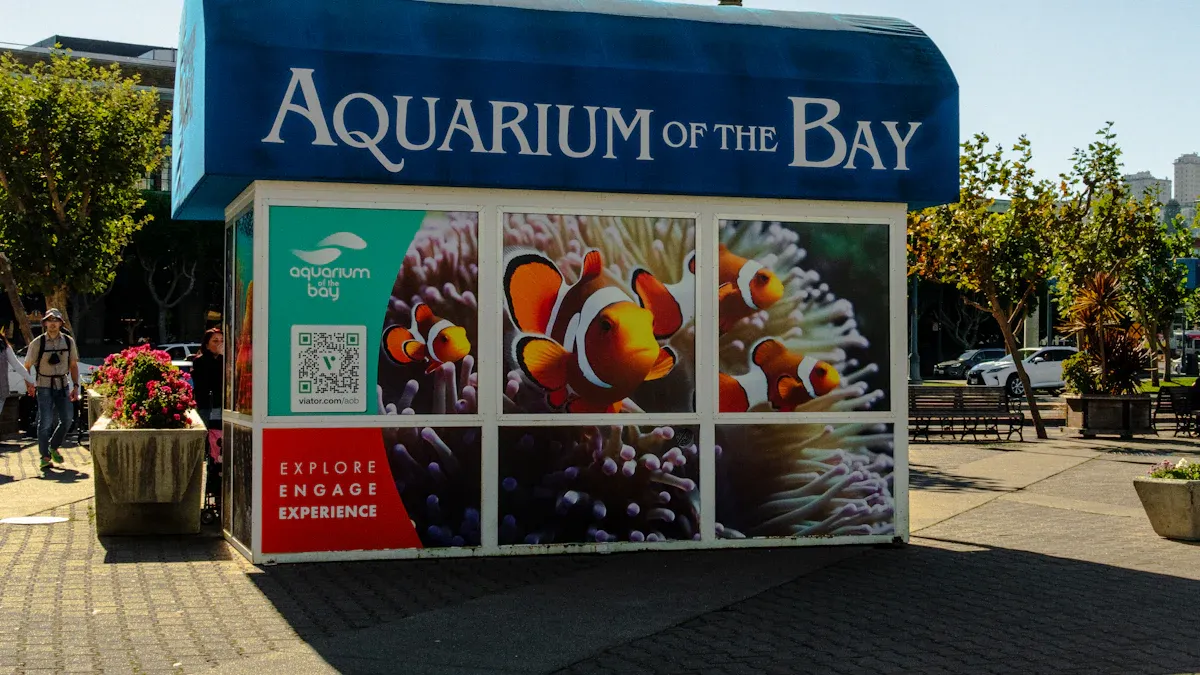
You want people to see your digital signage. Where you put your screens is very important. If you put screens where people walk or wait, more people will see them. A study from the University of California says good placement can raise customer engagement by up to 33%. Where you put your signs changes how easy they are to see and read. You should think about where people gather in stores.
Here’s a quick table to help you find the best spots:
Criteria | Description |
|---|---|
Elevator Banks | People stop here, so it’s good for general info. |
Exits | Good for strong messages as people leave. |
Choke Points | Busy, narrow spots; put signs nearby to avoid crowding. |
Waiting Areas | People stay here longer, so they can read more. |
Cafes and Food Courts | Great for menus and deals, and people spend time here. |
You can also use entrances, checkout areas, and main hallways. These places have lots of people walking by in stores. If you put your signs here, you get more attention and people may interact. People waiting in line or sitting in a cafe will notice your screen and may respond to your message.
Tip: Walk around your store and see where people stop or move slowly. These are the best places for your digital signage.
Accessibility Considerations
You want everyone to use your digital signage, no matter what. Follow the Americans with Disabilities Act (ADA) and Web Content Accessibility Guidelines (WCAG) to make your screens easy for all. Universal design helps you make signage that works for more people. Accessible digital signage helps more people join in and take part in stores.
Here’s a simple checklist for accessibility:
Put screens low enough for wheelchair users to reach.
Use big, clear buttons and text so it’s easy to read.
Add sounds for people who need help seeing.
Make sure touchscreens work with gentle touches.
Stop glare and reflections that make screens hard to see.
Accessible signage shows you care about every customer. When you design for all abilities, you make your store friendly for everyone. People feel welcome and want to use your screens.
Note: Accessible digital signage is not just a rule. It is a smart way to get more people to join in and make your store a nice place for all.
Digital Signage Examples and Innovation
Interactive Digital Signage Trends
You see digital signage examples almost everywhere today. Creative agencies use interactive displays to make trade shows more fun. Museums like the Museum of Flight let you look inside planes with tablets. Schools and libraries, such as the National Library of Scotland, use touch screens to share history and update information quickly. Retail stores show digital signage examples with smart mirrors and RFID displays. These help you find products and get special deals. Restaurants use interactive menus to make ordering faster and keep customers happy.
Here are more digital signage examples you might know:
McDonald's uses digital kiosks for quick and correct orders.
Adidas pop-up stores have interactive mirrors and real-time deals.
These digital signage examples make things easy and fun. You can explore at your own speed. You remember brands better when you enjoy using the displays. Businesses use real-time data to show you the right message at the right time. Automation and AI help create content that changes with what you need.
Tip: Try adding features like smart mirrors or real-time updates to your displays. This keeps your audience interested and coming back.
Benefit | Description |
|---|---|
Active Engagement | Lets you explore products or services by yourself. |
Memorable Experiences | Makes your visit fun and helps you remember the brand. |
Higher Conversion | Gets you excited to buy or learn more. |
Personalized Info | Shows you content based on what you like or do. |
Future-Proofing Solutions
You want your digital signage to last and stay new. Pick flexible software that works with many kinds of hardware. This way, you do not get stuck with old technology. Look for digital signage examples that support new media, like HD and 4K videos. Choose systems that let you update content from anywhere using the cloud.
Here are some smart ways to future-proof your displays:
Use modular designs so you can upgrade parts, not everything.
Pick scalable technology that grows with your business.
Make sure your displays support many content formats.
Use eco-friendly designs, like darker backgrounds and less animation, to save energy.
Schedule screens to turn off when not needed.
Cloud-based management lets you update signs without being there. This saves time and cuts down on waste. Choose strong displays and keep them clean to make them last longer. Work with vendors who recycle old screens.
Note: When you plan for the future, your digital signage stays useful and exciting for years.
If you follow these expert tips, your digital signage will improve. More people will use your screens and join in. Your messages will be clear and easy to understand. You will also have less trouble running your displays. Here is what can happen:
People will use interactive features more often.
Targeted content will help you talk to customers better.
Customers will be happier and you may sell more.
This is a great time to try these strategies. Start now and see your displays get more attention and better results.
How to Design Engaging Digital Signage Displays
Digital signage is everywhere – but most of it is ignored. The difference between a display that people glance at and one that they actually watch, remember, and act upon comes down to intentional design. Below are proven principles and techniques to make your digital signage truly engaging.
1. The 3‑Second Rule: Grab Attention Immediately
People typically glance at a screen for 3 seconds or less. If your message isn’t clear and compelling in that time, you’ve lost them.
How to apply it:
Place the most important message (e.g., “50% off”, “Today’s special”, “Emergency exit”) in the top‑left or centre – where eyes naturally land.
Use a single hero image instead of a collage of small pictures.
Limit text to 5‑7 words per screen. No paragraphs.
Make the call to action (CTA) obvious: “Scan the code”, “Visit aisle 3”, “Order now”.
2. Visual Hierarchy: Guide the Eye
Design what viewers should look at first, second, and last.
Best practices:
Size matters: The most important element should be the largest (e.g., a product photo or discount percentage).
Contrast: Use bright colours for the main message against a darker or neutral background.
Whitespace: Don’t crowd the screen. Empty space around text makes it more readable and premium.
Motion with purpose: Animate only the element you want attention on – not everything.
3. Keep Text Short and Readable
Digital signage is not a brochure. People are often standing, walking, or waiting.
Readability rules:
Minimum font size:
24pt for body text (viewing distance ~2 metres)
48pt for headlines (viewing distance ~3‑5 metres)
Sans‑serif fonts (Arial, Helvetica, Roboto) are easier to read from a distance than serif fonts.
Limit to 2‑3 lines of text per full screen.
Avoid all‑caps for more than a few words – it’s harder to scan.
4. Use Motion and Video Strategically
Movement grabs attention – but too much motion is distracting.
Do’s:
Loop short videos (15‑30 seconds) that demonstrate a product or action.
Use subtle motion: slow zoom, gentle pan, or text that fades in line by line.
For menus or schedules, keep static text and animate the transition when switching pages.
Don’ts:
No flashing, strobe effects, or rapid blinking (annoying and potentially hazardous).
Avoid animated GIFs that repeat too fast.
Don’t have competing animations on the same screen (e.g., two moving elements).
5. Colour and Contrast for Impact and Accessibility
Colour sets the mood and ensures readability.
Guidelines:
High contrast between text and background: white text on dark blue, black text on light grey.
Use brand colours sparingly – 2‑3 colours per screen maximum.
Avoid red‑green combinations (common colour blindness).
Brightness is critical for outdoor or window‑facing screens: aim for 1500+ nits.
6. Context-Aware Content: Right Place, Right Time
Engaging signage adapts to its environment and audience.
Examples:
Dayparting:
Morning: breakfast menu, commute news.
Afternoon: lunch specials, weather update.
Evening: dinner offers, event reminders.
Location‑specific:
In a hospital lobby: wayfinding and health tips.
In a retail changing room: “You might also like” accessories.
Sensor‑triggered:
Motion sensor wakes screen from sleep.
Crowd detection switches to high‑visibility mode.
7. Interactivity: From Passive to Active
Touch, QR codes, and mobile pairing turn viewers into participants.
Effective interactive elements:
Touchscreen kiosks for wayfinding, product search, or ordering.
QR codes that lead to a coupon, survey, or mobile‑friendly menu.
Social media integration: “Tweet your photo with #storename and see it on this wall.”
Countdown timers that customers can reset by scanning? (more advanced)
Tip: Keep interactive targets large enough for fingers (minimum 40×40 pixels).
8. Content Rotation and Duration
How long should each message stay on screen?
Recommended timings:
Static image / menu: 5‑10 seconds (enough to read).
Short video (product demo): 15‑30 seconds.
Longer content (brand story): 30‑60 seconds, but should be part of a playlist, not standalone.
Emergency alerts: Immediate override – display until cleared.
Playlist design:
3‑5 different pieces in a loop prevents boredom.
Avoid “zombie” screens – same content for weeks. Update at least weekly.
9. Test for Real‑World Conditions
What looks good on a computer monitor may fail on a lobby screen.
Test checklist:
Viewing distance: Walk 3‑5 metres away – can you still read the smallest text?
Lighting: Does glare wash out the screen? Adjust brightness or anti‑glare coating.
Height and angle: Is the screen mounted at eye level for standing viewers? For wheelchair users?
Noise: If the screen has sound, is it audible but not disruptive?
10. Measure and Optimise
Engaging displays are not set‑and‑forget. Use data to improve.
Metrics to track:
Dwell time (how long people look at the screen).
Click‑throughs (if interactive).
QR code scans.
Sales lift for promoted items during signage campaigns.
A/B testing:
Show two versions of a promotion on different days or screens. Compare results.
Quick Reference: Do’s and Don’ts
Do | Don’t |
|---|---|
Use large, readable fonts (24pt+) | Use tiny text or long paragraphs |
Limit text to 5‑7 words per screen | Clutter the screen with too many elements |
Use high‑contrast colours | Put light text on a light background |
Animate one element at a time | Flash multiple things simultaneously |
Update content regularly | Leave the same content for months |
Test from actual viewing distance | Assume it looks good on a desktop |
Include a clear call‑to‑action | Expect viewers to guess what to do |
Conclusion
Engaging digital signage is simple, relevant, and readable. It respects the viewer’s limited attention span, adapts to the environment, and gives a clear reason to look or interact. By following these design principles – from the 3‑second rule to context‑aware content – you can turn any screen into a powerful communication tool.
FAQ
What makes digital signage interactive?
You add touchscreens, gesture controls, or QR codes. These features let people tap, swipe, or scan. When you make your display interactive, you invite users to join in. This keeps them interested and helps your message stick.
How often should I update my digital signage content?
You should update content at least once a week. Fresh content grabs attention and keeps people coming back. Try using a schedule or a cloud-based system to make updates easy.
How do I design digital signage for all users?
You use big buttons, clear fonts, and simple layouts. Place screens where everyone can reach them. Add audio cues for people who need them. When you design for everyone, you make your display more welcoming and engaging.
What content works best for digital signage?
Short messages, bold images, and clear calls to action work best. Use videos or animations to catch eyes. Show deals, news, or tips that matter to your audience. Always keep your content simple and direct.
How can I measure if my digital signage is working?
You can track touches, scans, or time spent on screens. Watch for more sales or questions about featured items. Use these numbers to see what works and improve your displays.
See Also
7 Strategies to Enhance Customer Interaction Using Digital Signage
Discovering the Ideal Outdoor Solution for Digital Signage
7 Emerging Trends in Digital Signage Technology for 2026
