10 Creative Digital Menu Board Templates to Try in 2026
Creative digital menu board templates make it easier to talk to customers in 2026. Many quick-service restaurants now use digital signage. This helps them take orders faster and make fewer mistakes. Hardware is cheaper now and the software is simple to use. So, more small restaurants use digital signage technology. Dynamic templates and interactive features let you change menus and get people interested. This can help you sell more. You can update your digital menu board right away. Your menu always looks new and important.
Key Takeaways
Digital menu boards help customers interact more and order faster. This means service is quicker and there are fewer errors.
Simple layouts and easy-to-read words make menus clear. Customers can find what they want fast and without trouble.
Interactive tools, like touchscreens and games, get customers interested. These features can help sell more by making people look around.
Eco-friendly designs use less waste and save energy. This is good for the planet and keeps menus new for customers who care.
Real-time updates let restaurants change menus quickly. This keeps information right and makes customers trust the restaurant.
Digital Menu Board Design Trends 2026
Digital menu boards are everywhere now. They are taking the place of paper menus. These boards make your restaurant menu look more interesting. You can control prices, deals, and how your menu looks. Digital signage templates let you change your menu very fast. Let’s check out the biggest trends for 2026. See how these ideas can help your restaurant menu boards stand out.
Minimalist Layouts
Minimalist layouts are all about keeping things simple. This makes it easy for people to read your menu. Use a simple design and only a few colors. Make your text big so everyone can see it from far away. Use at least 30 pt for menu items and headers. Don’t use fancy fonts that are hard to read. This style helps people find what they want quickly. It also keeps your digital menu board looking neat.
Interactive Features
Interactive features make digital menu boards more fun. You can add touchscreens for people to use. They can look through the menu or build their own meal. Here are some cool ideas in this table:
Feature Type | Description | Example |
|---|---|---|
Encouraging Exploration | Touchscreen lets customers move around and change menus. | A pizza place lets you choose crusts and toppings. |
Shows items that go well together. | The board suggests fries and drinks when you pick a burger. | |
Gamified Promotions | Gives games for discounts. | Spin a digital wheel to win a deal on special items. |
These features get people interested and can help you sell more.
Hand-Drawn Illustrations
Hand-drawn pictures make your digital signage templates look fun. They are great for family restaurants or creative places. You can use these drawings to show off special dishes or themes. People like seeing cool art on restaurant boards.
Custom Typography
Custom typography makes your digital menu board stand out. Use big, clear fonts for menu items and headers. Do not use fonts that are too fancy. Good typography helps people read your menu fast. It also makes your templates look new and stylish.
Eco-Friendly Designs
Eco-friendly designs are very popular in 2026. Digital menu boards do not make any waste because you do not need paper. Many boards use LED screens, which save energy. You can update your menu without printing anything. Some restaurants use water-based inks and try to make less waste for any printed signs. Here is a quick table:
Sustainable Practice | Description |
|---|---|
No Waste | No paper or plastic menus needed. |
Energy-Efficient Options | LED screens use less power. |
Flexibility and Convenience | Easy updates mean less waste. |
You help the earth and keep your restaurant boards looking new.
Digital menu boards and digital signage templates are changing how you talk to customers. These trends make your restaurant menu easier to read, more fun, and better for the planet.
Creative Digital Menu Board Ideas
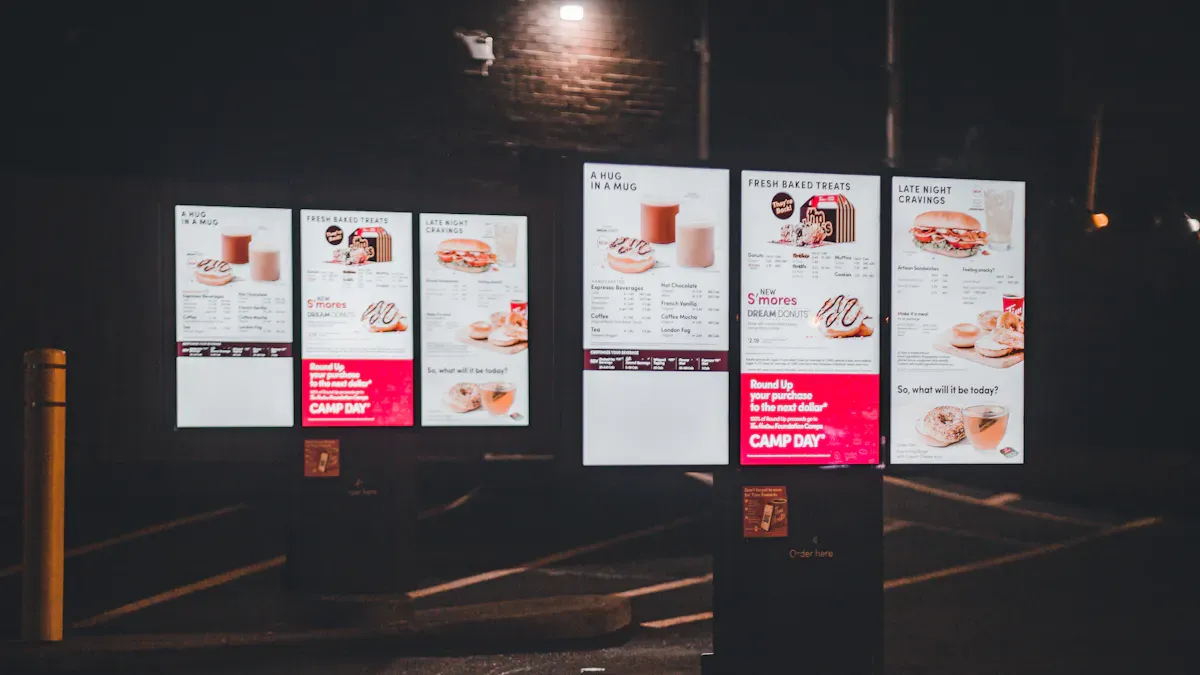
Animated Specials Template
You want your menu to be noticed. Animated specials templates help with this. These templates use gentle movement to get attention. You might see food cooking, fire, or spices falling on a plate. These moving pictures make your menu board template more eye-catching than a still one. You should only use three or four animations at once. This keeps the menu easy to read. The best thing is the movement never covers the menu items. You can change the look to match your restaurant’s style or show off daily specials.
Key Features:
Subtle animations for featured dishes
Motion effects like steam, fire, or sprinkles
Customizable animation styles
Easy updates for new specials
Tip: Use animated specials to highlight limited-time offers or chef’s picks.
Touchscreen Menu Template
Touchscreen menu templates change how you work with customers. People can look at your menu by tapping the screen. They see clear pictures and can make their own meal. This makes ordering quicker and more fun. It also helps stop mistakes. Here’s a quick look at what you get:
Feature | Benefit |
|---|---|
Real-time updates | Change prices or remove sold-out items right away. |
Improved visual appeal | Show off your meals with great images and a clean layout. |
Customization options | Make the menu fit your brand and change it as needed. |
Interactive elements | Let customers design their orders, which saves time and boosts accuracy. |
Touchscreen templates are great for busy restaurants. You can update them any time. Customers like having control and seeing clear pictures.
Seasonal Theme Template
Seasonal theme templates help you keep your menu new all year. You can change colors, add holiday pictures, or show new dishes for each season. These templates make your restaurant boards feel fresh every few months. You can even move items around to fit the season.
Customization Option | Description |
|---|---|
Modify Colors | Match your menu to fall, winter, spring, or summer. |
Add Branding Elements | Use your logo and colors to keep your brand strong. |
Utilize Dynamic Content | Show seasonal specials and deals as they happen. |
Move menu items around with ease for quick updates. | |
Template Library | Pick from many prebuilt templates for different looks and layouts. |
You can use these creative menu templates to sell more during holidays or special events.
Social Media Feed Template
Want people to talk about your place? Social media feed templates bring your online buzz into your restaurant. You can show live posts, reviews, or photos from happy customers. This makes your digital menu boards more lively and fun. People like seeing their posts on the big screen. It also helps build trust because real customers share their stories.
Show live social media feeds for fresh content
Highlight user reviews and photos for social proof
Encourage guests to tag your restaurant for a chance to be featured
This template design keeps your restaurant boards exciting and helps you connect with your guests.
Multi-Language Template
If you have many different customers, multi-language templates are important. You can let people pick their language with a tap. This makes everyone feel welcome. It also helps stop confusion and mistakes. You can change these templates for any language you need. This is great for tourist spots or city restaurants.
Benefits:
Easy language switching
Clear visuals for every language
Customizable for your menu items
Multi-language templates show you care about every guest.
Retro Style Template
Retro style templates give your restaurant boards an old-school feel. You can use bold fonts, vintage colors, and classic pictures. This style is popular with millennials and Gen Z who like real, special experiences. Retro designs also make older guests remember good times. You get a look that stands out and feels unique.
You can change these templates with your own retro pictures or use ones from the library. Either way, you make a warm, friendly feeling.
AI Recommendation Template
AI recommendation templates make your menu smarter. These templates use smart tech to suggest dishes based on the time or what people like. For example, breakfast foods show up in the morning, and dinner specials show at night. If someone comes often, the menu board template can show their favorites.
AI adjusts menu for breakfast, lunch, or dinner
Shows popular items for new guests
Highlights favorites for returning customers
Personalizes suggestions using customer data
You can sell more and make each visit special with these creative digital menu board ideas.
Local Flavor Template
Local flavor templates help you celebrate your area. You can show great pictures of local dishes and invite people to events. These templates let you add customer reviews, which builds trust and brings in more guests.
Strategy | Benefit |
|---|---|
High-quality images of dishes | Attracts attention and makes people want to visit |
Localized targeting | Connects with the community and increases foot traffic |
Invitations to special events | Creates excitement for local happenings |
Inclusion of customer reviews | Builds credibility and helps new customers decide |
You can use these menu templates to make your restaurant boards feel like home.
Green Eco Template
Green eco templates show you care about the earth. You can stop using paper menus and lower shipping pollution by using digital menu boards. These templates are great for guests who care about the planet. You can show your green actions and how your restaurant helps the environment.
No need for printed menus
Lower carbon footprint
Appeals to eco-conscious customers
You can change these templates with green pictures and messages about your efforts.
Minimalist Modern Template
Minimalist modern templates give your restaurant a simple, stylish look. You use straight lines, clear sections, and neat layouts. This helps guests find what they want easily. It also makes a calm, modern space.
Feature | Contribution to Atmosphere |
|---|---|
Makes the space feel simple and elegant | |
Essential sections | Helps guests navigate the menu quickly |
Elegant layout | Matches your brand and improves the dining experience |
You can use these professional templates to keep your restaurant boards looking sharp and new.
Note: With so many creative digital menu board ideas, you can find the perfect menu templates for your restaurant. Try different styles and see what works best for your guests.
Choosing the Right Digital Menu Board Template
Matching Restaurant Style
Your digital menu boards should look like your restaurant. If you have a dessert shop, use bright colors and fun pictures. A fine dining place needs clean lines and fancy fonts. Think about your menu and the feeling you want to give. Make sure your template matches your brand. This helps your restaurant stand out.
Here’s a quick list to help you pick:
See if the template works with your tech.
Count your outlets. More outlets can mean better deals.
Check your screens and pick templates that fit.
Choose if you use cloud or local systems.
Look at software and hardware prices.
Ask about customer support.
Make sure the template follows rules and language needs.
Check the warranty and service terms.
Audience Preferences
Your customers help you choose your menu board. If they want fast updates, pick boards that change items quickly. Some people like bright colors and pictures. Others like simple designs. Use templates that show off specials and deals. Personalizing your menu helps you connect with guests and sell more.
Key Factor | Explanation |
|---|---|
Dynamic Content Updates | Change menu items and deals in real time. |
Enhanced Visual Appeal | Use designs that attract your customers. |
Strategic Content Placement | Put popular items where people look first. |
Make your menu board template fit your guests.
Show specials to help sales.
Digital menu boards let you update menus fast. You can follow trends and keep your boards new.
Technical Needs
You need good tech for digital menu boards. Make sure your network is strong and does not drop. Local caching keeps menus up if Wi-Fi goes out. Connect your menu board to your POS for quick updates. Use special software to make templates that match your brand.
Requirement | Description |
|---|---|
Network Reliability | Menus stay up even if the internet drops. |
Integration with POS | Update menu items fast and easy. |
Specialized Software | Make templates that fit your restaurant style. |
Use a wired connection or VLAN to stop network problems.
Templates with many data fields are easy to change and reuse.
Free vs Premium Templates
You can use free or premium templates for your menu board. Free templates are good for small places or simple needs. Premium templates have more features, better looks, and strong support. If you want custom designs or special options, pick premium.
Tip: Try free templates first. If you need more, get premium for extra features and help.
Free templates save money. Premium templates give you more control and make your boards look pro.
Implementing Digital Menu Boards
Customization Tips
You want your digital menu boards to match your restaurant’s style. Start by picking templates that fit your brand colors and logo. Try Topadkiosk for easy-to-use digital menu board solutions. Their tools help you set up your restaurant boards fast. You can drag and drop items, change backgrounds, and add your own photos. Test your templates with staff and customers. Ask for feedback and make changes. Keep your digital menu board design simple so everyone can read it. Use big pictures and clear fonts. Make sure your content looks good on every screen.
Tip: Update your restaurant menu with new specials or combos to keep things fresh.
Integration with Ordering Systems
You can connect your digital menu boards to your POS and online ordering systems. This makes everything work together. When you change prices or items in your POS, your restaurant boards update right away. You do not need to change each screen by hand. Here’s how integration helps:
Feature | Description |
|---|---|
Syncing | Items, prices, and promotions sync from your POS system. |
Automatic Indicators | Sold-out and low-count items show up right away. |
Trust and Service Friction | No mismatched content, so customers trust your menu. |
You can also add loyalty programs. Customers scan a QR code or enter details on a touchscreen. They get rewards and come back more often.
Real-Time Updates
You can change your content any time. If you run out of an item, remove it from all restaurant boards with one click. Use software like IG Digital Menu Board for real-time updates. This tool connects to your POS and lets you manage templates from one place. You can update prices, add new dishes, or schedule content for different times of day. Owners and managers can control menus for all locations without leaving their office.
Update prices instantly if costs change
Remove out-of-stock items chain-wide
Keep all displays accurate and up to date
Engaging Content Strategies
You want your content to grab attention. Use high-quality photos and videos to show off your food. Keep your templates simple and easy to read. Do not crowd your digital menu boards with too many items. Highlight specials, combos, and high-margin dishes. Try these strategies:
Use consistent fonts and colors
Test your menu with real customers
Show new items or deals on a dedicated screen
Update out-of-stock items quickly
Group items to make combos look appealing
Great content makes your restaurant menu stand out and helps you sell more.
Switching to a digital menu board can help your restaurant do better in 2026. You can update your menu quickly. Guests feel happier and buy more. Some restaurants saw their sales go up by as much as 30%. Upselling also increased a lot. Using motion, color, and smart design makes people notice your menu. It helps them order extra items. You can find templates that are simple to use. There is support if you need help. Try these creative ideas and see your business grow!
Benefit | Percentage Increase |
|---|---|
Upselling | 20–30% |
Average Check Size | 15%–30% |
FAQ
How do I update my digital menu board?
You can update your menu board with just a few clicks. Most systems, like Topadkiosk, let you change prices, photos, or specials right from your computer or tablet. You see changes on your screens right away.
Can I use my own photos and colors?
Yes! You can upload your own food photos and pick colors that match your restaurant. Most templates let you drag and drop images. This helps your menu look unique and on-brand.
Do digital menu boards work for small restaurants?
Absolutely. Digital menu boards fit any size restaurant. You can start with one screen and add more as you grow. Many systems offer budget-friendly options for small businesses.
What if I lose internet connection?
Most digital menu boards save your menu on the device. If the internet goes out, your menu still shows up. When you get back online, updates will sync automatically.
Where can I find easy-to-use menu board templates?
You can find simple templates on sites like Topadkiosk. They offer ready-made designs you can customize. Look for templates that match your style and are easy to edit.
See Also
Exploring Emerging Digital Signage Trends for 2026
Seven Strategies to Enhance Customer Interaction Using Digital Signage
The Role of Digital Signage in Optimizing Restaurant Efficiency
