How to Set Up Digital Signage in Your Convenience Store in 2026
Shenzhen TopAdkiosk Display Technology Co., Ltd.
Add.: 2F, Bldg 10, Changfeng Industrial Park, Dongkeng, Fenghuang, Guangming, Shenzhen, China 518132
Mobile/WHATSAPP: 86-138 25769658
Email: marketing@topadkiosk.com topadkiosk@gmail.com
Skype: pghenry1
Wechat: adkioskhenry
English Web.: https://www.topkioskdisplay.com/
http://www.ad-kiosk.com/
https://www.toplcddisplay.com/
http://www.multitouchdigitalsignage.com/
https://www.youtube.com/channel/UCYVYNJHxLVEcQD8fuUxXNTA/videos?view_as=subscriber

You can set up convenience store digital signage in your store easily. You will see real results for your business. First, set clear goals and ways to track your progress. This helps you match technology with your store’s needs. Many stores say they get more sales and better customer interest with convenience store digital signage. They also sell more extra items. Look at the table below for some examples:
Benefit Type | Description |
|---|---|
Change promotions fast to help sell weekly specials. | |
Customer Engagement | Put screens in busy areas to share deals and get shoppers interested. |
Upselling | Show new products to get people to buy more. |
Product Awareness | Teach customers about new items at the checkout. |
You might have problems like keeping content new or checking your screens. But if you follow steps, it is easier to handle.
Key Takeaways
Make clear goals for your digital signage. This helps you see progress and boost sales.
Pick the best technology and software for your store. It should help your customers have a better experience.
Put screens where many people walk. This grabs attention and can make people buy things they did not plan to buy.
Change the content often. This keeps it new and interesting for your customers.
Think about selling ad space to local businesses. This can help you make more money.
Set Goals for Convenience Store Digital Signage
Define Objectives and KPIs
You should set clear goals before putting up digital signage. Think about what you want to get from using it. Many store owners use digital signage to help sell more, make shopping better, or earn money from ads. You can also use it to show off new products or make shopping easier.
Here are some common goals for digital signage in convenience stores:
Get more people to buy things they did not plan to by showing deals.
Get customers interested with new content and helpful tips.
Save money by changing signs fast and with less work.
Sell more by showing weekly specials and new items.
You need to check your progress with easy KPIs. Count how many people buy things they did not plan to after seeing a digital sign. Look for changes in sales and what customers say. See the table below to learn how digital signage can help your store:
Metric | Value |
|---|---|
Increase in sales for convenience stores using in-store digital signage | |
Percentage of customers who made an unplanned purchase after seeing a digital sign | 19% |
Align Signage with Store Strategy
You need to match your digital signage goals with your store’s plan. Put screens where people make quick choices, like behind the counter or near coolers. Over 70% of buying choices in convenience stores happen in the store and often without planning. Digital signage works best when you show products and deals in these important places.
You can use special software to control your screens. This helps you keep your content right and up to date. Make sure your signs help your sales and show off the items you want to sell. When your signs fit your business plan, you make shopping better and sell more.
Choose Digital Signage Technology for Convenience Stores
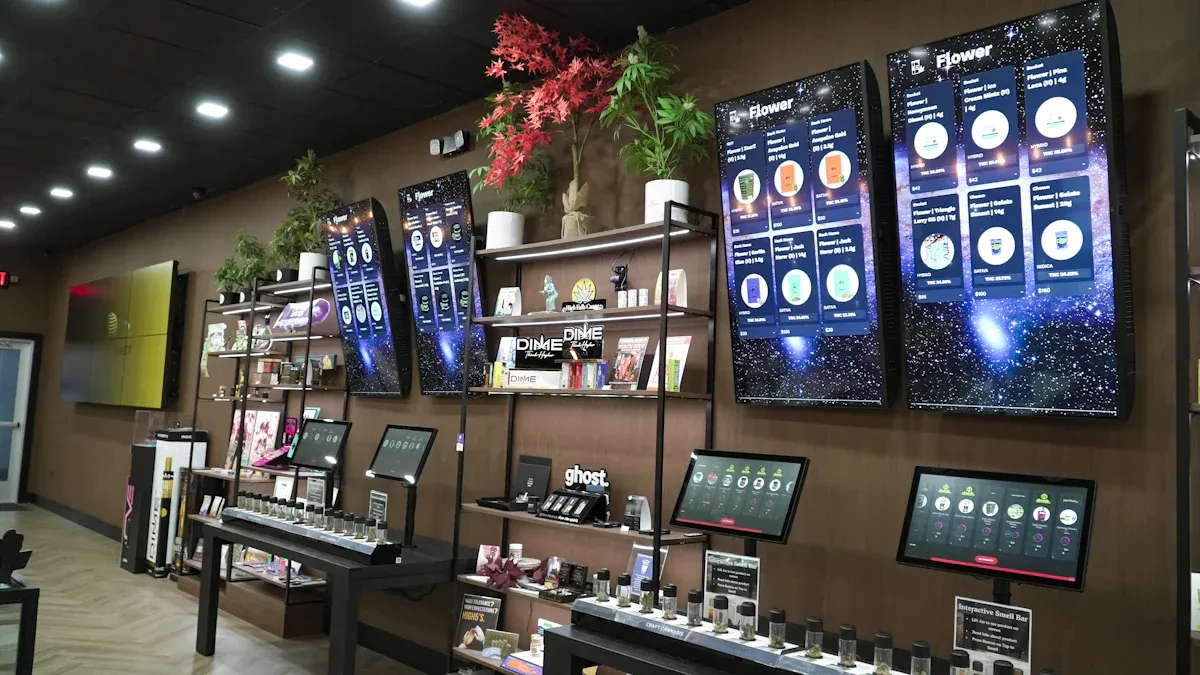
Picking the best digital signage helps your store do well. You need to match the technology to your store’s size and layout. Think about what your customers want. The right setup can help you sell more. It also makes shopping easier and brings customers back.
Select Displays and Media Players
There are many display choices for digital signage in stores. Each type works for different store sizes and layouts. Here are some common options:
Digital Menu Boards show specials and prices above the counter.
Outdoor Digital Menu Boards use bright screens to attract people outside.
Digital Window Displays catch the eyes of people walking by.
Video Walls make a big impact in large stores or main entrances.
Interactive Displays let customers search for products or learn about deals.
Custom Advertising Displays highlight special brands or local items.
Think about where customers spend the most time. Put screens near entrances, checkout counters, or busy aisles. Use media players that play clear videos and connect to your network easily. This setup helps you show content that grabs attention.
Tip: Moving pictures and bright colors get noticed more than still signs. Shoppers often stop to look at digital screens. This makes them stay longer and can lead to more sales.
Pick the Right Software Solution
The software controls what shows up on your screens. Good digital signage software should be easy to use and flexible. Look for these features:
Feature | Description |
|---|---|
Flexible promotion & pricing | Update offers and prices fast without printing new signs. |
Cost savings over time | Save money by printing less and cutting delivery costs. |
Easy Multi-Location Control | Manage screens in all your stores from one place. |
Content scheduling | Set times for messages to appear during the day. |
Remote control | Change content from anywhere, even if you are not in the store. |
Playback analytics | See which messages work best and change your plan. |
Find software that connects with your point-of-sale system and social media. This lets you show real-time deals or trending products. Cloud-based software makes updates easy and keeps your content fresh everywhere.
Note: Security is important. Pick software with strong access controls and encryption. Regular checks help stop problems and keep your system safe.
Consider Interactive and Wayfinding Features
Interactive and wayfinding features make shopping easier and more fun. Digital signage can guide customers to products or departments. Interactive kiosks help shoppers find things fast and improve their experience.
Interactive kiosks show maps or product lists so customers know where to go.
Shoppers can avoid wandering through aisles, saving time and reducing frustration.
Easy product location leads to happier customers and more sales.
Real-time updates on product availability or promotions keep shoppers informed.
Strategic placement at entrances, aisles, and checkout areas guides customers smoothly.
A good wayfinding system means staff answer fewer questions. This lets employees focus on other jobs and helps your store run better. Smart digital signage can manage lines, show rewards, or display data-driven content. These features bring more people in and make your store stand out.
Did you know? About 95% of convenience store purchases happen quickly. Good signage helps shoppers make fast choices and find what they want.
Digital signage for convenience stores has changed a lot by 2026. You can change promotions right away based on stock or weather. This means you always show the best offers. Bright screens and real-time updates keep customers interested and encourage impulse buys. Many stores see more sales and happier customers after adding digital signage.
Install and Integrate Digital Signage
Screen Placement in High-Traffic Areas
You want lots of people to see your digital signage. Put screens where customers spend time or walk by a lot. Good places are near the entrance, at checkout, by chillers, and at fuel pumps. These spots help you reach shoppers making quick choices.
Entrance screens greet people as they come in.
Screens at checkout can make people buy extra things.
Signs by chillers or end caps show cold drinks and snacks.
Fuel pump screens can turn gas stops into sales.
Make sure your screens are big enough and easy to see. Place them above counters or where people walk. Use bright pictures and large words to get attention. Try different messages and change your content to see what works.
Tip: Do not put screens where they block people. This keeps shopping easy and smooth.
Integrate with Store Systems
Connecting digital signage to store systems makes it smarter. Link screens to your point-of-sale and inventory tools. This lets you change prices and deals right away. You can also stop ads for things that are sold out.
Integration Benefit | How It Helps Your Store |
|---|---|
Keeps prices right and builds trust | |
Automated promotion changes | Saves time and stops mistakes |
Inventory sync | Removes ads for things that are gone |
Shows special deals and reward reminders |
When you connect digital signage to loyalty programs, you can show deals based on what people buy. This makes shoppers feel special and can make them come back.
Staff Training and Maintenance
Your staff should know how to use digital signage every day. Teach them the basics and how to fix small problems. This keeps your screens working and your content new.
Give training often to all staff who use the system.
Show staff how to fix easy problems, like restarting a screen.
Check screens often to make sure they work and do not go blank.
Pick a vendor who gives support when you need help.
Note: Trained staff and regular checks stop problems and keep your signage working for your store.
Content Strategy for Digital Signage in Convenience Stores
Promote Sales and Specials
You can use digital signage to show sales and specials. This helps get people’s attention and boost sales. Digital signage lets you change deals fast and show them to the right shoppers. You can highlight daily food deals, suggest drinks, and show off new coffee. Dynamic pricing lets you change prices as sales change. Time-based offers match when the store is busy. Showing different deals all day helps more people see them. Using videos and moving pictures makes your deals more fun to watch.
Dynamic pricing means prices can change right away.
Time-based offers work best during busy times.
Rotating deals keep your signs interesting.
Videos and animations make your signs stand out.
You can put digital signs at the gas pump to show meal deals and discounts. At the register, you can remind people to buy extra things or join loyalty programs. Signs at the door welcome shoppers with hot deals and new items. Digital menus catch eyes and help sell more food. You can use signs in busy spots to show combo deals and seasonal items. This plan makes shopping better and helps people buy more.
Tip: Use bright colors and simple words to grab attention fast. Shoppers make quick choices, so moving signs work better than still ones.
Feature / Benefit | Why It Matters for Convenience Stores |
|---|---|
Capture customer attention quickly | Bright moving signs get noticed and make people act. |
Increase impulse purchases & add-ons | Showing deals at checkout and coolers helps sell more. |
Reduce perceived wait times | Fun content makes waiting feel shorter and can boost sales. |
Update Content Regularly
You should change your digital sign content often to keep shoppers interested. Daily changes are good for news, weather, and special deals. Weekly changes keep menus and staff spotlights new. Monthly changes show off new products and store news. Seasonal changes help you talk about holidays and events.
Daily updates:
News and weather
Special deals
Weekly updates:
Menus
Staff spotlights
Monthly updates:
New products
Store news
Seasonal updates:
Holiday deals
Event news
Changing your signs often keeps them fun and useful. You can use alerts to share news right away. This helps people remember your store and want to come back. Changing deals often also helps you match what you have in stock and what shoppers want.
Note: Updating your signs often keeps them fresh and helps you always show the best deals.
Sell Ad Space to Local Businesses
You can make more money by selling ad space on your digital signs. Local businesses can pay to show ads to your shoppers. You can rent out space, show ads for other stores, and offer sponsorships. Interactive kiosks and paid services give you more ways to earn. You can also use your signs to tell people about events and make more money for you and your partners.
Revenue Stream | Description |
|---|---|
Advertising Revenue | Rent ad space to local or outside businesses to make money. |
In-house Advertising | Show ads for other stores and share the money you make. |
Sponsorships and Partnerships | Let businesses sponsor your signs for more income. |
Interactive Kiosks and Paid Services | Offer paid interactive screens to make extra money. |
Event Promotion | Use your signs to tell people about events and earn more. |
You must follow the rules for ads. Check how bright your signs are, how long messages show, and where you can put them. Make sure you have the right permits. Work with sign companies and local leaders to follow the law.
Tip: Selling ads to local businesses helps your store and builds good ties in your community.
Analyze Customer Data and Feedback
You can make your digital sign content better by looking at what customers say and do. Use surveys on your signs to get feedback. Put screens in busy places to get more answers. Real-time data helps you change your signs fast and keep them useful.
Use surveys to get more feedback from shoppers.
Put screens in busy spots to get more people to see them.
Real-time data lets you change your signs right away.
Looking at survey answers helps you know what shoppers like and what you can do better. You can spot trends and make your signs fit what people want. Using data helps you talk to shoppers better and get more from your signs. This helps you sell more and make shopping better for everyone.
Note: Use what shoppers say to make your deals and ads better. This keeps your signs working well and brings people back.
Branding and Business Benefits
Cohesive Branding with Digital Signage
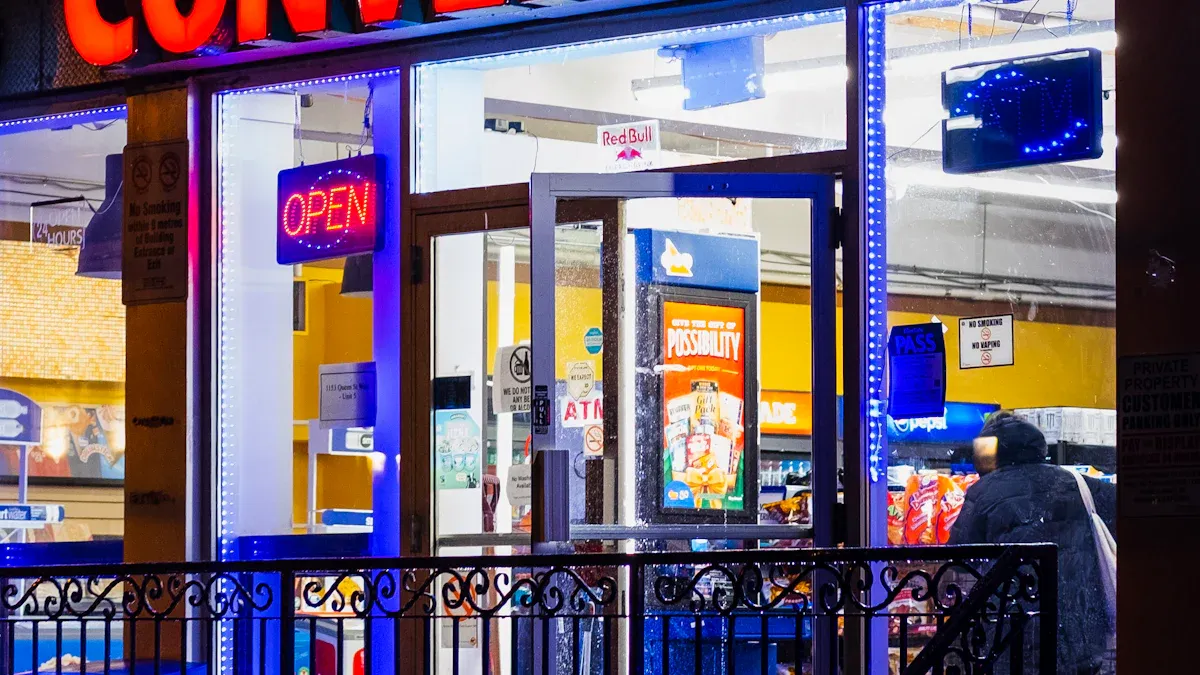
You can use digital signage to build a strong brand for your store. When you show the same colors, logos, and messages on every screen, shoppers remember your store. Consistent branding can help you earn more money. Studies show that brands with a clear identity can increase revenue by up to 23%. If you keep your brand the same in-store and online, you can boost your sales by up to 33%. Many shoppers, especially younger ones, want the same experience everywhere they see your brand.
You can follow these tips to make your brand stand out:
Use bright colors and bold images to catch attention.
Pick clear and easy-to-read words for your messages.
Show your logo and slogan on every screen.
Place screens at eye-level in busy spots.
Make sure your digital signs match your website and social media.
Big brands like Apple and Nike use these ideas. Their stores and ads look the same everywhere. You can do this in your store with convenience store digital signage. This helps shoppers trust your store and remember it next time.
Boost Traffic and Sales
Digital signage can help your store get more visitors and sell more items. You can show new deals and products right away. This makes shoppers want to come in and buy. Over 80% of brands that use digital signage see sales go up by as much as 33%. You can turn people who only buy gas into shoppers who come inside. You can also use screens to suggest extra items, which helps you sell more.
Here are some ways digital signage helps your store grow:
Show real-time deals to get people interested.
Use screens to tell shoppers about new products.
Suggest add-ons at checkout to increase basket size.
Make shopping fun and easy with moving pictures and helpful tips.
When you use these tools, you set your store apart from others. You give shoppers a reason to choose your store over the competition.
You can set up convenience store digital signage by following these steps:
Set clear goals and track your progress.
Choose the best system for your store.
Create engaging content and design.
Place screens where shoppers see them.
Connect signage to other store systems.
Manage and update content remotely.
Target messages to customers.
Use data to improve campaigns.
Train your staff.
Check and maintain your screens.
Smart signage boosts sales, builds trust, and makes your brand stand out. Start planning your digital signage strategy today. With the right tools, ongoing management stays simple and effective.
🎯 1. Strategic Placement for Maximum Impact
Where you put the screens is just as important as what you show.
Location | Content Strategy | Expected Outcome |
|---|---|---|
Above the counter / behind the register | Upsell high-margin items (coffee, hot dogs, energy shots, cigarettes, lottery tickets). Use countdown timers for limited offers (“Coffee $0.99 for the next 10 minutes”). | Increases average transaction value. |
At the entrance | Promote daily deals, new arrivals, or seasonal items (e.g., “Try our new summer slushie”). Use bright, bold visuals to stop customers as they walk in. | Drives impulse purchases immediately upon entry. |
On gondola ends / aisle edges | Feature specific categories (snacks, beverages, candy). Show combo deals (“Buy chips, get a drink for $1”). | Encourages add-on purchases and reduces unplanned “walk‑bys”. |
At the fuel island (for stores with gas) | Display fuel prices, car wash specials, or in‑store promotions (“Get a free coffee with fill‑up”). Use high‑brightness outdoor screens. | Brings customers from the pump into the store. |
Near self‑service areas (coffee, fountain drinks) | Show how‑to videos, nutritional info, or limited‑time flavors. Remind customers of loyalty programs. | Reduces staff questions and builds brand engagement. |
📈 2. Content That Works for Convenience Stores
Keep it simple, fast, and action‑oriented. The average customer spends only 2–4 minutes inside.
Bold visuals, minimal text – Use large product images and short headlines (“2 for $3”).
Dynamic dayparting – Show coffee and breakfast sandwiches in the morning; beer, snacks, and ice cream in the evening.
Real‑time updates – Integrate with your POS to automatically remove sold‑out items or update prices.
Countdown timers & urgency – “Flash sale ends in 15 minutes” triggers immediate action.
Cross‑selling – “Add a candy bar for just $1 with any drink purchase.”
Loyalty & app promotion – Encourage sign‑ups with a QR code that offers an instant discount.
🛠️ 3. Technical Recommendations for C‑Stores
Component | Recommendation |
|---|---|
Screen type | Commercial‑grade (not consumer TV) – designed for 16/7 operation. For window or outdoor use, choose high brightness (2,500+ nits) and IP65 weatherproofing. |
Size | 32” to 43” for behind the counter; 55” for end caps or entrance. |
Media player | Built‑in Android SoC (system on chip) is sufficient for most c‑stores. For complex layouts or multiple screens, use an external player (e.g., BrightSign). |
Software (CMS) | Cloud‑based – easy to update from anywhere. Look for features like dayparting, POS integration, and remote monitoring. |
POS integration | Critical for real‑time price updates and removing out‑of‑stocks. Many CMS platforms (e.g., OptiSigns, ScreenCloud) offer direct POS connectors. |
Connectivity | Stable Wi‑Fi or Ethernet. Cellular backup is recommended for outdoor fuel island screens. |
💰 4. Proven ROI Examples
Use Case | Result |
|---|---|
A Midwest c‑store chain placed digital screens at coffee stations promoting breakfast sandwiches. | Breakfast sandwich sales increased 32% in 3 months. |
A Texas c‑store used dayparting to show cold drinks and ice cream after 4 PM. | Cold beverage sales rose 18%, ice cream sales 27%. |
A Florida store integrated POS with digital menu boards for real‑time hot dog inventory. | Reduced “sorry, we’re out” incidents by 90%, saving staff time and customer frustration. |
A California c‑store installed a drive‑thru menu board with upselling prompts (“Add a donut for $0.99”). | Average drive‑thru ticket increased $1.45, adding over $30,000/year in profit. |
🧩 5. Step‑by‑Step Implementation Plan
Audit your store – Identify high‑traffic areas, sightlines, and power availability.
Define your goals – Increase average ticket? Promote new items? Reduce labor costs? (One goal at a time.)
Choose a CMS first – Software determines what you can do. Pick one that supports POS integration and dayparting.
Select hardware – Buy commercial displays from a local distributor with warranty and support.
Plan content – Start with 5–10 rotating messages. Refresh weekly.
Train staff – Show them how to update prices or flag out‑of‑stocks via the POS.
Measure and iterate – Track sales of featured items before and after. Adjust content every 2–4 weeks.
⚠️ 6. Common Pitfalls to Avoid
Using consumer TVs – They will fail in 6–12 months of 16/7 use.
Static content – If it never changes, customers stop looking.
Overcrowded screens – Too much text = ignored.
Ignoring POS integration – Manually updating prices is slow and error‑prone.
No call‑to‑action – Always tell customers what to do (“Scan code”, “Buy now”, “Try today”).
💎 Summary
For convenience stores, digital signage is a low‑cost, high‑return tool that turns every visit into a selling opportunity. The key is to:
Place screens where customers already look (counter, entrance, end caps).
Show simple, bold, time‑sensitive offers.
Integrate with your POS for real‑time accuracy.
Use dayparting to match content to customer needs (morning coffee, evening beer).
Start small: one screen behind the counter. Once you see the lift, expand to entrance and outdoor fuel displays. In a competitive c‑store landscape, digital signage can be the difference between a customer grabbing just gas or walking out with a full bag of high‑margin items.
Would you like a checklist for evaluating digital signage vendors or a sample content calendar for a convenience store?
please contact Shenzhen TopAdkiosk Display Technology Co.
FAQ
How much does digital signage cost for a convenience store?
Each screen costs between $500 and $2,000. The price changes with screen size, software, and setup. Start with a few screens to see how they work. Add more screens as your store gets bigger.
Can I update digital signage content remotely?
Yes, you can change what shows on screens from your computer or phone. Most software lets you set updates and control screens from anywhere. This saves time and keeps your deals new.
What types of content work best on digital signage?
Use short videos, bright pictures, and easy messages. Show daily specials, new items, and rewards for loyal customers. Try changing deals and offers for different seasons to keep shoppers interested.
Tip: Moving graphics get noticed faster than still signs.
How do I measure the success of digital signage?
Check sales before and after you add screens. Count impulse buys and look at what customers say. Use software to see which deals work best.
Metric | What to Track |
|---|---|
Sales Increase | Weekly sales data |
Engagement | Customer surveys |
Is digital signage hard to maintain?
Digital signage is simple to take care of. Teach your staff to do basic things like restart screens and update content. Pick a vendor who helps and checks the system often.
See Also
Best Digital Signage Solutions for Retail in 2026
Leading Digital Signage Trends Transforming Retail in 2026
Enhancing Restaurant Efficiency with Digital Signage in 2026
Guide to Installing and Configuring Digital Signage Displays
