Which Bar LCD Display Model Is Right for You in 2026
Shenzhen TopAdkiosk Display Technology Co., Ltd.
Add.: 2F, Bldg 10, Changfeng Industrial Park, Dongkeng, Fenghuang, Guangming, Shenzhen, China 518132
Mobile/WHATSAPP: 86-138 25769658
Email: marketing@topadkiosk.com topadkiosk@gmail.com
Skype: pghenry1
Wechat: adkioskhenry
English Web.: https://www.topkioskdisplay.com/
http://www.ad-kiosk.com/
https://www.toplcddisplay.com/
http://www.multitouchdigitalsignage.com/
https://www.youtube.com/channel/UCYVYNJHxLVEcQD8fuUxXNTA/videos?view_as=subscriber
https://www.facebook.com/TOPADKIOSKSHENZHEN/?ref=bookmarks
You want the best lcd tv for your space, so in the 2026 range, many users pick Pis bar LCD for value, Hisense U8QG Series for clarity, and industrial models for heavy use. A bar lcd display stretches visuals in a slim, wide format, which works well for menus, ads, and control panels. You should look at display quality, price, and durability. The market is booming, with new tech every year. Check out top user reviews and see more at https://www.topkioskdisplay.com/.
Here are the most important factors you need to weigh:
Factor | Why It Matters |
|---|---|
Display Quality | Sharp images and bright colors grab attention. |
Price vs. Performance | You want the most for your money. |
Durability | Tough screens last longer in busy places. |
User Reviews | Real users share what works and what does not. |
Tech Innovations | New features keep your display future-ready. |
Key Takeaways
Pick the best model for what you need. The Pis bar LCD is a good deal. The Hisense U8QG Series has very clear pictures.
Think about how good the display looks, how much it costs, and how long it lasts. Bright screens and sharp images make it easier to see and use.
Keep learning about new technology. Mini-LED backlighting and quantum dot technology make pictures and colors better.
Check user reviews to see how the display works in real life. Reviews help you choose a display that works well and lasts long.
Find models with good warranties and strong build quality. This helps the display last longer and keeps it safe in busy places.
Top Bar LCD Display Models 2026 Range
Model Highlights
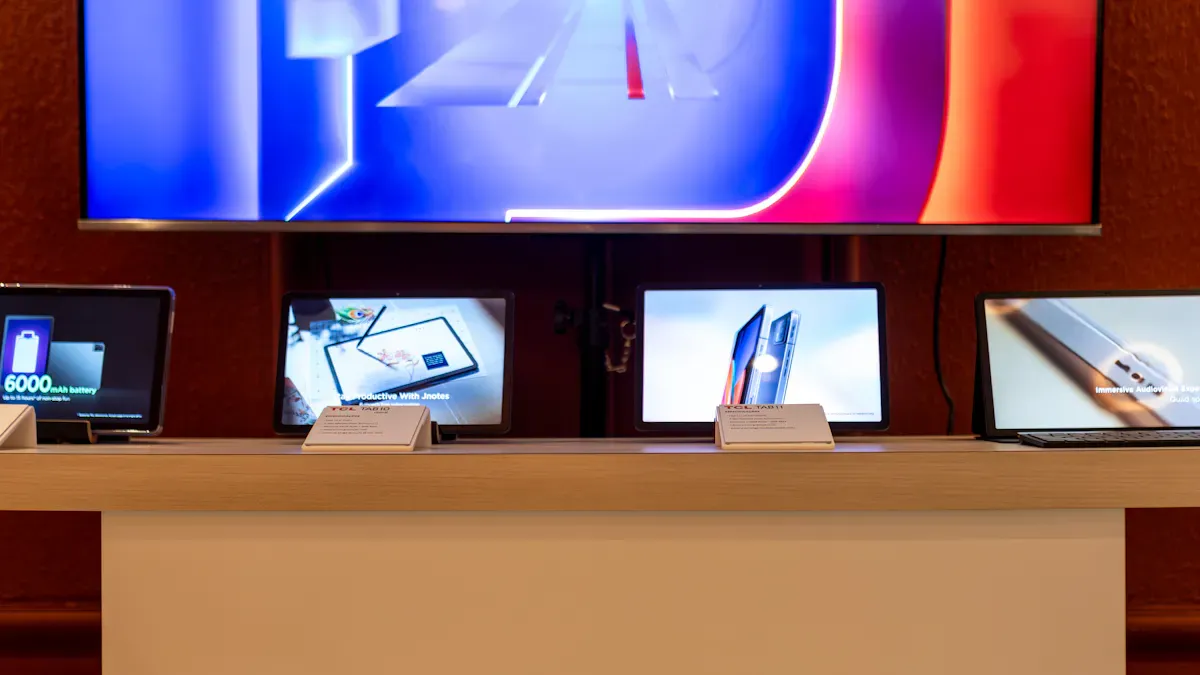
If you want a good display, you should know which models are best in 2026. The Pis bar LCD is great for value and can be used in many places. You can put it in restaurants, stores, or use it as a sign at events. The Hisense U8QG Series has clear pictures and strong colors. If you need something tough, industrial touchscreen monitors from the U8QG Series and other brands are strong and have smart features.
Here’s a quick look at the top models and what makes them special:
Model | Best For | Key Feature | Series Strength |
|---|---|---|---|
Pis bar LCD | Versatile spaces | High brightness, slim design | Value and flexibility |
Hisense U8QG Series | Home & commercial use | Ultra-clear image, HDR support | Clarity and color |
Industrial Touchscreen Series | Factories, public areas | Rugged build, wide temp range | Durability and control |
TCL X11L Series | High-end entertainment | SQD-Mini LED, 100% BT.2020 gamut | Color and innovation |
TCL WHVA 2.0 Ultra Panel Series | Premium signage | Sharper picture, high contrast | Picture quality |
Each series has something special to offer. The Pis bar LCD has a slim, wide screen that fits almost anywhere. The Hisense U8QG Series and TCL X11L Series focus on great visuals and color. Industrial touchscreen models from the U8QG Series and other brands are made for tough jobs and busy places.
Tip: If your display will be in a bright area, check the brightness rating. Many top models have 700 to 2500 nits, so your screen stays clear even in sunlight.
Key Innovations
You want the newest technology, and 2026 brings big changes. At CES 2026, brands showed new display types and smart features that make these models better.
SQD-Mini LED technology is now in the TCL X11L Series. This uses quantum dots and mini LEDs to make bright, colorful images. You get up to 100% BT.2020 color, so every shade stands out.
The WHVA 2.0 Ultra Panel Series gives you sharper pictures and higher contrast. You see deeper blacks and brighter whites, so everything looks more real.
Some models have up to 20,736 dimming zones. This helps with HDR content, so you see more detail in dark and bright scenes.
Brightness levels go up to 10,000 nits in the newest series. Your display stays bright, even in direct light.
Dolby Vision 2 is in several new models. This feature uses smart content intelligence to make your viewing experience better.
Google TV integration, especially in the TCL X11L Series, makes it easy to find and control content with your voice or touch.
Let’s compare the new display types you’ll see in 2026:
Display Type | Key Features | Performance Benefits | Series Example |
|---|---|---|---|
RGB mini-LED | Red, green, blue backlights for each zone | Wide color, better accuracy, HDR support | Hisense U8QG Series |
SQD mini-LED | Quantum dots convert mini-LED to RGB sub-pixels | No color cross-talk, high brightness, HDR | TCL X11L Series |
Tandem OLED | Multiple OLED layers (deep blacks, high contrast) | Deep blacks, strong contrast | Not yet in bar LCD display |
You also get more ways to connect and use your display. Many new models have advanced touchscreen interfaces. You can tap, swipe, or use your voice. Energy-saving features help you save up to 20% on costs, which is good if you use many screens.
More businesses want high-brightness, high-resolution screens to grab attention. This trend shows in the new series, where every model tries to stand out with better visuals and smarter controls.
If you want a bar lcd display that works anywhere, look for these new features and series. You get more color, more control, and more ways to make your message shine.
Bar LCD Display Features
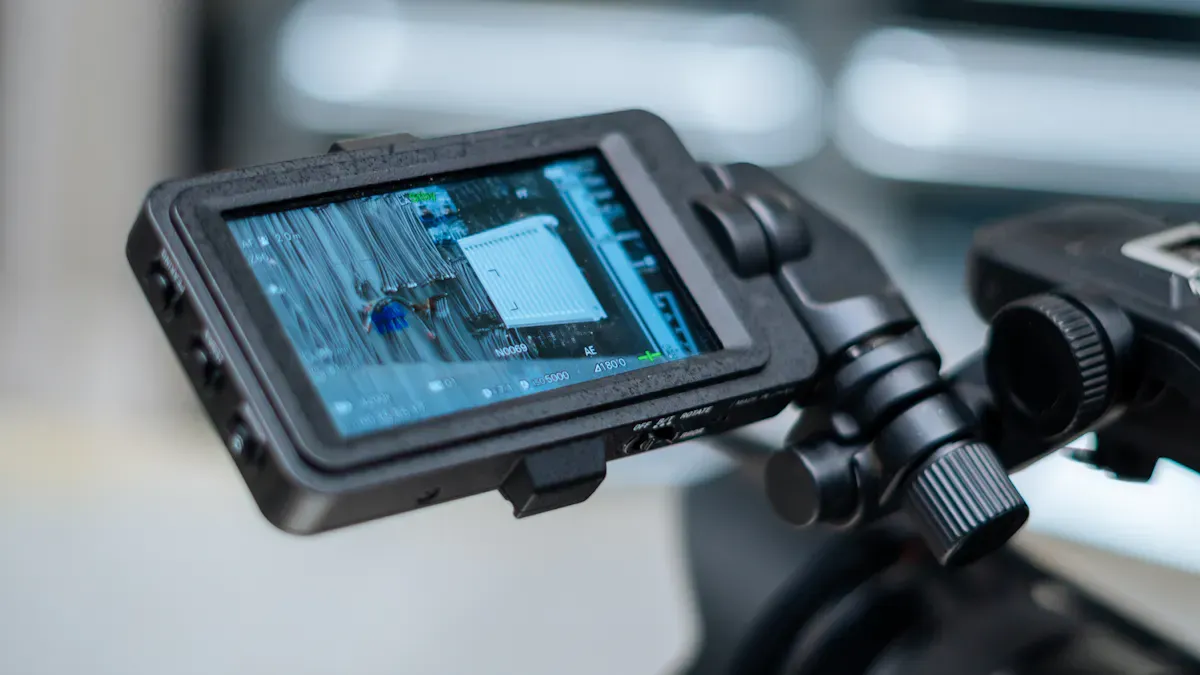
A bar LCD display is a special type of screen that stretches visuals in a long, slim shape. You often see these displays in places like train stations, restaurants, or retail stores. They work by using liquid crystals to show images and videos, just like a regular lcd, but in a unique wide format. This shape helps you show more information in tight spaces or grab attention with banners and menus.
Size & Aspect Ratio
You can pick from many sizes and shapes when you choose a bar LCD display. The most common sizes range from small to large, so you can find one that fits your space. Here’s a quick look at the options:
Size Category | Size Range (inches) | Common Aspect Ratios |
|---|---|---|
Small | 8.6"–21.5" | 16:3, 32:9 |
Medium | 23"–32" | 16:3, 32:9 |
Large | 43"–86" | 16:3, 32:9 |
You might want a small display for a shelf or a large one for a big menu board. The aspect ratio, like 16:3 or 32:9, means the screen is much wider than it is tall. This shape makes your content stand out.
Resolution & Quality
When you look at image quality, resolution matters a lot. Higher resolutions give you sharper and clearer images. This makes everything look crisp and easy to read. You also get less eye strain, which helps if you use the display for a long time. If you need to show detailed graphics or use the screen up close, a higher resolution is a smart choice. For menus or dashboards, matching the resolution to your needs keeps everything looking great. Many new models support hdr, so you see bright highlights and deep shadows.
Sharper images boost user experience.
Less eye strain means happier viewers.
High resolution is best for close-up use.
Connectivity
You want your display to work with all your devices. In 2026, most bar LCD displays come with several connection options. Here’s what you’ll find:
Interface | Description | Compatibility Impact |
|---|---|---|
HDMI | High-Definition Multimedia Interface | Works with most modern devices for video and audio. |
DP | DisplayPort | Handles high resolutions and refresh rates. |
VGA | Video Graphics Array | Good for older devices, but lower quality. |
LVDS | Low-Voltage Differential Signaling | |
eDP | Embedded DisplayPort | Great for laptops and tablets. |
You can connect almost anything, from new laptops to older computers. This flexibility makes setup easy and keeps your display useful for years.
Performance Comparison
Display Quality
When you look at the display quality of the top series in 2026, you notice some big differences. Each series brings something special to the table. If you want a screen that shines even in bright sunlight, Sharp stands out. Their models offer high brightness levels, so you can use them outdoors or in places with lots of light. You never have to worry about glare or faded images.
Samsung leads the way in color accuracy. Their series shows colors just as they should be. If you work with graphics or need to match brand colors, you will love how true the colors look. This makes Samsung a favorite for digital menus, art displays, and any place where color matters.
Innolux focuses on contrast. Their series gives you deep blacks and bright whites. This high contrast makes text and images pop, so your message stands out. You see every detail, even in high dynamic range content. When you use an lcd with strong contrast, your eyes do not get tired as quickly.
Here’s a quick table to help you compare:
Series | Best For | Standout Feature |
|---|---|---|
Sharp | Outdoor, bright spaces | High brightness |
Samsung | Color-critical uses | Excellent color accuracy |
Innolux | Info displays, menus | High contrast |
You also see improvements in hdr across many series. High dynamic range support means you get more detail in both shadows and highlights. This makes everything look more lifelike. The latest bar lcd display models use advanced backlighting and color filters, so you get a crisp, clear picture every time.
User Experience
You want a display that feels easy to use and looks great from every angle. The best series in 2026 focus on making your experience smooth and enjoyable. Many models now have touch controls, so you can tap or swipe to change content. This makes them perfect for interactive menus or information boards.
Fast response times mean you do not see lag or ghosting when you switch screens. You get instant feedback, which is important in busy places like train stations or fast-food restaurants. The latest series also offer wide viewing angles. You can stand to the side and still see the screen clearly. This helps when you have a crowd or need to mount the display high up.
You will notice that the new series come with smart features. Some models let you control them with your voice or connect to your phone. You can update content quickly, even if you have many screens in different locations. This saves you time and keeps your information fresh.
Tip: If you plan to use your display for long hours, look for models with energy-saving modes. These features help lower your power bill and keep the screen cool.
Price and Value in 2026 Range
When you buy a bar lcd display, you want to know what you get for your money. In 2026, there are many prices and features to choose from. Let’s look at what you get in each group.
Entry-Level
Entry-level series give you the basics for a low price. You pay between $150 and $500 for these models. They are good for simple menus, ads, or small info boards. The brightness is okay and the images look clear. You do not get advanced features like hdr or high dynamic range. Many people say these displays are easy to set up. They last a long time in places that are not busy.
Category | Price Range |
|---|---|
Entry-level | |
Mid-range | $400–$900 |
Premium | $900+ |
Tip: If you need a display for a quiet café or a small shop, entry-level series can save you money and still look sharp.
Mid-Range
Mid-range series give you more features for a fair price. You pay $400 to $900 for these models. You get more sizes, better brightness, and higher resolution. These displays work well in stores, restaurants, and busy places. You get more value because they fit many needs and work with lots of systems. Many people like that mid-range series are clear and last longer than entry-level screens.
You can pick the size that fits your space.
Brightness helps your content stand out, even in sunlight.
Higher resolution makes text and images look sharp.
Feature | Description |
|---|---|
Sizes | Many choices for different uses. |
Resolutions | Clearer images for menus and ads. |
Brightness Levels | Good visibility in bright or dim places. |
Cost-Effectiveness | Easy to add to your current setup, saving you money in the long run. |
Premium
Premium series cost $900 or more, but you get the best performance. These models use 4K technology for super clear detail. You see features like OCA optical bonding, which makes the screen stronger and easier to read. High-brightness IPS technology keeps your display bright, even in sunlight. These displays are best for control rooms, fancy stores, or high-end vehicles. Some people say you get your money back because they last longer and look better.
Feature | Why It Matters |
|---|---|
4K Technology | Shows every detail for dashboards and advanced menus. |
OCA Optical Bonding | Makes the screen stronger and easier to read in tough conditions. |
High-Brightness IPS Technology | Keeps images clear in bright light, perfect for industrial use. |
Manufacturing Complexity | Advanced tech means higher cost, but also better performance. |
Return on Investment | Premium series last longer and look better, saving money over time. |
Note: If you want the best visuals and longest life, premium series give you features you won’t find in cheaper models.
Each series has its own strengths. Entry-level saves you money. Mid-range gives you more choices and better performance. Premium series have the best quality and top features. User reviews and market trends show most people like mid-range for value, but premium models are best for performance and durability.
User Feedback & Reviews
You probably want to know what other people think before you buy a bar LCD display. User reviews in 2026 give you a clear picture of what works well and what causes trouble. Let’s break down the feedback so you can make a smart choice.
Praises
Most users love how bar LCD displays look and perform. You see a lot of positive comments about image quality, brightness, and easy setup. People say these screens fit well in tight spaces and make menus or ads pop. Here’s what users highlight most:
Feature | Description |
|---|---|
Resolution | Clear images with 1920x480 pixels are common. You can read text easily. |
Brightness | Screens with at least 2000 nits stay bright outdoors. No more faded menus. |
Viewing Angles | Wide angles (up to 178 degrees) let you see the screen from anywhere. |
Connectivity | Multiple input options make it easy to connect laptops, media players, or tablets. |
You also get praise for hdr support. This feature makes colors look richer and details stand out, especially in busy places. Many users mention that the displays work well for both indoor and outdoor use.
Tip: If you want a screen that grabs attention, look for high brightness and wide viewing angles.
Issues
Even the best bar LCD displays have some problems. You might run into a few common issues, but most have simple fixes. Here’s what users report:
Image retention and ghosting: Sometimes, old images stay faintly visible. You can fix this by cycling content or using a screen saver.
Cracked or damaged panels: Drops or bumps cause cracks and black spots. Protective cases help prevent this.
Color distortion: Colors look off or too warm. You can calibrate the display or check your device settings.
Touchscreen malfunctions: Touch input stops working or acts weird. Recalibrating or replacing the digitizer usually solves it.
Erroneous calibration: Touch response feels inaccurate. Proper calibration helps.
Dirt and scratches: Touchscreens get dirty or scratched, making them less responsive. Cleaning and using screen protectors keep them working.
Unresponsive screens: Sometimes, the display doesn’t register input. Restarting or checking connections can help.
You see these issues most often in busy places or when the screens get handled a lot. If you take care of your display and follow simple maintenance steps, you avoid most problems.
Note: Always check user reviews for your chosen model. You learn what to expect and how to keep your display running smoothly.
Durability & Support
Build Quality
You want your bar LCD display to last a long time. Manufacturers use strong materials for these screens. Most models have aluminum frames and glass that resists scratches. Some displays can survive bumps, drops, and spills. Certain screens work in hot or cold places. You do not need to worry about weather or temperature changes.
If you use your display in a busy area, pick models with reinforced corners and sealed edges. These features keep dust and moisture out. Industrial bar LCD displays have extra layers for shock resistance. You feel safe knowing your screen will not break easily.
Tip: Clean your display with a soft cloth. Do not use harsh chemicals. This keeps the screen clear and helps it last longer.
Warranty
Warranty coverage helps you feel safe when you buy a bar LCD display. Top brands in 2026 offer different terms, so check what is included. You usually get at least one year of protection. Some companies let you extend the warranty for more coverage.
Here’s a quick look at what top manufacturers offer:
Manufacturer | Warranty Period | Coverage | Exclusions |
|---|---|---|---|
RJY Display | Defects in materials and workmanship | Improper integration, over-voltage, mechanical stress, etc. | |
FUNLCD | 1 year | Whole machine warranty, screen protection | Man-made damage, accidental damage, unauthorized repairs, etc. |
You get coverage for defects and screen problems. If you drop your display or use it wrong, the warranty may not help. Always check the exclusions before you buy. Extended warranties can protect you for up to three years. This is great if you want extra support.
😊 If you want your display to last, pick a model with a strong warranty and solid build quality.
Future Trends for Bar LCD Display
Technology Advancements
Bar LCD displays will change a lot after 2026. Companies keep making screens better every year. Mini-LED backlighting is a cool new feature. This lets your screen show deep blacks and bright whites. You get sharp menus and ads, even in tough lighting. The contrast ratio can reach 1,000,000:1, so images look clear.
Quantum dot integration, called QLED, helps colors look stronger. Your display shows more shades and richer colors. Over 90% of the DCI-P3 color space is possible. Food menus and dashboards look bright and colorful.
Automotive displays are getting smarter, too. Cars now have pillar-to-pillar screens and panoramic head-up displays. These wide screens stretch across the dashboard. They make driving safer and more fun.
Here’s a table with the newest upgrades:
Advancement | What It Means for You |
|---|---|
Mini-LED Backlighting | Super contrast, clear images in any light |
Quantum Dot Integration | Vivid colors, lifelike visuals |
Automotive Innovations | Wider screens, better info in vehicles |
🚗 If you use bar LCD displays in cars or buses, these upgrades help you see better and stay safe.
Upgradability
You want your display to last and stay useful. Upgradability is a big trend now. Many new models let you swap parts or update software easily. You can add new features without buying a whole new screen. This saves money and keeps your setup fresh.
Vendor consolidation is happening, too. Fewer brands mean better support and easier upgrades. You get long-term compatibility, so your display works with new devices and apps.
Smart displays now offer cloud updates. You can fix bugs or add features with a simple tap. You do not need to call a technician. This makes your life easier and keeps your screens running smoothly.
😊 Pick models with easy upgrades and strong support. You will stay ahead and avoid problems later.
You have a lot of choices when it comes to bar LCD display models in 2026. If you need a screen for tight spaces or strip-style signage, go for ultra-wide options like 3.9-inch or 8.8-inch displays. For the best value, look for high-brightness panels, rugged materials, and easy touch controls. Always check for strong durability, clear visibility, and future-ready features. Think about your space, budget, and how much info you want to show. Pick the model that fits your needs and you’ll get great results.
What Is a Bar LCD Display and How Does It Work?
A bar LCD display, also known as a stretched screen or long‑strip screen, is a display with a non‑standard ultra‑wide aspect ratio. It is not simply a standard screen that has been "stretched", but a professional display technology designed to solve the challenge of displaying information in confined or uniquely shaped spaces.
🆚 Bar LCD vs. Standard Display: Key Differences at a Glance
Aspect | Bar LCD Display | Standard LCD Display (16:9) |
|---|---|---|
Form factor & aspect ratio | Significantly deviates from standard ratios – common ratios: 16:3, 32:9, etc. | Standardised 16:9 or 4:3 ratios |
Core purpose | Present information in height‑restricted, narrow spaces | General‑purpose display for most scenarios |
Typical applications | Retail shelves, bus/subway information screens, industrial control panels | Home TVs, computer monitors, general‑purpose advertising displays |
Customisation level | High – resolution, size, brightness can be tailored | Low – mostly mass‑produced standard products |
Cost | Custom native panel – expensive; Cut panel – relatively lower | Relatively low |
Manufacturing process | Custom native panel – originally designed for the ratio; Cut panel – cut from a standard panel and rebuilt | Designed and mass‑produced for standard ratios |
Key performance | Custom native panel – excellent (colour, contrast, etc.); Cut panel – possible minor image loss at cut edges | Stable and reliable |
Industrial features | High brightness (up to 2000+ nits), wide operating temperature (-30°C to 85°C), 24/7 operation | Mostly consumer‑grade, suitable for indoor, general use |
🧐 What Is a Bar LCD Display?
A bar LCD display is a display with an aspect ratio significantly larger than the traditional 16:9 screen. It comes from two main sources:
Custom native panel – Manufacturers design and produce the panel specifically for a target aspect ratio (e.g., 16:3, 21:9) from the ground up.
Cut panel (rebuilt) – A standard large‑size LCD panel is cut into a narrow, elongated shape, then rebuilt with a new backlight and driver circuit.
Choosing between a native panel and a cut panel is essentially a trade‑off between ultimate performance and cost flexibility.
⚙️ How Does It Work?
Whether native or cut, the fundamental light‑emitting principle is identical to a standard LCD – the main difference lies in the shape. For cut panels, the production process is like a precise "major surgery" on a standard panel, involving the following key steps:
🎨 Select a mother glass – Choose a high‑quality standard large‑size LCD panel as the "mother glass".
✂️ Precision cutting – Use a diamond cutter or laser to scribe the mother glass precisely, then apply controlled force to snap it cleanly along the scribed lines.
🔧 Edge sealing – This is the most critical step. Cutting exposes the liquid crystal layer. A specialised sealant must be applied immediately to the new cut edges to prevent liquid crystal leakage or contamination.
🔌 Rewiring – Cutting may sever some of the original circuit traces. The driver circuit must be redesigned and reconnected to match the new panel shape and resolution.
✨ Key Advantages of Bar LCD Displays
Excellent space adaptability – They can be embedded perfectly into "flattened" spaces where standard screens simply do not fit. Many access control systems, ticket gates, and equipment cabinets are physically limited to bar‑shaped displays only.
Superior visual performance
High brightness – Indoor models typically 350–1200 nits; semi‑outdoor models reach 1000–2500 nits, remaining clearly visible in bright environments.
Wide viewing angle – Supports 178° ultra‑wide viewing angle technology – even from the side, the image remains clear and colour‑accurate.
Industrial reliability & durability – Designed for 24/7 continuous operation with a typical lifespan of over 50,000 hours. Wide operating temperature range (e.g., -20°C to 70°C) and resistance to dust and humidity ensure stable operation in harsh environments.
Rich customisation & intelligence – Beyond form factor customisation, options include touch integration, built‑in Android/Linux operating systems for smart applications, and compatibility with mainstream Content Management Systems (CMS) for remote updates and split‑screen playback.
Energy efficient – Low‑power panels and intelligent ambient light sensing can save up to 30% energy compared to traditional screens.
🚀 Main Application Scenarios for Bar LCD Displays
Thanks to the advantages above, bar LCD displays have become the ideal choice for many commercial and industrial scenarios. They come in two main orientations – landscape and portrait – with rich applications as shown in the table below:
Application Area | Landscape Bar (Horizontal) | Portrait Bar (Vertical) |
|---|---|---|
Retail & Digital Signage | Digital shelf labels, dynamic advertisements, restaurant menu boards | Interactive mall entrance guides, brand image display pillars |
Transportation | Airport/train station arrival/departure boards, bus/subway on‑board information screens | Elevator floor indicators, access control system status panels |
Industrial & Control | Control room data monitoring, production line status boards, HVAC status panels | Equipment status logs, process monitoring systems, access control panels |
Other scenarios | Self‑service terminals, professional audio equipment, medical devices | Smart home control panels, vertical information kiosks |
💎 Summary: More Than "Long" – An Efficient Space‑Saving Information Solution
In summary, a bar LCD display is not simply a "stretched" traditional screen. It is a highly specialised display solution. Its core value lies in the cut‑and‑reintegrate process (or native custom design) that maximises information display efficiency within a limited height, solving the challenge that standard screens cannot address – effective, intuitive information display in specific, confined physical spaces.
Let me know if you would like a list of manufacturers, product specifications, or real‑world installation examples for bar LCD displays!
please contact Shenzhen TopAdkiosk Display Technology Co.
FAQ
What is a bar LCD display and how does it work?
A bar LCD display is a wide, slim screen. You see it in places like stores or trains. It uses liquid crystals to show images and text. You control it with a computer or media player.
Can I use a bar LCD display outdoors?
Yes, you can use many bar LCD displays outside. Look for models with high brightness and weatherproof features. These screens stay clear even in sunlight and rain.
How do I clean my bar LCD display?
Use a soft, dry cloth to wipe the screen. Avoid harsh chemicals or water. If you see smudges, gently rub them away. Keeping your display clean helps it last longer.
What sizes are available for bar LCD displays?
You can choose from small screens around 8 inches to large ones up to 86 inches. Pick a size that fits your space and needs. Wide aspect ratios make your content stand out.
Do bar LCD displays support touch controls?
Many bar LCD displays offer touch features. You can tap, swipe, or use gestures to interact. This makes them great for menus, info boards, and interactive signs.
See Also
Selecting The Perfect LCD Digital Signage For Your Business
Top LCD Display Kiosks Ideal For Retail Spaces
LCD Display Kiosks With Touch Screen Features To Consider
