Comparing the Top Programmable LCD Displays for 2026
Shenzhen TopAdkiosk Display Technology Co., Ltd.
Add.: 2F, Bldg 10, Changfeng Industrial Park, Dongkeng, Fenghuang, Guangming, Shenzhen, China 518132
Mobile/WHATSAPP: 86-138 25769658
Email: marketing@topadkiosk.com topadkiosk@gmail.com
Skype: pghenry1
Wechat: adkioskhenry
English Web.: https://www.topkioskdisplay.com/
http://www.ad-kiosk.com/
https://www.toplcddisplay.com/
http://www.multitouchdigitalsignage.com/
https://www.youtube.com/channel/UCYVYNJHxLVEcQD8fuUxXNTA/videos?view_as=subscriber
https://www.facebook.com/TOPADKIOSKSHENZHEN/?ref=bookmarks
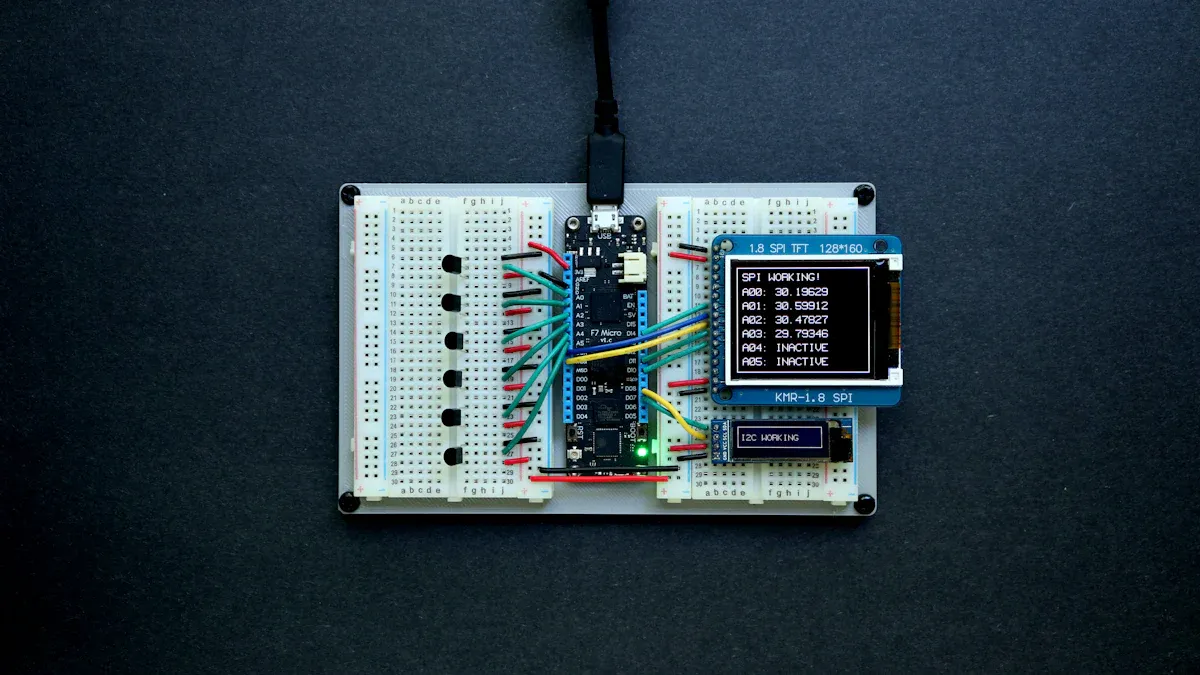
You will find the best programmable LCD displays for 2026 from LG Display and Samsung. If you want top smart displays, Amazon Echo Show 11 and Google Nest Hub Max lead the way. These models stand out for sharp resolution, bright color, and low energy use. You should check how each display handles brightness, power, and tough environments. Choose a programmable lcd display that fits your project needs. For more details, visit https://www.topkioskdisplay.com/.
Key Takeaways
Pick a display that matches what you need. Think about things like resolution, connectivity, and smart features. These help you choose the best one for your project.
Find displays with new technology. Features like facial recognition and energy-saving designs make them easier and safer to use.
Use a table to compare models side by side. This lets you see the good and bad parts of each display. It helps you decide which one is best.
Choose brands with good warranties and support. This means you get help if something goes wrong. Your display will work well for a long time.
Always look at the price and features together. Expensive displays might be better quality. Make sure you only pay for what you really need.
Best Smart Displays and Programmable LCD Displays 2026
Top Models Overview
If you want a smart display in 2026, you have many choices. These models are good because they work well and look nice. They also have cool features. You can use the table below to see how the best models compare. The table shows rank, model, price, CNET score, and some good and bad points for each device.
Rank | Model | Price | CNET Score | Pros | Cons |
|---|---|---|---|---|---|
1 | Amazon Echo Show 11 | $220 | 8.5/10 | Ideal-sized screen, brighter display, best sound, great design | Shows ads when idle |
2 | Google Nest Hub (2nd gen) | $92 | N/A | Affordable, hands-free control, upgraded base, easy searching | Sleep Sensing costs $10/month, no camera |
3 | Amazon Echo Show 8 (2023) | $150 | N/A | Impressive detail, quick response, improved menus | Privacy settings lacking, speaker quality not the best |
4 | Amazon Echo Show 15 | $300 | N/A | N/A | N/A |
Amazon Echo Show 11 is at the top of the list. It has a bright screen and strong sound. Google Nest Hub (2nd gen) is cheaper and lets you use your voice to control it. These models help you run your smart home, play music, and show info quickly. If you want a bigger screen, Amazon Echo Show 15 could be right for you.
Key Features and Innovations
Look for new features and cool ideas in smart displays and programmable LCD displays. Many new models have advanced technology that makes them easier and safer to use. Here are some of the most important new things you will see in 2026:
Innovation Type | Description |
|---|---|
Smart Access Control Solution | Uses small bar-type LCD screens with Android motherboards for facial recognition and cloud connectivity. |
Electronic Paper Display (EPD) | Combines E-paper with Bluetooth Low Energy for efficient smart call solutions in healthcare and logistics. |
High-Precision Sensor Systems | Includes modules for Alcohol Detection, CO Monitoring, and Smoke Alarms for industrial IoT integration. |
Industrial Control Solution | Features ruggedized color LCD displays for smart cooking machines, designed for kitchen environments. |
Smart access control solutions use facial recognition and connect to the cloud. This keeps your spaces safe and linked. Electronic paper displays save power and work well in hospitals or warehouses. High-precision sensors help keep factories safe by finding gas or smoke. Rugged industrial displays can handle heat and spills in kitchens.
Tip: When picking a programmable lcd display, see if it has the newest features. This helps you get more value and keeps your device up to date.
Big brands give strong warranty and support. For example, SMART gives a 7-year warranty and lots of help. Elo offers extra warranty, protection from accidents, and on-site exchange. These choices help you worry less and keep your devices working.
If you know about the best models and new features, you can pick the right device for your home or business. The best smart displays and programmable LCD displays in 2026 give you more control, better pictures, and safer use.
Smart Display Comparison Table
Specs and Differences
When you want the best display, you need to see what makes each model special. This smart display comparison shows the main specs side by side. You can use this table to compare the top smart displays and programmable LCD displays for 2026. Each model has its own strengths. Some models focus on high resolution. Others give you better energy savings or more smart features.
Model | Type | Screen Size | Resolution | Color Accuracy | Energy Efficiency | Connectivity | Smart Features | Price |
|---|---|---|---|---|---|---|---|---|
LG Display ProVision | Programmable LCD | 15.6" | 3840 x 2160 (4K) | 99% sRGB | A++ | HDMI, USB-C, Wi-Fi | Custom OS, Touch, IoT integration | $450 |
Samsung SmartPanel X | Programmable LCD | 13.3" | 2560 x 1600 (QHD) | 95% DCI-P3 | A+ | HDMI, Bluetooth, Wi-Fi | Programmable UI, Voice, Edge AI | $400 |
Amazon Echo Show 11 | Smart Display | 11" | 1920 x 1080 (FHD) | 90% sRGB | A | Wi-Fi, Bluetooth | Alexa, Video Calls, Smart Home Control | $220 |
Google Nest Hub Max | Smart Display | 10" | 1280 x 800 (HD) | 85% sRGB | A | Wi-Fi, Bluetooth | Google Assistant, Face Match, Streaming | $230 |
Amazon Echo Show 15 | Smart Display | 15.6" | 1920 x 1080 (FHD) | 92% sRGB | A | Wi-Fi, Bluetooth | Alexa, Widgets, Wall Mount | $300 |
LG Display ProVision has the highest resolution and color accuracy. This model is good for design or professional work. Samsung SmartPanel X has strong color and a smaller screen. It fits well in smart offices or kiosks. Amazon Echo Show 11 and Echo Show 15 have smart features and easy voice control. Google Nest Hub Max is known for Face Match and streaming.
Tip: When you compare smart displays, think about which features are most important for you. If you need a programmable lcd display for a project, look for high resolution, strong connectivity, and good software support. If you want a smart home hub, focus on voice control and smart home features.
Key Differences to Notice:
Resolution: LG Display ProVision is best with 4K. You get sharper images for graphics or video.
Color Accuracy: Samsung SmartPanel X and LG Display ProVision both have near-professional color. This helps with photo editing or signs.
Energy Efficiency: All models use less power. Programmable LCDs usually rate higher for long-term use.
Connectivity: Programmable LCDs have more ports and options. Smart displays focus on Wi-Fi and Bluetooth.
Smart Features: Amazon and Google models have voice assistants and smart home control. Programmable LCDs let you change the interface and connect to IoT devices.
Price: Smart displays cost less. Programmable LCDs cost more but give you more control and better specs.
Always pick the display that fits your project. If you need a display for a smart kitchen or factory, choose a rugged programmable lcd display. For home use, a smart display with voice control may be best.
Note: The right display saves you time and energy. Always check the specs before you buy.
Reviews of Leading Programmable LCD Displays

LG Display – Pros, Cons, Use Cases
Let’s look at what makes LG Display good. LG Display has a very clear screen and bright colors. It is great for art, videos, and work projects. The touch screen reacts quickly. You can plug in many things using HDMI, USB-C, or Wi-Fi. LG Display is built to last. You can use it in offices, studios, or schools.
Pros:
High 4K resolution
Excellent color accuracy
Multiple connectivity options
Durable design
Cons:
Higher price than other models
Setup can take time
Limited smart home features
Tip: If you want a programmable lcd display for art or design, LG Display is a good pick. It gives you clear pictures for important projects.
Use Cases Table:
Use Case | Why Choose LG Display? |
|---|---|
Graphic Design | Sharp visuals and color accuracy |
Education | Reliable for interactive lessons |
Business | Professional presentations |
LG Display works well in busy places. It lasts a long time and helps with many jobs.
Samsung – Pros, Cons, Use Cases
Now let’s see what Samsung offers. Samsung has a bright screen and nice colors. You can change settings with its programmable interface. Samsung SmartPanel X is good for kiosks, smart offices, and stores. You can use voice commands and edge AI for cool tasks.
Pros:
Good color accuracy
Programmable interface
Voice and AI features
Energy efficient
Cons:
Smaller screen size
Not as sharp as LG Display
Fewer ports
Note: Samsung is a good choice for smart offices or public places. It is easy to set up and saves energy.
Use Cases Table:
Use Case | Why Choose Samsung? |
|---|---|
Retail Kiosks | Programmable UI and durability |
Smart Office | Voice control and connectivity |
IoT Projects | Edge AI and integration |
Samsung is flexible and has smart features. It works in many different places.
Reviews of Best Smart Displays
Amazon Echo Show 11 – Pros, Cons, Use Cases
The amazon echo show 11 is one of the best smart displays for 2026. It has a bright screen and clear sound. You can use Alexa+ to control your smart home. Just talk to Alexa and get answers fast. You can watch shows using streaming apps. The amazon echo show 11 works with security cameras like Ring and Wyze. You can see camera feeds right on the screen. It helps you make video calls with auto-framing and zoom. You can control lights, locks, and thermostats with your voice or by touching the screen. The amazon echo show 11 remembers your routines and gives you personal tips. You can use it in the kitchen, living room, or office.
Pros:
Enhanced smart home control with Alexa+
High-quality audio for music and video
Easy integration with many smart home devices
Large, bright display for media and camera feeds
Cons:
Shows ads when idle
Privacy settings may need adjustment
Popular Uses:
Watching shows and listening to music
Checking security cameras
Making video calls
Managing smart home devices
Tip: The amazon echo show 11 makes it easy to control your home and stay connected.
Google Nest Hub Max – Pros, Cons, Use Cases
The Google Nest Hub Max is a top google smart display for people who want strong Google service integration. You can use Google Assistant to get answers, play music, or control your smart home. The display uses Face Match to give you personal updates and reminders. You can use Quick Gestures to pause music or stop timers without touching the screen. The Google Nest Hub Max works as a Matter hub, so you can connect many smart devices. You can stream YouTube and other content easily.
Feature | Google Nest Hub Max | Other Smart Displays |
|---|---|---|
Works with Google Assistant | Yes | Varies |
Great streaming options | Yes | Varies |
Functions as a Matter hub | Yes | Varies |
Physical shutter for camera | No | Varies |
Mic mute button | No | Varies |
Face Match technology | Yes | Varies |
Quick Gestures | Yes | Varies |
Pros:
Superior Google service integration
Personalized content with Face Match
Hands-free control with Quick Gestures
Cons:
No physical camera shutter
No mic mute button
Popular Uses:
Streaming YouTube and music
Personalized reminders and routines
Smart home control with Google Assistant
Note: If you want a display that works well with Google services, the Google Nest Hub Max is a smart choice.
How to Choose a Programmable LCD Display
Display Quality and Resolution
When you pick a programmable lcd display, focus on how clear the screen looks. Resolution shows how many tiny dots, called pixels, are on the screen. More pixels make pictures and words look sharper. In 2026, most smart displays have high resolution. For small devices, about 440 PPI is good for clear viewing. If you want a touchscreen monitor, check the resolution first. A mid-400 PPI range gives you clear images. Higher numbers do not always make things look better. Match the resolution to what you need. If you use smart displays for art or design, pick a high resolution. For simple jobs, lower resolution is fine. Always check the resolution before buying.
Connectivity and Smart Features
Look at how the display connects to other devices. Connectivity lets your display talk to things like computers or phones. Here is a table that shows common ways smart displays connect:
Connectivity Method | Description |
|---|---|
UART | Serial communication for short distances |
RS485 | Multi-point communication for industry |
CAN bus | Used in vehicles for real-time data |
Ethernet | Fast wired network connection |
Wi-Fi | Wireless connection for flexible use |
Bluetooth | Short-range wireless for device control |
Smart displays often use Wi-Fi and Bluetooth. These features help you control devices and share information. Some displays, like Pixl.js, use Bluetooth Low Energy to connect with other devices. You can use smart displays in many places because of these features. If you want a touchscreen monitor, always check the ways it connects and the smart features.
Programmability and Software Support
Programmability means you can change how your display works. Look for smart displays that let you make custom apps. Some displays let you check things like voltage or battery status in real time. You can pick displays with touch controls or different languages. Always check if the display works with your devices. Look at the pin setup and how it talks to other devices. Smart displays with good software support make your project easier.
Price and Value
Price is important when you choose smart displays. You want to get the most for your money. Some displays cost more because they have better resolution or more features. Think about what you need. If you only need basic features, you do not have to pay for extra resolution. If you need advanced features, it is worth paying more. In 2026, companies offer more services and better software. LCD is still the best choice for indoor use because it costs less. Smart displays now do more than show ads. They help in banks, hospitals, and stores. Match the price and features to your project.
Tip: Always compare the resolution, features, and price before you buy a programmable lcd display. This helps you get the best value for your needs.
Best Overall Smart Display Recommendation
When you look for the best overall smart display in 2026, you want a device that is easy to use and fits your daily needs. Many experts and users agree that the Amazon Echo Show 11 stands out as the best overall smart display. You can set it up quickly. The screen lights up when you walk by, thanks to its proximity sensors. You get a home screen that you can change to show what matters most to you. The interface feels simple and clear, so you will not get lost in menus.
Here is a quick look at what makes the Amazon Echo Show 11 the best overall smart display:
Pros | Cons |
|---|---|
Easy to set up | Slow response time |
Proximity sensors help with easy hub lighting | Would like a dark mode |
Customizable home screen | Camera previews only work with Ring devices |
Intuitive interface | A home hub without entertainment options is a tough sell outside the Alexa ecosystem |
You will find that the Amazon Echo Show 11 works well for most homes. You can control your lights, locks, and cameras with your voice. The display shows camera feeds, reminders, and weather updates. If you use Ring cameras, you get quick previews right on the screen. Some users wish for a dark mode or faster responses, but the strengths make it the best overall smart display for most people.
Tip: If you want the best smart displays for your home, look for easy setup, a clear interface, and features that match your daily habits.
When you choose a smart display, think about what you need most. Do you want to control your home, watch videos, or check security cameras? The best overall smart display should make your life easier and help you stay connected. Always match the display’s features to your project or home needs.
You can pick the best programmable LCD displays and smart displays for 2026 by thinking about what you need. Some models, like Portworld Smart Control Panels, have advanced touch screens and look professional. These are good for businesses. If you want high quality for your home or work, compare the display size, technology type, and security. The table below shows what to look for:
Criteria | Description |
|---|---|
Technology Type | Different kinds of display technology |
Display Size | Sizes for different needs |
Security Concerns | Keeping your data safe |
Budget Constraints | How much money you can spend |
Always check the quality, price, and features before you buy in 2026. For extra help, you can order online from trusted sellers, try out software demos, or watch videos that show you how things work. When you match the quality and price to your project, you get the best results in 2026.
Step 1: Define Content Type and Interaction Needs
This is the most critical step. What exactly does your project need to display? Do you need touch interaction? This will directly determine which broad category of display you need.
Display Content | Recommended Display Type | Key Features & Use Cases | Programming Complexity | Example Reference |
|---|---|---|---|---|
Numbers, letters, simple symbols | Character / Segment LCD | Based on standard character sets (e.g., 16x2, 20x4) or predefined segments. Simple programming, very low power. Suitable for electronic instruments, appliance control panels. | Low |
|
Text, icons, simple graphics | Monochrome Graphic LCD | Pixel‑controllable, can display custom icons, waveforms, small images. Suitable for industrial HMIs, handheld terminals. | Medium |
|
Complex UI, photos, video | Colour TFT LCD | Rich colour, high‑definition content – the mainstream choice for embedded smart devices. Suitable for smart home control panels, medical devices, automotive infotainment. | High |
|
About touch: If you decide to go with a colour TFT, an important decision is whether to add touch functionality. It allows users to interact directly with the screen, eliminating physical buttons. Two mainstream technologies:
Capacitive: Supports multi‑touch, durable – common in smartphones and tablets.
Resistive: Lower cost, can be operated with any object (gloves, stylus) – suitable for industrial environments.
🖥️ Step 2: Evaluate MCU/MPU Performance and Interface Compatibility
Once you have chosen the display type, the next core question is: can your main controller (MCU/MPU) drive it? This depends on the interface.
🛣️ Interface Quick Reference: How to Choose?
The interface is the “highway” connecting the display and the main controller, determining data transfer speed and complexity.
Interface | Speed | Pin Count | Typical Use Cases | Pros & Cons |
|---|---|---|---|---|
I2C | Very low | 2‑wire | 0.96" small OLEDs, sensor data display | Fewest pins, great for simple text; cannot drive complex graphics |
SPI | Low | 4‑wire | TFT screens up to 2.4", 320x240, simple animations | Few pins, simple to drive; low refresh rate, limited to lower resolutions |
8080/6800 Parallel | Medium–High | 16+ | 3.5" to 7", 800x480, MCU‑based development boards | Fast, can display smooth video; consumes many I/O pins |
RGB (TTL) | High | 20+ | 7" and above, high‑performance MPUs with LCD controller (e.g., STM32MP1) | No dedicated framebuffer needed, fast; many pins, susceptible to interference |
LVDS | Very high | 10‑wire | Industrial, automotive displays 7"+, high resolution, long‑cable transmission | Differential signalling, strong interference immunity, long cable runs; often needs a bridge chip |
MIPI DSI | Highest | 6‑wire+ | High‑end mobile devices (smartphones, tablets) | Few pins, low power, high bandwidth; complex protocol, requires native host support |
eDP | Very high | 4‑wire+ | Modern laptops, high‑end tablets | Extremely high bandwidth, supports high refresh rates and PSR for power savings |
Note: If your main controller lacks sufficient performance, consider an HMI (Human‑Machine Interface) smart display. It has its own processor and graphics library – the host MCU simply sends commands via a serial port (UART), greatly simplifying development.
🎨 Step 3: Fine‑Tune Key Parameters for Better Visuals
Once the hardware connection is confirmed, the following parameters determine the final display quality and user experience.
Parameter | Recommendations & Notes |
|---|---|
Resolution | 128x64: Entry‑level graphic display; 320x240: Classic QVGA, good for 3.5" screens; 800x480: Mainstream for 7" screens; 1920x1080: Full HD – requires a powerful processor. |
PPI (Pixels Per Inch) | For the same resolution, smaller size = higher PPI = sharper image. Example: a 5" 1080p phone has ≈440 PPI, much higher than a 24" 1080p monitor (≈92 PPI). |
Colour Gamut | 100% sRGB: Enough for office, programming. 90%+ DCI‑P3: Must‑have for media/design. 72% NTSC ≈ 100% sRGB. |
Brightness | 300‑400 cd/m²: Standard indoor. 500‑800 cd/m²: Near window, bright environments. 1000+ cd/m²: Essential for outdoor sunlight readability. |
Viewing Angle | TN: Low cost, fast, but very narrow viewing angles. IPS: Wide angles, accurate colour – first choice for group viewing. VA: High contrast, deep blacks – good for media/entertainment. |
Operating Temperature | 0~50°C: Commercial grade. -20~70°C: Standard industrial. -30~85°C: Harsh industrial / outdoor. |
Power Consumption | Critical for battery‑powered devices. Colour TFT highest, monochrome LCD lower, segment LCD lowest. |
Lifespan | Check backlight life (typically 50,000 hours) and panel life. Industrial panels are usually designed for longer life. |
Touch: If needed, additional considerations. Capacitive (PCAP) supports multi‑touch, high sensitivity; Resistive (RTP) lower cost, works with gloves or any object.
🛠️ Step 4: Value Development Resources and Community Ecosystem
Once the display is in hand, getting it working quickly depends on good software and community support.
Libraries & drivers: Key to development efficiency. In the Arduino ecosystem, libraries like Adafruit_GFX and MCUFRIEND_kbv drive many displays. For Raspberry Pi,
fbtftdriver and Python libraries likeluma.coreare very convenient. Also, embedded graphics libraries like LVGL (Light and Versatile Graphics Library) are powerful and cross‑platform – worth exploring.Open‑source community: An active community means many projects, tutorials, and solutions – saving significant development time.
📈 Step 5: Follow 2026 Market Trends and Supplier Strategy
Understanding technology trends and how to find reliable suppliers helps you make forward‑looking procurement decisions.
Market Trends
High‑brightness outdoor displays: With more outdoor applications, screens with 1000+ nits brightness combined with optical bonding are becoming mainstream.
Industrial HMI intelligence: Displays are evolving from simple information panels into “smart interactive control centres” integrating Android/Windows and supporting multiple network connections.
Ultra‑rugged durability: Demand continues to grow for “ultra‑rugged” displays with IP65/IP69K protection and wide temperature operation (-30°C to +80°C) for harsh environments.
Modularity & customisation: OEM/ODM custom solutions are increasingly common to meet specific size, function, and interface requirements.
Embedded display market: Valued at approximately $25.4 billion in 2026, growing at a CAGR of 7.2%.
Supplier Selection Strategy
When looking for suppliers, consider these recommendations:
Clarify the product form: First distinguish whether you need an LCM (liquid crystal module), Open‑Cell, or a Display Kit – this avoids communication confusion.
Look for professional distributors: Suppliers like LEEHON are authorised distributors for first‑tier panel brands such as BOE, AUO, offering original quality and selection advice. Other manufacturers like HOTLCD also offer rich customisation services.
Leverage customisation services: If standard products don’t meet your needs, use supplier customisation services for backlight, touch panel, driver board, etc.
Consider HMI integrated solutions: For developers wanting to simplify work, consider integrated HMI panel PC solutions from brands like HENGSTAR.
🧭 Decision Flowchart: From Requirements to Final Choice
Combining all the above factors, the final decision logic is:
Start with “content” and “interaction” – Determine whether you need to display characters/icons or complex UI/video, and whether touch is required.
Constraints are “hardware” and “development” – Based on MCU performance, I/O pins, and development experience, choose an appropriate interface and consider the community ecosystem.
Goal is the “optimal” trade‑off – Find the best balance for your project among cost, power consumption, visual quality, and supply stability.
💎 Summary
Ask about performance – Can your main controller drive the display? Do you have enough I/O pins or the necessary interface controller?
Ask about environment – Will the screen be used indoors or outdoors? Is ambient light strong? What is the operating temperature range?
Ask about content – Will you mostly display static text, dynamic graphics, or high‑definition video?
Ask about budget – Is your project’s BOM cost constrained? Is the software/firmware development cost manageable?
Ask about supply chain – Can you obtain stable supply and technical support from a reliable supplier?
I hope this guide helps you clarify your thinking and select the right screen for your project!
FAQ
What makes smart displays different from regular monitors?
You get more from smart displays than a regular monitor. Smart displays offer voice control, smart home features, and touchscreen monitor options. You can use them for smart home control, video calls, and streaming. Monitors focus on showing images, but smart displays help you manage your smart home.
How do I choose the right programmable LCD display for my project?
You should check the resolution, color accuracy, and features. Look for a touchscreen monitor if you want easy control. For professional work, pick 4k desktop displays with professional-grade color accuracy. Always match the display to your needs for the best results.
Why is color accuracy important in smart displays and monitors?
Color accuracy helps you see true colors. If you use a monitor for art or design, you need high color accuracy. Smart displays with professional-grade color accuracy show images and videos as they should look. This is important for the best touchscreen monitors and 4k displays.
Which smart display is best for smart home control?
You can pick the best smart home control display by looking at features like voice assistants and touchscreen monitor support. The google nest hub is a top choice for smart home control. It works well with many smart home devices and offers easy control.
What is the difference between the best compact smart display and the best large smart display?
The best compact smart display fits small spaces and is easy to move. The best large smart display gives you a bigger screen for watching videos or managing your smart home. You should choose based on your space and how you use your smart displays.
See Also
Evaluating Top Transparent OLED Displays Set for 2025
Top LCD Kiosks for Retail Spaces in 2026
Essential LCD Display Innovations to Watch in 2026
