Companies specializing in touchscreen kiosks
Add.: 2F, Bldg 10, Changfeng Industrial Park, Dongkeng, Fenghuang, Guangming, Shenzhen, China 518132
Mobile/WHATSAPP: 86-138 25769658
Email: marketing@topadkiosk.com topadkiosk@gmail.com
Skype: pghenry1
Wechat: adkioskhenry
English Web.: http://www.topadkiosk.com/
https://www.topkioskdisplay.com/
http://www.ad-kiosk.com/
https://www.toplcddisplay.com/
http://www.multitouchdigitalsignage.com/
https://www.youtube.com/channel/UCYVYNJHxLVEcQD8fuUxXNTA/videos?view_as=subscriber
https://www.facebook.com/TOPADKIOSKSHENZHEN/?ref=bookmarks
When you look for touchscreen kiosks, you’ll find top names like topadkiosk, Displays2Go, Zebra Technologies, and MetroClick. These companies lead the way in helping businesses enhance customer experience, improve order accuracy, and streamline operations. The market for touchscreen kiosks keeps growing fast, with a value of over $30 billion in 2024 and strong growth expected. Picking the right provider matters because each business has unique needs.
Key Takeaways
Touchscreen kiosks enhance customer experience by providing quick, self-service options in various industries.
Choosing the right kiosk provider is crucial; consider your specific needs, industry requirements, and desired features.
Leading companies like topadkiosk, Displays2Go, and Zebra Technologies offer unique solutions tailored to different sectors.
Customization is key; many providers allow you to tailor hardware and software to fit your brand and operational needs.
Strong support services from providers ensure your kiosks run smoothly, minimizing downtime and improving customer satisfaction.
What Are Touchscreen Kiosks?
Definition and Features
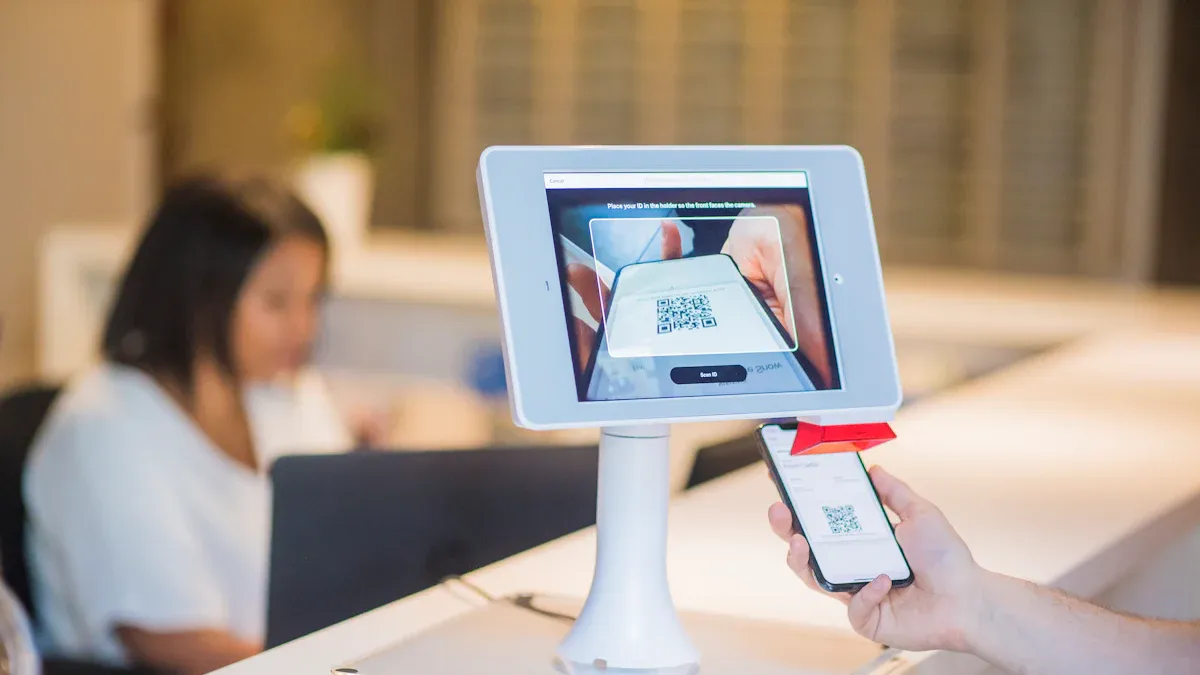
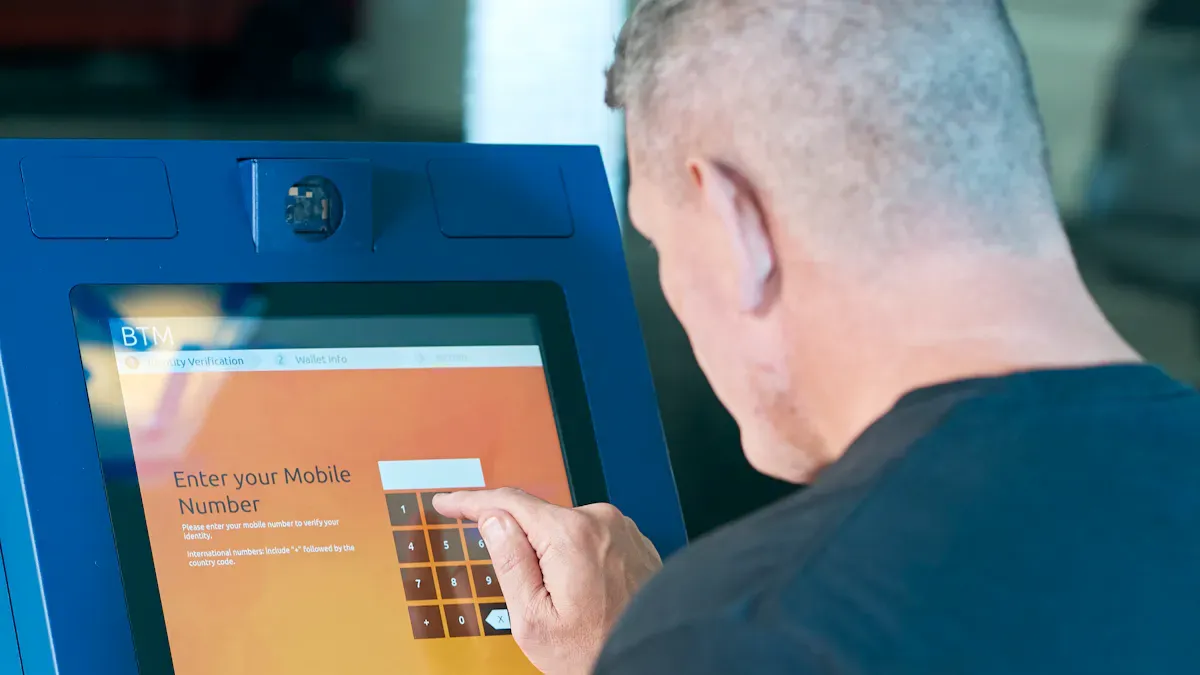
When you walk into a store or airport, you might see a screen that lets you order food, check in, or get information. These are touchscreen kiosks. They are self-service machines with screens you can tap, swipe, or type on. You control what happens by touching the screen, making things quick and easy.
Touchscreen kiosks stand out from other self-service machines because of their special features. Here’s a quick look at what makes them unique:
Feature | Description |
|---|---|
You get clear and bright visuals, so everything looks sharp and easy to read. | |
Durable construction | These kiosks last a long time, even in busy places or tough weather. |
Advanced touch technology | You can move through menus and options with just a tap or swipe. |
Multi-touch capabilities | More than one person can use the screen at the same time. |
Integration with other tech | Some kiosks use voice control or even fingerprint scanning for extra security. |
Tip: Touchscreen kiosks are built to handle lots of use, so you don’t have to worry about them breaking down easily.
Main Applications
You can find touchscreen kiosks in many places. They help people get things done faster and with less waiting. Here are some of the main ways businesses use them:
Sector | Application Description |
|---|---|
Transportation | Check in for flights or print tickets without waiting in line. |
Hospitality | Make hotel check-in smooth and help guests find information quickly. |
Healthcare | Book appointments or check in at clinics and hospitals. |
Education | Access learning tools or school information easily. |
Food Service | Order food and customize your meal at restaurants or cafes. |
Events & Exhibitions | Get event info or interact with displays at shows and expos. |
Banking & Finance | Manage your account or make transactions without a teller. |
Museums | Explore exhibits with interactive guides and games. |
Touchscreen kiosks make life easier in so many ways. You can order, learn, or get help without waiting for someone to assist you.
Leading Touchscreen Kiosks Companies
topadkiosk
You might notice topadkiosk when you look for touchscreen kiosks that fit many industries. This company stands out because it offers a wide range of products and custom solutions. You can see their displays in places like airports, hotels, and even on buses. They focus on making sure you get the right fit for your needs, whether you want a small 7-inch screen or a huge 98-inch display.
Here’s a quick look at what topadkiosk brings to the table:
Product Line | Unique Selling Points |
|---|---|
LCD Digital Signage Products | Specializes in LCD, QLED, and OLED displays in many sizes. |
Face Recognition Terminal with Temperature Sensor | Combines access control with safety features. |
Thermal Scanner | Helps keep public spaces safe and healthy. |
Outdoor IP67 High Brightness LCD Digital Signage | Works well outdoors, even in tough weather. |
Customized Designs | Offers custom solutions for your business. |
24/7 Customer Service | Always ready to help you with questions or issues. |
You’ll find topadkiosk products in advertising, transportation, and outdoor spaces. They help you reach your audience wherever they are.
Displays2Go
If you want a company that makes touchscreen kiosks easy to use, Displays2Go is a great choice. They team up with Rocket Alumni Solutions to combine strong software with reliable hardware. This means you get a complete package that works right out of the box. You don’t have to worry about mixing and matching parts or software.
Aspect | Details |
|---|---|
Partnership | Works with Rocket Alumni Solutions |
Focus | Blends professional software with commercial-grade hardware |
Market Need | Offers integrated solutions to reduce complexity and risk |
Displays2Go helps you save time and avoid headaches when setting up your kiosks.
Zebra Technologies
Zebra Technologies focuses on touchscreen kiosks for the retail world. You’ll see their products in grocery stores, convenience stores, and quick-service restaurants. Their kiosks help you speed up checkout, manage orders, and make shopping smoother for your customers. Zebra’s goal is to help you solve common problems in busy stores, like long lines and slow service.
Advanced Kiosks
Advanced Kiosks gives you lots of choices for both hardware and software. They offer everything from check-in kiosks to visitor management systems. Their Zamok Kiosk Management Software makes it easy to control and update your kiosks. If you need something special for your school, government office, or business, Advanced Kiosks probably has a solution.
Product Name | Description |
|---|---|
Zamok Kiosk Management Software | Manage and update your kiosks easily. |
Officer’s Tablet Software | Designed for law enforcement and security. |
Zamok eForms Assistant | Lets you collect forms and information digitally. |
Self Check In Kiosk | Helps visitors check in quickly. |
QLine™ Software | Manages lines and queues. |
Kiosk Office Suite | Offers office tools right at the kiosk. |
Greeter Visitor Management System | Welcomes and tracks visitors. |
AK CityGuide System | Shares city info with tourists and locals. |
Government-Grade Payment Collection System | Handles payments securely for government offices. |
School Spirit Interactive Kiosk | Engages students and visitors at schools. |
Tribute Station | Honors people or events with digital displays. |
Aegis Remote Service Platform | Lets you fix and update kiosks from anywhere. |
MetroClick
MetroClick stands out for its high level of customization. You can get touchscreen kiosks that match your brand and needs. They use strong materials, so the kiosks last a long time. MetroClick also lets you add different hardware, like card readers or printers, to fit your business. Their software is easy to use and lets you manage everything from one place.
High degree of customization for hardware and software
Strong, commercial-grade build quality
Supports many types of hardware add-ons
Modern designs that look great in any space
User-friendly software with remote management
MicroTouch
MicroTouch is known for its bright, clear screens and smooth touch experience. You get displays that look sharp and respond quickly to your touch. Their kiosks are easy to set up and can handle lots of use. MicroTouch also lets you add different devices, like card readers or printers, to make your kiosk do more.
Feature | Description |
|---|---|
Superior visual experience | Bright, anti-glare screens with lots of colors |
Enhanced ergonomics | Smooth touch and easy to use |
High structural integrity | Strong design for adding extra devices |
Versatile integration | Easy to add new features |
World-class multitouch | Supports up to 40 touch points |
Refined aesthetics | Slim, modern look with hidden ports |
Optical bonding | Reduces glare and boosts strength |
Etched AG (Anti Glare) | Scratch-resistant and smooth to touch |
Ultra slim borders | Edge-to-edge glass design |
High-bit panels | Shows more colors for better images |
Ergonomic stand | Can be mounted on walls or tables |
Enhanced cable management | Keeps cables neat and safe |
Logo free by design | Lets you control the branding |
Touch Dynamic
Touch Dynamic serves many industries with its touchscreen kiosks. You’ll find their products in casinos, hospitals, restaurants, and schools. They design their kiosks to work well in busy places, so you can count on them for reliability and speed.
Casino
Healthcare
Restaurant
Quick-Service & Fast Casual
Retail
Grocery
Convenience
School & Cafeteria POS
Peerless-AV
Peerless-AV offers touchscreen kiosks that help you manage safety and health in public spaces. Their products include kiosks for checking temperatures and controlling how many people enter a room. You can choose from different mounts and stands to fit your space.
Product Category | Description |
|---|---|
Occupancy Control Kiosk | |
Temperature Sensing Digital Signage Kiosks | Monitors health and shares important messages. |
Temperature Sensor Tabletop and Floor Stand Mounts | Lets you set up sensors in different places easily. |
KIOSK Information Systems
KIOSK Information Systems focuses on security and easy-to-use designs. You get touchscreen kiosks that protect your data and make self-service simple for everyone. They offer solutions for healthcare, retail, and government, so you can find a kiosk that fits your industry.
Unique Selling Point | Description |
|---|---|
Security Features | Keeps your information safe. |
User Interface Design | Easy for anyone to use. |
Market Solutions | Custom options for healthcare, retail, and government. |
Olea Kiosks
Olea Kiosks creates modern, stylish touchscreen kiosks for many industries. You can use their products in healthcare, hospitality, retail, and transportation. They focus on making kiosks that look good and work well, so you can impress your customers and make things easier for them.
Meridian Kiosks
Meridian Kiosks offers both standard and custom touchscreen kiosks. You can pick a ready-made model or ask for something special. Meridian helps you with everything from design to installation, making sure your kiosk fits your needs.
Advantech
Advantech gives you flexible touchscreen kiosks with smart features. Their kiosks come in different sizes and let you add things like cameras or microphones. You can use them for voice or gesture control. Advantech builds their kiosks with strong metal cases, so they last a long time and cost less to maintain.
Feature | Description |
|---|---|
Modular Design | Easy to fix and upgrade parts. |
Screen Size Options | Choose from 23.8", 27", or 32" screens. |
Configuration Flexibility | Add different devices to fit your needs. |
AI Application Preparedness | Ready for voice and gesture controls. |
Durability | Strong metal case for long life. |
Intuitive Operation | Easy to use with helpful lights and signals. |
Frank Mayer and Associates
Frank Mayer and Associates builds custom touchscreen kiosks for many uses. You can find their kiosks in restaurants, hotels, parking lots, and even cannabis dispensaries. They offer both ready-made and custom designs, so you can get exactly what you need for your business.
Product Type | Description |
|---|---|
Custom Self-Service Solutions | Kiosks and displays made just for you. |
Restaurant Kiosks | Self-ordering for quick service restaurants. |
Pre-Engineered Kiosks | Ready-made ideas for big projects. |
Parking Kiosks | Makes parking easier to manage. |
Warehouse and Logistics Kiosks | Helps with inventory and shipping. |
Hospitality Kiosks | Streamlines guest check-in and services. |
Gaming and Entertainment Kiosks | Manages games and rewards. |
Healthcare Kiosks | Patient check-in and healthcare tasks. |
Bill Payment Kiosk | Lets customers pay bills easily. |
Cannabis Self Order Kiosks | Special kiosks for dispensaries. |
Visitor Kiosks | Engages tourists and visitors. |
Tip: When you choose a company for touchscreen kiosks, think about your industry, the features you need, and how much support you want. Each company has its own strengths, so you can find the perfect match for your business.
Industry Solutions
Retail Touchscreen Kiosks
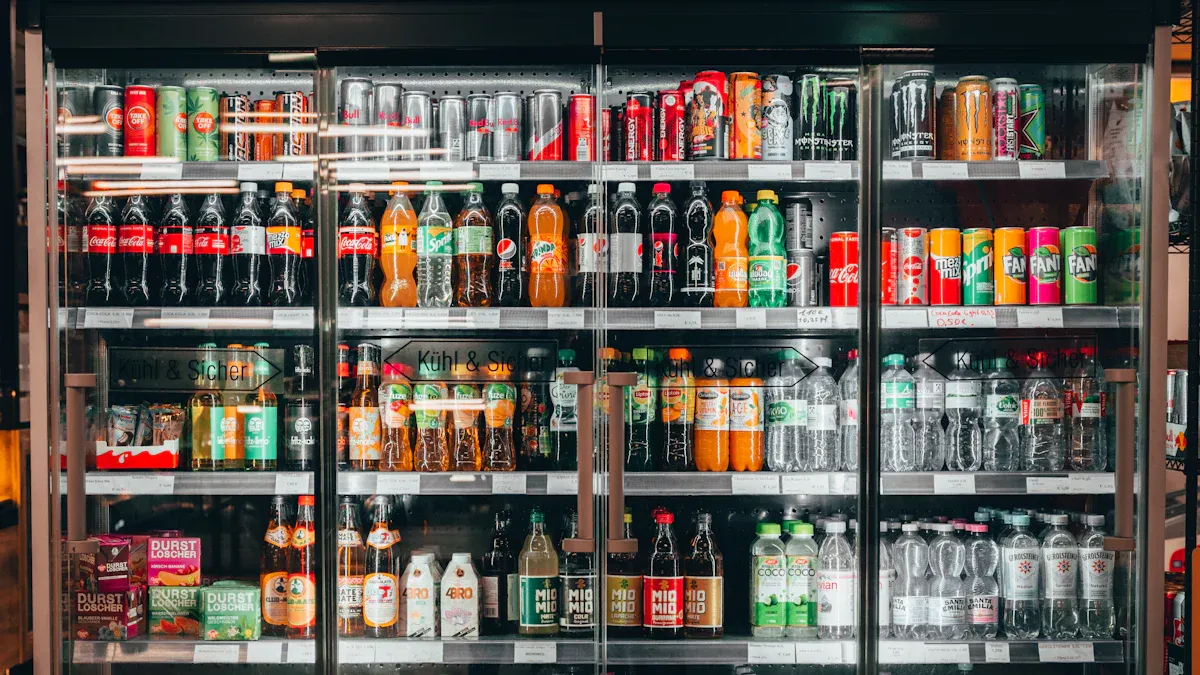
You see touchscreen kiosks everywhere in stores now. These machines make shopping easier and more fun. When you walk up to a kiosk, you can browse a huge product catalog, get real-time updates, and even try virtual products. The kiosk might suggest items just for you, so you feel like the store knows what you want. You can check prices, read reviews, and make smart choices. This technology helps you find what you need fast and keeps you engaged.
Tip: Retail kiosks often let you skip the line and pay right at the screen. That means less waiting and more shopping.
Restaurant Touchscreen Kiosks
Hungry? You can order food yourself at many restaurants now. Touchscreen kiosks let you pick your meal, customize it, and pay without talking to a cashier. You see these kiosks in fast food places, casual dining spots, and even coffee shops. Some companies lead the way in this area:
Toast Kiosk: Easy self-ordering with a friendly interface.
Ziosk: Tabletop tablets for ordering and paying.
NCR Aloha: Great for big restaurant chains.
Eatsa (now Brightloom): Automated self-service technology.
Square for Restaurants: Simple kiosks with payment built in.
GRUBBRR: AI-driven upselling and user-friendly ordering.
Elo Touch Solutions: High-quality touch screen hardware.
Oracle MICROS: Complete management system with kiosk options.
You get your food faster, and restaurants serve more people with fewer mistakes.
Healthcare Touchscreen Kiosks
Healthcare kiosks help you check in for appointments, fill out forms, and get information. You don’t have to wait for someone at the front desk. These kiosks keep your data safe and make visits smoother. Hospitals and clinics use them to speed up patient intake and reduce paperwork. You can even pay bills or update your records right at the kiosk.
Hospitality & Transportation
Hotels and airports use touchscreen kiosks to make your trip easier. You can check in, print boarding passes, or find your room without waiting in line. In hotels, kiosks help guests get information, book services, or check out quickly. Transportation hubs use kiosks for ticketing and directions. You spend less time waiting and more time enjoying your journey.
Note: Many companies offer custom kiosks for these industries, so you get solutions that fit your needs.
Technology Comparison
Hardware Options
When you look at touchscreen kiosks, you’ll notice they come with different hardware parts. Each part helps the kiosk do its job. Here’s a quick table to show you the main components:
Component Type | Purpose | Common Examples |
|---|---|---|
Shows information and menus | Touchscreen monitors, LCDs, LED screens | |
Input Devices | Lets you enter data or scan items | Barcode scanners, keypads, card readers, RFID |
Output Devices | Gives you feedback or prints receipts | Printers, speakers, LED indicators |
You can pick the hardware that fits your business best. Some kiosks need just a screen, while others use card readers or printers.
Software Integration
The software inside a kiosk makes it smart and easy to use. You get features like:
Content management systems to organize what shows on the screen.
User interface layers that make the kiosk simple and fun to use.
Kiosk lockdown layers to keep the system safe.
Choices between cloud-based or on-premise setups.
Security layers for safe updates and encrypted data.
You can control what your kiosk does and keep everything running smoothly.
Security Features
Security matters when you use touchscreen kiosks. Companies add many layers to protect your data and the machine. Here’s a table with some common security features:
Security Feature | Description |
|---|---|
Operating System Lockdown | Blocks extra apps and locks the system |
Application Security | Checks code and keeps data safe |
Network Protection | Uses firewalls and encryption for safe connections |
Physical Security | Uses strong cases and sometimes cameras |
Data Protection | Encrypts data and follows privacy rules |
Tip: Many kiosks also use remote monitoring and locked panels to stop tampering.
Support Services
You want your kiosks to work all the time. Good providers offer support services like:
24/7 customer help lines
Remote troubleshooting and updates
On-site repair and maintenance
Training for your staff
These services keep your touchscreen kiosks running and your customers happy.
Choosing a Provider
Assessing Needs
You want to start by figuring out what your business needs from touchscreen kiosks. Here’s a simple checklist to help you:
Decide which touch technology fits your space—PCAP, Infrared, SAW, or Resistive.
Look at display specs like resolution, brightness, and contrast.
Make sure the kiosk has enough processing power and memory.
Check if the build is tough enough for your environment.
Think about connectivity—Wi-Fi, Bluetooth, or wired options.
Ask about security features to keep your data safe.
Consider what extra devices you might need, like printers or scanners.
Pick a design that works for your customers and meets accessibility standards.
Tip: Write down your must-haves and nice-to-haves before you talk to any provider.
Quality & Reliability
You want your kiosks to work smoothly every day. Here’s a quick table to help you judge quality and reliability:
Metric | What to Look For |
|---|---|
Intuitive Touch Interfaces | Easy navigation and fast response |
Flexible Content Management | Simple updates without tech help |
Reliable Performance | No crashes or slowdowns |
Remote Management | Update and monitor from anywhere |
Accessibility Compliance | Works for everyone, including people with disabilities |
Customization
Every business is different. You might need custom branding, special hardware, or unique software features. Ask providers if they can:
Change the look to match your brand.
Add devices like card readers or cameras.
Build software that fits your workflow.
Note: Customization helps your kiosk stand out and work better for your customers.
Cost & ROI
You want to know what you’re getting for your money. Many businesses see a boost in sales—sometimes 15-20% higher average order value. You might spend $1,500 for a basic setup, but save $600 a month in labor and earn $800 more in sales. Some companies see their investment pay off in just over a month. For bigger projects, a $50,000 kiosk setup can save $62,400 in six months, with a 24.8% return.
Support & Service
Good support keeps your kiosks running. Look for providers who offer:
24/7 help lines
Remote troubleshooting
On-site repairs
Training for your team
Callout: Reliable support means less downtime and happier customers.
Picking the right touchscreen kiosk company can help your business grow. You want a provider that matches your goals and supports your needs. Here are some things to keep in mind:
Look for quality and reliability.
Check if you need custom features.
Think about support and service.
Take time to list your needs. Reach out to a few companies for advice. The right partner will help you get the most from your investment.
FAQ
What industries use touchscreen kiosks the most?
You see touchscreen kiosks in retail, restaurants, healthcare, transportation, and hospitality. These industries use kiosks to speed up service, help customers, and cut down on wait times.
How do I choose the right touchscreen kiosk company?
Start by listing your needs. Look for companies with experience in your industry. Check their product options, support services, and ability to customize. Ask for demos or case studies.
Can I customize the look and features of my kiosk?
Yes! Most providers let you pick screen sizes, colors, branding, and extra devices like card readers or printers. You can also request custom software to match your workflow.
Are touchscreen kiosks secure for payments and data?
Good providers use strong security. You get encrypted data, locked-down systems, and secure payment processing. Always ask about security features before you buy.
See Also
Leading Touchscreen Kiosk Providers to Watch in 2026
Essential Features of Contemporary Touch Screen Kiosks
Evaluating Touch Screen Kiosks for Business Efficiency and Cost
