What is an LCD Clock Display and How Does It Work
Shenzhen TopAdkiosk Display Technology Co., Ltd.
Add.: 2F, Bldg 10, Changfeng Industrial Park, Dongkeng, Fenghuang, Guangming, Shenzhen, China 518132
Mobile/WHATSAPP: 86-138 25769658
Email: marketing@topadkiosk.com topadkiosk@gmail.com
Skype: pghenry1
Wechat: adkioskhenry
English Web.: http://www.topadkiosk.com/
https://www.topkioskdisplay.com/
http://www.ad-kiosk.com/
https://www.toplcddisplay.com/
http://www.multitouchdigitalsignage.com/
https://www.youtube.com/channel/UCYVYNJHxLVEcQD8fuUxXNTA/videos?view_as=subscriber
https://www.facebook.com/TOPADKIOSKSHENZHEN/?ref=bookmarks
A clock lcd display shows time with liquid crystal technology. You see lcd screens in many clocks. They use very little power. They last a long time. People like these displays. They are easy to read. They are gentle on your eyes. The table below explains why lcd screens are popular for clocks and other electronics.
Advantage | Description |
|---|---|
Energy Efficiency | LCDs use less power than CRTs. LED backlighting helps save even more energy. This makes them cheaper to use. |
Slim Form Factor | LCDs are light and thin. This makes them good for portable devices and flat-screen TVs. |
Color Accuracy | Modern LCDs show bright colors and clear details. This makes the picture look better for users. |
Improved Viewing Comfort | LCDs do not flicker. This helps your eyes feel less tired when you look at them for a long time. |
You can learn more about lcd displays and clock technology at https://www.topkioskdisplay.com/.
Key Takeaways
LCD clock displays use liquid crystal technology to show the time. They show the time in a clear and correct way. These displays do not use much energy. They last longer on batteries and save power when plugged in. LCDs are easy to read, even in bright light. This is because they have special coatings and backlighting. An LCD clock display can last from 30,000 to 60,000 hours. This makes them strong and dependable. When you pick a clock, look at the display size. Also, check the backlight quality for the best view.
What Is a Clock LCD Display
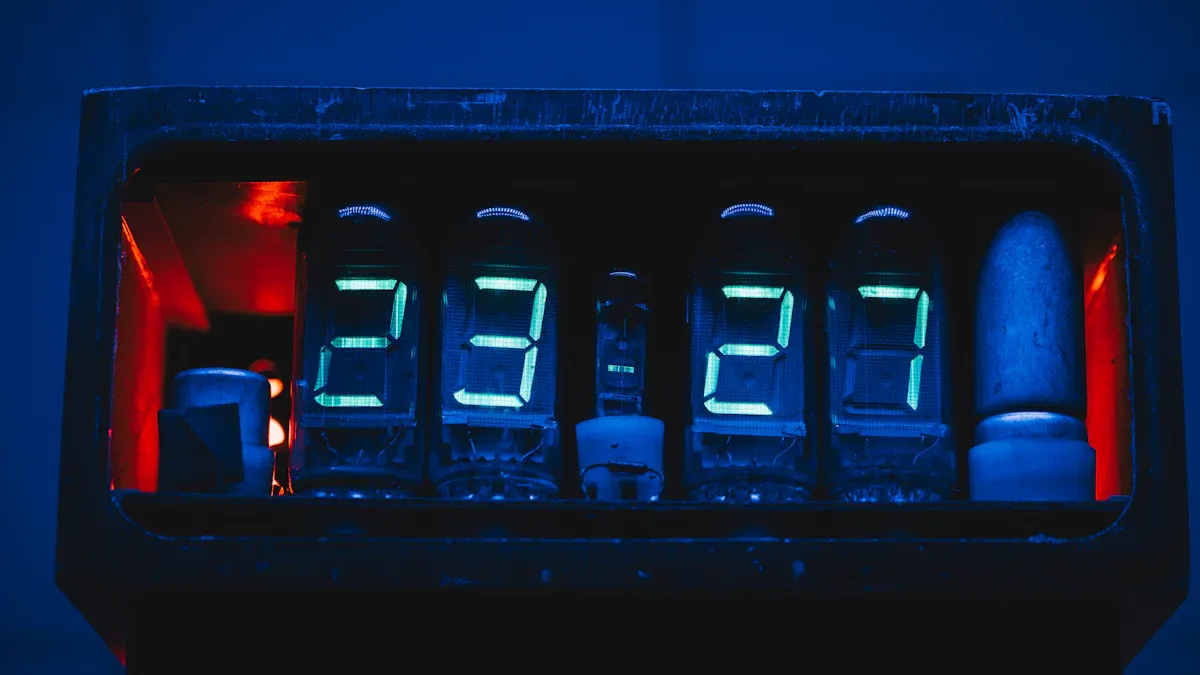
A clock lcd display lets you see the time with liquid crystal technology. This digital display uses a flat panel to show numbers and symbols. You can find these displays in many digital clocks at home, school, and work. The main job of a clock lcd display is to show the time clearly and correctly.
Did you know?
Most digital clocks have lcd screens. They are easy to read and use little power.
LCD Technology Basics
You can learn about lcd technology by seeing how it works in a digital clock. The display uses liquid crystals and polarizers to control light. These crystals do not make their own light. They change how much light goes through them. This makes the numbers and symbols you see on the screen.
Here is a table that explains what a clock lcd display is and what it does:
Aspect | Description |
|---|---|
Technical Definition | A liquid-crystal display (LCD) is a flat-panel display that uses liquid crystals and polarizers to modulate light and display information. |
Primary Functions | LCDs can show different images or fixed images, like preset words, digits, and seven-segment displays, which are used in digital clocks. |
There are two main types of lcd technology in displays: active matrix and passive matrix. Most digital clocks use passive matrix lcds. These are simple and work well. They do not need fast response or high image quality like computer monitors or TVs.
Feature | Active Matrix LCD | Passive Matrix LCD |
|---|---|---|
Addressing Method | Uses a matrix of thin-film transistors (TFTs) for each pixel, allowing for individual control. | Uses a simpler method where rows and columns are activated one after another, so it is slower. |
Image Quality | Makes brighter and sharper images with faster response times. | Usually gives lower image quality and slower response times. |
Typical Use Cases | Used in high-resolution displays like computer monitors and televisions. | Used in simple displays like clocks and calculators. |
How Digital Clock LCD Display Works
You see the time on a digital clock because several parts work together. The electronic controller gets signals from a quartz crystal. This crystal vibrates at a steady rate, usually 32,768 times each second. The controller counts these vibrations to keep track of time.
The quartz crystal gives a steady frequency for timekeeping.
The clock uses this frequency to count seconds, minutes, and hours.
Special methods adjust the clock if the crystal changes speed.
The table below shows how the electronic controller uses signals from the quartz crystal:
Component | Function |
|---|---|
Oscillator Circuit | Makes a signal based on the frequency of the quartz crystal. |
Quartz Resonator | Works as an electronic filter, letting only the right frequency pass through. |
Frequency Divider | A group of flip-flops that divide the frequency from the crystal to make a pulse-per-second output. |
Pulse-per-Second Output | Used to run different types of clocks, turning electronic signals into mechanical movement. |
You can trust a digital clock to show the right time because the quartz crystal keeps the frequency steady. The lcd screen then shows the numbers so you can read them easily. This system makes the clock lcd display both accurate and dependable.
Clock LCD Display Components
Liquid Crystal Panel
You see the main part of every lcd clock when you look at the liquid crystal panel. This panel holds a thin layer of liquid crystals between two sheets of glass. When you apply an electric current, the crystals twist and change how light passes through. This action lets you see numbers and symbols on the lcd screen. Liquid crystal displays use this method to show clear and sharp digits. You can find these panels in many devices, but clocks use simple designs for easy reading.
Tip: If you want to build your own custom clock, start by choosing a panel that fits your size and shape needs.
Electronic Controller and Quartz Crystal
The electronic controller acts like the brain of your clock. It sends signals to the liquid crystal panel to show the right numbers. The quartz crystal works with the controller to keep time. Quartz vibrates at a steady rate when electricity passes through it. The controller counts these vibrations to measure seconds, minutes, and hours. You get accurate time because quartz crystals do not change speed easily. This system makes sure your clock stays reliable day after day.
Backlight and Display Colors
You need a backlight to see the display in the dark. Clocks use different backlight technologies to help you read the time at night or in low light. The type of backlight affects both color and brightness. Here is a table that shows common backlight options and their effects:
Backlight Technology | Description | Effects on Color and Brightness |
|---|---|---|
Monochrome LEDs | Used in small passive monochrome LCDs like clocks | Limited color options (red, green, yellow, blue); affects brightness levels based on LED type |
Blue LEDs | Can be used with quantum dot enhancement film or color filters | Enhances color gamut and brightness levels significantly |
You can pick a clock with a backlight that matches your style. Some clocks glow softly in one color. Others use blue LEDs for brighter and more colorful displays.
How Clock LCD Display Shows Time
Number and Symbol Display
You see numbers and symbols on a digital clock because the display turns electronic signals into shapes you can read. The process starts when the clock’s controller sends signals to the LCD panel. These signals tell the display which numbers or symbols to show. The controller uses a special circuit called a BCD to 7-segment decoder. This circuit changes the electronic signals into a format that matches the shapes of numbers. Each number you see on the screen comes from this process.
When you look at a digital clock, you notice clear digits like 1, 2, or 3. The display can also show other symbols, such as a colon (:) between hours and minutes. Some clocks even show letters for AM or PM. The LCD panel does not create light by itself. Instead, it uses a backlight or reflects light from the room. This makes the numbers and symbols easy to see in different lighting conditions.
Note: The way your digital clock shows numbers is similar to how calculators and other simple devices work. The technology focuses on making timekeeping simple and reliable.
Segments, Pixels, and Readability
You read the time on a clock lcd display because of how the display uses segments or pixels. Most digital clocks use a seven-segment display. Each digit has seven bars, or segments, that can turn on or off. The controller decides which segments to activate for each number. For example, to show the number 8, all seven segments light up. To show the number 1, only two segments turn on.
A driver IC manages the segments. It listens to the signals from the controller and turns the right segments on or off. This system lets the display show numbers and some symbols. You get a clear and readable display because the segments form simple shapes. Some advanced digital clocks use dot-matrix LCDs. These displays use many small pixels instead of segments. Pixels can create more complex shapes, like letters or icons.
Here is a quick comparison:
Display Type | How It Works | What You See |
|---|---|---|
Seven-Segment | Uses 7 bars per digit | Numbers and basic symbols |
Dot-Matrix | Uses a grid of tiny pixels | Numbers, letters, graphics |
You benefit from this design because it makes the time easy to read from a distance. The high contrast between the segments and the background helps your eyes find the numbers quickly. This is important for timekeeping, especially when you need to check the time fast.
Tip: If you want the best readability, choose a digital clock with a large display and strong contrast. This helps you see the time clearly, even in low light.
Clock LCD Display Advantages
Energy Efficiency
You use less energy with a clock lcd display. LCDs need less power than OLED displays. This lets your clock run longer on batteries. It also uses less electricity if plugged in. LCDs are simple to make, so they cost less. You get a product that saves energy and money.
Factor | LCD Displays | OLED Displays |
|---|---|---|
Manufacturing Complexity | Easier to make | Harder to make |
Material Cost | Costs less | Costs more |
Lifespan | Lasts longer | Does not last as long |
Tip: If you build your own clock, an LCD display helps you save energy and money.
Readability and Visibility
You can see the time easily on an LCD clock. LCD displays are bright and have coatings to stop glare. Some use special materials to reflect sunlight. This makes numbers clear outside. You do not need to worry about bright rooms or sunlight. The display stays easy to see with strong backlights and coatings. This helps you read the time in almost any light.
Sunlight readable LCDs are good for outdoor use. They use bright backlights and special materials to keep numbers clear.
Durability and Maintenance
A clock lcd display lasts a long time. Most LCD clocks work for 30,000 to 60,000 hours. That means they can last for years. You only need to clean the screen to stop dust. Try not to drop or hit the clock. LCDs resist many problems, but keep them away from heat, cold, or humidity. This stops blurry images or slow response times.
Aspect | Details |
|---|---|
Average Lifespan | 30,000 to 60,000 hours (3.5 to 7 years) |
Maintenance | Clean screen, avoid damage |
Taking care of your clock and keeping it safe helps it last longer.
Clock LCD Display Limitations
Viewing Angles
You may notice that your digital clock looks different when you view it from the side. LCD clock displays often lose contrast and color when you do not look at them straight on. This happens because standard LCD technology, like twisted nematic panels, changes how light passes through at different angles. You might see numbers fade or colors shift if you stand to the left or right of the display. Some advanced LCDs, such as IPS or VA types, improve this problem, but most clocks use basic panels. You should think about where you place your clock to get the best view.
If you want to build a custom clock, test the display from different angles before you finish your project.
Backlight Issues
Backlighting helps you read your digital clock in low light. However, backlights can have problems. Sometimes, the light does not spread evenly across the screen. This makes some parts look brighter than others. Over time, the LEDs in the backlight can get dimmer. This makes the display harder to read, especially in bright rooms. Heat can also damage the backlight and shorten its life.
Backlight Issue | Impact on Display |
|---|---|
Uneven Illumination | Some areas look brighter or darker |
LED Aging | Screen becomes dim and loses contrast |
Heat Damage | Backlight fails sooner |
You should check the backlight quality if you want a clock that stays bright for years.
Other Practical Considerations
LCD clock displays have other limits you should know. They can break if you drop them or hit them hard. Scratches and cracks can happen if you use sharp objects or expose the display to harmful chemicals. Extreme temperatures also cause problems. Cold weather can slow down the numbers, while heat can make the display go black or stop working. Humidity and sunlight can fade the image over time.
Here is a table that shows more limitations:
Limitation | Description |
|---|---|
Temperature Range | Most work best between 0°C and 50°C. Extreme cold or heat can cause failure. |
Size and Flexibility | LCDs are not flexible and come in fixed sizes. |
Environmental Risks | Humidity and UV light can lower image quality. |
Even the best digital clock can fail if you do not protect it from these risks. You should keep your clock in a safe, dry place to make it last longer.
You have learned that an LCD clock display uses liquid crystals and electronics to show the time. These clocks have long battery life. The numbers look sharp and clear. The design is thin and light. Some cheap displays might stop working early or get dim. Good quality clocks can last for many years. Knowing these things helps you pick or make your own clock. New features, like anti-glare coatings and stronger parts, will make LCD clocks even better and more reliable.
Understanding Your Toolkit
Arduino/Controller (The Brain): A small computer that runs your code. Popular choices include the Arduino Uno/Nano for simplicity and the Raspberry Pi Pico for more advanced features. You could even use an ESP32/ESP8266 to get the time from the internet.
DS3231 RTC Module (The Timekeeper): Its dedicated battery and a temperature-compensated crystal oscillator (TCXO) keep the time incredibly accurate, even when the clock is unplugged. You'll set the time once and it's good for years. (The alternative, DS1307, is less accurate).
LCD Display (The Face): This is how you see the time. The classic 16x2 I2C LCD is a great starting point. It uses an "I2C backpack" that simplifies wiring from many pins down to just four. For a more unique look, you could use a larger graphical LCD for better visuals, an E-paper display for a paper-like, low-power screen, or even a TFT LCD for a full-color display.
⚙️ Building Your Clock: Step-by-Step
Follow this simple process to bring your clock to life.
Wire Up Your Components
This is the most straightforward part, as I2C makes it easy.Connect the Power: Link the VCC (power) and GND (ground) pins of your Arduino, RTC module, and LCD screen to the 5V and GND rails on your breadboard.
Connect the Data Lines: Connect the SDA pin on both the RTC and LCD to the A4 pin on the Arduino Uno (or GP4 on a Pico). Connect the SCL pin on both modules to the A5 pin (or GP5 on a Pico).
(Optional) Add Controls: You can add buttons to set the time. Wire one leg of each button to a digital pin (e.g., 3, 4, 5) and the other leg to GND.
Set Up Your Coding Environment
Open the Arduino IDE on your computer.Go to Sketch > Include Library > Manage Libraries.
Search for and install the following libraries:
RTClib by Adafruit (for the RTC module)
LiquidCrystal I2C by Frank de Brabander (for the LCD screen)
Power On and Test
Disconnect the USB cable from your computer and plug your clock into a USB wall adapter. It should now keep time independently!
💡 5 Creative Customization Ideas
Once your basic clock is working, you can make it your own.
Add an Enclosure 🖼️: 3D print or laser-cut a case to make your clock look professional. A clever design, like rotating a standard LCD 90 degrees, can lead to a truly unique look.
Use an Internet Time Source 🌐: If you use an ESP8266 or Raspberry Pi, you can program it to fetch the precise time from a Network Time Protocol (NTP) server.
Implement an Alarm ⏰: Add a buzzer and a few lines of code to turn your clock into an alarm clock.
Include a Temperature Reading 🌡️: Your DS3231 RTC module has a built-in temperature sensor. You can easily display the room temperature alongside the time.
Add Auto-Dimming 🌞: Incorporate a Light Dependent Resistor (LDR) to adjust the screen's brightness based on the ambient light in the room.
I hope this guide helps you get started on building your own custom clock! If you get stuck or want to try one of the more advanced customizations, just let me know.
FAQ
How does an LCD clock display save energy?
You use less power with an LCD clock because the display only needs a small amount of electricity. The backlight and simple design help your clock run longer on batteries. This makes LCD clocks a smart choice for saving energy.
Can you read an LCD clock in sunlight?
You can read most LCD clocks in sunlight. Many displays use special coatings or bright backlights. These features help you see the numbers clearly, even outside or in bright rooms.
What should you do if your LCD clock display goes dim?
You should check the batteries first. If the display stays dim, the backlight or screen may need repair. Try to keep your clock away from heat and moisture to prevent damage.
How do you build a custom clock with an LCD display?
You start by choosing an LCD panel and a quartz crystal. Connect them to a microcontroller. Add a power source and a case. Program the microcontroller to show the time. Test your clock to make sure it works.
What is the lifespan of an LCD clock display?
You can expect an LCD clock display to last between 30,000 and 60,000 hours. This means your clock can work for several years with proper care and regular cleaning.
See Also
Understanding LCD Display Screens and Their Functionality
Exploring OLED Displays: Functionality and Features Explained
A Comprehensive Guide to OLED Displays and Their Operation
Discovering Stretched LCD Screens and Their Working Mechanism
