How to Select the Best Monochrome LCD Display for Your Project
Shenzhen TopAdkiosk Display Technology Co., Ltd.
Add.: 2F, Bldg 10, Changfeng Industrial Park, Dongkeng, Fenghuang, Guangming, Shenzhen, China 518132
Mobile/WHATSAPP: 86-138 25769658
Email: marketing@topadkiosk.com topadkiosk@gmail.com
Skype: pghenry1
Wechat: adkioskhenry
English Web.: http://www.topadkiosk.com/
https://www.topkioskdisplay.com/
https://www.toplcddisplay.com/
http://www.multitouchdigitalsignage.com/
https://www.youtube.com/channel/UCYVYNJHxLVEcQD8fuUxXNTA/videos?view_as=subscriber
https://www.facebook.com/TOPADKIOSKSHENZHEN/?ref=bookmarks
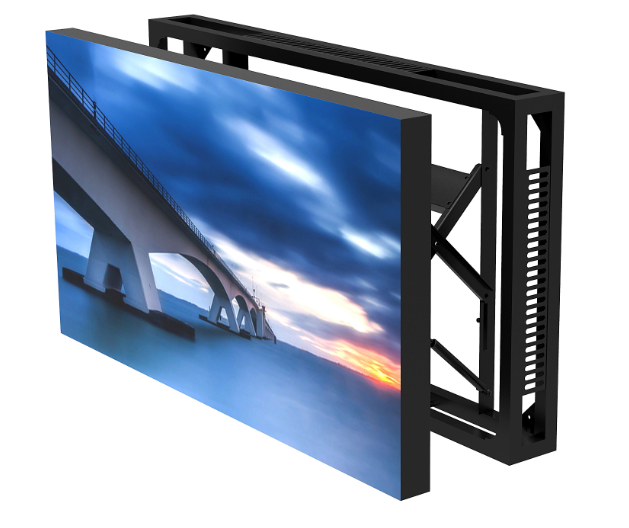
Choosing the best monochrome LCD display starts with knowing what you need. You should pick a display that works well for your project. First, decide what you want your device to do. Monochrome LCDs have many good points:
They have great contrast. This makes screens easy to read in bright light or tough places.
They use little power. This helps batteries last longer, which is good for portable devices.
Their simple design and interface make them easy to use and save money.
You can trust monochrome technology when you want clear and steady information. You do not get extra color features, but you get what you need.
Key Takeaways
Think about what your project needs before picking a monochrome LCD display. Look at things like size, how clear the screen is, and how much power it uses.
Monochrome displays have strong contrast and use little power. This makes them good for devices that use batteries and need to be seen outside.
Pick the right kind of monochrome display (TN, STN, FSTN) for your project. Think about what you need, like how wide you can see the screen and how much it costs.
Make sure the display works with your device’s controller. Read the technical datasheets to find important details.
You can change the display to fit your project. But remember, this might cost more money and take more time.
Why Monochrome Displays Are Relevant
Benefits of Monochrome LCDs
You want a screen that is easy to read and lasts long. Monochrome displays are good for this. These displays show words or pictures in one color. The color is usually black, gray, or green. The background is light. This makes the design simple. It is also very dependable.
Monochrome LCDs are special for many reasons:
You use less energy with monochrome displays. They do not need as much power as color screens. The backlight can turn off if the room is bright.
You pay less because these displays are simple to make. The electronics inside are not complex.
You get a screen that lasts longer. Monochrome displays work for many years. They do not get burn-in. They can run for thousands of hours.
You can trust these displays. They keep working in hard places. They do not break easily.
Tip: If your device uses batteries, monochrome displays help them last longer.
Here is a table to show the differences:
Feature | Monochrome LCDs | Other Technologies |
|---|---|---|
Lifespan | Longer | Often shorter |
Reliability | High, no burn-in | Lower, risk of burn-in |
Power Usage | Lower | Higher |
Typical Applications
Monochrome displays are used in many things. Their simple design and low power use make them great for lots of jobs. Here are some ways people use them:
Medical tools like monitors and test machines
Control panels and systems in factories
Electronics like digital watches, clocks, calculators, and some cameras
Portable devices that need to save battery
DIY projects that need a clear screen
Monochrome displays are used in many areas. You see them in things that must work for a long time. They help you get good results in both easy and hard projects.
Types of Monochrome LCD Display Technologies
Monochrome LCD displays show pictures or words in one color. You usually see black, gray, or green letters on a light background. These displays use liquid crystals. When you add electricity, the crystals change how light moves. This makes the shapes you see on the screen.
There are different kinds of monochrome LCDs. Each kind works in its own way. The main types are TN, STN, and FSTN. Each type has special things that make it good for certain jobs.
TN (Twisted Nematic)
TN means Twisted Nematic. This is the simplest kind. It gives fast response and uses little power. TN displays cost less than other types. You often find them in calculators and thermostats.
Note: TN displays do not look good from the side. The screen can look faded if you are not in front.
Feature | TN LCD |
|---|---|
Cost | ★ (Lowest) |
Viewing Angle | Narrow |
Response Time | Fast |
Best For | Simple devices |
STN (Super Twisted Nematic)
STN stands for Super Twisted Nematic. It has better contrast and a wider viewing angle than TN. STN displays can show more detailed pictures. You see them in test tools and telecom devices.
STN displays twist the crystals more. This helps you see the screen from more places.
Feature | STN LCD |
|---|---|
Cost | ★★ (Medium) |
Viewing Angle | Wider |
Response Time | Medium |
Best For | Instruments, telecom |
FSTN (Film Compensated STN)
FSTN means Film Compensated Super Twisted Nematic. It has the best contrast and the widest viewing angle. FSTN displays use a film to make black letters look darker. These displays are good for medical tools and fancy control panels.
FSTN costs more, but you can read the screen from almost anywhere.
Feature | FSTN LCD |
|---|---|
Cost | ★★★ (Highest) |
Viewing Angle | Widest |
Response Time | Slightly slower |
Best For | Medical, premium use |
Other Variants
You might also see types like HTN or DFSTN. These have special features like better sunlight reading or more contrast. Most people use TN, STN, or FSTN for their projects.
Tip: Pick the display type that fits your project’s needs for price, viewing angle, and how clear it looks.
Technology | Advantages | Disadvantages | Typical Applications |
|---|---|---|---|
TN | Low cost, low power, fast response | Narrow viewing angle, lower contrast | Calculators, thermostats |
STN | Better viewing angle, higher contrast | Slightly slower, color shift | Test instruments, telecom |
FSTN | Highest contrast, widest viewing angle | Higher cost, slower response | Medical, premium controls |
Key Criteria for Choosing the Right Monochrome LCD Display
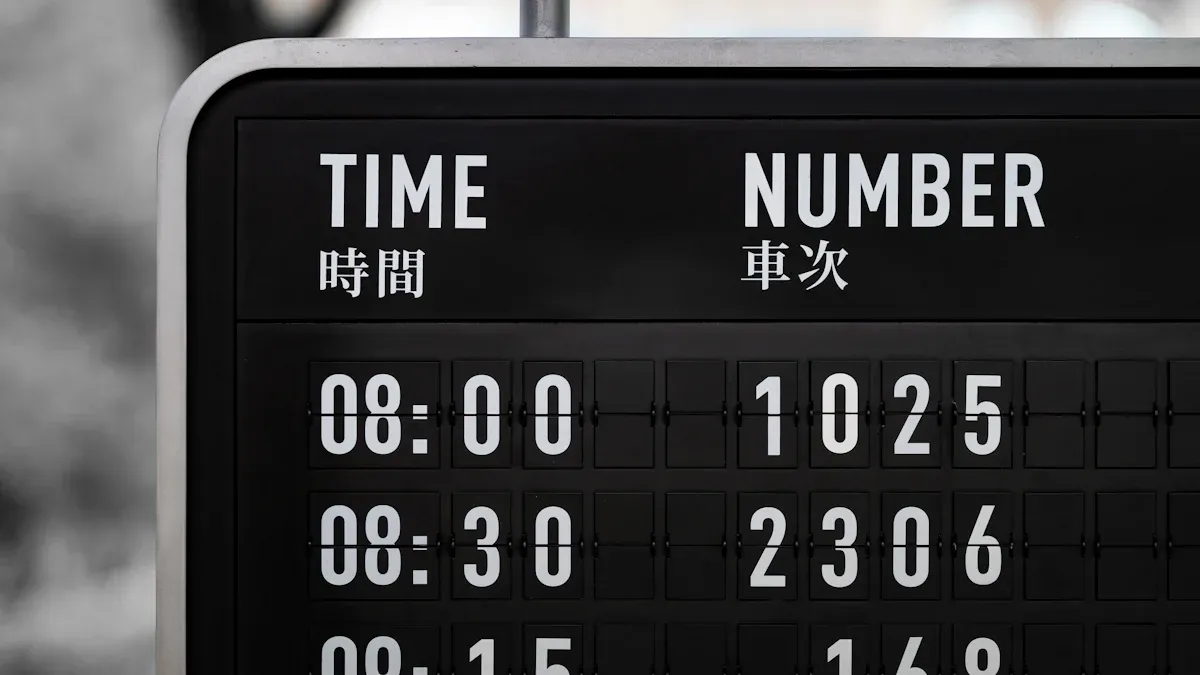
Picking the best monochrome lcd display means you must match its features to your project. You need to look at a few important things. Each thing changes how well the display works and how long it lasts.
Define Application Requirements
Start by thinking about what your project needs. Ask yourself what your device will do. Monochrome lcd displays are good for many uses. They give high contrast, last long, and work well. You should decide if you want low power use, low cost, or long life. Here is a table to help you see what matters:
Factor | Description |
|---|---|
Reliability | Needed for control panels and medical devices where correct information is very important. |
Power Consumption | Monochrome lcds use less energy, great for battery devices. |
Contrast Ratio | High contrast makes the screen easy to read fast. |
Readability | A clear screen is needed in factories and hospitals. |
Environmental Conditions | Working in tough places makes the display useful in more jobs. |
Think about if your display will show words or simple pictures. Projects that need to save power or money do well with monochrome displays. Outdoor products need high contrast and positive display modes to be easy to see. Indoor products have more choices.
Tip: Always check if your display must work in places with heat, cold, or wet air.
Select Size and Resolution
You need to pick the right size and resolution for your display. These two things change how easy it is to read and how well it works. Medical screens need high resolution for clear pictures. Factory screens need to be clear in bright light and from different sides. Outdoor screens need high contrast and sharpness for lots of details.
Resolution Options | Size Options |
|---|---|
8 ~ 40 Characters | 1 ~ 4 Lines |
24×24 ~ 320×240 Pixels | Different columns and rows |
Project Type | Resolution Impact |
|---|---|
Medical Displays | High resolution helps you see complex data fast and right. |
Industrial Displays | Clear in bright light and from many sides; more detail needs higher resolution. |
In-Vehicle Displays | Different jobs need different sharpness for easy reading in changing light. |
Outdoor Displays | High resolution is needed to read lots of info on small screens. |
Note: Pick a display size that fits your device and is easy to read.
Assess Brightness and Viewing Angle
Brightness and viewing angle are important for how well you see the screen. Pick the right brightness for where you use it. Indoor screens need 200-300 nits. Outdoor screens need much more, sometimes up to 6000 nits for sunlight.
Environment Type | Recommended Brightness (nits) |
|---|---|
Indoor | 200-300 |
Outdoor (some shade) | 600-800 |
Outdoor (direct sunlight) | 1000-1500 |
High brightness outdoor | 1000+ |
The viewing angle tells you how well you can see the screen from the side. Monochrome lcd displays with wide angles are important in cars and factories. If the angle is too small, you cannot read the screen. Displays with better angles keep the picture clear from many spots.
Tip: For outdoor or shared devices, pick a display with high contrast and wide angles.
Choose Interface and Touchscreen Options
Pick the right interface for your monochrome lcd display. The interface is how you connect the screen to your device. Common types are SPI, I2C, and parallel. SPI is fast and uses few pins, good for small screens. I2C is slower but easy to connect. Parallel is fastest and best for high detail screens.
Interface Type | Speed | Pin Usage | Notes |
|---|---|---|---|
SPI | Fast | Few | Good for small screens |
I2C | Slower | Medium | Easy to connect |
Parallel | Fastest | Many | Best for high detail |
Some monochrome displays have touchscreens. Touchscreens add more features but can cost more and be harder to use.
Note: Pick an interface that fits your device and is easy to set up.
Evaluate Reliability and Environmental Tolerance
Reliability and toughness are very important for monochrome lcd displays. Check how well the screen works in hard places. High humidity can cause rust, fog, and blurry screens. Low humidity can make static electricity and hurt the parts.
Humidity Level | Effects on LCD Displays |
|---|---|
High Humidity | Rust, fog, bad performance, blurry screens |
Low Humidity | Static, damage, parts wear out |
MTBF means Mean Time Between Failures. It shows how long screens last before breaking. Use MTBF to compare screens, but it is not a promise.
MTBF is a key number for factory lcd screens.
It shows average time between problems in certain conditions.
Use MTBF to compare different screens.
Monochrome displays are strong and last a long time. You can trust them for many years.
Consider Customization
Customization lets you change your monochrome lcd display for your project. You can change the shape, interface, or backlight color. You can pick custom segmented, character, graphic, FSTN, color VA panel, or dot matrix screens. Interfaces can be parallel, SPI, MIPI, LVDS, HDMI, USB, or I2C. Special backlight colors and LED setups help with brightness and voltage.
Customization Aspect | Details |
|---|---|
Shape | Custom segmented, character, graphic, dot matrix, etc. |
Interface | Parallel, SPI, MIPI, LVDS, HDMI, USB, I2C, etc. |
Backlight Color | Special colors, custom LED setups |
Customization can change how long it takes and how much it costs. First tooling takes 2 to 8 weeks. Later orders take 4 to 6 weeks. Bigger orders can make each screen cost less.
Aspect | Details |
|---|---|
Lead Time | Custom screens can take longer; first tooling is 2 to 8 weeks, later orders are 4 to 6 weeks. |
Cost Implications | Bigger orders can lower the price per screen, so balance what you want and your budget. |
Tip: Custom screens help you meet special needs, but plan for more time and cost.
You should look at all these things before picking a monochrome lcd display. Matching the screen to your project gives you high contrast, long life, and good performance.
Practical Tips for Choosing the Right Monochrome Display
Portable and Handheld Devices
If you want a display for portable devices, focus on features that help your device last longer and stay easy to read. Monochrome displays are good because they use very little power. This helps your battery last much longer. You also get high contrast, so the screen is clear in different lighting. Customization lets you match the display to your device’s needs.
Low power use keeps your device running longer.
High contrast makes the screen easy to read outside or inside.
Custom options help you fit the display to your project.
Monochrome displays use passive matrix technology. They only use power when the image changes. Some displays have transflective layers. This means you can see the screen in bright light without using the backlight. This saves even more energy.
Tip: Pick a display with transflective technology for better battery life and visibility.
Industrial and Harsh Environments
You need a tough display for industrial jobs. Monochrome displays give you the reliability you want in harsh places. Look for features that protect the display from dust, water, and extreme temperatures.
Choose the right size and resolution for your data.
Make sure the display works with your hardware.
Pick displays that handle wide temperature and humidity ranges.
Use low power if your device runs on batteries.
Find displays you can customize for your needs.
Feature | Description |
|---|---|
Strong housings help the display last longer. | |
Temperature Resistance | Works in very hot or cold places. |
Moisture and Dust Protection | IP ratings keep out water and dust. |
High Brightness | Easy to see in bright or changing light. |
Monochrome displays in these places must resist vibration, chemicals, and last for years.
Consumer and Everyday Electronics
Monochrome displays fit many consumer products. You see them in clocks, calculators, and home devices. They are reliable, use little energy, and cost less than color screens.
Feature | Description |
|---|---|
Reliability | Used in important devices like medical tools. |
Uses less than 1mA with the backlight off. | |
Cost | Simple design keeps prices low. |
Versatility | Works in many different products. |
Monochrome displays are easy to program. You can connect them to microcontrollers for simple and clear user interfaces. Their low cost and easy setup make them a smart choice for many products.
DIY and Hobby Projects
If you build your own projects, monochrome displays give you a simple way to show information. You can find many sizes and types for different uses. They are easy to connect and program. You can use them for clocks, meters, or custom gadgets. Their low power use and clear screens help your projects work better and last longer.
Note: Try different display types to see which one fits your project best.
Making the Final Choice
Step-by-Step Selection Process
You can make a smart choice by following a clear process. Here is a simple guide to help you pick the best option for your project:
Decide what your display needs are. Think about the size, where you will use it, and what you want to show.
Make sure your controller works with the display. Check if they match.
Pick the right interface for your system. You might use SPI, I2C, or parallel.
Match the resolution and size to your project. Higher resolution helps if you need to show more details.
Check voltage, backlight, and connector type. These must fit your device.
Think about upgrades and new trends. Your project may need changes in the future.
Tip: Always review technical datasheets before you decide. Datasheets give you important details about specifications, compatibility, and environmental limits. This helps you avoid mistakes and makes sure the display fits your needs.
Mistakes to Avoid
You can avoid many problems by watching out for common mistakes when choosing the right monochrome display. Here are some things to keep in mind:
Do not skip reading the technical datasheet. It tells you about size, voltage, and how the display works in different temperatures.
Do not ignore compatibility. Make sure your display works with your other parts.
Do not forget about the environment. Some monochrome displays do not work well in very hot or cold places.
Do not choose a display just because it is cheap. Low cost can mean low quality or short life.
Do not overlook the interface. The wrong interface can make your project hard to build.
Monochrome displays give you clear, reliable results when you match their features to your project. Take your time, check every detail, and you will get the best performance.
You can pick the best monochrome LCD display by checking what your project needs. Look at what you want before you choose. If you make a smart choice, you get good things for a long time:
Feature | Benefit |
|---|---|
Easy to see the screen in bright or dark places | |
Low Power Consumption | Saves energy, so batteries last longer |
Durability | The display works well and lasts many years |
Ask suppliers for help or read datasheets to make sure your project works.
What Is a Monochrome LCD Display?
A monochrome LCD display is a type of liquid crystal display that shows content in only one colour (or shades of a single colour) against a contrasting background. For example:
Black text on a light grey/green background (calculators)
Dark blue pixels on a yellow-green background (older mobile phones)
White pixels on a dark blue or black background (night‑mode displays)
Monochrome LCDs do not have an RGB colour filter. Each pixel is simply on (showing the foreground colour) or off (showing the background colour), though some can display multiple shades of the same colour (grayscale).
They are widely used in:
Digital watches and clocks
Calculators
Electronic shelf labels
Industrial control panels
Medical devices (patient monitors, infusion pumps)
Early e‑readers
⚙️ How Does It Work?
A monochrome LCD works by controlling the twist of liquid crystals to either block or pass polarised light.
Key components (from back to front, in a reflective type – no backlight)
Layer | Function |
|---|---|
Ambient light (sunlight, room light) | Provides illumination from outside. |
Front polariser | Polarises incoming light in a specific direction. |
Liquid crystal layer | Twists the polarisation of light when no voltage is applied; untwists when voltage is applied. |
Rear polariser | Set at 90° to the front polariser – normally blocks all light. |
Reflector | Bounces light back through the LCD. |
Step‑by‑step operation
No voltage applied to a pixel → Liquid crystal twists polarised light by 90° → Light passes through the rear polariser, hits the reflector, and bounces back out → the pixel appears bright (background colour).
Voltage applied → Liquid crystal does not twist polarised light → Light is blocked by the rear polariser → no light returns → the pixel appears dark (foreground colour).
By applying voltage to selected pixels, the display creates numbers, letters, or graphics in a single colour against the background.
For transmissive monochrome displays (with a backlight)
A backlight shines from behind.
The reflector is replaced by a transparent light guide.
The same twisting principle applies: voltage turns pixels dark (block light) or bright (let light through).
✅ Advantages
Very low power consumption – reflective types can run for years on a small battery.
Excellent sunlight readability – reflective types become clearer in bright light.
Low cost – simpler to manufacture than colour TFTs.
Long lifespan – no backlight to burn out (in reflective types).
❌ Disadvantages
Only one colour – cannot show full‑colour images or video.
Slower response time – not suitable for fast video.
Poor visibility in darkness (reflective types need external light).
📊 Quick Summary Table
Aspect | Details |
|---|---|
Colour | Single colour (e.g., black, white, blue, green) |
Light source | Ambient (reflective) or backlight (transmissive) |
Key advantage | Ultra‑low power, sunlight readable |
Key limitation | No colour, slow response |
Typical use | Calculators, watches, industrial panels, labels |
💎 Conclusion
A monochrome LCD display is a simple, low‑power display that shows single‑colour content by twisting liquid crystals to either pass or block polarised light. It works without a colour filter and is ideal for battery‑powered devices where colour and fast video are not needed.
FAQ
What is a monochrome LCD display and how does it work?
A monochrome LCD display shows images using one color, often black or green, on a light background. You see shapes when electricity changes the way liquid crystals block or let light pass through.
How do I clean a monochrome LCD display?
Use a soft, dry cloth to wipe the screen gently. Do not use water or harsh chemicals. You can remove dust and fingerprints this way.
Can I use a monochrome LCD display outdoors?
Yes, you can use it outdoors. Pick a display with high brightness and strong contrast. This helps you see the screen in sunlight.
What is the difference between TN, STN, and FSTN displays?
Type | Viewing Angle | Contrast | Cost |
|---|---|---|---|
TN | Narrow | Low | Low |
STN | Wider | Medium | Medium |
FSTN | Widest | High | Highest |
You choose based on your needs.
Do monochrome LCD displays save power?
Yes, they use less power than color screens. You can use them in battery devices for longer life.
See Also
Selecting The Ideal LCD Round Display For Your 2025 Project
Finding The Perfect LCD Rack Monitor To Meet Your Requirements
Selecting The Best LED Or LCD Display For Malls
Essential Tips For Enhancing Your Project With OLED Displays
Finding The Top LCD Display Kiosk Installation Service Nearby
