How to Choose the Right Stretched Bar LCD Display for Your Business
https://www.youtube.com/watch?v=OCpG4acZ-C0Add.: 2F, Bldg 10, Changfeng Industrial Park, Dongkeng, Fenghuang, Guangming, Shenzhen, China 518132
Mobile/WHATSAPP: 86-138 25769658
Email: marketing@topadkiosk.com topadkiosk@gmail.com
Skype: pghenry1
Wechat: adkioskhenry
English Web.: https://www.topkioskdisplay.com/
http://www.ad-kiosk.com/
https://www.toplcddisplay.com/
http://www.multitouchdigitalsignage.com/
https://www.youtube.com/channel/UCYVYNJHxLVEcQD8fuUxXNTA/videos?view_as=subscriber
https://www.facebook.com/TOPADKIOSKSHENZHEN/?ref=bookmarks
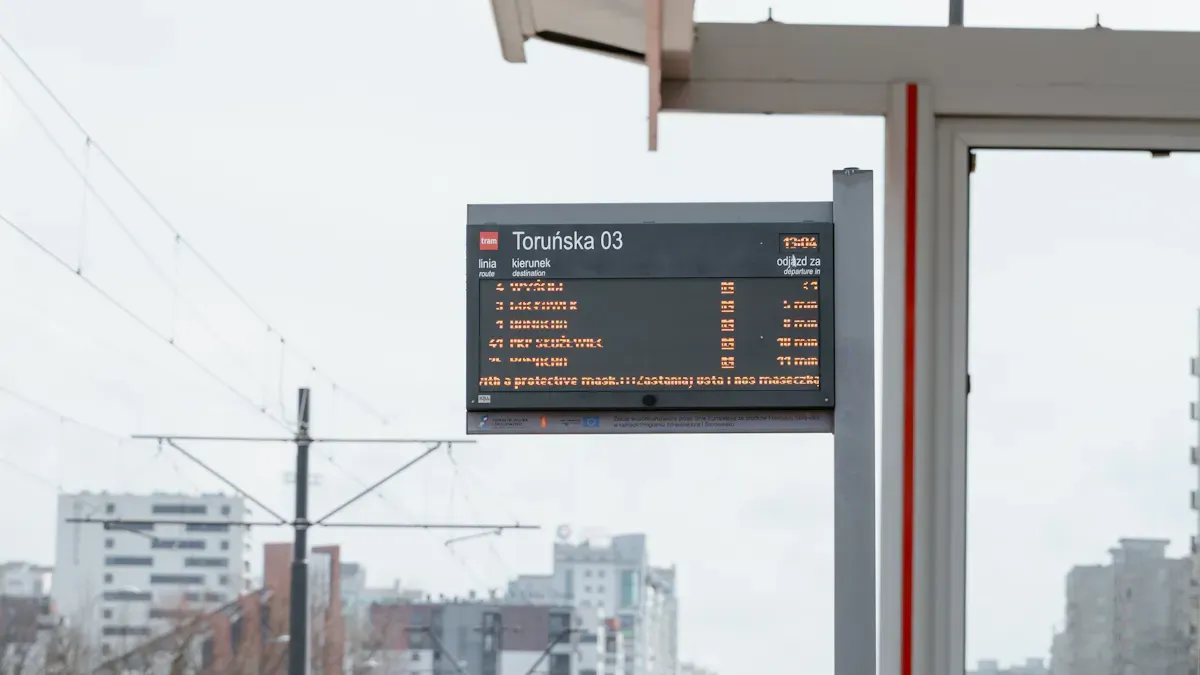
You need a display that matches your business needs and space. A stretched bar lcd display is a long, thin screen. It works well on store shelves, signs, and menu boards. You can use it to grab attention with big pictures. You can share news with travelers or show cool content in restaurants. Many businesses use these displays to get people interested. They help people see things better and show wide images. Visit https://www.topkioskdisplay.com/ to see more ways these displays are used.
Key Takeaways
Stretched bar LCD displays work well in small spaces. They are great for shelves, walls, and signs.
Pick the right size and shape so your display fits. This helps it look good where you put it.
High brightness and contrast help people see the screen. Your content stays clear even when it is bright.
Remote management lets you change content from far away. This saves time and keeps your display new.
Think about how strong the display is and how it connects. This helps it last longer and work with your systems.
What Is a Stretched Bar LCD Display
Key Features
A stretched bar lcd display is not like a regular screen. Its shape is different. It is much wider than it is tall. You can put it in places where normal screens do not fit. Look at this table to see how they are not the same:
Feature | Stretched Bar LCD Display | Standard LCD Display |
|---|---|---|
Aspect Ratio | Significantly wider width compared to height | Standard aspect ratio (e.g., 16:9) |
Intended Use | Designed for narrow or elongated spaces | General-purpose applications |
Applications | Ideal for digital signage, transportation displays | Displaying documents, images, and videos |
Stretched bar lcd displays have special features. They are very bright, so you can see them in sunny places. People can see the screen from many angles. Many displays have a strong metal frame. This makes them last longer in tough places. They use less power, so you save money.
Tip: If you need a screen for a shelf, bus stop, or menu board, this display is a good choice.
Business Benefits
Businesses want results, not just cool gadgets. Stretched bar lcd displays help companies do better. Here are some examples:
Business Case | Measurable Benefit | Savings/Improvement |
|---|---|---|
Supermarket Chain | Error rates dropped from 22% to 2% | $150K annual savings on labor |
Transit Authority | 25% higher rider satisfaction scores | 40% reduction in complaints |
Factory Operators | 35% productivity lift | Reduced failures to 1% |
Automotive Repair Shops | Diagnosis time cut from 15 to 8 minutes | $40K yearly savings per bay |
You can use these displays to show prices or guide people. They help you share updates and reduce mistakes. You save time and make customers happier. This tool helps your business every day.
Installation Scenarios
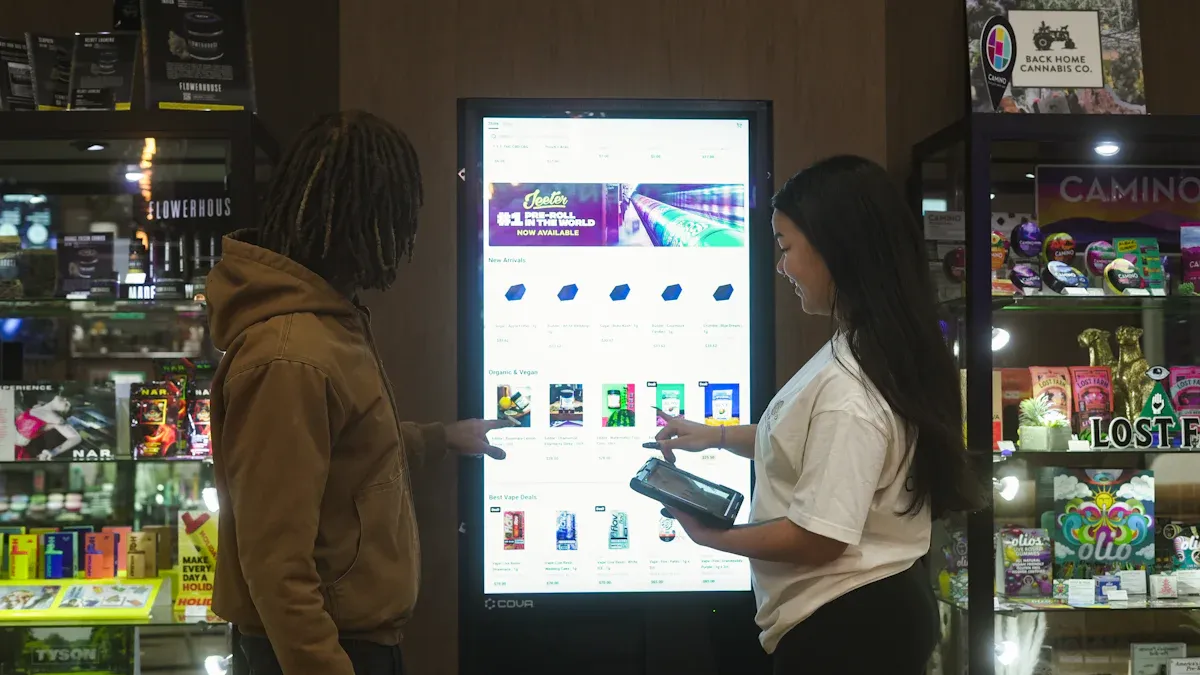
Shelf-Edge, Wall-Mount, Wayfinding
You want your stretched bar lcd display to fit your space and grab attention. Think about where you plan to install it. Most businesses use these displays in three main ways:
Shelf-edge: You place the display along store shelves. It shows prices, discounts, or new products right where shoppers look.
Wall-mount: You hang the display on a wall. It works well for signs, menus, or brand messages in tight spots.
Wayfinding: You use the display to guide people. It helps visitors find their way in airports, hotels, or malls.
Stretched bar lcd displays fit into places where regular screens cannot. You see them above bars in restaurants, at hotel receptions, or even on guest room doors. They show menus, welcome messages, or “Do Not Disturb” signs. You can use them near checkout counters to highlight deals or share product info.
Tip: Choose your installation scenario first. This helps you decide what content to show and where to place your display.
Here is a table showing common installation scenarios and how businesses use them:
Installation Scenario | Application Description |
|---|---|
Retail Advertising | Mounted vertically along store shelves to attract attention and convey product information. |
Checkout Counters | Displays new products, discounts, or brand messages in tight spaces. |
Restaurant Ambiance | Above bars to show menus and recommended dishes, enhancing customer experience. |
Hotel Reception | Displays welcome messages and local tourist information. |
Guest Room Doors | Shows real-time “Do Not Disturb” status. |
Location Impact on Size & Height
The spot you pick for your display changes the size and shape you need. If you want to use shelf-edge displays, measure the shelf length. Pick a display that matches the width. For wall-mount displays, check the wall space. Make sure the screen fits without blocking walkways.
You should also think about height. Place the display at eye level so people see it easily. If you use the display for wayfinding, make sure it is high enough for everyone to spot from a distance. The aspect ratio matters too. Narrow spaces need longer, thinner screens. Wide areas can use bigger displays.
Note: Always measure your space before you buy. This helps you avoid mistakes and makes your display look great.
Size & Aspect Ratio Selection
Measuring Space
Before you pick a display, you need to measure your space. Grab a tape measure and check the width and height where you want to install the screen. Write down these numbers. If you plan to use a shelf, measure the length of the shelf. For a wall, measure the open area. Make sure nothing blocks the view. You want your display to fit perfectly and look neat.
Next, think about how far people will stand from the screen. If your customers stand close, a smaller display works fine. If they see the screen from across the room, you may want a bigger one. Always leave a little extra space around the edges. This helps with airflow and makes the display easier to install.
Here is a quick look at common aspect ratios and where you might use them:
Aspect Ratio | Description | Applications |
|---|---|---|
21:9, 32:9 | Standard models that are widely supported and compatible with existing media sources. | Retail displays, digital signage |
48:9, 50:9 | Custom ultra-wide panels that maximize visual impact in narrow spaces. | Transportation information systems, advertising in competitive environments |
Tip: Double-check your measurements before you order. This saves you time and money.
Matching Content to Display
You want your content to look sharp and easy to read. The right size and aspect ratio make a big difference. Here are some things to keep in mind:
Choosing the correct aspect ratio is crucial for compatibility with different content types.
It directly impacts the visual quality of images and videos.
A proper aspect ratio enhances viewer interaction and response to the content.
If you plan to show long menus, news tickers, or schedules, a wide display works best. For product ads or short messages, a smaller screen may do the job. Always match your content to the display shape. This way, you avoid stretched images or empty spaces.
When you use a stretched bar lcd display, you get more freedom to design creative layouts. Try different content styles and see what grabs attention. Your display should help your message stand out and make your business look modern.
Technical Specifications for Stretched Bar LCD Display
Resolution & Image Quality
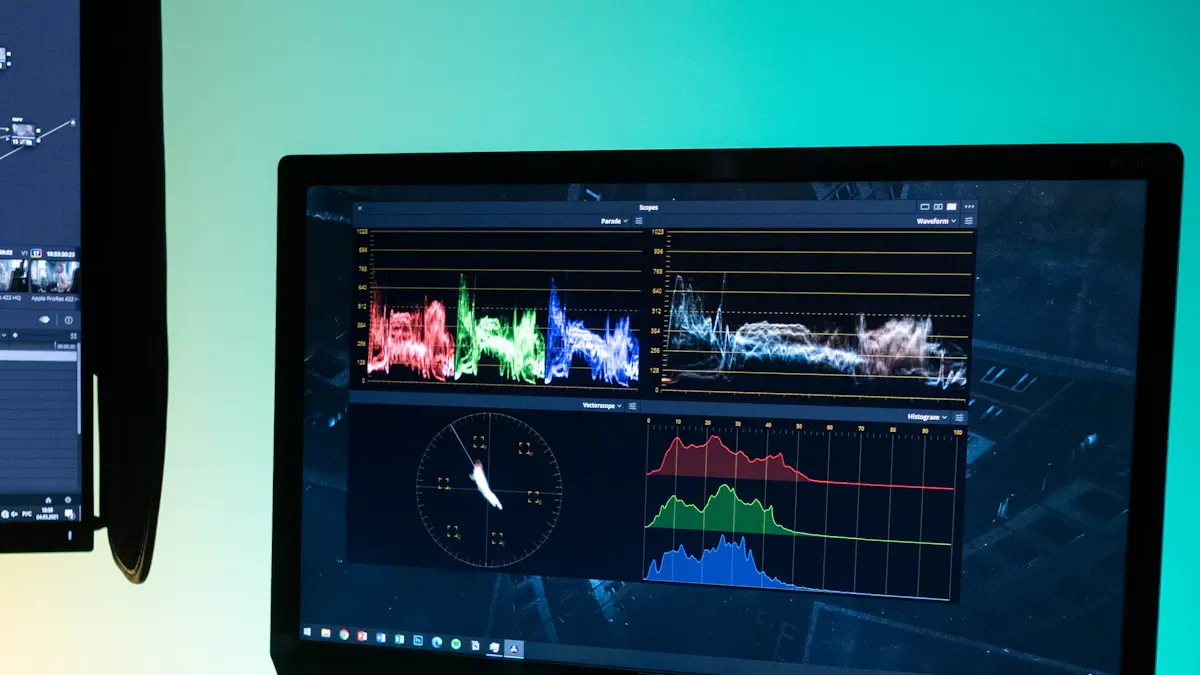
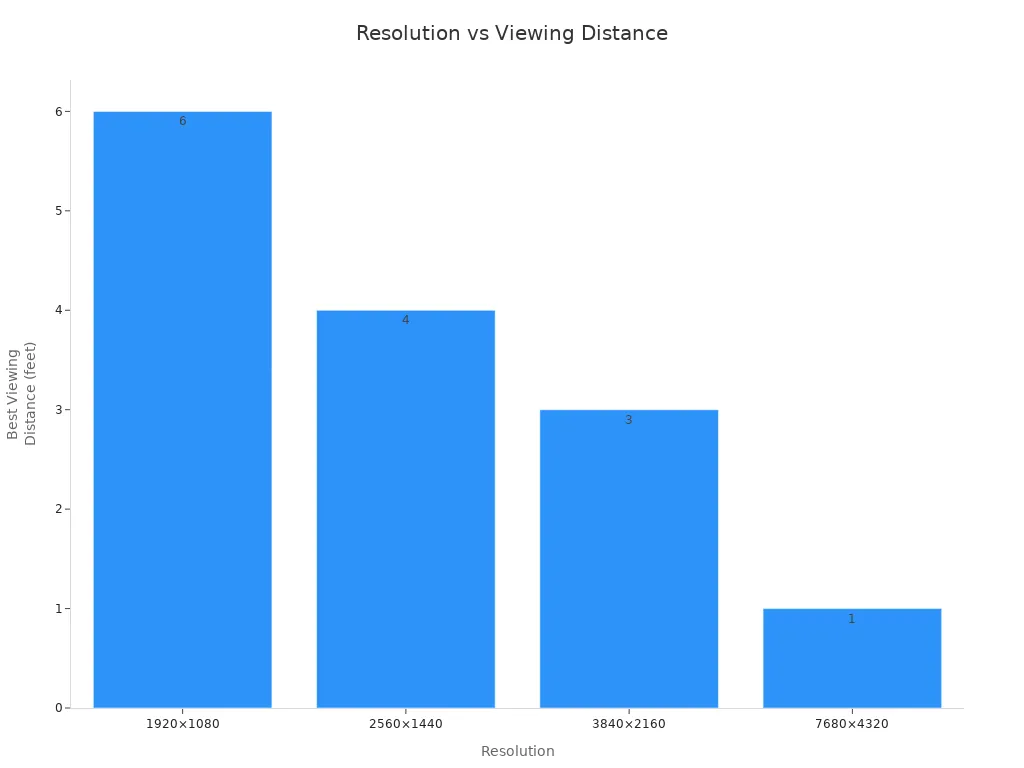
You want your pictures and words to look clear. The resolution decides how sharp everything looks. More pixels mean you see more details. Full HD (1920×1080) is good for screens over 43 inches. This gives you lots of pixels for menus or ads. If people stand close, you may need 2K or 4K. These show even more detail and make graphics look great. Here’s a table with common resolutions and when to use them:
Resolution | Pixels | Common Names | Best Viewing Distance |
|---|---|---|---|
1920×1080 | 2.1MP | Full HD, 1080p | 6+ feet |
2560×1440 | 3.7MP | QHD, 2K | 4+ feet |
3840×2160 | 8.3MP | 4K UHD | 3+ feet |
7680×4320 | 33.2MP | 8K UHD | Close viewing |
Tip: If you want tiny details or small words to show up, pick a higher resolution. People will notice the difference.
Brightness & Contrast
Brightness helps your screen stand out in bright places. High brightness makes your display easy to see. Most stretched bar lcd displays use strong backlights. This keeps your message clear. Contrast is also important. It shows the difference between dark and light. A high contrast ratio like 3000:1 makes text bold and easy to read. This matters in busy places like stores or airports.
Evidence Description | Impact on Readability |
|---|---|
High brightness LCD displays are designed for superior visibility in bright conditions. | They enhance readability in outdoor environments or areas with excessive lighting. |
Equipped with high-intensity backlighting systems. | They overcome external lighting challenges, ensuring optimal visual performance. |
Improved readability, sharpness, and image quality. | Text and graphics appear more vivid, enhancing the overall visual experience for viewers. |
A high contrast ratio of 3000:1 is best for reading and seeing things in busy places.
Note: Brightness and contrast work together. They help your display look good anywhere.
Viewing Angle
You want everyone to see your screen, not just people in front. A wide viewing angle lets people see from the side or above. This is important where people walk by or gather. A wider viewing angle gives you more choices for placing your display. Viewers get a good image even if they are not right in front. People can move around and still see your content. Displays with angles of 140 degrees or more are good for outdoor signs. For big spaces, pick displays with 160 degrees or more.
Tip: Wide viewing angles help more people see your message. Your content stays clear from every direction.
Connectivity & Lifespan
You want your display to connect easily to other devices. Most commercial displays support HDMI, USB, and wireless connections. Some models let you link up to 12 screens with a daisy chain solution. This saves money and makes setup simple.
Connectivity Option | Description |
|---|---|
Daisy Chain Solution | Connects up to 12 displays from one media player, reducing costs and simplifying installation. |
Easy Data Control | Supports remote control via various wireless technologies and USB Plug and Play. |
You can use many types of software.
You get flexibility for upgrades later.
Lifespan is important too. Most displays last over 50,000 to 100,000 hours. This means your display works for years.
Note: Pick displays with strong connections and long life. You get better value and less trouble.
Durability for Commercial Use
You want a display that works hard and lasts long. Commercial stretched bar lcd displays are made for tough jobs. They use strong materials to handle dust and heat. Many run quietly with fanless, low-power systems. This means less noise and lower bills.
Feature | Impact on Performance |
|---|---|
Ultra-Wide Display | Increases visual coverage and impact, ideal for high-traffic areas. |
High-Resolution Image Quality | Ensures clear, vibrant content with excellent color saturation, crucial for communication. |
Durability | Built for 24/7 operation, ensuring long-term reliability and performance. |
Made for 24/7 digital signage display.
Brightness and performance stay strong for years.
Built to handle outdoor or semi-outdoor places.
Tip: If you need a display for a busy store or station, pick one made for commercial use. You will get better results and fewer problems.
By focusing on these specs, your display stays bright, clear, and reliable. Your message will always stand out, and your investment will last.
Content Management & Customization
Ease of Use
You want a system that is easy to use. Managing content on a stretched bar lcd display should not be hard. Many displays let you control what is shown from one place. You can change menus, prices, or ads without walking everywhere. You can set up automatic updates to switch promotions or specials. This saves time and keeps your content new.
Feature | Description |
|---|---|
Control content across multiple displays from a central location. | |
Automatic Updates | Schedule automatic content changes, such as rotating promotions or specials. |
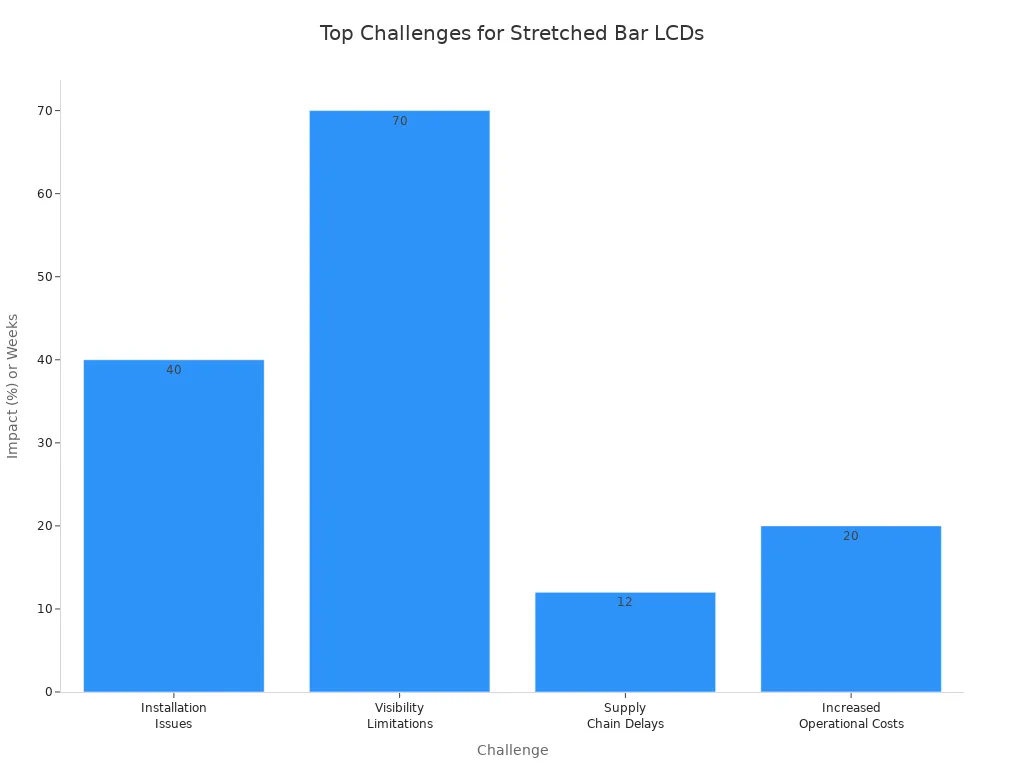
If you have problems, you might see things like bad fit or poor visibility. Sometimes, displays do not fit shelves or dashboards well. In busy places, people may not notice the screens. Supply chain delays can slow down getting custom panels. Using too much energy can make your bills higher.
Challenge | Description |
|---|---|
Installation Issues | 40% of installations fail within two years due to poor fit in slim spaces like shelves or dashboards. |
Visibility Limitations | Narrow aspect ratios limit visibility in high-traffic areas, where 70% of consumers ignore standard displays. |
Supply Chain Delays | Supply chain issues delay custom panels by 8-12 weeks, inflating project timelines. |
Increased Operational Costs | Energy inefficiency in bright environments adds 20% to operational costs annually. |
Tip: Always measure your space and plan your content first. This helps you avoid mistakes.
Scalability & Integration
You want your display network to grow with your business. Stretched bar lcd displays make it simple to add more screens. You can update content from far away, so you do not need to visit each screen. Fast changes help you keep up with trends.
Remote updates let you change ads and promotions quickly.
Integration with retail systems works for stores of any size.
You can add more screens as your business gets bigger.
If you need to change your message, you can do it from your computer. This makes it easy for small shops and big chains. Your system can change as your needs change and keeps your content current.
Note: Pick displays that allow remote management and easy integration. This helps your business stay flexible and work better.
You want your stretched bar LCD display to fit your goals and space. Pick a display that matches your business needs. Make sure the size and aspect ratio are right. Think about where you will put the display. Decide what you want to show on it. Use software to keep your content looking good as trends change.
Make sure you use your space well and get a strong visual effect.
Choose models that let people see from many angles and have touch options.
Think ahead so your display keeps helping your business.
Implementation Context | Results | Key Features |
|---|---|---|
Retail sector with Smart Display Pro 37" | 60% more people pay attention | Shows products interactively, lets people browse with touch, plays videos right away |
If you pick the right display now, you will get better results and happier customers later.
A stretched bar LCD display is an ultra-wide screen designed with a long, narrow form factor, using non-standard aspect ratios like 16:3 or 32:9 to fit seamlessly into spaces where a conventional 16:9 screen would be impractical. It's a specialized visual solution for tight spaces and linear information display.
🛠️ How It's Made: The "Cut and Reintegrate" Process
Unlike standard displays, most stretched bar LCDs are not manufactured from scratch. They are created through a specialized "cut and reintegrate" process:
Select & Cut: A standard LCD panel is sourced and custom-cut to the required narrow dimensions.
Strip & Seal: The polarizing films are removed from the glass, and the raw edges are immediately sealed to prevent the liquid crystal from leaking.
Rewire & Rebuild: A new circuit board is designed and attached to drive the panel's unique shape. A completely new backlight unit is also built, often with a durable metal frame (like aluminum) for enhanced heat dissipation.
✨ Key Features and Advantages
The unique design and manufacturing process give stretched bar LCDs a distinct set of advantages:
Ultra-wide Aspect Ratio: Ranging from 16:3 to as high as 1:10, allowing them to fit in narrow spaces like shelf edges, train handrails, and elevator interiors.
High Brightness: Often feature brightness levels of 1000–2500 nits or more for excellent visibility in brightly lit areas.
Wide Viewing Angle: Many models offer 178° viewing angles, ensuring content is visible from the side.
Industrial-Grade Reliability: Built for 24/7 operation with lifespans of over 50,000–60,000 hours, making them suitable for continuous use.
Energy Efficient: LED backlighting reduces power consumption compared to traditional screens.
Flexible Installation: The slim design allows for mounting in various orientations—horizontally, vertically, or even spliced together for larger displays.
Intelligent Features: Many models include built-in light sensors for automatic brightness adjustment and support for Android systems and remote Content Management Systems (CMS).
🗺️ Common Applications Across Industries
Stretched bar LCDs are versatile tools used in many settings. Here's a look at some common applications:
Industry | Application | How It's Used |
|---|---|---|
🛍️ Retail & Advertising | Digital Shelf Labels | Display dynamic pricing, product info, and promotions |
Advertising Displays | Catchy signage in shopping malls, elevators, and restaurants | |
🚇 Transportation | Passenger Information | Show real-time schedules, route maps, and alerts at airports/stations |
In-Vehicle Displays | Provide entertainment, navigation, or advertising on buses and trains | |
🏭 Industrial & Control | Control Panels | Display real-time equipment status and data in factories and power stations |
Dashboard Interfaces | Used in vehicle dashboards to show speed, fuel levels, and navigation | |
🏠 Consumer & Smart Tech | Smart Home | Integrated into refrigerators, smart home control strips, and AC panels |
Consumer Electronics | Found on TWS earbud charging cases and fitness equipment screens | |
🏥 Medical & Public | Medical Equipment | Display medical images and monitor patient data during surgery |
Public Information | Guide visitors in museums, stadiums, and exhibition halls |
💡 The Future of Stretched Displays
Stretched bar displays are no longer a niche product but are moving into mainstream use. Their future includes integration with IoT and AI for applications like dynamic pricing in smart retail and real-time data visualization in smart manufacturing.
In short, stretched bar LCDs are an innovative display solution designed to make the most of narrow spaces and present linear information more effectively.
If you have a specific application in mind, feel free to share it! I can help provide more targeted advice on choosing the right specifications or identifying potential suppliers.
FAQ
What is a stretched bar LCD display and how is it used?
A stretched bar LCD display is a long, narrow screen. You can use it on shelves, walls, or as a sign. It helps you show prices, ads, or directions in places where regular screens do not fit.
Can I install a stretched bar LCD display by myself?
Yes, you can install many models yourself. Most displays come with mounting kits and clear instructions. If you want a large or heavy display, you might need help from a professional.
How do I update the content on my display?
You can update content using a USB drive, Wi-Fi, or special software. Many displays let you change what shows up from your computer. This makes it easy to keep your messages fresh.
Are stretched bar LCD displays good for bright areas?
Yes! These displays have high brightness and strong contrast. Your content stays clear, even in sunlight or bright indoor spaces. You do not have to worry about glare.
See Also
Selecting The Ideal LCD Digital Signage For Your Business
Finding The Top LCD Kiosk Installation Service In Your Area
Selecting The Perfect LED Or LCD Display For Malls
