How to Choose the Best Outdoor Digital Signage for Your Business
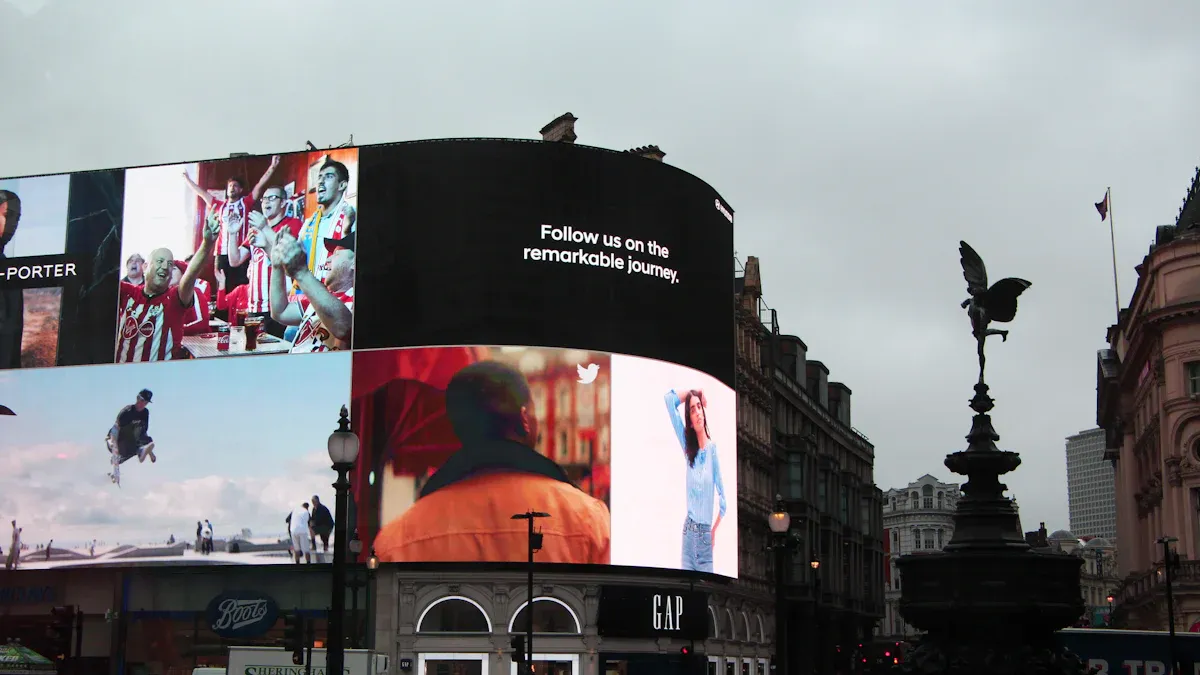
You want outdoor digital signage that is easy to see and lasts long. It is important for the sign to be strong, especially in bad weather. Signs with weatherproof design and IP65 or higher can handle rain, dust, and heat. Built-in fans or heat systems stop screens from getting too hot. This keeps your sign safe. Most brands sell more—80% say they make more money after using digital signage. Follow simple steps to get the best results and protect your business.
Key Takeaways
Pick outdoor digital signage that has at least 2000 nits. This helps people see the screen in sunlight. - Get weatherproof signage with an IP rating of IP65 or more. This keeps out rain, dust, and very hot or cold weather. - Think about what your business wants to do with the signage. It can help customers, boost sales, or lower ad costs. - Make a budget and include installation and maintenance costs. Also, think about how more customers might save you money. - Use remote management tools to change content from anywhere. This makes updates easy and saves you time and work.
Key Factors for Outdoor Digital Signage
Business Goals and Location
First, think about why you want outdoor digital signage. Every business has its own needs. Some want to sell more products. Others want customers to have a better experience. Some businesses want to spend less on ads. The table below shows goals for retail, hospitality, and transportation:
Business Goal | Description |
|---|---|
Enhance customer experience | Signage gives new messages and information. This helps customers feel happy and enjoy their visit. |
Increase sales | Signs with special messages can help people buy more things. This makes sales go up. |
Reduce advertising expenses | Digital signage saves money. You do not need to print new signs all the time. |
Improve corporate communications | Signs can show news, products, and special messages for the company. |
Where you put your sign is very important. If your sign is in a busy place, more people will see it. Signs in these spots can get four times more views than regular signs. Make sure your sign is easy to read. It should be where people can see it easily. Think about sunlight, rain, and wind. These things can change how your sign works and how long it lasts.
Budget and Investment
You should decide how much money you want to spend. Prices are different for each part. Here are some common costs:
Weather-resistant enclosures: $500 - $2,000
Basic installation (single screen): $200 - $500
Complex installations: $1,000 - $10,000+
Hardware maintenance: $100 - $500 per year
Software support: $50 - $500
Network & IT: $100 - $500 per month
Think about more than just the price. You will spend time and effort setting up and taking care of your sign. Ask yourself if digital signage will help you save money later. Outdoor digital signage can help you get more customers and sell more, especially if you put it in the right place.
Compliance and Regulations
You must follow the rules in your area when you put up outdoor digital signage. Rules are different in every state and city. Some places do not allow bright or flashing signs. Others want ADA compliance or special permits. The table below shows some examples:
State | Key Regulatory Requirements |
|---|---|
Florida | Rules about brightness, flashing signs, ADA compliance, and weather. |
Illinois | Hard permit system, rules for flashing signs, brightness, and ADA compliance. |
California | Local zoning laws and safety rules are needed. |
Talk to your local government before you install your sign. This helps you avoid trouble and keeps your business safe. Always think about weather and safety when you plan your sign so you follow all the rules.
Essential Features for Screen Visibility and Durability
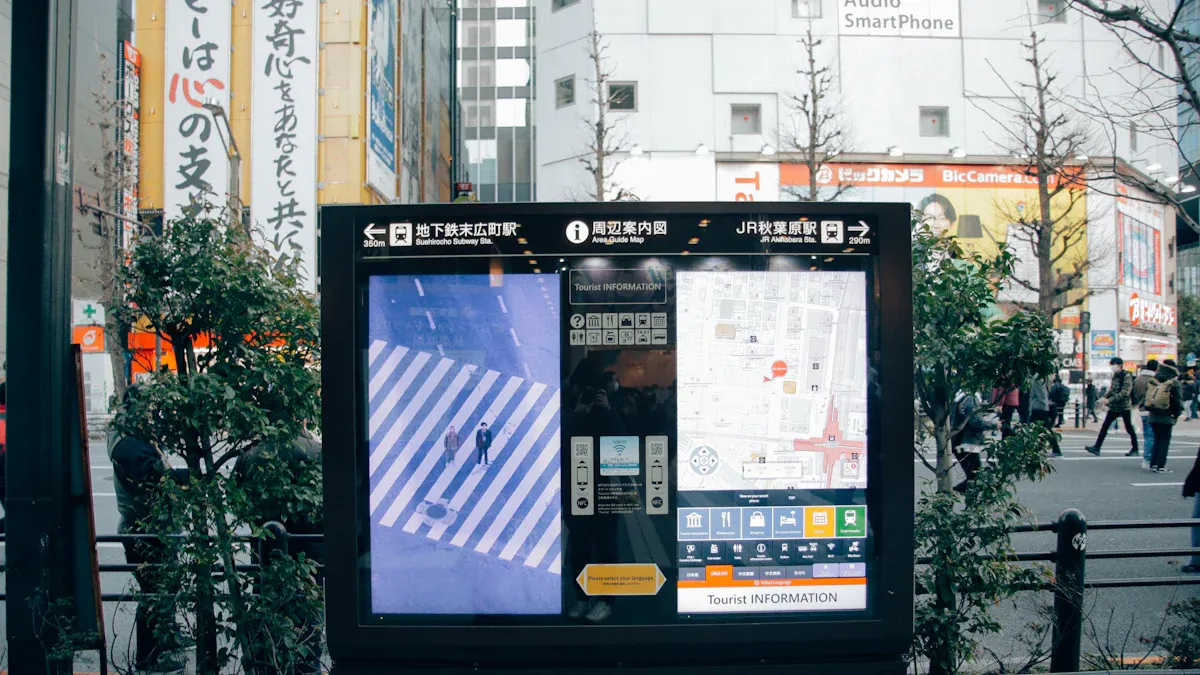
High Brightness and Screen Visibility
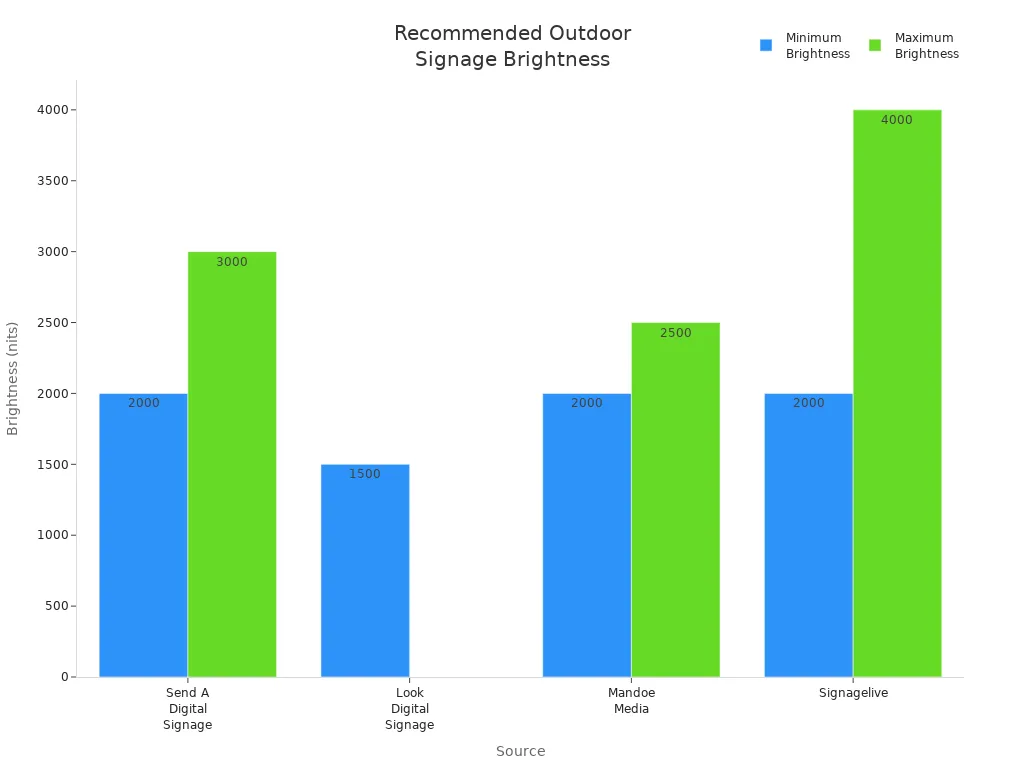
Your sign needs to be easy to see outside. Brightness is measured in nits. Outdoor screens need more nits than indoor ones. Experts say you need at least 2000 nits for sunlight. Some screens can go up to 4000 nits or more. The table below shows what different sources suggest for outdoor use:
Source | Minimum Brightness (nits) | Maximum Brightness (nits) | Notes |
|---|---|---|---|
Send A Digital Signage | 2000 | 3000 | Minimum recommended for typical outdoor lighting. |
Look Digital Signage | 1500 | N/A | Needed for full outdoor displays in direct sunlight. |
Mandoe Media | 2000 | 2500 | Minimum for clarity in direct sunlight. |
Signagelive | 2000 | 4000+ | Needed for full sun exposure. |
High-brightness screens with good contrast help your message pop. These features keep words and pictures clear in the sun. Some screens use optical bonding to cut down glare. This makes it easier to read from any angle. Many signs change their brightness by themselves. They get brighter when it is sunny and dimmer at night. This saves energy and keeps your sign easy to see.
Tip: If your sign faces the sun a lot, pick one with at least 2000 nits and automatic brightness control.
Weatherproof Signage and IP Ratings
Outdoor signs have to deal with rain, dust, and hot or cold weather. You need weatherproof signage to keep your sign safe. IP ratings show how well a sign keeps out water and dust. The table below explains common IP ratings:
IP Rating | Dust Protection | Water Protection |
|---|---|---|
IP65 | Dust-tight | Water jets from any direction |
IP67 | Dust-tight | Immersion in water up to 1 meter |
IP68 | Dust-tight | Immersion in water beyond 1 meter |
Most outdoor signs use IP65 to stay safe in storms. Some signs have fans or heaters inside. These help the sign work in very hot or cold weather. Many signs work from -30°F to 120°F, so you can use them all year.
A strong case made of steel or aluminum protects the inside. Seals keep out water and dust. This helps your sign last longer and stay strong.
Vandalism Protection and Security
Outdoor signs can get damaged in public places. You need to keep your sign safe from harm. Many signs use tough cases with IK09 or IP67 ratings. These cases stop people from breaking the sign. Some screens have a graffiti shield to stop scratches and paint.
The table below lists common security features:
Security Feature | Description |
|---|---|
Ruggedized Enclosures | Strong metal cases resist impacts and vandalism. |
Graffiti Shield | Multi-layer shield adds scratch and impact protection. |
Sensors | Internal sensors alert you to tampering or temperature changes. |
Anti-Theft Mechanism | Lockable mounting pins make theft harder. |
Out of Reach Display Options | Mounting signs high up keeps them away from vandals. |
Modular Replacement Parts | Easy repairs after damage save time and money. |
Think about where you put your sign. Putting it higher or in a bright spot can help stop damage. Interactive kiosks in busy places need even more protection.
Note: Outdoor digital signs break more often than indoor ones. Good security features help keep your sign working and protect your money.
Energy Efficiency and Power Options
Saving energy is good for your wallet and the planet. LED displays use less power and last longer than old screens. MicroLED displays use even less energy and can last a very long time. The table below compares common display types:
Display Type | Energy Consumption (W) | Lifespan (hours) |
|---|---|---|
LED Displays | 80–120 | 50,000–100,000 |
MicroLED Displays | 50–100 | 100,000 |
LCD | ~200 | Varies |
Some signs use solar power if there is no plug nearby. Automatic brightness control saves energy by dimming the screen at night. This keeps your sign bright enough but uses less power.
Choosing energy-saving screens and smart power options helps you spend less and care for the environment.
Digital Signage Exterior Display Types
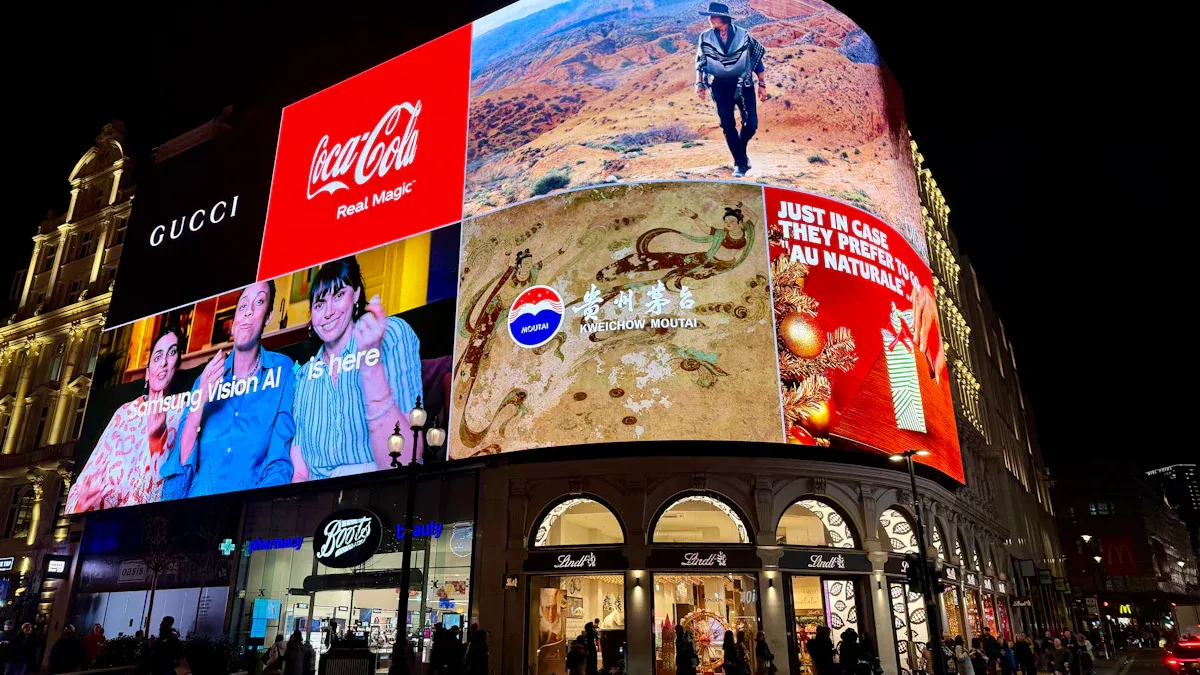
Picking the right digital signage exterior display helps your business get noticed. You can choose from LED, LCD, touchscreen kiosks, and weatherproof or solar-powered displays. Each type has its own good points and some problems.
LED Displays
LED digital signage displays are very bright and last a long time. You see them on busy streets and in stadiums. They work well in sunlight and bad weather. You can make big screens by joining panels together. LED screens use less energy and fit many places. Look at the table below to see the good and bad sides:
Advantages | Disadvantages |
|---|---|
Excellent brightness and visibility | Higher initial investment |
Seamless splicing and flexible size | Professional maintenance needs |
Ultra-long service life | Potential visual fatigue |
Energy saving and environmental protection | Thermal management requirements |
Wide range of environmental adaptability | Installation complexity |
LED digital signage exterior displays can be very bright, from 4000 to 8000 nits. They can last up to 10 years, so they are a smart choice.
LCD Displays
LCD digital signage displays show clear pictures and have lots of pixels. You often see them in stores and train stations. LCD screens cost less at first and show sharp images. The table below shows what is good and bad about them:
Pros | Cons |
|---|---|
High pixel density | Screen size is generally limited |
Refined image quality | Brightness is lower than LED |
Relatively lower initial cost | Bezels are noticeable |
Not suitable for creating seamless giant screens |
LCD digital signage exterior displays usually last about 5 years. They are not as bright as LED screens, so they work best in shady spots. LCD screens can break if it gets too hot, sunny, or stormy.
Touchscreen and Interactive Kiosks
Touchscreen digital signage displays let people touch the screen and use it. You can use them for check-ins, looking at products, or finding your way. These kiosks help people do things fast. They also collect information and help people like your brand more. Here are some common features:
Feature | Description |
|---|---|
Task Completion | Lets customers check in or browse products easily. |
Interactive Experience | Engages customers with touchscreens and digital content. |
Self Service | Offers secure payment and direct interaction. |
Advertising | Shows bright graphics and games to attract attention. |
Wayfinding | Guides customers through spaces with directions and information. |
Content Management | Makes updates simple and keeps displays relevant. |
Stores that use tablet kiosks saw workers get 30% more done. Staff helped people faster and liked their jobs more. Touchscreen digital signage exterior displays also help you learn more about your customers.
Weatherproof and Solar-Powered Options
Weatherproof digital signage displays keep your sign safe from rain, dust, and heat. Solar-powered displays save money and help the planet. You can put them in places without electricity. The table below shows their good points:
Benefit | Description |
|---|---|
Cost Savings | Cuts electricity bills and saves money over time. |
Environmental Sustainability | Reduces carbon footprint and supports clean energy. |
Enhanced Brand Image | Shows your commitment to green practices and attracts eco-friendly customers. |
Energy Independence | Works during power outages and harsh weather. |
Flexibility and Scalability | Installs easily in remote or temporary locations. |
Weatherproof and solar-powered digital signage exterior displays are flexible and strong. You can add more signs without worrying about power or weather.
Tip: Pick digital signage exterior displays that fit your business needs and where you put them. This helps you get better results and keeps your sign safe.
Managing Outdoor Digital Signage Content
Remote Management and Connectivity
You can control your outdoor digital signage from anywhere. Remote management lets you change messages and check if signs work. You do not have to leave your office to fix problems. Many businesses use special IoT routers and antennas. These tools keep signs working, even when the weather is bad. Cloud-based systems help you manage many screens at once. You can see what is happening right away and get alerts if something is wrong.
IoT routers and antennas keep your signs online in any weather.
Cloud management lets you change content and watch screens from one place.
Real-time monitoring helps you find and fix problems fast.
Instant alerts tell you if a sign goes offline or needs help.
Remote management saves you time and money. You can change messages fast and react to events. This keeps your content new and interesting. Dynamic scheduling makes sure your signs always show the right things. You also save money because you do not need to visit the sign as much.
Integration and Security
You can connect your outdoor digital signage to other business systems. This helps you show the right messages at the right time. The table below shows ways to link your signs with business tools:
Integration Type | Description |
|---|---|
Point-of-Sale (POS) | Shows special offers based on what customers buy. |
Building Management (BMS) | Displays emergency alerts and building updates. |
Content Management (CMS) | Keeps content up to date for events and schedules. |
Keeping your signs safe is important. You should use strong security steps to protect your data and hardware. The table below lists key security protocols:
Security Protocols | Description |
|---|---|
Secure Network Connections | Use encrypted links like VPNs to protect data. |
Network Segmentation | Keep signage systems separate from other networks. |
Intrusion Detection Systems (IDS) | Watch for strange activity and respond quickly. |
Regular Backups | Save copies of your content and settings often. |
Disaster Recovery Planning | Have a plan for big problems or disasters. |
Access Controls | Only let trusted people manage your signs. |
Secure Installation Locations | Place hardware in safe spots to stop tampering. |
Employee Training | Teach staff how to keep systems safe. |
Incident Response Plan | Prepare for cyberattacks or other security issues. |
Tip: Good integration and strong security help your digital signs work well and keep your business safe.
Final Checklist for Outdoor Digital Signage
Selection Checklist
You should have a simple checklist before picking your outdoor digital signage. This will help you make a smart choice for your business. Use this list to help you decide:
Environmental ruggedness: Make sure your signage can stand up to hot or cold weather, rain, snow, wind, and dust.
Screen visibility: Choose screens that are very bright (at least 2000 nits) and have coatings to stop glare. Pick a screen size that fits your space.
Content adaptation: Find screens that can change brightness by themselves and let you control content from far away.
Connectivity and network infrastructure: Think about if you want to use wires or wireless networks to update your sign easily.
Power supply and energy efficiency: Look for signs that save power or can use solar energy.
Security and protection: Pick strong cases that cannot be opened easily and think about cameras to stop people from breaking your sign.
Maintenance: Plan to check, clean, and fix your sign often.
Tip: A good checklist helps you keep your sign safe and working well, no matter the weather.
Installation and Maintenance Tips
Putting up your sign the right way and taking care of it keeps it working. Try these tips to get the best results:
Wipe the screen with a soft cloth and special cleaner to keep it clear.
Make sure the case is weatherproof (IP65 or IP66) so rain or dust does not hurt it.
Use fans or vents to keep the sign cool and stop it from getting too hot.
Plug your sign into a surge protector to stop power problems.
Update the software and check the screen often so it does not get stuck on one image.
Clean and check the screen to keep the picture looking good.
Look at the wires and plugs to make sure they are safe and not broken.
Save your content and update the software to keep your sign safe from hackers.
Only let trusted workers use the content system.
Check your content often to make sure it is fun and useful.
Plan time to turn off your sign and do big cleaning or repairs.
Note: Taking care of your sign and putting it up the right way helps it last longer and work better.
You can pick the best outdoor digital signage by thinking about your business goals. Make sure people can see the screen well. The sign should be safe from rain and dust. Use this checklist to help you:
Look at how bright and big the screen is.
Check if the sign can handle bad weather.
Plan how you will change what shows on the sign.
Think about how to keep the sign safe and save energy.
Start choosing your sign today. Ask experts for help to find the best one for your business.
FAQ
What is the best brightness for outdoor digital signage?
You should choose a screen with at least 2000 nits. This level helps people see your sign clearly, even in direct sunlight. Higher brightness makes your message stand out during the day.
How do I protect my digital signage from bad weather?
Pick a display with a high IP rating, like IP65. This rating keeps out rain, dust, and wind. Weatherproof cases and seals help your sign last longer and work well outside.
Can I update my outdoor digital signage from my office?
Yes, you can use remote management tools. These tools let you change messages, check the screen, and fix problems without leaving your desk. This saves you time and keeps your content fresh.
How often should I clean and maintain my outdoor sign?
You should clean your screen every month. Check for damage, loose wires, or dirt. Regular care helps your sign look good and work longer.
Are solar-powered digital signs a good choice?
Solar-powered signs work well in places without easy access to electricity. They save money on power bills and help the environment. Make sure your location gets enough sunlight for the best results.
See Also
Selecting Ideal Outdoor Signage for Your Business in 2025
Understanding the Functionality of Outdoor Digital Signage Today
Selecting the Perfect LCD Round Display for Your 2025 Project
Finding the Right Baccarat Display for Your Casino Needs
The Impact of Round LCD Displays on Commercial Signage in 2025
