A Complete Guide to Safely Transporting Triple 55 Inch Video Wall Displays
Shenzhen TopAdkiosk Display Technology Co., Ltd.
Add.: 2F, Bldg 10, Changfeng Industrial Park, Dongkeng, Fenghuang, Guangming, Shenzhen, China 518132 Mobile/WHATSAPP: 86-138 25769658
Email: marketing@topadkiosk.com topadkiosk@gmail.com Wechat: adkioskhenry
English Web.: http://www.topadkiosk.com/ https://www.topkioskdisplay.com/
http://www.ad-kiosk.com/ https://www.toplcddisplay.com/
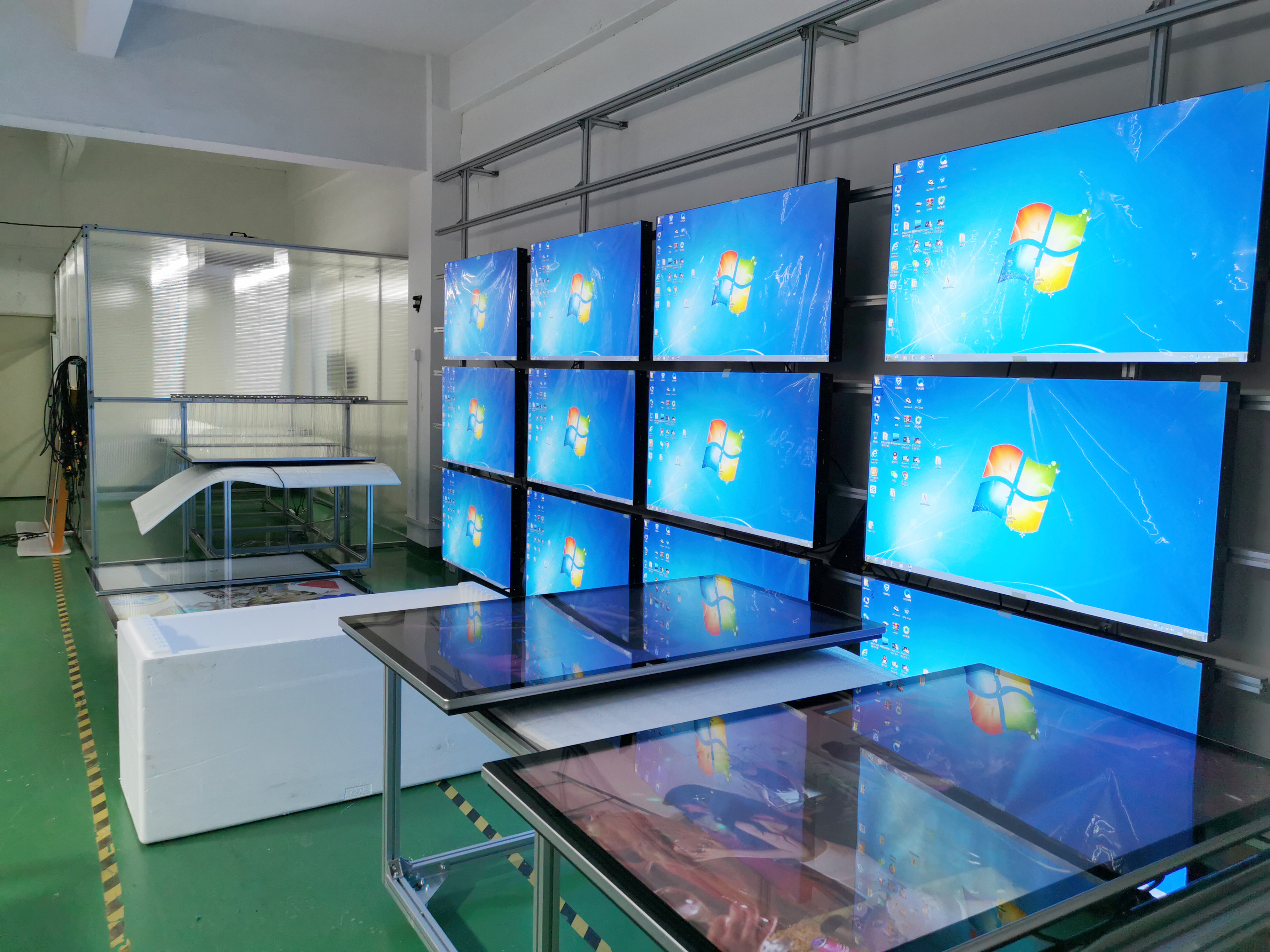
You need to use proper packaging and careful handling when you transport triple 55-inch flat-screen tv displays. If you lay a flat-screen tv flat, the weight can shift and cause damage to internal parts. Bumps during transport make this risk higher. Always use tv shipping cases or cases for triple 55'' video wall display to protect your flat-screen tv. These cases help you move a flat-screen tv safely and are essential for transporting tv screens. You should always pack a flat-screen tv upright. For more tips, visit https://www.topkioskdisplay.com/.
Tip: Use strong cases and padding for the best protection for your flat-screen tv.
Risk Type | Description |
|---|---|
Laying flat shifts weight and risks damage. | |
Internal Component Damage | Internal parts can crack or shift when laid flat. |
Increased Risk During Transport | Bumps and vibrations increase chances of damage without support. |
Key Takeaways
Always pack triple 55-inch displays upright in custom shipping cases. This helps stop damage from weight moving around.
Check and clean each display before you move it. This lets you find any damage and keeps scratches away.
Secure all cables and accessories with labels. This makes setup easy and stops things from getting lost.
Use foam padding and anti-static materials inside the cases. These protect displays from shocks and static electricity.
Plan your transport route carefully. Avoid bumpy roads and extreme temperatures that could hurt the displays.
Preparation Before Transport
Inspect Displays
You should always check your video wall displays before you move them. Look for cracks, scratches, or loose parts on the screens and frames. Take photos of each display. These photos help you compare the condition before and after transport. If you find any damage, write it down. This step helps you avoid confusion later.
Clean Screens
Clean your screens before you pack them. Dust and dirt can scratch the surface during transport. Follow these steps for safe cleaning:
Turn off or unplug the display for safety.
Use a soft, anti-static microfiber cloth to wipe the screen in gentle, circular motions.
For tough stains, dampen the cloth with distilled water. Wring it out until almost dry.
Wipe the screen again with a dry cloth to remove any streaks.
Never spray cleaner directly on the screen. Avoid cleaners with alcohol or ammonia.
Let the screen air-dry completely before you pack it.
Tip: Cleaning your screens helps you spot hidden damage and keeps your displays in top shape.
Disconnect and Label Cables
Unplug all cables from your displays. Secure power cords and signal cables so they do not get tangled or damaged. Use twist ties or Velcro straps to keep them neat. Label each cable to make setup easier later. Good labeling prevents mix-ups and saves time.
Practice | Description |
|---|---|
Labeling on both ends | You can quickly identify cables during setup and troubleshooting. |
Color-coded cables | You see the difference between signal types at a glance. |
Comprehensive cable plot | You know where every cable goes, which helps you fix problems fast. |
Organize Accessories
Gather all accessories, such as remote controls, mounting brackets, and screws. Place them in labeled bags or boxes. Keep these items together with your displays. This step makes sure you do not lose anything important. You will set up your video wall faster when everything stays organized.
Note: Secure all loose items to prevent accidents during transport.
Packaging and Protection
Cases for Triple 55'' Video Wall Display
You need the right case to keep your triple 55-inch video wall displays safe. Experts say you should use custom shipping cases for triple 55'' video wall display. These cases have foam inside, wheels, and a strong outside shell. You put the screens in the case standing up. This helps stop cracks or bending. The foam inside gives more protection. Many cases open in the middle so you can get the screens out easily. Strong wheels make it simple to move the case. Waterproof locks keep water out and protect your displays from getting wet.
Tip: Pick a shipping case with shock resistant material and strong build. This keeps your displays safe from bumps and drops.
Top Cases for Triple 55'' Video Wall Displays in 2026
Here are the best cases for triple 55'' video wall display in 2026:
Case Name | Features | Pros | Cons |
|---|---|---|---|
ProGuard Triple 55 | Custom foam, heavy-duty shell, wheels, waterproof closures | High resistance, easy mobility, durable | Heavy, higher price |
SafeTransit Max | Middle split, ESD-safe foam, sturdy casters, accessory compartments | Easy access, shock resistant material, organized | Bulky, limited color options |
UltraSecure ATA | CNC-routed foam, reinforced corners, extra closure points | Maximum resistance, durable, secure | Large footprint, requires two people |
These cases are strong and last a long time. Each shipping case keeps your displays safe from bumps, water, and dust. You can roll the case with the wheels. You can open the case in the middle to get your screens out fast. You can put accessories in special spots. These cases for triple 55'' video wall display are good for safe transport because they follow the rules and give strong protection.
Use Foam Pads and Anti-Static Materials
You need to use foam pads and anti-static materials inside your shipping case. Foam pads make a soft cushion and soak up shocks. Anti-static materials keep your electronics safe from static electricity. Custom foam is cut to fit your displays exactly. This makes sure your screens do not move around.
Feature | Description |
|---|---|
Custom Foam Engineering | CNC-routed polyethylene foam matching exact display dimensions |
Shock Absorption | Foam materials proven in drop tests |
Accessory Organization | Dedicated compartments for remotes, cables, mounting hardware |
Anti-Static Options | ESD-safe foam protecting sensitive display electronics |
You put your screens face up in the case. This stops pressure on the glass and helps keep the shape. Foam pads tested for shock help protect your screens even more. Anti-static foam keeps your electronics safe. You put accessories in their own spots so nothing gets scratched.
Secure Accessories
You need to keep all accessories safe inside the shipping case. Fill empty spaces with packing stuff so things do not move. Use cable ties to keep similar items together. Fill holes with paper or air pillows so nothing slides around. Do not pull cable ties too tight. Make the box corners stronger and add extra locks for safety.
Tie cables and remotes together.
Fill spaces with packing stuff.
Make corners stronger for more protection.
Use special spots in the case for mounting hardware.
You keep accessories safe and in order. You stop things from breaking during the trip. You can set up faster when you get there.
Label Packages
Put clear labels on every shipping case. Use big, easy-to-read labels. Write what is inside and where it is going. This helps people know what is in the box. It lowers the chance of mistakes. It makes it easier to find your stuff while moving.
Note: Always check labels before you load the cases. This helps you stay organized and keeps your displays safe.
If you follow these packaging steps, your triple 55-inch video wall displays will be safe. Use cases for triple 55'' video wall display that follow the rules. Pick strong materials and shock resistant material. Keep accessories safe and label every package. Your displays will get the best protection.
Choosing Transport Method
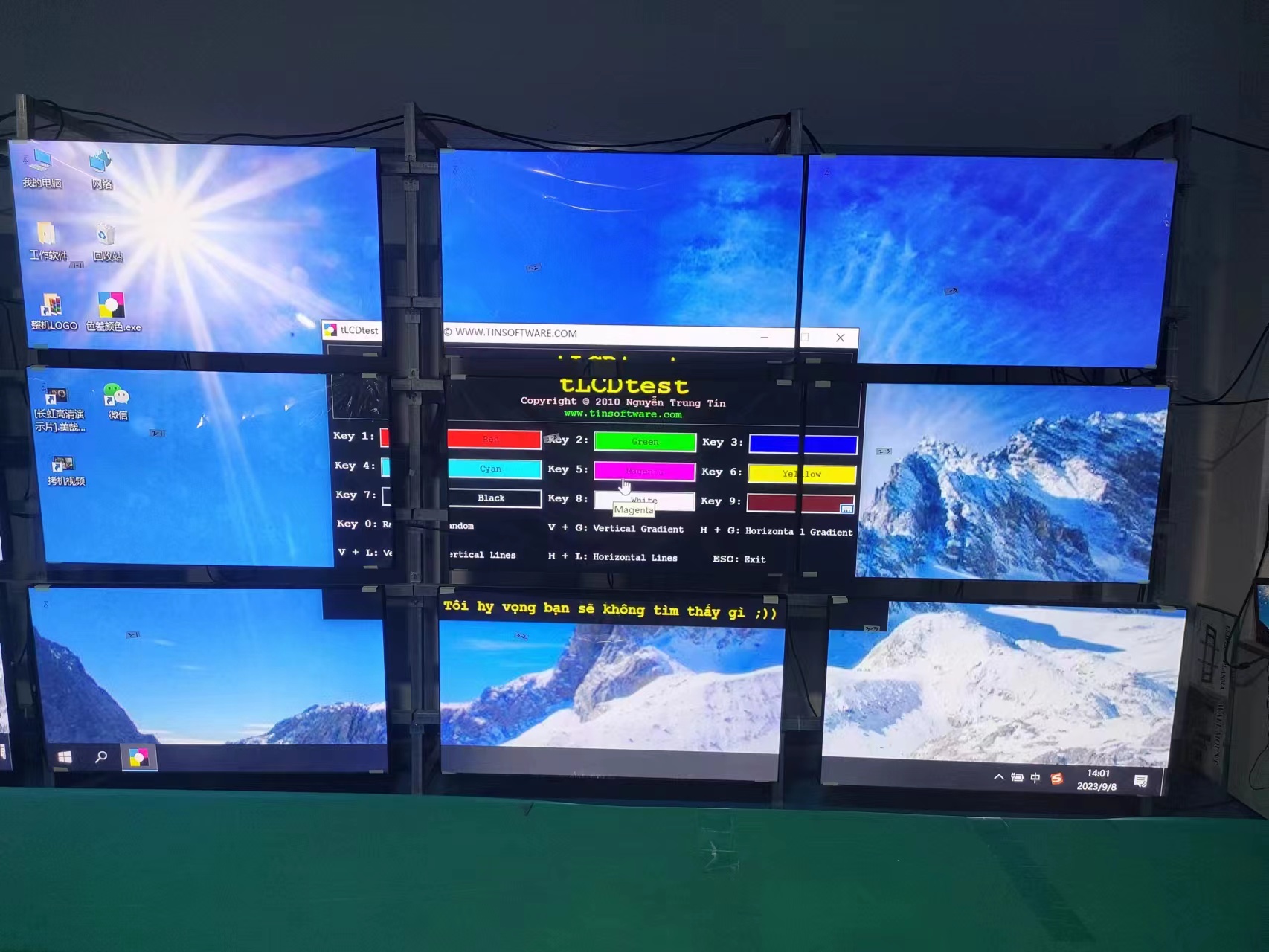
Personal Vehicle vs. Shipping Service
You can move triple 55-inch video wall displays in two ways. You can use your own vehicle or hire a shipping service. If you use your own vehicle, you get to check your displays often. You need a big van or truck to fit the cases upright. Make sure you tie down the cases so they do not slide.
Shipping services know how to move big, breakable items. They use special trailers that help stop shaking and keep your displays safe. Many companies let you track your displays as they travel. They use custom crates and packaging to protect against bumps and water. This makes shipping a smart choice for long trips or when you want extra safety.
Method | Pros | Cons |
|---|---|---|
Personal Vehicle | Full control, immediate access | Needs large vehicle, more effort |
Shipping Service | Expert handling, tracking, better equipment | Higher cost, less direct control |
Insurance Options
Insurance helps protect your displays while they travel. Always ask the shipping company what insurance they offer. Some companies give basic insurance, but you might want more for expensive displays. If you use your own vehicle, check if your car or business insurance covers the displays. Take photos and write down details before you ship. This helps if you need to make a claim.
Tip: Pick insurance that covers damage from shaking, bad tie-downs, and weather.
Route Planning
Plan your trip to skip bumpy roads, sharp turns, and steep hills. Choose smooth roads to keep your displays safe from shaking. Stay away from roads with low bridges or tight spaces. Try to keep your displays away from very hot or wet places. Use GPS and tracking to watch your displays as they move.
Pick roads that are smooth and have little shaking.
Stay away from rough roads and steep hills.
Use air-ride suspension trailers for land trips.
Watch your cargo with sensors if you can.
Good planning helps you avoid problems and keeps your displays safe. Careful planning is important for safe and secure shipping of your video wall displays.
Loading, Transit, and Unloading
Safe Handling Techniques
You must use safe handling techniques when you move triple 55-inch video wall displays. Always ask for help from another person. Each tv is large and heavy. You should lift each tv upright. Never tilt or lay the tv flat. This keeps the weight balanced and protects the screen. Hold the tv by the edges. Do not press on the glass. You can pinch the screen if you grip the front or back. This can cause cracks or lines on the tv. Wear gloves with a good grip. This helps you hold the tv securely and prevents slips.
Follow these steps for lifting and moving:
Stand on each side of the tv with your helper.
Bend your knees and keep your back straight.
Grip the tv by the sides, not the screen.
Lift together and keep the tv upright.
Move slowly and watch for obstacles.
Tip: Always clear your path before you move the tv. This prevents accidents and keeps your tv safe.
Secure Displays During Transport
You must secure each tv inside the shipping case. Place each tv upright in the foam slots. The foam absorbs shock and keeps the tv from moving. Use straps inside the case to hold the tv in place. Make sure the straps are tight but not too tight. This prevents pressure on the screen. Fill empty spaces with foam pads or air pillows. This stops the tv from shifting during shipping.
When you load the shipping case into your vehicle, place it on a flat, stable surface. Use tie-down straps to secure the case to the floor or wall of the van or truck. Check that the case cannot slide or tip over. Do not stack heavy items on top of the tv shipping case. This can crush the case and damage the tv inside.
Step | Action |
|---|---|
Place tv upright | Prevents bending and keeps screen safe |
Use foam and straps | Absorbs shock and holds tv in place |
Secure case in van | Stops sliding and tipping during shipping |
Avoid stacking | Protects tv from extra weight and pressure |
Monitor Conditions
You must monitor the environment during shipping. Extreme heat or cold can damage your tv. High humidity can cause moisture inside the tv. Use a thermometer and humidity gauge if possible. Keep the temperature between 64 and 72 °F. Keep the relative humidity between 45% and 55%. These ranges protect the tv from condensation and electronic failure.
Parameter | Recommended Range |
|---|---|
Temperature | 64–72 °F (18–22 °C) |
Relative Humidity | 45–55% |
Check the shipping case for signs of water or dust. If you use a shipping service, ask for updates on the location and condition of your tv. Some shipping cases have sensors that track shock and temperature. These sensors alert you if the tv experiences a strong shock or unsafe conditions.
Note: Monitoring conditions helps you catch problems early and keeps your tv working safely.
Unload Safely
When you reach your destination, unload the tv with care. Open the shipping case on a flat, clean surface. Remove straps and foam pads gently. Lift the tv upright with a helper. Do not drag or slide the tv out of the case. Place the tv on a prepared, flat surface. Make sure the area is free of dust and debris. Check the tv for cracks or loose parts before you set it up.
Follow these steps for unloading:
Open the shipping case fully.
Remove all straps and foam.
Lift the tv upright with two people.
Place the tv on a flat, clean table or stand.
Inspect the tv for damage.
Tip: Take your time during unloading. Rushing can lead to accidents and damage to your tv.
You can safely move your triple 55-inch video wall displays by following these steps. Use proper lifting, secure the tv in the shipping case, monitor the environment, and unload with care. This process protects your tv from shock, moisture, and accidents during shipping.
Post-Transport Inspection
Unpack and Inspect
Start by opening your shipping case on a flat, clean surface. Remove all foam pads and straps gently. Take out each display one at a time. Place them upright on a table or stand. Begin your inspection by looking for cracks, scratches, or loose parts on the screens and frames. Check the corners and edges for any dents. Use your photos from before transport to compare the condition. If you see any new marks, write them down. This step helps you spot problems early.
Tip: A careful inspection now can save you time and money later.
Test Functionality
Plug in each display and turn it on. Watch for any lines, flickering, or color issues on the screen. Try all the buttons and remote controls. Connect the cables and check if the display shows a clear picture. If you notice any problems, note them right away. Testing each display before setup helps you find hidden damage that you might miss during a visual inspection.
Setup Video Wall
After you finish your inspection and testing, you can start setting up your video wall. Choose the right spot for your screens. Use the correct mounting hardware and make sure each display lines up with the others. Connect your devices using VESA-compatible mounts. Pick your media source, such as a video wall controller or media player. Install your content management system and connect your player. Plan your content layout so it looks good across all screens. Test the setup and schedule your content to play.
Note: Good alignment and planning help your video wall work smoothly.
Check for Damage
Do a full inspection of the led screen after you finish setup. Look for any signs of damage that may have happened during mounting. Check all cables and connections. Make sure the screens sit flat and secure on the wall. If you find any issues, fix them before you use the video wall. Careful inspection and reassembly keep your displays working well and looking great.
Look for cracks or loose parts.
Test all functions.
Check alignment and connections.
A complete inspection after transport ensures your triple 55-inch video wall displays stay in top condition.
How to Transport an Indoor LED Screen
Preparation Steps
When you transport an indoor led screen, you need to prepare carefully. Start by turning off the led screen and unplugging all cables. Modular led screens are lighter than traditional panels, so you can move them more easily. Remove each led panel from its frame if possible. Place sensitive parts like control boards in separate, rigid cases. This step protects the led components from bumps and shocks. Choose a route that avoids rough roads. This reduces the risk of damage during transport. Always plan ahead to make sure you have enough space for the led screen and its parts.
Tip: Label each led panel and accessory. This makes reassembly faster and prevents confusion.
Packaging Tips
Proper packaging keeps your led screen safe during transport. Wrap each led panel in anti-static bubble wrap. This protects the led surface from scratches and static electricity. Place the wrapped led panels in sturdy boxes with padded interiors. Fill empty spaces with foam or packing peanuts to stop movement. Seal each box with strong tape. Mark every box as "FRAGILE" and "LED SCREEN" so handlers know to be careful. Pack control boards and cables in their own rigid cases. Custom-fit boxes work best for led screens because they match the size and shape of each panel.
Use anti-static bubble wrap for every led panel.
Fill gaps with foam or packing peanuts.
Seal and label each box clearly.
Transport Considerations
When you transport an indoor led screen, always keep the led panels upright. This prevents flexing and damage from vibrations. Avoid stacking heavy items on top of the led boxes. Protect the led screens from extreme temperatures. Do not leave the led panels in freezing or very hot places. Both heat and cold can harm the led components. Use a vehicle with a flat, stable surface for transport. Secure the led boxes so they do not slide or tip over. Check the led screens for damage as soon as you arrive.
Transport Tip | Why It Matters |
|---|---|
Keep led panels upright | Prevents flexing and vibration damage |
Avoid extreme temperatures | Protects internal led components |
Secure boxes in vehicle | Stops led screens from shifting |
If you follow these steps, you can transport an indoor led screen safely. Careful preparation, smart packaging, and the right transport methods protect your led investment every time.
You can protect your triple 55-inch video wall displays by following a clear checklist:
Choose a vehicle that fits the cases upright.
Always use two people to lift each display.
Wrap displays in shock-resistant material.
Secure displays in a lockable, waterproof case.
Prepare a soft, clean surface for setup.
After transport, inspect each display carefully. Use this table to guide your checks:
Stage | Inspection Type | Description |
|---|---|---|
1 | Component Check | Look for damage on parts. |
2 | Module Test | Test each screen for clear images. |
3 | Full Setup | Check the whole video wall for problems. |
Careful inspection and testing keep your displays working their best.
Reviewing the Top Cases for Triple 55″ Video Wall Displays in 2026
In 2026, building a triple 55″ video wall presents two main challenges: achieving a near‑seamless visual effect, and selecting the right mounting solution to support high‑brightness, ultra‑narrow‑bezel commercial displays. For a 3×1 horizontal configuration, several mainstream mounting options exist. Below is a breakdown of the core choices.
⚙️ Comparison of Core Mounting Solutions for 55″ Video Walls
Mounting Solution | Key Advantages | Best For | Representative Products / Brands |
|---|---|---|---|
Wall Mount Frame | High stability, space‑saving – the first choice for permanent installations. | Control rooms, corporate lobbies, conference rooms – long‑term fixed use. | Universal brands like StarTech, Multibrackets, or display‑brand own mounts. |
Freestanding Floor Stand | Flexible, movable – easy to install and maintain. | Exhibition halls, trade shows, events – spaces needing repositioning or temporary displays. | Premier Mounts, Chief, Peerless‑AV. |
Protective Flight Case | Physical protection during transport and storage; some integrate display functionality. | Touring exhibitions, rental applications – frequent transport or temporary use. | Gator EXPO E‑Series, etc. |
All‑in‑One Commercial Display | Extremely narrow bezels – near‑seamless tiling. | Luxury retail, premium showrooms – where image quality and minimal bezel gap are critical. | Samsung VHR‑R series, LG 55VSM5J‑H. |
🏢 Key Suppliers & Product Analysis for 2026
1. Samsung
Samsung is a leading brand in video walls, offering a broad product range for different needs.
Model | Brightness | Bezel Width | Approx. Price | Key Strengths |
|---|---|---|---|---|
Samsung VHB‑E Series | 500 nits | 3.5mm | $3,490 | Entry‑level, good value for general commercial display. |
Samsung VHC‑E Series | 700 nits | 3.5mm | $2,950 | Higher brightness than entry level – better visibility in bright environments. |
Samsung VM55B‑U | 500 nits | 0.88mm | N/A | Balance between value and micro‑bezel – good tiling effect at moderate cost. |
Samsung VHR‑R Series | 700 nits | 0.88mm | $4,590 | Flagship model – high brightness and ultra‑narrow bezel; ideal for luxury retail, premium showrooms. |
2. LG
LG also offers professional video wall solutions with highly competitive ultra‑narrow‑bezel technology.
Model | Brightness | Bezel Width | Key Strengths |
|---|---|---|---|
LG VH7J‑H Series | 700 nits | Not specified | Built‑in image improvement algorithm that optimises content near bezels, improving visual smoothness across multiple screens. |
LG 55VSM5J‑H | Not specified | 0.44mm (bezel‑to‑image) | Industry‑leading 0.44mm bezel‑to‑image distance – virtually borderless. Supports 24/7 operation. Ideal for visually demanding environments. |
3. NEC
NEC is renowned for professional displays with exceptional stability and reliability.
Model | Brightness | Bezel Width | Resolution | Key Strengths |
|---|---|---|---|---|
NEC UN552 Series | 500 cd/m² | 3.5mm | 1920×1080 | Ultra‑narrow bezel; built‑in SpectraView engine for excellent colour control and uniformity – consistent quality across tiled walls. |
NEC V554Q Series | 500 cd/m² | Not specified | 3840×2160 | 24/7 operation, anti‑glare surface, built‑in SoC media player and CMS platform – suitable for retail and corporate environments. |
4. Professional Mounting Solution Providers
Beyond display panels, the right mounting solution is equally important. Key case and mount suppliers in 2026 include:
Gator Cases (Protective Cases) – The Gator EXPO E‑Series (GEXPOELED55) is designed for 55″ LED/LCD screens. Constructed with 12mm plywood and laminated exterior, it provides excellent protection during transport and storage.
Multibrackets (Wall / Floor Mounts) – The M Pro Series cases feature Scandinavian design, support VESA 200×200 to 600×400mm, and offer universal landscape/portrait mounting.
Chief (Professional Mounts) – The Impact Series (e.g., LW55UBP/LW55UWP) provides wall‑mount cases specifically for 55″ portrait displays. Adjustable depth and flip‑hinge design greatly simplify installation and maintenance.
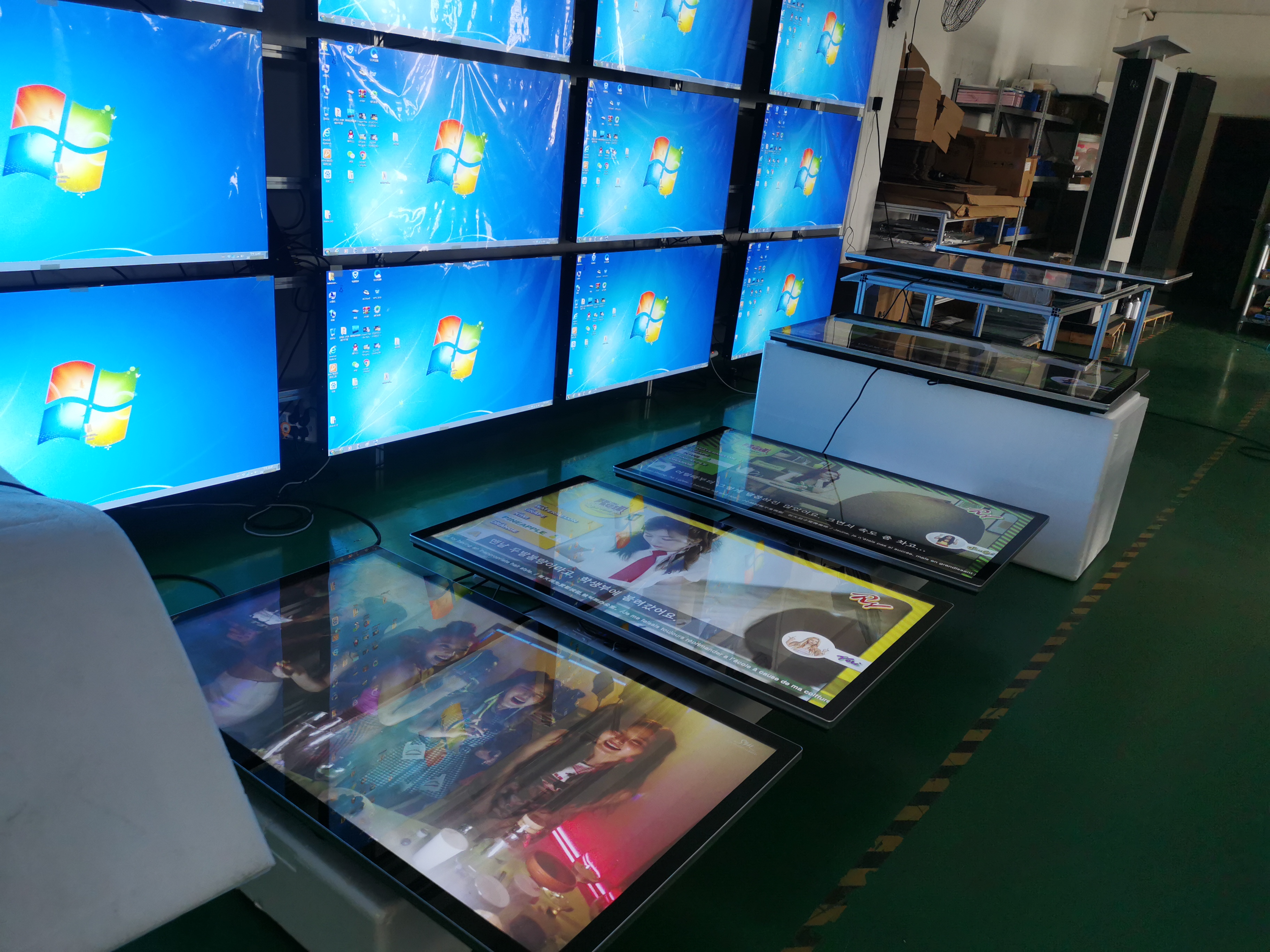
🛠️ Practical Case Study: Building a 3×1 Video Wall
Taking the installation of three 55″ displays in a commercial environment as an example, the typical process includes the following key steps:
Planning & Design
Choose location and viewing distance – Select a flat wall without direct glare.
Select displays – For near‑seamless tiling, high‑end models like the LG 55VSM5J‑H (0.44mm bezel‑to‑image) are ideal.
Consider thermal management – 55″ commercial displays generate heat. Ensure the wall and mount design leave adequate ventilation to prevent overheating.
Hardware Procurement
Display panels – Based on the comparison above, choose models that fit your budget and performance requirements.
Mounting frame – Select a sturdy wall mount suitable for the wall structure and display weight.
Video processor – For a 3×1 wall, a video wall controller that supports the required resolution is needed.
Cables – Purchase high‑quality HDMI or DisplayPort cables.
Installation & Configuration
Install mounts – Measure and mark precisely to ensure all three mounts are level.
Mount displays – Attach displays to the mounts and fine‑tune to achieve even bezel gaps and a flat plane.
Connect cables – Connect each display to the video processor and power.
Software Calibration & Content Management
Display calibration – Use built‑in tools on the displays and processor to adjust brightness, contrast, and colour for visual consistency across all three screens.
Set tiling parameters – Configure the 3×1 tiling mode in the processor or control software.
Content management – Use digital signage software (e.g., Samsung MagicINFO or a generic cloud CMS) to manage and publish content.
💰 Cost Considerations: From Hardware to Long‑Term Operation
Budget planning should not focus solely on screen prices. The table below estimates typical cost components for building a 3×1 video wall.
Cost Category | Estimated Range (USD) | Notes |
|---|---|---|
Hardware | ||
Commercial displays (3 units) | $4,000 – $12,000 | Depending on brand and model tier |
Video wall controller | $500 – $2,000 | Based on number of inputs/outputs and features |
Mounts (3 sets) | $200 – $600 | For universal brand mounts |
Cables & accessories | $100 – $300 | High‑quality HDMI/DP cables, power cords |
Installation & Services | ||
Professional installation | $500 – $1,500 | Includes site survey, installation, calibration |
Content Management System (CMS) | $300 – $1,000/year | Cloud SaaS annual subscription |
5‑Year Total Cost of Ownership (TCO) | $5,600 – $16,400 | Hardware + installation + software (estimate) |
💎 Summary & Recommendations
Choosing a video wall solution for three 55″ displays requires balancing visual impact, budget, and installation conditions.
For premium visual quality with ample budget – Prioritise ultra‑narrow‑bezel, high‑brightness commercial displays such as Samsung VHR‑R series or LG 55VSM5J‑H for a near‑borderless immersive experience.
For budget‑conscious but balanced performance – Entry‑level models like Samsung VHB‑E series or NEC UN552 series are more economical, offering decent display quality while controlling costs.
For flexible or mobile needs – Consider freestanding floor stands or protective flight cases. While display quality and stability may be slightly lower than fixed installations, they offer greater deployment flexibility.
Remember, a successful video wall is the result of good hardware + good solution + good maintenance. It is highly recommended to consult a professional AV integrator early in the project to obtain a complete design proposal and accurate quote.
FAQ
What is the safest way to transport triple 55-inch video wall displays?
You should use custom-fit shipping cases with foam padding. Keep each display upright. Secure the cases in your vehicle. Avoid stacking heavy items on top. This method protects your screens from bumps and shocks.
How do I prevent scratches on my screens during transport?
Clean your screens with a microfiber cloth. Wrap each display in anti-static material. Place foam pads between screens. Use cases with soft interiors. This keeps your screens safe from scratches.
Should I use a shipping service or my own vehicle?
You can use your own vehicle for short trips. Choose a shipping service for long distances. Shipping services offer expert handling and tracking. Both options need proper packaging and secure placement.
What are the top cases for triple 55'' video wall displays in 2026?
Case Name | Key Features |
|---|---|
ProGuard Triple 55 | Heavy-duty shell, wheels |
SafeTransit Max | ESD-safe foam, compartments |
UltraSecure ATA | Reinforced corners, secure |
These cases offer strong protection and easy mobility.
How do I check for damage after transport?
Inspect each display for cracks or loose parts. Compare with photos taken before transport. Test all functions. Look for lines or color issues on the screen. Write down any problems you find.
See Also
Selecting The Perfect LCD Video Wall For Your Area In 2026
Best 10 Digital Signage Video Wall Options For 2026
Selecting The Ideal Video Wall Digital Signage In Singapore 2026
