Big LCD Display or Big LED Display Which Is Right for You in 2026
Add.: 2F, Bldg 10, Changfeng Industrial Park, Dongkeng, Fenghuang, Guangming, Shenzhen, China 518132
Mobile/WHATSAPP: 86-138 25769658
Email: marketing@topadkiosk.com topadkiosk@gmail.com
Skype: pghenry1
Wechat: adkioskhenry
English Web.: https://www.topkioskdisplay.com/
http://www.ad-kiosk.com/
https://www.toplcddisplay.com/
http://www.multitouchdigitalsignage.com/
https://www.youtube.com/channel/UCYVYNJHxLVEcQD8fuUxXNTA/videos?view_as=subscriber
https://www.facebook.com/TOPADKIOSKSHENZHEN/?ref=bookmarks
As long as we have the blueprints, Shenzhen TopAdkiosk Display Technology Co., Ltd no worse than anyone else.
please contact Shenzhen TopAdkiosk Display Technology Co.

In 2026, LED displays work best in big, bright, or outdoor places. A big lcd display is still good for small rooms or if you have less money. You need to think about some important things. LED screens can be brighter than 6,000 nits. They last longer and are easy to see in sunlight. LCDs cost less and are good for inside use. But they do not work well outside and use more electricity. Think about what you need for your business, home, or outside before you choose.
Key Takeaways
LED displays work best outside because they are very bright and show smooth pictures. LCD displays cost less for inside use and give clear images with high detail when the light is controlled. Think about how you will use the display: pick LED for big events and ads, and pick LCD for small spaces and work that needs detail. Look at costs over time: LED displays can cost more at first but can save money on fixing and power later. Choose the right display for your space and budget to get the best results for your project.
Quick Comparison: LED vs LCD
Main Differences
It is important to know how big LCD and big LED displays are different. The table below helps you see how they compare in 2026:
Decision Factor | LCD Video Wall | LED Display |
|---|---|---|
System Architecture | Fixed units | Modular system |
Bezel / Seams | Visible (0.88–3.5 mm) | Seamless |
Scalability | Structurally limited | Virtually unlimited |
Maintenance | Full panel replacement | Module-level repair |
Failure Impact | One unit affects visible area | Localized impact |
Application Flexibility | Fixed installations | Fixed, rental, and outdoor |
Lifecycle Model | Replace on failure | Maintain and extend |
Commercial Usability | Limited | High (advertising, events) |
LED displays use a modular system. You can make very big screens with no seams. LCD video walls have thin bezels, but you will still see lines between panels. If you want a screen with no lines, LED is better.
Pros and Cons Overview
When you look at big LCD and big LED displays, think about brightness, price, power use, and repairs. Here are the main things to know:
Brightness: LED displays are much brighter. You can use them outside or in sunny rooms. LCD displays do not work well in sunlight and need backlights.
Seamlessness: LED displays have no lines at all. LCD displays have thin bezels, but you will notice lines.
Cost: LCD displays are cheaper to buy and set up. LED displays cost more at first, especially for fine-pitch types.
Maintenance: You can fix LED displays by changing small parts. LCD displays need the whole panel replaced, which takes more time and money.
Energy Efficiency: LED displays use less power. LCD displays use more, especially for big walls.
Ideal Use Cases: Pick LED for big, bright, or outdoor places. Pick LCD for smaller, indoor, or low-cost projects.
Tip: Think about where you will put your display. If you need it to be very bright and want no lines, LED is best. If you want to save money and use it inside, LCD is a good choice.
Always check these important differences before you decide.
Big LCD Display Explained
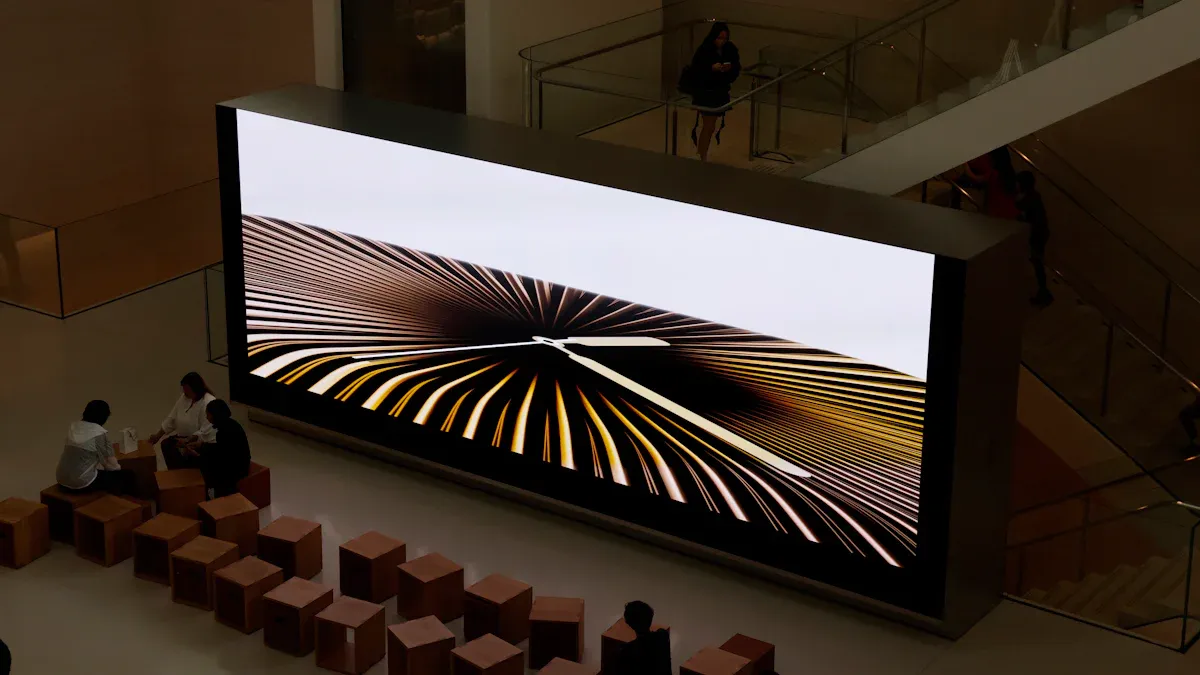
How LCD Works
You see a big lcd display in many places today. This type of lcd display uses a special technology. Each lcd panel has tiny liquid crystals. These crystals change how much light passes through them. A backlight shines behind the crystals. The crystals block or let light through to make images. In 2026, many big lcd displays use mini LED backlighting. This gives you better contrast and deeper blacks. Some new lcd display models use RGB mini LED for high brightness and a wider color range. You also get faster refresh rates, which help when you watch sports or play games. Quantum dot technology now makes colors look more real and bright.
Features of Big LCD Displays
A big lcd display gives you many features that help in indoor spaces. You get high resolution, so images look sharp even up close. Most lcd displays use less energy for high brightness compared to older models. The table below shows how a big lcd display compares to an LED display:
Feature | LCD Displays | LED Displays |
|---|---|---|
Brightness | Generally lower brightness | Higher brightness, better for outdoor |
Resolution | Higher resolutions at close distances | Lower resolutions at close distances |
Energy Consumption | More energy-efficient for brightness | Less energy-efficient overall |
Cost | More cost-effective | Higher price due to LED technology |
Viewing Angle | Narrow viewing angles | Wide viewing angles up to 160° |
Refresh Rate | Lower refresh rates | Higher refresh rates (3,840Hz to 7,680Hz) |
Contrast Ratio | About 350:1 | Can reach 5,000:1 or 8,000:1 |
Color Reproduction | Less vibrant colors | Richer and more realistic colors |
Visual Integrity | Visible seams between panels | Seamless splicing for immersion |
Appearance and Design | Thicker and heavier | Thinner, lighter, and more flexible |
Lifespan | 40,000–60,000 hours | Up to 100,000 hours |
You will notice that a big lcd display costs less and works well for indoor use. The lifespan of an lcd display is about 40,000 to 60,000 hours. You get good energy savings and sharp images. The lcd display does have visible seams if you use many panels together. The viewing angle is not as wide as LED, but it works well for most indoor rooms.
Where LCD Displays Fit Best
You should use a big lcd display in places where you control the lighting. Offices, studios, and classrooms are good examples. A big lcd display works well for professional work like graphic design, photo editing, and medical imaging. You also see lcd displays in home TVs, office monitors, and indoor digital signs. These displays give you high resolution and color accuracy in indoor spaces. The lcd display does not handle sunlight or outdoor use as well as LED. You get the best results when you use them in indoor areas with steady lighting.
How to Choose the Right Big LCD Display for Your Project
You need to think about a few key things before you pick a big lcd display. First, check the size you need for your space. Make sure the lcd display fits well and everyone can see it. Next, look at the resolution. Higher resolution gives you sharper images, which is important for close viewing. Think about high brightness if your indoor space has a lot of light. You should also check the intended use. For example, choose a big lcd display with fast refresh rates for gaming or sports. Last, set your budget. A big lcd display gives you good value and a long lifespan, so you get more for your money. Always match the lcd display features to your project needs for the best results.
LED Display Technology
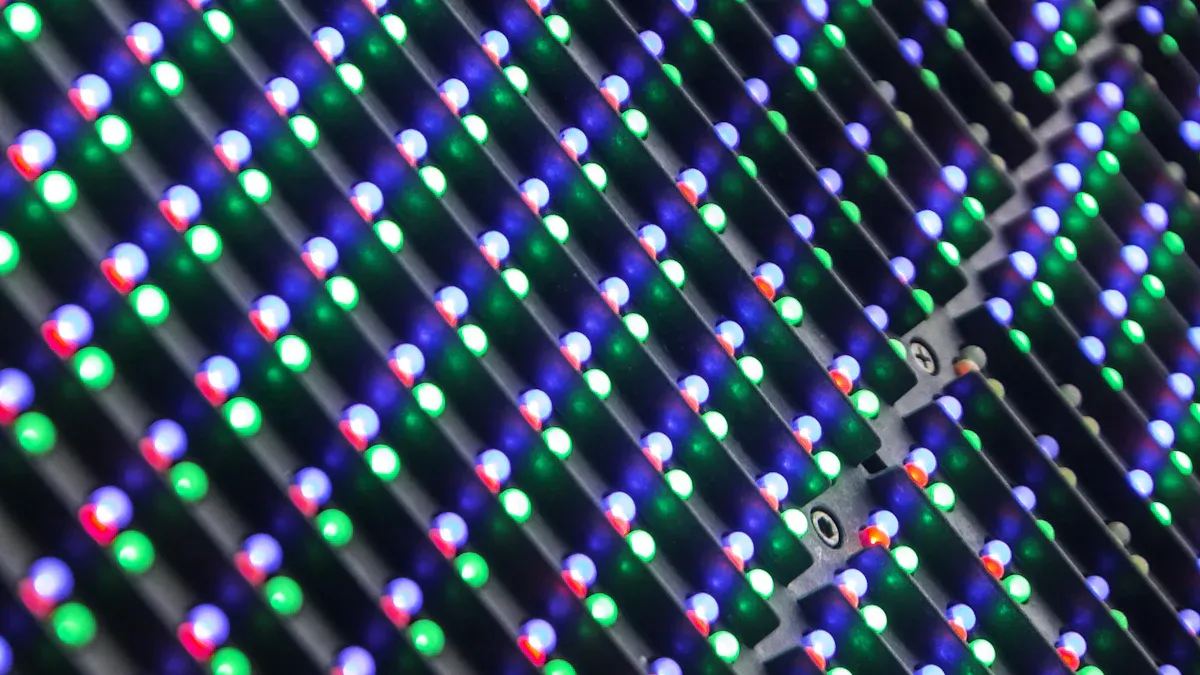
How LED Displays Work
You can see a led display in lots of places now. This technology uses many tiny leds to make pictures. Each led is a small light. When you put them together, they make a bright and colorful screen. The leds turn on and off very fast. This gives you smooth movement and clear pictures. In 2026, led display technology is much better. There are transparent led displays with very small pixels. These led displays show clearer pictures and you can see through them. Some led displays can bend and still look good. You can control some led displays by touching or moving your hand. Many led displays save energy and use safe materials. AI helps led displays change brightness and pick what to show. You also get help fixing problems before they happen, so your led display lasts longer.
Transparent led displays let you see products behind the screen and show clear pictures.
Flexible led displays can bend and fit in curved places.
Interactive led displays work when you touch or move your hand.
AI-powered led displays change brightness and what you see for you.
Energy-saving led displays use less power and are better for the earth.
Types of LED Displays
You can pick from different led display types for what you need. The table below shows the main types and where you use them:
Type of LED Display | Description | Applications |
|---|---|---|
Indoor Fixed LED Display | Made for places with steady lights and close viewing. | Used in offices, meeting rooms, studios, and stores. |
Outdoor Fixed LED Display | Built to last outside, with bright lights and strong parts. | Used on buildings, outdoor ads, stadiums, and bus stations. |
MicroLED and miniLED are popular in 2026. These led displays have better colors, are brighter, and last longer. You also see strong led displays in places that need to work all day.
Best Uses for LED Displays
A led display is great for many uses. You see led displays in stores, showing products on glass screens you can touch. These led displays help people choose what to buy. In public places, led displays run all day and night. They show ads, news, and directions. Smart cities use led displays to save power and share info. Airports and control rooms use led displays because they work nonstop. Transparent led displays are becoming more common. They let you see products and watch ads at the same time. Studies say 70% of people notice products more with a led display. You can use a led display for:
Showing products in stores
Digital screens in bus and train stations all day
City screens for public info
Big video walls in large stores
Control rooms and airports for nonstop work
Tip: Pick a led display if you need a bright screen, no lines, and long use. A led display works well inside and outside.
LED vs LCD: Detailed Comparison
Image Quality & Brightness
When you look at led and lcd, you see big changes in how they show pictures and brightness. Led displays use lots of tiny lights to make bright and colorful pictures. You can use a led display outside in the sun or in dark rooms. Lcd displays use liquid crystals and a backlight. They work best inside and give you clear pictures when you are close.
Here is a table to help you see the differences in pixel pitch and resolution:
Display Type | Pixel Pitch | Image Quality Implication |
|---|---|---|
LED | Higher | Lower image quality due to greater spacing between pixels |
LCD | Smaller | Higher image quality, ideal for close-up viewing environments |
Display Type | Example Size | Resolution |
|---|---|---|
LCD | 55" | 1920 x 1080 |
LED | 1.26 pixel pitch | 960 x 540 |
Lcd displays have higher resolution, so you see details better up close. Led displays are much brighter and work well for big rooms or outside. In 2026, led displays can be over 6,000 nits, so you can see them in sunlight. Lcd displays are not as bright and may look faded in bright places.
Note: If you want a screen for a meeting room or control room, lcd gives you clear pictures. If you need a screen for a store window or outside sign, led is the better pick.
Size, Scalability & Splicing
You should think about how big you want your screen and if you might need it bigger later. Led and lcd are different here. Led displays use a modular design. You can build a small or huge screen with no gaps. Lcd displays come in set sizes. You can put lcd panels together to make a bigger screen, but you will see lines where they meet.
Here is a table to show you the main points:
Feature | LCD Displays | LED Displays |
|---|---|---|
Size | Suitable for smaller setups | Modular design allows for larger configurations |
Scalability | Limited scalability for large spaces | Highly scalable, adaptable to various environments |
Seamless Splicing | Visible lines between panels | Seamless visuals with no gaps between units |
Led displays can get bigger as you need. You just add more modules.
Lcd displays are best for small rooms or places that do not need a huge screen.
Led displays give you a smooth picture with no lines, which is great for events or ads.
If you want a screen that can change size or shape, led is best. You can use it for big events, stadiums, or malls. Lcd displays work well for meeting rooms or classrooms.
Cost & Maintenance
You need to look at both the first price and the cost over time when you pick led or lcd. Lcd displays cost less to buy and set up. Led displays cost more at first, especially if you want fine-pitch types for close viewing. But led displays save you money later.
Here is a table to help you compare:
Display Type | Lifespan (hours) | Maintenance Costs | Total Cost Over 10 Years | |
|---|---|---|---|---|
LED | 100,000+ | Low | High | Lowest |
LCD | 50,000-60,000 | Moderate | Moderate | Higher |
Display Type | Lifespan (hours) | Maintenance Costs | Total Cost Over 7 Years |
|---|---|---|---|
LED | 100,000+ | Low | Lower |
LCD | 50,000-60,000 | Higher | Higher |
You also need to think about how easy it is to fix your screen. Led displays let you change small parts, so you do not have to turn off the whole screen. Lcd displays need the whole panel replaced, which takes more time and money.
Aspect | LCD Displays | LED Displays |
|---|---|---|
Requires at least three people and over 4 hours | Can be installed in around 2 hours | |
Repair Process | High cost and takes around a month | Quick replacement of modules without downtime |
Calibration Needs | Requires calibration upon installation and ongoing | Automatic configuration and calibration during installation |
Tip: Led displays cost more at first, but you save money on repairs and power. Over five or ten years, led displays usually cost less overall.
Energy Efficiency
You want a screen that saves power and works all day. Led displays use less energy than lcd. You can run a led display all day and night in busy places like airports or malls. Lcd displays use more power, especially for big walls.
Here is a table to compare energy efficiency:
Display Type | Energy Efficiency | Notes |
|---|---|---|
LCD | Less efficient | Traditional technology |
LED (dvLED) | More efficient | Ideal for high traffic areas, bright in sunlight, suitable for 24/7 operation |
Led displays help you save on your power bill. They last longer and need less fixing. Lcd displays are better if you want a small screen and do not need it to run all day.
Note: In 2026, led displays save more energy, last longer, and need less fixing. You pay more at first, but you get more value over time.
Summary Table: LED vs LCD at a Glance
Factor | LED Display | LCD Display |
|---|---|---|
Image Quality | Brighter, seamless | Sharper up close |
Size & Scalability | Unlimited, modular | Limited, fixed sizes |
Seamless Splicing | Yes | No (visible lines) |
Initial Cost | Higher | Lower |
Maintenance | Low, quick repairs | Higher, slow repairs |
Energy Efficiency | High | Moderate |
Total Cost | Lower over time | Higher over time |
Best Use | Large, bright, outdoor | Small, indoor, budget |
You should pick led if you want a big, bright, and flexible screen that saves you money later. Pick lcd if you need a sharp picture for a small space and want to spend less at first.
Pros and Cons of Each
Big LCD Display Pros & Cons
You will find that big LCD displays offer several advantages for indoor use. They give you sharp images and high resolution, which helps when you need to see details up close. LCD displays cost less than LED displays, so you can save money on your project. You also get a high contrast ratio, which means you see deeper blacks and brighter whites. This helps you notice more detail in your images. LCD displays work well in rooms with controlled lighting and do not need much space.
Here is a table to help you compare the main pros and cons:
Pros of LCD Displays | Cons of LCD Displays |
|---|---|
Lower color saturation | |
High contrast ratio | High energy consumption |
Brighter under sunlight | Pixels stay on until you turn off the screen |
You may notice that LCD displays do not give you the same color saturation as LED. The backlight in an LCD cannot create as much color depth. LCD displays also use more energy because the pixels stay on until you turn off the screen. You will see lines between panels if you build a large wall, so the display is not seamless. This can affect the seamless look you want for big projects.
Tip: Choose a big LCD display if you want a sharp image, need to save money, and plan to use it indoors.
LED Display Pros & Cons
LED displays give you many benefits, especially for large or outdoor spaces. You can build a seamless screen with no lines, which makes your content look smooth and professional. LED displays are very bright, so you can use them in sunlight or dark rooms. You can scale the display to any size, and the modular design lets you create seamless shapes for any space. LED displays use less energy and last longer, which saves you money over time.
Here are the main pros and cons:
Pros:
Seamless visuals with no lines between modules
High brightness for outdoor and indoor use
Flexible and scalable for any size or shape
Lower maintenance and longer lifespan
Energy efficient for 24/7 operation
Cons:
Higher initial cost, especially for fine-pitch displays
Lower resolution for close-up viewing compared to LCD
May require professional installation for seamless setup
You will see that LED displays give you the best seamless experience. You can use them for events, advertising, or any place where you want seamless visibility. The higher price may seem like a drawback, but you save money on repairs and energy. You also get seamless performance in any environment.
Note: Pick an LED display if you want a seamless, bright, and flexible screen for large or outdoor spaces.
Which to Choose in 2026?
Best for Business & Conference
You want a screen that helps everyone see your meeting. Both big LCD and LED screens are good for business rooms. If you need a clear picture up close, pick a commercial-grade lcd screen. It shows sharp images and lots of detail. This is great for boardrooms and control centers. People can sit near the screen and see everything well. LCD screens cost less at first and show fine details.
If your meeting room is big or very bright, think about an LED screen. LED screens have no lines, even when you make a big video wall. You can make the screen fit any room size. LED screens work well with bright lights and windows. Everyone can see the screen clearly. You can fix small parts if something breaks. For events or rooms that change a lot, a rental led wall lets you change the screen’s size and shape.
Tip: Use a commercial-grade lcd screen for small rooms and detailed work. Pick an LED screen for big halls, video walls, or bright rooms.
Best for Home Use
When you pick a screen for home, you want clear pictures and easy care. LCD screens are best for most homes. You get sharp images and a screen that fits in your living room. LCD screens cost less and use less power for small sizes. They last 50,000 to 60,000 hours, so you can use them for years.
LED screens work at home if you want a very big screen or have a bright room. LED screens are brighter and last longer. But they can look grainy if you sit close. You can fix small parts if needed, and they use less power over time. If you want a screen for outdoor movies or your backyard, LED screens work better outside.
Here is a table to help you compare:
Factor | LCD Displays | LED Displays |
|---|---|---|
Cost-effectiveness | Higher maintenance costs due to shorter lifespan | Lower maintenance costs with longer lifespan |
Usage environment | Better for indoor use with high-definition images | More suitable for outdoor use due to durability |
Brightness | Generally lower brightness levels | Higher brightness suitable for various conditions |
Image quality | Higher resolution and detail | Can appear grainy at close distances |
Maintenance | More frequent maintenance required | Easier maintenance with modular design |
Note: For most homes, an LCD screen gives you the best mix of picture quality and price. Pick an LED screen if you need a very big or outdoor screen.
Best for Outdoor & Public Spaces
You need a screen that is easy to see in sunlight and lasts in bad weather. Outdoor and public places need screens that are bright, strong, and easy to update. LED screens are best for these places. You see them on billboards, stadiums, and mall signs. LED screens can be very bright, from 1,000 to over 6,000 nits. Your message stays clear, even in direct sun. You can build huge video walls for any event or public area.
LED screens let you change what you show fast. You can update ads or info right away. These screens use less power and last up to 100,000 hours. They are a smart choice for outdoor billboards. LED screens work well in bright light and tough weather.
High visibility: LED screens are easy to see outside, even in sun.
Adaptability: Use them for ads, info, or smart city needs.
Technological improvements: New LED screens are brighter and use less power.
Demand for dynamic content: You can change messages quickly.
Support for smart city infrastructure: LED screens show traffic info and alerts.
Tip: Always pick an LED screen for outdoor, stadium, or public signs. You get the best results and dependability.
Other Scenarios
You might need a screen for stores, schools, or special events. Each place has a best choice.
Scenario | Product Description | Key Features |
|---|---|---|
Retail | 4,500 nits brightness, anti-glare treatment, designed for 24/7 operation, clear content under sunlight | |
Education | BOE 86″ Wide-Angle LCD Interactive Whiteboard | 120-degree viewing angle, distortion-free view for all students, enhances content delivery |
For stores, high-brightness LCD signs work well in windows. You get clear content, even in sunlight, and the screen runs all day. In schools, wide-angle LCD screens help every student see the lesson. For events, LED screens give you flexible layouts and seamless video walls. You can use a rental led wall for concerts, trade shows, or sports games.
Here is a table to help you compare features for special needs:
Feature | LCD Display | LED Display |
|---|---|---|
Typical brightness | 300 – 700 nits | 1,000 – 6,000+ nits |
Outdoor visibility | Poor in sunlight | Excellent, even in direct sun |
Best for | Indoor, low-light environments | Outdoor, semi-outdoor, bright lobbies |
Power Consumption | Higher (backlight always on) | Lower to moderate (depends on content) |
Lifespan | 50,000 – 60,000 hours | 100,000 hours (over 11 years of 24/7 use) |
Initial Cost | Lower ($300 – $800) | Higher ($800 – $2,500+) |
Think about how easy it is to fix, what happens if it breaks, and the cost. LED screens cost less to fix over time and are easier to see outside. LCD screens show sharp images up close and cost less at first.
Note: Pick your screen based on your needs. For outdoor, bright, or big spaces, LED screens give you the best results. For indoor, detailed work, or saving money, LCD screens are a smart choice.
LED displays give you the best results for large, bright, or outdoor spaces in 2026. Big LCD displays still work well for smaller rooms or if you want to save money. Use this checklist to help you decide:
Think about where you will use the display—indoors or outdoors.
Set your budget and compare costs.
Check the size and space for installation.
Look at power use and long-term savings.
Review image quality and viewing angles.
Match the display to your content needs.
You should match your top priorities—like budget, image quality, and environment—to the right screen. For more help, explore lists of top LED suppliers or compare renting and buying options for your project.
🗺️ First, Know Your Project Terrain
Before we get into specs, it's crucial to clearly map out your specific requirements. The best starting point is to define the answers to these four questions:
What is your primary use case? Are you building a central control room for monitoring data, a large video wall for advertising, a high-end home theater for immersive viewing, or a digital signage display for a retail store? Your application dictates every other decision.
What is the viewing environment? Will your screen be in a bright, sunlit lobby, a dimly lit corporate office, or in direct outdoor sunlight? This is the single most important factor for determining required brightness.
Who is your audience? Will the viewers be a single person directly in front of the screen, or a large group spread across a wide area? This will guide your decisions on viewing angles and size.
What's your long-term goal? Do you need a screen that can run 24/7 without fail, or is a consumer TV sufficient for occasional use? This impacts durability, warranty, and overall cost of ownership.
✨ The Two Pillars of Selection: Tech & Specs
Once you have a clear understanding of your project's context, you can start evaluating displays based on two core categories: the underlying technology and its performance specifications.
🧬 1. Understanding the Display Tech: LCD vs. Others
The foundation of any large-format display is its panel technology. While there are many options, this guide focuses on where standard LCDs truly excel. Here’s a quick look at how they fit into the broader landscape of large-format displays.
Technology | Strengths | Weaknesses | Best For |
|---|---|---|---|
LCD (with Direct-LED Backlight) | Excellent brightness, sharp pixels, good color accuracy, highly cost-effective. | Can have thicker bezels (though improving), potentially visible seams in video walls, may need active cooling for sunlight. | Corporate lobbies, retail signage, meeting rooms, control rooms, and any indoor, high-ambient-light application. |
Direct-View LED | Seamless at any size, ultra-high brightness (4,000+ nits), great power efficiency per sqm, long lifespan (~10 yrs). | Higher upfront cost for high-resolution needs, pixel pitch determines optimal viewing distance. | Outdoor digital billboards, large-scale indoor video walls for stadiums, and massive lobbies requiring an ultra-immersive experience. |
OLED | True blacks, infinite contrast, perfect viewing angles, incredibly thin design. | More susceptible to burn-in with static content (e.g., logos, menus), lower peak brightness than high-end LCDs, shorter lifespan, higher cost. | Luxury home theaters, high-end retail with changing artistic content, and museum exhibits where black levels are paramount. |
📊 2. Decoding the Core Specs
These are the technical details that will make or break your viewing experience.
Resolution: The Foundation of Clarity
For screens 65 inches and larger, 4K UHD (3840x2160) has become the minimum standard to ensure images look sharp. For detailed work like medical imaging or intricate design, consider 8K resolution for unparalleled pixel density (over 200 PPI). However, it comes at a premium cost and requires powerful media players to drive it.Brightness (nits): The Key to Visibility
This is the most critical spec for your environment. Here is a general guide:250-400 nits: Standard indoor use (offices, homes).
400-700 nits: Brightly lit indoor areas (retail stores, shopping malls).
700-1500 nits: Window-front displays, semi-outdoor locations.
5000+ nits: Direct, unfiltered sunlight. Many high-end outdoor screens reach 10,000 nits to combat glare.
Contrast Ratio & Refresh Rate
Contrast Ratio (Static): This represents the difference between the brightest white and darkest black. For static content like data dashboards, a ratio of 1000:1 (typical for IPS) is adequate. For high-end cinema or advertising, aim for over 3000:1 (common for VA panels) for deeper blacks and more vibrant colors.
Refresh Rate (Hz): Standard signage content (text, images) works well at 60Hz. For dynamic content like sports or gaming, you need higher rates (120Hz-144Hz) to prevent motion blur.
Other Critical Considerations: Viewing Angle & Response Time
Viewing Angle: For collaborative work or public spaces where people view from the side, an IPS panel with a 178-degree viewing angle is essential to ensure colors and contrast don't shift.
Response Time: This is crucial for interactive kiosks and fast-moving video. For interactive touchscreens, a response time under 5ms (milliseconds) is vital to feel snappy and avoid frustrating lag.
🎯 Your Application-Specific Roadmap
Now, let's put all that knowledge into practice. The table below summarizes the optimum specifications for different applications.
Application | Recommended Tech | Key Specs to Prioritize | Key Specs to Prioritize (Example) |
|---|---|---|---|
🏢 Corporate & Workplace | LCD (IPS Panel) | Wide viewing angle (178°), comfortable brightness (300-500 nits), slim bezels for modern aesthetics, & built-in conferencing tools | Size: 65–85" |
🛍️ Digital Signage / Retail | LCD (Commercial Grade) | High brightness (500-700+ nits for indoor; up to 2,500 nits for window-facing), 24/7 operation, portrait/landscape support | Size: 55–86" |
📺 Home Theater | LCD (or OLED) | High native contrast (3000:1 or more) for deeper blacks, wide color gamut, & high refresh rate (120Hz+) for smooth motion | Size: 75–98" |
🏟️ Video Wall / Control Room | LCD (Ultra-Narrow Bezel) | Minimal bezel-to-bezel gap (<3.5mm) for a nearly seamless canvas, 24/7 reliability, & professional-grade hardware to ensure color uniformity across all panels | Size: 55" (each panel) |
📈 Future-Proofing & Total Cost of Ownership
When budgeting, look beyond the sticker price. A cheap consumer TV may be fine for a few hours a day, but for 24/7 mission-critical use, you need a commercial-grade display. These units are built for continuous operation with better cooling, robust internal components, and longer lifespans, protecting your investment over time. Additionally, consider the media player that will drive the display. For simple playback, a cost-effective Android media player is sufficient. But for complex, multi-screen 4K/8K interactive content, you'll need a high-performance PC or professional media player with enough processing power and secure remote management capabilities. This ensures your system can handle your content needs today and any upgrades tomorrow.
💡 Pro Tip: Premium and Next-Gen Upgrades
Home Theater: For a truly premium movie-like experience, consider an LCD with Mini-LED backlighting. It offers a massive number of dimming zones (sometimes over 5,000) that can get incredibly bright (up to 4,000 nits) while still providing fantastic contrast.
Digital Signage: For a truly seamless look in video walls, you might explore MicroLED. It offers the perfect marriage of LCD-like resolution with the infinite scalability and brightness of direct-view LED, creating a completely uninterrupted canvas. For individual large displays, look for QLED, which enhances color and brightness on standard LCDs.
Your decision matrix should look like this: Start with your application and environment, then choose the technology (usually commercial LCD for most projects). From there, prioritize the key specs (brightness and resolution) for your specific use case. Finally, align the solution with your budget, balancing upfront costs against long-term operational reliability.
If you can share a bit more about your specific project, I can help you narrow down the options. Are you setting up a digital menu board in a fast-food restaurant, or a video wall in a high-end lobby? Knowing your main goal helps refine the recommendation.
FAQ
What is the main difference between a big LCD display and a big LED display?
You see a big LCD display use liquid crystals with a backlight. A big LED display uses many small lights to make images. LED displays give you seamless visuals and higher brightness. LCD displays cost less and work well indoors.
How do you choose the right big LCD display for your project?
First, measure your space. Next, check the resolution you need. Pick a display with high brightness if your room has lots of light. Set your budget. Match these features to your project goals for the best results.
Can you use a big LCD display outside?
You should not use a big LCD display outside. LCD displays do not handle sunlight or weather well. You get better results with an LED display for outdoor spaces.
Which display lasts longer, LCD or LED?
LED displays last longer. You can expect up to 100,000 hours from an LED display. LCD displays usually last 40,000 to 60,000 hours. LED displays also need less maintenance.
Are LED displays always better than LCD displays?
No, LED displays are not always better. You get the best value from LCD displays in small, indoor, or budget projects. LED displays work best for large, bright, or outdoor spaces.
See Also
Selecting The Perfect LCD Digital Signage For Your Business
Top LCD Display Kiosks For Retail Spaces This Year
Selecting The Ideal LCD Round Display For Your Project
