Best Windows Digital Signage Players Compared for 2026
Shenzhen TopAdkiosk Display Technology Co., Ltd.
Add.: 2F, Bldg 10, Changfeng Industrial Park, Dongkeng, Fenghuang, Guangming, Shenzhen, China 518132
Mobile/WHATSAPP: 86-138 25769658
Email: marketing@topadkiosk.com topadkiosk@gmail.com
Skype: pghenry1
Wechat: adkioskhenry
English Web.: https://www.topkioskdisplay.com/
http://www.ad-kiosk.com/
https://www.toplcddisplay.com/
http://www.multitouchdigitalsignage.com/
https://www.youtube.com/channel/UCYVYNJHxLVEcQD8fuUxXNTA/videos?view_as=subscriber
https://www.facebook.com/TOPADKIOSKSHENZHEN/?ref=bookmarks

You want the best Windows digital signage player for 2026. Experts say the Intel NUC Pro is a good choice. It has strong desktop performance and is small in size. You can use it for big video walls and interactive displays. You will not have hardware problems with it. If you need to show complex content or use interactive apps, this device works well. It gives you results you can trust. Before you pick one, check if it fits your budget. Also, make sure it works with your display resolution and other needs.
Market share for Windows players in 2026 is 24%. These devices are best for complex apps and interactive uses.
Player Type | Market Share | Trend | Primary Use |
|---|---|---|---|
Windows | 24% | ⬇ -3% | Complex apps, interactive |
Key Takeaways
Pick a Windows digital signage player that works for you. Think about features like 4K support, interactive tools, and remote control.
Find platforms that are easy to set up and use. This makes it simple to manage your content fast and well.
Check prices and what you get before you buy. Know the full cost, including software and hardware, so you get the best deal.
Choose a player with good customer support. Good help means problems get fixed fast and your network stays strong.
Use cloud-based platforms for remote control. You can update content and watch screens from anywhere. This saves you time and effort.
Key Criteria for Choosing a Windows Digital Signage Player
Essential Features
When you pick a Windows digital signage player, focus on features that help your business. The best platforms play videos in 1080p or 4K. They support H.264 and H.265 codecs. They connect with HDMI 2.1, USB 3.0, and Wi-Fi 6. You can manage your screens from far away. Cloud integration and multi-user access let you control things easily. These features help you use your software anywhere. Reliability is important, so look for watchdog timers and auto-recovery. These keep your displays working without stopping. Dynamic content and interactive features make your screens more fun and engaging.
Tip: If your software has centralized content management, you can update many screens at the same time.
Usability and Setup
Pick a platform that is simple to set up and use. Some platforms, like NowSignage, let you start devices fast with zero-touch setup. Others may take longer and need more steps. A user-friendly interface helps you handle interactive content and schedule updates. Quick setup lets you grow your solution as your business gets bigger. This is important when the market changes.
Compatibility and 4K Support
Make sure the player works with 4K displays and Windows 10 or 11. The Intel NUC 13 Pro can run up to four 4K screens at once. It has two HDMI 2.1 ports, Thunderbolt 4, and Wi-Fi 6E. This platform is reliable for all-day use and supports complex interactive content. If your player matches your software, everything works smoothly and keeps people interested.
Pricing and Value
Compare prices and value before you buy. Basic players cost $50-$100. Professional models cost $100-$250. Enterprise and industrial solutions can cost $1000 or more. Look at the total cost, not just the price you pay first. Think about how advanced features and scalability help you in the long run.
Customer Support
Good customer support helps you fix problems quickly. Pick a platform with strong support and regular updates. This is important for interactive setups and high engagement. Good support also helps you manage devices from far away and keep interactivity across your network.
Top Windows Digital Signage Players in 2026
BrightSign XD5
BrightSign XD5 is known for being dependable. It does not use Windows, but people compare it to windows digital signage players. It works well and has strong performance. You do not have many problems with software updates. You also do not need to fix it often. BrightSign XD5 is good for long-term use. It keeps your screens working most of the time. Its reliability helps you avoid random issues that other players might have.
Keeps screens working for a long time
Stops downtime by skipping many updates
Great for businesses needing screens on all day
Yodeck
Yodeck is a cheap windows digital signage player. You can start for $7.99 per screen each month. The platform is easy to use for managing content. It is good for groups with simple needs. The interface is easy to understand. You can use different hardware with it. Yodeck is smart if you want to save money and manage your players well.
Intel NUC
Intel NUC is a high-end windows digital signage player. It is small but powerful. It has a 13th Gen Intel Core processor. It uses Intel Iris Xe graphics. It has two HDMI 2.1 and Thunderbolt 4 ports. You can connect up to four 4K screens. It has fast Ethernet, Wi-Fi 6E, and Bluetooth 5.3. It works all day and night without problems.
You can use Intel NUC for hard tasks. It is good for video walls and interactive displays. It is perfect if you need a windows digital signage player that does not slow down.
AOPEN Chromebox
AOPEN Chromebox is not a windows digital signage player. Still, people compare it to Windows players. It is reliable and updates are easy. ChromeOS keeps your device safe from ransomware. You can control devices from far away with Google Admin console. This player is good if you want easy care and strong security.
NowSignage
NowSignage is a flexible windows digital signage player. You can manage big networks with its cloud platform. The system works with many kinds of devices. You can pair screens fast and deploy them quickly. You get advanced scheduling and dynamic content. Unlimited support is included. NowSignage is good if you want to grow your signage players and manage them from anywhere.
Feature | Benefit |
|---|---|
Browser-based CMS | Manage screens from any place |
Hardware agnostic | Works with many device types |
Instant screen pairing | Deploy screens fast and easy |
Advanced content management | Schedule and update content simply |
Unlimited support | Get help any time you need it |
MagicINFO
MagicINFO is Samsung’s digital signage platform. You can use it with Windows devices. It works best with Samsung hardware. MagicINFO gives you strong integration and remote management. It also offers analytics. It is reliable if you use Samsung displays and want to manage your windows digital signage player network in one place.
Xibo
Xibo is an open-source windows digital signage player. You can change it to fit your needs. Xibo lets you start small and grow bigger as your business grows. You need some tech skills, but you get flexibility. Xibo is smart if you want to control your digital signage players and change them as your needs change.
ScreenCloud
ScreenCloud is a cloud-based windows digital signage player. It is easy to use and has strong integrations. ScreenCloud is good for big companies. It helps you send content to many devices. It supports internal communications. You can trust its app ecosystem to keep your signage players working well.
Tip: If you manage many windows digital signage player devices, use platforms with strong remote management tools. This makes updating content and watching your signage players easier from anywhere.
Windows Digital Signage Player Comparison
Features and Performance
You want digital signage software that works well and has cool features. Intel NUC is strong and can handle interactive and dynamic content. It supports up to four 4K screens. This makes it great for video walls and interactive displays. NowSignage and ScreenCloud are cloud-based platforms. They have remote management, scheduling, and multi-user access. These features help your business grow. BrightSign XD5 is not a Windows device, but people compare it because it works well and rarely stops working. MagicINFO works best with Samsung hardware. It also supports Windows and gives analytics and strong integration. Xibo is open-source and flexible. You can change it for special interactive needs.
Ease of Use
You need a platform that is easy to set up and use. ScreenCloud is simple and easy to control. Users can manage screens in many places. You do not need to be a tech expert. NowSignage lets you pair screens fast and use a browser-based CMS. This makes setup quick and easy. Yodeck is good for beginners and is not expensive. If you want to manage many players from far away, pick a platform with a dashboard and remote update tools. These features save time and keep your content new.
ScreenCloud: Easy to use, quick setup, remote management
NowSignage: Fast deployment, browser-based control
Yodeck: Simple for beginners, affordable
Tip: Use digital signage software with remote management. You can update and watch your signage players from anywhere. This is important for big networks.
Device and Software Compatibility
Compatibility is important when picking digital signage platforms. Windows-based signage players work with many types of software. They give strong performance and support for complex interactive uses. Intel NUC and NowSignage work well with Windows 10 and 11. They support many screens and interactive features. MagicINFO works best with Samsung hardware but also supports Windows. Xibo and ScreenCloud work with many device types.
System | Advantages | Disadvantages | Best For |
|---|---|---|---|
Windows | Higher cost, maintenance | Complex interactive scenarios |
Windows is popular because it works with lots of software and hardware. You can use advanced features and interactive content without problems.
Pricing Overview
Prices for digital signage software are different for each platform. Most use a subscription and charge per screen. Prices go from $7 to over $45 each month. If you pay yearly, you get a 10–29% discount. Free and freemium models are good for testing but have limits. NowSignage has flexible prices for all budgets. Yodeck is one of the cheapest. ScreenCloud and MagicINFO have plans for big networks. Some platforms let you pay once, but most people like subscriptions for updates and growth.
Free and Freemium Models: Good for testing, limited features
Subscription-Based Pricing: Most common, scalable
Perpetual Licensing: One-time payment, less common
Support and Updates
You need good support and updates to keep your signage players working. Visix gives three to four updates each year. These add new features and fixes. Support teams help with updates and problems. ScreenCloud is known for friendly and fast support. Users get answers quickly. Support should match your business hours, especially if you stay open late. NowSignage gives unlimited support. This helps you manage big networks and keep people interested. Updates keep your software safe and working with new hardware.
Visix: Frequent updates, technical support
ScreenCloud: Fast, friendly support
NowSignage: Unlimited support, cloud-based help
Note: Pick a platform with support that matches your hours. This way, you get help when you need it.
Best for Specific Scenarios:
Best for Budget: Yodeck is cheap and simple for small businesses.
Best for 4K and Interactive: Intel NUC is powerful and supports many 4K screens and interactive features.
Best for Enterprise: ScreenCloud and NowSignage are good for big networks. They have advanced features and strong support.
Best for Customization: Xibo lets you change your digital signage software for special interactive needs.
Digital Signage Software and Integration
Software Features
You need digital signage software that is easy to control. The right software helps you handle content and set up updates. It also lets you check how your screens are doing. Most businesses want tools for managing content, updating from far away, and smart scheduling. These tools let you upload and organize media files. You can put them into playlists and pick when they play. This helps your business run better.
Here is a table that shows the most important features in digital signage software:
Feature | Description |
|---|---|
Content Management Tools | Upload, organize, and arrange media files into playlists. |
Remote Updates | Manage screens from anywhere without manual work. |
Smart Scheduling | Play content at specific times for better efficiency. |
Multimedia Support | Use video, HTML5, and live streams for dynamic content. |
User Management | Give team members different roles for content management. |
Integration Capabilities | Connect with other tools and show data from many systems. |
Playback Analytics | See how content performs and measure effectiveness. |
These features help you make strong content plans. Good digital signage software lets you use interactive content. It also gives you more ways to make your screens fun. You can use analytics to see what works best. This helps you make better content next time.
Integration with Windows Devices
You want your digital signage software to work well with Windows devices. The best platforms are easy to set up and work fast. They have lots of apps you can use. You can use PCs, tablets, or special digital signage players. This gives you choices for your interactive displays.
Feature | Description |
|---|---|
Compatibility | Works with all Windows devices, including PCs and tablets. |
Setup Ease | Quick and simple process for displaying digital signage content. |
Performance | Reliable software for smooth playback and optimal results. |
App Ecosystem | Access many apps for content creation and third-party integration. |
A cloud-based platform lets you control many devices from one place. You can update content and watch your screens without being there. You can also control how people use the screens. This makes it easy to grow your system and keep everything working. For making and changing content, pick software that works with both cloud and local options. This helps you change with your needs and give interactive experiences everywhere.
Tip: Use cloud tools to control many Windows digital signage devices from far away. This saves time and keeps your screens fresh.
Summary Table and Best Use Cases
Comparison Table
This table helps you compare digital signage platforms. It shows main features, prices, and best uses for each one. You can see which platform fits your needs in the market.
Platform | Price Range | 4K Support | Interactive Features | Cloud-Based Platform | Best Use Case |
|---|---|---|---|---|---|
Intel NUC | $$ | Yes | Advanced | Optional | 4K, Interactive Walls |
Yodeck | $ | Yes | Basic | Yes | Budget, Small Biz |
ScreenCloud | $ | Yes | Advanced | Yes | Enterprise, Remote |
NowSignage | $ | Yes | Advanced | Yes | Enterprise, Growth |
Xibo | $ | Yes | Customizable | Optional | Custom, Open Source |
MagicINFO | $ | Yes | Advanced | Yes | Samsung Displays |
BrightSign XD5 | $$ | Yes | Advanced | No | Reliability, 24/7 |
AOPEN Chromebox | $ | Yes | Moderate | Yes | Security, Easy Mgmt |
Tip: Pick a cloud-based platform to control many Windows digital signage devices from one dashboard. This makes remote updates and content easy.
Best for Budget
If you want to save money, Yodeck is a smart choice. It costs less and is easy to set up. You can start with simple interactive content. As your needs grow, you can add more features. Yodeck works well for small businesses or schools. It lets you try digital signage without spending a lot.
Best for 4K
Intel NUC is best if you want great 4K and interactive displays. You can use up to four 4K screens at the same time. This platform lets you make advanced content and interactive displays. You get strong performance for video walls and high engagement. Intel NUC helps your business stand out with top visuals.
Best for Enterprise
For big networks, you need advanced features and easy management. ScreenCloud and NowSignage give you strong cloud tools. You can control many screens, schedule content, and track engagement. These platforms support interactive content and make content development simple. You can grow your digital signage as your business gets bigger.
Note: Good content creation and remote management keep engagement high. Use analytics to improve your content and see what works best.
How to Select the Right Windows Digital Signage Player
Decision Checklist
You want to pick the best Windows digital signage player. Use this checklist to help you decide:
Define Your Goals
Decide what you want your screens to do. Are they for advertising, wayfinding, or interactive kiosks? Think about how people will use your screens.Check Display Needs
Count how many screens you need. Decide if you want 4K or more than one screen. Interactive displays need stronger hardware.Review Content Creation Tools
Make sure the platform lets you make content easily. Look for templates and drag-and-drop editors. Check if it supports videos or live feeds.Test Remote Management
Pick a player you can control from anywhere. Remote tools let you update content and watch screens without going to each place.Compare Pricing and Support
Look at the total cost, including software and hardware. Good support helps you fix problems quickly.
Tip: Write your needs down before shopping. This helps you find features that fit your goals.
Matching Needs to Features
Match your business needs to the features of each player. If you want high engagement, choose a platform with strong interactive options. Interactive content keeps viewers interested and helps you stand out. For big networks, remote management tools save time and make updates easy. Use platforms with dashboards and alerts for quick fixes.
Need | Feature to Look For |
|---|---|
Interactive displays | Touch support, sensors |
High engagement | Dynamic content, analytics |
Easy content creation | Templates, media support |
Remote control | Cloud dashboard, alerts |
When you manage many devices, use smart steps. Set up groups for your screens. Schedule regular updates. Use monitoring tools to check device health. Cloud dashboards and mobile apps help you make quick changes. Always test new content before sending it everywhere. This keeps your network working well and boosts engagement.
You now know about the top Windows digital signage players for 2026. Intel NUC is great for 4K screens and interactive walls. Yodeck is a good deal for small businesses. ScreenCloud and NowSignage help you run big networks and get people interested. Pick a player that matches what you want and how much you can spend. Use remote tools to update your screens and make them more fun for everyone.
Tips for Managing Multiple Windows Digital Signage Devices Remotely
Remotely managing multiple Windows‑based digital signage devices scattered across different locations comes down to a reliable combination of strategies: locking down the devices, pushing content, monitoring system health, and automating recovery.
The table below summarises common remote management approaches and recommendations for different scales.
Strategy | Core Function | Example Tools / Solutions | Small Scale (≤10 screens) | Medium to Large Scale (10–1000+ screens) |
|---|---|---|---|---|
🚀 Lightweight signage player with self‑healing | Lean OS designed for signage – supports remote updates, watchdog timers, automatic recovery; reduces failures at source. | Korbyt Player Kit, BrightSign OS | ⚠️ Not first choice | ✅ Highly recommended |
🔧 RMM platform as operations centre | Unified remote monitoring and management – asset monitoring, bulk scripting, alerting, professional IT operations. | NinjaOne, Atera, ConnectWise RMM | ❌ Overkill | ✅ Highly recommended |
🔒 MDM / UEM for device lockdown | Unified endpoint management – kiosk mode, bulk configuration, content distribution – ensures devices run only the signage app. | Hexnode UEM | ⭐ Consider | ✅ Highly recommended |
📄 Web‑based CMS for content management | Cross‑platform cloud CMS – scheduling, drag‑drop builder, multi‑user roles, content analytics. | Embed Signage, DisplayMonkey | ✅ Lightweight, free/low‑cost options | ✅ Necessary, on‑premise cost‑effective |
🔌 Hardware + software integrated solutions (industrial PC vendors) | Deep integration of hardware and software – stable remote monitoring, control, and system recovery. | Advantech DeviceOn, LG SuperSign Control+ | ❌ Too expensive | ⭐ Preferred for industry‑specific or large‑scale deployments |
🖥️ Native Windows capabilities | Use built‑in tools: RDP, Group Policy, PowerShell, Windows 11 digital signage mode – zero cost. | RDP, PowerShell Remoting, Win11 Kiosk Mode | ✅ Zero cost, ready to use | ❌ Inefficient for large scale, limited for complex operations |
💡 Trend insight: Microsoft introduced a “digital signage mode” in a 2025 Windows 11 update that turns the screen black after a critical failure (e.g., BSOD). This improves professionalism to some extent, but it merely hides the problem rather than fixing it – manual on‑site intervention is still required.
Choosing the Right Combination
Selecting the right tools depends on your current device scale and management needs. Here are recommendations for small scale, medium‑large scale, and professional scenarios still using Windows 10.
🚀 Small scale, zero budget – low‑cost and easy to start
Content management: Choose a web‑based cloud CMS with free or low‑cost plans – e.g., Embed Signage or open‑source DisplayMonkey. Manage playback schedules and content for all screens from a browser.
Device management: Use native Windows capabilities – configure Kiosk mode via Group Policy, automate tasks with PowerShell scripts. This meets basic needs at no cost.
Recommended combination: Open‑source / low‑cost CMS + native Windows tools.
🔧 Medium to large scale / professional deployment – efficiency and stability
As the number of screens grows, professional tools become essential. Follow the principle of separating content management from device management.
Content distribution (CMS): Use a cross‑platform cloud CMS for unified management. On‑premise deployment gives flexibility and data control; SaaS reduces hardware and maintenance costs.
Device management (RMM): Introduce a professional RMM platform (e.g., NinjaOne, Atera) as a central “cockpit” – monitor assets (CPU, memory, disk), bulk deploy scripts, automate vulnerability patching.
Device lockdown (MDM/UEM): Use MDM to lock Windows devices into Kiosk mode so they can only run the signage app. Solutions like Hexnode UEM seamlessly integrate content publishing and deep device lockdown.
🥇 Industry benchmark – extreme system integration and stability
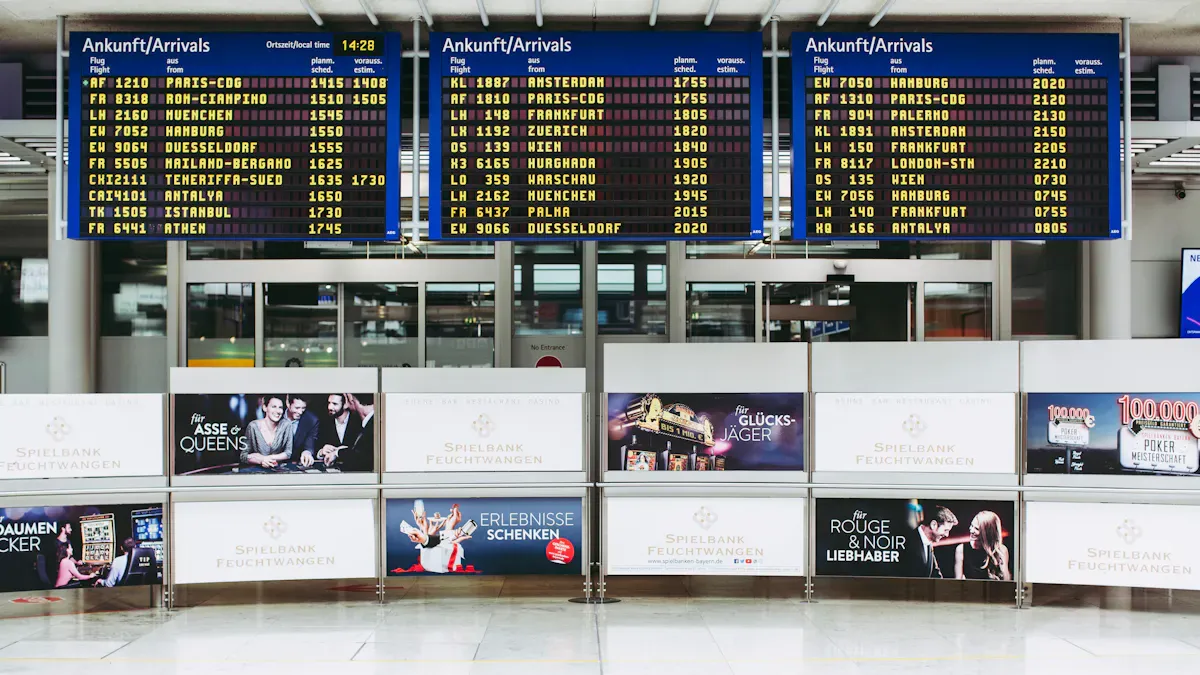
For mission‑critical applications (e.g., flight information display systems at airports), choose hardware‑software integrated solutions to ensure zero failures.
Deep integration: Opt for integrated management platforms from professional industrial PC vendors – e.g., Advantech DeviceOn, LG SuperSign Control+. These are deeply optimised for commercial signage, tightly binding hardware and system management for maximum reliability.
⚙️ Practical Guide: Three Steps to Efficient Remote Management
Regardless of which solution you choose, remote management follows a clear logic.
1. Content Management – The Cloud “Brain”
First, set up a central CMS. Administrators can create playlists, schedule content, and design layouts online, then push the packages to all devices over the internet – “create once, synchronise everywhere”.
2. Device Lockdown – Defend the Endpoint
Before distributing content, lock down each device so it cannot exit the signage app and return to the Windows desktop.
Kiosk mode: Use MDM or native Windows configuration to create a restricted account that launches only the designated signage application on startup.
Group Policy hardening: Under “Computer Configuration” > “Administrative Templates”, enable policies like “Hide notification area”, “Prevent access to registry editing tools” – this streamlines the system and prevents unwanted pop‑ups.
3. Operations & Support – The Remote “Cockpit”
This is the core of remote management, handled by professional RMM and MDM/UEM tools.
📊 Unified monitoring: View all devices’ health (CPU, memory, network, disk, etc.) on a single dashboard. Set custom alerts (e.g., offline, high CPU) to receive automatic notifications.
📜 Scripting & automation: Use the platform to run PowerShell scripts in bulk – for software installation, configuration changes, log cleanup – greatly improving efficiency.
🔧 Remote access & control: When a device has an issue, initiate a remote connection directly from the platform to troubleshoot deeply, as if on site.
♻️ Self‑healing & recovery: Advanced platforms support automatic recovery. If the signage application becomes unresponsive, the system can restart the service or even trigger a system‑level recovery – minimising downtime.
💎 Summary
The core of remote management is building a closed loop from content distribution → device lockdown → system monitoring. For large‑scale deployments, a combination of cloud CMS + professional RMM + MDM device lockdown is recommended. If you demand the highest reliability or already use specific hardware, prioritise the hardware vendor’s integrated management solution.
If you are willing to share your device scale (e.g., number of screens, locations), I can offer more targeted advice.
FAQ
What is a Windows digital signage player?
A Windows digital signage player is a device or software. It shows digital content on screens. You can use it to play videos, pictures, or interactive apps. These are used in stores, schools, and offices.
How do you manage multiple Windows digital signage devices remotely?
You can use cloud-based platforms for this. These let you update content and watch your screens. You can also plan changes from one dashboard.
Tip: Set alerts for problems with your devices. This helps you fix things fast.
Can you use any Windows PC as a digital signage player?
Yes, most Windows PCs can be used. Make sure your PC fits the software’s needs. It should also support your screen’s resolution.
Note: Old PCs might not work well with 4K content.
What features should you look for in digital signage software?
Look for easy ways to manage content and update from far away. Scheduling and analytics are also important.
Templates help you make content quickly.
Analytics tell you how your screens are doing.
Is digital signage software expensive?
Prices are different for each platform. Some start at $7 per screen each month. Enterprise solutions cost more money.
Tip: Try free versions first to see what features you like.
See Also
Beloved Digital Signage Players Set to Shine in 2026
Innovations in Digital Signage Technology Coming in 2026
Best Digital Signage Solutions for Retailers in 2026
Leading Video Wall Digital Signage Options for 2026
Seven Key Trends Influencing Digital Signage Players in 2026
