TFT LCD color monitor picks for safer driving
https://www.youtube.com/watch?v=BpUf1Yb5J_s
Add.: 2F, Bldg 10, Changfeng Industrial Park, Dongkeng, Fenghuang, Guangming, Shenzhen, China 518132
Mobile/WHATSAPP: 86-138 25769658
Email: marketing@topadkiosk.com topadkiosk@gmail.com
Skype: pghenry1
Wechat: adkioskhenry
English Web.: https://www.topkioskdisplay.com/
http://www.ad-kiosk.com/
https://www.toplcddisplay.com/
http://www.multitouchdigitalsignage.com/
https://www.youtube.com/channel/UCYVYNJHxLVEcQD8fuUxXNTA/videos?view_as=subscriber
https://www.facebook.com/TOPADKIOSKSHENZHEN/?ref=bookmarks
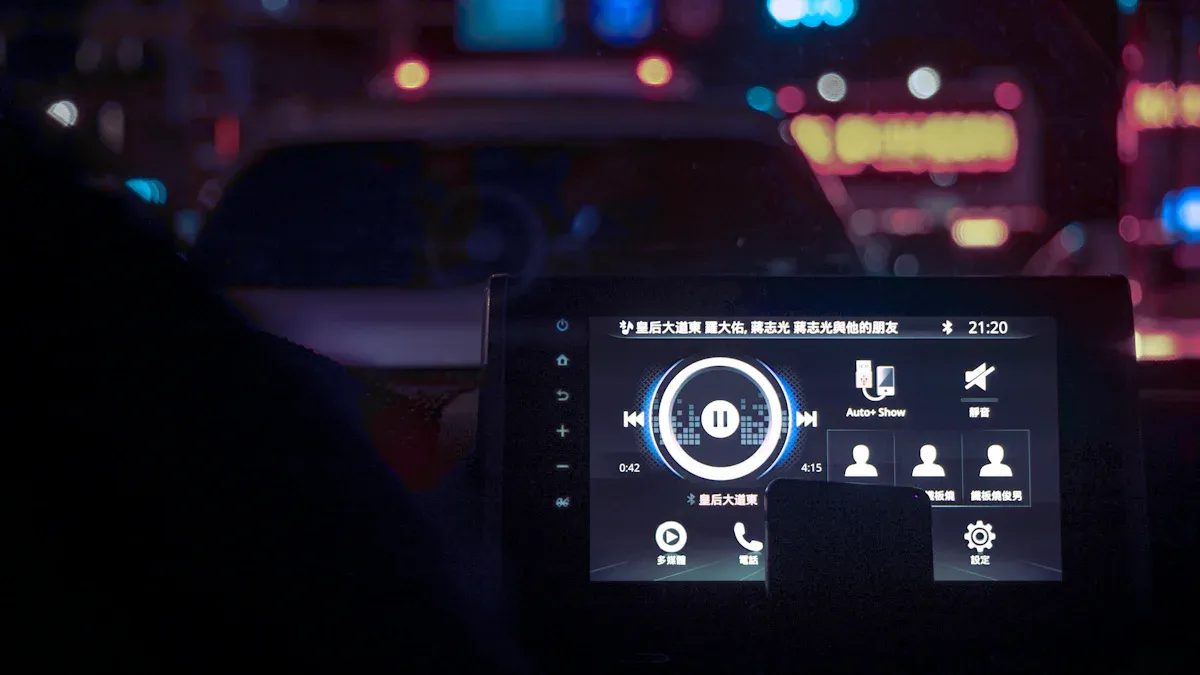
Looking for the best screen for your car in 2026? You can look at the Newhaven Display 4.3-inch. The E3 Displays 7-inch Capacitive Touch is another option. Planar Systems 5-inch Automotive Monitor is also good. These models have bright colors and work well. They also have smart safety features. When you use a tft lcd color monitor, you see clearer pictures. It is easier to get important driving info. More people are buying these displays. Sales may reach almost $30 billion by 2033. You can read reviews and tips for choosing the right monitor below.
Key Takeaways
Pick a TFT LCD monitor that matches your car’s dashboard size. This helps you see the screen well and use it easily. - Find features like automatic brightness change and ADAS integration. These features make driving safer. - Think about the screen’s resolution and technology. More pixels give you clearer and sharper images. - Choose a monitor that cuts down glare and has night vision. This helps you drive safely in different lighting. - Look for warranty and support options. This way, you get help if your monitor has problems.
Top tft lcd color monitor picks 2026
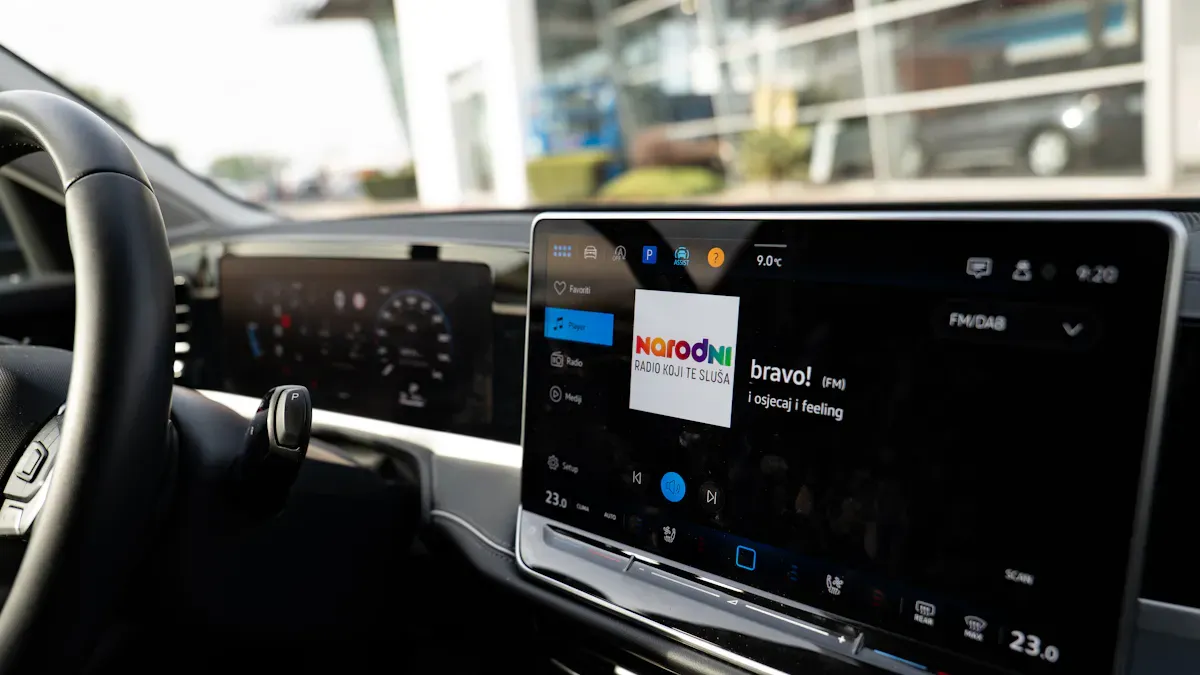
Newhaven Display 4.3-inch TFT LCD Review
You want a screen that looks good in any car. The Newhaven Display 4.3-inch tft lcd color monitor shows clear pictures and reacts fast. You can see the screen well, even when sunlight shines on it. This model uses IPS technology, so colors stay bright from every side. The capacitive touchscreen feels smooth and responds quickly to your touch. You can use it with gloves or wet hands after you set it up.
Here’s a quick look at the specs:
Specification | Details |
|---|---|
Size | |
Resolution | 800x480 Pixels |
Display Type | IPS |
Touchscreen | Capacitive + Cover Glass |
Interface | RGB |
Controller/Driver | EK9716B |
CTP Controller | FT5426 |
Brightness | 723-nit LED backlight |
Colors | 16.7M |
Display Mode | Transmissive |
Optimal View | Full View |
Outline (L x W x H) | 105.5mm x 67.2mm x 4.65mm |
You get more than just a nice screen. This tft lcd color monitor helps you drive safer. It changes brightness by itself, so you do not have to adjust it. The screen shows all your driving info in one spot. You see ADAS alerts, like lane warnings and collision alerts, right when you need them.
Safety Feature | Benefit |
|---|---|
Clear view in any light | |
Information Consolidation | Less distraction, more focus |
ADAS Integration | Real-time safety alerts |
Enhanced Awareness | Better understanding of your surroundings |
Pros:
Bright, clear screen in all weather
Touchscreen responds fast
Shows safety alerts right away
Fits most dashboards easily
Cons:
Small screen may not fit big cars
Needs setup for glove or wet use
Best for:
You will like this tft lcd color monitor if you drive a small car or want a simple upgrade. It is great for city driving and for people who want safety features without a big screen.
E3 Displays 7-inch Capacitive Touch Review
If you want a bigger screen and more control, try the E3 Displays 7-inch tft lcd color monitor. This model has a flat front, so cleaning is easy and it looks modern. The multi-touch lets you pinch, swipe, and tap like your phone. You can use it with bare fingers, and with some setup, it works with gloves or wet hands too.
Here’s what you get:
Feature/Metric | Description |
|---|---|
Functional through multiple layers | Yes |
Works outdoors | Yes |
True flat front surface design | Possible |
Long life reliability | Yes |
Durable and easily customizable | Yes |
Excellent Optical Properties | Yes |
Yes | |
Easy Integration | Yes |
Drift free Operation | Yes |
Best activated with a bare finger | Yes |
Requires tuning for gloves/wet use | Yes |
This tft lcd color monitor uses OLED technology for bright colors. You can see maps and controls even in sunlight. The flexible design fits curved dashboards, so it looks like it belongs in your car. The screen handles bumps, shakes, and temperature changes, so you do not have to worry about rough roads.
Feature | Benefit |
|---|---|
OLED Technology | Vivid, responsive display for navigation and controls |
Flexible Design | Fits curved dashboards, looks seamless |
Optical Bonding | Easy to read in sunlight |
Increased Durability | Handles vibrations and temperature changes |
Pros:
Big, easy-to-read screen
Multi-touch for quick control
Works in bright sun and rough roads
Can be customized for your needs
Cons:
Needs setup for gloves or wet hands
Takes up more space on the dashboard
Best for:
This tft lcd color monitor is good for SUVs, trucks, or anyone who wants a large screen. If you use navigation a lot or want a screen like your phone, this is a smart choice.
Planar Systems 5-inch Automotive Monitor Review
You want a screen that is not too big or small. The Planar Systems 5-inch tft lcd color monitor gives you both. It fits most cars and shows clear, colorful images. The screen handles glare well, so you can see your camera or maps even on sunny days. The touch controls are simple, so you can keep your eyes on the road.
Key Features:
5-inch screen fits most dashboards
High resolution for sharp pictures
Good glare reduction for sunny days
Simple touch controls
Safety Benefits:
You get real-time camera feeds, which help you park and avoid things. The screen reduces blind spots, so you feel safer when changing lanes or backing up. The display works well with ADAS, so you see alerts right away.
Pros:
Good size for most cars
Handles glare and bright light
Easy touch controls
Works with backup and side cameras
Cons:
Not as big as some top models
May not have advanced customization
Best for:
This tft lcd color monitor is a smart pick for drivers who want a reliable, easy screen. It is great for daily driving, families, and anyone who wants better safety without a huge screen.
Tip: Pick the size that fits your dashboard and driving style. Bigger screens are not always better—choose what helps you see and react faster.
Why these picks
Selection criteria
When you pick a car display, you want good value. You need a screen that works well and is not too expensive. TFT LCD technology is popular in 2026 because it gives you both. These screens are strong and do not cost a lot. Car companies use them because they are easy to get and pass tough tests. You save money but still get a good screen.
Making these screens costs less, so you get more features.
Simple shapes help these monitors fit in many cars.
New ideas make touch and display better on these screens.
Display quality & visibility
You want your screen to look sharp and bright. The number of pixels is important. More pixels mean you see small details, like maps or camera views. Experts check for bad spots using JND analysis. This makes sure your screen is bright everywhere and has no problems. Good screens look the same in the middle and at the edges. You can see this when you drive in sun or at night.
More pixels help you see dangers sooner.
Even screens make your eyes less tired on long trips.
You see ADAS alerts and camera pictures more clearly.
Reliability & temperature range
Your monitor should work in any weather. Car screens face hot and cold days. The best ones work from -40°C to +85°C. They do not stop working when it gets hot or cold fast. You can trust these screens for a long time.
Temperature Range | Reliability Standards |
|---|---|
-40°C to +85°C | High reliability and durability |
Safety features & integration
Safety is very important. The best TFT LCD color monitors have smart tools to help you. Some have sensors that feel sudden stops or crashes. Some can record what happens before and after an accident. Others keep working in rain or dust.
Feature | Description |
|---|---|
G-Sensor | Checks for crashes or quick stops. Starts event mode by itself. |
Motion Detection | Records before, during, and after a crash when parked. |
IP Rating | Shows how well the monitor blocks water and dust. IP69K means it is safe in all weather. |
Compatibility with vehicles
You want a monitor that fits your car well. These choices work in many cars, trucks, and SUVs. The screens work with different cameras and ADAS systems. You can pick the right size and shape for your car. It is easy to put these screens in, so you do not spend much time at the shop.
Tip: Check the size and pixels before you buy. The right screen helps you drive safer and feel better.
Key features in automotive displays
Screen size & resolution
Picking a monitor means you need the right size. Bigger screens show more details, but must fit your car. High resolution helps you see hazards and read maps. Most tft lcd displays come in many sizes. You can pick what fits your needs best. The best displays use the right shape and pixel count. This gives you clear images. Sunlight readability is better, so you drive safer in the day.
Screen size and shape help you see better.
The layout is made for easy use.
Touchscreen & controls
Touchscreens make using your car easier. You can tap, swipe, or pinch to control things. Modern tft lcd displays react fast to your touch. Some work with gloves or wet hands. These controls help you keep your eyes on the road.
Feature | Benefit |
|---|---|
Information in one place | You do not need to look at many gauges. |
You get alerts about dangers. | |
Real-time navigation | You get clear directions as you drive. |
Custom layouts | You can pick what info you see. |
Hands-free calls and music | You can talk or play music safely. |
Camera integration
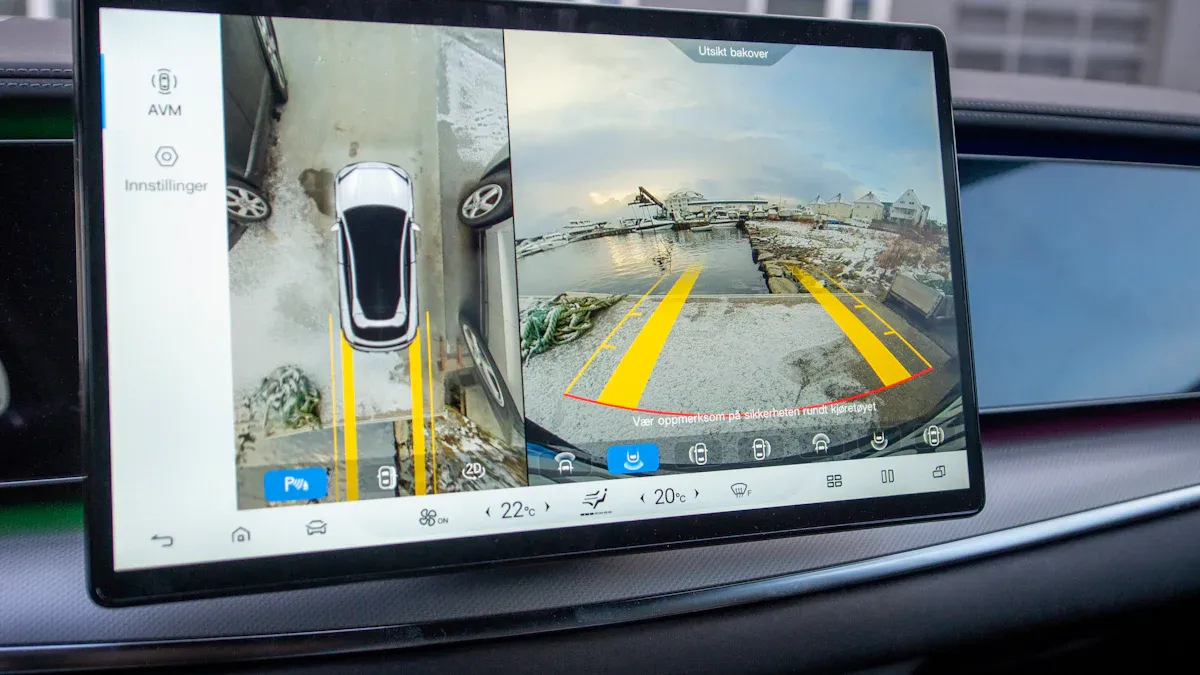
Camera integration makes driving safer. Many tft lcd displays connect to backup or side cameras. This helps you park and avoid hitting things. Some displays show more than one camera view at once.
Benefit/Feature | Description |
|---|---|
You see behind your car clearly. | |
Safer parking | You get help to avoid hitting things. |
Better depth vision | You can tell how far things are when parking. |
Obstacle warnings | You get alerts about things nearby. |
Night vision | You see better in the dark. |
Fog and rain help | You drive safer in bad weather. |
Turns on when reversing | The camera comes on when you back up. |
Shows many views | You can see different camera angles. |
Works with safety systems | You get alerts by linking with safety tools. |
Night vision & glare reduction
Driving at night or in bright sun can be hard. Good displays use anti-glare and high brightness. You see the screen well, even with sunlight. Anti-reflection and anti-glare keep images sharp. These features help your eyes feel less tired.
Anti-reflection cuts down on glare.
Anti-glare keeps the screen easy to see.
These features make driving easier and less tiring.
Feature | Description |
|---|---|
Anti-glare surfaces | Help you see better by stopping reflections. |
High brightness | Makes the screen clear in sunlight. |
Low power use | Saves your car’s battery. |
Installation options
You want a monitor that fits your car and looks good. Many tft lcd displays have different ways to install them. Some go on top of the dashboard. Others fit inside the dash. You can pick what works best for you. New display tech makes setup easy and quick.
Tip: Always check if the monitor fits your car’s wires and space before buying.
TFT LCD vs. IPS LCD monitors for vehicles
You may wonder about tft lcd and IPS LCD monitors. Both use new display tech. IPS panels give wider viewing angles and better colors. TFT LCDs cost less and work well for most cars. IPS LCDs are best if you want great visuals and sunlight use. Both types work with cameras and ADAS alerts. If you want the best look and drive in bright sun, pick IPS. If you want value and dependability, tft lcd displays are a good choice.
How tft lcd color monitors boost safety
Enhanced driver visibility
You want to see everything in your cabin clearly. TFT LCD color monitors show sharp pictures and bright screens. You can spot small details easily. These screens filter blue light, so your eyes feel less tired on long trips. The monitor reacts fast, usually in less than 30 milliseconds. You see changes right away. Older screens can flicker and make your eyes hurt. TFT LCD monitors keep your vision steady and clear. Here is a quick comparison:
Feature | TFT LCD Displays | Traditional Displays |
|---|---|---|
Image Clarity | High vision, keeps colors bright | Needs refreshing, can flicker |
Eye Fatigue Reduction | Filters blue light, no radiation | Can cause eye strain from radiation |
Response Time | Less than 30 ms | Often slower and less accurate |
Tip: If you drive at night or in bright sunlight, high brightness helps you see better and makes your cabin more comfortable.
Real-time camera feeds
You can trust your TFT LCD color monitor to show live camera feeds in your cabin. These monitors handle bright light, so you see clear images even when sunlight shines in. The resolution stays sharp, usually at 800×480, so you spot obstacles fast. The camera feed updates instantly because of low latency. Stable mounts keep the screen steady and help you stay focused. These monitors work in extreme temperatures, from -40°C to +85°C, so you stay safe wherever you drive.
Wide temperature range keeps your cabin safe in any weather.
High brightness lets you see camera feeds clearly, even in sunlight.
Long lifespan means you get reliable safety for years.
Reducing distractions & blind spots
You want to focus on the road, not search for info in your cabin. TFT LCD color monitors show alerts and camera views where you need them. Blind Spot Monitoring (BSM) warns you about cars in your blind spots. These monitors react faster than people, so you get warnings before you notice a problem. They never get tired or distracted, making your cabin safer every day.
Support for ADAS
Your cabin gets smarter with ADAS features on a TFT LCD color monitor. You see lane departure warnings, adaptive cruise control alerts, and parking guides right on your screen. High brightness keeps these alerts easy to see in any light. You react faster because the monitor shows clear cues and notifications. This makes your cabin safer and helps you avoid accidents.
Remember: A TFT LCD color monitor with high brightness and smart ADAS support makes your cabin safer for you and your passengers.
Buying guide for car owners
Choosing by car type
You want your car display to fit your car. It should also make your cabin better. First, check how big your dashboard is. Small cars need small monitors. Trucks and SUVs can use bigger screens. High resolution helps you see sharp pictures and maps. Touch controls make it easier to use. Some monitors have Bluetooth or built-in navigation. These features can make your cabin nicer.
Make sure the size fits your dashboard
High resolution gives you clear images
Touch controls are simple to use
Extra features like Bluetooth or navigation help
Tip: Pick a monitor that matches your dashboard size. This gives you the best screen and makes using it easier.
Installation tips
Putting in a new monitor can change how you drive. Check if the monitor fits your car’s wires and space. Some monitors go on top of the dashboard. Others fit inside the dash. Always follow the maker’s instructions. If you are not sure, ask an expert for help.
Installation Type | Best For | Difficulty |
|---|---|---|
On-dash mount | Quick upgrades | Easy |
In-dash install | Custom look | Moderate |
Note: Make sure the monitor is tight. If it is loose, it can move and distract you.
Budget & value
You want a monitor that works well and is not too expensive. Look at prices and what each monitor can do. Sometimes, a mid-priced monitor is a better deal than a very expensive one. Check how good the screen is and how long it will last. Do not pay for things you will not use.
Compare prices and what you get
Look for good screens and strong build
Pick value instead of extra features you do not need
Warranty & support
A good warranty keeps your monitor safe and helps you feel better about your buy. Check how long the warranty lasts and what it covers. Good brands help you if you have trouble. Keep your receipt and sign up your monitor online. This makes it easier to get help if you need it.
Callout: Pick a monitor with a good warranty and support. This helps you worry less and enjoy your monitor more.
You want your drive to be safer and your cabin nicer. The best TFT LCD color monitors show clear pictures and help you see at night. They are easy to put in your car. Here are some safety features:
Feature | Description |
|---|---|
Clear pictures help you park and back up | |
Night vision capabilities | Makes driving at night safer |
Adjustable parking grid lines | Helps you park better and avoid crashes |
Waterproof design | Works well in rain or snow |
Easy installation | You can set it up yourself |
Wide-angle lens | Lets you see more and miss fewer blind spots |
If you buy a good monitor, you get sharp images and fast alerts. Touchscreen controls are simple to use. You stay focused and know what is happening. Choose the right monitor for your car, follow buying tips, and drive safer and smarter every day.
TFT LCD Color Monitor vs IPS LCD Monitor for Vehicles
In recent years, as in‑vehicle display systems have become increasingly important, the comparison between TFT‑LCD and IPS‑LCD has become a hot topic. First, we need to clarify a key point: TFT is a driving technology for LCDs, while IPS is a specific subtype of TFT‑LCD. The mainstream choice for automotive displays today essentially comes down to a trade‑off between IPS and its sibling technology, VA.
🧐 Clarifying Technical Terminology
When discussing automotive displays, you often hear terms like “TFT screen” or “IPS screen”, but they are related in a hierarchy. The TFT LCD family has three main branches: TN, VA, and IPS. Their core characteristics are compared below:
Technology | Core Features & Advantages | Disadvantages & Challenges | Main Applications |
|---|---|---|---|
TN | Lowest cost, fastest response time (~1‑5 ms) | Very narrow viewing angles, poorest colour and contrast | Cost‑sensitive applications or simple info displays – now rare in automotive |
VA | Highest native contrast (>3000:1), deep blacks | Narrower viewing angles than IPS, colour shift, slightly slower response than IPS | Automotive centre consoles, monitors requiring high contrast |
IPS | Widest viewing angles (up to 178°), accurate colour, true‑to‑life | Higher cost and power consumption than VA typically, slower response than TN | Smartphones, tablets, high‑end monitors, professional colour‑critical devices |
🛡️ Survival Challenges in the Automotive Environment: What Really Matters?
When a display moves from a comfortable living room into a metal vehicle body, the operating environment is completely different. To determine whether a screen is up to the task, it must meet four key challenges:
1. 🌡️ Wide Temperature Range: The Heat‑Cold Test
A car dashboard can reach 60‑70°C in summer after exposure to the sun, and drop to -30°C or even lower in winter. Wide operating temperature is the top requirement for automotive screens.
Requirement: True “automotive‑grade” LCD modules typically need to operate from -30°C to 85°C to handle extreme in‑car temperature swings.
Current status: Both high‑quality TFT and IPS panels, when using wide‑temperature LC materials and proper design, can meet this requirement. The competition has become intense, so buyers only need to check the datasheet.
2. ☀️ High Brightness & Sunlight Readability: Facing Direct Sun
Car windows allow direct sunlight to hit the screen, making reflected light far exceed the screen’s own luminance. Screen brightness directly determines information readability.
Requirement: Standard indoor monitors have 250‑450 nits; under sunlight, brightness needs to be 1000+ nits.
Solutions: Increase backlight brightness (“fight head‑on”) and combine anti‑glare (AG) and optical bonding technologies to reduce surface glare and internal reflections. Both high‑end VA and IPS panels can reach the 1000‑nit threshold.
3. 🎨 Viewing Angle & Colour: Universal Information Access
Drivers and passengers do not always sit directly in front of the screen. Excellent viewing angles ensure that front‑seat passengers and rear passengers can also see content clearly.
VA: Viewing angles around 70‑120°, with colour shift at large angles.
IPS: Overwhelming advantage in viewing angles – typically 178°, maintaining colour and contrast even at wide angles.
4. 🤚 Touch Response & User Experience: The Art of Fingertips
With the trend toward large screens, displays have evolved from simply showing information to providing interactive experiences. The integration of multi‑layer touch functions makes response speed and tactile feel increasingly important.
Experience: IPS, with its wide viewing angles and colour stability, has an advantage over VA in delivering a consistent interactive experience for all passengers.
⚖️ Summary & Decision Guide: How Should You Choose?
Once you understand the four survival challenges, the answer becomes clear.
Choose IPS for the premium experience: If your budget targets high‑end vehicles and you aim to provide excellent visual (clear angles) and interactive (accurate touch) experiences for all occupants, IPS – which has been refined for years in premium applications – is the more robust choice. It ensures colour fidelity and touch smoothness, catering to passengers in every seat.
Choose VA as a trade‑off between performance and cost: If cost control is the top priority and the main use case is driver‑only information (e.g., navigation and simple entertainment) with less demanding requirements for front‑passenger and rear‑seat display quality, then VA – which is often more budget‑friendly and offers high contrast – is the more pragmatic choice.
It is worth noting that automotive display technology evolves rapidly. Today, some high‑end VA panels have significantly improved viewing angles, while new IPS solutions are continuously optimising cost. Therefore, when evaluating specific vehicle models, the most reliable approach is to refer to the manufacturer’s published specifications and actual on‑road experience, rather than relying solely on technology names.
FAQ
What makes TFT LCD color monitors safer for driving?
You get sharper images and faster alerts with TFT LCD color monitors. This display technology helps you spot hazards quickly. You see ADAS warnings and camera feeds in real time. Your cabin feels safer and more comfortable.
How does display technology affect visibility in my car?
Display technology improves brightness and clarity. You see maps, camera views, and alerts even in sunlight. High-quality screens reduce glare and eye strain. You drive with more confidence and less distraction.
Can I use TFT LCD color monitors in extreme weather?
Yes, you can. This display technology works from freezing cold to hot summer days. The monitors stay reliable and clear. You do not have to worry about fog, rain, or snow affecting your screen.
What is the difference between TFT LCD color monitors and IPS LCD monitors for vehicles?
TFT LCD color monitors cost less and work well for most cars. IPS LCD monitors use advanced display technology for wider viewing angles and better colors. You should pick IPS if you want the best visuals in bright sunlight.
Do I need special tools to install a TFT LCD color monitor?
You do not need special tools for most installations. This display technology fits many dashboards. You can mount the monitor on top or inside the dash. Always check the instructions and ask for help if you feel unsure.
Tip: If you want the best results, match the monitor size to your dashboard and driving needs.
See Also
Best OLED Monitors To Enhance Your Visual Experience
Selecting The Ideal LCD Rack Monitor For Your Requirements
The Future Of Transparent OLED Technology
Essential OLED Display Tips To Elevate Your Project
Emerging Transparent OLED Innovations For 2025 Display Designs
