6 Smart Tips to Boost Visibility and Engagement with Information Kiosks
Add.: 2F, Bldg 10, Changfeng Industrial Park, Dongkeng, Fenghuang, Guangming, Shenzhen, China 518132
Mobile/WHATSAPP: 86-138 25769658
Email: marketing@topadkiosk.com topadkiosk@gmail.com
Skype: pghenry1
Wechat: adkioskhenry
English Web.: https://www.topkioskdisplay.com/
http://www.ad-kiosk.com/
https://www.toplcddisplay.com/
http://www.multitouchdigitalsignage.com/
https://www.youtube.com/channel/UCYVYNJHxLVEcQD8fuUxXNTA/videos?view_as=subscriber
https://www.facebook.com/TOPADKIOSKSHENZHEN/?ref=bookmarks
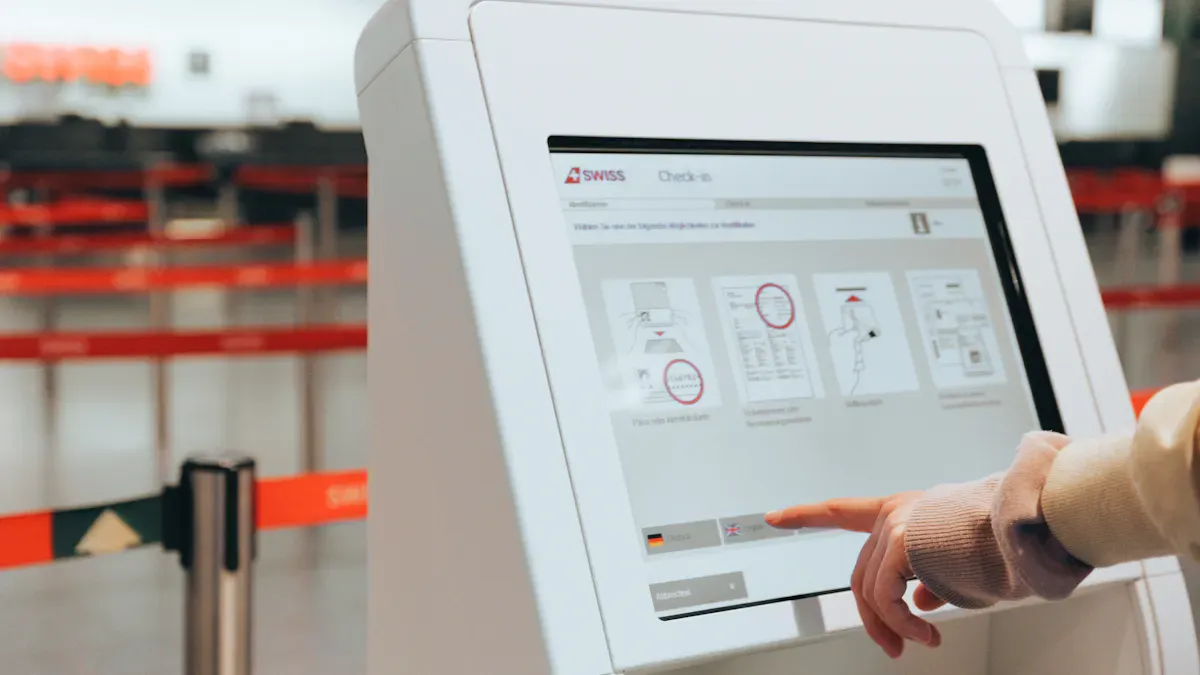
Smart placement of kiosks is one of the best places to deploy information kiosks, helping you capture visitors’ attention and boost engagement. You can use self-service kiosks to provide quick answers and guide people to the best spots for information kiosks. Signs and data indicate where most people go, and tracking results allows you to continuously improve. Learn more at https://www.topkioskdisplay.com/.
Key Takeaways
Watch where people walk to pick good kiosk spots. See where visitors go and stop to help more people use kiosks.
Put kiosks near doors, exits, and places where people wait. Busy areas help more people see and use kiosks easily.
Use easy-to-read signs, like screens and floor stickers, to show people where kiosks are. Good signs help people find kiosks fast.
Make kiosks for everyone. Add things like changeable heights and simple steps so all people can use them.
Check how kiosks work often and ask users what they think. This helps you fix problems and keep people interested.
Analyze Foot Traffic for Kiosk Placement
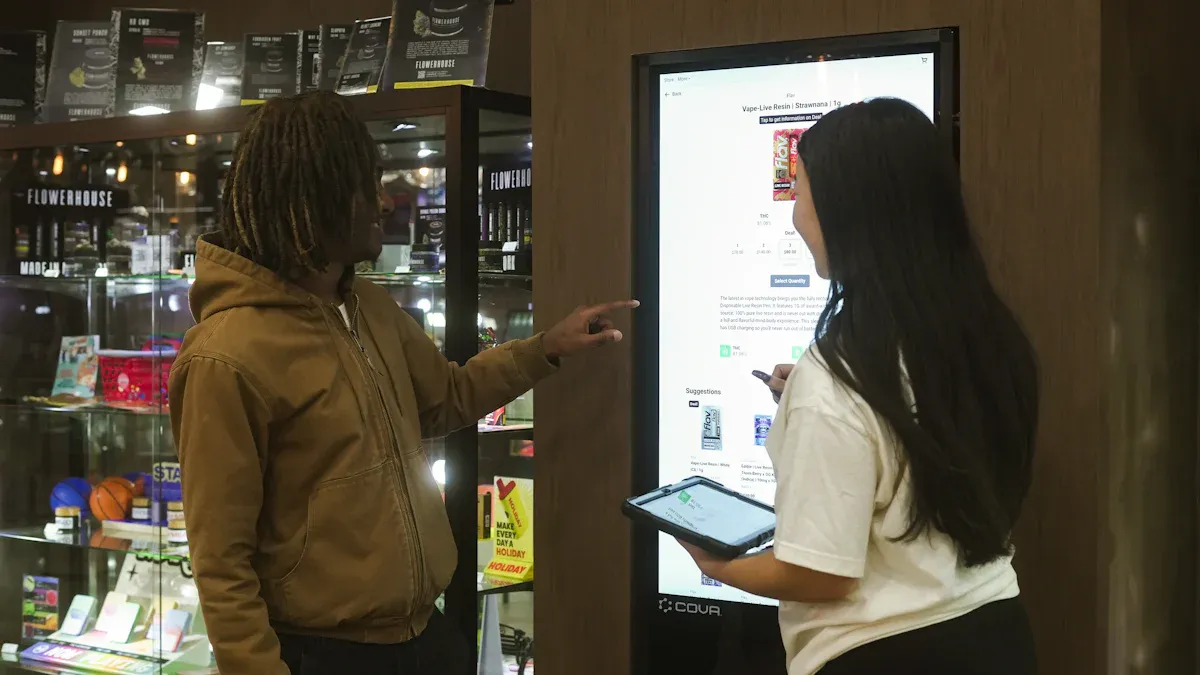
To place kiosks well, you need to know how people move. Watch how visitors walk around your space. Put kiosks where people will see and use them most. When you study how customers move, you can make kiosks easier to find. This helps more people use them.
Observe Visitor Movement
Look at how visitors come in, leave, and walk around. Notice where people stop or turn. These places are busy spots. You can watch people or use special tools to track movement. Here are some ways to do this:
Real-time monitoring shows how traffic changes during the day.
Wi-Fi tracking follows visitors as they move, but keeps them anonymous.
Bluetooth guides track where people interact with displays.
Video analytics use cameras to count and study movement.
Heatmaps show where visitors spend the most time.
Dwell time analysis checks how long people stay in certain spots.
Google Maps insights show busy times, even without special tech.
Tip: Do not put kiosks in main walkways. Leave space so many people can use kiosks at once. This stops crowding.
Pay attention to entrances, exits, and waiting areas. These places are good for kiosks because people pause and look for help. Floor decals and signs can guide visitors to kiosks. This makes kiosks easier to see and use.
Use Data to Identify High-Traffic Spots
Collecting data helps you pick the best spots for kiosks. Wi-Fi, GPS, and beacons give you good information about where people go and how long they stay. Make sure your data covers enough time and all important places. Clean data shows true patterns and helps avoid mistakes.
Different heat maps help you find busy areas for kiosks. The table below explains how each heat map helps:
Heat Map Type | What it Shows | Applications |
|---|---|---|
Traffic Heat Maps | Shows busiest areas and pathways. | Find 'hot spots' for kiosks. Improve store layout. Pick places for displays. |
Dwell Time Heat Maps | Shows where people spend the most time. | Check product engagement. Improve displays. Find comfort zones. |
Engagement/Interaction Heat Maps | Shows where people interact most. | Check product performance. Study sales conversion. |
Queue Heat Maps | Shows where people wait in line. | Improve checkout paths. Plan staffing. Place impulse items. |
Footfall traffic data helps you find busy areas in stores. Mobile data gives a wide view and real-time updates. Sensors are very accurate in certain spots. Point-of-interest data shows where visits start and end. This stops you from putting kiosks in the wrong places.
When you use both watching and data, you see how people move. This helps you place kiosks in the best spots. You can change your plan as traffic changes. This keeps kiosks in good places for more engagement.
Best Places to Deploy Information Kiosks
Picking the right spots for information kiosks is important. It helps more people see and use them. You should put kiosks where everyone can notice them. Here are three smart places to put your kiosks.
Entrances and Exits
Entrances and exits are great places for information kiosks. People walk through these spots every time they come or go. If you put kiosks near doors, everyone will see them right away. This makes kiosks easy to find. If people do not see a kiosk, they might walk past it.
Put kiosks in open spots near the main door.
Do not hide kiosks behind things or in corners.
Make sure nothing blocks the kiosk from view.
Airports and train stations use this idea well. Tourist information kiosks are in lobbies where travelers can find maps and schedules. These kiosks help people from many countries by using different languages.
Tip: Kiosks at entrances and exits let people get help as soon as they arrive or before they leave.
Waiting and Decision Points
Waiting and decision points are also good for kiosks. These are places where people stop, think, or wait. You can find these spots near ticket lines, elevators, or help desks. Kiosks here give people something to do while they wait.
Put kiosks near ticket counters or elevators.
Use kiosks at crossroads where people must pick a way.
Place kiosks in lobbies or lounges where people sit and wait.
Self-service kiosks let people do things on their own. In hotels, guests can use kiosks to make reservations or order food while waiting. In museums, kiosks at decision points give fun facts that match what visitors like. This makes people want to explore more and stay longer.
Note: Wayfinding kiosks at decision points help people find their way. This makes visits easier and more fun.
High-Visibility Zones
High-visibility zones are always good for kiosks. These are busy places with lots of people and bright lights. You want your kiosks in these spots so people see them from far away. Good spots make sure kiosks get noticed and used.
Look for busy halls, atriums, or main walkways.
Pick spots with bright lights and clear views.
Make sure people can reach the kiosk from any side.
Kiosks in busy spots should be strong and easy to use. They need to handle lots of people and be simple for anyone. When you put kiosks in these places, more people use them and you get better results.
Callout: High-visibility zones put kiosks front and center. This makes them a normal part of the visit.
You can help more people by picking the best spots for kiosks. Put them at entrances, exits, waiting spots, and busy areas. This way, your kiosks help more people and work better.
Boost Kiosk Visibility with Signage
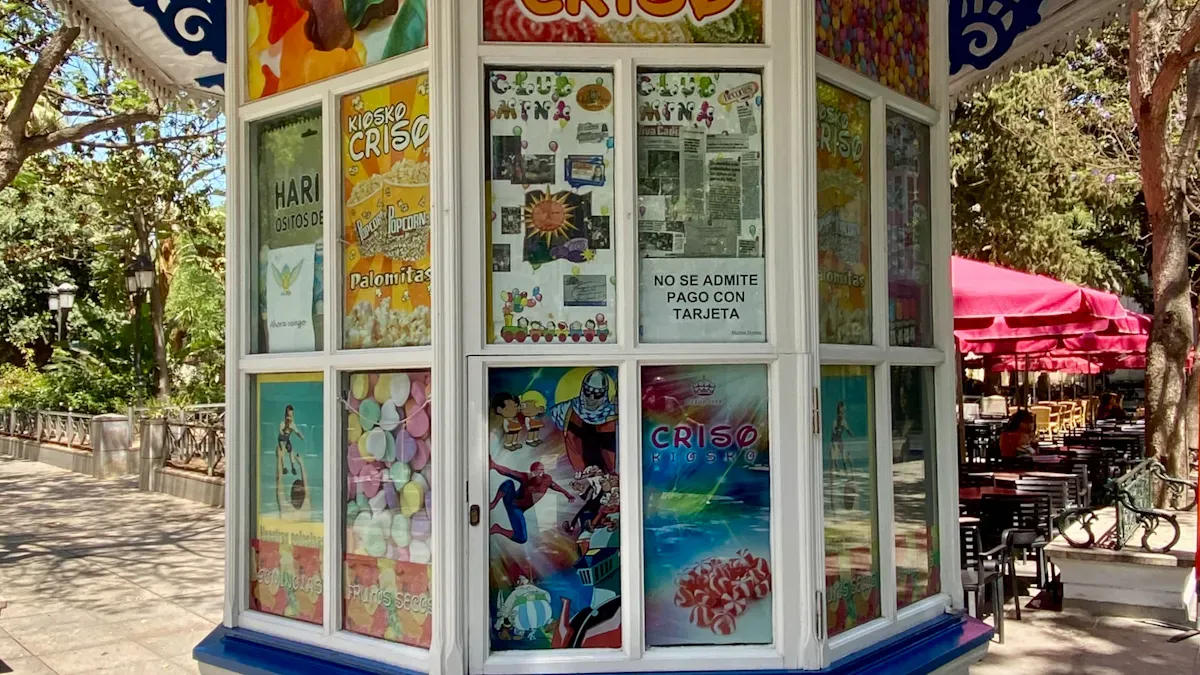
Signs help people find self-service kiosks. You can use many kinds of signs to make kiosks easy to see. Good signs help your plan and make kiosks stand out.
Digital Signage and Video Walls
Digital signage and video walls get attention fast. Bright screens and colors stand out in busy places. You can use these tools in high-traffic spots like stores or events. People notice video walls because they are big and bright. These displays help people spot kiosks, even in crowds.
Put video walls near kiosks to catch people’s eyes.
Show important news or deals on the screens.
Change what you show often to keep it fun.
If you put video walls in the right place, everyone will see your kiosks. This works well in busy areas where you want more people to notice and use kiosks.
Tip: Use digital signage to show new things or special deals at your kiosks.
Floor Decals and Overhead Signs
Floor decals and overhead signs help people find kiosks. You can use floor decals to make clear paths in big spaces. These decals show people how to find doors or special rooms. Overhead signs work well in open spaces to guide people from far away.
Put floor decals at key spots to lead people.
Use arrows or footprints to show the way.
Hang overhead signs above kiosks so people can see them.
Studies show that floor decals help people move easily in crowded places. They make it simple for visitors to find what they need. Overhead signs give extra help, making your plan even better.
Callout: Clear signs help everyone, even first-time visitors, find self-service kiosks fast.
When you use digital signage, video walls, floor decals, and overhead signs together, your kiosks are easier to see. Good placement and strong signs make sure no one misses your kiosks.
Optimize Kiosk Design and Accessibility
User-Friendly Interfaces
You want everyone to have an easy time using kiosks. A simple screen helps people feel sure and safe. Keep the layout neat and not confusing. Use big buttons and clear icons. Give short, easy instructions. This helps kids and older people use kiosks too.
Think about who will use the kiosk. Travelers, shoppers, and students all need easy access. People with mobility challenges need help too. Change the screen height and font size for different users. Show the most important things first. Take away anything that is not needed. Use colors that are easy to see. Clear branding helps people know they are in the right spot.
Here are some good tips for user-friendly screens:
Give simple steps and clear directions.
Use icons people know for quick moves.
Put the most important things on the main screen.
Test the screen with real people to find problems.
A good screen makes people happy and brings more users to the kiosk.
Accessibility for All Visitors
Kiosk accessibility means everyone can use kiosks, no matter what. You should follow rules that help people with disabilities. Put kiosks at a height for standing and sitting people. Leave enough space for wheelchairs and strollers. Add raised markers and Braille for people who cannot see well.
The table below lists key features for kiosk accessibility:
Requirement | Description |
|---|---|
Height and Reach | Put touch parts where all users can reach. |
Clear Floor Space | Leave at least 30 by 48 inches for wheelchairs. |
Screen Readability | Use strong color contrast and big letters. |
Text-to-Speech | Add text-to-speech for people who cannot see. |
Alternative Input Methods | Use raised buttons and voice commands for people with motor problems. |
Braille and Tactile Keys | Give Braille and raised keys for blind users. |
Audio Output | Offer speech with volume you can change. |
When you make kiosks easy for everyone, more people use them. This helps your brand look good and shows you care. Good design and placement make kiosks simple for all visitors.
Leverage Staff and Promotions to Maximise Engagement
Staff Training and Support
You can get more people to use kiosks if your staff know how to help. Staff should be able to answer questions and show visitors where kiosks are. Use different ways to train your team so they feel ready. The table below lists some good ways to teach staff:
Training Method | Description |
|---|---|
Classroom Training | Teach staff safety and how to use kiosks in real life. |
Dedicated Visitor Training Kiosks | Let visitors try special kiosks at the entrance or front desk. |
Hands-On Demonstrations | Show staff and visitors how kiosks work when it is busy. |
Multilingual Support | Give instructions in many languages for everyone. |
Accessibility Features | Add sound help and braille for people with disabilities. |
Put clear signs and easy steps near each kiosk. Video guides help staff and visitors learn fast. Show how to use kiosks when lots of people are around. Give help in different languages and add features for people with disabilities so everyone gets help.
Tip: Staff who know kiosks well can help visitors quickly and keep lines short.
Promotional Campaigns
Promotions can help more people use kiosks. Put staff near kiosks when it is busy to help and answer questions. Show how kiosks work and talk about why they are helpful. Bright signs point out where kiosks are.
Add fun features to get people interested. Let visitors send info to themselves or share on social media. Ask for feedback or let people vote on things.
Here are some ideas you can try:
Give special deals or coupons only at kiosks.
Change kiosk info often so it stays new and fun.
Send messages about events or sales to get attention.
Make it easy to sign up for rewards.
Strategy | Description |
|---|---|
Interactive Features | Suggest products and give tips to make people happy and boost sales. |
Regular Content Updates | |
In-Store Promotions | Give special offers at kiosks to get new and returning users. |
Callout: Good spots and strong promotions help you reach more people and get more use from your kiosks.
Track Results and Increase Kiosk Use
Monitor Engagement Metrics
You should check how well your kiosks are working. Use analytics tools to see which kiosk gets the most visitors. Some kiosks may not get much use. Look at your numbers every day, week, and month to find patterns. Count how many people finish transactions or fill out forms and surveys. These numbers help you know if your kiosks are helping customers. If not, you might need to move them.
Here is a table of important engagement metrics to watch:
Metric | Description |
|---|---|
User Engagement Rate | Measures how many interactions lead to completed transactions. |
Session Duration | Tracks how long customers spend at kiosks to identify usability issues. |
Photo Print and Download Counts | Highlights popular services to optimize inventory and pricing. |
Revenue Per Session | Combines data points to assess profitability and upselling opportunities. |
Analytics can help you find "zombie kiosks." These are kiosks that do not get many visitors. Move these kiosks to busier spots to get more use. Usage metrics show how people use kiosks. Performance metrics help you keep kiosks working well.
Tip: Check your data often. Move kiosks when you see changes in traffic or what customers need.
Gather and Apply User Feedback
You can learn a lot from your visitors. Put feedback kiosks near exits, checkouts, or waiting spots. Visitors can give feedback with smiley faces, stars, or simple questions. This way is quick and keeps answers private. More people will share their thoughts. Teams can fix problems fast, like long lines or messy places, by using this feedback.
When you listen to your customers, you make their visits better and get more kiosk use. For example, Intergiro added surveys and saw 54% more engagement. If you fix problems quickly, 78% of customers will come back even after a mistake. But if you ignore feedback, 57% of customers may not return after one bad visit.
Ask for feedback right after someone uses a kiosk.
Move kiosks if many people say they are hard to find.
Update kiosks based on what customers want.
Callout: Keep making your kiosks better. This helps you serve every customer well.
You can get more people to use kiosks if you put them in good spots. Check how well kiosks work often. Studies show that smart placement makes guests happier and helps earn more money. Experts say you should watch how people move, use digital signs, and make kiosks easy for everyone. The table below explains how checking results helps you get better:
Method | Benefit |
|---|---|
Shows how people use kiosks | |
Content Assessment | Finds what people like best |
Feedback Collection | Helps you know what to change |
Keep trying new things and make changes for the best results.
Best Places to Deploy Information Kiosks
The best locations for information kiosks are where they are both visible and needed. In short, a good location follows these 5 principles:
High foot traffic – Airports, shopping malls, large event venues, transit hubs.
Close to service points – Next to help desks or information counters, as a supplement to reduce queues.
Accessible – Wide enough for wheelchair users; screen height suitable for all users (including children and seated visitors).
Clear sightlines – Unobstructed by pillars, merchandise, or other obstacles; good lighting without glare.
Environmentally suitable – For outdoor deployment: shaded, dry, protected from direct sun and rain; consider power and network access.
🚀 Key High‑Value Deployment Scenarios
Transportation Hubs (Airports, Train Stations, Bus Terminals)
Deploy at entrances to departure halls, check‑in areas, baggage claim – anywhere with natural congestion. Use cases: self check‑in, bag tagging, wayfinding, real‑time travel updates.
Example: Azul Airlines in Brazil deployed self‑service kiosks that allow passengers to check in, print boarding passes, and tag luggage without queuing.
Healthcare Facilities (Hospitals, Clinics)
Deploy at main entrances, lobbies, elevator banks to reduce pressure on reception desks. Use cases: appointment booking, department lookup, wayfinding, patient check‑in.
Example: University Hospitals of Leicester NHS Trust deployed digital wayfinding kiosks offering multilingual support, helping patients and visitors navigate the campus and reducing missed appointments.
Retail & Services
Retail stores & shopping malls – Place at entrances, near popular brands, seating areas for self‑checkout, product lookup, promotions, and digital catalogs.
Example: A fashion retailer in Germany used SiteKiosk software to turn window displays into interactive shopping points, increasing dwell time and engagement.Quick‑service restaurants (QSR) – Deploy at queue areas, next to cash registers to分流排队, reduce counter pressure, and increase order accuracy.
Example: A German bakery installed self‑order kiosks, allowing them to add new ordering points without hiring additional cashiers.
Public & Government Service Venues
Deploy in city halls, public libraries, community centers at main service halls. Use cases: license renewal, tax payment, service requests, information lookup.
Example: The city of Rochester (USA) placed kiosks in multiple government buildings and libraries, giving residents free, convenient access to online city services.
Educational Institutions (Universities, Large Campuses)
Deploy in libraries, student unions, canteens, building entrances – high‑traffic areas. Use cases: campus maps, course schedules, event listings, registration and fee payment.
Hotels & Convention Centers
Hotels – At lobby entrances, next to front desks for 24/7 self check‑in/check‑out, reducing front desk workload and improving after‑hours service.
Convention centers – At entrances, registration areas for self‑check‑in, agenda lookup, exhibitor wayfinding, and session tracking.
Urban Public Spaces (Outdoor Deployment)
Prioritise bus stops, subway station entrances, city squares, tourist attraction gates – open, visible areas. Use cases: city navigation, local business info, public transport schedules, Wi‑Fi hotspots.
Note: Outdoor deployment requires vandal‑resistant enclosures, high‑brightness screens (≥2500 nits), and IP65+ weatherproofing.
💎 Summary
There is no single “perfect” location, but success comes from placing kiosks along the user’s natural movement path, exactly where they need help or information. The best approach is to start with a small pilot – deploy 1–3 kiosks in high‑traffic locations, collect usage data for 4–8 weeks, then optimise and expand.
Would you like a printable one‑page checklist of location criteria, or help estimating foot traffic for a specific venue type?
FAQ
What is the main benefit of using information kiosks?
You help visitors find answers quickly. Kiosks give directions, show maps, and share important updates. People get help without waiting for staff.
How do I know if my kiosk placement works?
You should check visitor numbers and feedback. If people use kiosks often, your placement works well. Move kiosks if you see low use.
Can I make kiosks easy for everyone to use?
Yes. You can add large buttons, clear text, and voice help. Make sure people in wheelchairs can reach the screen. Good design helps all visitors.
How often should I update kiosk content?
You should update content often. Change information for new events, sales, or seasons. Fresh content keeps visitors interested and coming back.
What should I do if people do not use the kiosks?
You can add signs, move kiosks to busier spots, or ask for feedback. Try new ideas until you see more people using them.
See Also
6 Essential Guidelines for Selecting Kiosks in Various Environments
7 Strategies to Enhance Customer Interaction Using Digital Displays
Discover 10 Unexpected Applications for Touch Screen Kiosks in 2026
Effective Ways to Resolve Frequent Kiosk Problems for Efficiency
Key Characteristics to Look for in Today's Touch Screen Kiosks
