Best Outdoor LCD Kiosks Reviewed for 2026
https://www.topadkiosk.com
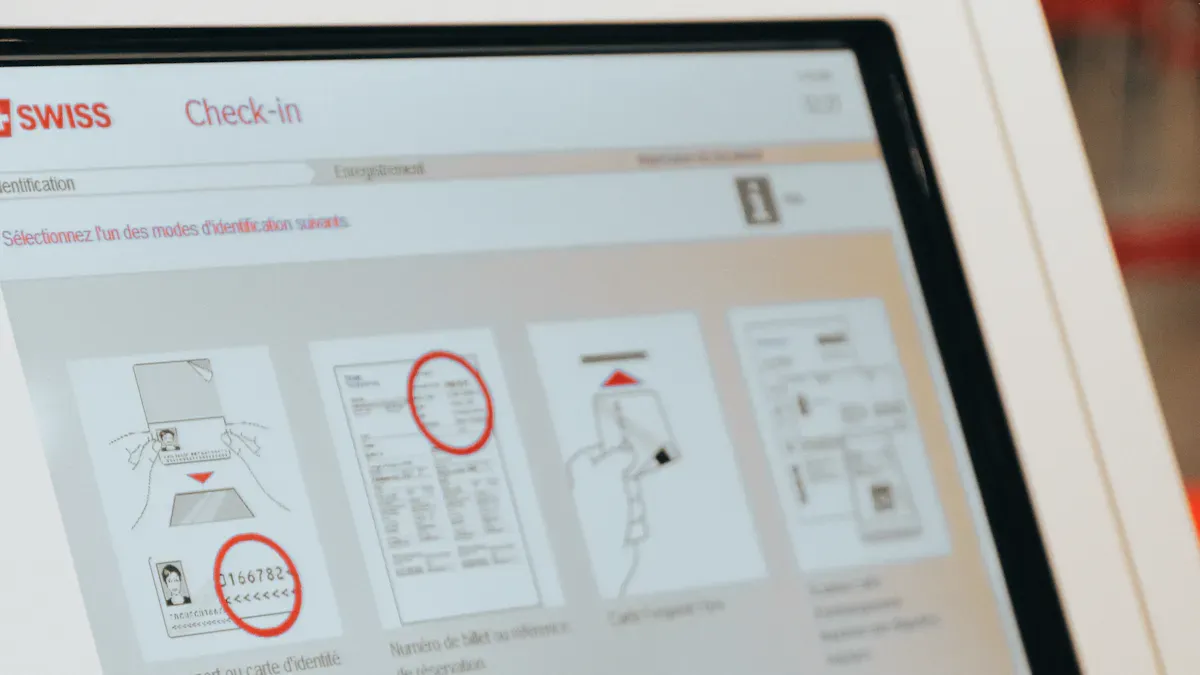
Are you trying to find out which outdoor kiosk is best for your business in 2026? You want a kiosk that can handle bad weather. It should also resist people trying to break it. The kiosk needs to work every day without stopping. Many businesses like stores, buses, and hotels use kiosks. They need kiosks that work well, even when things get hard. Picking the best outdoor lcd kiosks can seem hard. You have to think about things like how good the screen looks. You also need to check if it can stand up to weather. It should be easy for people to use. The outdoor LCD display market is growing fast. So, picking the right one is very important now.
Key Takeaways
The outdoor kiosk market is growing fast. It may grow by 7% to 10.5% each year. Businesses should think about buying kiosks. This is because more people want contactless services.
When picking an outdoor kiosk, focus on how strong it is. Also, check the display quality and if it can handle bad weather. Find features like high brightness and an IP65 rating. These help the kiosk work well in different weather.
Think about the first cost and future costs. This includes fixing the kiosk and how much energy it uses. Planning for these costs helps you avoid surprise bills. It also helps you get the most value from your kiosk.
Where you put the kiosk is very important. Good placement helps more people see and use it. Put kiosks where lots of people walk by. Make sure everyone can reach and use them for the best results.
Pick a brand that is known for good quality and help. Brands like Peerless-AV, LG, and Samsung are good choices. They make kiosks that last outside and give users a great experience.
Outdoor Kiosk Market Trends
Industry Growth
You may see more digital kiosks in many places now. The outdoor kiosk market is getting bigger every year. Experts think it will grow about 7% from 2026 to 2033. Some reports say it could even grow 10.5% each year for five years. This means you will find more digital kiosks in parks, malls, and on busy streets. People want to use services without touching things. They also want easy and fast ways to get help. That is why businesses keep adding new digital signage platform solutions to their outdoor kiosks.
Note: The outdoor kiosk market is growing fast because technology is improving and people want quick and easy information.
Here are some reasons why the market is growing:
More people want self-service digital kiosk solutions.
Businesses want to give contactless services.
New digital signage platform technology makes kiosks safer and smarter.
Key Applications
You can see digital kiosk systems in lots of places today. They help you buy tickets, check in at hotels, or get directions at shopping centers. Outdoor kiosk solutions are also good for public transport, city information, and food ordering. Many cities use digital signage to share news and alerts with people walking by. You might see a digital signage platform at a bus stop or outside a stadium.
Here is a quick look at the biggest trends in the outdoor kiosk market:
Trend Type | Description |
|---|---|
New technology is changing the outdoor kiosk industry. | |
Strategic Collaborations | Mergers and partnerships help the market grow and change. |
Evolving Consumer Preferences | People’s needs are changing, so more want outdoor kiosks and self-service technology. |
You can expect digital kiosk and signage solutions to keep growing. More businesses and cities want to connect with people outside.
Outdoor Kiosk Cost Factors
Price Ranges
When you look for an outdoor kiosk, you will see a wide range of prices. The cost depends on the size, features, and brand. Some kiosks are simple, while others have advanced screens and weather protection. Here’s a quick look at what you might pay:
Kiosk Type | |
|---|---|
Single-screen basic setup | $2,000–$4,000 |
Mid-size multi-screen deployment | $10,000–$30,000 |
Enterprise or multi-location systems | $50,000+ |
You can also find different models with special features. For example:
Portworld YC-5520FL 55″ Outdoor Digital Signage Kiosk: 55 inches, 4,000 nits brightness, IP65 rating, Full HD resolution.
Portworld YC-4920FL 49″ Floor Standing Outdoor Digital Signage: 49 inches, 3,500 nits brightness, IP65 rating, Full HD resolution.
Portworld YC-3200FL 32″ Outdoor Digital Signage: 32 inches, 2,800 nits brightness, IP65 rating, HD resolution.
If you want a bigger screen or more advanced features, you will pay more. Smaller kiosks with basic screens cost less.
Ownership Costs
Buying an outdoor kiosk is just the start. You need to think about the costs over time. These costs can add up, so it helps to plan ahead. Here’s what you should consider:
Factor | Description |
|---|---|
The price you pay to buy the kiosk. | |
Maintenance | Money for repairs and regular upkeep. |
Energy Consumption | How much you pay for electricity each month. |
Software Integration | Costs for adding and updating kiosk software. |
Other things can change your total cost:
Warranty terms can add 10-25% to your yearly costs if you choose extended coverage.
If you need replacement parts, the price and how easy they are to get will matter.
Good technical support can save you time and keep your outdoor kiosk running.
Consumer screens last 2-3 years, but commercial displays can last 5-7 years.
You should budget $50–150 each year for maintenance per screen.
Energy bills can be a big part of your monthly costs.
Tip: Plan for both the price you pay at first and the money you will spend to keep your outdoor kiosk working well. This will help you avoid surprises and get the most value.
How to Choose an Outdoor Kiosk
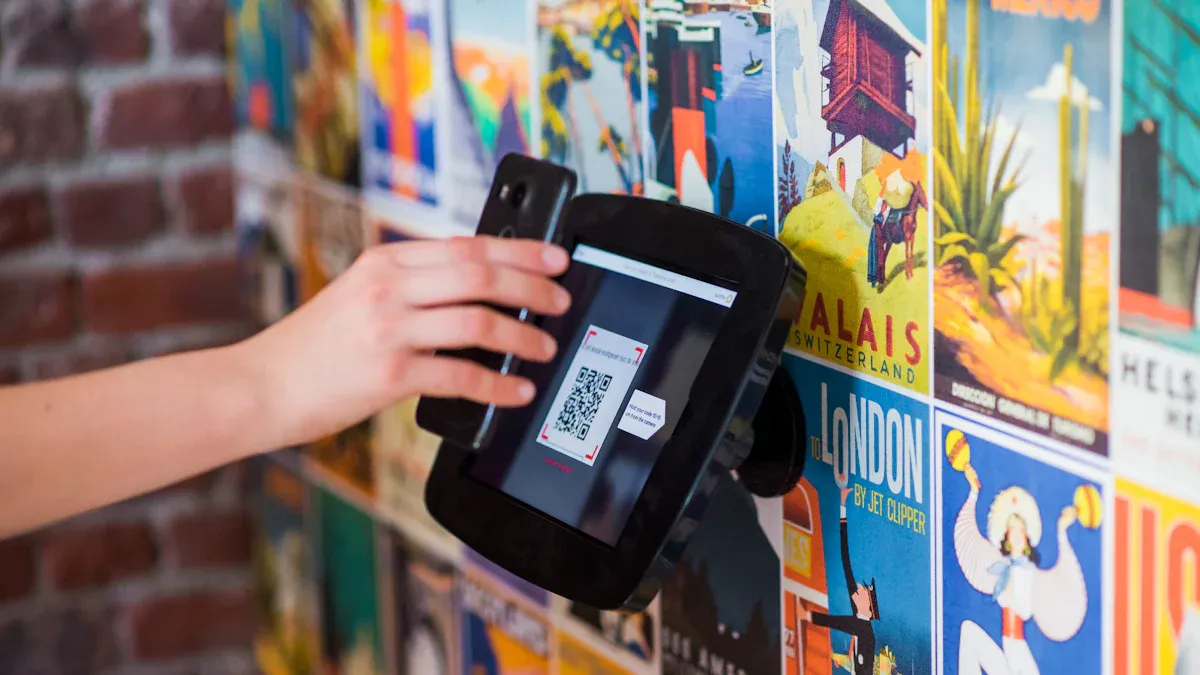
Selection Criteria
Picking the right outdoor kiosk can feel tricky, but you can make it simple by focusing on what matters most. You want a kiosk that stands up to tough weather, bright sunlight, and lots of people using it every day. Here’s a table to help you see what to look for:
Criteria | Why It Matters |
|---|---|
Durability | Handles rain, heat, cold, and even people trying to damage it. |
Needs high brightness (at least 1500 nits) so you can see it in sunlight. | |
Weatherproofing | Look for at least IP65 rating to keep out water and dust. |
User Experience Design | Easy for everyone to use, with clear menus and simple steps. |
Integration Options | Works well with your software and connects to your network for better solutions. |
You should match the features of your outdoor kiosk to your business. For example, transportation hubs need high-brightness displays for ticketing and info screens. Retail stores and hotels want reliable self-service kiosks that work even when people wear gloves or have wet hands. Good user experience means people can get what they need fast, which keeps them happy.
Custom vs. Standard Models
You might wonder if you need a custom outdoor kiosk or if a standard model will do the job. Here’s what you should know:
Custom kiosks cost more because they use stronger materials and special outdoor-rated parts.
You get more flexibility with custom solutions. You can pick the size, shape, and features you want.
Custom kiosks take longer to build—sometimes up to 24 weeks from start to finish.
Standard models are ready faster and usually cost less.
If you need something unique for your business, custom solutions are the way to go. If you want something quick and simple, standard self-service kiosks work well.
Think about your location, how many people will use the kiosk, and what you want it to do. The right choice will give you a great user experience and help your business run smoothly.
Best Outdoor LCD Kiosks: Top Brands for 2026
If you want the best outdoor lcd kiosks, you should know which brands are good. Some companies make kiosks that can handle bad weather. Others are great at making interactive displays or touch screens. These brands show up in top lists and expert reviews. Let’s see what makes each one special so you can pick the best interactive kiosk provider for your business.
Peerless-AV
Peerless-AV is known for making strong digital kiosk solutions. Their outdoor kiosks can handle rain, snow, and hot days. The enclosures keep dust and water away from the touch screen and electronics. You can put their kiosks almost anywhere because they have different mounting options. Many businesses pick Peerless-AV when they want digital signage platform displays that last a long time.
LG
LG makes some of the best interactive displays you can buy. Their outdoor kiosks have bright screens you can see in sunlight. The touch screen works smoothly and quickly. The colors look bright and clear, so your digital kiosk stands out. LG also makes sure their kiosks use less energy. If you want a smart solution with a great display, LG is a good choice.
Samsung
Samsung is a leader in outdoor digital kiosk designs. Their OHA-S Series has strong weatherproofing and bright displays. Here’s how Samsung compares to other brands:
Feature | Competitors (General) | |
|---|---|---|
Weatherproofing | IP56-rated, waterproof, humidity resistant | Varies, often lower ratings |
Display Brightness | 3500 nits for direct sunlight visibility | Typically lower brightness |
Anti-reflection Tech | Magic Protection Glass, advanced solutions | Often lacks advanced tech |
Color Accuracy | Enhanced, vivid content | May not match Samsung’s level |
You will see the difference when you use a Samsung touch screen outside. The display stays bright and easy to see, even on sunny days. Their digital signage platform also lets you use interactive features. This makes Samsung a best interactive kiosk provider for many businesses.
Absen
Absen is famous for its LED digital kiosk solutions. Their interactive displays look sharp and work well outdoors. The kiosks have strong cases to protect the touch screen from weather and damage. They are easy to set up and take care of. If you want a digital kiosk with bright colors and smooth touch, Absen is a smart choice.
Elo
Elo is a best interactive kiosk provider because they help people connect with your business. Their outdoor kiosks have many interactive features. Here’s what Elo offers:
Feature | Description |
|---|---|
Self-Ordering | Lets customers place orders directly, making things faster and easier. |
Ticketing & Check-In | Cuts down wait times with quick self-service options. |
Information & Wayfinding | Customizable for busy places like malls and airports. |
Weatherproof Design | IP55 rating keeps the kiosk safe from rain and dust. |
Customizable Branding | Add your logo and colors for a unique look. |
Elo’s touch screen kiosks make it easy to order food, buy tickets, or get directions. Their interactive displays work in all kinds of weather, so you can use them all year.
DynaScan
DynaScan is great at making high-brightness outdoor digital kiosk displays. Their DK Series is perfect if you need a screen you can see in bright sunlight. Here’s why DynaScan is special:
Sunlight readable displays keep your content clear, even on the brightest days.
High-brightness screens make sure your message stands out.
Advanced anti-glare technology reduces reflections, so people can see the touch screen easily.
DynaScan’s new ideas make them a favorite for outdoor ads and public information kiosks. Their interactive displays help you reach more people, no matter the weather.
HME Ahrend
HME Ahrend makes digital kiosk solutions that are fast and reliable. Their outdoor kiosks have touch screens that respond quickly. The enclosures keep out water, dust, and stop vandalism. You can use their kiosks for tickets, ordering, or information. Many experts say HME Ahrend is a best interactive kiosk provider for busy places like train stations and stadiums.
Frank Mayer
Frank Mayer builds some of the toughest outdoor kiosks you can get. They use stainless steel and special coatings to stop rust. Their kiosks can handle rain, snow, and wind. Security is important for Frank Mayer. They add extra locks and strong cases to keep your touch screen safe.
Feature | Description |
|---|---|
Handles rain, snow, and wind with water and dust resistance. | |
Rust Prevention | Stainless steel with powder-coating keeps the kiosk looking new. |
Security Measures | Reinforced enclosures and extra locks stop vandalism and theft. |
If you want a digital kiosk that lasts and keeps your money safe, Frank Mayer is a top pick.
MetroClick
MetroClick makes outdoor kiosks with lots of features. Their touch screen displays come in sizes from 21.5" to 55". All have high resolution. You get 4K high brightness touchscreens that look sharp, even in sunlight. MetroClick supports multi-touch, so more than one person can use the kiosk at once. The cases are strong and stop vandalism. You can change the design to fit your brand. MetroClick’s software lets you update your digital signage platform easily.
Feature | Description |
|---|---|
High-Resolution Displays | Clear and bright, even in direct sunlight. |
4K High Brightness Touchscreens | Over 1000 Nits for sharp images and smooth touch. |
Multi-Touch Support | Lets more than one person use the kiosk at the same time. |
Durable Enclosure Design | Built to last outdoors and resist damage. |
Customization Options | Change the look and features to fit your business. |
Advanced Software | Easy updates for your digital kiosk content. |
Interactive Features | Dynamic ads, maps, and real-time updates keep users engaged. |
MetroClick is a best interactive kiosk provider if you want displays that get people interested and make them want to come back.
Tip: When you look at the best outdoor lcd kiosks, think about where you will use them and what features you need. The right digital kiosk can help your business grow and make your customers happy.
Key Features of Leading Outdoor Kiosks
Display Quality
When you pick a digital kiosk, you want a screen that looks good. The screen needs to be bright in any light. You should get at least 1000 nits for clear viewing. If you want to use it in sunlight, 2000 nits or more is best. This helps your touch screen stay easy to read on sunny days. A digital signage platform makes colors look sharp and motion smooth. If your digital kiosk has a strong touch screen, people can use it with gloves or wet hands. This means everyone can use it easily.
Brightness of 1000+ nits for clear viewing
2000+ nits for sunlight visibility
High-quality touch screen for easy use
Digital signage platform for sharp images
Weatherproofing
You want your digital kiosk to last outside. Weatherproofing keeps your touch screen safe from rain, snow, dust, and sun. Look for kiosks with a high IP rating like IP55 or IP66. These ratings mean your digital kiosk can handle water and dust. Good kiosks use strong materials and waterproof seals. They also have UV protection to stop sun damage. Some kiosks have heating and cooling systems for hot or cold weather. Make sure your digital kiosk meets safety codes and passes weather tests.
Handles rain, snow, and dust
Uses rugged, waterproof materials
Has UV protection and corrosion resistance
Includes heating and cooling for all seasons
Security Features
Outdoor kiosks need to stay safe from damage and theft. You should pick a digital kiosk with secure locks. Strong cases and tamper-evident seals protect the touch screen. Secure mounts keep the digital kiosk in place. Many kiosks add cameras and digital security to stop break-ins. They also protect your data. If you use a digital signage platform, you can track activity and spot problems fast.
Secure locks and strong enclosures
Tamper-evident seals and mounts
Cameras and digital security tools
Fast alerts for quick response
Connectivity
Your digital kiosk needs to stay connected to work well. You can use Ethernet, Wi-Fi, cellular, or hybrid setups. Each one has its own benefits. Ethernet is fast and stable but needs more setup. Wi-Fi lets you put your touch screen almost anywhere. It can lose signal sometimes. Cellular works well in remote places but costs more. Hybrid systems mix these options for extra safety. A digital signage platform shows if your digital kiosk is online and how strong the signal is. Some kiosks work offline by saving content and actions. This keeps your touch screen working even if the connection drops.
Advantages | Considerations | |
|---|---|---|
Ethernet | High speed, stable, secure | Needs professional installation |
Wi-Fi | Flexible, cost-effective | Can lose signal, needs network nearby |
Cellular | Works in remote areas | Higher costs, needs good signal |
Hybrid | Combines wired and wireless | More complex, but very reliable |
Tip: Pick the best connection for your location. This helps your digital kiosk and touch screen work when people need them.
Design and Material Trends
Modern Aesthetics
You want your outdoor kiosk to look good and work well. Today’s kiosks have a modern style that grabs attention. You see smooth lines, slim frames, and bright screens. These designs fit in with city streets, parks, and shopping centers. Many kiosks use glass and metal to look clean and strong. You might notice soft LED lights around the edges. These lights help people find the kiosk at night.
Designers also think about how people use kiosks. They make screens easy to reach for everyone, including kids and people in wheelchairs. You can choose colors and logos that match your brand. Some kiosks even let you change the look with custom panels. This way, your kiosk stands out and feels like part of your business.
Tip: A good-looking kiosk can make people stop and use it. If you want more customers, pick a design that fits your space and style.
Sustainable Materials
You care about the planet. Many companies now use green materials to build outdoor kiosks. These materials help the environment and make your kiosk last longer. You can find kiosks that use solar panels to get power from the sun. This cuts down on energy bills and lowers carbon emissions. Some kiosks have rechargeable batteries. These batteries keep your kiosk running, even when the sun is not out.
Manufacturers also use recycled plastics for the kiosk cases. These plastics are tough and can handle bad weather. Energy-saving displays use less power and save you money. Some kiosks use special composites. These materials make the kiosk strong and help it last for years.
Here’s a quick look at some green materials and why they matter:
Sustainable Material | Benefits |
|---|---|
Solar panels | Use solar energy, reduce carbon emissions |
Rechargeable batteries | Keep kiosks working in low sunlight |
Energy-saving displays | Lower energy use and costs |
Recycled plastics | Durable, weather-resistant, support green products |
Sustainable composites | Boost durability and kiosk lifespan |
You help the earth when you pick a kiosk with these features. You also show your customers that you care about the future.
Maximizing Outdoor Kiosk Impact
Placement Tips
You want your digital kiosk to get noticed. Picking the right spot makes a big difference. People see your touch screen more often when you place it in busy areas. Think about malls, travel hubs, or city centers. These places have lots of foot traffic. Your digital kiosk stands out when you put it near businesses or attractions. You also need to check the ground. Make sure it is flat and solid. This keeps your touch screen stable and safe.
You should look for nearby power sources. Your digital kiosk needs steady electricity to keep the touch screen running. Before you install anything, get the permits and permissions you need. This helps you avoid problems later. Accessibility matters too. Place your digital kiosk where everyone can reach the touch screen. This improves user experience and follows the rules.
Here are some quick tips for placement:
Place your digital kiosk near popular businesses or attractions.
Check for flat, solid ground and nearby power sources.
Get all permits and permissions before installation.
Make your touch screen accessible to everyone.
Tip: Good placement boosts user experience and keeps your digital kiosk working well.
User Engagement
You want people to use your digital kiosk. The touch screen should feel easy and fun. Bright screens and clear menus help everyone find what they need fast. You can add interactive maps, games, or surveys to your touch screen. These features make the digital kiosk more interesting. People like kiosks that respond quickly. Fast touch screen actions improve user experience.
You can use videos or animations to catch attention. If your digital kiosk gives rewards or discounts, people come back more often. You can track how people use the touch screen. This helps you learn what works best. When you update your digital kiosk with new features, you keep user experience fresh. You build customer engagement by making the touch screen helpful and exciting.
Note: A digital kiosk with a great touch screen and smart features keeps people coming back.
Picking the best outdoor LCD kiosk brand helps you for years. You get kiosks that are tough and last a long time. The screens look clear and bright. It is easy to get help if you have problems. Here are some main benefits:
Feature | Benefit |
|---|---|
You spend less money fixing your kiosk and it works more often. | |
Brilliant Visibility | More people use your kiosk and enjoy it. |
Seamless Integration | Your kiosk works well with what you already have. |
Expert Support | You get help fast when you need it. |
Think about what you need and how much you can spend. Also, think about where you will put your kiosk. Ask experts or sellers for tips. Keep learning because new kiosks come out every year!
Outdoor LCD Kiosk Customization – A Complete Guide
Customizing outdoor LCD kiosks goes far beyond choosing a size and color. It requires careful consideration of durability, display performance, thermal management, intelligent interaction, and ensuring all components work together reliably in harsh outdoor environments, 24/7.
Below are the core modules and key specifications to focus on when customizing outdoor LCD kiosks.
🏗️ 1. Structural Protection
This is the foundation, ensuring the kiosk withstands wind, rain, sun, dust, and vandalism.
Enclosure Material: Typically 1.0–2.0mm galvanized steel with outdoor-grade powder coating (e.g., AkzoNobel) for 7–10 years of corrosion resistance.
Protective Glass: 6mm+ tempered glass or AR (anti-reflective) glass. AR glass reduces glare, improves sunlight readability, and offers 97%+ light transmittance.
Ingress Protection (IP) Rating: Must reach IP55 or IP65 – fully protected against dust and low-pressure water jets.
Anti-Theft Design: Tamper-resistant screws and pre-drilled mounting holes for securing to the ground with anchor bolts.
🖥️ 2. Display & Optics
Standard TV screens appear black in direct sunlight. High-brightness displays are essential for outdoor use.
Brightness: 1,000–2,500 nits (cd/m²) , with auto-dimming based on ambient light – bright enough for daytime, comfortable at night.
Resolution & Viewing Angle: Standard 1920x1080 (Full HD) , optional 4K. 178° full viewing angle ensures no color shift from the side.
Screen Size: Customizable from 32 inches up to 98 inches or larger.
❄️🔥 3. Intelligent Thermal Management
This is the most critical technical challenge. Outdoor temperatures range from -40°C to +55°C, while internal backlighting generates significant heat.
Cooling Methods:
Smart Ventilation: Uses air ducts and high-efficiency filters – suitable for cleaner environments.
Built-in HVAC System: Industrial-grade heating and cooling – more powerful and reliable for hot, humid, or dusty locations.
Safety Cutoff: Automatically powers down the screen if internal temperatures reach unsafe levels, while cooling continues to run.
⚙️ 4. Hardware & Operating System
Defines the "brain" of the kiosk and its capabilities.
Operating System:
Android: Cost-effective, rich ecosystem – ideal for most digital signage and light interactivity.
Windows / Linux (x86): More powerful, highly compatible – best for complex software or specialized peripherals.
Core Specs (example): Android – 2GB RAM + 16GB storage; x86 – Intel i3/i5/i7, larger RAM & SSD.
Optional Peripherals: Touchscreen (10-point capacitive or resistive), 4G/WiFi, camera, ID card reader, printer, etc. – enabling interactive wayfinding, facial recognition, and more.
✨ 5. Visual Enhancement & User Experience
Further improves image clarity and aesthetic integration.
Optical Bonding: Fills the gap between touch panel and LCD with optical adhesive – drastically reduces reflection, improves contrast, and prevents fogging.
Custom Enclosure Colors & Shapes: Match your brand identity – beyond standard black or white.
Glass Coatings: Anti-glare (AG), anti-fingerprint (AF), or anti-reflective (AR) coatings for different installation environments.
📋 Recommended Customization Process
Define Your Needs – Environment (coastal, high-altitude, urban, etc.), core function (playback only or interactive?), mounting style (freestanding, wall-mount, in-ground).
Find Suppliers – Look for manufacturers with proven experience and in-house R&D. (Many are based in Shenzhen, China.)
Discuss Details – Go through all modules above and ask for case studies of similar deployments.
Confirm Warranty – Standard is 1–3 years for the entire unit and key components (screen, thermal system, etc.).
💬 Need a More Specific Recommendation?
If you have a particular use case in mind – such as a bus stop information kiosk, a retail storefront sign, or a drive-thru menu board – I can provide more targeted configuration advice. Just let me know!
Henry Fang
General Manager
Shenzhen TopAdkiosk Display Technology Co., Ltd.
Add.: 2F, Bldg 10, Changfeng Industrial Park, Dongkeng, Fenghuang, Guangming, Shenzhen, China 518132
Mobile/WHATSAPP: 86-138 25769658
Email: marketing@topadkiosk.com topadkiosk@gmail.com
Skype: pghenry1
Wechat: adkioskhenry
English Web.: http://www.topadkiosk.com/
FAQ
What makes an outdoor LCD kiosk different from an indoor one?
Outdoor kiosks use stronger materials. They have weatherproofing and bright screens. You can use them in rain or sun. Indoor kiosks do not need these features.
How do I keep my outdoor kiosk safe from theft or damage?
You should pick a kiosk with strong locks and tough cases. Some kiosks have cameras. You can also bolt your kiosk to the ground. This helps stop theft and vandalism.
Can I update the content on my kiosk remotely?
Yes, you can! Most kiosks let you change content from your computer. You do not need to visit the kiosk. This saves you time and keeps your info fresh.
How long does an outdoor LCD kiosk last?
Most outdoor kiosks last 5 to 7 years. If you take care of your kiosk, it can last even longer. Regular cleaning and maintenance help a lot.
See Also
Leading Outdoor LCD Kiosk Brands to Follow in 2026
Ten Leading Manufacturers of LCD Display Kiosks in 2026
Selecting the Ideal LCD Digital Signage for Your Business in 2026
Top LCD Kiosks for Retail Spaces That Increase Sales
Guidelines for Selecting Optimal Outdoor Digital Signage Solutions
