High-Performance LCD Monitors for Gaming
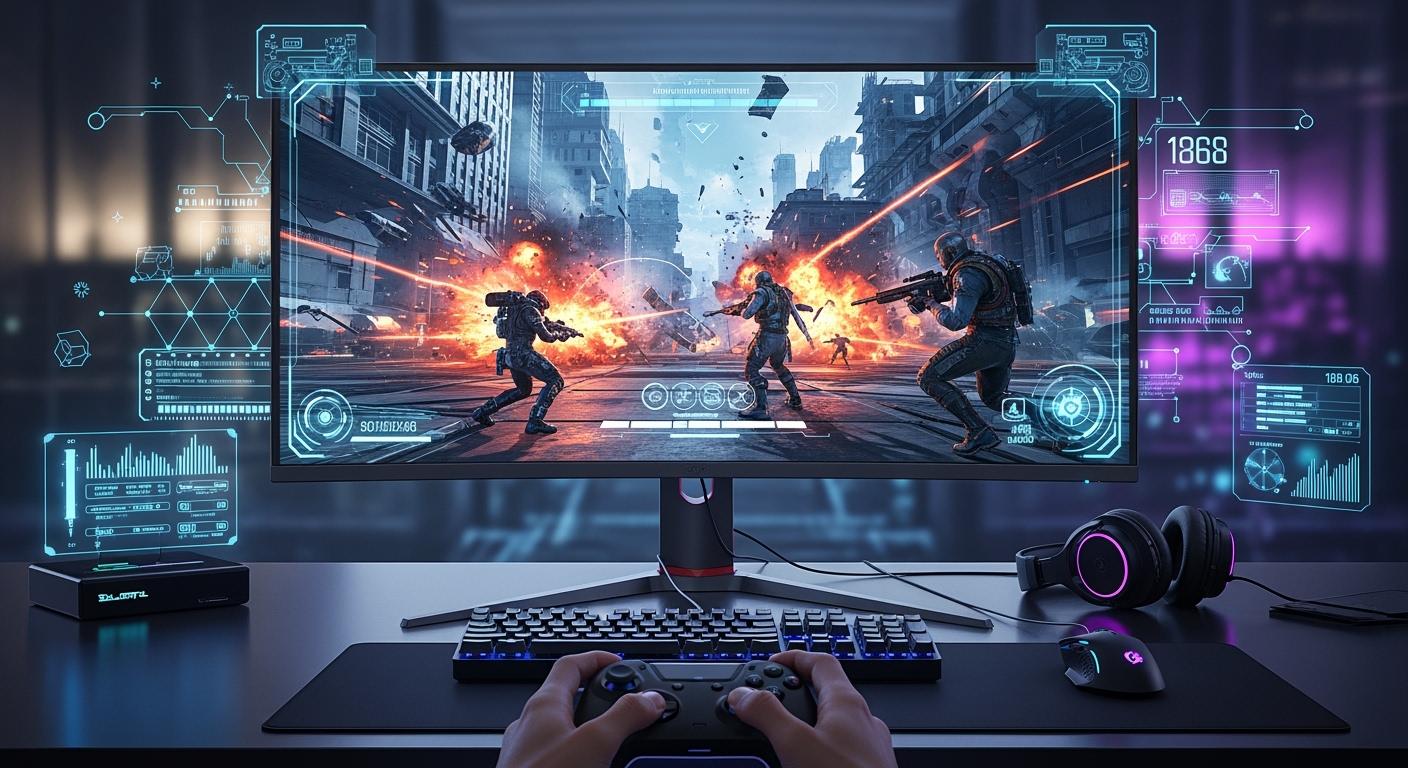
If you want the best LCD monitors for gaming in 2026, you have some amazing choices. Top models like the ASUS ROG Swift OLED PG27UCDM, Asus ROG Swift PG27AQWP-W, Alienware 25 320Hz, and LG UltraGear EVO AI 39GX950B deliver sharp visuals and smooth action. Your gaming needs matter most. The right monitor can boost your performance and make every game more fun.
Shenzhen TopAdkiosk Display Technology Co., Ltd.
Add.: 2F, Bldg 10, Changfeng Industrial Park, Dongkeng, Fenghuang, Guangming, Shenzhen, China 518132
Mobile/WHATSAPP: 86-138 25769658
Email: marketing@topadkiosk.com topadkiosk@gmail.com
Skype: pghenry1
Wechat: adkioskhenry
English Web.: http://www.topadkiosk.com/
https://www.topkioskdisplay.com/
http://www.ad-kiosk.com/
https://www.toplcddisplay.com/
http://www.multitouchdigitalsignage.com/
https://www.youtube.com/channel/UCYVYNJHxLVEcQD8fuUxXNTA/videos?view_as=subscriber
https://www.facebook.com/TOPADKIOSKSHENZHEN/?ref=bookmarks
Key Takeaways
Pick monitors with high refresh rates, like 144Hz or higher, for smoother games and faster reactions. Look for low response times, between 1ms and 2ms, to cut down on motion blur and make fast games look clearer. Think about extra features like HDR and AI upscaling for better graphics and a more exciting game feel. Choose a monitor that matches how you like to play, whether you play to win or just for fun, so you enjoy your games more. Make sure your PC is strong enough for your monitor so you get the best gaming performance.
Best Gaming LCD Monitors 2026
Top Picks Overview
When you play games, you want the best experience. In 2026, the best gaming monitors have cool features. These features make every game smooth and fun. Here are some top picks you should know:
ASUS ROG Swift OLED PG27UCDM: Shows sharp 4K images and reacts fast in action games.
Asus ROG Swift PG27AQWP-W: Has a super high 540Hz refresh rate, great for fast shooters.
Alienware 25 320Hz (AW2525HM): Gives a very quick 320Hz refresh rate for serious players.
LG UltraGear EVO AI 39GX950B: Has a big ultrawide screen and uses AI to make details look amazing.
These best gaming monitors are special because they do more than regular lcd monitors. You get high refresh rates, quick response times, and smart features that help you win.
Why These Monitors Stand Out
You may ask why these are the best choices. The answer is they mix speed, clear pictures, and smart tech. See how 2026 monitors are better than older ones:
Feature | 2026 Monitors | Previous Years Monitors |
|---|---|---|
Refresh Rate | Usually up to 60Hz | |
Pixel Response Time | 2ms or less | 4ms or more |
HDR Capabilities | Advanced HDR | Basic HDR |
Connectivity Options | DisplayPort 2.1 | Older standards |
AI Features | Onboard NPU for smart functions | None |
You get smoother movement and clearer pictures. Some monitors, like the LG UltraGear EVO AI 39GX950B, use AI to add details and make scenes look great. Others, like the ASUS ROG Swift OLED PG27UCDM, use new OLED panels for deep blacks and bright colors.
If you want the best gaming monitor, look for high refresh rates and fast response times. These features help you react quickly and see more details. The best gaming monitors also have advanced HDR, so your games look real. You can trust these picks to help you play better, whether you play for fun or in tournaments.
Best 4K Gaming Monitor
ASUS ROG Swift OLED PG27UCDM
If you want the best 4k gaming monitor, you should check out the ASUS ROG Swift OLED PG27UCDM. This monitor stands out in the world of 4k gaming. You get a QD-OLED panel that brings infinite contrast and vibrant colors. The 240Hz refresh rate makes every movement smooth. You can play fast-paced games and see every detail. The low response time helps you react quickly. You will notice the difference in your gaming sessions.
Here’s a quick look at what makes this monitor special:
Feature | Description |
|---|---|
Panel Technology | QD-OLED for infinite contrast and vibrant colors |
Refresh Rate | 240Hz for professional-grade gaming |
Response Time | Low response time ideal for fast-paced gaming |
Pros & Cons
Let’s break down the good and the not-so-good parts:
Pros
Stunning 4k visuals with deep blacks and bright colors
Super-fast refresh rate for smooth gaming
Low response time boosts your performance
High color accuracy for content creation
Cons
Premium price tag
Needs a powerful PC for 4k gaming at high refresh rates
OLED panel may show slight burn-in after long use
Who It's For
You want the best 4k gaming monitor if you love sharp visuals and smooth action. This monitor fits you if you play competitive games or enjoy single-player adventures. You also benefit if you create content and need accurate colors. If you want the best oled gaming monitor, this model is a top choice.
Key Specs
You can see how this monitor performs in color accuracy and input lag. Here’s a table that shows its 4k color performance:
Mode | sRGB Coverage | Average ΔE | Maximum ΔE |
|---|---|---|---|
Factory | 4.49 | 6.42 | |
sRGB Mode | 95.9% | 1.71 | 4.96 |
You get almost full sRGB coverage. The average color error is low, so your games and videos look true to life. The ASUS ROG Swift OLED PG27UCDM is the best 4k gaming monitor for gamers who want top performance and stunning visuals. You can trust this monitor to deliver the best oled gaming monitor experience in 4k gaming.
Best Ultra-High Refresh Rate Monitor
Asus ROG Swift PG27AQWP-W
If you want the best ultra-high refresh rate monitor for gaming, the Asus ROG Swift PG27AQWP-W stands out. This monitor gives you a blazing 540Hz refresh rate at 1440p resolution. You get a 26.5-inch QHD screen that makes every frame look sharp and smooth. When you play fast-paced games, you notice the difference right away. The action feels instant, and you see every detail, even when things move quickly.
The monitor uses advanced OLED technology. You get deep blacks and bright colors. The screen also has a longer lifespan and a bigger color range than older models. You do not have to worry about burn-in as much, so you can game for hours.
Pros & Cons
Here’s a quick look at what you get with this best ultra-high refresh rate monitor:
Pros
Super high-refresh rate for ultra-smooth gameplay
0.02ms response time for top performance
Extreme Low Motion Blur tech reduces ghosting
VESA DisplayHDR 500 True Black for rich colors
Lower risk of burn-in and longer lifespan
Cons
Needs a powerful PC to reach full potential
Premium price tag
Not ideal for casual gaming or non-gaming tasks
Who It's For
You want this best ultra-high refresh rate monitor if you play competitive games and care about every millisecond. If you love esports or want the fastest display for gaming, this monitor fits your needs. You get the edge in shooters, racing games, and any title where quick reactions matter. If you want the best performance and smoothest visuals, this is your pick.
Key Specs
Here’s a table to help you see what makes this monitor special:
Feature | Details |
|---|---|
Refresh Rate | 540Hz (QHD 2560 x 1440) |
Response Time | 0.02ms (GtG) |
Panel Size | 26.5 inches |
Motion Clarity | ASUS Extreme Low Motion Blur |
HDR | VESA DisplayHDR 500 True Black |
Color Volume | 25% larger than previous models |
Peak Brightness | 15% higher than previous models |
Lifespan | 60% longer than older OLED monitors |
Tip: If you want the best ultra-high refresh rate monitor for gaming, make sure your PC can keep up with the high-refresh rate. This way, you get the most out of your new display.
1080p Gaming LCD Monitors
Alienware 25 320Hz (AW2525HM)
You need a monitor that can keep up with you. The Alienware 25 320Hz (AW2525HM) does just that. This LCD monitor is great for 1080p gaming. The screen is sharp and shows lots of details. The 320Hz refresh rate makes games look very smooth. If you play esports, you need to react fast. This monitor helps you see everything and act quickly.
Alienware made this monitor for gamers who want to win. It has low input lag, so your moves show up right away. The colors look bright and make games exciting. If you use AMD or Nvidia graphics cards, you get FreeSync Premium and G-Sync. This means less screen tearing and more fun when you play.
Pros & Cons
Here are the good things and some things you might not like:
Pros
Super-fast 320Hz refresh rate for smooth gaming
Low input lag boosts your performance in every match
Great color range makes visuals stand out
Works with both AMD FreeSync Premium and Nvidia G-Sync
Easy setup for competitive gaming
Cons
1080p resolution may not suit those who want 4K visuals
Smaller screen size compared to ultrawide monitors
Premium price for a 1080p LCD monitor
Tip: If you play esports or fast-paced games, you will see the difference right away.
Who It's For
This monitor is for people who play games and care about speed. It is good for you if you join tournaments or play shooters. You get an advantage in every match. If you want a monitor that helps you play better, this is a smart choice. It is also good if you want a screen that works with different graphics cards.
Key Specs
Here is a table that shows the main features and what they do:
Feature | Benefit |
|---|---|
1080p Resolution | Gives clear visuals and keeps frame rates high for competitive play. |
320Hz Refresh Rate | Makes gameplay smooth with less motion blur, which is important for esports. |
Low Input Lag | Makes sure your actions show up fast, so you play better. |
Excellent Color Range | Shows bright and lively colors, making games look better. |
AMD FreeSync Premium | Cuts down on screen tearing for smoother gaming. |
Nvidia G-Sync Compatibility | Works with many graphics cards for the best performance. |
This monitor helps you play your best. The Alienware 25 320Hz (AW2525HM) is a great pick for 1080p gaming and esports.
Best Gaming Monitors for Esports
Asus ROG Swift PG27AQDP
You want a monitor that gives you an edge in esports. The Asus ROG Swift PG27AQDP does just that. This monitor packs a 480Hz refresh rate, which is almost as fast as the top monitors out there. You get a WOLED panel that brings vibrant colors and deep contrast. The HDR performance makes every scene pop. When you play fast-paced games, you notice how smooth everything looks. The low response time of 0.03ms means your actions show up right away. You can move quickly and see every detail.
If you play competitive games, you need a monitor that keeps up with you. The PG27AQDP stands out because it handles motion so well. You get less blur and more clarity, even when things move fast.
Pros & Cons
Let’s look at what you get and what you might miss:
Pros
Super-fast 480Hz refresh rate for smooth gaming
WOLED panel delivers bright colors and strong contrast
0.03ms response time reduces motion blur
Advanced OLED protections and cooling system for longer life
Excellent HDR for immersive visuals
Cons
Premium price tag
Needs a powerful PC to reach full potential
Not ideal for casual gaming or everyday tasks
Who It's For
You want this monitor if you play esports or competitive games. It fits you if you care about speed and accuracy. You get the best motion handling and picture quality. If you want to win and see every detail, this monitor helps you do that. It is also great for gamers who want a reliable display that lasts through intense gaming sessions.
Key Specs
Here’s a quick table to show you what makes this monitor special:
Feature | Details |
|---|---|
Refresh Rate | 480Hz |
Response Time | 0.03ms |
Panel Type | WOLED |
HDR | Exceptional performance |
OLED Protections | Advanced safeguards |
Cooling System | High-performance design |
You get a monitor that is ready for esports. The Asus ROG Swift PG27AQDP gives you the speed, clarity, and color you need for top-level gaming.
Best Ultrawide LCD Monitors for Gaming

LG UltraGear EVO AI 39GX950B
This monitor pulls you into the game. The LG UltraGear EVO AI 39GX950B is the best ultrawide gaming monitor for 2026. It has a huge 39-inch curved screen. The 21:9 aspect ratio makes games feel more real. The curve wraps around your eyes. You see more of the action. The 5K resolution shows sharp and clear images. You can spot every detail on the battlefield.
Games like PlayerUnknown’s Battlegrounds and Apex Legends work with ultrawide screens. You can see enemies and loot that others miss. The LG UltraGear EVO AI 39GX950B uses AI upscaling. This makes games with lower resolution look crisp. You do not have to worry about blurry pictures. The monitor’s smart features help you enjoy every game.
Pros & Cons
Here are some good things and things to think about:
You get a wider view, which helps in games.
The curved screen makes gaming feel more real.
5K resolution gives sharp details and bright colors.
AI upscaling makes all games look better.
Some games may not work well with ultrawide screens.
The monitor is big and needs lots of desk space.
The price is high and may not fit everyone’s budget.
Tip: If you want the best ultrawide gaming monitor, check if your games support ultrawide screens. You get the most out of it when your games use the whole screen.
Who It's For
This monitor is great if you love games that feel real. It is good for shooters, racing games, and open-world adventures. You see more and notice extra details. If you want the best ultrawide gaming monitor for competition, this model gives you an advantage. It is also good for streaming or making content if you need more space.
Key Specs
Here are the main features:
Feature | Details |
|---|---|
Screen Size | 39 inches |
Aspect Ratio | 21:9 |
Resolution | 5,120 x 2,160 (5K) |
Panel Type | LCD |
AI Upscaling | Yes |
Curved Design | Yes |
This monitor changes how you play games. The LG UltraGear EVO AI 39GX950B is the best ultrawide gaming monitor for anyone who wants a bigger, clearer, and smarter screen.
Budget LCD Monitors for Gaming
Top Value Pick
You want the best value when shopping for a gaming monitor. You do not need to spend a lot to get a great experience. The best value gaming monitor gives you smooth gameplay and sharp visuals. You can find LCD monitors that offer high refresh rates and low input lag without breaking your budget.
Here’s a quick look at some of the best value options for gaming:
Monitor Model | Resolution | Refresh Rate | Panel Type | Input Lag | Price |
|---|---|---|---|---|---|
1440p | 180Hz | IPS | Low | $150 | |
Dell SE2726HG | 1080p | 240Hz | IPS | Low | N/A |
Pixio PX248 Wave | 1080p | 200Hz | N/A | N/A | N/A |
The KTC H27T22S stands out as the best value gaming monitor. You get a 1440p resolution and a 180Hz refresh rate. This monitor gives you fast action and clear images. The price is low, so you save money and still enjoy gaming.
Pros & Cons
You want to know what makes these monitors the best value. Here are some pros and cons:
Pros
High refresh rates for smooth gaming
Low input lag helps you react fast
Affordable price gives you the best value
IPS panels show bright colors and wide viewing angles
Cons
Basic build quality with lightweight plastics
Fixed stands limit adjustability
Fewer ports and features than premium monitors
Tip: If you want the best value, focus on refresh rate and input lag. You get the most out of your gaming without paying extra.
Who It's For
You want a best value gaming monitor if you play games and need a budget-friendly option. These monitors fit you if you are a student or a casual gamer. You get the best value for your money. You do not need advanced features to enjoy gaming. You want a monitor that works well and keeps up with your games.
Key Specs
You can compare budget and premium monitors to see the best value:
Feature | Premium Monitors | |
|---|---|---|
Build Quality | Basic materials | Metal and thick plastics |
Stand Adjustability | Minimal | Full adjustment |
Connectivity | HDMI and VGA | HDMI 2.1, DisplayPort, USB-C |
Extra Features | Basic controls | Gaming OSD, KVM switch |
You get the best value by choosing a monitor that fits your needs. You save money and still enjoy gaming with a reliable LCD monitor.
Premium LCD Monitors for Gaming
Top Luxury Pick
You want the best premium experience when you play games. The ASUS ROG Swift PG32UQX stands out as the top luxury pick for gaming in 2026. This monitor gives you a 32-inch 4K display with mini-LED backlighting. You see every detail, and colors look bright and true. The build quality feels solid, and the design looks sleek on your desk. You get a monitor that feels special every time you turn it on.
If you want the best premium LCD monitor, you get features that make your games look and feel amazing.
Pros & Cons
Let’s look at what you gain and what you might miss:
Pros
Stunning 4K visuals with true HDR and peak brightness up to 1000 nits
Up to 99% DCI-P3 color accuracy for lifelike colors
High refresh rates for smooth gaming action
Low input lag for quick response in every game
Premium build quality with metal accents
Cons
High price tag
Large size may not fit every desk
Needs a powerful PC for best performance
Who It's For
You want the best premium monitor if you care about every detail in your games. This monitor fits you if you play AAA titles, stream, or create content. You get the best visuals and smooth gameplay. If you want a monitor that lasts and looks great, this is your pick.
Key Specs
Here’s a quick table showing why the best premium monitors stand out:
Feature | Description |
|---|---|
Superior Panel Technologies | Fast IPS and mini-LED for better color and faster response times |
High Refresh Rates | 120Hz and above for smooth gaming |
Low Input Lag | Below 5ms for fast reactions |
Enhanced Color Accuracy | QD-OLED and IPS panels deliver wide color gamut and brightness |
You also get true HDR and high-quality materials. Compared to mainstream monitors, the best premium models offer up to 99% DCI-P3 color accuracy, true HDR with 1000 nits, and solid build quality.
Tip: If you want the best premium gaming monitor, check your PC specs and desk space before you buy. You get the most out of your games with the right setup.
Portable Gaming LCD Monitors
Best Portable Pick
You want to play games anywhere. A portable gaming LCD monitor makes that possible. The ASUS ROG Strix XG16AHP stands out as a top choice. This monitor has a 15.6-inch screen and a 144Hz refresh rate. You get a built-in battery, so you do not need to stay near a power outlet. The kickstand lets you set it up fast. You can use it with your laptop, console, or even your phone. The slim design fits in your backpack. You can take your gaming setup to a friend’s house or on a trip.
Pros & Cons
Let’s look at what you gain and what you might miss:
Pros
Lightweight and easy to carry
144Hz refresh rate for smooth gaming
Built-in battery for true portability
Works with many devices
Cons
Smaller screen size than desktop monitors
Color accuracy is good, but not as strong as bigger monitors
Lower brightness in bright rooms
Tip: If you want to game on the go, a portable monitor gives you freedom. You can set up anywhere and start playing in minutes.
Who It's For
You want a portable gaming LCD monitor if you travel often or need a second screen. This monitor fits you if you play games on a laptop or want to use your console away from home. It is also great for students who want to game between classes or during breaks. You get a flexible setup that moves with you.
Key Specs
Here’s how portable gaming monitors compare to traditional desktop monitors:
Feature | Portable Gaming Monitors | Traditional Desktop Monitors |
|---|---|---|
Refresh Rate | Standard rates (up to 144Hz) | High rates (144Hz or higher) |
Input Lag | Acceptable for casual use | Lower response times |
Color Reproduction | Vibrant, less accurate | Superior color accuracy |
Screen Size | 13–17 inches | Larger sizes available |
You get a good gaming experience in a small package. Portable monitors give you the freedom to play games wherever you go.
How to Choose LCD Monitors for Gaming
Picking the right monitor can seem hard. You want a screen that fits your style and gives you a great time. Let’s look at what you should know so you can choose well and get good performance every time you play.
Panel Types Explained
When you shop for monitors, you will see different panel types. Each type gives you a different gaming feel. Here’s a table to help you compare:
Panel Type | Strengths | Weaknesses |
|---|---|---|
IPS | Superb color quality, strong grayscale performance, wide viewing angles | Slower pixel response, motion artifacts |
VA | Excellent contrast ratio, dramatic visuals in dark scenes | Slower response times, potential ghosting |
TN | Fastest response times, suitable for competitive gaming | Poor color accuracy, limited viewing angles, lower contrast |
These panels can change how your games look and play. Check this table to see the differences:
Panel Type | Response Time | Color Accuracy | Viewing Angles |
|---|---|---|---|
VA | Slower | High contrast | Limited |
IPS | Fast | Excellent | Wide |
TN | Fastest | Moderate | Narrow |
If you want bright colors and wide angles, pick IPS panels. For deep blacks and strong contrast, VA panels are best. If you play fast games and need quick moves, TN panels help you win. Your choice depends on what you care about most in your games.
Tip: If you want the best curved gaming monitor, try VA or IPS panels. They give you better colors and contrast for a more fun experience.
Performance Metrics
You want your monitor to keep up with your games. Here are the most important things to check:
Refresh Rate: This shows how many times each second your monitor changes the picture. Higher refresh rates, like 144Hz or 240Hz, make games look smoother. You will see the difference in fast games.
Response Time: This tells you how fast pixels change color. Lower numbers, like 1ms or 2ms, mean less blur and clearer images. You want this for action games.
Input Lag: This is the delay between your move and what you see. Lower input lag (under 5ms) helps you react faster and play better.
A high refresh rate and low response time give you smooth gaming. If your monitor is slow (over 5ms), you might see blur, which can hurt your aim. A fast response time (1ms) gives you sharp images and helps you play well.
Note: Always match your monitor’s refresh rate to what your PC can do. This way, you get the best from your gaming setup.
Adaptive Sync: G-Sync & FreeSync
Screen tearing and stuttering can ruin your games. Adaptive Sync fixes this by matching your monitor’s refresh rate to your graphics card. Here’s how G-Sync and FreeSync compare:
Feature | G-Sync | FreeSync |
|---|---|---|
Compatibility | Requires Nvidia GeForce cards | Requires AMD graphics cards |
Basic Functionality | Syncs refresh rate to GPU output | Syncs refresh rate to GPU output |
Compatibility Levels | G-Sync, G-Sync Compatible, G-Sync Ultimate | FreeSync, FreeSync Premium, FreeSync Premium Pro |
Additional Features | High-end features like extreme luminance | Low Framerate Compensation, HDR support |
Minimum Refresh Rate | 144Hz for G-Sync Ultimate | 120Hz for FreeSync Premium Pro |
Adaptive Sync makes your games smoother. It stops screen tearing and stuttering by changing the refresh rate as you play. You get the good parts of VSync without the lag. If you want a gaming setup, pick a monitor with G-Sync or FreeSync that matches your graphics card.
Adaptive Sync changes the monitor’s refresh rate to match your GPU.
This stops screen tearing and stuttering, so games look better.
You get smoother gameplay and better visuals.
HDR for Gaming
HDR, or High Dynamic Range, makes your games look even better. You get brighter highlights, deeper blacks, and more colorful scenes. Here’s why HDR is good for your gaming monitor:
HDR gives you brighter colors and better contrast than SDR.
You see more details and brighter scenes in HDR games.
True HDR needs at least 1000 nits, but 600 nits is still good.
Monitors with OLED or Mini-LED panels give you the best contrast and picture.
If you want the best curved gaming monitor or a top flat screen, look for strong HDR. It makes your games look more real and exciting.
Tip: Not all monitors with “HDR” really have true HDR. Check the brightness and panel type before you buy.
Content Creation & Gaming
You might use your monitor for more than just games. If you edit photos or videos, color accuracy is important. Monitors with wide color gamuts and high accuracy help you see real colors. This means your edits look the same on other screens and in print.
Getting a color-accurate 4K monitor with wide color makes editing easier.
True colors on screen match your exports, so you fix less.
Natural skin tones and less color grading save you time.
You get a smoother workflow and better results.
If you want a monitor for both gaming and editing, pick IPS panels with high color accuracy. This way, you get great performance for both.
Connectivity & Ports
You want your monitor to work with all your devices. Check the ports before you buy. Here’s what to look for:
HDMI: Works with most PCs, consoles, and streaming devices.
DisplayPort: Best for high refresh rates and top performance.
USB-C: Lets you connect laptops and charge devices at the same time.
Audio Out: Connects to speakers or headphones.
If you want the best curved gaming monitor or a top flat screen, make sure it has the ports you need. More ports mean more ways to use your monitor.
Recommendation: Always check your PC and console ports before you buy a monitor. This helps you avoid problems and makes setup easy.
Choosing the right monitor means thinking about your games, your setup, and your needs. Use these tips and tables to compare your choices. You’ll find a monitor that gives you great performance and a fun gaming experience. If you want more gaming monitor ideas, check the earlier sections for our top picks and best curved gaming monitor options.
You have lots of great lcd monitors to pick from, whether you want sharp 4K, fast refresh rates, or a big ultrawide screen. Think about your gaming style and budget. Ask yourself what matters most—speed, color, or size.
Check your PC and desk space before you buy.
Compare specs and see which monitor fits your needs.
The right monitor can make your gaming more fun and help you play your best.
FAQ
What refresh rate should I choose for gaming?
You want at least 144Hz for smooth gameplay. If you play fast shooters or esports, go for 240Hz or higher. Higher refresh rates help you react faster and see more action.
Do LCD monitors work well for both PC and console gaming?
Yes! Most LCD gaming monitors support HDMI and DisplayPort. You can connect your PC, Xbox, PlayStation, or even a Nintendo Switch. Just check the ports before you buy.
Is screen size important for gaming?
Screen size changes how you see your games. Bigger screens give you more detail and a wider view. If you sit close, a 24–27 inch monitor works well. For more immersion, try an ultrawide or 32-inch screen.
Can I use a gaming LCD monitor for school or work?
Absolutely! Gaming LCD monitors show clear text and bright colors. You can use them for homework, web browsing, or watching videos. Some even have blue light filters to help your eyes.
How do I stop screen tearing on my LCD monitor?
Turn on G-Sync or FreeSync if your monitor supports it. These features match your monitor’s refresh rate to your graphics card. You get smoother visuals and no more screen tearing.
See Also
Selecting The Ideal Gaming Monitor For Your Configuration
Best Monitors For Modern And Classic Arcade Gaming
Best OLED Displays To Enhance Your Viewing Experience
Selecting The Perfect LCD Rack Monitor For Your Requirements
