Best LCD display kiosks for retail environments in 2026
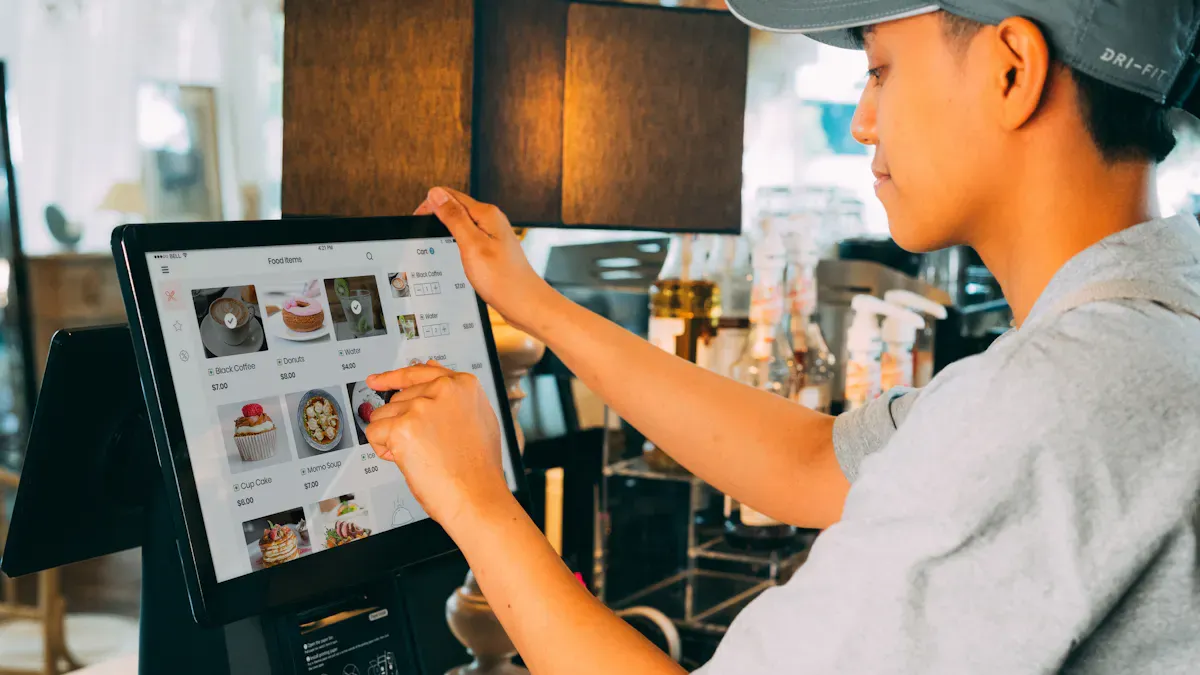
You want the best LCD display kiosks for retail environments because your customers desire smooth, eye-catching digital signs. Choosing the right kiosk helps you stand out in busy shopping areas. Top brands like Samsung, LG, and Sony lead with advanced LCD technology. See how these best LCD display kiosks for retail environments compare:
Brand | Main Features |
|---|---|
Samsung | SoC design, bright digital signs |
LG | webOS screens, flexible digital signs |
Sony | Very durable, high-quality for stores |
Panasonic | Made for tough retail environments |
NEC | Works all day and night without problems |
Sharp | Trusted for important store signs |
BenQ | Affordable digital signs for small shops |
ViewSonic | Easy to set up for store digital signs |
You need the best LCD display kiosks for retail environments to create a modern, fun space.
Key Takeaways
Pick LCD kiosks that make shopping better for customers. Find features like touchscreens and interactive displays to get shoppers interested. - Think about how strong and well-made the kiosks are. Tough frames and waterproof designs help them last longer in busy stores. - Choose kiosks that work well with your current systems. This makes updates easy and helps you manage content better.
Top 10 best lcd display kiosks for retail environments
When you pick lcd display kiosks for your store, you want more than a bright screen. You want kiosks that help shoppers find things, answer questions fast, and make shopping simple. Interactive digital signage is now very important. It makes your store look modern and keeps people interested.
Here’s a quick look at the top 10 lcd display kiosks for retail in 2026:
Kiosk Model | Key Specs & Features | Ideal Retail Use Cases |
|---|---|---|
NCR SelfServ Kiosk | 27" 4K lcd, touch, AI analytics, payment ready, waterproof | Self-checkout, loyalty programs |
Voyix Interactive Kiosk | 32" lcd, multi-touch, cloud updates, built-in camera | Product info, endless aisle |
Diebold Nixdorf Beetle Kiosk | 24" lcd, modular design, high brightness, secure payments | Quick service, ticketing |
Glory Ltd. Retail Kiosk | 22" lcd, cash handling, rugged build, anti-glare | Cash payments, high-traffic areas |
Kiosk Information Systems Model X | 27" lcd, customizable, ADA compliant, RFID/NFC | Order pickup, customer check-in |
Meridian Kiosks Mzero | 32" lcd, outdoor ready, high brightness, facial recognition | Outdoor retail, wayfinding |
Elo Touch Solutions Kiosk | 22" lcd, edge-to-edge glass, Android/Windows, easy integration | Interactive catalogs, gift registry |
DynaScan High Brightness Kiosk | 55" lcd, ultra-bright, weatherproof, sunlight readable | Window displays, outdoor promotions |
Samsung QMR Series Kiosk | 43" lcd, 4K, slim design, built-in media player | Digital signage, promotions |
LG Smart Retail Kiosk | 49" lcd, webOS, AI-powered recommendations, cloud control | Personalized offers, analytics |
Key specs & features
Interactive screens help customers have fun and stay interested.
Bright screens and waterproofing let kiosks work anywhere in a store.
4K lcd and smart features like cloud connection make these kiosks special.
Ideal retail use cases
In 2026, lcd display kiosks in stores use AI to give shoppers personal deals and track what they like. Stores can stop using the same ads for everyone and show each person what fits them best with real-time data.
You can use these kiosks for self-checkout, finding products, picking up orders, or even for outdoor ads. The right kiosk makes your store stand out and brings shoppers back.
NCR SelfServ Kiosk Review
Overview & Features
You want a checkout that is fast and easy. The NCR SelfServ Kiosk has a scanner, scale, payment terminal, and printer. All parts work together to help shoppers check out quickly. This system helps customers move through lines faster, even when the store is busy. The kiosk uses Intel vPro technology. You can fix problems from far away and keep things working. You can add extra features to fit your store.
Component | Function |
|---|---|
Intel vPro technology | Keeps the system available and allows remote support |
Scanner | Reads barcodes for fast product lookup |
Scale | Weighs items without barcodes |
Payment Terminal | Handles credit, debit, and mobile payments |
Printer | Prints receipts for every transaction |
Customers like using self-service kiosks. They find it simple, especially when the store is crowded. NCR says self-service satisfaction can go up by 15%. This can make customers happier by 7.5%. It may also help sales grow by 2% per square foot.
Pros & Cons
Here’s a quick look at what you get and what you might lose with this kiosk:
Advantages | Disadvantages |
|---|---|
Cuts down lines and speeds up checkout | Some shoppers may not like using technology |
Lets you serve more people and boost sales | Maintenance downtime can slow things down |
Helps staff focus on service, not routine | Setup and software cost can be high |
Makes shopping easier with less waiting | Some customers miss talking to real people |
Best Retail Applications
This kiosk works best in stores with lots of people. It is great during busy hours when lines are long. You can use it for self-checkout. Your team can help customers in other ways. The kiosk helps you save money on labor. Shoppers can do simple tasks themselves. If you want your store to run better and keep customers happy, this kiosk is a good choice.
Voyix Interactive Kiosk Review
Overview & Features
You want a kiosk that makes shopping easy and fast. The Voyix Interactive Kiosk stands out because it brings together years of retail experience and smart technology. Voyix powers over 100,000 stores around the world. You get a system that connects with your point-of-sale, payment processing, and eCommerce. This means you can run your store smoothly and help customers quickly.
Here’s a quick look at what you get:
Feature | Description |
|---|---|
Combines cloud and edge POS for smooth selling and loyalty programs. | |
Self-Checkout Solutions | Lets shoppers scan and pay by themselves, so lines move faster. |
Analytics & Reporting | Shows you sales trends and customer habits for better decisions. |
Customer Loyalty Tools | Helps you run loyalty campaigns and keep shoppers coming back. |
Payments & Security | Keeps payments safe and works with many payment types. |
You can trust this kiosk for high performance and reliability. It is built for speed and works well even when your store gets busy.
Pros & Cons
Every kiosk has good points and some things to think about. Here’s what you should know about Voyix:
Pros | Cons |
|---|---|
Some shoppers may not like technology | |
Gives customers more control | You need staff to help sometimes |
Supports contact-free payments | Risk of theft if not watched |
Tip: You can train your team to help customers use the kiosk for the first time. This makes everyone feel comfortable.
Best Retail Applications
You can use the Voyix Interactive Kiosk in many ways. It works well for self-checkout, product lookup, and even loyalty sign-ups. This kiosk helps you serve more people, even if you have fewer workers. Shoppers get faster service and more control over their experience. You also build a modern brand that people remember.
Benefit | Description |
|---|---|
Lets shoppers get what they need, even after hours in some cases. | |
Speed | Cuts down wait times and keeps lines short. |
Labor Efficiency | Helps you do more with less staff. |
Brand Affinity | Makes your store look modern and keeps shoppers coming back. |
If you want a reliable, smart, and flexible solution for your store, this kiosk is a top choice.
Diebold Nixdorf Kiosk Review
Overview & Features
You want a kiosk that fits your store and keeps shoppers happy. Diebold Nixdorf gives you this. The modular design lets you change the setup for your needs. You can add or take away parts as your store changes. The open API framework helps you connect with your current systems. This means you can update your tech without starting from scratch.
Here’s what makes this kiosk special:
Feature | Description |
|---|---|
Modular Design | Lets you build the kiosk to fit your store perfectly. |
Open API Framework | Connects with your existing tech for smooth upgrades. |
Focus on Customer Engagement | Helps you reach shoppers at every step of their journey. |
High Reliability and Uptime | Keeps your store running, even during busy times. |
Tailor the setup for your unique retail needs. | |
Best-in-Class Components | Uses high-quality parts for long-lasting performance. |
Optimized Footprint | Fits easily into any retail space, big or small. |
You can see how these features helped Dave & Buster’s get more customer interest and happiness. After a test run, they put these kiosks in 60 more stores.
Pros & Cons
Let’s see what is good and what could be a problem:
Strengths | Weaknesses |
|---|---|
Reliable support and managed services for steady operations. | Hardware dependence can be risky during tech refresh cycles. |
Strong security knowledge builds trust with retailers. | High fixed costs may limit flexibility. |
Connects digital and physical shopping for a smooth experience. | Older tech support can slow down new updates. |
Consistent user experience increases satisfaction and throughput. | Delayed orders possible during customer budget cycles. |
Best Retail Applications
You can use the Diebold Nixdorf kiosk in many ways:
Self-checkout systems make buying things fast and ready for the future.
Interactive kiosks help shoppers find what they want and have fun.
POS peripherals give your checkout area more features.
Stores like Edeka Paschmann use AI with these kiosks to stop loss at self-checkout. This shows the technology works well in real stores.
Glory Ltd. Retail Kiosk Review
Overview & Features
You want a kiosk that works well on busy days. Glory Ltd. Retail Kiosk is made for stores with lots of people. The PCAP touchscreen is smooth and reacts fast when you touch it. The screen has strong glass to keep it safe from damage. Many people can use it without problems. You can add things like NFC, barcode, or RFID to help your store.
Feature | Description |
|---|---|
Made for busy places that never stop | |
Touchscreen Technology | PCAP touchscreen is easy and quick to use |
Durability | Strong glass keeps the screen from getting scratched |
Customization | Add NFC, barcode, or RFID for your store’s needs |
You also get self-checkout that you can change, simple ordering, and better security. This kiosk works in many types of stores, even small ones or stores with different setups.
Pros & Cons
Here are some good things and things to think about:
This kiosk lets you change checkout for each customer.
It makes ordering and paying simple, so people are happy.
Security is better, so your money and data are safe.
You can use this kiosk in many kinds of stores.
Note: You might need to buy more parts or software if your store needs something special.
Best Retail Applications
You can use Glory Ltd. Retail Kiosk where self-service is important. Fast food places like it because the kiosk asks customers if they want extra items. This can make orders bigger. Busy stores have shorter lines and shoppers are happier. AI tools like predictive maintenance and computer vision help the kiosk work well and stay safe. If you want to help customers and make lines shorter, this kiosk is a good pick.
Kiosk Information Systems Model X Review
Overview & Features
You want a kiosk that looks cool and works in any store. The Model X has a glass front and a strong metal frame. This makes it fit in fancy stores. You can use Android, Windows, or Linux. This means your favorite apps will work. The Model X lets you add a payment terminal, barcode scanner, or printer. You can use it for self-ordering or ticketing. It takes cashless and contactless payments, so checkout is fast and safe. The kiosk is tough and the screen reacts quickly, so it works well in busy places.
Feature | Description |
|---|---|
Full-glass front, aluminum frame, compact body | |
Multi-System Support | Works with Android, Windows, or Linux |
Flexible Configuration | Add payment, scanner, or printer modules |
Cashless & Contactless | Accepts mobile, card, and QR payments |
Plug & Play Deployment | Ready for self-service, food ordering, or ticketing |
Pros & Cons
You want to know why this kiosk is a good pick. Here is a quick list:
Advantages | Disadvantages |
|---|---|
Some customers get frustrated | |
Boosts store revenue | Downtime can happen |
Uses staff more wisely | Setup costs can be high |
Less human interaction |
Tip: Teach your team to help shoppers use the kiosk the first time. This makes everyone feel better about using it.
Best Retail Applications
You can use the Model X in lots of places. It is great for self-ordering at fast food spots. You can set it up for ticketing at events or stations. Stores use it for quick checkouts and looking up products. The kiosk fits in small shops and big stores. If you want a modern, flexible way to keep lines short and shoppers happy, the Model X is a great choice.
Meridian Kiosks Mzero Review
Overview & Features
You want a kiosk that can handle tough jobs. Meridian Kiosks Mzero is made for outdoor use. The LCD screen stays bright, even in sunlight. Facial recognition helps with security and welcomes shoppers. The Mzero software lets you manage content from anywhere. You can choose the screen size that fits your store. The kiosk supports touch, so shoppers can tap and swipe easily.
Key Features:
Outdoor-ready, weatherproof design
High-brightness LCD for clear viewing
Facial recognition for smart service
Mzero software for remote management
Multiple screen sizes available
Tip: You can change your kiosk’s content using your phone or laptop. This saves time and keeps your store looking new.
Pros & Cons
Pros | Cons |
|---|---|
Works inside or outside | May cost more than indoor models |
Easy to update and manage | Needs power and network connection |
Strong security with face ID | Setup can take extra time |
Fits many store layouts | Outdoor use may need extra permits |
Best Retail Applications
You can use this kiosk to help people find their way in malls. It works well for outdoor pickup spots or drive-thru orders. The kiosk is great in busy places where shoppers need help fast. Grocery stores, big retailers, and shopping centers all use the Mzero because it is flexible. If you want a kiosk that works in any weather, this one is a smart choice.
Elo Touch Solutions Kiosk Review
Overview & Features
You want a kiosk that feels smooth and looks sharp. Elo Touch Solutions gives you just that. The kiosk comes with a 22-inch LCD screen that stretches edge to edge. You get a bright display that grabs attention. The touchscreen responds fast, so shoppers can tap, swipe, and scroll with no lag. You can pick Android or Windows, which means you can run your favorite apps. The kiosk supports easy integration with your store’s systems. You can add a barcode scanner, printer, or payment device if you need them.
Tip: You can update content from anywhere using Elo’s cloud tools. This keeps your store fresh and up to date.
Pros & Cons
Let’s break down what you get and what you might want to consider:
Pros | Cons |
|---|---|
Fast and accurate touch response | Smaller screen than some competitors |
Sleek, modern design | May need extra modules for payments |
Easy to set up and manage | Higher price for advanced features |
Works with Android and Windows | Some training needed for staff |
Best Retail Applications
You can use this kiosk in many ways. It shines as an interactive catalog where shoppers can browse products. You can set it up for gift registries or loyalty sign-ups. The kiosk also works well for quick product lookups. Small stores love it because it saves space. Big retailers use it to boost customer engagement. If you want a modern, flexible solution that fits almost anywhere, this kiosk is a smart pick.
DynaScan High Brightness Kiosk Review
Overview & Features
You want your store to stand out, even in bright sunlight. The DynaScan High Brightness Kiosk helps you do just that. This kiosk uses a 55-inch LCD screen that shines with ultra-high brightness. Shoppers can see your ads and promotions clearly, even from outside your store. The screen stays easy to read, no matter how sunny it gets. You get a weatherproof design, so you can place this kiosk indoors or outdoors. The built-in cooling system keeps everything running smoothly, even on hot days.
Key Features:
55-inch ultra-bright LCD display
Weatherproof and dustproof body
Sunlight readable technology
Built-in cooling for long life
Tip: You can update your content from anywhere using cloud tools. This keeps your messages fresh and up to date.
Pros & Cons
Pros | Cons |
|---|---|
Easy to see in any lighting | Higher price than basic models |
Works indoors and outdoors | Needs power and network nearby |
Durable and weatherproof | Large size may not fit everywhere |
Best Retail Applications
You can use this kiosk for window displays that grab attention day or night. It works great for outdoor promotions, sidewalk sales, or mall entrances. If you want to show off new products or run special deals, this kiosk makes sure everyone sees your message. Stores in busy shopping districts love how it draws in more customers. You get a reliable solution that keeps working, rain or shine.
Custom Kiosk Solutions Overview
Unique Design Features
You might want your kiosk to stand out and match your store’s style. Custom kiosk solutions give you lots of options. You can pick the shape, size, and color that fit your brand. Some kiosks come as free-standing units, while others sit on a counter or hang on a wall. You can add things like barcode scanners, printers, or even special lighting. These features help your kiosk do more for your customers.
Here’s a quick look at what you can get with custom designs:
Feature | Description |
|---|---|
You can change hardware and looks to match your business. | |
Form Factors | Choose from free-standing, desktop, or wall-mount styles. |
Peripherals | Add barcode scanners, printers, or other devices for more uses. |
Branding Opportunities | Use your colors, logos, and graphics to show off your brand. |
Tip: A custom kiosk can make your store feel unique and help shoppers remember you.
When to Choose Custom Kiosks
You may wonder if a custom solution is right for your store. Custom kiosk solutions work best when you have special needs or want to grow in the future. They let you add features that fit your business goals. You can also plan for changes as your store gets bigger.
Think about these points before you decide:
What do you want your kiosk to do for your business?
Will the extra cost help you reach your goals?
Do you need special features or just basic ones?
Are you planning to expand or change your store soon?
Here’s a table to help you compare custom and standard options:
Factor | Custom Kiosks | Standard Kiosks |
|---|---|---|
Cost | Higher, but tailored | Lower, more generic |
Maintenance | May need special support | Easier to maintain |
Business Needs | Fits your goals | May not fit all needs |
Future Growth | Easy to expand | Harder to change |
Custom solutions can boost customer engagement and give you the tools you need. If you want a kiosk that grows with your store and matches your brand, a custom solution could be the best choice.
Buying Guide for Retail LCD Kiosks
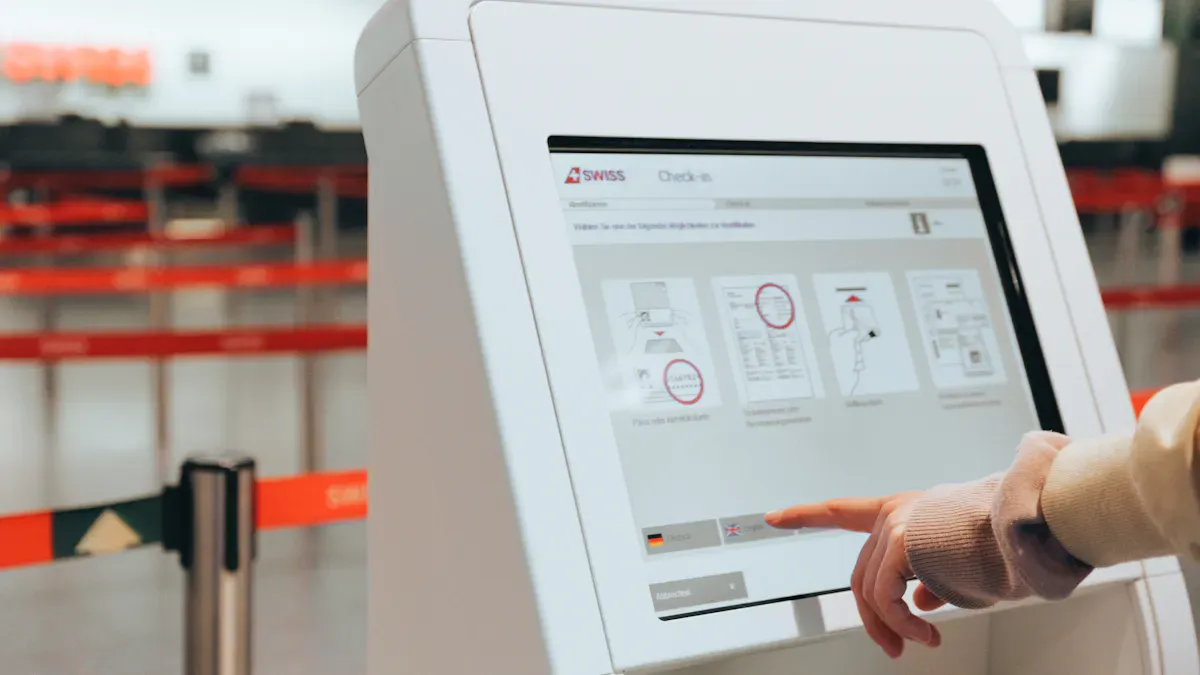
Choosing the right display solutions for your store can feel tricky, but you can make it simple by focusing on a few key points. Let’s break down what matters most when you shop for lcd kiosks and signage.
Screen Size & Resolution
You want a screen that fits your space and grabs attention. Bigger screens work well for busy areas. High resolution makes images and text look sharp. If you want your messages to pop, pick a kiosk with a bright lcd and clear quality.
Durability & Build Quality
Retail stores get busy. You need solutions that last. Look for strong frames and scratch-resistant glass. Quality build means your kiosk will keep working, even with lots of use. Displays2Go suggests checking for waterproofing if you plan to use your kiosk outdoors.
Software & Integration
Your kiosk should work with your current systems. Good solutions let you update content easily. TechRadar recommends picking display solutions that support both Android and Windows. This gives you more options for apps and updates.
Customer Engagement Features
You want shoppers to interact with your kiosk. Touchscreens, cameras, and loyalty tools help you connect with customers. Quality engagement features make your store stand out and keep people coming back.
Installation & Maintenance
Easy setup saves you time. Choose solutions that offer plug-and-play installation. Maintenance should be simple. Look for remote management tools so you can fix problems fast.
Tip: Always ask about support and warranty before you buy. Good service keeps your kiosk running smoothly.
You have many strong options for your store. Some kiosks work best in small shops, while others shine in busy areas. Think about what your customers need. Check the buying guide before you choose. The right kiosk helps your business grow and keeps shoppers happy.
FAQ
What is the main benefit of using an LCD display kiosk in my store?
You help shoppers find products fast. You also make checkout easier. LCD kiosks boost sales and keep customers happy.
How do I pick the right screen size for my retail kiosk?
Think about your store’s space.
Bigger screens work well in busy spots.
Small shops do better with compact displays.
Can I update kiosk content without being in the store?
Yes! Most kiosks let you change content from anywhere using cloud tools. You just need a phone or laptop.
Shenzhen TopAdkiosk Display Technology Co., Ltd.
Add.: 2F, Bldg 10, Changfeng Industrial Park, Dongkeng, Fenghuang, Guangming, Shenzhen, China 518132
Mobile/WHATSAPP: 86-138 25769658
Email: marketing@topadkiosk.com topadkiosk@gmail.com
Skype: pghenry1
Wechat: adkioskhenry
English Web.: http://www.topadkiosk.com/
https://www.topkioskdisplay.com/
https://www.toplcddisplay.com/
http://www.multitouchdigitalsignage.com/
https://www.youtube.com/channel/UCYVYNJHxLVEcQD8fuUxXNTA/videos?view_as=subscriber
https://www.facebook.com/TOPADKIOSKSHENZHEN/?ref=bookmarks
See Also
Top Retail LCD Kiosks That Enhance Sales Performance
LCD Display Kiosks With Touch Screen Features for 2026
Selecting Long-Lasting LCD Kiosks for Malls in 2026
