What Are the Best Huge LCD Displays for Commercial Spaces
Shenzhen TopAdkiosk Display Technology Co., Ltd.
Add.: 2F, Bldg 10, Changfeng Industrial Park, Dongkeng, Fenghuang, Guangming, Shenzhen, China 518132
Mobile/WHATSAPP: 86-138 25769658
Email: marketing@topadkiosk.com topadkiosk@gmail.com
Skype: pghenry1
Wechat: adkioskhenry
English Web.: http://www.topadkiosk.com/
https://www.topkioskdisplay.com/
http://www.ad-kiosk.com/
https://www.toplcddisplay.com/
http://www.multitouchdigitalsignage.com/
https://www.youtube.com/channel/UCYVYNJHxLVEcQD8fuUxXNTA/videos?view_as=subscriber
https://www.facebook.com/TOPADKIOSKSHENZHEN/?ref=bookmarks
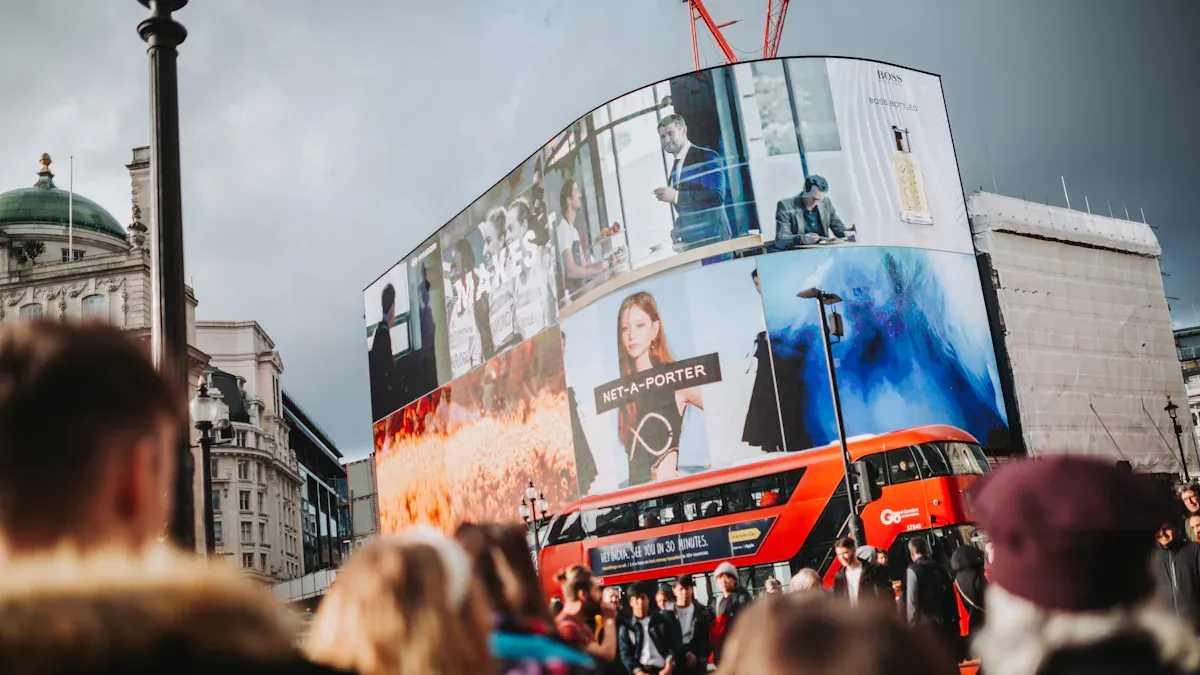
You can find the best huge lcd display models from brands like Samsung, LG, NEC, Planar, Philips, Sony, and Hisense. Picking a commercial-grade screen means it will last longer and has more features for your business. Many businesses use these displays for digital signs, control rooms, and big meeting rooms. These displays are popular, making up 32% of the market and worth about USD 5.92 billion. You see them a lot in offices and schools.
Application Area | Description |
|---|---|
Retail | Used for digital signs, interactive screens, and video walls to help customers and make ads better. |
Corporate | Used for presentations and changing signs in offices. |
Transportation | Used to give real-time information in stations, making travel safer and easier for people. |
Key Takeaways
Pick commercial-grade LCD displays because they are stronger and have more features. They last longer than regular models. - Check for high brightness levels, like 500 to 700 nits. This helps people see the screen in bright places, like stores or airports. - Think about how you will install the display. You can use wall mounts or hang it from the ceiling. This helps save space and makes the screen easy to see. - Choose models with energy efficiency certifications. These use less power but still work well. This helps you save money on electricity. - Look at what your business needs. Pick the right size and features for your display. This will help your customers pay more attention.
Best Huge LCD Display Models
If you want a huge lcd display for your business, look for models with clear pictures and strong build. These displays should have features that match what you need. Here are some top picks for offices, stores, and public places.
Samsung QMR & QBR Series
Samsung’s QMR and QBR Series are great choices for big lcd displays. They show sharp 4K UHD images and videos. The screens use edge-lit LED backlights, so pictures are bright and even. You can pick sizes like 50 or 55 inches. These sizes fit both small and big rooms.
Model | Diagonal Size | Resolution | Brightness | Unique Features |
|---|---|---|---|---|
QB50R | 50" | UHD (3840 x 2160) | 350 NIT | Edge Restoration, Noise Reduction, 10-bit support, Clean cable management, EPEAT Compliant |
QM55R-B | 55" | UHD (3840 x 2160) | 500 NIT | Non-glare panels, HDR+, Dynamic Crystal Color, Samsung Workspace, SSSP, EMC class B |
These displays can run all day, every day. Non-glare panels help you see clearly in bright rooms. Dynamic Crystal Color makes colors look rich. HDR+ gives better contrast. Built-in Wi-Fi and Bluetooth make connecting easy. The slim shape is good for wall mounting and keeps cables neat. They use less power and save money because they meet ENERGY STAR rules.
Tip: Samsung QMR & QBR Series are good for busy places like airports, malls, and control rooms. They stay bright and work well all day.
LG UH5F-H & B-Line
LG’s UH5F-H and B-Line models are also strong choices for big lcd displays. You see bright colors and sharp details with UHD quality. The slim shape and thin edges make them look modern and save space. LG’s IP5x certification means dust cannot hurt the screen.
Feature | Description |
|---|---|
UHD Quality | Vivid and realistic colors and details. |
Slim Design | Narrow bezel and slim depth for easy installation. |
External Dust Protection | IP5x certified for complete dust protection. |
High Efficiency Video Coding | HEVC for efficient UHD content compression. |
30° Tilting Installation | Comfortable viewing when mounted high. |
Auto Screen Rotation | Detects orientation for easy setup. |
Remote Monitoring | Sends email alerts for issues like tilting. |
Simple Accessibility | Single joystick for power, input, and volume control. |
Smart Functionality | Quad Core SoC and webOS for smooth playback and app support. |
You can install these displays in many ways. They tilt up to 30 degrees for high walls. Auto screen rotation helps you set up fast. LG’s remote monitoring sends alerts if there is a problem. The UH5F-H series uses less energy and lowers costs because it is ENERGY STAR certified.
NEC Large Format Displays
NEC Large Format Displays are flexible for many business uses. You can use them in offices, stores, or public spaces. These displays last about 50,000 hours, which is 5 to 7 years. NEC focuses on reliability and lets you manage content from the cloud. You can pick interactive models to help customers connect with your business.
Good for offices, stores, and public spaces
Reliable and can be changed for different needs
Cloud integration makes content management easy
Interactive options help customers engage
Lasts 50,000 hours (5–7 years) in business settings
You can trust NEC displays to keep working year after year.
Planar UltraRes Series
Planar UltraRes Series has some of the biggest and most advanced lcd displays. You can choose a 136-inch screen for bold messages. These displays show full HD, so every detail is clear. The all-in-one design means you do not need extra equipment.
Feature | Description |
|---|---|
Large Display Size | Up to 136 inches for big, clear messages. |
High Resolution | Full HD for sharp images and text. |
Integrated Processing | All-in-one design for fast setup. |
Touch Capabilities | Multi-point touch for interactive use. |
Robust Construction | Built for high-traffic, demanding spaces. |
Design | 24x7 fanless operation for quiet, continuous use. |
Brightness | 700-nit for clear visibility. |
Reliability | Commercial-grade for mission-critical environments. |
You can use Planar UltraRes displays in control rooms, lobbies, and meeting spaces. The fanless design keeps them quiet. You can run them all day and night without worry.
Philips Q-Line & B-Line
Philips Q-Line and B-Line displays are ready to use for stores and businesses. You get 4K playback, so your content looks sharp. Q-Line works well for 16/7 or 24/7 use, so it fits busy places. B-Line has built-in Chromecast, which is helpful in meeting rooms and shared offices.
Model | Price (65-inch) | Key Features |
|---|---|---|
B-Line | ~$1,100 | Built-in Chromecast, ideal for meeting rooms and shared offices. |
Q-Line | ~$1,400 | Ready-to-use 4K playback, designed for 16/7 or 24/7 usage, robust performance. |
Philips Q-Line displays come with a 3-year warranty. This gives you peace of mind. You can count on these displays for stores and offices.
Sony Bravia X750F & BZ40H
Sony Bravia X750F and BZ40H models give you high-quality images and smart features. You see bright, clear pictures with 4K HDR support. These displays are good for presentations, digital signs, and meeting rooms. Sony’s technology helps you manage content and connect devices easily.
4K HDR for sharp, bright images
Smart features make content management easy
Reliable for business use in offices and public spaces
You can use Sony Bravia displays for information and ads. They are flexible for your business.
Hisense Commercial Displays
Hisense has big lcd display models that balance value and performance. You get 4K resolution and strong brightness, so your content stands out. Hisense displays are easy to install and manage. This saves you time. They work well for stores, schools, and hotels.
4K resolution for clear visuals
High brightness for bright rooms
Simple setup and management
Good value for big projects
You can trust Hisense displays for many business spaces.
When you pick a huge lcd display from these brands, you get advanced features and long-lasting performance. There are options for every business need. Each model supports commercial digital signage displays, so you can share your message with confidence.
Commercial vs. Consumer Displays
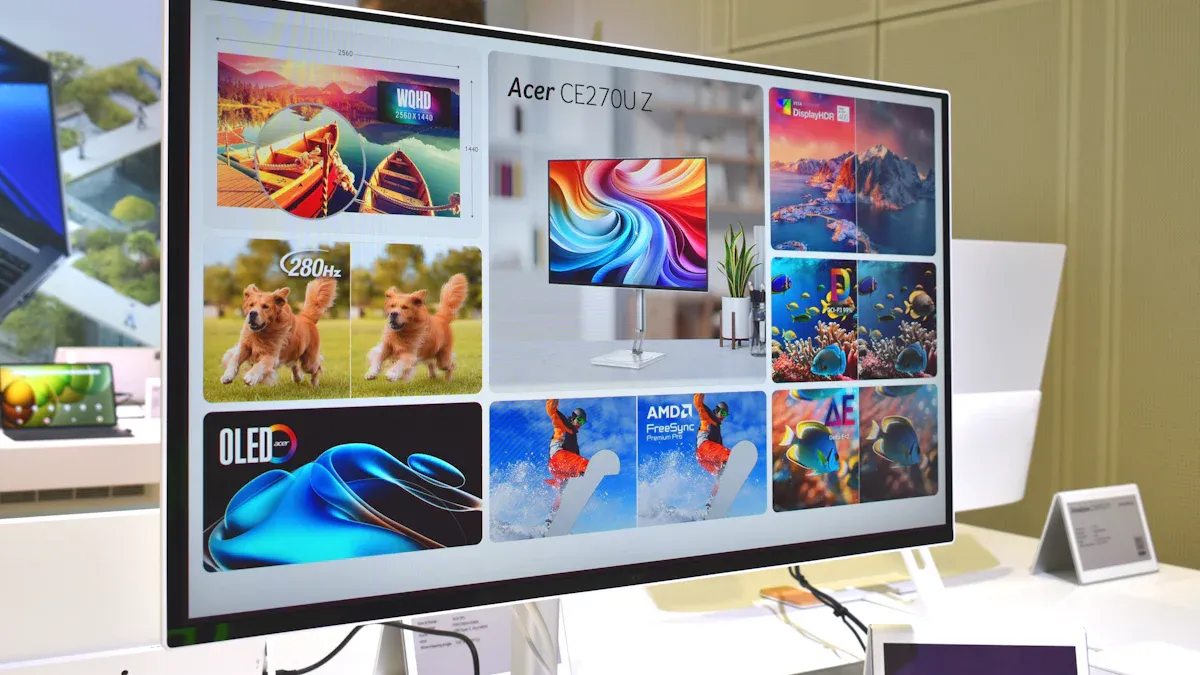
If you want a huge LCD display for your business, you should know how commercial and consumer models are different. Commercial displays are stronger and have more helpful features. They last longer and work harder than consumer displays.
Durability & Reliability
Commercial LCD displays are made with tough materials. You can use them all day and night. Consumer displays are best for homes and light use. The table below shows how they are different:
Feature | Commercial LCD Displays | Consumer LCD Displays |
|---|---|---|
Durability | Built for nonstop business use | Made for home use |
Operational Hours | Does not last as long | |
Brightness | 500 to 700 nits, good for bright places | Usually not as bright |
Warranty Considerations | Longer warranties for heavy use | Shorter warranties |
A huge LCD display for business keeps working in busy places. It will not stop when you need it most.
Business Features
Commercial displays have special features for business use. You can use them in stores, offices, or public areas. These features help you show content, connect devices, and protect your information.
Feature | Commercial LCD Displays | Consumer Models |
|---|---|---|
Operation Rating | Not made for 24/7 use | |
Anti-Glare Glass | Has anti-glare for easy reading | Often does not have this |
Integration with Pro AV Systems | Works with systems like Extron, Q-SYS | Not many options |
Security Features | Strong security for businesses | Basic security only |
Connectivity Options | USB-C, HDMI, LAN, and more | Fewer ways to connect |
Software Integration | Tools for easy control and management | Not many software tools |
Tip: You can control your huge LCD display from one place. You see clear images even in bright rooms. You can connect many devices and keep your data safe.
Warranty & Support
Commercial displays give you longer warranties and better help. You get support when you need it. Consumer displays do not offer the same help. If you have a business, you need a display with strong backup.
Commercial displays have longer warranties.
You get fast help for repairs and questions.
You can trust your display to keep working.
Picking a commercial huge LCD display gives your business a strong screen. You get good features, reliability, and support to help your company do well.
Model Comparison
Display Quality & Size
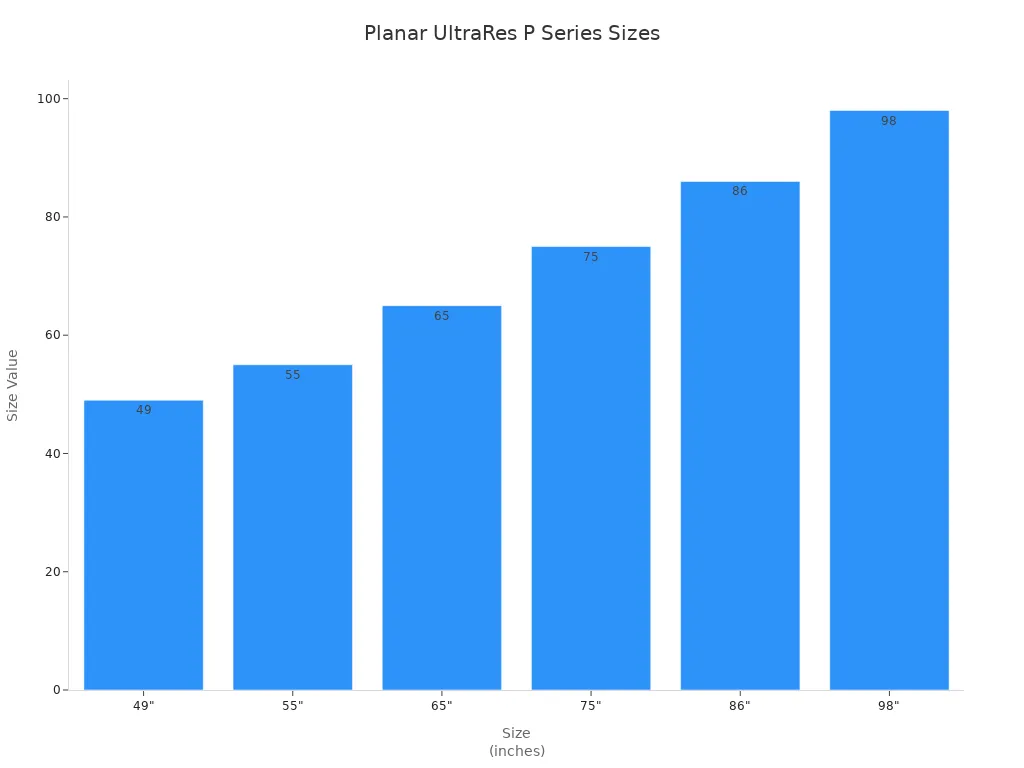
You want a huge lcd display that looks clear and fits your room. Planar UltraRes P Series has many sizes. You can pick from 49 to 98 inches. These displays are very bright with 700 nits. They show lots of colors and sharp details. HDR helps the screen show better contrast. You can use touch models to interact more.
Feature | Planar UltraRes P Series |
|---|---|
Available Sizes | 49", 55", 65", 75”, 86”, 98” |
Brightness | 700 nits |
Color Gamut | Wide color gamut |
HDR Compatibility | Yes |
Design | Commercial-grade for 24x7 operation |
Interactive Models | Touch models available |
Connectivity & Integration
You need simple ways to connect your devices. Most huge lcd displays support USB-C, HDMI, DisplayPort, and Thunderbolt 3. USB-C helps you keep your workspace neat. HDMI lets you use different setups. DisplayPort and Thunderbolt 3 give you great visuals and let you multitask.
Connectivity Type | Description |
|---|---|
USB-C | Streamlined workspace management |
HDMI | Flexible for business setups |
DisplayPort | Extra options for configurations |
Thunderbolt 3 | High visual fidelity and multitasking |
Software & Management
You can control your huge lcd display with special tools. Display NOW Digital Signage Manager lets you manage content from anywhere. You can make playlists and set messages to play at certain times. Other software choices are Visix, Scala, BrightSign, XIBO, and NoviSign. These tools let you access displays remotely, schedule content, and use easy menus.
Content management tools
Remote access capabilities
Scheduling features
User-friendly interfaces
Customization options
Pros & Cons
You should know what each model does well and what it does not.
Model | Pros | Cons |
|---|---|---|
Samsung QMR/QBR | Bright, slim, ENERGY STAR certified | Limited touch options |
LG UH5F-H/B-Line | Dust-proof, flexible installation | May lack advanced analytics |
NEC Large Format | Reliable, cloud integration | Higher price for interactive models |
Planar UltraRes | Wide sizes, touch models, high brightness | Larger sizes need more space |
Philips Q-Line/B-Line | Built-in Chromecast, 3-year warranty | Lower brightness in some models |
Sony Bravia | 4K HDR, smart features | Fewer commercial management tools |
Hisense Commercial | Good value, easy setup | Limited advanced features |
Use Cases
You can use huge lcd displays in many places for business.
Use Case | Description |
|---|---|
High-resolution displays for indoor corporate spaces | |
Control rooms | Real-time monitoring and operations |
Stadiums, malls, studios | Durable displays for high-traffic areas |
Commercial or hospitality settings | Bright, long-lasting screens for hotels and fitness centers |
Dedicated home cinema rooms | Immersive viewing without eye strain |
Large open-plan areas | Cinematic presence for wide spaces |
Tip: Pick the model that fits your space and needs. You get the best results when your display matches your use case.
Buying Factors
When you pick a huge lcd display for your business, you should think about a few key things. These help you find the right screen for your space and needs.
Brightness & Visibility
You want your display to be easy to see. High-brightness screens work well in rooms with lots of sunlight or strong lights. Most LCD video walls have brightness between 500 and 700 nits. This is good for rooms with normal lighting. If your room is very bright, you need a screen with extra brightness. This makes your content clear and easy to read.
Tip: Choose digital signage with high brightness for places like lobbies, airports, or stores.
Installation Options
There are different ways to set up a huge lcd display. You can put it on a wall, hang it from the ceiling, or set it on a table. Some screens let you use portrait or landscape mode. The table below shows common ways to install and features:
Product Series | Size Range | Key Features |
|---|---|---|
Planar Large Format Displays | Various sizes | Strong build, multi-source viewing, portrait/landscape mode, good for 24x7 use. |
Planar UltraRes P Series | 43" to 105" | Commercial-grade, high-resolution screens. |
Planar VM Series | Extreme sizes | Ultra-narrow bezel, video wall for important jobs. |
Planar UltraRes W Series | 105" | 5K resolution, dual-source viewing, tough interactive option. |
Accessories | N/A | Mounts for walls, ceilings, or tables for flexible setup. |
Energy Efficiency
You should think about how much energy your display uses. Commercial screens cost more at first, but they save money later. They use less power and last longer. The table below shows how energy efficiency changes your costs:
Metric | Details |
|---|---|
Initial Investment | Higher than home or old LCD screens |
Long-term ROI | Big savings because of lower power bills |
Lifespan | Often lasts over 50,000 hours |
Maintenance | Less needed because they are strong |
Recovery Time | 18–24 months for many businesses |
Cost & Value
You want to get the most for your money. Look at the total cost, not just the price. Think about setup, energy use, and repairs. Good displays last longer and break less often. You get better performance and save money over time. Pick a huge lcd display that fits your budget and business needs.
Note: Buying a strong display helps your business and gives you peace of mind.
You can pick a huge LCD display for your business. The best models show clear pictures and last a long time. They also use less energy, which saves money. These displays help you get customers interested and can do many jobs. Look at your space and where you want to put the screen before you buy.
Benefit | Description |
|---|---|
Bright screens make people pay attention | |
Long-Term Durability | Made to last in busy places |
Cost Effectiveness | Uses less power, so you spend less |
Small spaces can make setup hard.
Putting the screen in the right spot helps people see it.
Some rules may not let you use them outside.
What Are the Best Huge LCD Displays in 2026?
There’s no single “best” huge LCD display – the right choice depends entirely on your use case, budget, and image quality preferences.
📊 2026 Market Overview
Three dominant brands: Samsung (28%) and LG (22%) lead the “premium” segment, while Philips, AOC, and Dell have strong positions in the performance/value space.
MiniLED goes mainstream: Falling costs have brought thousand‑zone MiniLED backlighting into the mid‑range (sub‑$400), making high‑end picture quality more accessible.
🏆 Top Huge LCD Displays in 2026
Model | Positioning | Key Specs | Est. Price | Verdict |
|---|---|---|---|---|
Samsung 115″ QH115FX | Commercial digital signage | 115″ 4K, Quantum Dot MiniLED Pro, 1000 nits, 93% DCI‑P3, 24/7 operation, Tizen enterprise platform | Custom (commercial) | “World’s largest” LCD – a seamless visual giant for commercial spaces. |
LG 52″ UltraGear evo G9 | Desktop gaming / productivity | 52″ 5K2K, 240Hz, 1ms, 1000R curve, VA, DisplayHDR 600, 95% DCI‑P3 | ~$2,000 | “World’s largest” 5K2K gaming monitor – redefines immersive gameplay. |
Samsung 32″ Odyssey 3D (G90XH) | Glasses‑free 3D gaming / entertainment | 32″ 6K, glasses‑free 3D, 165Hz (up to 330Hz), 1ms, real‑time eye tracking | TBA | World’s first 6K glasses‑free 3D gaming monitor – stereoscopic without a headset. |
TCL X11L (75/85/98″) | Home cinema flagship | Up to 98″ 4K, MiniLED, up to 10,000 nits peak, 100% BT.2020 gamut | TBA | 2026 Mini‑LED TV pinnacle – extreme brightness and colour for HDR enthusiasts. |
Hisense UX 2026 (85/100/116″) | Home cinema flagship | Up to 116″ 4K, MiniLED, “Linglong 4‑chip” backlight, 110% BT.2020 gamut | 85″ from ~4,800<br>116″from 4,800<br>116″from 16,500 | MiniLED “spec monster” – rivals OLED with top‑tier colour, zones, and brightness. |
Dell UltraSharp 52 (U5226KW) | Professional ultra‑wide | 52″ 6K (6144x2560), IPS panel, Thunderbolt hub | ~$2,900 | Premium choice for productivity pros – sharp, colour‑accurate, with a powerful dock. |
Samsung Odyssey G6 (G60H) | Extreme esports | 27″ QHD, 1,040Hz, 1ms, HDMI 2.1 / DP 2.1 | TBA | World’s first 1,040Hz gaming monitor – refresh rate ceiling for pro players. |
LG 39″ UltraGear evo (39GX950B) | Ultra‑wide gaming | 39″ 5K2K, 21:9, OLED, 1500R curve, 240Hz | TBA | Combines OLED’s premium image with immersive ultrawide – stunning for gaming/creation. |
Price note: Estimates based on public market data; actual prices vary by region, promotion, and configuration.
✨ 2026 Key Display Technologies
MiniLED & MicroLED adoption: MiniLED is moving rapidly into the mid‑market. MicroLED remains ultra‑premium but appears in products from Samsung and others.
High refresh + high resolution: 240Hz is becoming standard on large displays, while 6K and even 8K resolutions are entering consumer and professional segments.
🎯 Buying Guide by Use Case
If you want... | Recommended model(s) |
|---|---|
Ultimate immersive gaming | LG 52″ UltraGear evo G9, Samsung Odyssey 3D (G90XH) |
Top professional productivity | Dell UltraSharp 52 (U5226KW) |
A premium home cinema | TCL X11L, Hisense UX 2026 |
A striking commercial display | Samsung 115″ QH115FX, Planar Simplicity E Series |
If you share your specific use case (gaming, office, home theater, etc.), preferred size range, and budget, I can help narrow down the options further.
FAQ
What is a huge LCD display?
A huge LCD display is a large flat screen that shows images, videos, or information. You often see these in stores, airports, or meeting rooms. They help you share messages with many people at once.
How long can a commercial huge LCD display last?
You can expect a commercial huge LCD display to last between 50,000 and 60,000 hours. This means you can use it for several years without problems.
Can you use a consumer TV as a huge LCD display for business?
You should not use a regular TV for business. Commercial displays work longer, stay brighter, and have better support. They fit business needs better than home TVs.
What size should you choose for your space?
Pick a size that matches your room. For a small meeting room, a 55-inch display works well. For a lobby or large area, you may need a 75-inch or bigger screen.
Do huge LCD displays need special installation?
Some huge LCD displays need wall mounts or stands. You may need help from a professional to set up large screens safely and correctly.
See Also
Finding Reliable LCD Kiosks for Shopping Centers Today
Top Rated LCD Kiosks for Retail Spaces This Year
Selecting The Ideal LED Or LCD Display For Malls
