Top game machine monitors for both modern and retro arcade gaming
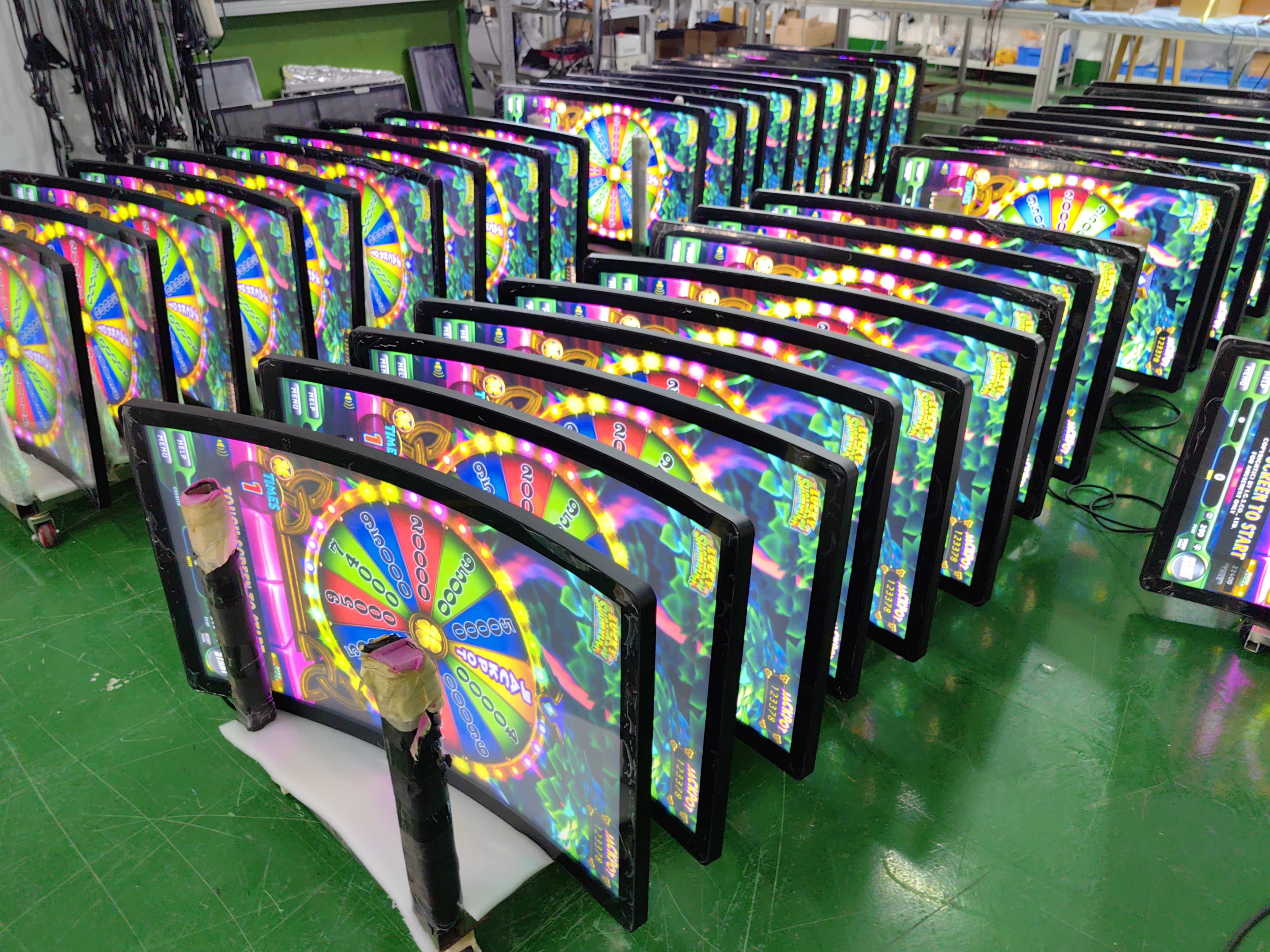
Choosing the best game machine monitor can really enhance your gaming experience, especially when considering the introduction for all kinds of casino game machines. You need clear pictures and smooth movement for both old and new arcade games. Some monitors are better suited for different types of games. The Lenovo ThinkVision S22E-20 fits most setups perfectly. The Eizo S2133 is great for retro games, while OLED monitors look fantastic for modern games. Additionally, there are specialized monitors made specifically for casino game machines, which are just as crucial in casinos as they are in arcades.
Key Takeaways
Pick a monitor that matches how you play games. If you like retro games, find displays that look like CRT. If you play modern games, choose OLED monitors for bright colors.
Look at the refresh rate and response time. A higher refresh rate makes games smoother. This is important for fast modern games.
Make sure your monitor has the right ports. Check if it has HDMI, VGA, or DVI. These help connect to arcade or casino game machines.
Think about your budget before you buy. Good monitors come in many prices. Focus on things like low input lag and nice color quality.
Always check the aspect ratio of the screen. Retro games look best on a 4:3 screen. Modern games look better on widescreen like 16:9.
Quick Picks: Best Gaming Monitors for Arcade
Best Overall Game Machine Monitor
If you want a great monitor for your arcade, pick one that feels real and works with old and new games. Experts say it should be like a CRT, have bright colors, and sharp pixels. You also need a fast refresh rate and a wide viewing angle. The Lenovo ThinkVision S22E-20 is a top choice. It shows bright colors, reacts quickly, and works with many systems. It is good for casino game machines too. It handles fast games and bright pictures well.
Tip: Pick a monitor that lets you change the aspect ratio. This stops your games from looking stretched or squished.
Best for Retro Arcade Games
Retro gamers want monitors that feel like old arcades. CRTs are still the best for these games. They show real colors, have little delay, and look classic. If you want a newer monitor, try the Eizo S2133. It has low delay and a 4:3 aspect ratio. This keeps your games looking right. Here’s a table to show what is important:
Feature | Why It Matters |
|---|---|
Input Lag | Fast controls and accurate gameplay |
Screen Size | 32-inch is ideal for arcade feel |
Viewing Angle | Clear colors from every seat |
Aspect Ratio | Prevents image distortion |
Best for Modern Arcade Games
Modern arcade games need monitors with sharp pictures and cool features. OLED monitors are great for this. They show deep blacks, bright colors, and smooth movement. You get clear images and fast action. If you play new games or want a cool casino game machine monitor, pick OLED. Gamers who want the best 1440p gaming monitor should look for high refresh rates and low delay.
Best Budget Game Machine Monitor
You do not need to spend a lot for a good monitor. The Dahua LM27-E230CN is a good cheap 4k gaming monitor. It gives clear pictures and works well. You can use it for old and new games. It is a smart choice if you want to save money but still get good quality.
Note: Always check if the monitor has the right ports. This helps your monitor work with all your arcade machines.
Reviews: Top Game Machine Monitors
Lenovo ThinkVision S22E-20
The Lenovo ThinkVision S22E-20 is a good monitor for both old and new arcade games. It has a 21.5-inch screen and Full HD, so pictures look sharp and clear. The 75Hz refresh rate helps games move smoothly, even when things get fast. With a 4ms response time, you will not see much lag. This is great for games where timing is important, like in casinos.
You can connect this monitor to many arcade systems using HDMI or VGA. The stand lets you change the height and tilt, so you can see the screen better. It does not have OLED, but the IPS panel shows bright colors and wide angles. This makes games look more real. The Lenovo ThinkVision S22E-20 is not too expensive and works well. It is a smart pick if you want a monitor that does many things.
Dahua LM27-E230CN
The Dahua LM27-E230CN is a cheap 27-inch monitor that is great for arcade fans. It has a 2560x1440 resolution, so games look sharp and big. Retro gamers like the large screen and classic 4:3 aspect ratio, but it also works with widescreen games. The 5ms response time and 75Hz refresh rate help stop motion blur. This is good for fast games.
This monitor has many ways to connect, like HDMI, VGA, and DisplayPort. You can use it with many arcade cabinets or gaming PCs. It also has built-in speakers, so you do not need extra sound gear. It does not have OLED, but the price is low and colors look nice. Many casual gamers and arcade owners like it because it saves money.
Eizo S2133/S2134
The Eizo S2133 and S2134 are good for serious gamers and collectors. They have very good color and low input lag, so games feel real. The 21.3-inch screens have a 1600x1200 resolution, which looks like old CRT monitors. This is great for retro fans.
These monitors have a 6ms response time and an 85Hz refresh rate, so games look smooth. You can connect them with DVI or VGA, so they work with most arcade systems. They can look like CRTs, with deep blacks and bright colors. Even though they do not have OLED, the colors and low lag make them a top choice for arcade lovers.
HP LP2065
The HP LP2065 is a simple and strong monitor that many arcade fans like. It has a 20-inch screen and a 1600x1200 resolution, which is good for old games. The 8ms response time and 60Hz refresh rate work for most arcade games, even if they are not the fastest.
This monitor shows colors well and is built to last. You can connect it with DVI or VGA, so it fits most arcade cabinets. It does not have OLED or new features, but it is cheap and works well. Many retro gamers and arcade owners pick it because it is easy to use and does not cost much.
OLED Monitors for Arcade Gaming
OLED monitors are the best for new arcade games. They show deep blacks, bright colors, and great contrast. This makes new games and casino machines look amazing. OLED monitors often have high refresh rates, like 120Hz or more, and very fast response times. This is perfect for fast games and competitions.
These monitors make games look rich and real. They can show high resolutions, like 1440p or 4K, so everything is clear. If you want the best 1440p or 1080p monitor for arcade games, OLED is a good choice. OLED monitors cost more, but the picture and speed are worth it for gamers who want the best.
Key Features: Retro and Modern Arcade Needs
Refresh Rate and Response Time
You want your arcade games to look smooth and feel fast. The refresh rate tells you how many times the screen updates each second. For retro games, you do not need a high refresh rate. Most old games run at about 60 frames per second. If you use a monitor with a much higher refresh rate, you might not see a big difference for these classics. For modern games, a higher refresh rate can make fast action look even better. Response time is also important. It shows how quickly the screen changes from one color to another. A low response time helps you avoid ghosting and keeps the action clear. If you want the best ultrawide gaming monitor for new arcade cabinets, look for one with a fast response time and a high refresh rate.
Retro games: 60Hz is enough
Modern games: 120Hz or more feels smoother
Low response time: Less than 5ms is great
Input Lag and Performance
Input lag is the delay between pressing a button and seeing the action on the screen. You want this to be as low as possible, especially for arcade and casino game machine monitors. Low input lag makes your moves feel instant. This is key for fighting games, rhythm games, and any game where timing matters. Some monitors have special gaming modes that lower input lag. If you want the best dual-mode gaming monitor, check for low input lag so you can switch between retro and modern games without missing a beat.
Tip: Try out your monitor with your favorite game. If it feels slow, check the input lag settings.
Aspect Ratio and Resolution
Aspect ratio means the shape of the screen. Retro games look best on a 4:3 screen. Modern games use widescreen, like 16:9 or even wider. If you use the wrong aspect ratio, your games might look stretched or squished. Resolution tells you how clear the picture is. Higher resolution means more detail. If you want a budget 4k gaming monitor, you get sharp images for both old and new games. Some monitors let you change the aspect ratio, so you can play all kinds of games the right way.
Aspect Ratio | Best For |
|---|---|
4:3 | Retro arcade games |
16:9 | Modern games |
Ultrawide | Racing/fighting |
Connectivity and Compatibility
You need the right ports to connect your arcade or casino game machine monitors. Most retro systems use VGA or DVI. Modern systems use HDMI or DisplayPort. Some monitors have all these ports, so you can use them with any game machine. If you want to use your monitor for both old and new games, check the back for the right connections. Some monitors also have built-in speakers, which is handy for arcade cabinets.
VGA/DVI: Good for retro games
HDMI/DisplayPort: Best for modern games
Built-in speakers: Save space in your cabinet
CRT vs. OLED for Retro Gaming
Many gamers love the look of CRT monitors. They show colors in a natural way and have almost no motion blur. OLED monitors are the best for modern games, but they try to copy the crt-like motion of old screens. Here’s a quick look at how CRT and OLED compare for retro arcade gaming:
Feature | CRT Monitors | OLED Monitors |
|---|---|---|
Motion Clarity | Superior, near-zero response times | Lags behind CRTs unless high frame rate |
Image Quality | Natural feel, vibrant colors | Advanced but not as natural as CRTs |
Motion Blur | Significantly less due to scanning | More motion blur compared to CRTs |
If you want the classic arcade look, CRT is still king. If you want the best picture for modern games, OLED is the way to go.
How to Choose Your Game Machine Monitor
Matching Monitor to Arcade Games
You want your games to look and feel right. Start by thinking about what you play most. If you love classic arcade games, you might want a monitor that copies the old CRT look. This gives you the same colors and shapes as the original machines. Some gamers care about performance more than looks. Modern gamers often pick monitors with a high refresh rate and sharp images, even if they lose a bit of that old-school feel. If you want to switch between retro and new games, look for the best dual-mode gaming monitor. Casino game machine monitors also need to show clear numbers and bright colors, so pick one that handles both styles well.
Cabinet Fit and Mounting
Your monitor needs to fit inside your arcade or casino cabinet. Not all monitors drop right in. Some kits let you mount the screen either sideways or upright, which helps with different game types. Many cabinets use the same mounting hole sizes, so check before you buy. If you want to replace a 19" CRT, look for a monitor or frame kit made for that size. You can find options that let you mount the monitor in both horizontal and vertical positions. This makes it easy to set up racing games, fighting games, or casino game machines. Always check the wiring and connections, since not all parts are plug-and-play.
Make sure the monitor matches your cabinet’s mounting holes.
Check if you need horizontal or vertical mounting.
Look for kits that fit 19" CRT spaces for easy swaps.
Budget and Value
You do not have to spend a lot to get a good monitor. Think about what matters most to you. If you want the best 1440p gaming monitor or the best ultrawide gaming monitor, you might pay more for extra features. A budget 4k gaming monitor can give you sharp images without breaking the bank. If you play older games, the best 1080p gaming monitor might be enough. Casino game machine monitors also come in many price ranges, so pick one that fits your needs. Always check for value—good color, low input lag, and the right connections matter more than just price.
Tip: Gamers who want the best deal should compare features, not just cost. Sometimes a monitor with a high refresh rate or better mounting options is worth a little extra.
You have learned about the top monitors for arcade and casino game machines. Here is a short summary:
Best overall: Lenovo ThinkVision S22E-20
Retro favorite: Eizo S2133
Modern pick: OLED monitors
Budget choice: Dahua LM27-E230CN
Always choose a monitor that works well with your games and fits your cabinet. Think about what is most important to you—realistic look, smooth gameplay, or saving money. Picking the right monitor makes every game more fun!
FAQ
What makes a monitor good for both arcade and casino games?
You want a monitor with bright colors, low input lag, and the right ports. This helps your games look sharp and run smoothly. Casino game machine monitors also need clear numbers and easy-to-read graphics.
Can I use a regular computer monitor in my arcade cabinet?
Yes, you can. Just check the size and mounting holes. Make sure the monitor fits your cabinet and has the right connections for your game machine.
Do I need a 4K monitor for arcade gaming?
No, you do not need 4K for most arcade games. Many classics look great at lower resolutions. Modern games can use 1080p or 1440p. 4K is a bonus, not a must-have.
What is the best aspect ratio for retro games?
Retro games look best on a 4:3 screen. This keeps the graphics from stretching or squishing. Some monitors let you change the aspect ratio for different games.
How do I reduce input lag on my monitor?
Tip: Turn on “Game Mode” if your monitor has it. Use fast cables like HDMI or DisplayPort. Lower the resolution if you notice lag. This helps your controls feel quick and responsive.
introduction for all kinds of casino game machine monitors
Shenzhen TopAdkiosk Display Technology Co., Ltd.
Add.: 2F, Bldg 10, Changfeng Industrial Park, Dongkeng, Fenghuang, Guangming, Shenzhen, China 518132
Mobile/WHATSAPP: 86-138 25769658
Email: marketing@topadkiosk.com topadkiosk@gmail.com
Skype: pghenry1
Wechat: adkioskhenry
English Web.: http://www.topadkiosk.com/
Here is an introduction to the main types of monitors used in casino game machines, from classic slot displays to the latest immersive technologies.
🎰 An Introduction to Casino Game Machine Monitors
The monitor is the centerpiece of any modern casino game machine. It's the window into the game's world, responsible for delivering the graphics, animations, and interactive elements that captivate players . The technology behind these displays has evolved dramatically, moving from simple mechanical reels to sophisticated digital screens that are a crucial part of the player's experience and a casino's operations .
Today, casino monitors are specialized pieces of technology. They are not the same as the TV in your living room. They are engineered for 24/7 operation, built to withstand the high-traffic, demanding environment of a gaming floor, and designed to be tamper-resistant and easy to clean .
📺 The Main Types of Casino Game Monitors
The market offers a range of display technologies, each suited for different applications and budgets. The following table summarizes the most common types you'll encounter:
Monitor Type | Key Features & Benefits | Typical Applications |
|---|---|---|
LCD (Liquid Crystal Display) | The industry workhorse. Energy-efficient, good image quality, bright, and cost-effective. Offers wide viewing angles and fast refresh rates . | Standard slot machines, video lottery terminals (VLTs), and informational displays . |
LED (Light Emitting Diode) | A significant upgrade from standard LCDs. Provides superior brightness, richer colors, better contrast, and a thinner, lighter design. More energy-efficient and has a longer lifespan . | High-end slot machines, large video walls, visually immersive gaming experiences . |
Touchscreen (PCAP/Resistive) | Revolutionizes player interaction. Allows for intuitive input via taps, swipes, and gestures. PCAP (Projected Capacitive) offers a smartphone-like experience with multi-touch support . | Interactive gaming terminals, self-service kiosks, electronic table games (ETG), and loyalty program stations . |
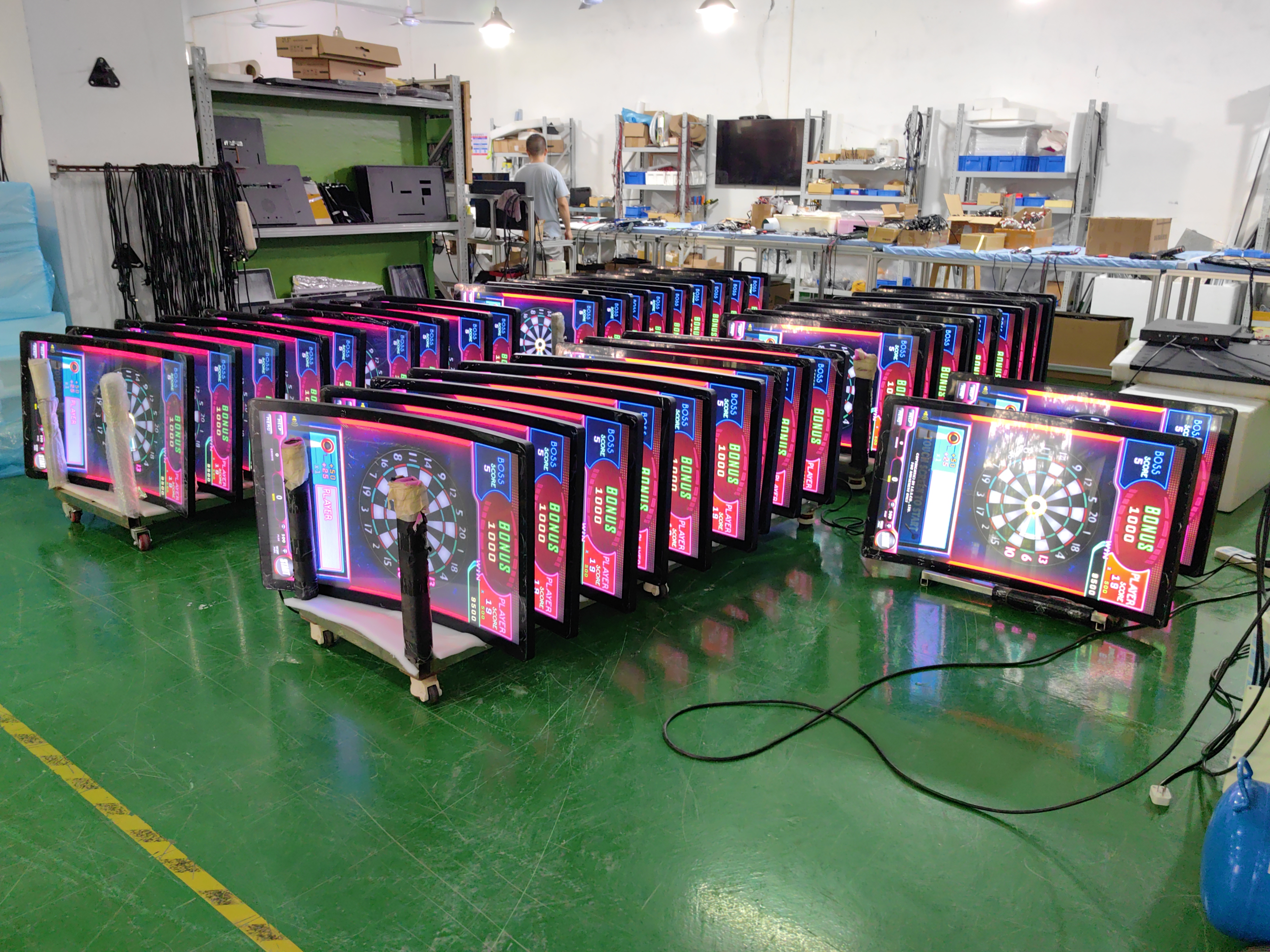
Curved Monitors | Wraps around the player's field of vision for a more immersive experience. Minimizes edge distortion and reduces glare, creating a greater sense of depth and realism . | Premium gaming stations, VIP areas, and next-generation slot experiences . |
4K UHD (Ultra High Definition) | Delivers stunning visual clarity with four times the resolution of Full HD. Showcases intricate details in game graphics, animations, and character designs, making games incredibly lifelike . | High-end slot machines, branded cinematic games, visually intensive gaming experiences . |
High Refresh Rate (120Hz+) | Standard monitors refresh 60 times per second (60Hz). High refresh rate monitors offer smoother motion, eliminating motion blur and lag. Essential for fast-paced games where split-second timing matters . | Skill-based games, video slots with rapid animations, and high-performance gaming zones . |
Commercial/Industrial Grade | Engineered for the toughest environments. Features reinforced casings (vandal-resistant), anti-glare coatings, enhanced thermal management for 24/7 operation, and longer lifespans . | High-traffic gaming floors, outdoor or semi-outdoor installations, and any mission-critical application . |
✨ Beyond the Basics: Specialized & Emerging Technologies
Beyond the standard types, the industry is constantly innovating with new form factors and technologies to create unique player experiences:
Stretched & Bar-Type Displays: These ultra-wide monitors have unique aspect ratios, making them perfect for catching a player's eye in a crowded casino or fitting into tight spaces on a machine's cabinet .
OLED (Organic Light Emitting Diode): Known for perfect blacks and infinite contrast. A new "Tandem OLED" design uses two layers of pixels, making it twice as durable and up to 40% more power-efficient than conventional OLEDs .
Transparent Displays: These innovative TFT screens offer a high degree of transparency, allowing players to see through the screen while still displaying clear content. This opens up exciting possibilities for futuristic cabinet designs .
Circular Monitors: A true circle-shaped LCD that offers a unique visual flair for bonus wheels, progressive jackpot displays, or other specialized applications .
🎲 How and Where They Are Used
Slot Machines: The most common application. Modern slots often feature multiple high-resolution screens, sometimes curved, with LED lighting strips integrated around the bezel to enhance the visual appeal and draw in players .
Electronic Table Games (ETG): These digital versions of blackjack, roulette, and poker use large, high-definition touchscreens to allow players to place bets and interact with the game digitally .
Sports Betting: Sportsbooks use large-format LCD or LED video walls to broadcast multiple live events simultaneously, display real-time odds, and provide self-service betting kiosks .
Kiosk Systems: Touchscreen monitors are used in informational kiosks, loyalty program terminals, and wayfinding systems throughout the casino, helping guests navigate and manage their accounts .
💡 How to Choose the Right Monitor
Selecting the correct monitor is a strategic decision that balances player engagement, operational efficiency, and ROI. Key factors include :
Durability & Reliability: For 24/7 operation, commercial-grade displays are non-negotiable. They offer longer lifespans and are built to withstand constant use.
Image Quality: Resolution (HD, 4K) and contrast are critical for showcasing detailed game art. For bright casino floors, high brightness (measured in "nits") and anti-glare coatings are essential.
Interactivity: Touchscreens increase player engagement and allow for more complex, intuitive game designs.
Compatibility: The monitor must seamlessly integrate with the machine's existing hardware, software, and connectivity (e.g., HDMI, DisplayPort).
Compliance: Always use monitors certified for gaming applications to ensure regulatory compliance and system security.
From the ubiquitous LCD to the cutting-edge curved 4K displays, casino monitors are a fascinating blend of technology, psychology, and engineering, all designed to create the most compelling and reliable gaming experience possible.
I hope this introduction is helpful. Are you more interested in the specifications of monitors for a specific type of game, like electronic table games or classic slots?
See Also
Selecting The Ideal Gaming Monitor For Your Configuration
Finding The Perfect LCD Rack Monitor For Your Requirements
Popular Digital Signage Players Gaining Attention In 2026
