Best design of FULL screen LCD display signage kiosks in market 2026
Add.: 2F, Bldg 10, Changfeng Industrial Park, Dongkeng, Fenghuang, Guangming, Shenzhen, China 518132
Mobile/WHATSAPP: 86-138 25769658
Email: marketing@topadkiosk.com topadkiosk@gmail.com
Wechat: adkioskhenry
English Web.: http://www.topadkiosk.com/
https://www.topkioskdisplay.com/
http://www.ad-kiosk.com/
https://www.toplcddisplay.com/
You see the best design of FULL screen LCD display signage kiosks in 2026 when you notice smooth pictures, bright colors, and smart features that catch your eye. New designs change how you get information. Technology trends make screens more fun and quick to use. Display technology changes fast. You want more as screens get brighter and sharper. Businesses pick eco-friendly materials and energy-saving displays to fit today’s needs.
Key Takeaways
FULL screen LCD display signage kiosks are becoming more popular. People like them in stores and hotels. This is because they have bright pictures and you can touch the screen to use them.
Pick kiosks with screens that go from edge to edge for a cool look. High-resolution displays help get people’s attention.
Add AI and IoT technology to make the content special for each person. These also give updates right away and help customers stay interested.
Use strong materials for outdoor kiosks so they can handle bad weather. This makes them last longer and you do not have to fix them as much.
Make sure the kiosks are easy to use for everyone. Design them so people with disabilities can use them too.
FULL screen LCD display signage market in 2026
Market growth and adoption
The FULL screen LCD display signage market is growing quickly in 2026. Many businesses want digital signs that work for them. Retail stores and hotels use these signs to help customers. You see more interactive kiosks in stores and hotels. Technology gets better every year. LCD displays now show brighter colors and clearer pictures. People want screens that look sharp and get attention. Asia-Pacific is using these kiosks the most. China, Japan, and India are helping the market grow.
Tip: Pick digital signage solutions that fit your business and what your customers need.
Here is a table that shows what helps the market grow:
Driver | Description |
|---|---|
Customized Digital Signage Solutions | Businesses want signs that match their brand and what customers want. |
Growth of Retail and Hospitality | Stores and hotels use signs to make things more fun and personal. |
Advancements in LCD Technology | New screens look better and last longer. |
Demand for High-Resolution Content | People want displays that stand out and bring in customers. |
You can find top products like ultra slim ceiling double sided digital signage and OLED curved video walls. Most display sizes are between 32 and 65 inches. Many companies make slim designs that are easy to set up.
Key industries and applications
FULL screen LCD display signage is used in many places. Retail stores have interactive displays for finding products and getting around. Offices use signs to share information and help people find their way. Airports and museums use kiosks for exhibits and directions.
Sector | Application Examples |
|---|---|
Public Spaces | Wayfinding, placemaking, exhibitions, public installations |
Retail | Product lookup, endless aisle browsing, store navigation |
Corporate | Information displays, wayfinding solutions |
You can use these kiosks with touchscreens, voice commands, or hand movements. These features make signs simple to use and help you get information fast.
Interactive displays let you use them yourself.
You can touch, talk, or wave to control the kiosk.
FULL screen LCD display signage is in stores, museums, airports, and offices.
Best design features for 2026 kiosks
Edge-to-edge immersive screens
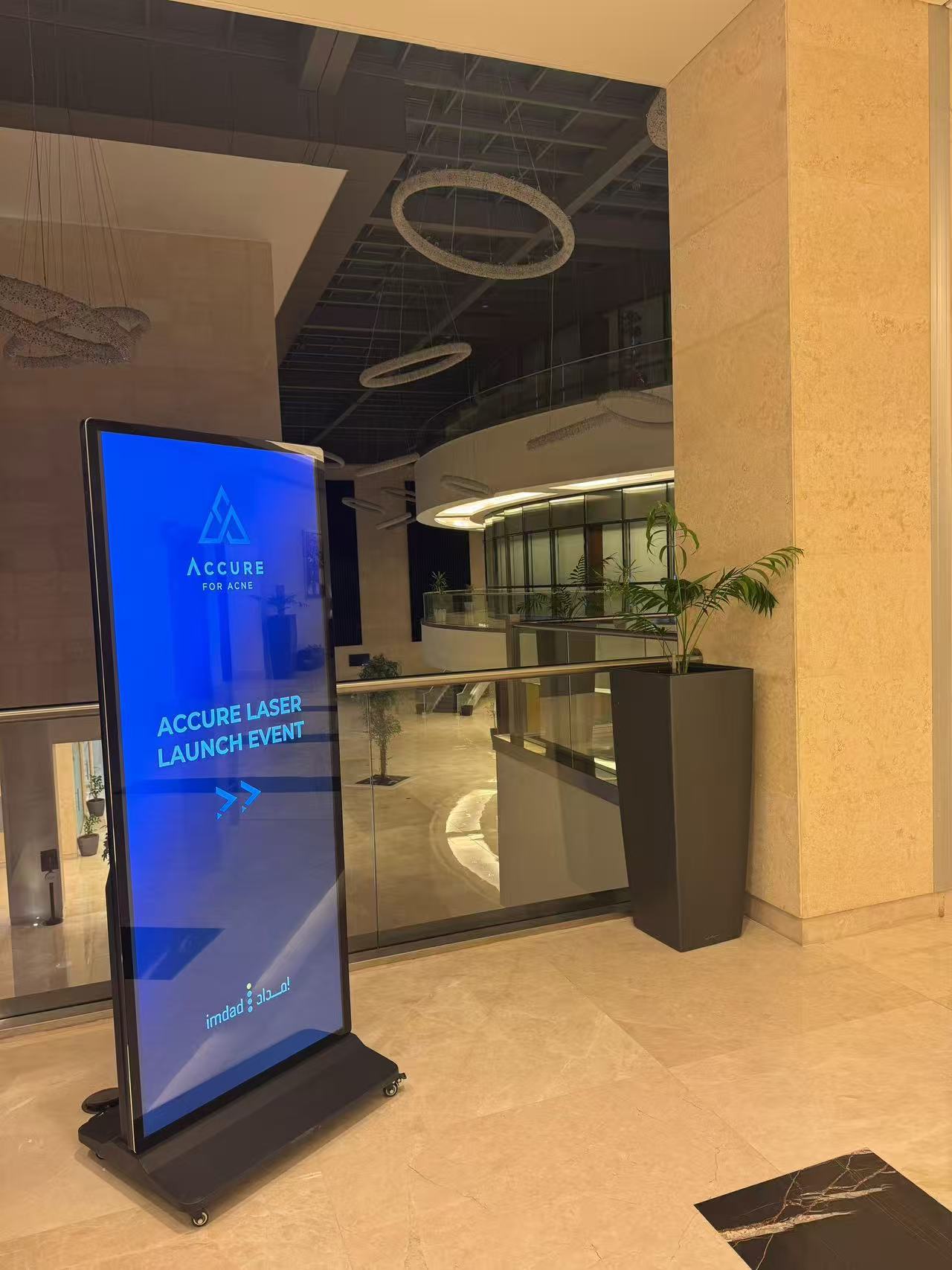
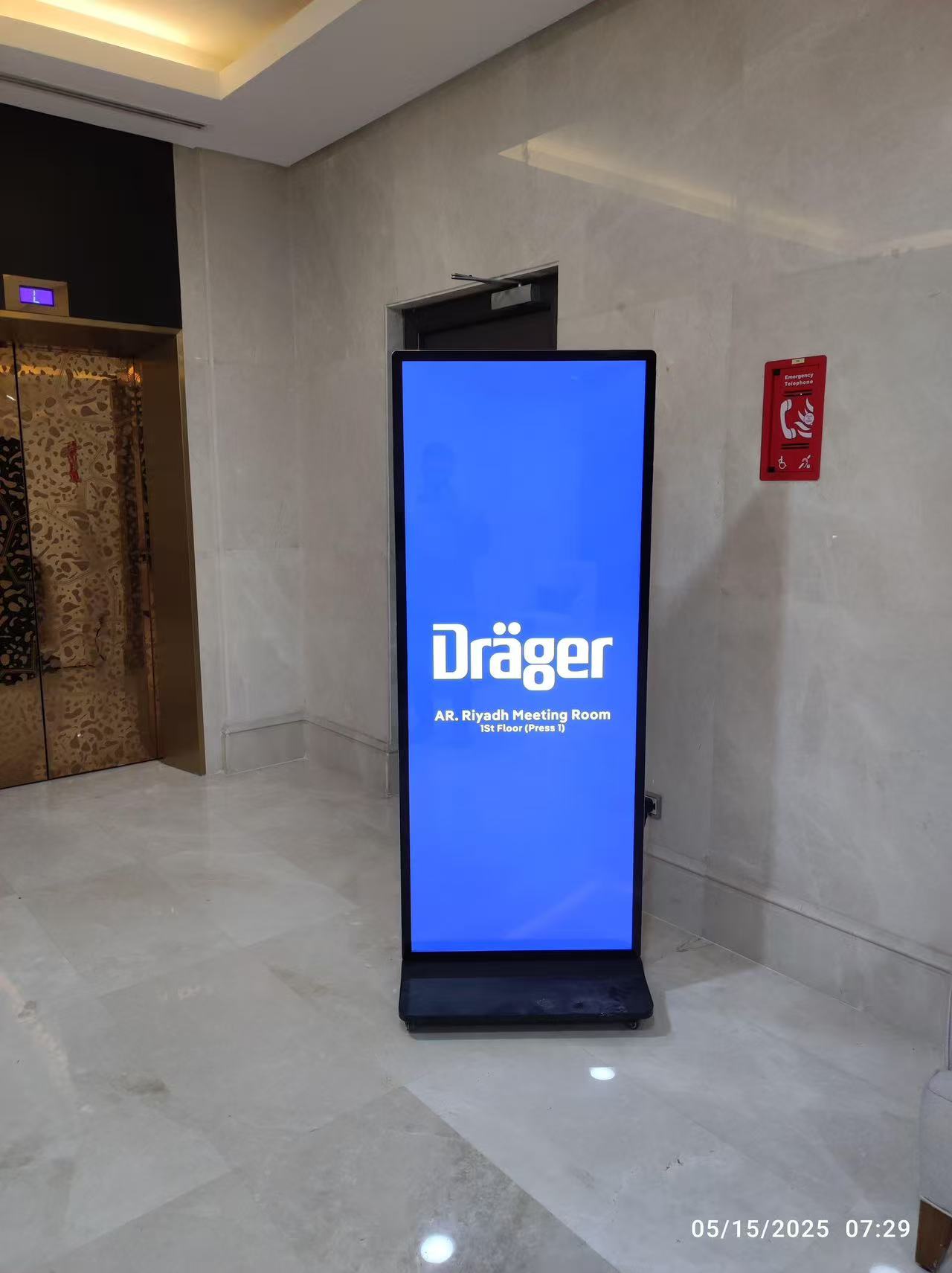
You want your kiosk to be noticed. Edge-to-edge screens help with this. These screens cover the whole front of the kiosk. There are no thick borders or frames. The picture goes from one side to the other. This makes the kiosk look modern and cool. Your content looks bright and clear. People see your message right away.
Edge-to-edge screens use high-resolution panels. Many kiosks have 4K displays. These screens show every small detail. Anti-glare coatings make the screen easy to see in bright light. For outdoor use, you get IP65 enclosures. These keep water and dust out. Indoor kiosks look smooth and stylish. Outdoor kiosks stay strong in any weather.
Tip: Pick edge-to-edge screens if you want your FULL screen LCD display signage to stand out and look advanced.
Design Element | Description |
|---|---|
High-Resolution, Durable Displays | 4K panels, anti-glare coating, and IP65 enclosures for outdoor use; commercial-grade LCD or OLED for indoor use. |
Touch or Touchless Interactivity | Gesture recognition or touch screens make kiosks easy for everyone to use. |
Indoor vs. Outdoor Design | Sleek and interactive for indoors; rugged and weatherproof for outdoors. |
Stretched and modular displays
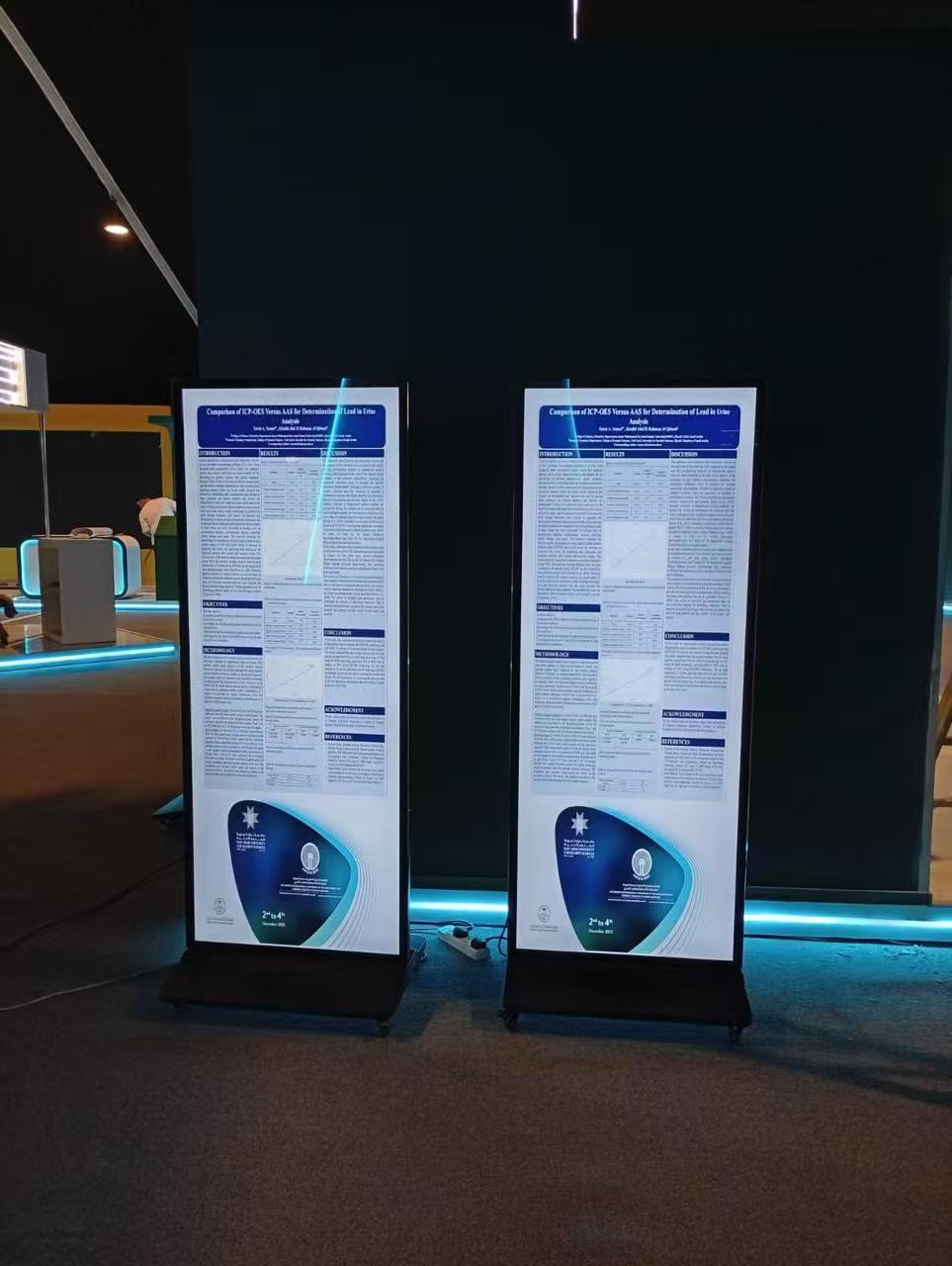
Stretched and modular displays fit many spaces. Stretched screens are long and thin. You see them above shelves or on walls. These screens show prices, ads, or directions. Modular displays let you build bigger screens. You can connect many panels together. This helps you make different shapes and sizes.
Stretched and modular displays use IPS technology. This gives you wide viewing angles. You see clear pictures from any side. Anti-glare coatings keep the screen easy to read. You can use HDMI, LVDS, or MIPI to connect your content. These displays work in hot or cold places, from -20°C to +70°C.
Change prices in all stores with dynamic pricing.
Show ads next to products for brand stories.
Use split-screen to show prices and deals at the same time.
Specification | Details |
|---|---|
-20°C to +70°C | |
Viewing Angle | IPS technology for wide viewing |
Interface Protocols | LVDS, HDMI, or MIPI |
Surface Treatment | Anti-glare coating |
Durability and weather resistance
You want your FULL screen LCD display signage to last a long time. Outdoor kiosks face rain, sun, and dust. Makers use strong materials to protect your kiosk. Stainless steel does not rust and handles rain. Aluminum alloy is light and fights rust. Tempered glass covers the front and stops bumps. Military-grade connectors keep water out of cables. Gasket materials like EPDM and silicone seal the kiosk and stop leaks. UV-resistant coatings stop sunlight from hurting the screen.
Kiosks must meet IP65 or higher ratings. This means they keep out water and dust. Inside, parts handle big temperature changes. Some kiosks use temperature control systems. These keep the screen working in hot or cold weather.
Weatherproofing keeps kiosks working in rain, snow, and heat.
Corrosion-resistant materials block moisture and dust.
Temperature control systems protect performance in any climate.
Material Type | Properties | Applications |
|---|---|---|
Stainless Steel | Excellent corrosion resistance; handles rain, humidity, and mild chemicals | General outdoor use |
Aluminum Alloy | Cost-effective; anodized finishes protect against corrosion | Outdoor kiosks and signage |
Tempered Glass | Basic impact resistance; thickness of 3mm minimum for outdoor use | Front protection |
Military-grade Connectors | Prevent water entry; withstand vibration, moisture, and temperature swings | Cable connections |
Gasket Materials | Watertight seals; EPDM for general use, silicone for extreme temps | Sealing front bezel to housing |
UV-resistant Coatings | Prevent degradation from sunlight; extend display lifespan | Outdoor applications |
Note: Strong kiosks save you money. You do not need to fix or replace them often.
Technology trends in digital signage
AI-driven analytics and personalization
In 2026, digital signage kiosks use smart AI to show better messages. These kiosks can see who is looking at the screen. The system changes what you see based on your age or gender. It also knows how long you look at the display. AI watches how much time you spend and where you look. It changes the content right away. You get ads or info that match your likes, the weather, or the time. Generative AI makes many ad versions, so everyone sees something special. This makes you feel closer to what is on the screen.
AI checks who is watching and changes the message.
The system uses live data like weather or place to pick content.
You see ads that match what you want.
Tip: Personalized content keeps people interested and helps your kiosk work better.
IoT sensors and real-time data
IoT sensors make digital signage smarter and faster. These sensors collect data about the place and how people use the kiosk. For example, a kiosk can tell when someone walks by and show a deal. In a mall, the system may know if you came back and suggest things you liked before. IoT also helps change content quickly. If a menu item is gone, the screen updates right away. This keeps info correct and helpful.
Sensors find people and change the screen.
The system updates content based on what is in stock or what users need.
IoT makes things safer by watching the area.
Note: Real-time updates help you share the right info at the right time.
Interactive touchscreens
Interactive touchscreens make digital signage more fun. You can touch, swipe, or use gestures to control the kiosk. Some screens let you use your voice for easier use. These features help everyone, even people with disabilities, use the kiosk. The table below shows how touchscreens make things better:
Advancement Type | Description |
|---|---|
Personalization | Messages and offers match what you like. |
Accessibility | Voice and gesture controls help all users. |
Engagement | Fun content keeps you interested longer. |
Data & Feedback | The system learns from what you do and gets better. |
Interactive screens help you explore, learn, and connect with brands in new ways.
Essential features for business success
Security and data protection
You need strong security to keep your digital signage safe. Modern kiosks use lockdown features so only approved apps work. Updates and patches fix new problems fast. You can watch your kiosks all the time to find issues early. Secure network connections like VPNs and firewalls stop hackers. Many businesses use remote support and Unified Endpoint Management for quick help. These steps keep your kiosks working well and protect your data.
Security Feature | Benefit |
|---|---|
Lockdown Applications | Stops unauthorized use |
Regular Updates | Fixes security holes quickly |
Continuous Monitoring | Finds problems before they grow |
Secure Connections | Blocks cyber threats |
Remote Support & UEM | Fast help and easy management |
Tip: Secure kiosks help you avoid problems and keep your business open.
Integration with business systems
You can connect your kiosks to CRM and ERP systems. This helps your business work better. Real-time data lets you react fast to changes. Linking your signage to business tools saves time and money. You also make sure your messages are always correct.
Unified systems stop data from getting stuck.
Real-time updates help people talk better.
Using old systems saves money.
Sustainability and energy efficiency
Sustainable kiosks help your business and the planet. Many new kiosks use eco-friendly materials and smart power features. Some screens dim when not needed and use less energy. Some kiosks use recyclable parts and energy-saving processors. Remote monitoring lets you manage many kiosks without extra trips.
Feature | Description |
|---|---|
Eco-conscious materials | Recyclable and upgradable parts |
Intelligent power management | Reduces waste by adjusting energy use |
High-brightness LED displays | Low power, high visibility |
Automated sleep modes | Saves energy during off-hours |
Centralized control | Remote scheduling and monitoring |
Note: Energy-saving kiosks lower your bills and help the earth.
Accessibility and inclusive design
You want everyone to use your kiosks easily. Simple menus, high-contrast screens, and clear words help all users. Features like text-to-speech and real-time translation help people with different needs. Following rules like ADA, WCAG 2.1, and ISO 9241 makes your kiosks easy for everyone.
Easy menus help seniors and people with disabilities.
High-contrast screens help people see better.
Tools like text-to-speech help many users.
Accessible design is smart and sometimes the law.
Business impact and ROI
Customer engagement
You want people to notice your brand and use your kiosks. FULL screen LCD display signage kiosks help with this goal. These kiosks show bright pictures and videos that grab attention fast. You can use them to show product lists, maps, or special deals. Customers like to touch the screen or talk to get info. This makes their visit more fun and personal.
You can change what is on the screen right away.
Interactive screens help customers find things quickly.
People feel like they wait less when using kiosks.
Big screens make your store or area more exciting.
A new study says customer use can go up by 400%. About 70% of shoppers like using kiosks. After using a kiosk, people are 2.5 times more likely to buy something.
Operational efficiency
FULL screen LCD display signage kiosks help your business work better. Customers can check in, order, or get directions without waiting for help. This means shorter lines and faster service. Staff can do other important jobs instead of answering the same questions.
Efficiency Type | Description |
|---|---|
Streamlining Processes | Customers get info and finish tasks by themselves. |
Cost Savings | You need fewer workers for simple jobs, so you save money. |
Minimizing Human Error | Customers pick their own choices, so there are fewer mistakes. |
Upselling Opportunities | Kiosks suggest other products, so sales can go up. |
Real-Time Updates | You can change info fast from anywhere. |
You also learn what customers like and how they use the kiosks. This helps you make your service better and choose what to do next.
Measuring ROI
You want to see if your digital signage is worth the money. First, set goals like more sales or happier customers. Watch for results like more sales, more visitors, and how many people use the kiosks. Check how long people use the screens and what they look at.
Look at numbers before and after you add kiosks.
Ask customers if they remember your messages.
Check things like how often the screens work and show content.
Try different messages to see which ones work best.
A common ROI formula is:(Benefits - Costs) / Costs x 100 = ROI percentage
Most businesses see sales go up by 25% and get a 200% ROI. Many get their money back in 12 to 24 months. You can use these facts to show why FULL screen LCD display signage kiosks are good for your business.
Choosing the right FULL screen LCD display signage kiosk
Selection criteria
You need to pick a FULL screen LCD display signage kiosk that works for you. First, think about where you will put the kiosk. Also, think about what you want it to do. Some kiosks stand by themselves. Others go on walls or tables. Each kind is good for different places. You should also think about the screen size. Big screens get more attention. Small screens are good for close-up work.
The table below lists important things to think about:
Criteria | Description |
|---|---|
Kiosk Types | Stand-alone, Wall-mounted, Table-mounted. Each type fits different spaces and uses. |
Display Size | Sizes range from 19" to 65". Large screens attract more people. Smaller screens save space. |
Touch Screen Orientation | Landscape or Portrait. Choose based on how people will use the kiosk. |
Enclosure | Strong materials and weather resistance matter for outdoor use. |
Device Monitoring | Remote monitoring helps you keep kiosks safe and working. |
Operating System Options | Pick from Windows, Android, iOS, or special signage systems. |
Tip: Pick the kiosk type and size that fits your space and what your customers want.
Future-proofing your investment
You want your kiosk to work well as technology gets better. Pick kiosks that let you control content from one place. This makes it easy to manage many kiosks at the same time. Look for systems that update right away. You can change messages fast when you need to. Scheduling tools help you plan what shows on the screen for different times or events. Some kiosks use sensors or connect to other systems to change content by themselves.
Here are ways to keep your kiosk useful for a long time:
Change your messages and layouts often based on how people use the kiosks.
Make sure your kiosks can change as your customers’ needs change.
Use data from your kiosks to make smart choices and get the best results.
Description | |
|---|---|
Centralized content control | Manage all kiosks from one platform |
Real-time updates | Change messages quickly |
Scheduling | Plan content for different times or events |
Dynamic triggers | Use sensors or APIs to adapt content automatically |
Note: A future-proof kiosk helps your business grow and keeps your money safe.
You get the best results when you have clear goals and a smart design for your FULL screen LCD display signage kiosks. First, decide what you want your screens to do. Choose one or two customer journeys that are most important. Make sure your team works together from the start and uses good security. Try out your ideas, see what works, and improve as you go.
Description | |
|---|---|
AI-Powered Personalization | Kiosks change what they show for each user right away. |
Voice and Gesture Control | You can use the kiosk without touching it, which is cleaner and easier. |
Cloud-Based Management | You can update and check kiosks from far away, which saves time. |
You get ready for the future when you pick kiosks that can change and help your business stay ahead.
FAQ
What is a FULL screen LCD display signage kiosk?
You see a FULL screen LCD display signage kiosk as a digital screen that covers the entire front of the kiosk. It shows bright images, videos, and information. You use it for directions, ads, or self-service in public places.
How do you choose the right screen size?
You pick the screen size based on where you want to place the kiosk. Large screens attract more people in busy areas. Small screens work well for close-up tasks or small spaces.
Are these kiosks weatherproof for outdoor use?
You get weatherproof kiosks for outdoor use. They use strong materials like stainless steel and tempered glass. These kiosks resist rain, dust, and sunlight. You can use them in parks, streets, or outside stores.
Can you update content remotely?
You can update content on FULL screen LCD display signage kiosks from anywhere. Use cloud-based systems to change messages, ads, or schedules quickly. This saves you time and keeps your information fresh.
What makes these kiosks energy efficient?
You save energy with smart power features. The kiosks use LED displays, automatic brightness control, and sleep modes. These features lower electricity use and help your business stay eco-friendly.
the best designs of full-screen LCD display signage kiosks from TopAdkiosk in 2026 are characterized by their highly modular and customizable nature, rather than a single "off-the-shelf" model.
TopAdkiosk specializes in OEM and ODM services . This means their "best design" is the one that adapts to your specific needs, whether it's a floor-standing ad player, an interactive coffee table, or a specialized phone charging kiosk .
Here is a breakdown of their standout designs and the technologies that power them.
🎯 The Best Designs by Application
Instead of one flagship model, TopAdkiosk offers distinct series, each representing the best design for a specific use case.
Product Series | Best For | Key Design Features | Notable Specifications |
|---|---|---|---|
Floor Standing Info Kiosk | Retail, wayfinding, advertising | Full-screen design, sleek metal + glass construction, available in portrait or landscape orientation | 43" to 55" LG/Samsung panels, 4000:1 contrast ratio, 400cd/m² brightness |
Interactive Touch Table (Coffee Table) | Hospitality, museums, collaborative workspaces | Horizontal "coffee table" design with a durable, scratch-resistant tempered glass top | 32" to 86", PCAP or IR touch, up to 50 touch points, 4K resolution on larger models |
Stretch Bar LCD Display | Shelves, transportation, menus | Ultra-wide, "stretched" design for fitting into narrow spaces | 38", 49", 58" long, Samsung/LG panels, Android or Windows OS |
Phone Charging Kiosk | Malls, airports, event spaces | Integrated design combining a full-screen display with a built-in power bank rental station | 43" display, built-in power banks (4/8/12/24/36/48 pcs) |
⚙️ The Core Technologies Defining the "Best Design"
The "best design" for you will be determined by the combination of internal components and features you choose. TopAdkiosk allows you to customize almost everything.
1. Choose Your Touch Technology
This defines the user experience and is a key design decision.
PCAP (Projected Capacitive): Offers a sleek, all-glass look with excellent sensitivity and multi-touch support (10 points). Best for a premium, modern aesthetic and frequent user interaction .
Infrared (IR): A more robust and cost-effective solution for larger screens. It can support up to 30 or 50 touch points, making it ideal for applications where multiple people might interact at once, like a large coffee table or a wayfinding map .
2. Select Your "Brain" (Operating System & Hardware)
The internal computer determines what software you can run and how responsive the kiosk will be.
Android Option: Features a Quad-Core or Octa-Core CPU with 2GB/4GB of RAM and 8GB/16GB of storage. This is perfect for running standard signage apps from the Google Play Store and offers a great balance of performance and cost .
Windows (PC) Option: Features a full Mini-PC with options ranging from an Intel Celeron/J1900 to powerful Core i3, i5, or i7 processors. You can select up to 32GB of RAM and 960GB of SSD storage. This is necessary for running complex, custom-built software or legacy Windows applications .
3. Select Your Screen & Build Quality
TopAdkiosk emphasizes the use of A+ Grade original panels from top brands .
Panel Choice: You can often choose between Samsung (best quality), LG (great quality), or BOE/AUO (general quality) to balance your budget and performance needs .
Build Quality: All enclosures are made from cold-rolled steel with a powder coating and feature a tempered glass front for durability and a premium feel .
💡 How to Choose the Best Design for You
Since TopAdkiosk focuses on customization, here is a simple process to define your ideal kiosk:
Form Factor: Decide if you need a Floor Standing unit, a Wall Mounted screen, or a Table design .
Interactivity: Choose PCAP for a sleek, app-like touch experience, or IR for larger screens and more touch points .
Software: Select Android for standard, cloud-based signage apps or Windows for powerful, custom software .
Add-Ons: Specify any extra hardware you need, such as a printer, scanner, camera, card reader, or motion sensor .
Once you have this list, you can contact them directly. As an audited supplier with 9 years of experience and certifications like CE, FCC, and RoHS, they are equipped to turn your design into a finished product .
If you have a specific application or feature in mind, feel free to share it, and I can help you further refine the specifications
See Also
Top LCD Kiosks for Retail Spaces in 2026
LCD Kiosks with Touch Screen Features Available in 2026
Selecting the Perfect LCD Digital Signage for Your Business in 2026
