Top Drive Thru Menu Boards for Restaurants Compared in 2026
Shenzhen TopAdkiosk Display Technology Co., Ltd.
Add.: 2F, Bldg 10, Changfeng Industrial Park, Dongkeng, Fenghuang, Guangming, Shenzhen, China 518132
Mobile/WHATSAPP: 86-138 25769658
Email: marketing@topadkiosk.com topadkiosk@gmail.com
Skype: pghenry1
Wechat: adkioskhenry
English Web.: http://www.topadkiosk.com/
https://www.topkioskdisplay.com/
https://www.toplcddisplay.com/
http://www.multitouchdigitalsignage.com/
https://www.youtube.com/channel/UCYVYNJHxLVEcQD8fuUxXNTA/videos?view_as=subscriber
https://www.facebook.com/TOPADKIOSKSHENZHEN/?ref=bookmarks
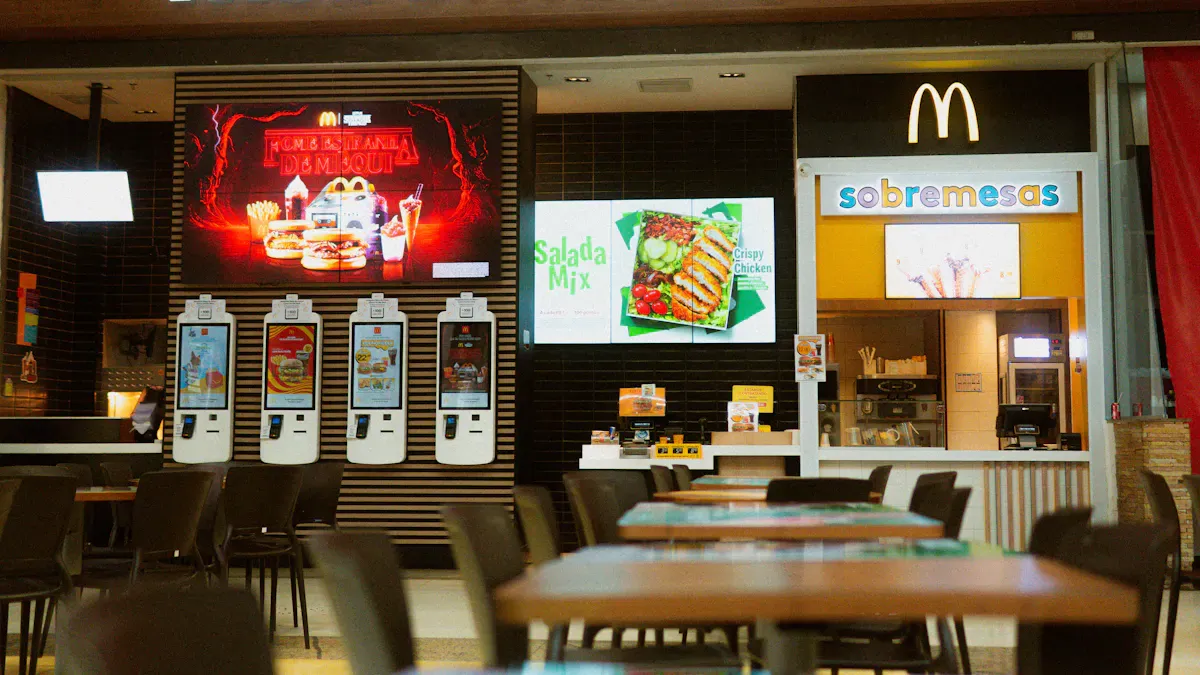
You want the best drive thru menu board for your restaurant in 2026. The top choices have advanced digital menu board systems. Revolution® is the best overall pick. Digital solutions now give real-time updates and interactive features. They also offer analytics that help restaurants work better. You can change menus right away. You can use games to get customers interested. You can manage content easily. Look for boards that are easy to see and can handle bad weather. Make sure management tools are simple. Pick the menu board that fits your restaurant’s needs.
Key Takeaways
Pick digital menu boards to update menus fast and help customers more.
Find boards that are easy to see and can handle bad weather outside.
Choose a system that works well with your current software for easy use.
Think about what your restaurant needs most when choosing a menu board.
Use real-time data to watch how menus do and make smart choices.
Best Drive Thru Menu Boards 2026
Top Picks Overview
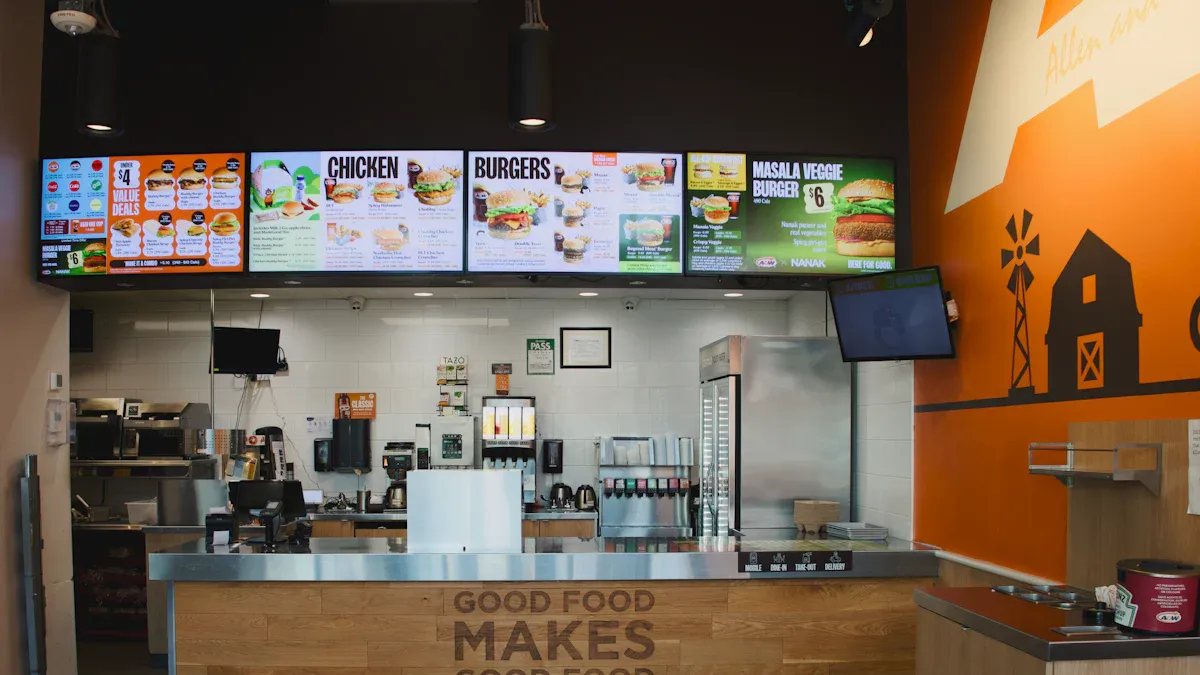
There are many menu board choices for 2026. Digital menu board systems are the most popular. These boards have clear screens and update fast. Hybrid boards use both digital and regular signs. This gives you more options. Many restaurants like digital boards because they track menu data. You can change the menu quickly. New boards use AI to show menus that fit each customer. They also help make orders more correct. Boards that get customers involved help them choose faster.
Here are the top picks for 2026:
Digital menu board systems with interactive displays
Hybrid boards that mix digital screens with static signage
High-brightness outdoor digital menu boards for clear visibility
Boards with AI-driven features for personalized experiences
Best Overall Drive Thru Menu Board
Revolution® is the best drive thru menu board. It has smart digital tools and updates right away. The board uses LED screens that save energy and need less fixing. You can change the menu or add deals fast. The system tracks how well menu items sell. This helps you pick the best foods and get more sales. Revolution® works with mobile apps and location data. This makes the menu fit each person better. The board helps your restaurant work faster and makes fewer mistakes.
Best for Small Restaurants
Small restaurants need menu boards that are easy to read and use. When people see prices and combos clearly, they order faster. This means fewer questions and quicker service. You save money because you do not print new menus. Digital boards let you add deals and change prices fast. You can show foods that need to sell soon. The board can switch languages for different customers. It helps make orders right and keeps people busy while they wait.
Feature | Benefit |
|---|---|
Speed | Reduces customer hesitation and mistakes, leading to faster service. |
Clarity | Clear visuals and descriptions improve order accuracy and reduce confusion. |
Dynamic Pricing | Allows for quick adjustments to pricing and promotions based on demand and context. |
Engaging Content | Keeps customers occupied, reducing perceived wait times. |
Multi-language Support | Automatically rotates languages based on demographics, enhancing customer experience. |
Upsell Logic | Facilitates upselling without relying on staff memory, especially during busy periods. |
No need to print new menus
Makes wait times feel shorter
Helps get orders right
Lets you add special deals
Works in many languages
Pushes certain foods
Best for Large Chains
Big chains need menu boards that grow with them. These boards work with other software and update menus fast. AI makes menus fit each customer. Machine learning helps pick the best foods and makes orders more correct. Some boards use games to keep workers interested. Bright screens make menus easy to see in any weather. You can control many stores from one place. This makes updates quick and the same everywhere. These boards also track menu data for all locations.
Tip: Pick a menu board company that gives good support and a strong warranty for big rollouts.
Best Value Option
You want a menu board that saves money and works well. Most people now pick digital boards over regular ones. Digital menu boards can help you sell 5% to 10% more. They affect most buying choices at the store. The 55-Inch High-Brightness ODMB is a good deal. It costs between $1,300 and $4,200. You get LED screens that use less power and cost less to run. You can change the system to fit new trends. Digital boards are easy to take care of and let you change menus fast.
Digital menu boards use LED lighting technology for energy efficiency.
Digital boards provide immediate ROI and future-proofing.
Drive Thru Menu Board Features
High-Resolution Digital Screens
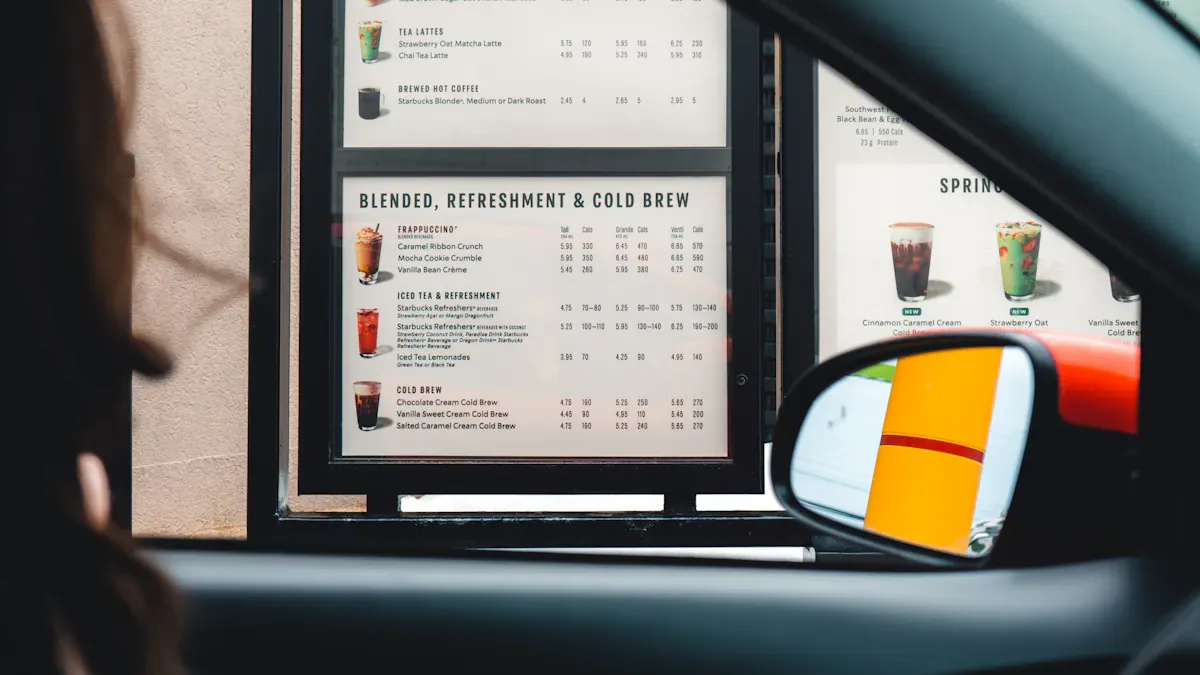
Modern drive thru menu boards use high-resolution digital screens. These screens make food pictures look bright and clear. People notice the difference right away. Moving graphics catch your eye and help you pick faster. Clear screens help stop mistakes in orders. McDonald's made 15% fewer mistakes after using digital screens. Prime Burger sold 50% more food with better pictures. If you want to know what people order, digital screens help you track choices.
Evidence | Description |
|---|---|
20% of respondents | Would not order again after an inaccurate order. |
15% increase | In order accuracy at McDonald's with digital displays. |
86% average accuracy | Rate before digital screens were used. |
Dynamic Content Management
Dynamic content management lets you change your menu right away. You can update prices, add new foods, or remove sold-out items fast. The software works with videos, pictures, and words. Dayparting shows breakfast in the morning and dinner at night. POS system links keep prices and menus correct. This feature helps your restaurant run better. You spend less time fixing mistakes and more time helping customers.
Real-time updates keep menus fresh.
Dayparting shows the right items at the right time.
Integration with POS systems ensures accurate pricing.
Weatherproofing & Sunlight Readability
Outdoor menu boards need to handle tough weather. You want features that protect your board. Brightness goes up to 2500 nits, so you can see menus in sunlight. IP65 waterproofing keeps the board safe from rain and wet air. Boards are tested to last in hard weather. You get a menu board that works all year.
Feature | Description |
|---|---|
Brightness | 2500 nits for visibility in sunlight. |
Waterproof Rating | IP65 protects against rain, humidity, and dust. |
Durability | Engineered for tough outdoor conditions. |
Testing | Simulated environments ensure reliable performance. |
Real-Time Updates
Real-time updates make your menu board easy to change. You can update menus on all screens at once. This cuts down on mistakes and makes orders faster. Customers see the newest choices and prices right away. You can take off sold-out foods and change prices fast. This keeps your menu up to date and fun. Customers feel good knowing what is for sale. You can change deals quickly, which helps you sell more.
Instant updates minimize waste and errors.
Customers benefit from accurate menus.
Operational flexibility improves efficiency.
Tip: Pick a menu board company with easy-to-use software. Simple tools let you manage menus, set times for displays, and link with POS systems. Anyone on your team can make updates without trouble.
Comparison of Leading Providers
Features & Pricing Table
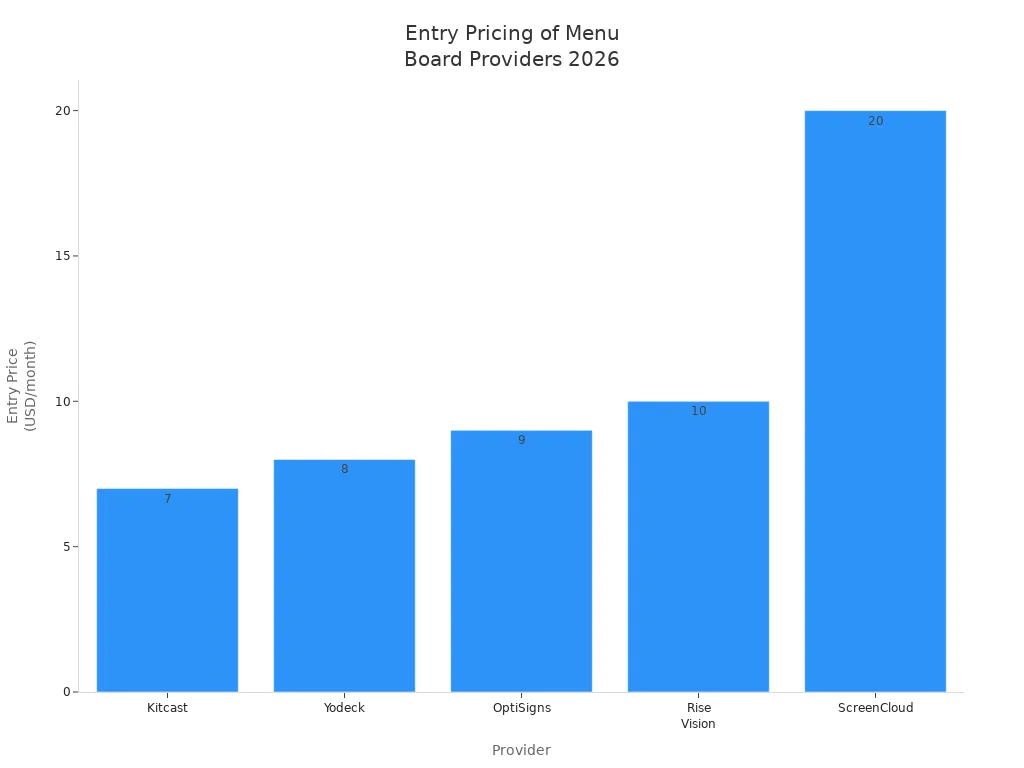
It is smart to compare menu board providers before picking one. The table below shows starting prices, app support, offline use, and special features. You can find which digital menu board system matches your needs and budget. Many companies let you update menus in real time and control many locations from one place. Some boards have Apple TV apps and strong offline use. Others need higher plans for extra features.
Provider | Entry Price (per screen / month) | Native Apple TV app | Offline playback | SSO / SCIM / API on sub-Enterprise tier |
|---|---|---|---|---|
Kitcast | $7 | ✓ Since 2015 | ✓ Full cache | ✓ From $10/mo |
Yodeck | $8 | ✗ | ✓ | Enterprise only |
OptiSigns | $9 | ✗ | ✓ | Higher tiers |
Rise Vision | $10 | ✗ | ✓ | Higher tiers |
ScreenCloud | $20 | ✗ | Limited | Enterprise only |
Tip: Pick a menu board company with good support and a strong warranty. Most warranties last 3 to 5 years. Some companies watch your boards and do regular checkups. This helps cut down wait times and keeps your screens working well.
Pros and Cons
You should know what each provider does well and where they fall short. Digital menu boards give you more choices and let you update menus fast. You can track how your menu is doing with data. Static signs cost less but are harder to change and do not update in real time. Digital boards help fast food places run many stores from one spot and work better. They also show moving content and help make lines shorter.
Type | Pros | Cons |
|---|---|---|
Digital | Flexible, real-time updates, easy to see | Costs more at first, needs technology |
Static | Simple, cheaper | Hard to change, hard to see at night |
Spectrio has strong tools to get customers interested and a big media library. It is good for large restaurants but can cost more and be hard to use.
NoviSign works with Android devices and lets you change layouts. You get lots of choices, but the look is old and it takes time to learn.
TelemetryTV checks device health and controls who can use it. It is good for IT teams but may be too hard for small owners.
Digital drive-thru screens help your restaurant work better. You can control many stores from one place, change menus fast, and see how your menu is doing. These features help you reach your goals and make things run smoother.
Choosing the Right Menu Board
Decision Checklist
You need a simple checklist to pick a drive thru menu board. This makes sure you look at all important features. You will not forget anything. The table below helps you choose:
Item | Description |
|---|---|
Directional Signs | Help customers find the drive-thru lane. |
Bar for Height Clearance | Stop cars from hitting things with height bars. |
Presell Menu Boards | Show deals and help customers get ready to order. |
Order Confirmation Boards | Check orders to build trust and make service faster. |
Digital Drive-thru | Use digital boards for easy updates and changing content. |
Clear Communication & Housing | Speaker posts give clear sound for talking. |
“Pickup” or “Pay Here” Signs | Tell customers where to pay and pick up food. |
Promo Signage | Show deals and help your brand stand out. |
Exit Signs | Help customers leave the drive-thru safely. |
Tip: Always check if the menu board company gives a good warranty and support.
Key Questions for Restaurants
Ask these questions before picking a menu board:
Should your drive-thru be the same at all locations?
Who will make your menu boards and signs?
Do you need different menu boards for each restaurant?
Will the board last long, and can you get new parts easily?
Can you save money on shipping and setup?
Think about what you need. Decide if you want digital screens or regular boards. Think about how often you need to change menus. Decide if you want to track data.
Matching Solutions to Restaurant Types
Different restaurants need different menu boards. Use the table below to find the best board for your restaurant:
Restaurant Type | Recommended Menu Board Type | Key Considerations |
|---|---|---|
Quick-Service Restaurants | Digital Menu Boards | Fast updates, lots of orders, menu changes often |
Boutique Cafés | Simple Digital Displays | Looks nice, not too complicated |
Food Courts | Multi-Lane Drive-Thru | Lots of people, easy to see |
Upscale Dining | High-Quality Displays | Looks good, makes customers happy |
Full-service restaurants | Digital boards | Flexible, easy to update |
Digital menu boards help your restaurant work better. You can change menus fast, track what people order, and manage many stores from one place. These features help you serve customers quickly and keep your restaurant running well.
You can make your restaurant work better with a digital drive thru menu board like Revolution®. This board lets you update things quickly. It shows signs that are easy to read. You get real-time data to help you. Use the checklist and comparison table to find the best menu board for your needs. Quick-service restaurants can use moving pictures and grouped deals to sell more food. Upscale restaurants get nice displays that look great. Ask providers for demos to see how digital signage can help your customers.
⚡ Faster Order Taking (Reduced Wait Times)
High‑impact visuals – Bright, clear images and big price text help customers decide faster, reducing the time spent staring at a static menu.
Strategic upselling prompts – Timed pop‑ups (“Add drink for $1”) nudge customers without delaying the line.
Dayparting – Breakfast, lunch, and late‑night menus switch automatically, so customers never have to ask “is breakfast still available?”.
Result – Shorter queue times and more cars served per hour.
2. 🎯 Fewer Order Errors (Higher Accuracy)
Order confirmation screens – A second display facing the customer shows what the cashier entered. Customers can spot and fix mistakes immediately.
Real‑time inventory sync – When an item sells out, the board automatically greys it out or marks it “sold out”. No more ordering something that’s unavailable.
POS integration – Price changes made in the point‑of‑sale system instantly update the menu board, eliminating manual pricing errors.
Result – Fewer remakes, less food waste, and happier customers.
3. 📈 Increased Average Order Value (AOV)
Automatic upselling – After a customer orders a burger, the board can flash “Make it a combo for $2 more” before moving to the payment screen.
Visual combo promotions – Displaying a burger, fries, and drink together as a bundle encourages customers to add items they otherwise wouldn’t consider.
Limited‑time urgency – “30 seconds left on this offer” (using countdown timers) increases impulse buys without slowing down the cashier.
Result – Higher ticket sizes without extra kitchen work per transaction.
4. 🔄 Dynamic Menu Management (Reduced Labour)
No more manual poster changes – Staff don’t need to climb ladders to swap paper inserts. Everything is updated remotely from a single dashboard.
Weather‑based adjustments – On a rainy day, the board can automatically promote soups or hot coffee. On a hot day, it switches to iced drinks and milkshakes.
Test and optimise – Easily test different layouts, price displays, or item placements to see what sells best, then roll out the winner across all locations.
Result – Less staff time spent on physical menu maintenance, more time on serving customers.
5. 📊 Data‑Driven Operations (Smarter Decisions)
Peak hour analysis – The system records exactly when orders are placed and how long each transaction takes. Managers can adjust staffing levels accordingly.
Item performance tracking – Know which products are ordered most often and which are ignored. Remove low‑performers and promote best‑sellers.
Drive‑thru throughput metrics – Measure cars per hour, average service time, and payment method trends – all linked to the menu board’s displayed content.
Result – Better forecasting, reduced labour waste, and higher revenue per hour.
6. 🔧 Seamless Integration with Kitchen Systems
Kitchen Display System (KDS) integration – When an order is placed at the drive‑thru, it appears instantly on the kitchen screen. No handwritten tickets, no misheard orders.
Voice ordering AI integration – Modern systems can integrate with AI voice assistants that take orders directly, freeing staff to focus on food preparation and payment processing.
Result – Faster order transmission, less confusion, and smoother kitchen workflow.
📊 Quick Summary Table
Efficiency Challenge | How Digital Menu Boards Solve It |
|---|---|
Slow customer decisions | High‑contrast visuals & daypart‑specific menus |
Wrong orders | Order confirmation screens & real‑time inventory |
Low average ticket | Automatic upselling & combo visuals |
Labour‑intensive menu changes | Remote updates & weather‑based automation |
No performance data | Built‑in analytics for items, time, and throughput |
Kitchen communication delays | Direct integration with kitchen display systems |
💎 Bottom Line
Digital drive‑thru menu boards transform the ordering lane into a smooth, data‑driven selling machine. They shorten wait times, eliminate costly errors, increase order values, and free up staff from manual tasks. In a competitive QSR environment, that’s not just an improvement – it’s a necessity.
FAQ
What makes digital drive thru menu boards better than static boards?
Digital boards let you update menus fast. You can show new deals and remove sold-out items. Customers see clear pictures and prices. You save money on printing.
How do digital menu boards help my restaurant work faster?
Digital boards show orders and deals right away. You can change menus for breakfast, lunch, or dinner. Staff spend less time fixing mistakes. Customers order quicker.
Can I manage digital menu boards from one place?
Yes, you can control all boards from your computer. You update menus for every location at once. This saves time and keeps menus the same everywhere.
Are digital menu boards easy to use?
Most digital boards use simple software. You click to change prices or add new foods. Anyone on your team can learn to use them quickly.
Do digital menu boards work in bad weather?
Digital boards have waterproof screens and bright displays. You can see menus in sunlight or rain. Boards last longer outside and need less fixing.
See Also
Enhancing Restaurant Efficiency With Digital Signage Solutions
Explore 10 Innovative Digital Menu Board Designs for 2026
Best Digital Signage Solutions for Retail Outlets in 2026
Key Benefits of Digital Signage for Business Growth in 2026
Leading Digital Signage Trends Transforming Retail Experiences in 2026
