Top double sided monitors for office and retail use
Add.: 2F, Bldg 10, Changfeng Industrial Park, Dongkeng, Fenghuang, Guangming, Shenzhen, China 518132
Mobile/WHATSAPP: 86-138 25769658
Email: marketing@topadkiosk.com topadkiosk@gmail.com
Skype: pghenry1
Wechat: adkioskhenry
English Web.: http://www.topadkiosk.com/
https://www.topkioskdisplay.com/
https://www.toplcddisplay.com/
http://www.multitouchdigitalsignage.com/
https://www.youtube.com/channel/UCYVYNJHxLVEcQD8fuUxXNTA/videos?view_as=subscriber
https://www.facebook.com/TOPADKIOSKSHENZHEN/?ref=bookmarks
You can make your workspace better with top double sided monitor models in 2026, like the Dell U2725QE, HP Series 7 Pro 34-inch, and Dell Ultrasharp U3225QE. These monitors help you get more work done and work better with others at your desk or in places where you talk to customers.
"Using two monitors has made my workspace bigger and working at my desk is now much more comfortable. Because I am more comfortable, I get more work done."
A double sided monitor lets you show important things to you and your audience at the same time, making everything easier.
Key Takeaways
Double sided monitors help people work better. You can show your work on one side. You can share information on the other side. This makes it easier to work with others.
These monitors use less space. They help keep your desk neat. They are good for offices and stores. They help people work faster and better.
Picking the best monitor means looking at display quality. You should check how it connects to other devices. You also need to look at comfort and how easy it is to use.
Buying strong monitors means they last longer. They can handle busy work every day. This gives you good value for your money.
When you choose a monitor, make sure it works with your devices. Check if it fits what your business needs.
Why choose a double sided monitor?
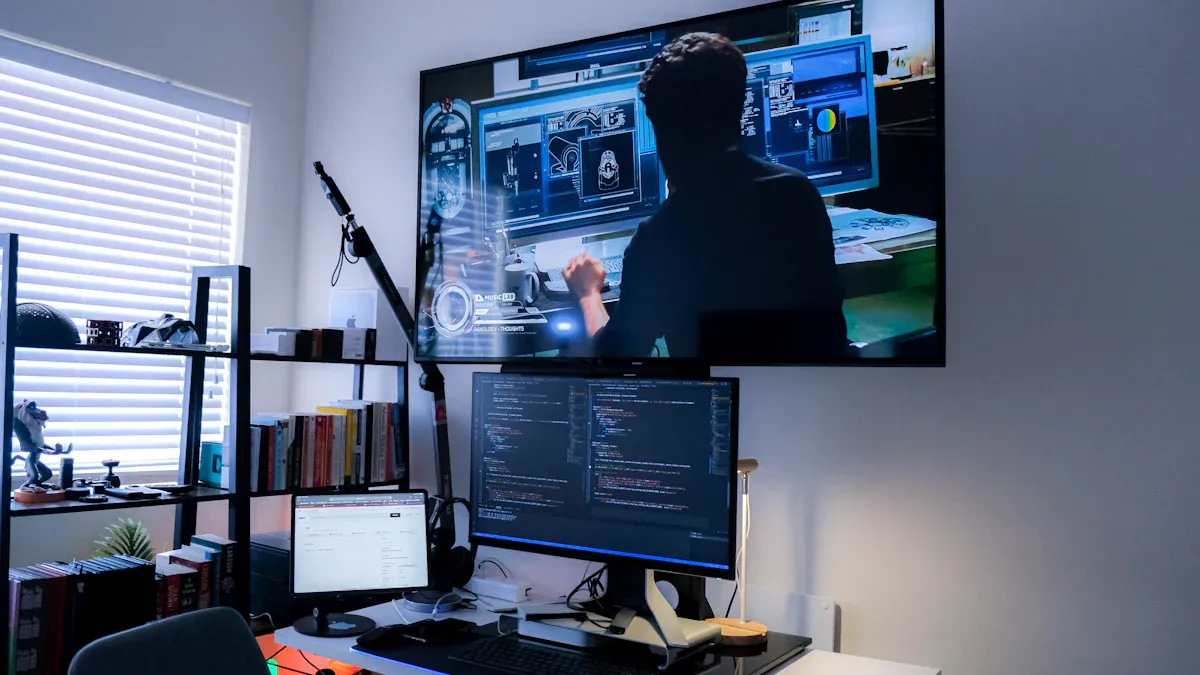
A double sided monitor shows pictures or information on both sides at once. You can use one side for your work. The other side is for sharing things with other people. This monitor helps you show important things to your team or customers. You do not need to turn your screen around. It uses two good panels in one frame. This gives you clear images on both sides. Many businesses pick this monitor because it saves space. It also makes sharing information simple.
Office benefits
A double sided monitor can help you do better at work. You can keep your main work on one screen. The other screen is for meetings or notes. Many people say two monitors make work less stressful. You do not have to switch windows all the time. It also makes your desk more comfortable.
You can run online meetings and look at notes without stopping.
You have a place for chat tools, so you see messages right away.
You can keep meeting notes and alerts just for you. This helps you pay attention.
“Having two screens is now very important for my job,” Marin Cristian-Ovidiu, business manager of FreezeNova, told business.com.
A study from the University of Utah showed that two monitors can help people work up to 44 percent faster for some jobs. You can see this in many careers:
Software developers write code on one screen and check results on the other.
Financial analysts watch market data while they build models.
Content creators edit videos on one screen and read scripts on the other.
Customer service workers handle tickets while talking to customers.
The main benefit is not just seeing more. It is about doing more with less trouble. When you keep your tools and info close, you do not get distracted. You can focus on your most important work.
Retail advantages
A double sided monitor has special uses in stores. You can use one side to check sales or stock. The other side can show ads or product details to shoppers. This helps you talk to customers and share info fast.
You can show bright ads or deals to get people’s attention.
You can answer questions using up-to-date info on your side.
You can give better service by showing clear pictures and facts.
Many stores pick these monitors because they are strong and work well. You get a tool that helps your team and your customers. This makes your store different from others.
Double sided monitor buying guide
Display quality and Mini LED vs. OLED
You want a good monitor for your office or store. Start by checking how clear the screen looks. Monitors with lots of pixels and strong colors show sharp text and pictures. Mini LED screens are very bright and can dim parts of the screen. This makes colors look better and helps with HDR. OLED screens show perfect black and change pixels fast. This gives you great contrast and clear images. Pick a monitor with high resolution. A 27-inch 1440p screen is clear and fits well. Mini LED is good in bright rooms. OLED shows deeper blacks and stronger contrast.
Connectivity and USB hubs
Monitors need the right ports for work. Look for DisplayPort, HDMI, USB Type-A, and Ethernet. USB-C lets you connect and charge devices at once. Power Delivery keeps your devices charged. Wired Ethernet gives safe internet. HDMI supports 4K video and connects to other screens. The table below lists important ports:
Feature | Description |
|---|---|
Ports | DisplayPort, HDMI, three USB Type-A ports, Ethernet port |
Daisy Chaining | Daisy chain monitors from Type-C or DP port |
Ergonomic Design | Pivot, swivel, height adjustment, and 40° tilt for comfort |
Three-Sided Bezel Design | Uninterrupted view across multiple monitors |
Environmentally Friendly | Quick setup for business environments |
Adjustability and ergonomics
You need a stand that moves for your monitor. Change the height, tilt, and swivel to see better. This helps your neck and back feel good. Put the top of the monitor at your eye level. Tilt the screen back to stop glare. Use a monitor arm or stand to adjust easily. Make sure your desk has space for your things. An adjustable stand helps you work better and feel comfortable.
Durability for business use
Monitors must be strong for work. Look for safety marks like UL 62368-1 and CE. IP65 or IP67 ratings protect from dust and water. Military standards and NEMA 4/6 help monitors last in tough places. Fire-resistant materials like UL 94 V-0 add safety. These features help your monitor last longer and keep your money safe.
Tip: Match monitor specs like resolution and size for a smooth dual display. Use VESA mounts to keep your desk neat and make moving monitors easy.
Best double sided monitors 2026
Dell U2725QE
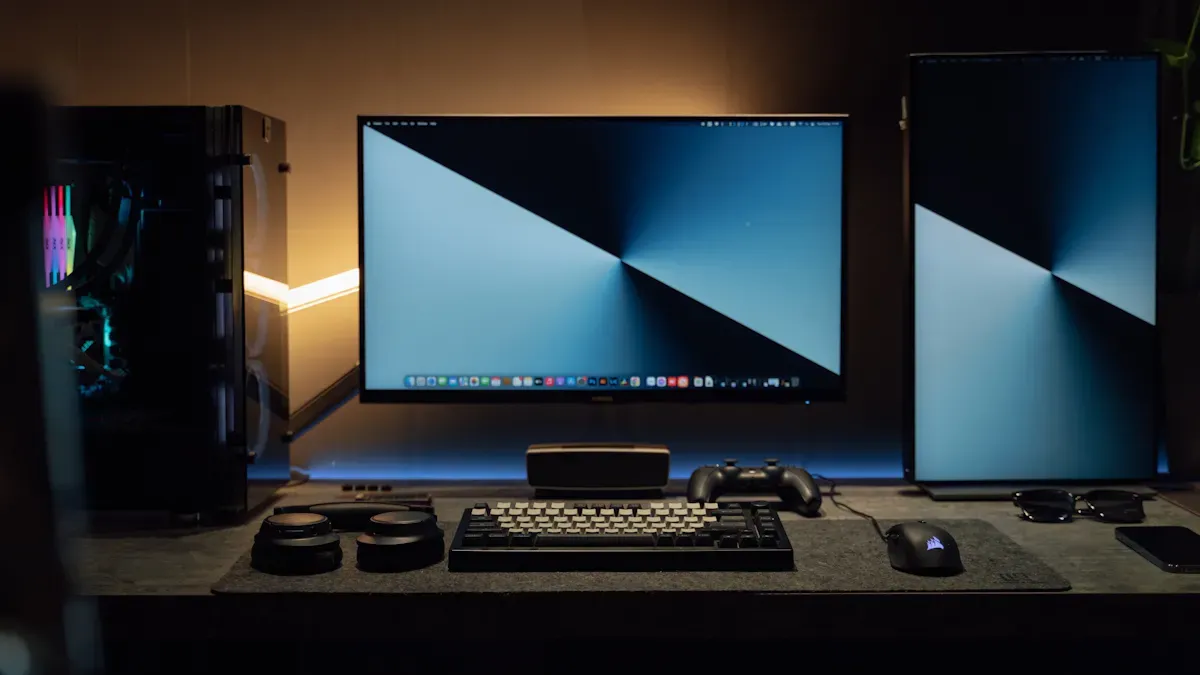
Pick the Dell U2725QE if you want a strong double sided monitor for your office or store. This monitor uses Mini LED technology. It has a 27-inch screen with 2560 x 1440 resolution on both sides. The colors look bright and the text is sharp. You can see everything clearly, even in bright rooms. The modern design fits in any workspace.
Key features:
Mini LED panels on both sides
27-inch size with 1440p resolution
USB-C, HDMI, DisplayPort, and Ethernet ports
Adjustable stand for height, tilt, and swivel
Pros:
High image quality for work and presentations
Many ports for easy connections
Strong build for business use
Cons:
Not as thin as OLED monitors
Higher price than basic models
You can use this monitor for meetings, coding, or customer service. The two screens help you share things with your team or clients. The Dell U2725QE is one of the best business monitors because it has good quality and features.
HP Series 7 Pro 34-inch
The HP Series 7 Pro 34-inch is a wide double sided monitor for big desks or retail counters. It has a 34-inch curved screen with 3440 x 1440 resolution on both sides. The monitor uses OLED panels. You see deep blacks and bright colors. The design is sleek and modern.
Key features:
34-inch curved OLED panels
Ultra-wide 3440 x 1440 resolution
USB-C, HDMI, and DisplayPort
Built-in speakers
Pros:
Excellent image quality with strong contrast
Wide screen for multitasking
Curved design for comfort
Cons:
Takes up more space on your desk
OLED can show image retention if left on too long
You can use this monitor for design work, video editing, or retail displays. The two screens let you show ads to customers while you manage sales. The HP Series 7 Pro 34-inch is a top pick for business users who want high performance and style.
Dell Ultrasharp U3225QE
The Dell Ultrasharp U3225QE is a large 32-inch double sided monitor. It has 3840 x 2160 resolution on both sides. The monitor uses Mini LED panels. You see bright, clear images with great color accuracy. The design is strong and works well in busy offices or stores.
Key features:
32-inch Mini LED panels
4K UHD resolution (3840 x 2160)
USB-C, HDMI, DisplayPort, and Ethernet
Advanced ergonomic stand
Pros:
High resolution for detailed work
Strong build for business environments
Many ports for easy setup
Cons:
Heavier than smaller monitors
Higher cost
You can use this monitor for data analysis, presentations, or customer engagement. The two screens let you keep your work private while sharing important info with others. The Dell Ultrasharp U3225QE is a top business monitor for people who need great quality and durability.
Samsung ViewPro Dual 28
The Samsung ViewPro Dual 28 is a new double sided monitor for 2026. It has two 28-inch screens with 2560 x 1440 resolution. The monitor uses advanced IPS panels. You see bright colors and wide viewing angles. The slim design fits well in modern offices or retail spaces.
Key features:
Dual 28-inch IPS panels
2560 x 1440 resolution on both sides
USB-C, HDMI, and DisplayPort
VESA mount support
Pros:
Good image quality for daily tasks
Slim design saves space
Easy to mount or adjust
Cons:
Not as bright as Mini LED models
Fewer advanced features
You can use this monitor for customer check-in, point-of-sale, or team meetings. The two screens help you show information to staff and customers at the same time. The Samsung ViewPro Dual 28 is a smart choice if you want good quality and value.
Tip: When picking a double sided monitor, check the resolution, image quality, and design. These features help you get the best results for your business.
Model | Panel Type | Size | Resolution | Key Features | Best For |
|---|---|---|---|---|---|
Dell U2725QE | Mini LED | 27" | 2560 x 1440 | Many ports, strong build | Office, meetings |
HP Series 7 Pro 34-inch | OLED | 34" | 3440 x 1440 | Curved, wide, built-in audio | Design, retail displays |
Dell Ultrasharp U3225QE | Mini LED | 32" | 3840 x 2160 (4K) | High resolution, ergonomic | Data, presentations |
Samsung ViewPro Dual 28 | IPS | 28" | 2560 x 1440 | Slim, VESA mount | Retail, check-in |
You can find the best business monitor by matching what you need with the right features. Each monitor here gives you strong performance, high quality, and a design that fits your business.
Comparison table of top monitors
Key specs and features
It is important to pick the best monitors for your business. A comparison table lets you see features and specs next to each other. This helps you choose faster. Every monitor has special strengths for different jobs. You can use this table to find the right monitor for your workspace.
Monitor | Panel Type | Size | Resolution | Ports | Stand Adjustability | Best Use |
|---|---|---|---|---|---|---|
Dell U2725QE | Mini LED | 27" | 2560 x 1440 | USB-C, HDMI, DP, LAN | Height, tilt, swivel | Office, meetings |
HP Series 7 Pro 34-inch | OLED | 34" | 3440 x 1440 | USB-C, HDMI, DP | Tilt, swivel | Retail, design |
Dell Ultrasharp U3225QE | Mini LED | 32" | 3840 x 2160 | USB-C, HDMI, DP, LAN | Height, tilt, swivel | Data, presentations |
Samsung ViewPro Dual 28 | IPS | 28" | 2560 x 1440 | USB-C, HDMI, DP | Tilt, VESA mount | Retail, check-in |
Each monitor gives you a different kind of display. Mini LED panels show bright pictures. OLED panels make blacks look deep and colors pop. IPS panels let you see from many angles. You can pick the monitor that matches your business tasks.
Top features to look for:
High resolution makes the screen clear
Many ports help you connect devices easily
Adjustable stands keep you comfortable
Tip: Always check the specs before buying monitors for your business. Make sure the monitor fits your desk and does what you need.
Monitors with strong build quality last longer at work. You get better performance and dependability. The right monitor helps you finish tasks faster and serve customers well. You can use these monitors for meetings, presentations, or store displays. Each monitor supports different business needs.
How to choose the best business monitor
Office needs
You need monitors that help you work faster and feel good. The best business monitor should have a high quality screen. Pick office monitors with bright screens and clear words. Choose a monitor with a stand you can move. You can change the height and tilt to fit your eyes. This keeps your neck and back straight. Put the monitor right in front of you, about 20 inches away. The top of the screen should be at or below your eyes. Use monitors with the same size and resolution for a smooth setup. Thin bezels help you focus better. Make sure your monitor works with VESA mounting. This makes it easy to set up. Use the right cables for good results. Keep your taskbar tidy to make your workspace neat.
Tip: A stand you can adjust helps you sit up straight and keeps your head, neck, and body facing forward.
Requirement | Description |
|---|---|
Monitor Size | Use the same size monitors for easy viewing. |
Resolution | Higher resolutions make words and pictures clearer. |
Connectivity | DisplayPort, HDMI, USB-C help you connect devices. |
Bezel Size | Thin bezels help you pay attention. |
VESA Compatibility | Lets you install your monitor the right way. |
Adjustable Stands | Height and tilt changes help you feel comfortable. |
Weight Capacity | Monitor mounts must hold the weight of your monitors. |
Retail needs
Retail stores need monitors that catch people’s eyes and share info fast. Pick monitors with bright screens and strong colors. A stand you can move lets you change the angle for customers and workers. Put the monitor sideways to windows to stop glare. Make sure you have enough desk space for flat screens. Use monitors with wide viewing angles. This helps customers see the screen from many places. Pick monitors that are tough for busy stores. You can show ads or product info on one side and handle sales on the other.
Retail monitors should be easy to move.
You need clear pictures and bright colors to get customers interested.
Monitors should last a long time and work every day.
Budget and value
You want the best business monitor for your money. Compare monitors by price and what they offer. High quality monitors cost more but work better and last longer. Stands you can move make the monitor more useful. Look for monitors with USB-C charging and daisy-chaining. For example, the Dell UltraSharp U3425WE costs $722 to $1,076. It has a 34-inch screen, 120 Hz refresh rate, and USB-C charging. The Asus ProArt PA248CRV costs $279 to $320. It has a 24-inch screen and a USB hub for laptops with few ports.
Monitor Model | Price Range | Key Features |
|---|---|---|
Dell UltraSharp U3425WE | $722 - $1,076 | 34-inch screen, 120 Hz refresh rate, USB-C charging, IPS Black screen, daisy-chaining capability |
Asus ProArt PA248CRV | $279 - $320 | 24-inch screen, 96 W USB-C charging, 16:10 aspect ratio, USB hub for limited port laptops |
Note: More people are buying dual monitors now. You can find more choices that fit your needs and budget.
You should pick monitors that match your business needs. Stands you can move, good screens, and strong build help you get the most for your money. Pick monitors that help you work well and last a long time.
You can help your business by picking the right double sided monitor. Each monitor works best for different jobs, like office work or showing things in a store. Before you buy, look at the screen type and see if it has the ports you need. Make sure your mount fits the VESA pattern.
For the best results, check if you get help with setup and make sure your monitor works with your business.
Check if your computer and monitor have the right ports.
Make sure the VESA pattern matches for mounting.
ing, mounted on a column, or placed on a counter).
🖥️ How Does It Work?
There are two primary technical approaches to building a double-sided monitor:
Technology | How It Works | Pros | Cons |
|---|---|---|---|
Two independent LCD panels back-to-back | Two separate LCD modules (each with its own backlight, polarizers, and driver electronics) are mounted inside a single frame, facing opposite directions. They may share a common power supply and a single media player with two video outputs (or two separate players synchronised over a network). | – Each side can show completely different or identical content. | – Thicker and heavier than a single screen. |
Single LCD panel with dual‑directional backlight | A special LCD panel is used where the liquid crystals selectively allow light to pass through to both sides. A central light source (e.g., edge‑lit LEDs) is directed to both the front and rear layers via a unique light guide plate. This is less common and more expensive. | – Very slim and lightweight. | – Limited brightness on each side (light is split). |
Most commercial double‑sided monitors (e.g., from Samsung, LG, or NEC) use the two‑panel design because it offers flexibility (different content per side) and much higher brightness – critical for public spaces.
🔄 What Content Can It Show?
Same content mirrored – The right side of the front screen corresponds to the left side of the rear screen (useful for hanging displays where people walk around).
Same content identical – Both sides show exactly the same image (e.g., a logo or a timer).
Independent content – Each side runs its own playlist (e.g., front shows wayfinding, rear shows advertising). This requires a media player with dual outputs or two networked players.
🧠 Key Technical Details
Orientation – Most double‑sided monitors can be mounted in landscape or portrait mode. Some are designed specifically for hanging from ceilings.
Brightness – Typical indoor models: 350–500 nits per side. Outdoor or high‑ambient‑light models: 1,500–2,500+ nits per side.
Cooling – Because two displays generate heat, quality models include ventilation channels or forced‑fan cooling to prevent overheating.
Control – Often managed via a single built‑in Android or Linux media player with two video outputs, or via a daisy‑chain of HDMI/serial cables.
🏢 Common Applications
Retail hanging signs – Above aisles or at store entrances, showing promotions to customers approaching from either side.
Airport / transit information – Suspended from ceilings to show flight departures or gate changes to passengers queuing in both directions.
Museum exhibits – Wall‑mounted between two rooms, providing information to visitors on both sides.
Fast‑food drive‑thru – Placed on a centre island so customers and staff can both see order details.
Corporate lobbies – Freestanding double‑sided displays for event schedules or welcome messages.
💡 Summary
A double‑sided monitor is essentially two screens in one chassis, allowing you to communicate with people from both directions without installing two separate displays. It works by either combining two independent LCD panels back‑to‑back (most common) or using a specialised single panel with dual‑directional light (rare). The result is efficient use of space, reduced installation cost, and doubled visual impact.
Would you like recommendations on specific double‑sided display models or a guide on choosing the right brightness for your environment?FAQ
What is a double sided monitor and how does it work?
A double sided monitor has two screens in one frame. One screen faces you, and the other faces your audience. Each side can show something different. You control both screens from your computer. This makes sharing information simple.
Can you use a double sided monitor for gaming?
You can play games on a double sided monitor. Most of these monitors are made for work, not games. They may not have fast refresh rates or quick response times. These monitors are better for office tasks than gaming.
How do you connect devices to a double sided monitor?
You connect devices with ports like USB-C, HDMI, or DisplayPort. Some monitors have USB hubs for more connections. You plug in your laptop or desktop computer. You can also charge your devices using USB-C.
Are double sided monitors durable for busy stores?
Most double sided monitors are built to be strong. Many use tough materials and have safety ratings. These monitors last a long time in busy stores. You can trust them for everyday use.
Do double sided monitors need special software?
Most double sided monitors do not need special software. You use your normal computer settings to control each screen. Some monitors have extra tools to help you manage what is shown.
See Also
Top LCD Display Kiosks For Retail Spaces In 2026
Best Places To Purchase Sturdy LCD Display Kiosks
Must-Read Reviews Of High-Quality LCD Display Kiosks
Comparing Business Touch Screen Kiosks For Value And Efficiency
