Best Digital Signage Touchscreens for Interactive Experiences
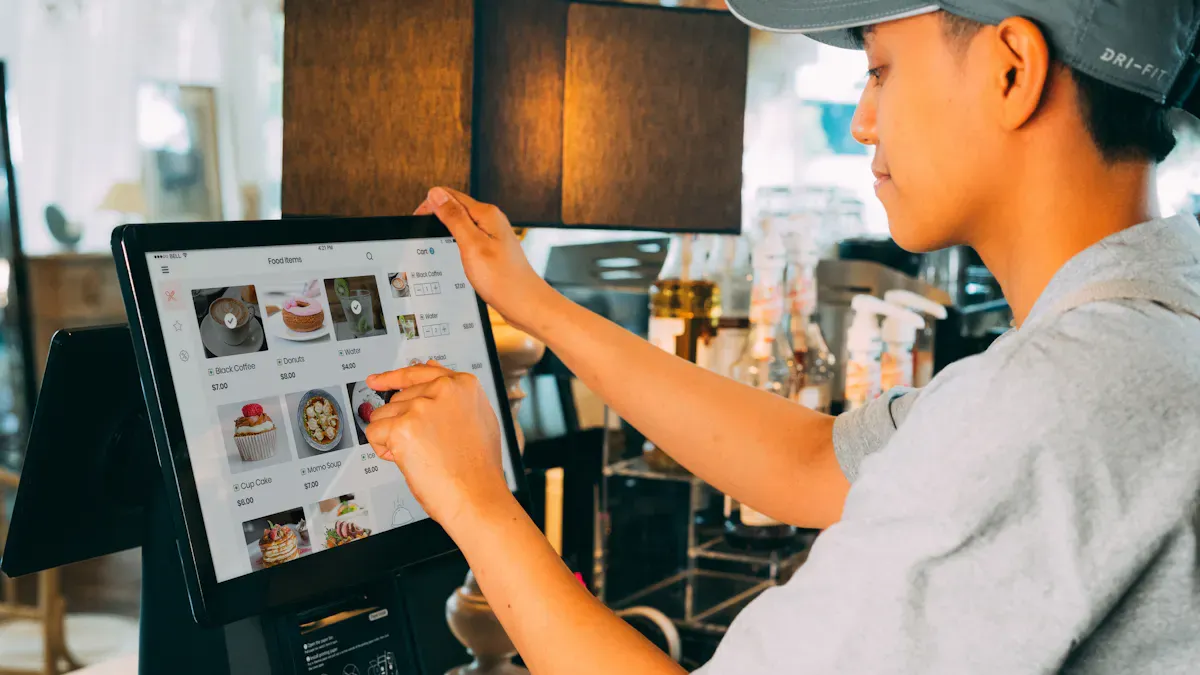
You want digital signage touchscreens that give fun interactive experiences. Digital signage gets people’s attention and shows content just for them. Businesses notice the difference. About 60% of companies want to buy digital signage soon. Over 67% of people who use signage now will spend more money on it. Digital signage helps customers look at your content longer. People spend more time with signage that has moving pictures. It helps them see important content and remember your brand better. You get more out of your signage when it works well all the time and can be used a lot.
Shenzhen TopAdkiosk Display Technology Co., Ltd.
Add.: 2F, Bldg 10, Changfeng Industrial Park, Dongkeng, Fenghuang, Guangming, Shenzhen, China 518132
Mobile/WHATSAPP: 86-138 25769658
Email: marketing@topadkiosk.com topadkiosk@gmail.com
Skype: pghenry1
Wechat: adkioskhenry
English Web.: http://www.topadkiosk.com/
https://www.topkioskdisplay.com/
http://www.ad-kiosk.com/
https://www.toplcddisplay.com/
http://www.multitouchdigitalsignage.com/
https://www.youtube.com/channel/UCYVYNJHxLVEcQD8fuUxXNTA/videos?view_as=subscriber
https://www.facebook.com/TOPADKIOSKSHENZHEN/?ref=bookmarks
Key Takeaways
Digital signage touchscreens grab people’s attention and help customers get involved. This can make people spend more money. - Pick screens by looking at how clear the display is, how strong it is, and if people can use it easily. This helps you share messages well. - Think about where you will put the screen. Outdoor screens need to be safe from weather and must be very bright. - Check how the screen connects to other devices. This makes it simple to update and control your digital signage content. - Decide how much money you want to spend before you buy. Think about what features you need and if they will help your business for a long time.
Top Digital Signage Touchscreens
Comparison Overview
You want the best screens for digital signage. This table shows some top digital signage touchscreens. It helps you see the features, good things, and bad things about each one. You can use it to pick the right digital signage display for your business.
Model | Size Range | Resolution | Key Features | Pros | Cons |
|---|---|---|---|---|---|
Samsung QM55R-T | 55" | 4K | High brightness, 24/7 use | Sharp display, reliable, easy setup | Higher price |
LG TR3DJ Series | 65"-86" | 4K | Multi-touch, outdoor ready | Outdoor digital signage, large screens | Bulky for small spaces |
ViewSonic CDE20 | 43"-98" | 4K | Built-in digital signage software | Flexible sizes, dynamic content | Software can feel basic |
Elo Interactive | 32"-65" | 4K | Global support, ADA compliant | Great for commercial use, durable | Fewer outdoor options |
Xiaomi TV P1E | 43"-55" | 4K | Smart features, affordable | Good value, easy network setup | Not for harsh environments |
Philips 242B9T | 24" | Full HD | Compact, touch responsive | Fits tight spaces, energy efficient | Lower resolution |
Tip: Big screens are good for donor walls or large lobbies. Small screens work well at store counters or kiosks. Outdoor digital signage needs displays that can handle weather.
Selection Criteria
You want your digital signage to stand out. Experts look at a few things when they pick interactive touchscreens. First, display quality is important. High resolution and brightness make your digital signage content look great. Clear pictures and sharp words help people see details, even when it is bright. This keeps your digital signage interesting and easy to read.
Durability is also important for businesses. You need screens that can be used a lot and still work. Many digital signage displays are made to last and show clear images. Some even pass tests for multi-touch and tough places.
Accessibility is important too. The best screens for digital signage follow ADA rules. They use the right text size, good contrast, and sometimes braille or raised graphics. This helps everyone use your digital signage solutions.
You should also think about how to set up your screens. Some work better on walls, and others on stands. Outdoor screens need extra protection. Good connections help you control your digital signage network and change content fast.
When you pick interactive touchscreens, look for features that fit your business. The right digital signage screen helps you share cool content, talk to customers, and grow your brand.
Touchscreen Reviews
Samsung QM55R-T
This digital signage display is easy to see in bright places. The Samsung QM55R-T has a 55-inch screen with sharp 4K resolution. You can use it in busy spots like malls or airports. It works well all day, so you do not worry about it stopping. The high brightness helps people see the screen, even in sunlight. You can set it up on a wall or a stand. The setup is simple. This display costs more, but it is strong and works well. If you want a screen that gets noticed and runs all day, this is a good pick.
LG TR3DJ Series
This touchscreen feels natural when you use it. The LG TR3DJ Series has a big screen from 65 to 86 inches. It shows clear 4K pictures. You can touch the screen in 20 places at once. This makes teamwork easy. Two people can write or draw together with dual pens. There is a small gap between the glass and screen, so your touch is exact. You can add devices with OPS slots and no extra wires. ScreenShare Pro lets you share up to six screens at the same time. Bluetooth helps you connect for meetings. The Android browser is built in, so you do not need other devices. You get tools for writing and showing ideas. The speakers are clear. USB Block Mode keeps your data safe. The LG 86TR3DJ-B model costs about $4,060 on sale. This is a good choice for places where people need to work together.
Note: The LG TR3DJ Series is good for outdoor digital signage. You can use it in open areas or lobbies.
Feature | Description |
|---|---|
Multi-Touch | Lets you touch in 20 places at once for a real board feel |
Dual Pen | Two pens with different colors and tips |
Enhanced Visibility | Small gap for better touch and writing |
Connectivity | OPS slots, Bluetooth, ScreenShare Pro |
Security | USB Block Mode stops others from copying your data |
Price | $4,060 (sale price for 86" model) |
ViewSonic CDE20 Series
This digital signage display is flexible for your business. The ViewSonic CDE20 Series comes in sizes from 43 to 98 inches. All screens show 4K pictures. You can share content wirelessly to big screens. This helps in meetings and talks. The display works with Microsoft, Apple, Android, and Google. It is easy to add to your network. You can play videos and pictures with the built-in platform. Your content looks sharp and lively. The free myViewBoard Manager lets you control devices and update content from far away. The software is simple, but you can get more features if you upgrade. If you want a screen that is easy to use and manage, this is a good choice.
Advantage | Description |
|---|---|
Content Sharing | Share wirelessly to big screens |
Compatibility | Works with Microsoft, Apple, Android, and Google |
Multimedia Playback | Built-in platform shows 4K content |
Device Management | Free myViewBoard Manager for easy device control |
Elo Interactive Displays
Elo Interactive Displays are known all over the world. There are over 25 million Elo screens in more than 80 countries. A new Elo touchscreen is set up every 21 seconds. These screens come in sizes from 32 to 65 inches. They are made for hospitals and businesses. Some models are medical grade and follow DICOM rules. They are ready to use and safe for cleaning. The power supply is safe for medical places. Elo screens follow ADA rules, so anyone can use them in public. The Elo E053414 55" model costs about $4,775. If you want a tough screen with global support, Elo is a smart pick.
Feature | Details |
|---|---|
Global Presence | Over 25 million screens in more than 80 countries |
Medical Grade | DICOM-compliant, ready to use, safe for cleaning, safe power supply |
ADA Compliance | Good for public and business spaces |
Price | $4,775 (55" model) |
Xiaomi TV P1E
This digital signage display is good for small spaces and costs less. The Xiaomi TV P1E comes in 43 to 55 inch sizes with 4K resolution. You get many ports like composite, USB-A, and HDMI. You can connect lots of devices. It works with 2.4GHz and 5GHz Wi-Fi and Bluetooth 5.0. The TV uses Android TV with a MediaTek chip, 2GB RAM, and 16GB storage. You get apps like YouTube, Netflix, and Prime Video already installed. Google Assistant lets you search with your voice. Chromecast lets you share from your phone or tablet. The screen has slim bezels, so your content looks big. If you want a screen that is easy to set up and use, Xiaomi TV P1E is a good deal.
Feature | Description |
|---|---|
Ports | Composite In (AV), 2 USB-A, 3 HDMI (1 with eARC) |
Wireless Connectivity | 2.4GHz/5GHz Wi-Fi, Bluetooth 5.0 |
Operating System | Android TV, MediaTek 9611, 2GB RAM, 16GB storage |
Streaming Apps | YouTube, Netflix, Prime Video, and more |
Google Assistant | Voice search across apps |
Chromecast | Built-in for sharing content |
Viewing Experience | Slim bezels for big content |
Philips 242B9T
This display is small and fits in tight spots. The Philips 242B9T has a 24-inch screen with full HD resolution. You can touch the screen in 10 places at once. This helps with interactive apps. The display keeps out dust and water, so it works in tough places. The SmartStand lets you move the screen to different angles. The screen has anti-glare and other features like SmartContrast, Flicker-Free, LowBlue, and EasyRead. It has built-in speakers for sound. You can connect with HDMI, DVI-D, VGA, DisplayPort, and USB 3.1. The Philips 242B9T costs about $281. It is a good choice for digital signage where space and strength matter.
Tip: The Philips 242B9T is not for fun, but it is great for digital signage in kiosks, counters, or small offices.
Lets you touch in 10 places at once
Keeps out dust and water (IP54 rating)
SmartStand lets you move the screen
Anti-glare coating
Many ways to connect: HDMI, DVI-D, VGA, DisplayPort, USB 3.1
Has built-in speakers
Works with styluses
Price: $281
You can trust this screen for busy places where you need a strong and easy-to-connect display.
Key Features for Digital Signage
Display Quality
You want your digital signage to get noticed. The best screens make your content look bright and clear. Pick a display with high resolution. This lets people see sharp images and easy-to-read words. Brightness is important, too. If your screen is in the sun, you need it to stay bright. The size of your screen matters. Big screens catch eyes in large rooms. Small screens are good for counters or kiosks. The way your screen looks is important. Sleek screens make your signage look new and stylish. A good content management system helps you change and plan content fast.
Tip: Think about where you will put your digital signage. The place you choose changes what features you need.
Touch Responsiveness
Touch responsiveness makes your digital signage fun to use. Fast screens react right away when you touch them. If the screen responds quickly, you feel good using it. Slow screens can make people upset. In stores, quick touch helps customers find things fast. In offices, smooth touch helps people work better.
Response Time (ms) | User Perception |
|---|---|
0-100 | Feels instant; boosts confidence |
100-200 | Noticeable but okay |
200+ | Causes frustration |
Durability
You want your signage to last a long time. Business screens need to be strong. Look for certifications like ETL, CE, and FCC. These show your digital signage is safe and works well. Some screens keep out dust and water. This helps your signage work in busy or tough places.
Connectivity Options
Good connections keep your digital signage working. Indoor screens usually use Wi-Fi or Ethernet. Outdoor screens may need 4G or 5G backup. Strong connections let you update content fast. You can connect screens to your business network and control them from anywhere.
Wi-Fi and Ethernet for indoor screens
4G/5G for outdoor signage
Easy updates and remote control
Software Integration
Software integration makes your digital signage smarter and easier to use. You can use platforms like Rise Vision, NoviSign, or Yodeck. These help you manage content and add fun features. Some software is better for schools. Others are good for businesses or saving money. Pick software that fits your signage needs.
Note: The right software lets you plan content, check screens, and get people interested.
Pricing and Value
Price Ranges
You want to know how much digital signage touchscreens cost. Prices can change a lot based on size, features, and where you use the screens. Here’s a quick look at what you might pay for different types of signage displays:
Type of Display | Price Range |
|---|---|
Standard indoor displays | |
High-brightness or 24/7-rated displays | $2,500–$5,000+ |
Outdoor-rated displays | $4,000–$10,000+ |
Touch-enabled displays | +$1,000–$3,000 |
Smaller touchscreen digital signage displays usually start around $500. If you want bigger screens or more advanced features, you might pay over $2,000. Outdoor signage costs more because it needs to handle weather and sunlight. High-brightness screens are great for places with lots of light, but they also cost more.
Tip: Set your budget before you shop. Think about how many screens you need and where you will put your signage.
Value Comparison
You want the best value for your money. When you look at digital signage, think about more than just the price tag. You should check how long the screens last, how easy it is to update content, and what kind of support you get. Most touch displays for signage last five to seven years. That means you get a lot of use before you need to replace them.
Here’s a quick table to help you compare value:
Display Type | Size | Price Range | Lifespan | Best For |
|---|---|---|---|---|
Touch display | 43-65" | 5–7 years | Interactive kiosks |
You also need to think about software costs. Some digital signage solutions use a monthly subscription, which can be $10–$50 per screen. Others let you buy a license once, but you may not get updates. If you run a big network, you might pay more for unlimited plans, but you get steady costs.
Subscription: Low upfront cost, updates included
One-time license: Pay once, but handle updates yourself
Tiered plans: Pay for only the features you need
Note: The right digital signage solution gives you easy content updates, strong support, and screens that last. This helps you get the most out of your signage investment.
Choosing the Right Touchscreen
Assessing Needs
You want your digital signage to help your business. First, think about what you need your screens to do. Ask yourself where you will put the signage. Think about how people will use the content. Here are some things to look at:
Touch detection technology: Pick screens that react fast when touched.
Number of touch points: More touch points let more people use it together.
Environmental protection: Choose screens that can handle dust, water, or sunlight.
Size: Make sure the screen fits your space and shows your content well.
Connectivity options: Check if you can connect devices and update content easily.
Durability: Get screens that are strong and can be used a lot.
You also need to pick between consumer-grade and commercial displays. Commercial screens last longer and are good for 24/7 digital signage. They are brighter and tougher than regular screens.
Business Environment
Your business space changes what kind of digital signage you need. Indoor signage works best where the temperature and light stay the same. Outdoor signage needs tough screens that can handle weather and sunlight. You want high resolution so your content looks clear. Security features keep your network safe. Scalability lets you add more screens as your business grows.
Feature | Outdoor Digital Signage | |
|---|---|---|
Environment | Stable temperature and light | Weather and sunlight |
Screen Type | Standard LCD or LED | Rugged, high-brightness |
Content Detail | Detailed for close viewing | Bold for distance |
Cost | Lower hardware costs | Higher for durability |
Use Cases | Promotions, education | Capturing traffic, quick info |
You can use digital signage for menu boards in stores, dashboard displays in offices, or ads to get more people inside. Interactive signage helps visitors check in or look up products.
Balancing Budget and Features
You want great digital signage but do not want to spend too much. Try these ideas:
Figure out what you really need. Do not pay for features you will not use.
Use the same screens everywhere in your business. This can save money and make things easier to manage.
Add screens slowly. Start with a few and add more later.
Work with suppliers who know about digital signage. They can help you save money and get the right features. Plan your buying so you do not spend too much at once. Value engineering reviews with your supplier can help you save money without losing what you need.
Tip: Pick features that help people use your signage and make content easy to change. Good signage gives you better results and costs less to fix.
You saw how digital signage touchscreens like Samsung, LG, and Elo offer sharp displays and strong durability. TSItouch PCAP technology stands out with up to 100 touchpoints and custom sizes, making it great for interactive signs and kiosks. You get reliable products made in the US.
Remember, matching features to your business goals helps you create engaging experiences.
If you want to choose the right touchscreen, use the comparison guide. Start by thinking about your use case, who will use the display, and where you will place it. Reach out to vendors or ask for a demo to see which screen fits your needs.
FAQ
What is a digital signage touchscreen?
A digital signage touchscreen is a display that lets you interact with content by touching the screen. You can use it for menus, maps, ads, or check-ins. Businesses use these screens to engage customers and share information.
How do I choose the right size for my digital signage touchscreen?
Think about where you want to put the screen. Large screens work well in lobbies or open spaces. Small screens fit counters or kiosks. Pick a size that matches your space and helps people see your content easily.
Can digital signage touchscreens handle outdoor use?
Some touchscreens are made for outdoor use. They have strong glass, weather protection, and high brightness. If you need a screen outside, look for models with an outdoor rating and features that keep them safe from rain and sun.
What software works with digital signage touchscreens?
You can use software like Rise Vision, NoviSign, or Yodeck. These platforms help you manage content, schedule updates, and add interactive features. Choose software that fits your business needs and is easy for you to use.
How long do digital signage touchscreens last?
Most digital signage touchscreens last five to seven years. You get reliable performance if you pick commercial-grade models. Regular cleaning and proper setup help your screens stay strong and work longer.
See Also
Exploring Essential Attributes Of Contemporary Touch Screen Kiosks
Innovative Digital Display Solutions For Modern Businesses
Top LCD Kiosks With Touch Screen Capabilities For 2026
Evaluating Business Touch Screen Kiosks For Quality And Cost
