Which digital signage players truly stand out
Add.: 2F, Bldg 10, Changfeng Industrial Park, Dongkeng, Fenghuang, Guangming, Shenzhen, China 518132
Mobile/WHATSAPP: 86-138 25769658
Email: marketing@topadkiosk.com topadkiosk@gmail.com
Skype: pghenry1
Wechat: adkioskhenry
English Web.: https://www.topkioskdisplay.com/
http://www.ad-kiosk.com/
https://www.toplcddisplay.com/
http://www.multitouchdigitalsignage.com/
https://www.youtube.com/channel/UCYVYNJHxLVEcQD8fuUxXNTA/videos?view_as=subscriber
https://www.facebook.com/TOPADKIOSKSHENZHEN/?ref=bookmarks
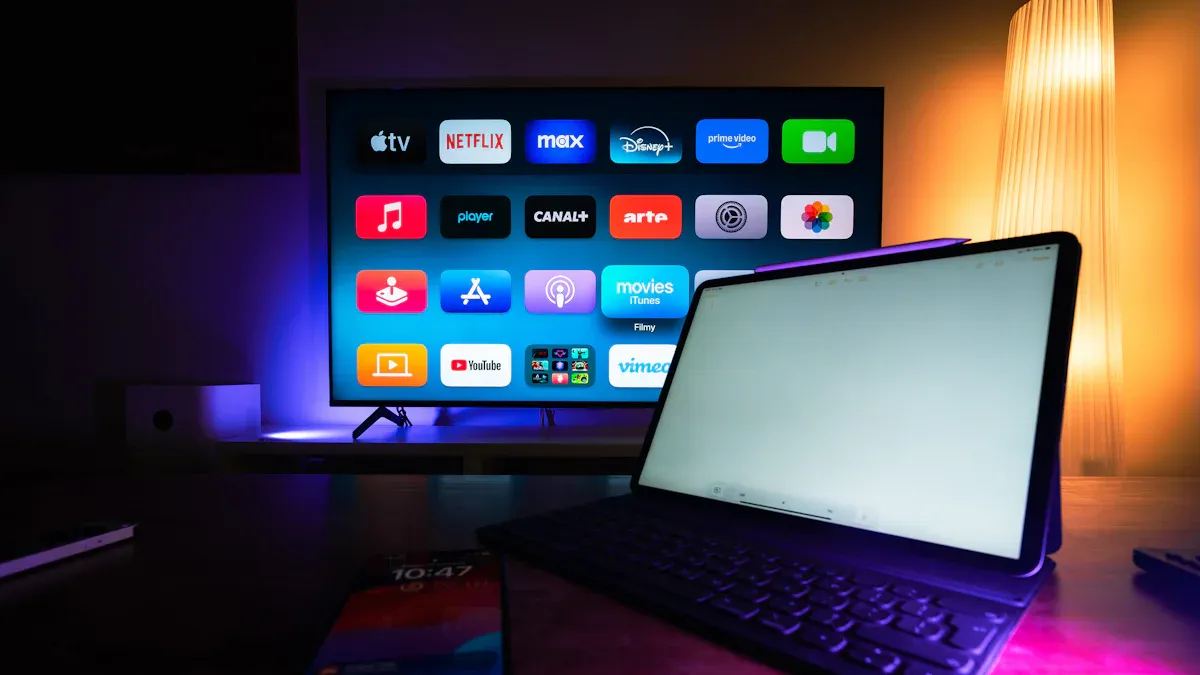
You need the best digital signage players for your business, school, hospital, transit hub, or store. For companies and schools, Samsung Tizen and LG webOS are top choices. Hospitals and transportation teams like Intel NUC 13 Pro and Lenovo ThinkEdge SE30. Outdoor ads do well with Navori Stix 3700 and BrightSign XT244. Small businesses pick Fire Stick 4k or Fire Stick because they save money. Picking the right player for your industry is important. The digital signage market will be worth over $25 billion by 2029. DOOH will reach $21.35 billion by 2030. Your budget matters too, so you can look at price and features.
Here’s a quick look at market growth and player options:
Industry | Projected Market Size | Growth Rate |
|---|---|---|
Digital Out-Of-Home (DOOH) | $21.35 billion by 2030 | 13% annually |
Digital Signage Software | Over $25 billion by 2029 | Significant rise |
Player Type | Price Range | Key Features |
|---|---|---|
Amazon Signage Stick | $30–$60 | Affordable, reliable, built-in MDM capabilities |
Android Players | $30–hundreds | Low cost, reliable, wide variety |
Windows Players | Higher price | Large hard drives, strong processors |
SoC Players | Cost-effective | Combines display and player, ideal for budget solutions |
Key Takeaways
Pick the best digital signage player for your business type. There are different choices for offices, hospitals, outdoor ads, and small shops.
Think about how much money you can spend and what features you need. Cheap options like Fire Stick are good for small shops. Stronger players like Intel NUC are better for tough jobs.
Find players that have good security and are easy to use. This keeps your screens safe and simple to control as your business grows.
Check if the player has good support and works with your other tools. Fast help and working with your systems make things easier.
Try out the player before you buy it. Testing first makes sure it does what you need and works well.
Top Digital Signage Players 2026

Comparison Table: Specs & Features
Do you want to know how the top digital signage players compare? This table shows their specs and features in a simple way:
Player | Processor / RAM | Resolution Support | Key Features | Best Use Case | Price Range |
|---|---|---|---|---|---|
Samsung Tizen | Quad-core / 2-4GB | 4K | SoC, energy efficient, remote management | Corporate, Education | $ |
LG webOS | Quad-core / 2-4GB | 4K | SoC, great color, easy setup | Corporate, Education | $ |
Intel NUC 13 Pro | i5/i7 / 8-16GB | 4K, Multi-screen | High power, fanless, industrial-grade | Healthcare, Transportation | $$ |
Lenovo ThinkEdge SE30 | Intel / 8GB | 4K | Rugged, compact, watchdog function | Healthcare, Transportation | $$ |
Navori Stix 3700 | Quad-core / 4GB | 4K | Plug-and-play, cloud content management | Outdoor Advertising | $ |
BrightSign XT244 | Quad-core / 4GB | 4K, Multi-zone | Multi-output, reliable, HTML5 support | Outdoor Advertising | $$ |
Fire Stick 4k | Quad-core / 2GB | 4K | Affordable, easy to use, app support | Small Business, Budget | $ |
Fire Stick | Quad-core / 1GB | 1080p | Very low cost, simple setup | Small Business, Budget | $ |
Tip: If you want something that works really well and has lots of features, try BrightSign or Intel NUC. If you only need something basic, Fire Stick or SoC models are good.
Pros and Cons Overview
Let’s look at the main good and bad things about each player. This will help you choose the one that fits you best:
Samsung Tizen
✅ It is easy to use and saves energy.
❌ You can only use certain apps and storage is small.
LG webOS
✅ The screen looks great and it is simple to set up.
❌ There are not many apps and you must start it by hand.
Intel NUC 13 Pro
✅ It is very strong, quiet, and works in hard places.
❌ It costs more and is too much for simple signs.
Lenovo ThinkEdge SE30
✅ It is tough, small, and can restart by itself.
❌ It is expensive and you might need IT help to set it up.
Navori Stix 3700
✅ You just plug it in and use the cloud for content.
❌ It is not as tough as PC-based players.
BrightSign XT244
✅ It almost never breaks, has many zones, and supports HTML5.
❌ It costs more and is harder for new users to learn.
Fire Stick 4k / Fire Stick
✅ It is very cheap and simple to use.
❌ It is not powerful and cannot show complex things.
Each player is good at different things. Some are made for people who want lots of features and strong performance. Others are better if you want something easy and not expensive. Think about what you need and pick the right player for you.
Best Digital Signage Media Player by Industry
Corporate & Education: Samsung Tizen, LG webOS
If you work in an office or school, you want digital signage players that are strong and easy to use. Samsung Tizen and LG webOS are made for these places. They can run all day and night without stopping. You can control all your screens from one spot. This makes it simple to manage your digital signs. Both players have strong security to keep your network safe. The screens look sharp and professional, so people notice them.
Here’s a quick look at their features:
Feature | Description |
|---|---|
Made to be reliable and easy to control. They work 24/7 and can be set up in many ways. | |
Secure, Smart, and Signage-Ready | They have strong security and let you manage everything from one place. |
Sleek and Professional Solution | The screens are very thin, clear, and do not have glare. They look great in any room. |
These players are fast and simple to set up. You can use them to share news, schedules, or messages with staff or students. They work well every day and always look good.
Healthcare & Transportation: Intel NUC 13 Pro, Lenovo ThinkEdge SE30
Hospitals and stations need digital signage players that are tough and strong. Intel NUC 13 Pro and Lenovo ThinkEdge SE30 are built for hard jobs. They have fast processors and lots of RAM, so screens do not freeze. These players do not have fans, so they are quiet and last longer.
Lenovo ThinkEdge SE30 is small and strong. It has a watchdog function that restarts the device if there is a problem. You do not have to worry about the screen stopping. Intel NUC 13 Pro is good for using many screens at once. Both players show 4K pictures, so everything looks clear.
If you need a player for busy hospitals or stations, these are great choices. They have advanced features and work well even when things get busy.
Outdoor Advertising: Navori Stix 3700, BrightSign XT244
Outdoor ads need digital signage players that can handle weather and lots of use. Navori Stix 3700 and BrightSign XT244 are good for this. Navori Stix 3700 is easy to use. You just plug it in and use the cloud to change content. This makes updates quick.
BrightSign XT244 lets you show different ads on one screen. It works with HTML5 and almost never breaks. You do not have to spend money fixing it. Both players show 4K pictures and bright colors.
If you do outdoor ads, you need players that are strong and flexible. These models help you show clear and fun ads. You can count on them to keep working.
Small Business & Budget: Fire Stick 4k, Fire Stick
Small businesses want digital signage players that are cheap and simple. Fire Stick 4k and Fire Stick are good for this. You do not need an IT expert to set them up. Just follow these steps:
Plug the Fire Stick into your TV’s HDMI port.
Connect the power and plug it in.
Turn on your TV and pick the right HDMI input.
Pair the remote by pressing the Home button.
Connect to Wi-Fi and type your password.
Sign in to your Amazon account.
Follow the instructions on the screen.
You can move the Fire Stick to another TV and keep your settings. This helps if you change screens a lot. The devices get updates, so they stay safe and work with new apps. You can control what shows on the screen from far away.
Here’s why small businesses like these players:
Setup is fast and does not need tech skills.
Updates keep them safe and working.
You can use apps to manage content.
They do not cost much.
The remote is easy to use.
You can show anything over Wi-Fi.
Plug-and-play saves time.
They work well and do not break often.
If you need digital signage that fits a small budget, Fire Stick 4k and Fire Stick are smart picks. They are flexible and work well for many uses.
Leading Digital Signage Software Platforms
Top-Rated Digital Signage Software
When you pick digital signage software, you want it to be simple. You want to control your screens and change what shows fast. You also want everything to work well. Here are some top digital signage software platforms for 2026:
ScreenCloud lets you manage content from anywhere. It works with smart displays and gives you remote control.
Yodeck helps you run many screens at once. You can make playlists and show live data feeds.
TelemetryTV gives you advanced analytics and proof-of-play. You can use multi-zone layouts for complex displays.
OptiSigns is easy to use. It connects with Google Slides and weather widgets.
NoviSign supports interactive kiosks and works with lots of hardware.
Rise Vision uses templates and drag-and-drop tools. It is great for schools and businesses.
OnSign TV has a free plan and real-time content sync.
Navori QL uses AI for smart content and analytics.
Signagelive is good for big digital signage networks. It has strong security.
Pickcel brings IoT sensors and real-time data to your screens.
You can also try Visix, Scala, BrightSign, XIBO, and NoviSign. These digital signage solutions are flexible and easy to use. They help you make creative designs.
Best Software for Different Needs
Each digital signage software has special features. Some are better for certain jobs. Here is a quick look at what makes each one different:
Solution | Key Features |
|---|---|
NowSignage | Fast CMS, browser-based, instant screen pairing, ad booking, works with many screens |
Scala | Central control, server scheduling, domain permissions |
Poster Booking | Browser management, playlist scheduling, content upload queues |
OptiSigns | 500+ apps, quick setup, high compatibility |
Yodeck | Low cost, works offline, good for affordable hardware |
Navori | Hybrid cloud-based solution, local and cloud integration |
Pickcel | Network communication, playlist segmentation, playback checks |
AppSpace | Workplace communication, template library, content tagging |
Rise Vision | Template CMS, time-based asset management, custom HTML widgets |
If you need to control screens in many places, Wallboard is a smart choice. For small budgets, Yodeck gives you a free plan for one screen. NoviSign is good for interactive content and many screens. TelemetryTV is best if you need live data and analytics.
Digital signage software helps you share news, show ads, and keep people updated. You get strong tools and features that fit your needs. This works for schools, hospitals, or stores.
How to Choose the Best Digital Signage Media Player
Key Buying Criteria for 2026
When you pick a digital signage media player, you want it to work now and later. Here are the most important things to check:
Criteria | Description |
|---|---|
Support Quality | Make sure you get quick help and clear service rules. |
Security Practices | Look for strong security, like SOC 2 and privacy rules. |
Integration Capability | Check if it works with APIs and connects to your other systems. |
Pricing Transparency | Know all costs before you buy, including hidden fees. |
Contract Terms | Avoid long contracts that lock you in without protection. |
Company Culture | Pick a company that is honest and answers fast. |
Proof of Concept | Try a test run before you buy for your digital signage network. |
You should also think about hardware speed, system stability, and how easy it is to manage content. A good player should restart itself if something goes wrong. Fanless designs keep dust out and help the player last longer. Cloud management and support for open protocols like HTML5 or REST API make things easier.
Tip: Be careful with players that freeze, need updates on-site, or have hidden costs. These problems can make your digital signage harder to use.
Why These Players Stand Out
The best digital signage players are special because they focus on what matters most:
They are reliable and almost never break, even when running all day.
You get strong security, with user permissions and encryption to keep your content safe.
Cloud management lets you update screens from anywhere, which is great for a growing network.
Many support interactive displays and live data feeds, so your screens are more fun.
You can use a content management system that fits your needs, and some players let you switch CMS without changing hardware.
Top brands like BrightSign and PiSignage give you flexibility, lower costs, and features that last.
If you want the best digital signage media player, look for one that balances speed, stability, easy content management, and long-term value. This way, your digital signage will keep working for you, even if your needs change.
There are many digital signage players and software you can pick in 2026. This table helps you see which ones might work for you:
Platform | Strengths | Best For |
|---|---|---|
Mvix | Advanced scheduling, pro templates | Healthcare, mid-sized orgs |
ScreenCloud | Cloud-based, strong integrations | Large networks |
Yodeck | Easy, budget-friendly | Small businesses |
NoviSign | Interactive, real-time analytics | Retail, hospitality |
OptiSigns | Drag-and-drop, offline playback | Cost-conscious setups |
Xibo | Open-source, customizable | Technical teams |
OnSign TV | Stable, multi-screen sync | Transportation, campuses |
You get the best results when your player matches your business goals. Think about your customers and use smart technology. Make displays that people want to look at. If you want something easy and cheap, Yodeck or OptiSigns are good choices. ScreenCloud is better for big networks. Choose what works for your business and your budget.
A digital signage player is the "brain" of any digital signage system. It's a device that stores, processes, and delivers your content (videos, images, web pages) to one or more display screens.
To help you navigate your options, I've put together this comprehensive guide on digital signage players.
⚙️ What a Player Does in Your System
A digital signage player is the critical link between your content management system (CMS) and your screens. Here’s how it works:
A cloud-based CMS is where you create and schedule all your content.
The CMS sends that content to the digital signage player(s) connected to your screens.
The player downloads, stores, and processes the content, ensuring it plays smoothly on the display.
The player pushes the content to the screen, which is the physical LCD, LED, or projection display your audience sees.
⚡ Types of Digital Signage Players
There are several main categories of players, each with distinct advantages.
Dedicated Hardware Players (BrightSign, etc.)
These are purpose-built devices designed specifically for the rigors of digital signage, making them the industry standard for professional deployments.
👍 Pros: Extremely reliable, commercial-grade durability for 24/7 use, powerful processors for smooth 4K video, and wide compatibility with most CMS platforms.
👎 Cons: Generally more expensive than other options.
System-on-Chip (SoC) Displays (Samsung Tizen, LG webOS)
This technology integrates the media player directly into the display itself. High-end commercial displays from brands like Samsung (Tizen OS) and LG (webOS) use this approach.
👍 Pros: Lower upfront cost (no separate player to buy), simpler installation with less cabling, sleek, all-in-one appearance, and lower power consumption.
👎 Cons: Less processing power than top dedicated players, which can be a limitation for intensive content or interactivity. If the player fails, you may need to replace the entire screen.
PC-Based Players (Mini PCs, NUCs)
These are essentially small, powerful computers running full operating systems like Windows or Linux. They are often used for highly complex or interactive installations.
👍 Pros: Extremely powerful, highly flexible, supports virtually any software, and allows for deep customization.
👎 Cons: Higher cost, more complex to set up and maintain, can be less reliable if not using commercial-grade hardware.
Other Low-Cost Options
Single-Board Computers (Raspberry Pi): Low-cost and flexible, popular for DIY projects and smaller networks. However, they are hobby-grade and can be less reliable for 24/7 professional use.
Streaming Sticks (Amazon Fire Stick, Chromecast): Very cheap and easy to set up, but they offer limited processing power, fewer professional features, and are not designed for continuous, commercial operation.
🚀 The Heavy Hitters: BrightSign vs. Samsung vs. LG
When it comes to professional digital signage, the decision often comes down to three major players: BrightSign, Samsung, and LG.
Feature | BrightSign | Samsung (Tizen) | LG (webOS) |
|---|---|---|---|
Best For | Complex, interactive, large-scale installations | Straightforward, multi-location networks | User-friendly, interactive applications |
Player Type | Dedicated hardware player | System-on-Chip (SoC) built into display | System-on-Chip (SoC) built into display |
Performance | Extremely high, handles 4K and complex sync easily | Good for standard 4K content | Good, intuitive for interactive kiosks |
Reliability | Industry benchmark for 24/7 reliability | Very high, designed for commercial use | Very high, stable and robust |
Flexibility | Works with any display brand; highly customizable | Tied to Samsung commercial displays | Tied to LG commercial displays |
Deployment | Best for complex setups and interactive experiences | Ideal for simple, large-scale rollouts; plug-and-play | Good for multi-location, interactive needs |
💡 How to Choose the Right Player
To make the best decision, focus on these key factors:
Content Complexity: For simple images and slideshows, a basic player or SoC display will work. For 4K video, complex animations, or HTML5 content, you'll need a powerful dedicated player.
Number of Screens & Scalability: For a single screen, many options work. For a large network, prioritize players with robust remote management and central control (like BrightSign or SoC platforms).
Environment: For a standard office, most players are fine. For outdoor or harsh environments, you need a player with a wide operating temperature range, an industrial-grade enclosure, and possibly fanless cooling to prevent dust ingress.
Your Budget: While it's tempting to go with the cheapest option, the total cost of ownership is more important. A more expensive, reliable player often leads to lower long-term costs. Also, don't forget to include potential CMS subscription fees.
Hardware Specs: Here are some baseline recommendations for professional players:
Processor: Quad-core minimum.
RAM: 2GB minimum, 4GB+ recommended for 4K or interactive content.
Storage: 8GB minimum; 16-32GB for larger media libraries. Prefer SSD or eMMC storage for reliability over traditional hard drives.
Video Output: HDMI 2.0+ is required for smooth 4K at 60Hz.
Connectivity: Gigabit Ethernet is recommended for the most stable connection. Ensure it has reliable WiFi as a backup.
📈 Industry-Leading Brands at a Glance
BrightSign: The gold standard for dedicated hardware, known for rock-solid reliability, used in mission-critical applications.
Samsung / LG: The leaders in SoC displays, offering integrated Tizen and webOS platforms for sleek, all-in-one solutions.
Advantech / IAdea / NEXCOM: Key providers of professional, industrial-grade media players often used in large-scale, custom integrations.
AOPEN / ASUS / Intel (NUC): Popular brands for small, powerful PC-based players (often mini-PCs) that run full Windows or Linux.
❓ FAQ: Common Player Questions
Do I really need a dedicated player? Can't I just use a smart TV?
While you can run signage apps on a smart TV's built-in OS, this is not recommended for professional use. Smart TV processors are generally underpowered for 24/7 operation, the OS can become slow over time, and they are not designed for the remote management required in commercial settings.What is an OPS player?
OPS (Open Pluggable Specification) is a standardized slot-in module that allows a media player to be integrated directly into the back of a compatible display. It provides a clean, all-in-one solution that is more powerful and easier to service than a standard SoC.What about the Raspberry Pi for business use?
Raspberry Pi devices are fantastic for learning, DIY projects, and small, non-critical setups. However, for professional business use where uptime is critical, they are not recommended. They lack the ruggedness, industrial-grade components, and dedicated support of commercial players.What is the difference between a media player and a CMS?
The media player is the hardware that plays the content. The CMS (Content Management System) is the software used to create, schedule, and manage that content. They work together: the CMS is the "brain" that tells the player what to show, and the player is the "mouth" that displays it.
FAQ
What is a digital signage player?
A digital signage player is a small device or system. You connect it to your screen. It shows videos, pictures, or messages. You control what shows from your computer or phone.
Can I use a regular streaming stick as a digital signage player?
Yes, you can use devices like Fire Stick for simple signs. They work well for menus or slideshows. For advanced features, pick a player made for digital signage.
How do I update content on my digital signage players?
You can update content with cloud-based software. Log in, upload new images or videos, and send them to your screens. Most digital signage players let you update from far away.
Which digital signage player is best for outdoor use?
Player | Best For |
|---|---|
BrightSign XT244 | Outdoor ads |
Navori Stix 3700 | Outdoor screens |
These players handle weather and run all day. You get bright and clear images outside.
Do I need special software for my digital signage player?
You need digital signage software to manage your screens. It helps you schedule, change, and control what shows. Some players have their own software. Others let you choose from many options.
See Also
Popular Digital Signage Solutions Gaining Attention in 2026
An In-Depth Look at In-Store Digital Signage Options
Seven Key Trends Influencing Digital Signage Technology in 2026
The Benefits of Outdoor Digital Signage for Business Visibility
Best Digital Signage Solutions for Retail Environments in 2026
