Top Digital Signage Solutions for Churches Compared in 2026
Shenzhen TopAdkiosk Display Technology Co., Ltd.
Add.: 2F, Bldg 10, Changfeng Industrial Park, Dongkeng, Fenghuang, Guangming, Shenzhen, China 518132
Mobile/WHATSAPP: 86-138 25769658
Email: marketing@topadkiosk.com topadkiosk@gmail.com
Skype: pghenry1
Wechat: adkioskhenry
English Web.: https://www.topkioskdisplay.com/
http://www.ad-kiosk.com/
https://www.toplcddisplay.com/
http://www.multitouchdigitalsignage.com/
https://www.youtube.com/channel/UCYVYNJHxLVEcQD8fuUxXNTA/videos?view_as=subscriber
https://www.facebook.com/TOPADKIOSKSHENZHEN/?ref=bookmarks

AIScreen, Rise Vision, and Brix are top choices for digital signage for churches in 2026. These solutions are simple to use, cost less money, and work well for teams with volunteers. Many churches now utilize digital signage for churches, with about 52.9% using projectors and displays.
Feature | Description |
|---|---|
Share news and help more people join in. | |
Enhance Worship Experiences | Show lyrics, scripture, and notes to make services better. |
Community Engagement | Show ministry stories and chances to help. |
Real-Time Updates | Let everyone know what’s happening right away. |
When you look at choices for digital signage for churches, think about your church’s size, your budget, and how you want to reach your community.
Key Takeaways
Digital signage helps churches share news, worship lyrics, and event details fast and clearly.
Pick a digital signage solution that is simple for volunteers to use. This makes updates and content easy to manage.
Think about your church's size and budget when picking a digital signage system. This helps make sure it fits your needs and can grow with you.
Find solutions that work with church tools like calendars and livestreams. This keeps information matched and current.
Choose providers that give training and support. This helps your team and keeps your screens interesting.
Why Digital Signage for Churches in 2026
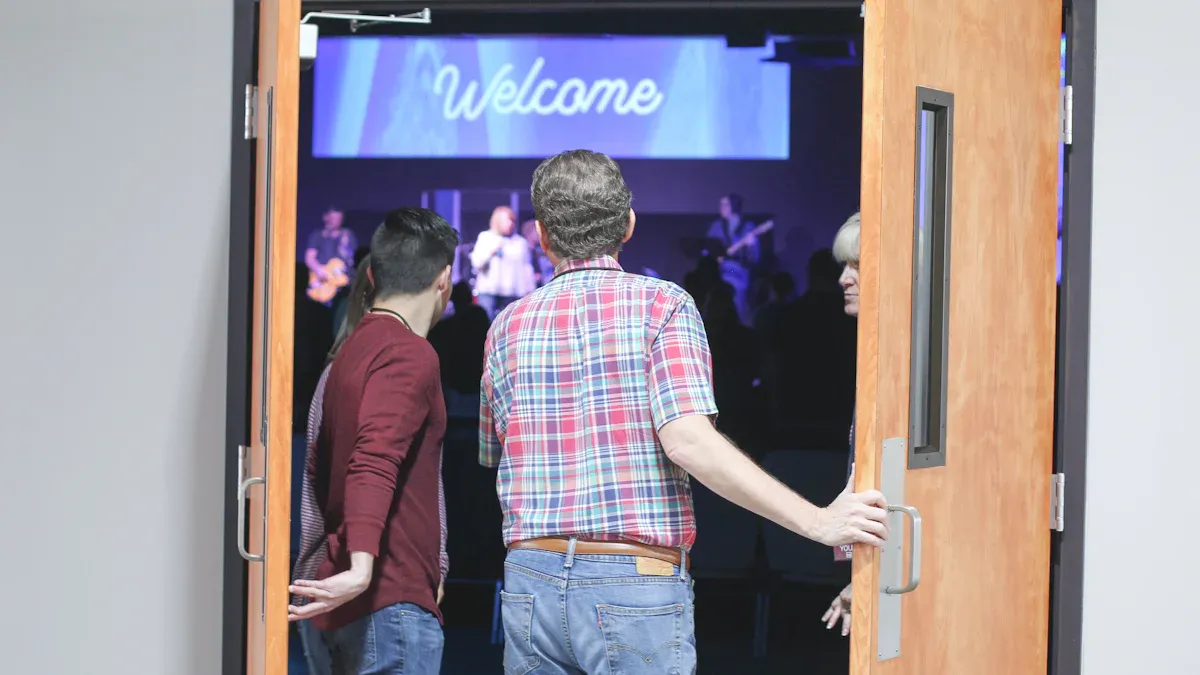
Evolving Communication Needs
Every year, churches find new ways to talk with their members. In the last five years, churches started using more technology. This makes worship more fun and helps reach more people. Digital signage for churches lets you show hymns, live-stream sermons, and tell people about events. Interactive displays can show service times and announcements. LED screens can show scripture and sermon notes. Touchscreen signage helps you get prayer requests and sign up volunteers.
Digital signage used to be just pictures, but now it is interactive.
These signs help people feel closer at church.
You can share news and messages fast and clearly.
Small churches see good changes from this. They use digital signage software to reach people who do not come every week. Big churches use these tools to handle many events and keep everyone updated.
Benefits of Church Digital Signage
Digital signage solutions show results you can measure. More people join events, and churches spend less money on printing. People also pay more attention during worship.
Benefit | Measurement |
|---|---|
Increase in event participation | |
Reduction in printing costs | 76% reduction |
Engagement during worship | 52.9% of organizations using screens |
You can change what is on the screen right away. This means you can share important news without waiting. Digital signage software lets you show lyrics, scripture, and notes during worship. You can also show ministry stories and ways to help. These tools help you talk to your church and help it grow.
Tip: Pick digital signage solutions that fit your church. Find ones that are easy for volunteers to use and have good support.
Key Criteria for Church Digital Signage
Ease of Use & Content Management
You want digital signage for churches that is simple. Volunteers and staff should be able to update screens easily. The software should be easy to use and save time. This helps you share news fast. Many solutions have tools that make content creation simple. You can add announcements, worship lyrics, or event details without worry. This helps your church look neat and friendly.
A good church digital signage system shows you care about your community and look professional.
Cost & Value for Churches
You need to know what digital signage software costs. Prices change based on how big your church is. Small churches often start with one screen. This costs $150 to $400 at first and $8 to $95 each month. Medium churches pay more if they use many screens. Here is a table that shows the costs:
Component | Small Setup Cost | Medium Setup Cost |
|---|---|---|
Basic Single Screen | $150 to $400 + $8-$95/mo | N/A |
25-Screen Deployment | N/A | $2,500 to $12,500 + $95-$500/mo |
Software Costs | $8 to $30/mo | $12 to $95/mo |
Pick a solution that fits your budget and gives you good value.
Scalability & Flexibility
Your church might get bigger, so your digital signage needs to grow too. Good solutions let you add more screens and control them from one place. Some platforms use cloud-based control and remote updates. They also work with many devices. This helps small and large churches stay flexible.
Worship & Event Support
Digital signage software helps during worship and events. You can show song lyrics, scripture, and sermon notes. You can also share announcements and reminders about events. These features help everyone stay involved and know what is happening.
Show worship lyrics and scripture readings.
Give real-time updates on events.
Integration with Church Systems
You want your digital signage to work with other church tools. Many solutions connect with calendars, worship plans, and livestreams. This keeps all your information up to date and easy to handle.
Feature | Description |
|---|---|
Synchronization | |
Real-time Updates | Shares new information instantly |
Centralized Control | Manages all activities from one platform |
Customer Support & Training
Good support is important. Look for solutions that give training and are easy to use. Some companies help after you set up your system. They also share ideas for digital signage content. This support helps your team feel ready.
Tip: Pick a provider that helps your volunteers and gives training so you can manage content easily.
Top Digital Signage Solutions for Churches
AIScreen
AIScreen lets you control church screens from anywhere. You can keep your church members updated and involved. You can change messages, worship lyrics, or event reminders easily. Real-time updates help you share important news fast. AIScreen connects with your church calendar and livestream tools. It works for small and big churches. Volunteers can use it without needing tech skills. Many churches show scripture, announcements, and news with AIScreen.
Tip: AIScreen makes creating content quick and easy. It helps your church feel welcoming.
Rise Vision
Rise Vision is flexible and affordable for churches. You can use your current screens and add more later. The system grows as your church gets bigger. It saves money by cutting down on printed bulletins and flyers. You can update information right away. Rise Vision works with equipment you already have. Churches use it to share worship schedules, event details, and ministry stories. Volunteers can manage content without much tech knowledge.
Brix
Brix is made for church digital signage. It runs all day and has strong Wi-Fi. This makes it reliable for busy churches.
Cons of Brix for Church Digital Signage | |
|---|---|
Purpose-built design for digital signage | Overheating issues with consumer sticks |
24/7 operation capability | Stuttering on high-bitrate content |
Advanced Wi-Fi connectivity | Presence of bloatware in consumer devices |
Brix is best for medium and large churches. You can show worship lyrics, sermon notes, and event reminders. Some users have problems with consumer devices. Check your hardware before picking Brix.
Kitcast
Kitcast is cloud-based and easy to set up. You can schedule content and share worship media from any device. Kitcast works with many screen types. You can use it in lobbies, classrooms, or sanctuaries. Churches like Kitcast because it has simple tools. Volunteers can drag and drop images, videos, and text. Kitcast is good for small churches that want to start with a few screens and grow later.
Dakboard
Dakboard focuses on visual content. You can show calendars, weather, announcements, and photos. Dakboard is easy to use and works with many devices. You can display events, worship times, and news. It is good for churches that want a simple way to keep members informed. Dakboard is affordable and fits small churches with basic needs.
BurningThumb Studios
BurningThumb Studios runs on Windows, Mac, and Linux. You can manage content from one dashboard. The software supports images, videos, and web pages. Churches use it to show worship lyrics, sermon points, and event schedules. The platform is flexible and works for small and medium churches. Volunteers can learn it quickly. It is a good choice for teams with little tech experience.
Xibo
Xibo is open-source and can be customized for your church. It supports images, videos, and live feeds. You can manage content across many screens. Xibo is free, but you might need tech help to set it up. It works well for churches that want a low-cost solution and have someone who can handle tech tasks.
BrightSign
BrightSign gives you reliable hardware for church signage. You can pick from different models.
Model | Features | Suitability for Churches |
|---|---|---|
LS425 | Reliable, user-friendly | Ideal for small displays |
HD225 | Stable, volunteer-friendly | Good for mid-sized installations |
XT1145 | High performance | Suitable for multi-screen setups |
You can update announcements and sermon graphics fast. BrightSign cuts down on printed materials. The system makes sure screens show correct information. BrightSign works for churches of any size. You can start with one display and add more as needed.
Scala
Scala has been in digital signage for over 30 years. It gives advanced solutions for big churches.
Feature | Description |
|---|---|
Long-standing presence | Over 30 years in the digital signage industry, showing reliability. |
Advanced solutions | Supports complex networks for large organizations. |
Content management tools | Helps you manage dynamic displays, announcements, and emergency alerts. |
Player snapshot capability | Lets you validate displayed content on demand or on a schedule. |
Enhanced workgroup management | Assigns users to multiple workgroups with access control. |
Linux support | Works with advanced media players for high-quality output. |
Scala is best for large churches or those with many locations. You can manage content across lots of screens and campuses. The platform lets you assign roles to staff and volunteers.
MEGA LED Technology
MEGA LED Technology gives you LED signs that help churches communicate better. You can update messages quickly and rely on signs that last a long time. The company offers different series for visibility, image quality, and affordable upgrades. You can pick the sign that fits your church’s goals and budget. MEGA LED Technology helps churches share messages, announce events, and reach people outside. The signs save time and money over the years.
Visionect
Visionect makes energy-efficient digital signage. You can use e-paper displays for announcements, schedules, and directions. The screens use little power and work well in bright places. Churches use Visionect to share worship times, event details, and room assignments. The displays are easy to read and update. Visionect is good for churches that want green solutions and need screens in sunny spots.
ScreenCloud
ScreenCloud is easy to use for managing content. You can drag and drop, which is great for volunteers and staff with little tech experience. The platform supports remote control, scheduling, and many app integrations. ScreenCloud works best for medium and large churches with many locations. You can show worship lyrics, event reminders, and ministry updates. Smaller churches may not need all features, but ScreenCloud makes content creation easy for growing churches.
Yodeck
Yodeck helps you update event details and messages from anywhere. The platform is affordable and simple to use. You can replace printed materials with digital displays. Church members get timely information, which helps them stay involved. Volunteers can manage content without special training. Yodeck works well for small churches and those new to digital signage. You can add more screens as your church grows.
OptiSigns
OptiSigns is user-friendly for sharing updates and worship content. The software helps you connect with your congregation and cut printing costs.
Feature | Description |
|---|---|
Enhanced Communication | Real-time updates on events and services boost community involvement. |
Engaging Worship Experiences | Shows hymn lyrics, scriptures, and sermon points for deeper spiritual engagement. |
Cost Efficiency | Cuts costs linked to printing and updating traditional signage. |
User-Friendly Software | Easy-to-use platform turns screens into engaging visual aids with customizable content. |
Effortless Updates | Quick updates on events and news keep everyone informed. |
Environmental Responsibility | Helps churches move to digital signage while focusing on sustainability. |
OptiSigns works for churches of any size. You can start small and add more screens as needed. The platform makes content creation easy, so your team can focus on ministry.
Note: When picking digital signage, think about your church’s size, your team’s skills, and your goals. The right software helps you share information, support worship, and grow your community.
Comparison Table: Church Digital Signage Solutions
Features & Pricing Overview
Picking digital signage for churches can be tricky. The table below shows how each solution is different. It lists features and prices for each option. This helps you see which one matches your church. You might lead a small group or a big campus.
Solution | Ease of Use | Content Scheduling | Templates | Mobile App | Social Media | Security | Price Range (Monthly) | Best For |
|---|---|---|---|---|---|---|---|---|
AIScreen | ⭐⭐⭐⭐⭐ | Yes | Many | Yes | Yes | High | $12 - $30 | All sizes |
Rise Vision | ⭐⭐⭐⭐ | Yes | Many | Yes | Yes | High | $10 - $30 | Small/Medium |
Brix | ⭐⭐⭐⭐ | Yes | Some | Yes | Limited | High | $15 - $40 | Medium/Large |
Kitcast | ⭐⭐⭐⭐⭐ | Yes | Many | Yes | Yes | High | $20 - $50 | Small/Medium |
Dakboard | ⭐⭐⭐⭐ | Yes | Some | Yes | Limited | Standard | $5 - $15 | Small |
BurningThumb | ⭐⭐⭐⭐ | Yes | Some | No | No | Standard | $8 - $20 | Small/Medium |
Xibo | ⭐⭐⭐ | Yes | Some | No | No | Standard | Free - $10 | Tech-savvy |
BrightSign | ⭐⭐⭐⭐ | Yes | Many | Yes | Yes | High | $15 - $50 | All sizes |
Scala | ⭐⭐⭐⭐⭐ | Advanced | Extensive | Yes | Yes | Enhanced | Custom | Large |
MEGA LED | ⭐⭐⭐ | Basic | Limited | No | No | High | Custom | All sizes |
Visionect | ⭐⭐⭐⭐ | Yes | Some | No | No | High | $10 - $25 | Small/Medium |
ScreenCloud | ⭐⭐⭐⭐⭐ | Yes | Many | Yes | Yes | High | $20 - $60 | Medium/Large |
Yodeck | ⭐⭐⭐⭐⭐ | Yes | Many | Yes | Yes | High | $8 - $30 | Small/Medium |
OptiSigns | ⭐⭐⭐⭐⭐ | Yes | Many | Yes | Yes | High | $10 - $40 | All sizes |
Note: Prices can change if you add more screens or features.
Small churches need easy scheduling and simple templates. You can pick cheaper options and add more later.
Big churches like advanced scheduling and strong security. They use lots of templates and manage many screens.
Digital signage makes your church feel welcoming. You can share worship songs, event news, and ministry updates.
The table helps you compare features and prices. It makes finding the right solution easier for your church.
How to Choose Digital Signage for Your Church
Assessing Church Needs
Start by thinking about how your church wants to use digital signage for churches. Make a list of two or three top goals. You might want to welcome people in the lobby, help with kids check-in, or share weekly announcements. Walk through your building and decide where you need screens and what each one should show. Assign someone to own the content for each screen. Decide who will approve and publish updates. Create a few simple templates for common messages. Try a pilot run for a few Sundays. Ask for feedback from your team and members, then adjust your plan.
Budget Planning
Set a clear budget before you choose a solution. Small churches often start with one or two screens. Look at both the upfront cost and the monthly fee. Think about how much you spend on printing now. Digital signage can save money over time. Compare the price and features of each option in the table above. Pick a solution that fits your budget and meets your needs.
Evaluating Support & Training
Check if the provider offers training and support. Volunteers may need help with content creation and updates. Good support makes it easier to keep your screens fresh. Look for companies that offer guides, videos, or live help. This support helps your team feel confident and ready.
Making the Final Choice
Use the comparison table and key criteria to guide your decision. Focus on ease of use, value, and how well the system supports your communication goals. Choose a solution that matches your church’s size and future plans. Remember to use large fonts, clear headlines, and simple layouts for better visibility. Keep your content easy to read and update. The right choice will help your church connect and grow.
You have many strong digital signage options for your church in 2026. AIScreen, Rise Vision, and Brix stand out for their ease of use, value, and support for volunteers. Each solution fits different church sizes and goals. Use the comparison table and key criteria to guide your choice. Request a demo or talk with your church leaders before you decide. The right system will help your church share messages and grow.
How to Implement Digital Signage for Churches (2026 Guide)
For churches looking to bridge generational gaps and create a welcoming atmosphere, digital signage is a powerful tool. It can be a flexible system that starts at zero cost and grows to become a true asset to your ministry.
The implementation process can be broken into four core steps: Needs & Planning, Hardware, Software, Content & Operations.
📝 Step 1: Define Needs and Plan Your Budget
Clear planning is the foundation of success and helps avoid future headaches.
Identify your main goals – What problem do you want digital signage to solve?
Enhance worship? Improve announcement efficiency? Create a volunteer training hub? Build a welcome kiosk for visitors? Clear goals guide all later decisions.Choose key locations – Don’t just mount screens randomly. Focus on high‑traffic areas:
Main lobby / hallways – Welcome messages, service times, event previews.
Children / youth ministry areas – Class schedules, volunteer spotlights – to build trust with parents.
Sanctuary entrance – Scripture or sermon themes to prepare hearts before worship.
Coffee / fellowship area – Longer testimonies, prayer requests, ministry deep‑dives where people linger.
Set a realistic budget – Costs vary widely depending on scale.
Zero cost – If you already have a spare TV and an old computer, you can start with only time.
Very low cost – Buy a ~$50 Amazon Fire TV Stick and use free software.
Small complete setup – TV + player + simple software subscription – roughly 500–500–2,000.
Professional outdoor LED sign – Full‑color high‑brightness outdoor large displays: 15,000–15,000–60,000+.
Indoor professional LED video wall – e.g., behind the stage for worship atmosphere: 5,000–5,000–12,000 or roughly 500–500–1,500 per sq. meter.
Interactive kiosk – Complete touch‑screen info terminal: professional solutions start above $3,000.
Scale‑by‑church‑size guidance:
Small church – One screen + a streaming stick.
Medium church – Multiple screens, better content management.
Large / multi‑site church – Professional cloud platform with centralized management.
Important for outdoor LED signs – Check local regulations on size and brightness to avoid neighbor complaints or enforcement issues.
🛠️ Step 2: Choose Hardware
Golden rule: Use old equipment you already have first.
Display – Use an existing TV or monitor. Any smart TV (or any TV with HDMI) works. For new purchases: home TVs are cost‑effective; commercial displays are better for very long daily runtimes.
Media player – If your screen is not smart or you need a dedicated player:
Cheapest & ready for free software – Amazon Fire TV Stick (~40‑50)or∗∗ChromecastwithGoogleTV∗∗( 40‑50)or∗∗ChromecastwithGoogleTV∗∗( 30‑50). Both let you install PosterBooking (completely free) – ideal for zero‑cost startup.
For open‑source enthusiasts / tech‑savvy volunteers – Raspberry Pi (~$35‑75).
Bonus – Use an old phone or tablet as a player with remote management software.
Network – Stable Wi‑Fi is essential. Ensure good signal at the screen location.
🧠 Step 3: Choose the Right Software Platform
This is the “brain” of your system. Consider ease of use (volunteers of all ages) and remote update capability.
Here are top software options for churches (2026):
Software | Type | Core Strength | Price Entry |
|---|---|---|---|
PosterBooking | Freemium | Completely free – runs on Fire TV Stick, perfect for tight budgets | Free |
ProPresenter | Paid (professional) | Industry standard for worship. Extremely powerful, but expensive | 399–399–799+ |
OpenLP | Open source (free) | Free software for projecting lyrics and scripture – community maintained | Free |
Quelea | Open source (free) | Free open‑source projection software designed specifically for churches | Free |
FreeShow | Open source (free) | Modern interface, remote control support, cross‑platform | Free |
Playlister / Juuno | Freemium (modern) | Modern cloud platforms built for churches – nice UI, often integrate with Canva | Free tier available |
Rise Vision | Paid subscription (enterprise) | Powerful general‑purpose cloud platform, many templates – for complex content management | Per‑screen monthly fee |
Samsung VXT / Yodeck | Freemium / paid | Great for churches already using (or planning to use) Samsung commercial displays | Free tier available |
Kiosk needs – For event calendars, check‑ins, or visitor guides, consider Rocket Alumni Solutions, or DIY with Android tablet + free digital signage app + Google Forms.
✨ Step 4: Content Creation and Ongoing Operation
Hardware and software are just tools—the real impact comes from what you show.
🎨 Content is the soul
Keep it simple – “One screen, one idea” – make information instantly readable.
Use a content calendar – Plan weeks or months ahead. Avoid last‑minute scrambling.
Use free design tools – Canva is excellent for creating professional, attractive slides.
Show varied content:
Worship moments – Lyrics, scripture, sermon outlines.
Ministry spotlights – Invite people to join teams.
Interactive elements – QR codes for giving or event signups.
Community connection – Birthday greetings, welcome to new visitors, volunteer appreciation.
Training & safety – Loop volunteer training videos or safety protocols in backstage areas.
Seasonal themes – Adjust style for Christmas, Easter – create atmosphere.
Live updates – Weather changes, schedule adjustments – instant notifications.
Testimony videos – Short, shareable stories – far more powerful than text.
⚙️ Operations is the key
Keep content fresh – Regularly remove outdated announcements.
Build a small team – 1‑2 dedicated volunteers to update content and ensure accuracy.
Do regular tech checks – Verify screens, players, and Wi‑Fi are working properly.
📈 Measure Impact and Plan Long‑Term
Digital signage is a dynamic investment. Measure results and think ahead.
Quantify engagement – Observe dwell time in front of screens. Track QR code scans. If using ProPresenter or similar, use its analytics tools.
Gather feedback – Ask volunteers if messages are clear. Ask newcomers if they found what they needed. Feedback is your best optimization guide.
Plan phased upgrades – As your church grows and budget allows:
Short term (within 1 year) – Tailor content to each screen zone. Build a simple update workflow.
Medium term (1‑3 years) – Upgrade from free to an affordable cloud platform that supports multi‑user collaboration and centralized management.
Long term (3‑5+ years) – When budget allows, invest in a professional LED video wall in the sanctuary or interactive kiosks at the entrance.
💎 Summary
Embracing technology can become a powerful tool to amplify your mission. A well‑designed screen, just like a moving sermon, can be a field for “sowing” and “harvesting.” New visitors often decide whether to return within minutes of arriving – and clear, warm digital signage can directly influence that decision.
FAQ
What is the main benefit of digital signage for churches?
You can share news with your church fast. Digital signage helps you greet visitors and show worship lyrics. It also lets you tell people about events. This keeps everyone in your church updated and interested.
Can volunteers manage church digital signage easily?
Yes! Most digital signage solutions have easy dashboards. Volunteers can change what is on the screens with a few clicks. Many platforms give training and support so your team does well.
How much does digital signage cost for a small church?
You pay about $150 to $400 for one screen. The software costs $8 to $30 each month. Some companies give churches special deals.
Do digital signage systems work with church calendars and livestreams?
Many solutions link with your church calendar and livestream tools. You can match events, worship times, and news. This keeps all your screens showing the right information.
