Best 16x2 LCD Panels for Electronics Projects in 2026
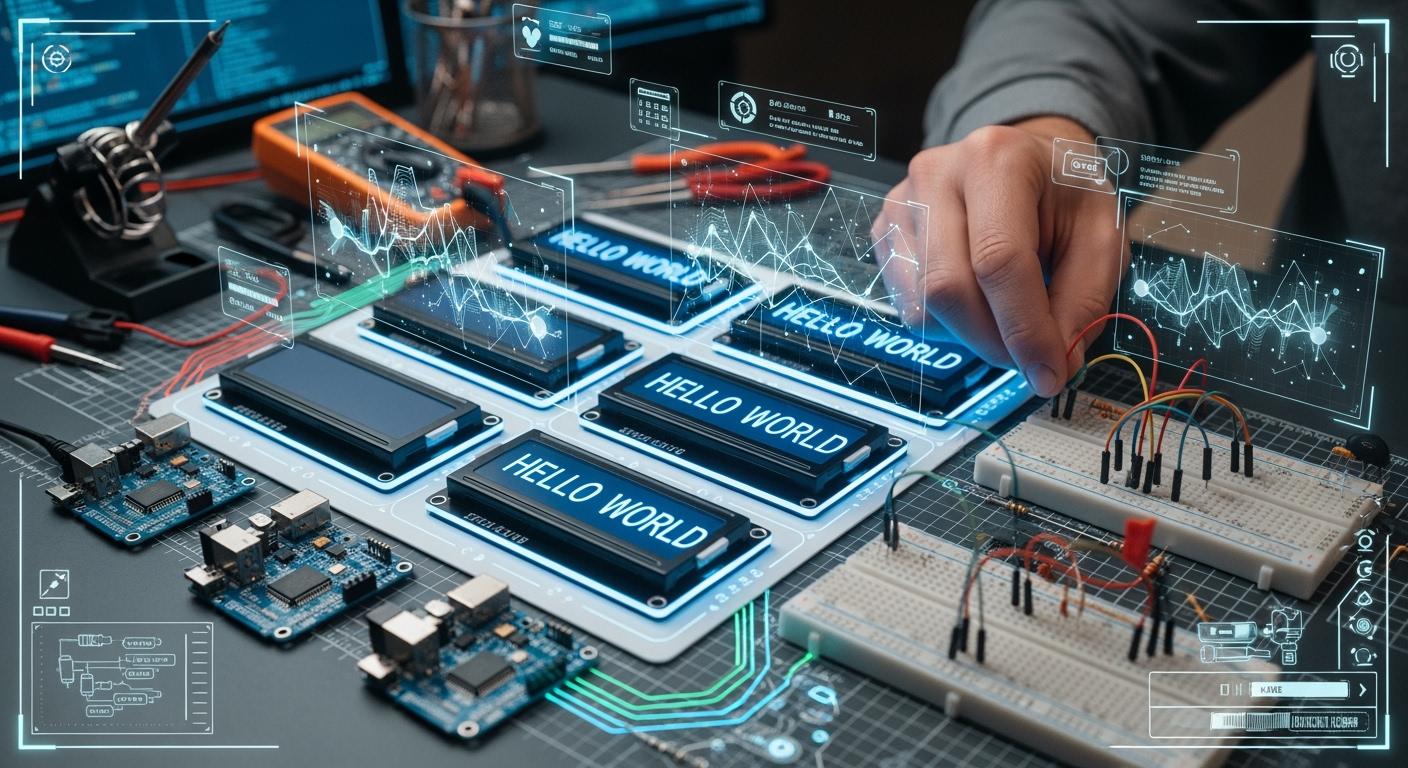
You want the best 16x2 lcd panel for your electronics project in 2026. Some top choices are HD44780-compatible, SunFounder I2C, Adafruit RGB Backlight, and SparkFun SerLCD models. These panels are reliable. They are easy to set up. They have strong documentation. Many panels support I2C. They use low power. They work with microcontrollers like Arduino, ESP32, and Raspberry Pi. Look at the table below for quick compatibility details:
Shenzhen TopAdkiosk Display Technology Co., Ltd.
Add.: 2F, Bldg 10, Changfeng Industrial Park, Dongkeng, Fenghuang, Guangming, Shenzhen, China 518132
Mobile/WHATSAPP: 86-138 25769658
Email: marketing@topadkiosk.com topadkiosk@gmail.com
Skype: pghenry1
Wechat: adkioskhenry
English Web.: http://www.topadkiosk.com/
https://www.topkioskdisplay.com/
http://www.ad-kiosk.com/
https://www.toplcddisplay.com/
http://www.multitouchdigitalsignage.com/
https://www.youtube.com/channel/UCYVYNJHxLVEcQD8fuUxXNTA/videos?view_as=subscriber
https://www.facebook.com/TOPADKIOSKSHENZHEN/?ref=bookmarks
Microcontroller | Compatibility Details |
|---|---|
Arduino | Connect directly to 5V with digital pins |
ESP32 | Needs 5V power; level shifters are recommended |
ESP8266 | Needs 5V power; use level shifters or direct 3.3V (not guaranteed) |
Raspberry Pi | Use level shifters or voltage dividers for 3.3V to 5V |
Raspberry Pi Pico | Needs level shifters for interface conversion |
Read the comparison and reviews to find the right lcd for your project.
Key Takeaways
Pick an I2C model if you want simple wiring and less mess. This helps you save space on your microcontroller.
Find a panel with clear display and settings for contrast and backlight. These features help you see the screen in any light.
Think about how much power the panel uses, especially if you use batteries. Using less power makes your battery last longer.
Make sure the panel works with your microcontroller before you buy it. Most panels work with Arduino, ESP32, and Raspberry Pi.
Think about how much money you want to spend. Basic models cost less, but I2C and RGB backlight models cost more and have extra features.
16x2 LCD Panel Comparison
Specs Overview
It is important to know the main features of each 16x2 lcd panel before picking one. The table below shows four popular models: HD44780-compatible, SunFounder I2C, Adafruit RGB Backlight, and SparkFun SerLCD. Each panel can show 16 characters on 2 lines. The display is clear and easy to read. Most panels use a transflective FSTN positive display. This helps you see the screen in many types of light. These panels work at 5V and use very little power. They are great for projects that use batteries.
Model | Interface Type | Power Consumption | Display Quality | Price Range | Compatibility |
|---|---|---|---|---|---|
HD44780-compatible | Parallel | Low (1.2 mA) | White on blue, clear | $5-$10 | Arduino, ESP32, Pi |
SunFounder I2C | I2C | Low (1.2 mA) | White on blue, clear | $8-$12 | Arduino, ESP32, Pi |
Adafruit RGB Backlight | Parallel/I2C | Low (1.2 mA) | RGB backlight, crisp | $12-$18 | Arduino, ESP32, Pi |
SparkFun SerLCD | I2C/Serial | Low (1.2 mA) | White on blue, clear | $10-$15 | Arduino, ESP32, Pi |
Tip: Most 16x2 lcd panels only need a few digital lines to work. I2C models need just two wires. This makes wiring much easier.
Key Differences
The biggest differences are in how each lcd connects to your microcontroller. HD44780-compatible panels use a parallel interface. You need more wires for this type. SunFounder I2C and SparkFun SerLCD use i2c or serial interfaces. You only need two or three wires for these. This saves space and makes setup faster. Adafruit RGB Backlight lets you pick different backlight colors. You can change the color for different looks.
All 16x2 lcd panels use little power. They run on a 5V supply. The display always looks clear and has good contrast. I2C support makes these panels simple to use with Arduino and other boards. You get strong compatibility and they work well.
If you want an easy setup, pick an i2c model. If you want more control or color, try the Adafruit RGB Backlight. All these lcd panels are good for electronics projects that need a basic display.
Choosing a 16×2 LCD
Microcontroller Compatibility
You should always check if your 16×2 lcd works with your microcontroller. Many panels support Arduino, ESP32, and Raspberry Pi. I2C adapters help you connect the lcd with fewer wires. This saves GPIO pins for other parts of your projects. You can use I2C to connect more than one display or sensor at the same time. Most 16x2 lcd panel models use the HD44780 controller, which works well with many boards. This makes setup easy for both beginners and advanced users.
Display Quality
You want your display to look clear and bright. Good display quality means you can read the text from different angles and in many lighting conditions. Some panels let you adjust the backlight and contrast. This helps you see the display better. You should check if the lcd has a white-on-blue or RGB backlight. RGB backlight lets you pick colors for your display. Always look at the viewing angle and contrast specs before you buy.
Power Efficiency
Many 16×2 lcd panels use very little power. This is important if you use batteries in your projects. I2C models often use less power because they need fewer connections. Low power use also means your display will not get hot. You can run your lcd for a long time without draining your battery.
Ease of Use
You want a display that is simple to set up. I2C support makes wiring easy. You only need two data lines plus power and ground. This reduces mistakes and saves time. Many lcd panels have strong library support. For example, the LCD-I2C-HD44780 library works with most I2C and HD44780 displays. You can use functions like printf() and create custom characters. Good libraries make it easy for you to add text and control the display.
Tip: If you are a beginner, pick a 16×2 lcd with I2C support and good library examples. This will help you learn faster.
Price Considerations
You should think about your budget. Basic 16×2 lcd panels cost less. I2C modules and RGB backlight add to the price. If you want simple wiring and color options, you may pay more. For most Arduino projects, a standard I2C 16x2 lcd gives you the best value.
Feature | Parallel LCD | |
|---|---|---|
Wiring | Many wires | 2 data wires |
Cost | Lower | Slightly higher |
Setup | More steps | Easier |
You can choose the right lcd by thinking about your needs for interface, display quality, and price.
Top LCD Panels Reviewed
HD44780-Compatible 16x2 LCD
The HD44780-compatible 16x2 lcd is used a lot. It is common in electronics projects. This lcd is simple to use and not expensive. You can connect it to microcontrollers with easy wiring. Many kits and guides include this lcd. The screen shows clear letters and numbers. It cannot show pictures or graphics. People use it for basic messages or menus.
Pros | Cons |
|---|---|
Only shows letters and numbers | |
Easy to connect to MCUs | No graphics support |
Easy to find |
This lcd is good for showing simple text.
It works well in embedded systems.
You see it often in DIY electronics.
Note: There is lots of help and guides for this lcd. You can set it up fast with Arduino or Raspberry Pi.
SunFounder I2C 16x2 LCD
The SunFounder I2C 16x2 lcd is easy to wire. It gives you a bright and clear screen. You only need two data lines and power. This saves pins on your microcontroller. You can change the brightness using software. The Surenoo 162B model uses VFD technology. It is easy to read in sunlight and dark places. The display is brighter than normal lcd panels. It is thin, so it fits in small spaces.
Feature | Standard Parallel 16x2 LCD | Surenoo 162B (I²C VFD) |
|---|---|---|
Pins Needed | 6–8 plus backlight and resistor | 4 total (power and I²C) |
Contrast Control | Needs a knob to adjust | Change brightness with software |
Backlight Type | White LED | Blue-green filament, easy to see outside |
Power Use @ 5V | About 15mA idle, 40mA max | About 25mA, less than 60mA at peak |
Depth | Over 12mm with bezel | Only 8.5mm, fits tight spots |
This lcd is simple to use with i2c.
It is great for outdoor projects in sunlight.
You get better contrast in dark places.
Watch power use if you use batteries.
Tip: This lcd is good for farm stations or monitors. It is reliable and easy to set up.
Adafruit RGB Backlight LCD
The Adafruit RGB Backlight lcd lets you pick colors. You can change the backlight to match your project. It works with Arduino boards and Arduino Mega R3. The guides are clear and easy to follow. You should check the datasheet for power needs. Some models use more power. The text is sharp and easy to read. It works well with microcontrollers.
You can choose different backlight colors.
It is good for showing status with color.
You can connect it with i2c or parallel.
There are good libraries and instructions.
Note: Check power use if you use batteries. Lower power models last longer.
SparkFun SerLCD 16x2
The SparkFun SerLCD 16x2 lcd works with i2c and serial. You use fewer wires, so setup is easy. It uses little power, especially with the backlight off. The screen is always clear and readable. You can use it with Arduino, ESP32, and Raspberry Pi.
Feature | Specification |
|---|---|
Power Use | Backlight off: about 0.5 mA |
This lcd is good for battery-powered projects.
It is easy to use with many microcontrollers.
It works well and is reliable.
Tip: Turn off the backlight to save power. Your batteries will last longer.
DFRobot Gravity 16x2 LCD
The DFRobot Gravity 16x2 lcd has an RGB backlight. You can pick from many colors. It connects with i2c, so you only need four pins. It is made for Arduino projects. It is easy to use and looks nice.
Feature | DFRobot Gravity 16x2 LCD Panels | Other Models |
|---|---|---|
Backlight | One color | |
Communication | I2C, easy wiring | Usually parallel or serial |
Pin Use | Only 4 pins needed | Needs more pins |
Compatibility | Made for Arduino projects | Depends on model |
User Experience | Fun colors, easy to use | Basic features |
This lcd is good for colorful displays.
It is great for Arduino projects with few pins.
You can use it to teach lcd technology.
It is nice for DIY projects that need style.
Note: Setup is easy and guides are helpful. This lcd helps your projects look special.
Pros and Cons of 16x2 LCD Panels
Strengths
You can use a 16×2 lcd in many electronics projects. These panels are thin and light. You do not need much power to run them. Many hobbyists choose them for battery-powered devices. You can connect a 16×2 lcd to arduino with i2c, which saves pins and makes wiring simple. Beginners find these panels easy to use because there are many guides and libraries. You can read the display in bright or dim light. The screen shows clear text. You can use i2c to connect more than one lcd or sensor. Many devices like CD players, DVD players, digital watches, and computers use these panels.
Tip: You can use a 16×2 lcd panel for simple messages, menus, or status updates in your project.
Weaknesses
You may notice some limits when you use a 16×2 lcd panel. The display cannot show deep black levels because the backlight always shines through. You may see motion blur if objects move fast on the screen. The response time is slower than OLED panels. You may see uneven brightness at the edges. Some panels have limited viewing angles, so colors and brightness change if you look from the side. The lcd may not work well in very cold places. You may feel eye strain if the panel uses PWM dimming.
Weakness | Description |
|---|---|
Backlight bleed makes it hard to show deep blacks. | |
Slower Response Times | Not good for video or fast-moving displays. |
Performance Degradation | Extreme cold can reduce performance. |
Motion Blur | Slow response causes blur on moving objects. |
Eye Strain | PWM dimming may cause flicker and discomfort. |
You may see color and brightness changes if you use older or cheaper panels.
Uneven backlighting can cause brightness distortion.
Best Use Cases
You can use a 16×2 lcd panel in many projects. It works well in devices that need simple text displays. You can use it in CD players, DVD players, digital watches, and computers. Many hobbyists use these panels for arduino projects. You can use i2c to connect the lcd with fewer wires. The panel is best for battery-powered devices because it uses less power. Beginners can use it to learn about electronics and display technology.
Note: You get the best results when you use a 16×2 lcd for simple messages, menus, or status indicators. It is not the best choice for video or graphics.
LCD vs OLED and TFT Displays
16x2 LCD vs OLED
You might ask how lcd and oled are different. The lcd with i2c costs less than oled. You can buy lcd panels for a lower price. This helps if you do not have much money. Oled uses less power when showing simple text. Oled lets you see the screen from more angles. The lcd has fewer angles, so you must look straight at it. Sunlight can make lcd hard to see. Oled stays clear outside in bright light. Both lcd and oled use i2c, so wiring is easy. Beginners like lcd with i2c because setup is simple. The lcd lasts longer and does not get burn-in. Oled may fade after many hours of use.
Feature | 16×2 LCD (HD44780) | 0.96″ OLED (SSD1306) |
|---|---|---|
Price | Lower | Higher |
Power | Higher (backlight) | Lower (depends on pixels lit) |
Viewing angle | Limited | Excellent |
Sunlight readability | Poor | Good |
Beginner-friendly | Very easy | Easy (with i2c) |
Lifespan | Very long | Shorter (burn-in possible) |
Tip: Pick lcd with i2c if you want a display that lasts long and costs less. Choose oled if you need better viewing and lower power use.
16x2 LCD vs TFT
People talk about lcd vs oled a lot, but lcd vs TFT matters too. TFT screens show bright colors and strong contrast. You can make custom designs with TFT. The lcd only shows text and has fixed layouts. Use lcd with i2c for simple projects. TFT is best for advanced designs. TFT costs more and uses more power. This can drain batteries faster. TFT is used in devices for consumers or industry. The lcd is good for battery-powered projects and basic setups.
Feature | 16x2 LCD Panels | TFT Displays |
|---|---|---|
Display Quality | Text-only outputs, lower contrast | Higher contrast, vibrant colors |
Interface Options | Predefined fonts and layouts | Customizable, dynamic UI |
Typical Applications | Simple microcontroller projects, battery-powered devices | Graphical interfaces, consumer devices, industrial GUIs |
TFT screens let you design more freely.
lcd with i2c is easier to use and needs less power.
lcd is good for simple menus and status messages.
When to Use a 16x2 LCD
Use a 16x2 lcd when your project needs simple text. The lcd with i2c is cheap and easy to connect. You save time because wiring and coding are simple. The lcd uses little power, so it is good for battery devices. It works well and lasts a long time. The lcd fits in small spaces and supports custom characters. You can change contrast and backlight to see better. The lcd vs oled choice depends on your needs. If you want something strong, cheap, and easy, lcd with i2c is best.
Advantage | Description |
|---|---|
Cost-effectiveness | Great value for reliable display functionality. |
Ease of integration | Simple interfacing reduces development time. |
Low power consumption | Ideal for battery-operated devices. |
Durability | Lasts for years under normal use. |
Readability | Adjustable contrast and backlight for different environments. |
Compact form factor | Fits space-constrained applications. |
Versatility | Supports multiple languages and custom characters. |
Wide operating temperature range | Works in diverse conditions. |
Extensive documentation | Libraries and community support make troubleshooting easy. |
Standardized pin configuration | Easy replacement and maintenance. |
Note: Pick lcd with i2c for projects that need simple and reliable text displays. You get lots of help and easy setup.
You can pick the best 16x2 LCD panel by checking important features. The table below shows what you should look for:
Feature | Description |
|---|---|
Character Size | Bigger letters make reading easier. |
Contrast Ratio | Higher contrast makes words pop out. |
Backlight | Helps you see the screen in the dark. |
Interface | I2C and parallel choices make wiring easy. |
Operating Voltage | Works with usual power like 5V or 3.3V. |
If you are new, choose a panel with I2C for simple projects like arduino uno. People with more experience may want RGB backlight or serial options. If you want to save money, pick a basic model. You can find more help in these guides:
FAQ
What does "16x2" mean on an LCD panel?
"16x2" means the display shows 16 characters per line and has 2 lines. You can show up to 32 characters at once. This format works well for menus, messages, and status updates in electronics projects.
Can you use a 16x2 LCD with Arduino?
Yes, you can use a 16x2 LCD with Arduino. Most panels connect easily using I2C or parallel wiring. Libraries like LiquidCrystal make programming simple. You can display text, numbers, and custom characters.
Why choose I2C over parallel for wiring?
I2C uses only two data wires. This saves pins on your microcontroller. You get easier wiring and faster setup. Parallel wiring needs more connections and takes more space on your board.
How do you power a 16x2 LCD panel?
You power most 16x2 LCD panels with 5V from your microcontroller or a battery pack. Always check the datasheet for voltage details. Some panels work with 3.3V, but most need 5V for best results.
See Also
Top LCD Kiosks For Retail Spaces To Consider In 2026
Essential LCD Display Innovations To Watch For In 2026
Leading LCD Display Brands To Consider For Your Upcoming Project
